Archive
Here are some direct links to live international TV
|
Arabic |
|
|
Chinese |
|
|
Dutch |
|
|
Finnish |
|
|
French |
|
|
French |
|
|
German |
(new & untested) ARD live stream, or (likely more useful)ARD Mediathek |
|
Italian |
|
|
Italian |
|
|
Japanese |
|
|
Japanese |
|
|
Korean |
|
|
Norwegian |
|
|
Portuguese |
|
|
Russian |
|
|
Spanish (Spain) |
|
|
Spanish (Spain) |
|
|
Spanish (Latin America) |
|
|
Swedish |
You can probably tell from the language selection where this list is from  : Many thanks, University of Minnesota Language Center, I only had to remove your scheduling information which we have no use for…
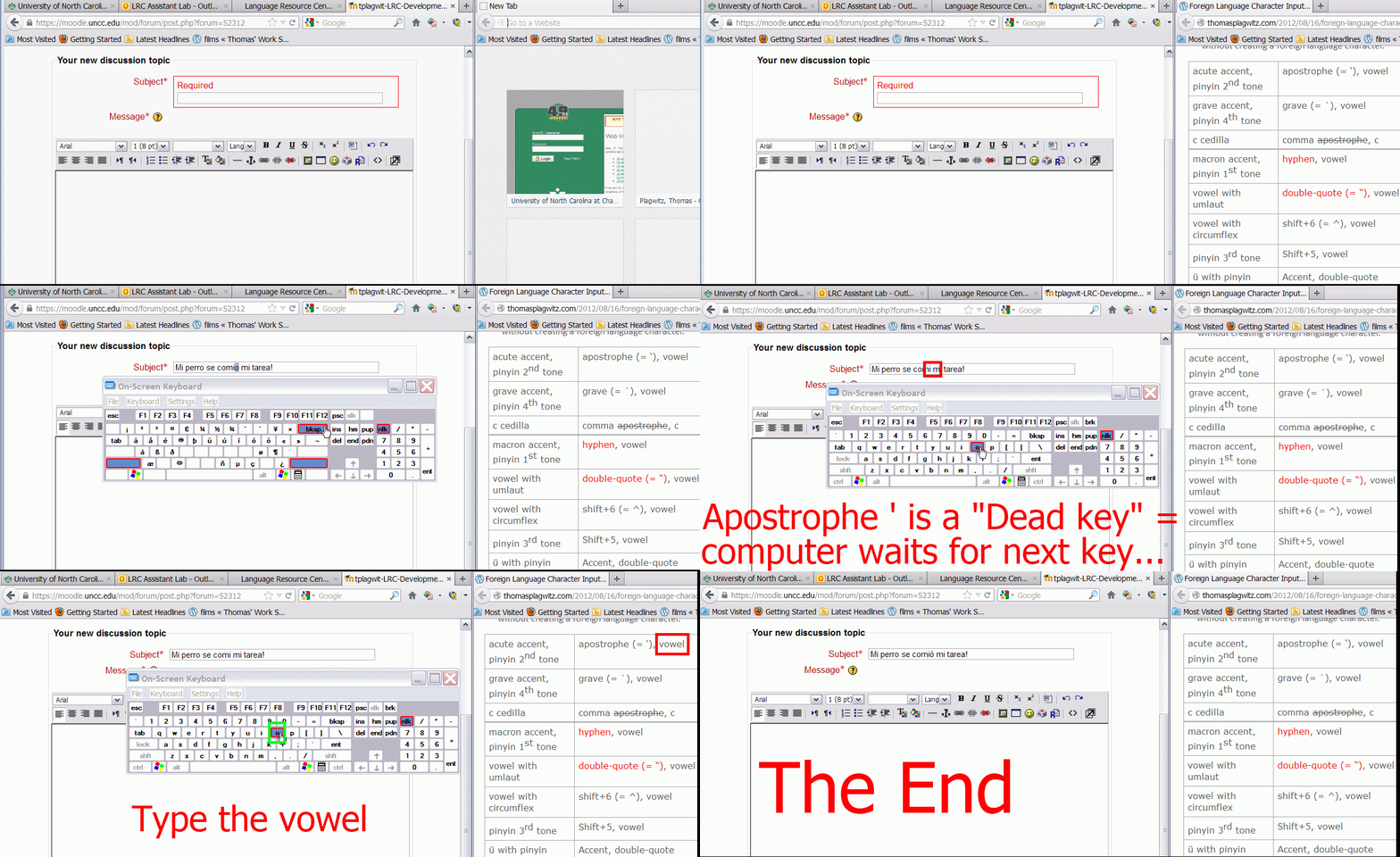
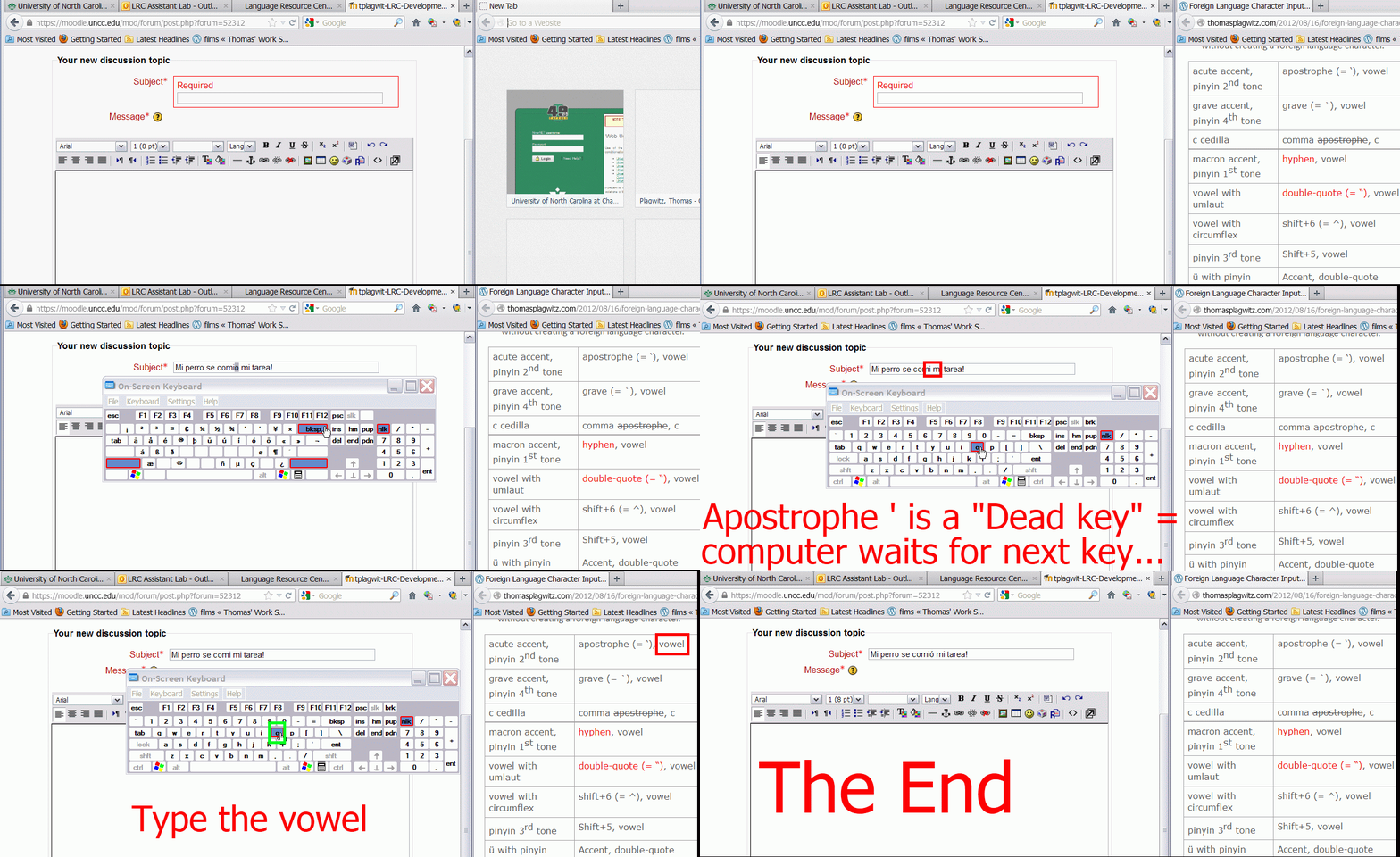
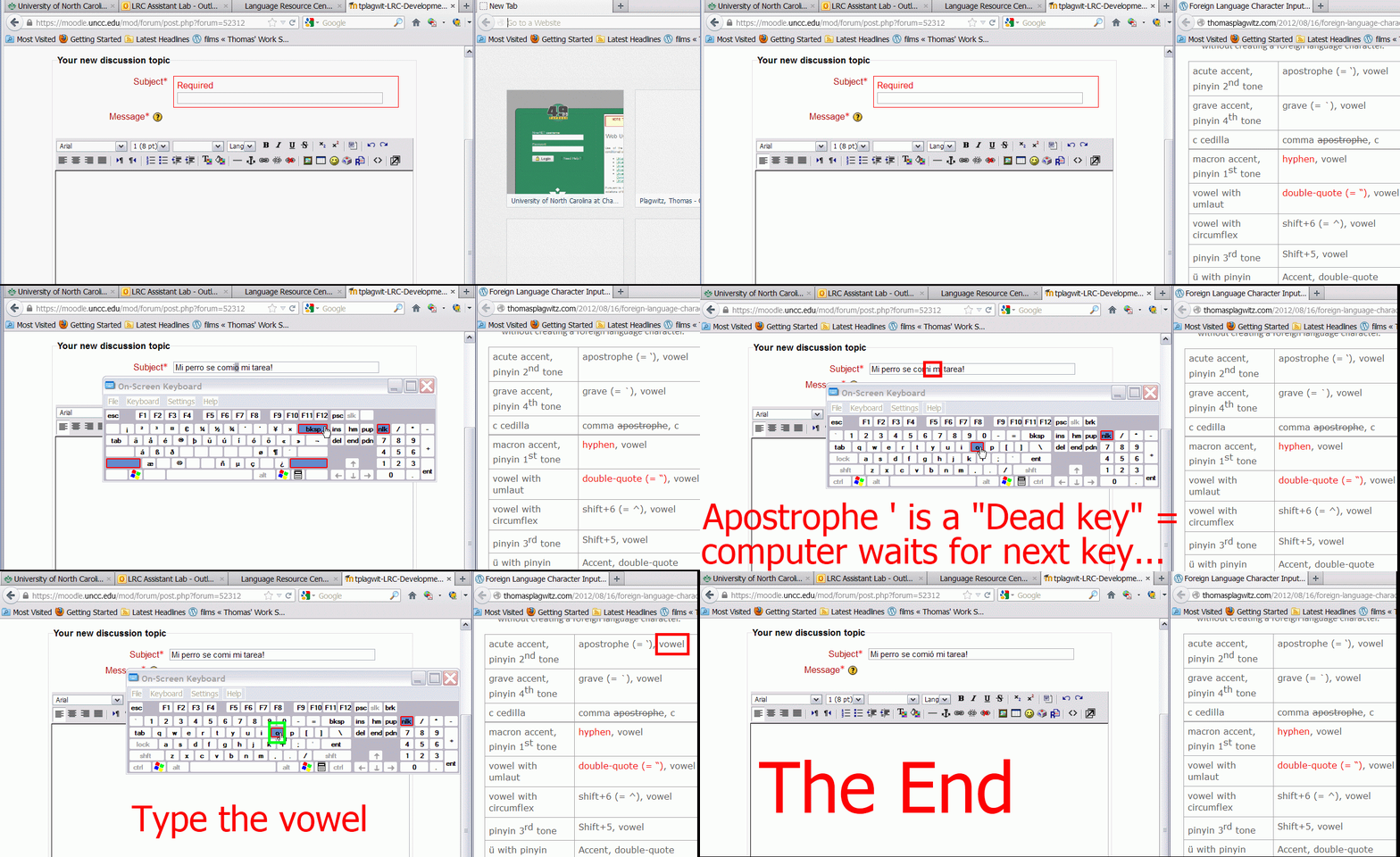
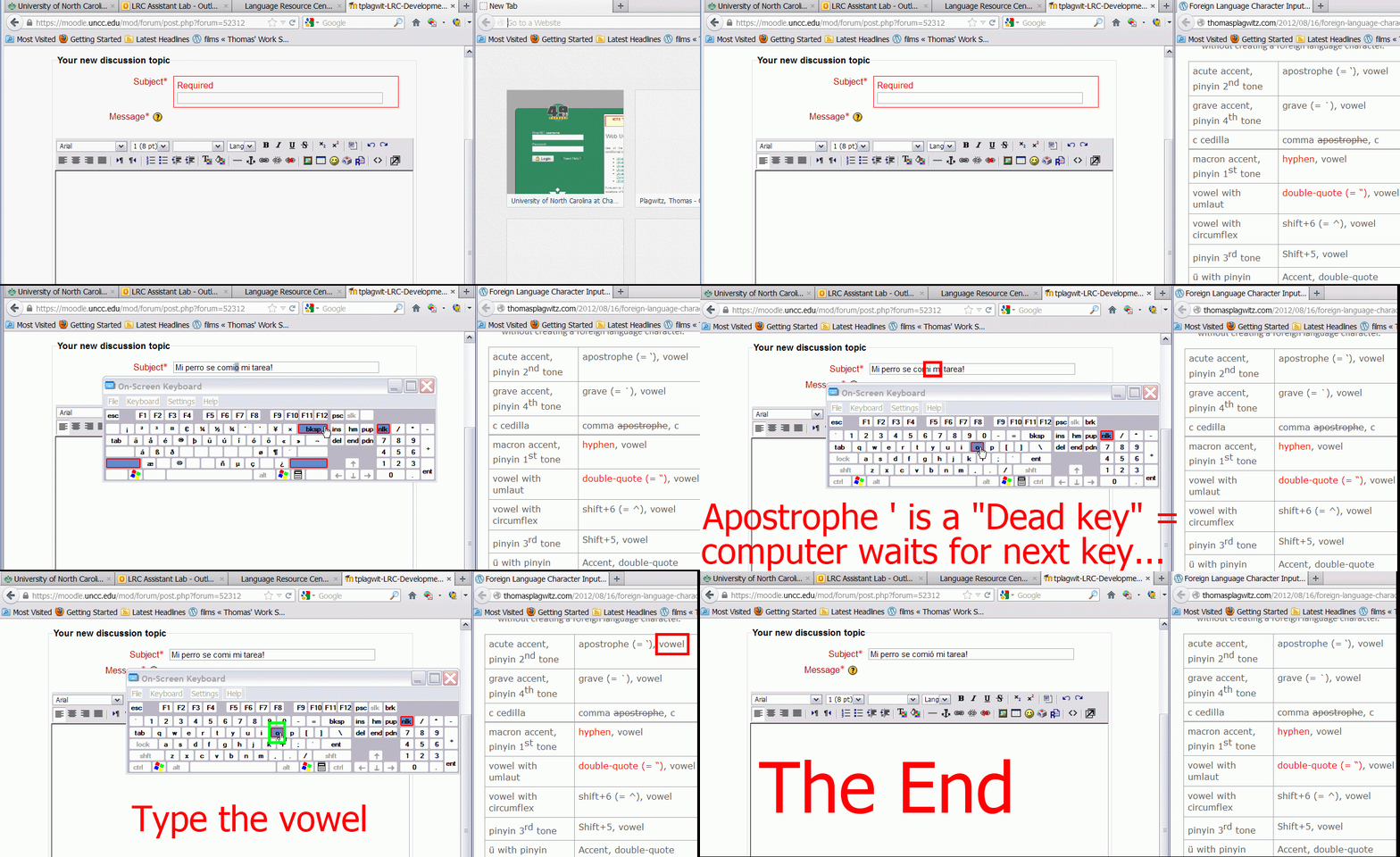
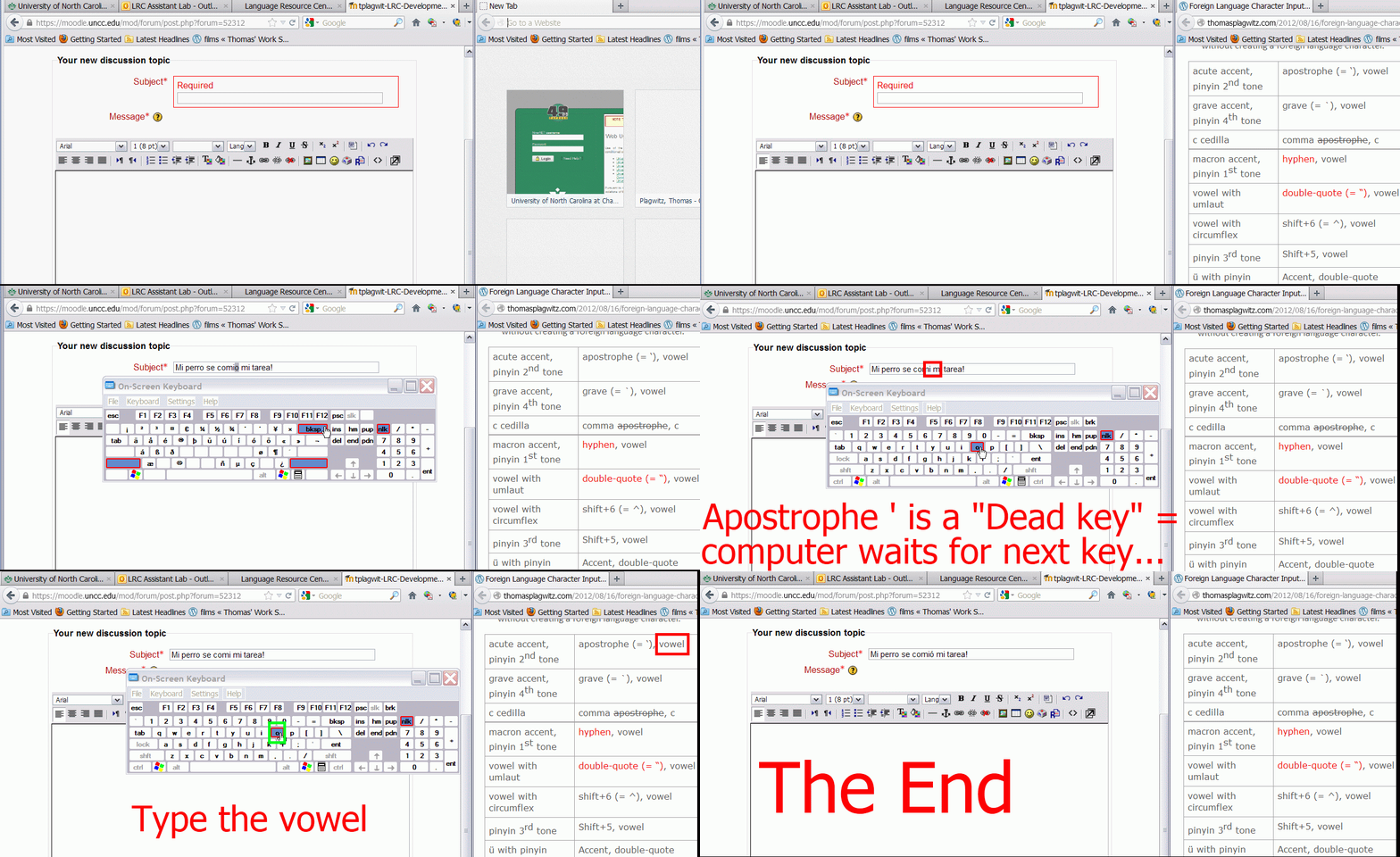
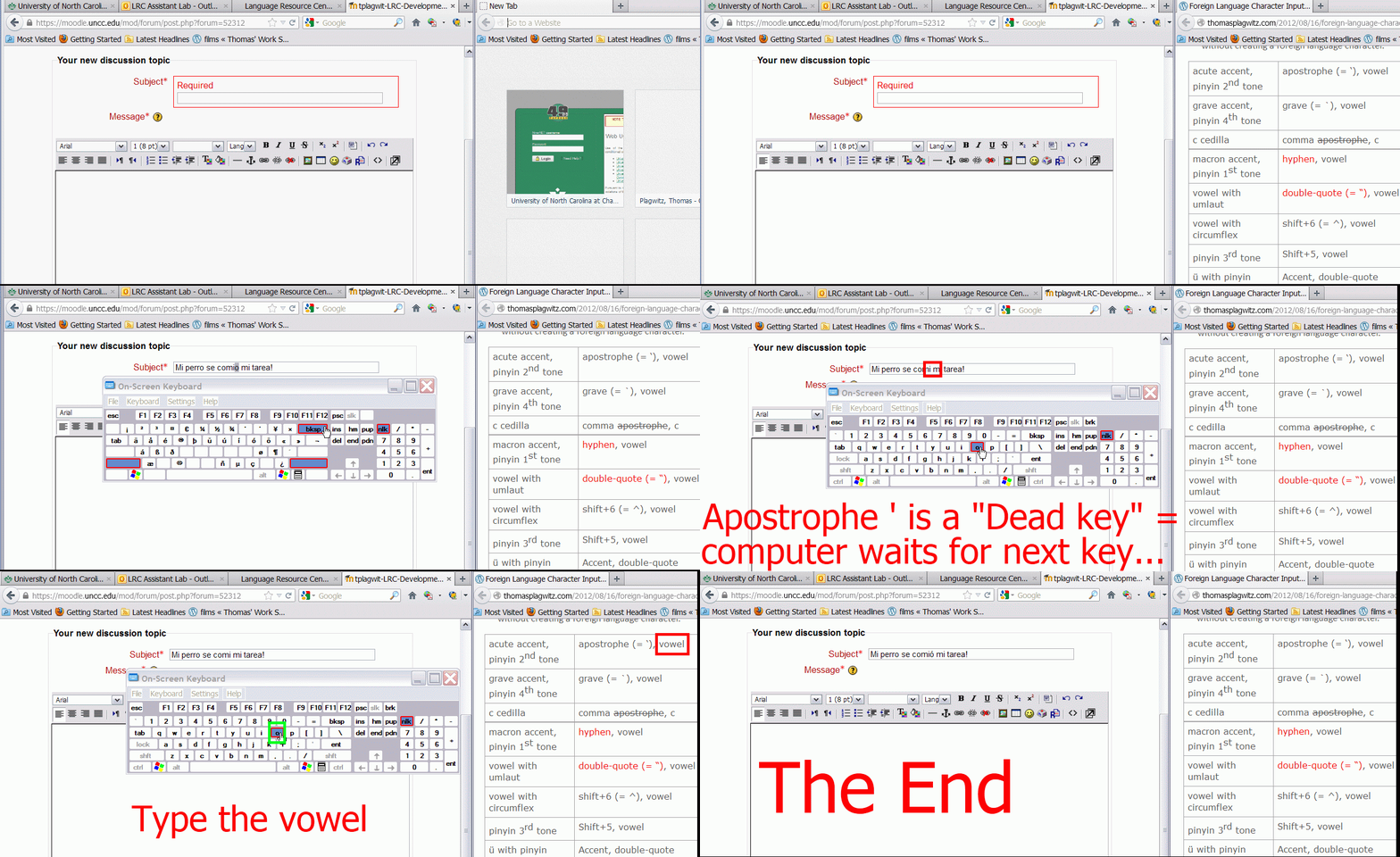
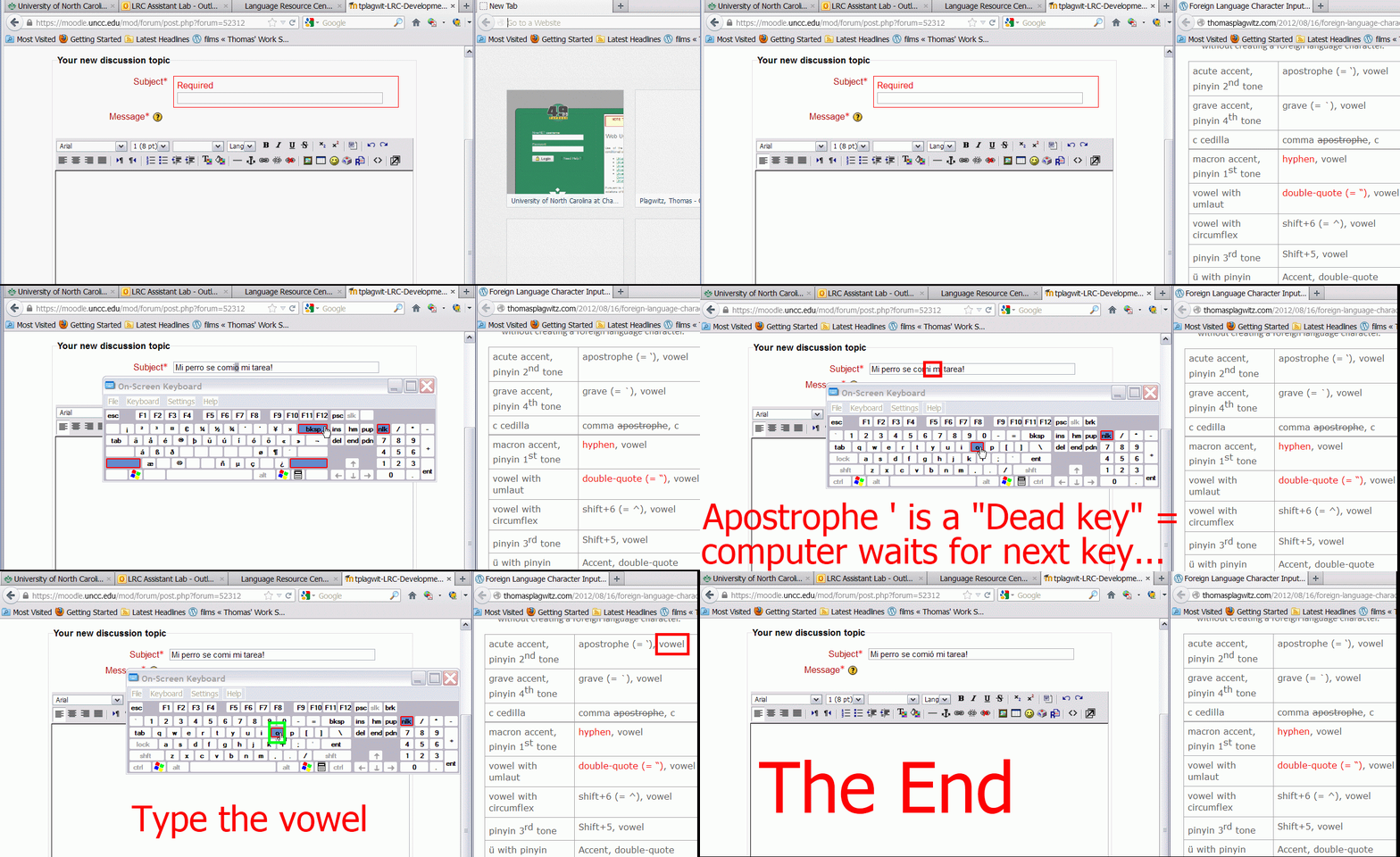
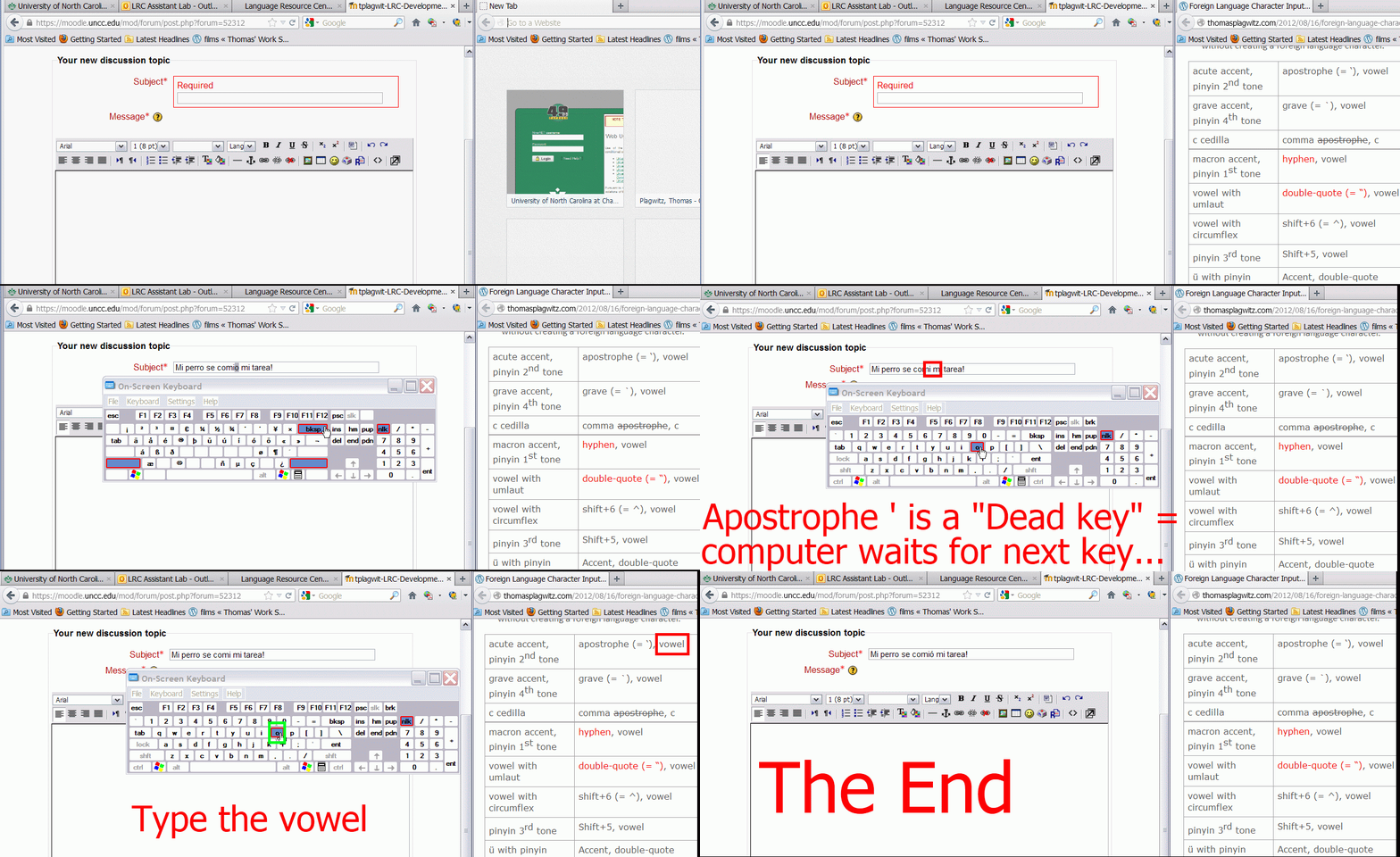
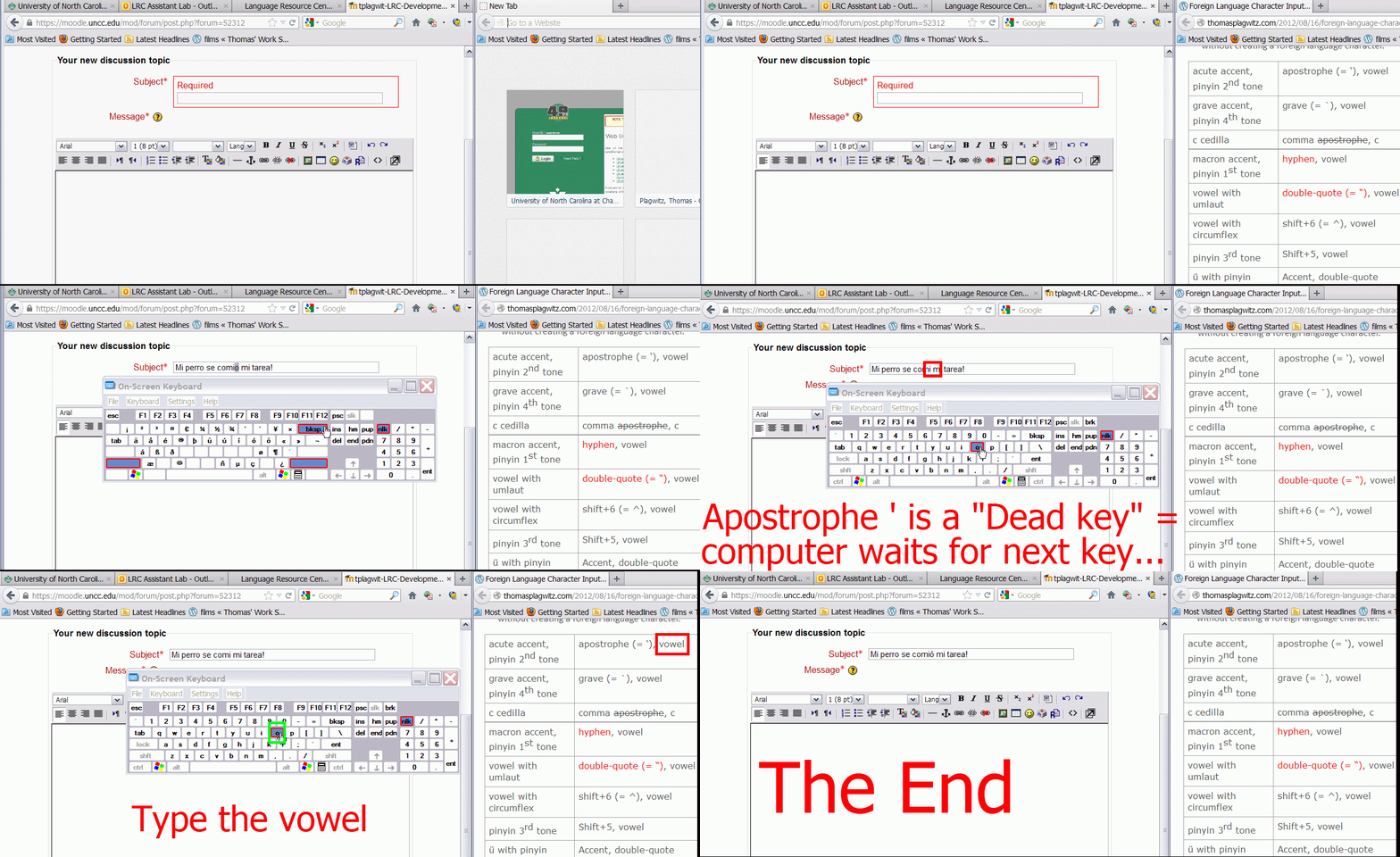
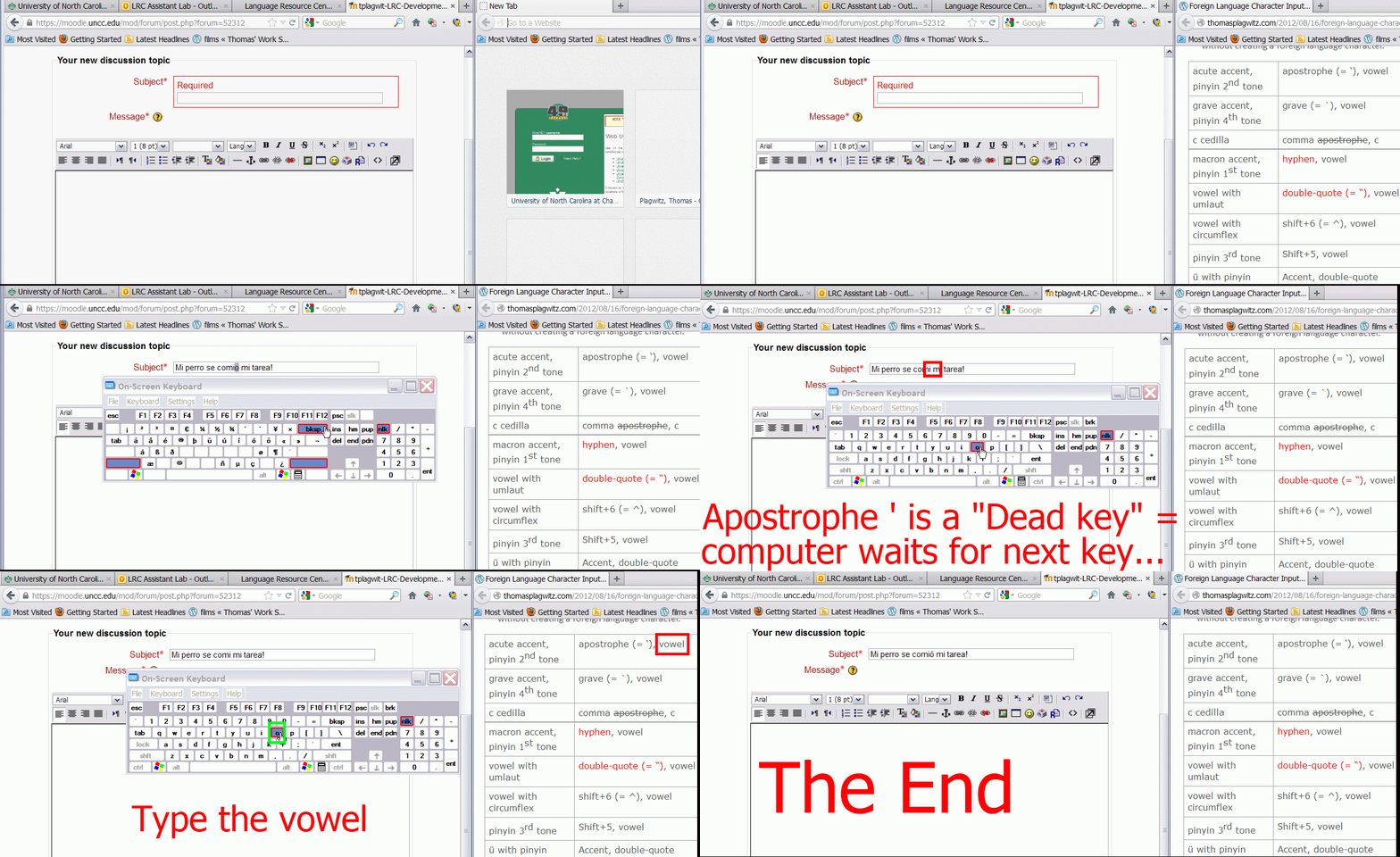
How to type accented characters with US International keyboard – the ultimate training summary….
 .
. .
.How to switch the input language in Respondus Lockdown browser, e.g. to Arabic
- Short answer:
- Right-click the Language bar on the taskbar and choose “Restore the Language bar”, like so:

- This makes the language bar a floating toolbar on top of the screen, like here:
 . This floating toolbar you can still access when in Lockdown browser.
 - The language bar can be temperamental, you may need to bring it up again, try switching back and forth between input fields.
- Long Answer:
- Respondus Lockdown browser blocks many functionalities, including the shortcut combination to change input languages (usually LEFT ALT + SHIFT) and access to the Language bar on the task bar.
- This is not an issue when your quiz is in a western language and you have US- international keyboard layout configured as your default (which lets you type most Western diacritics without need for keys blocked by Respondus Lockdown browser )
- It is an issue with e.g. Arabic. You cannot even temporarily set Arabic to your default input language before starting lockdown browser, since then you cannot log in (with MS Maren IME, you can override the Arabic default to enter your username in western characters, but not the password. Respondus Lockdown Browser is built on Internet Explorer, but it does not share the cookies, so being logged into your LMS in Internet Explorer does not carry over to your Lockdown Browser session).
- Workaround: See above.


Mylanguagelab.com “Authentication failed” glitch in audio recorder
Common error in IE8 when students review their test before submitting. No worries, the student recording is not lost. Still, what is the solution?

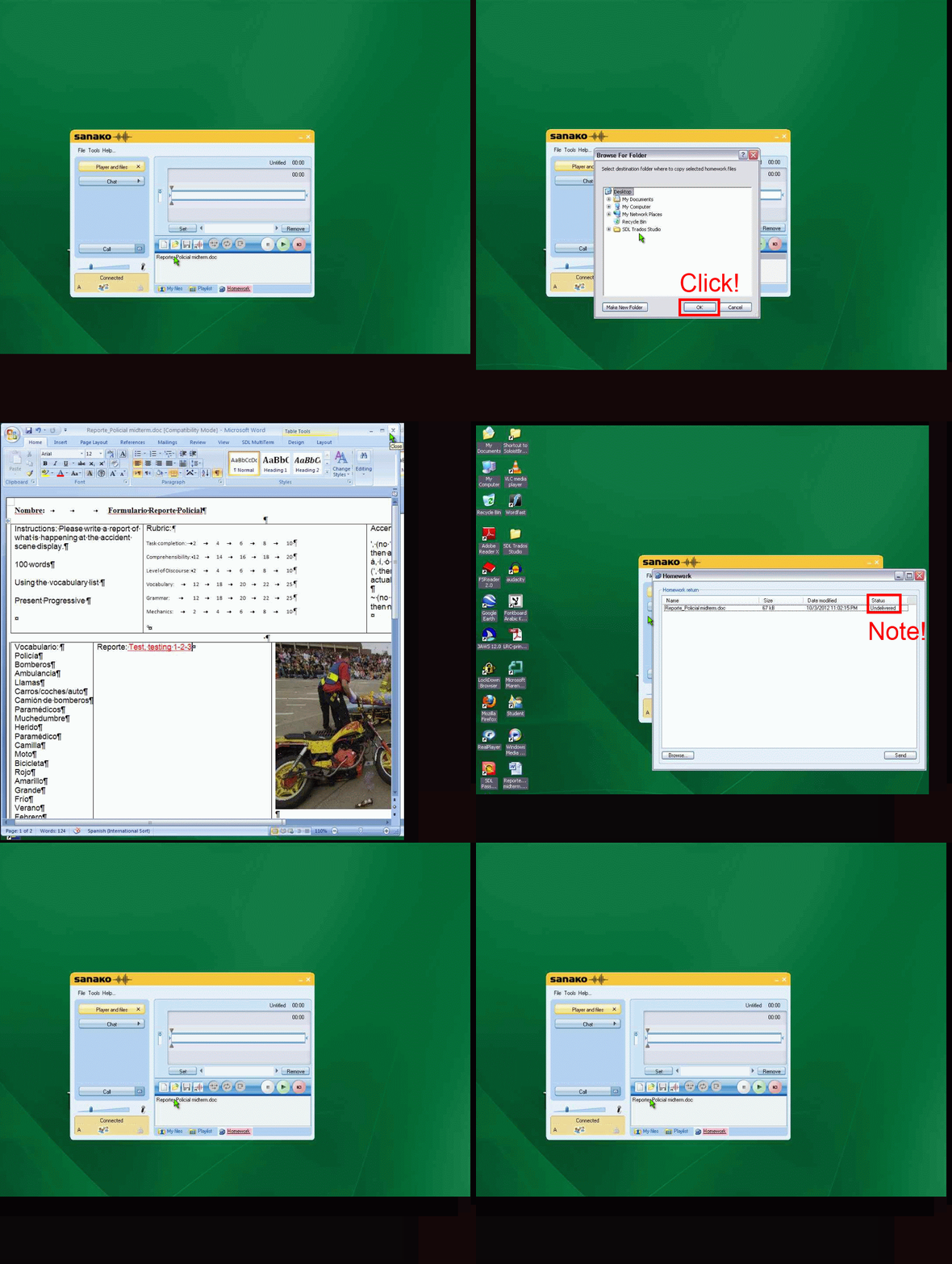
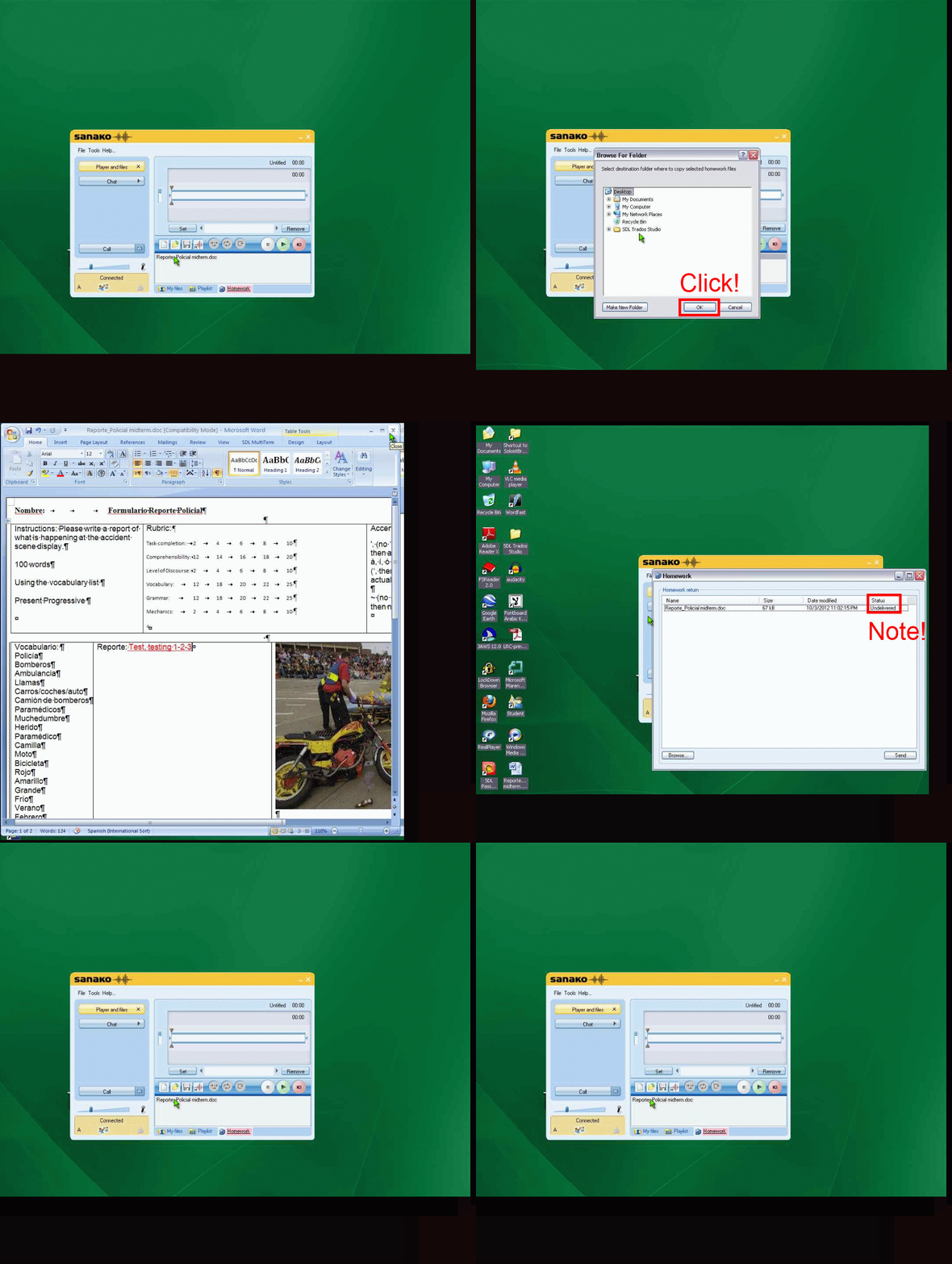
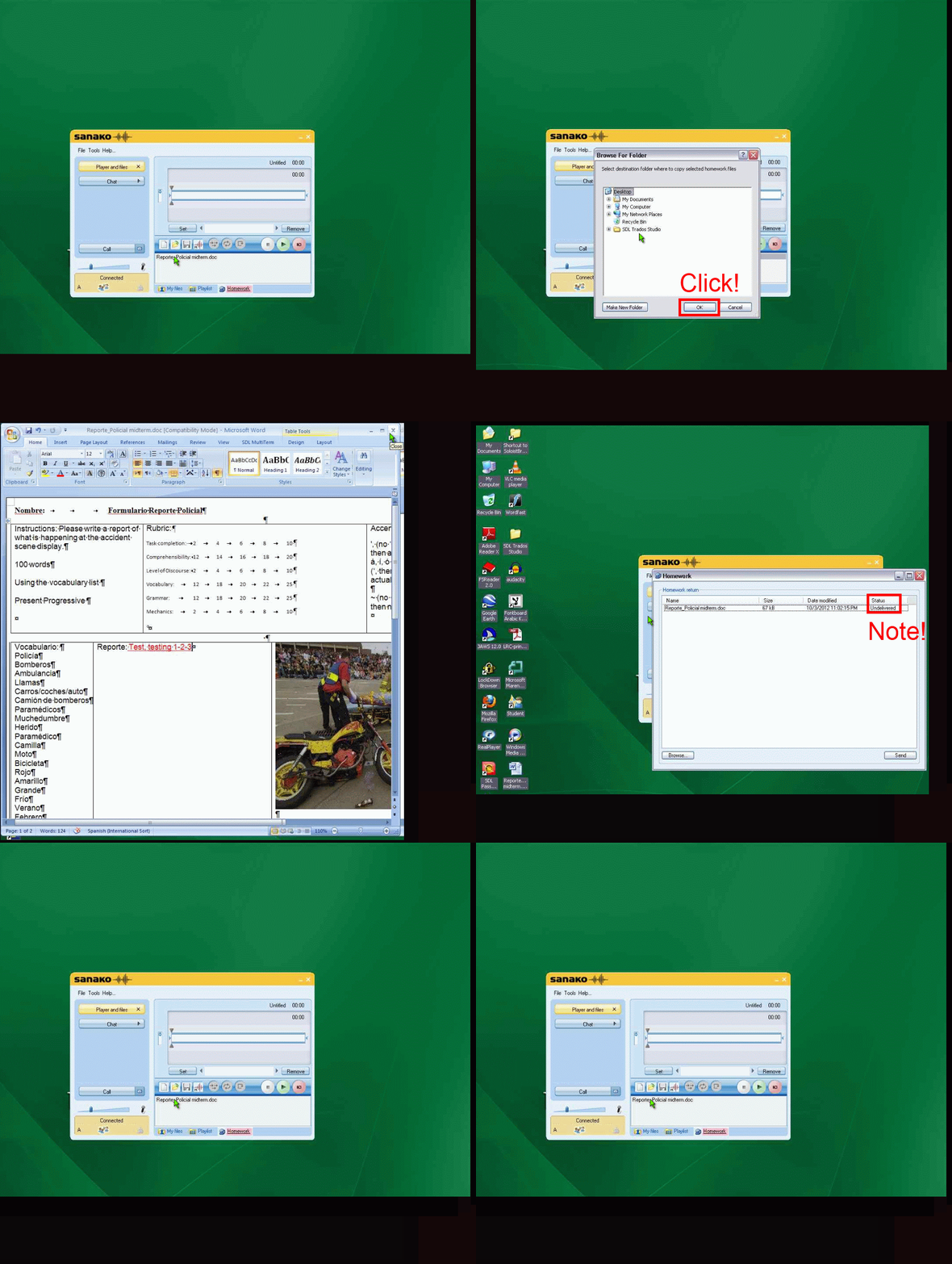
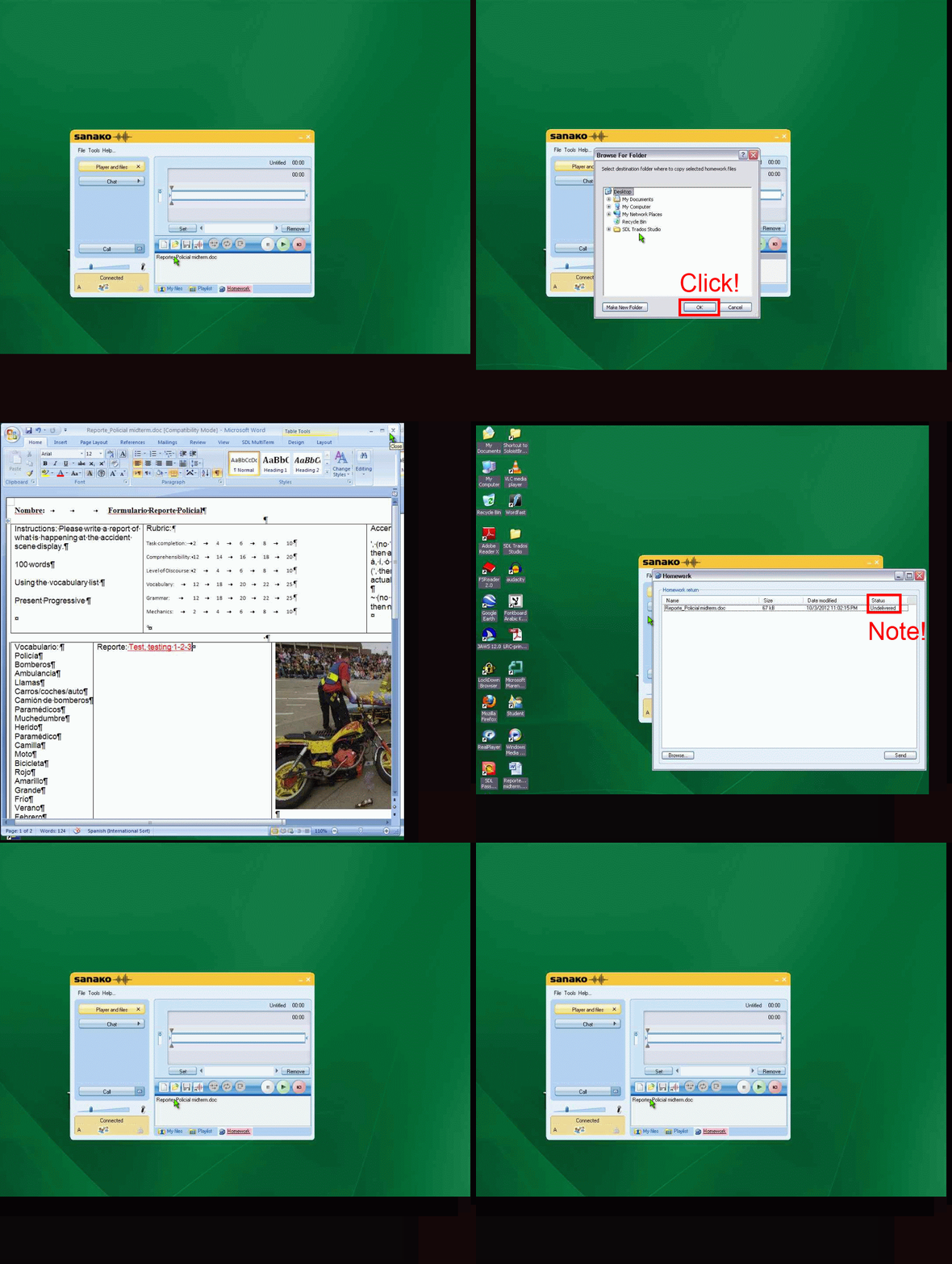
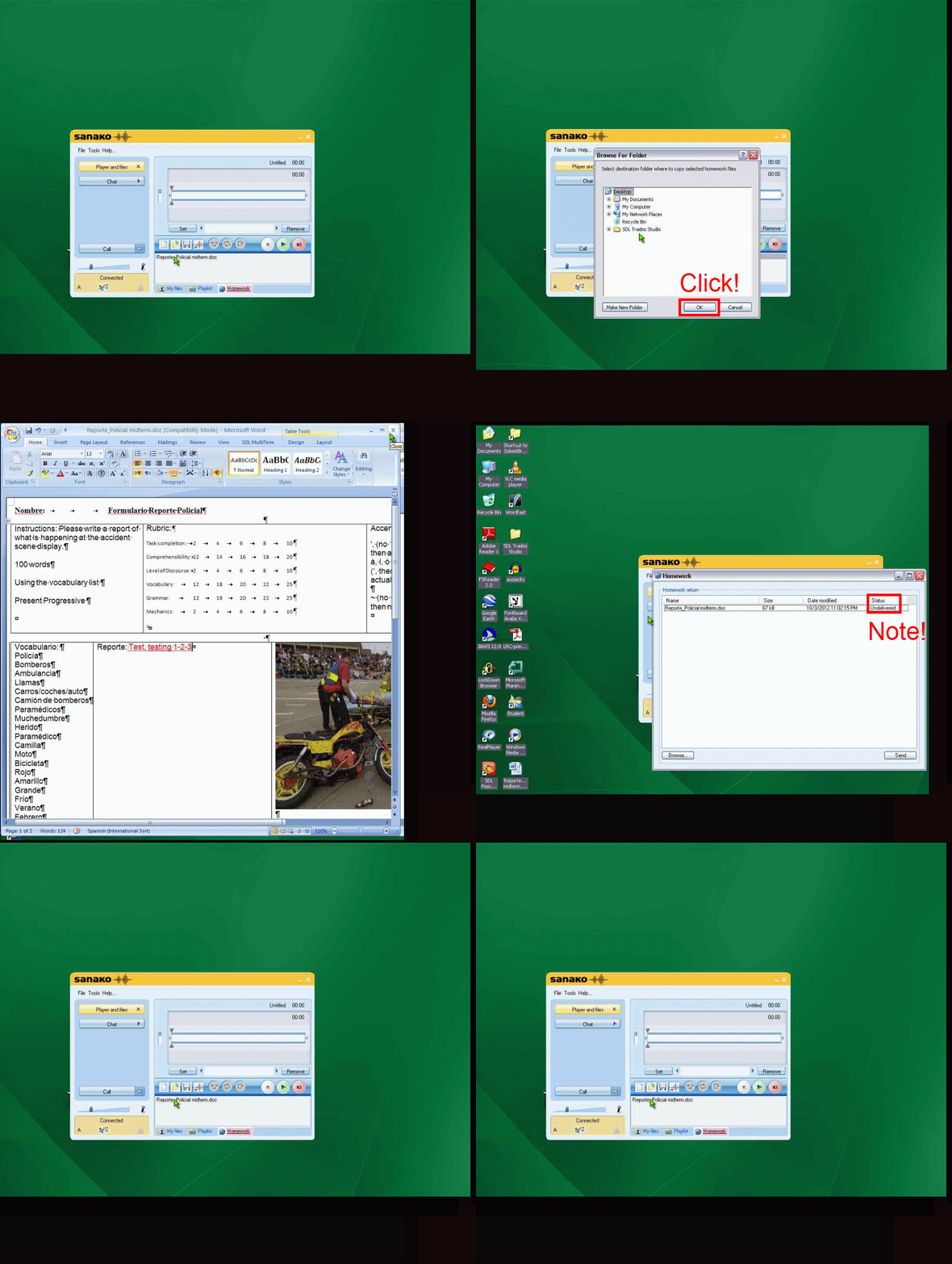
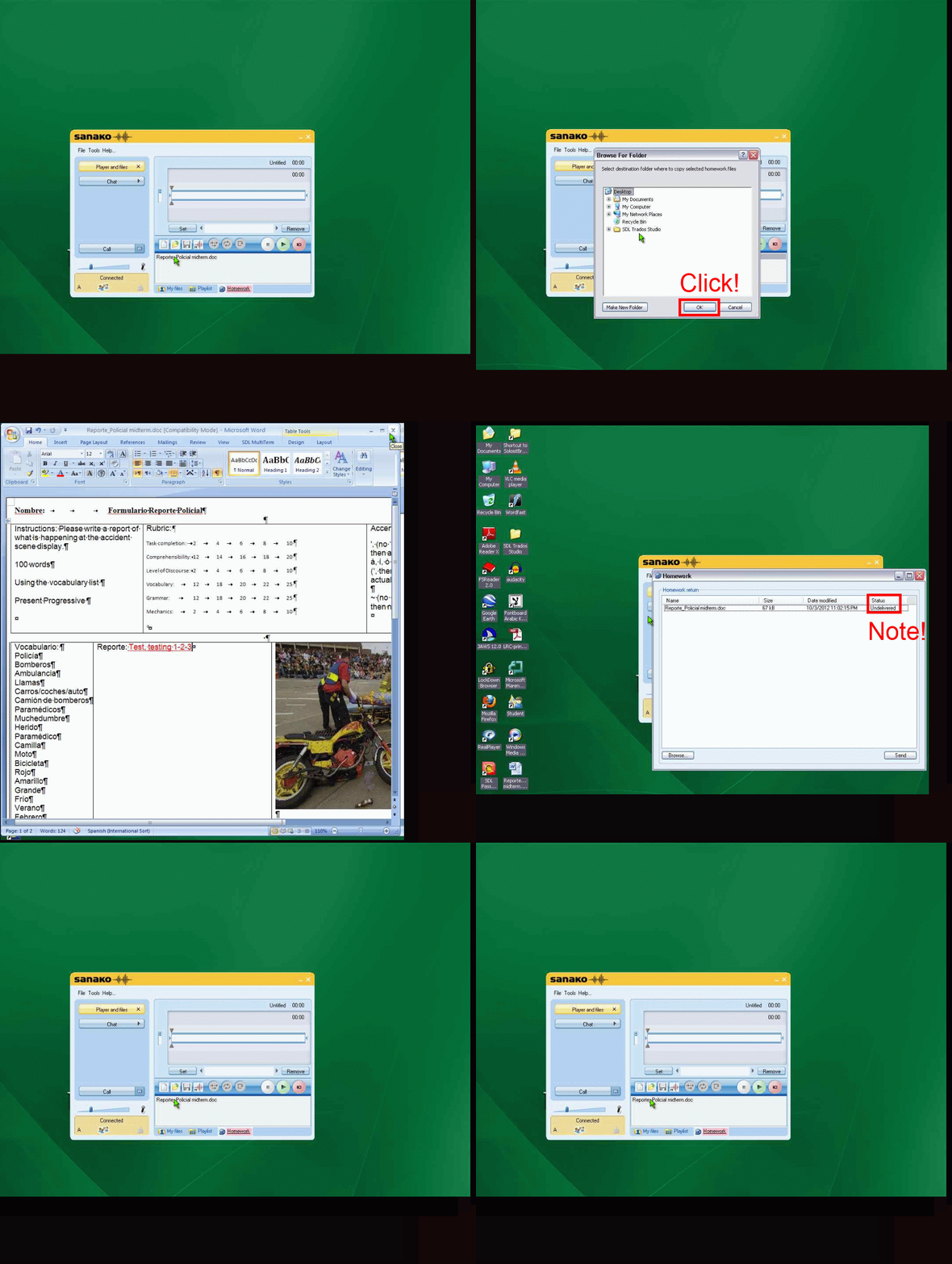
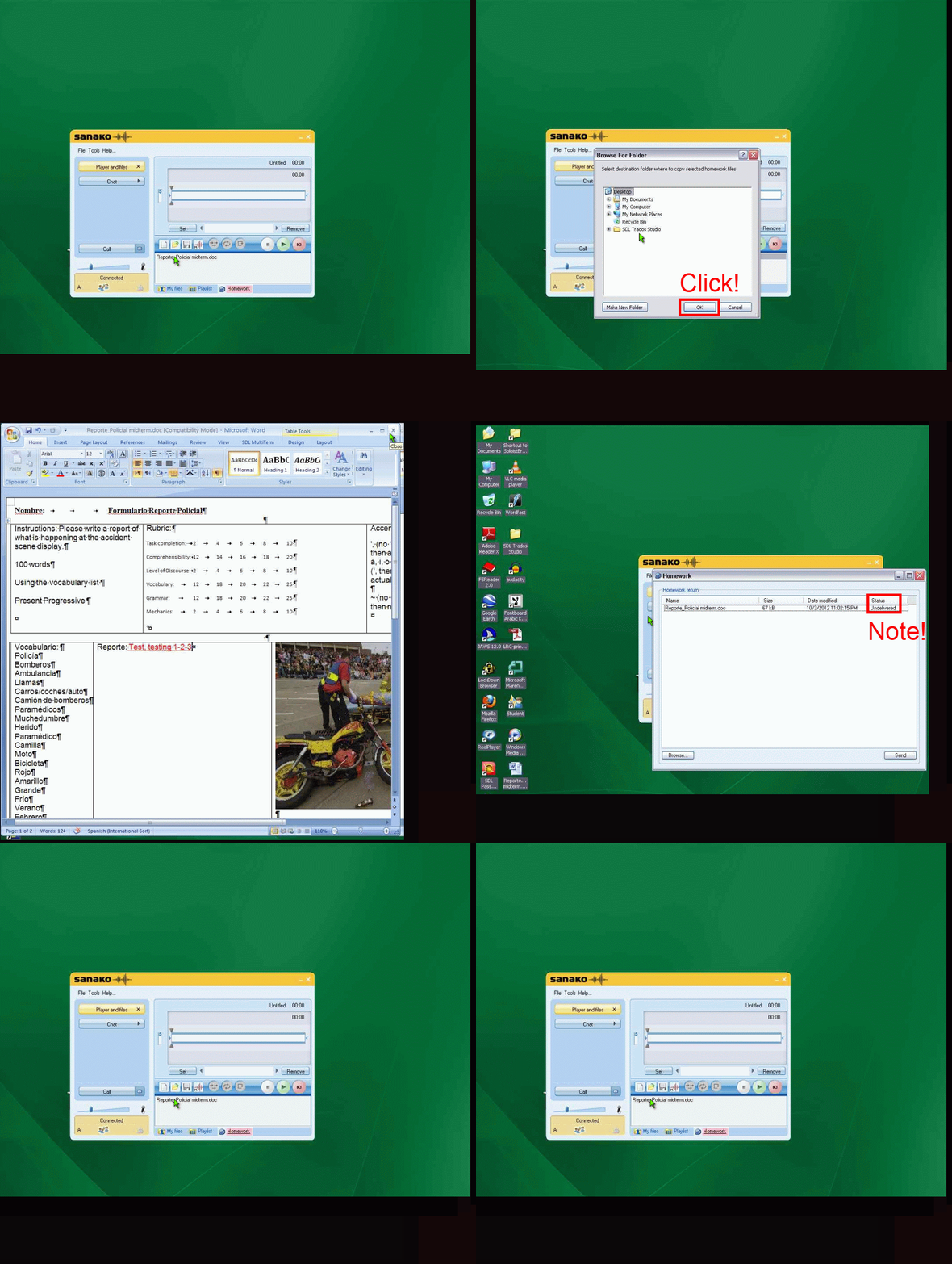
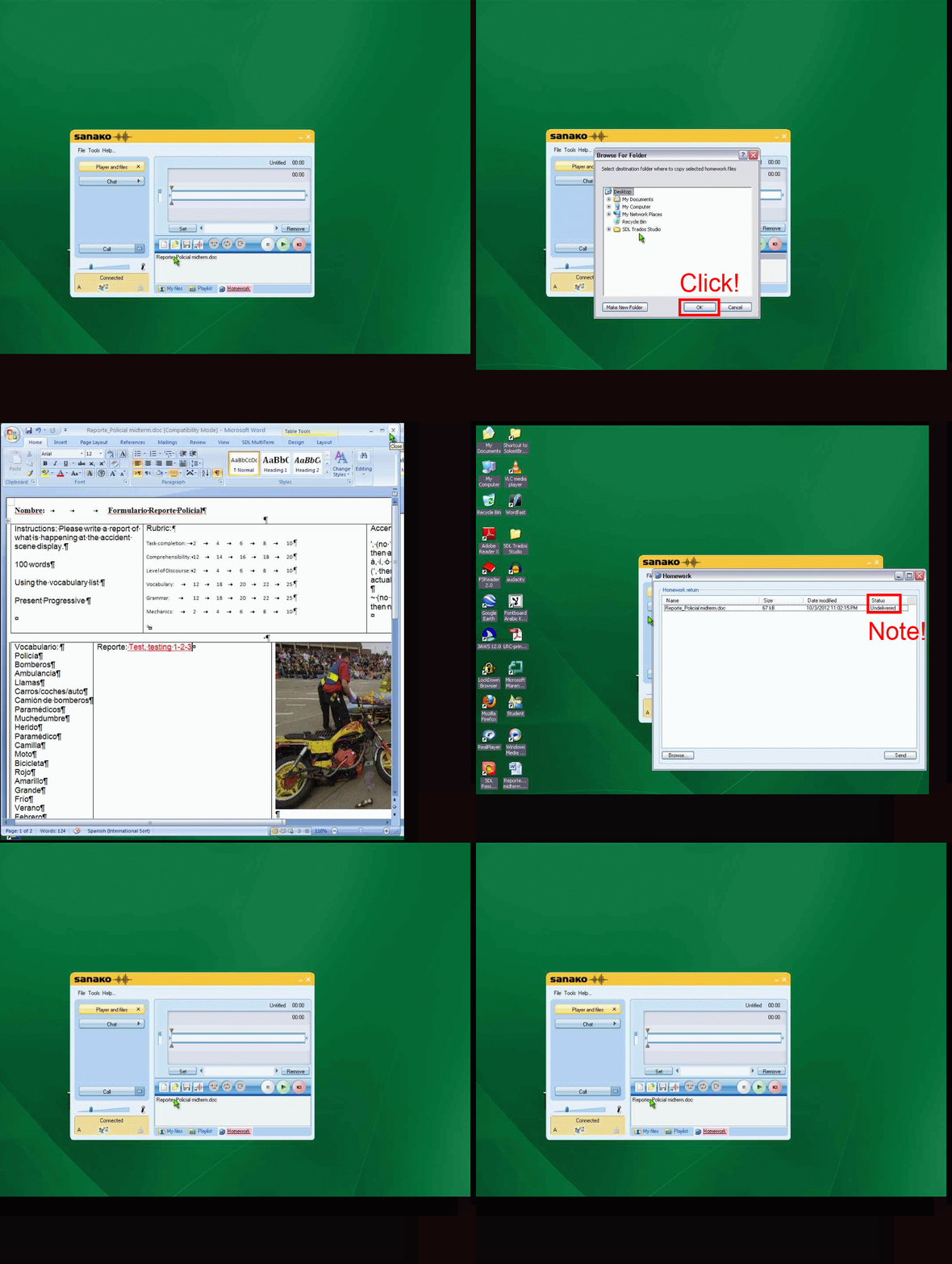
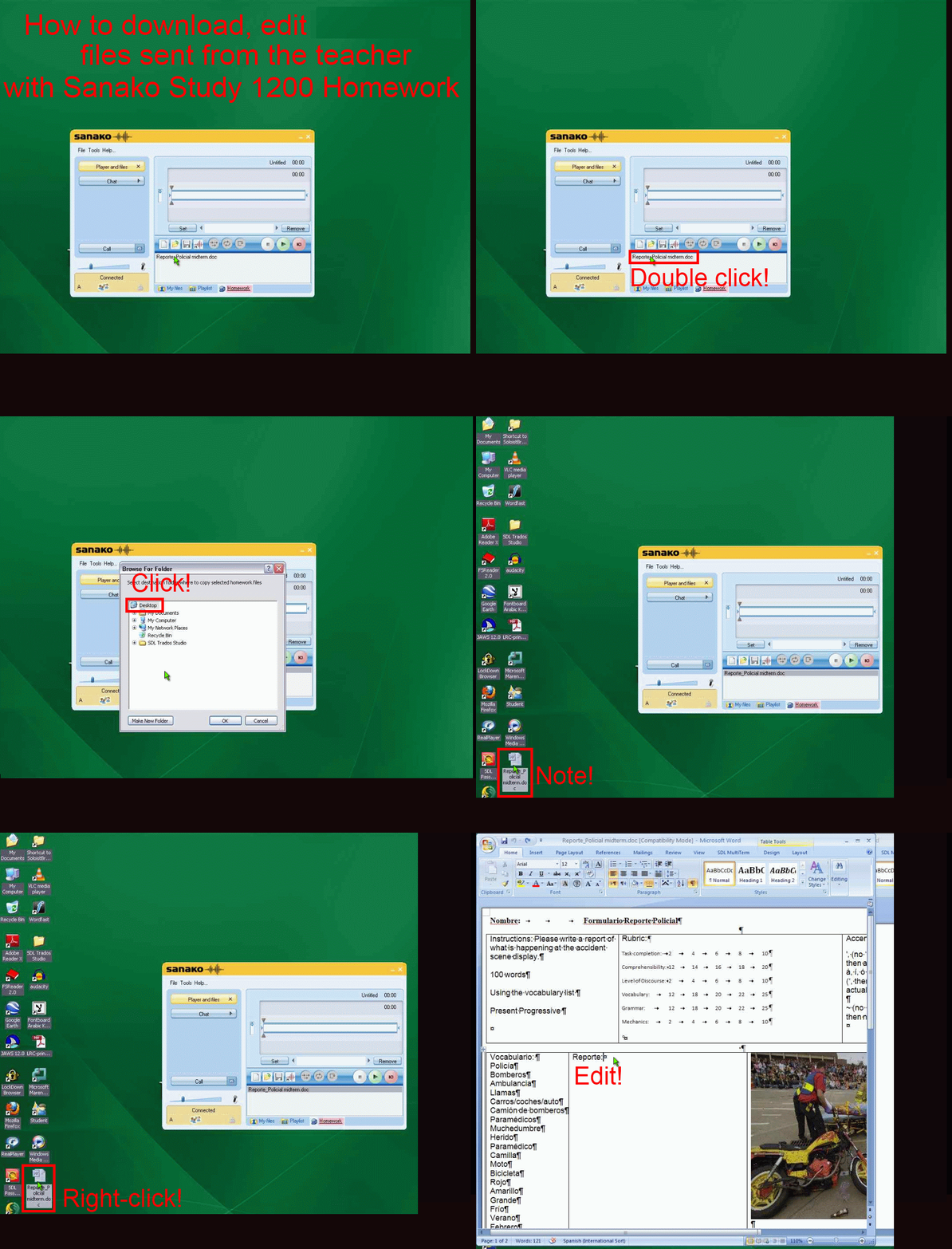
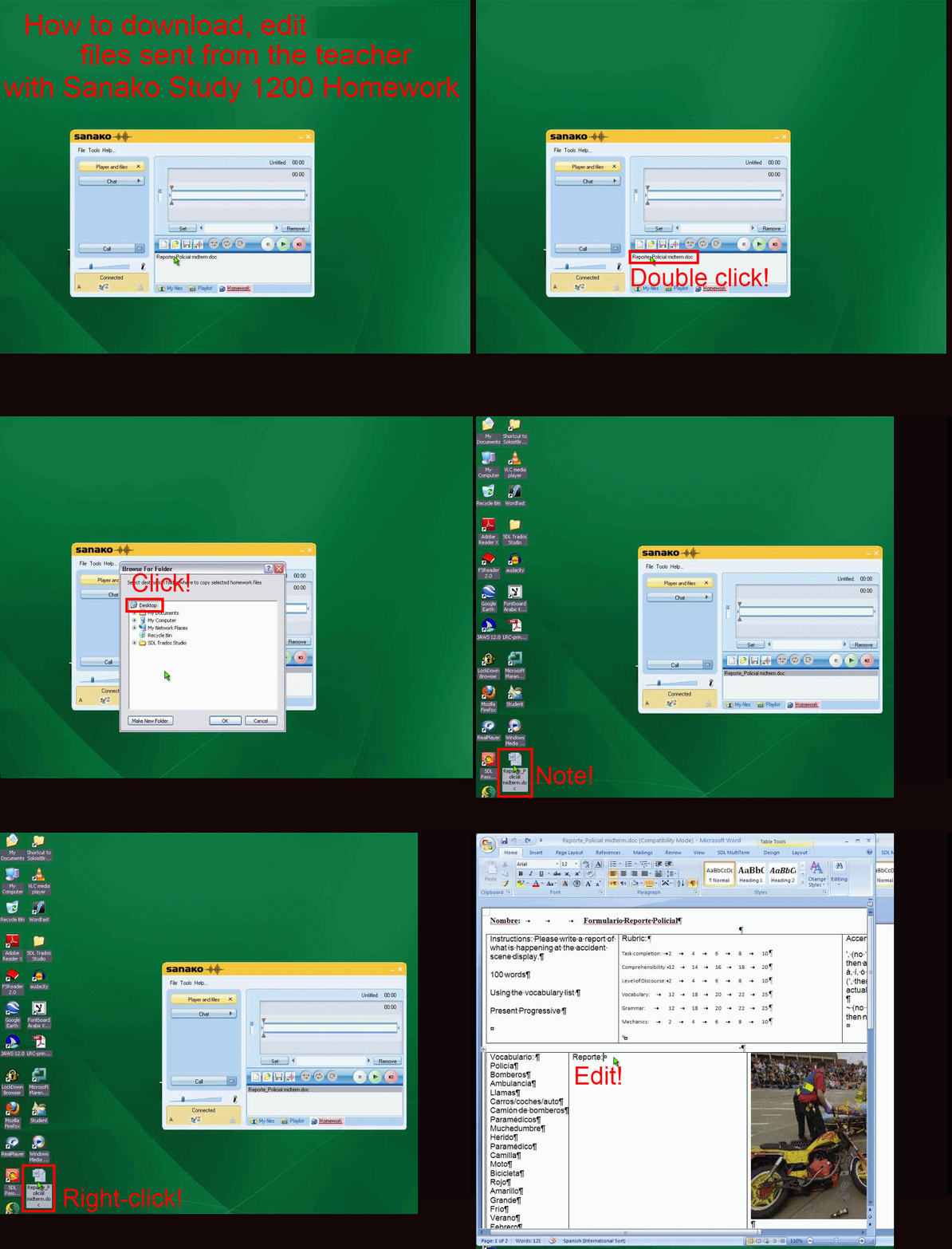
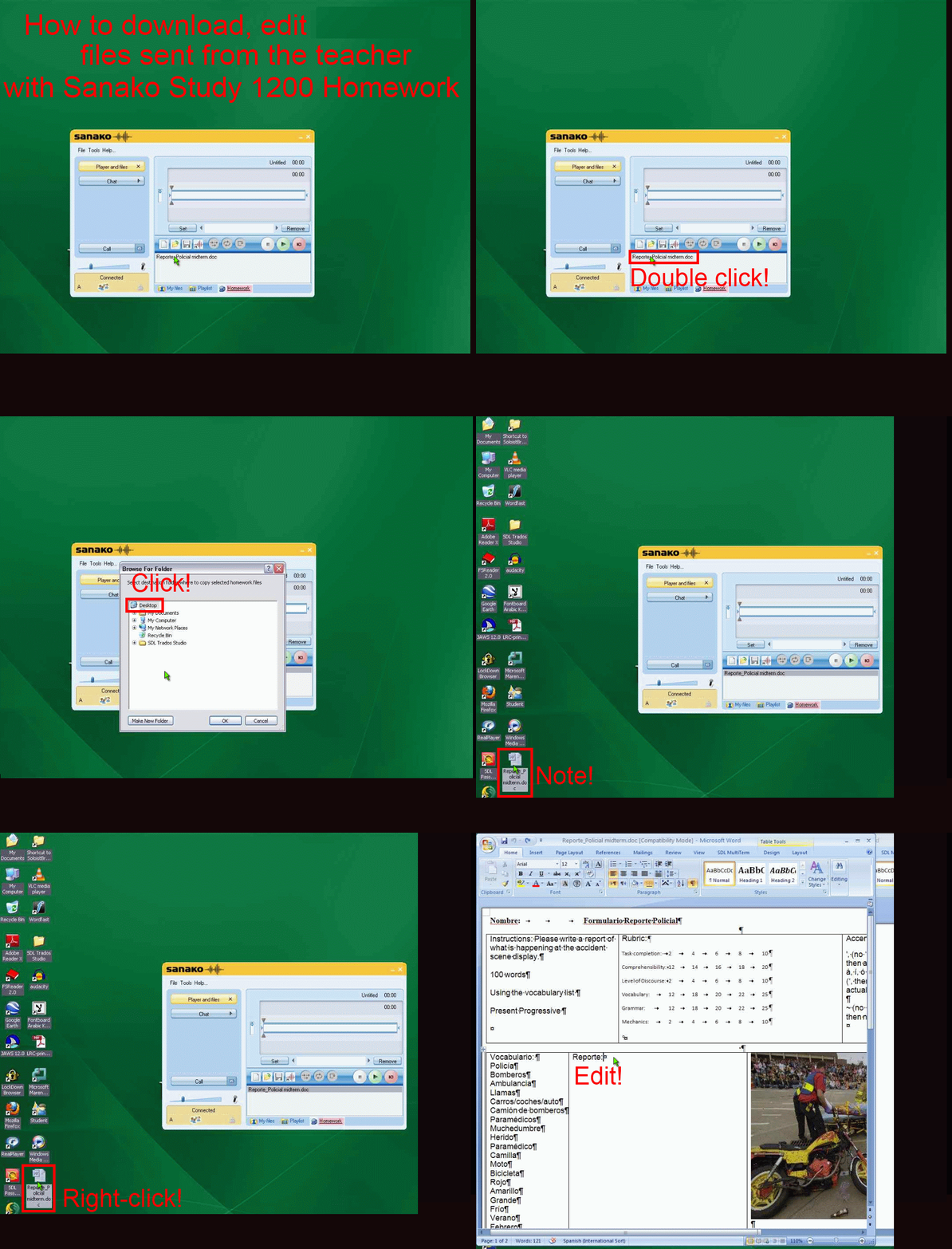
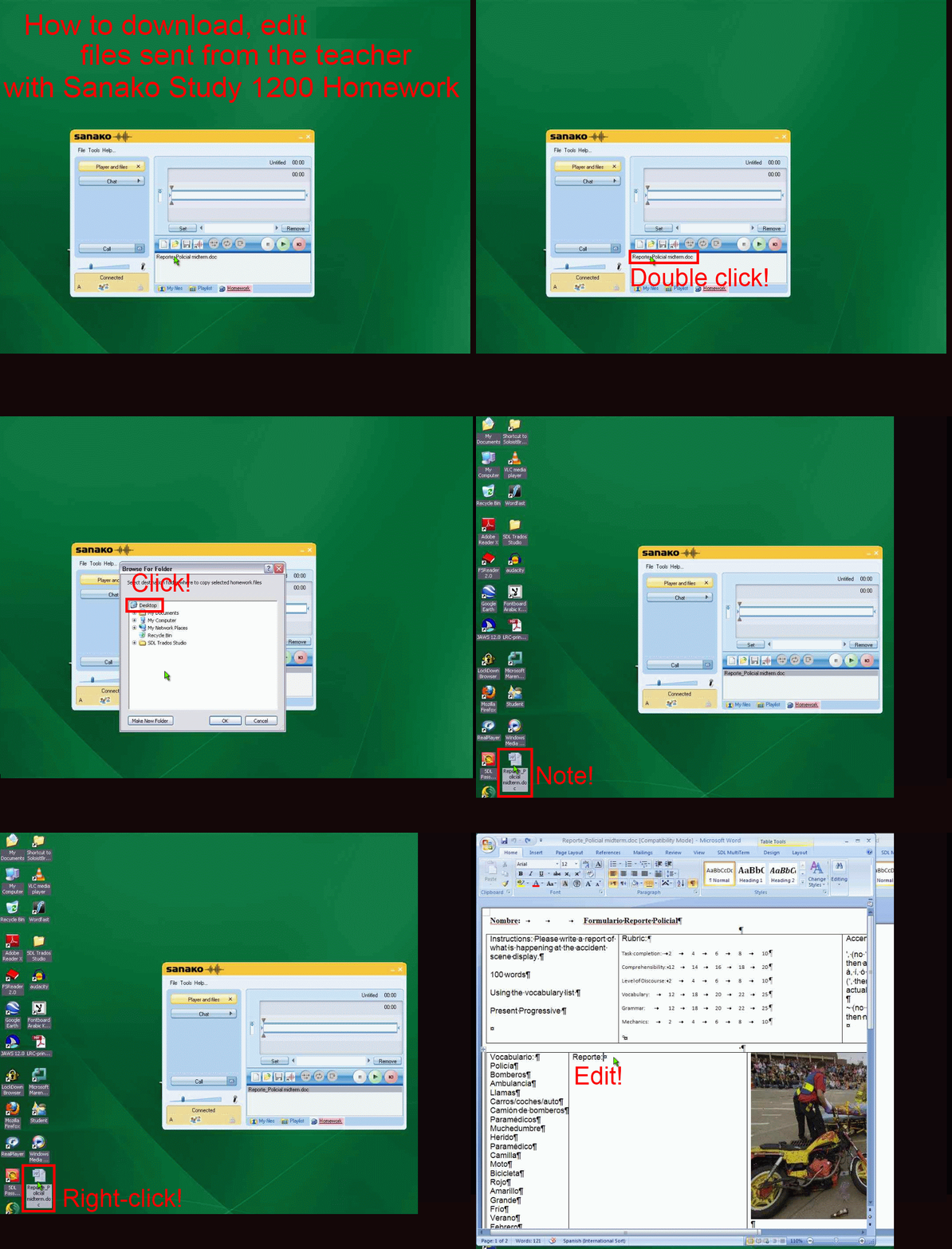
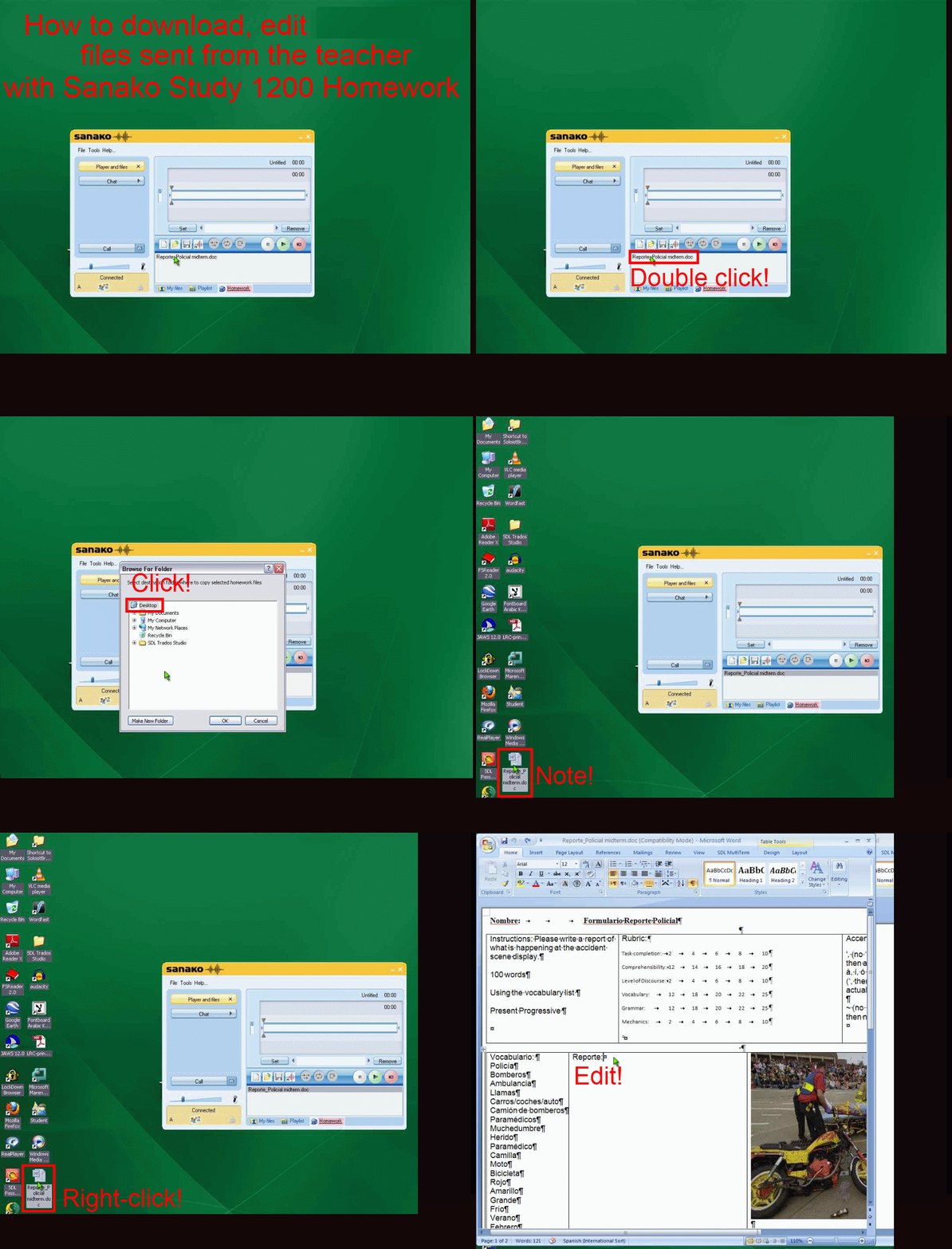
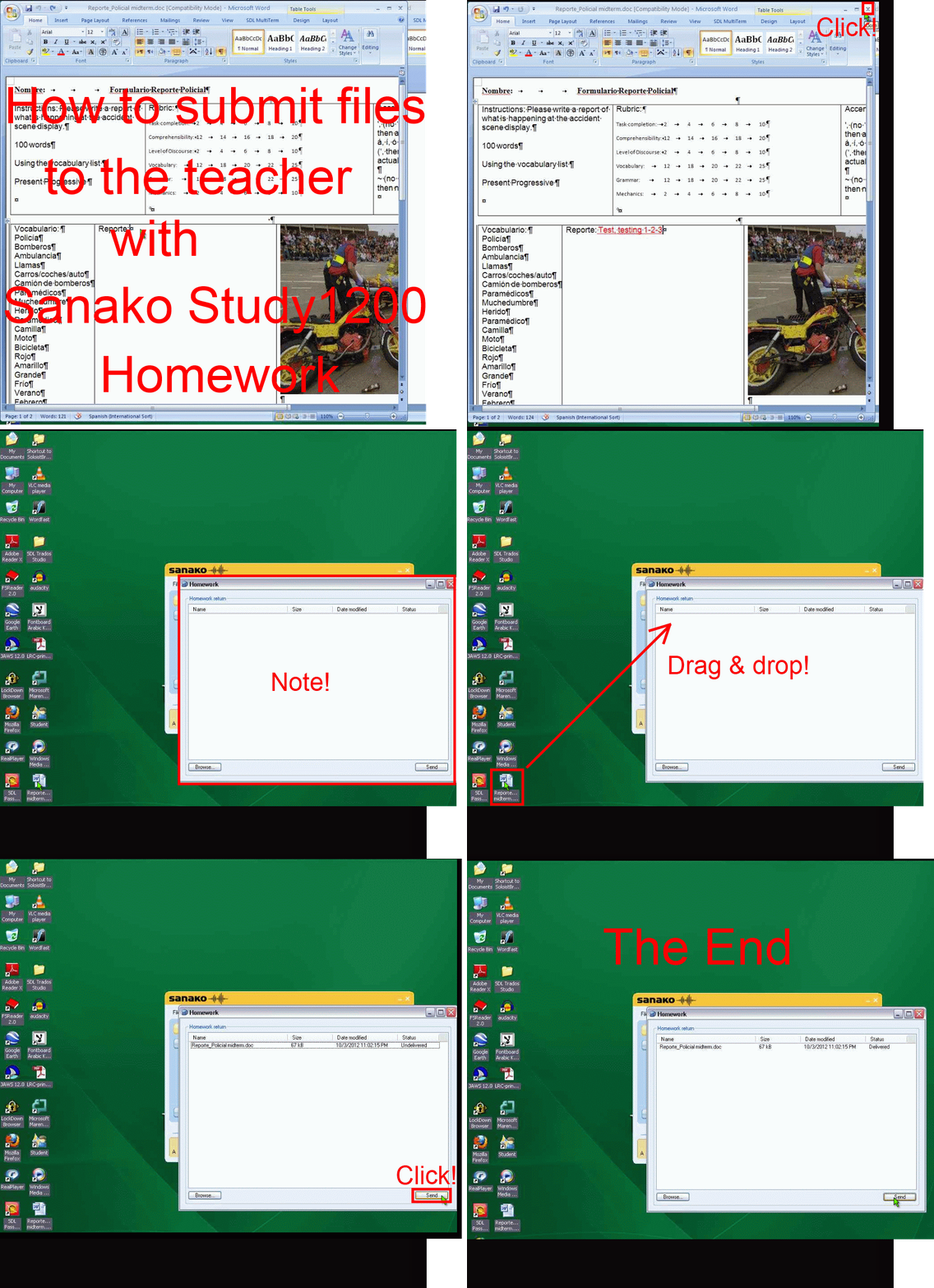
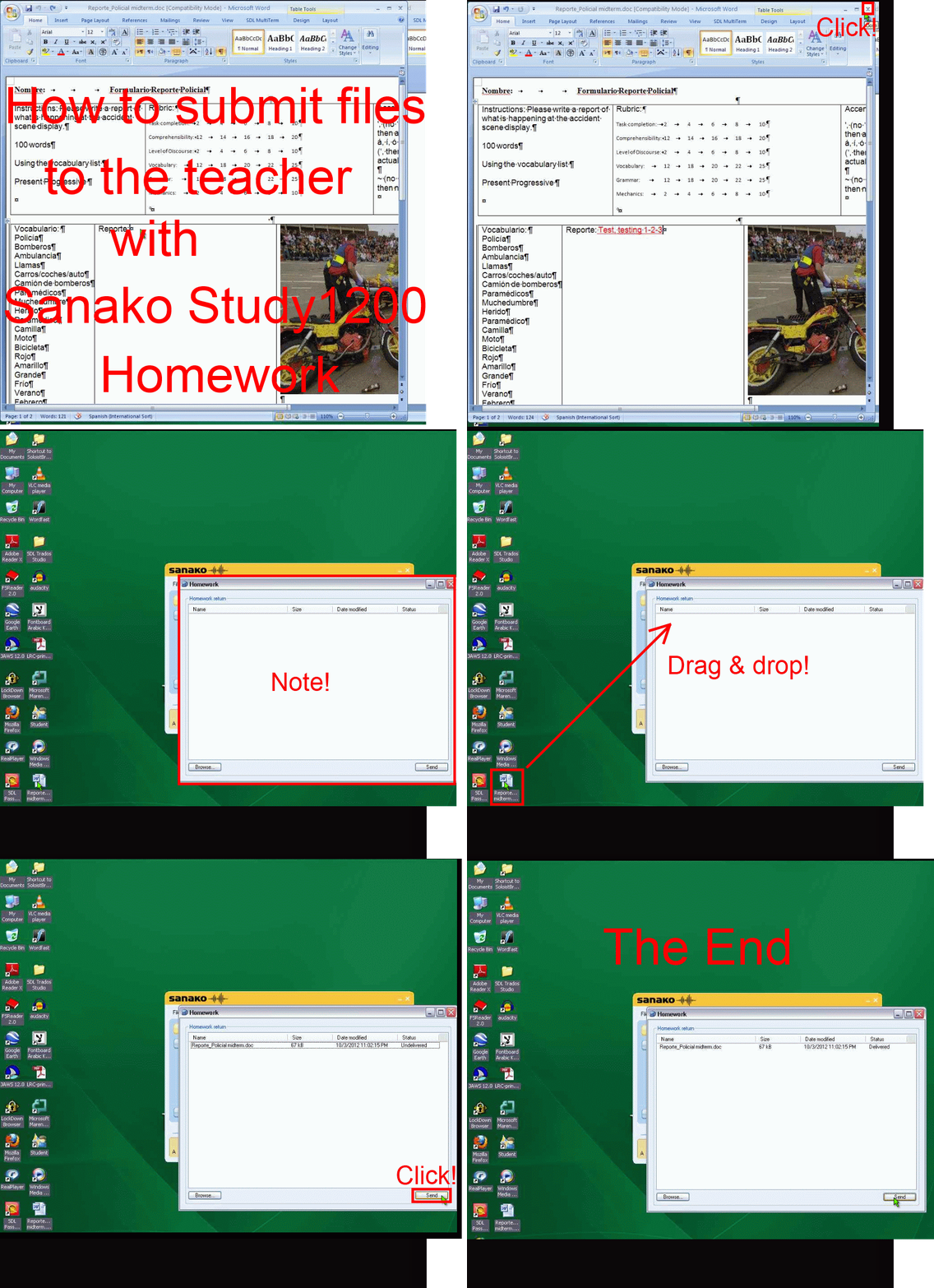
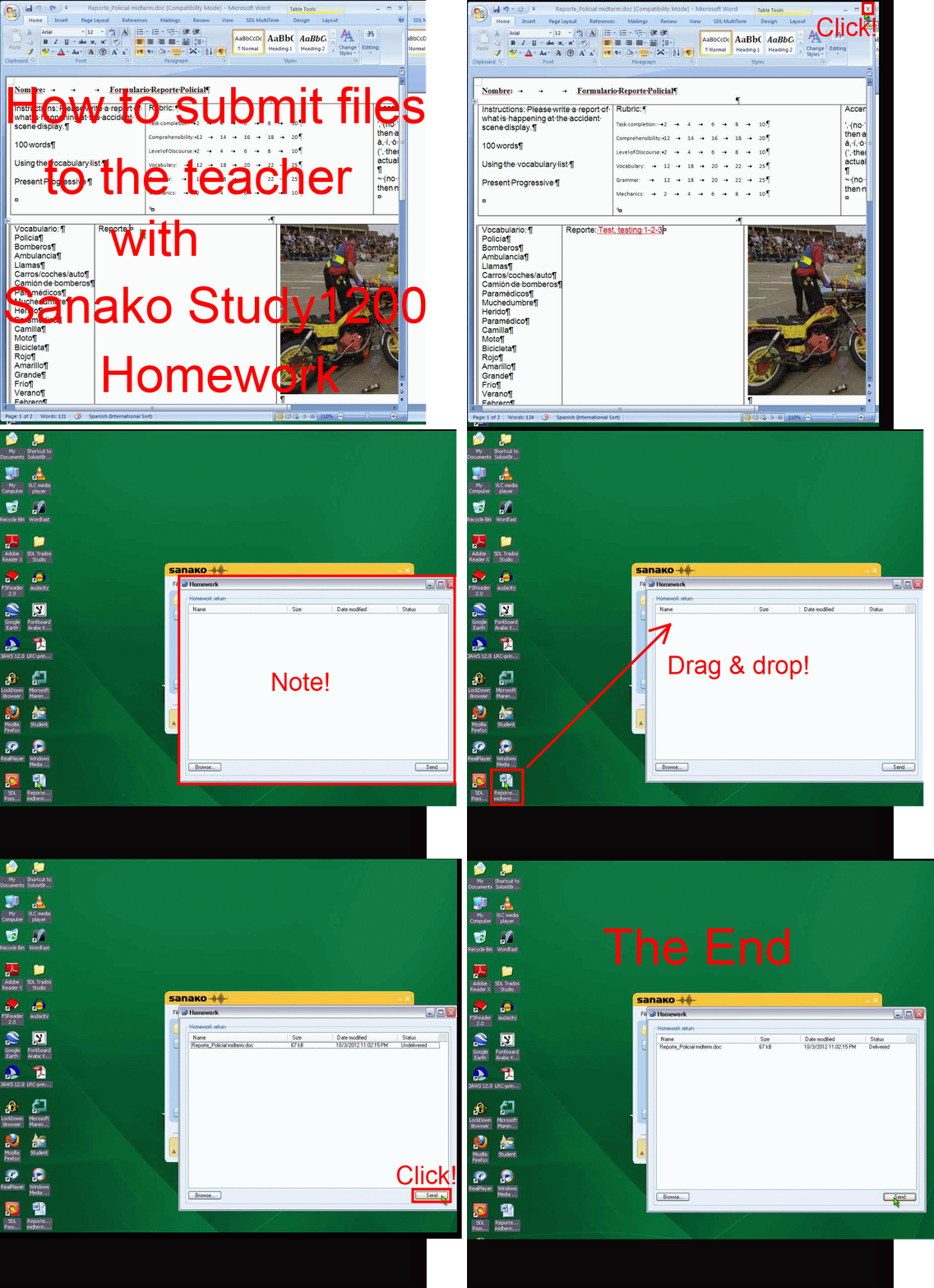
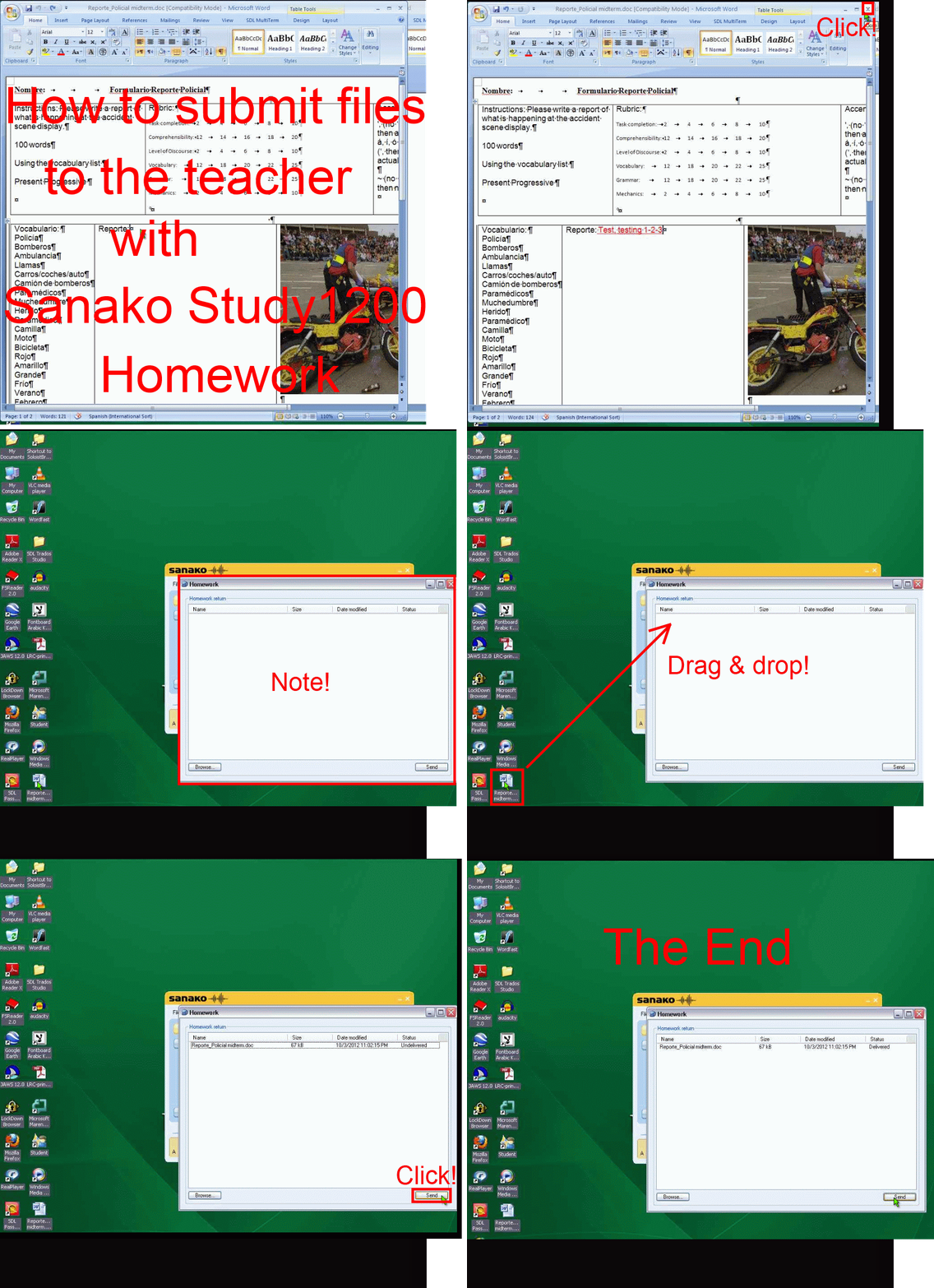
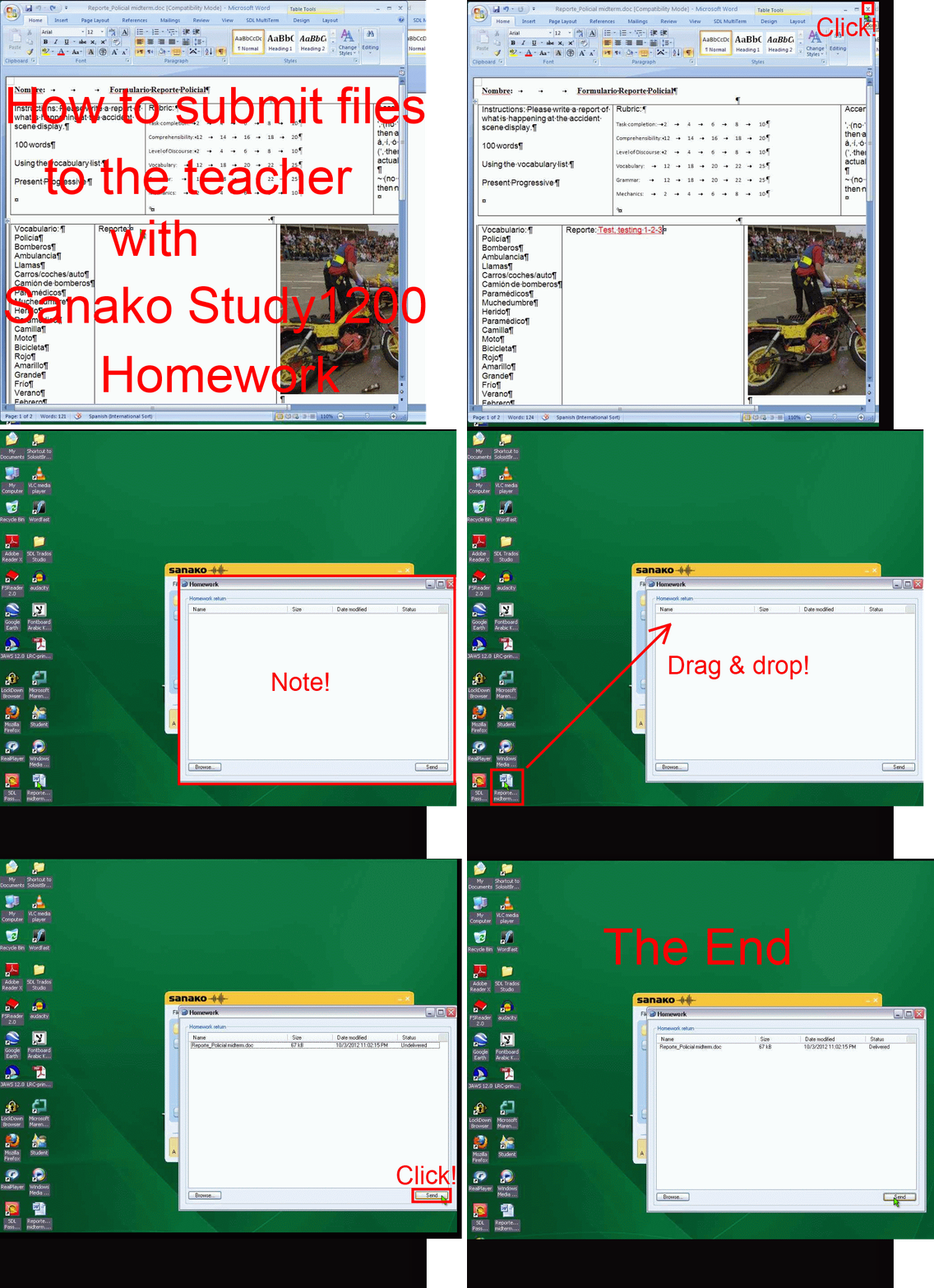
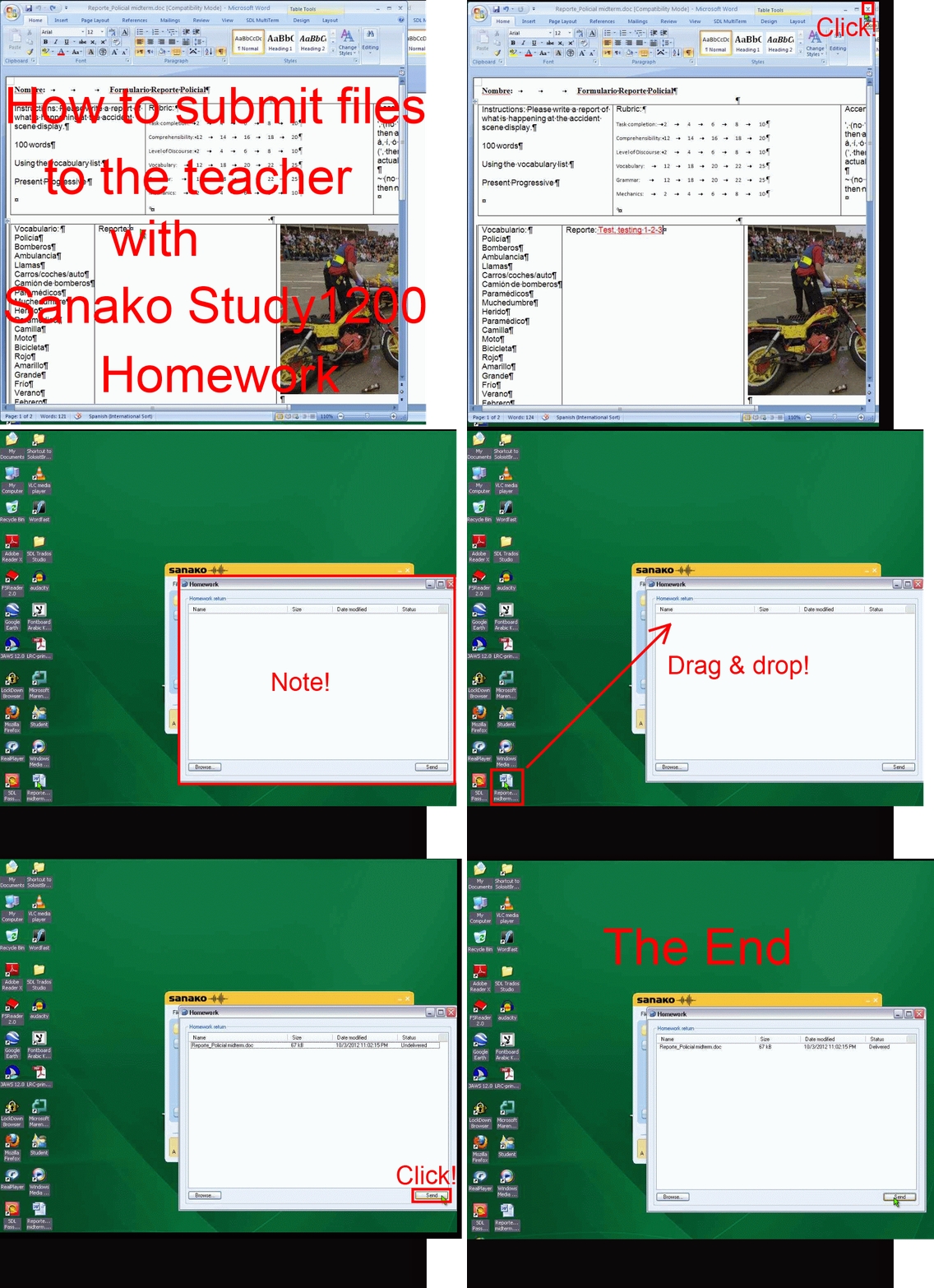
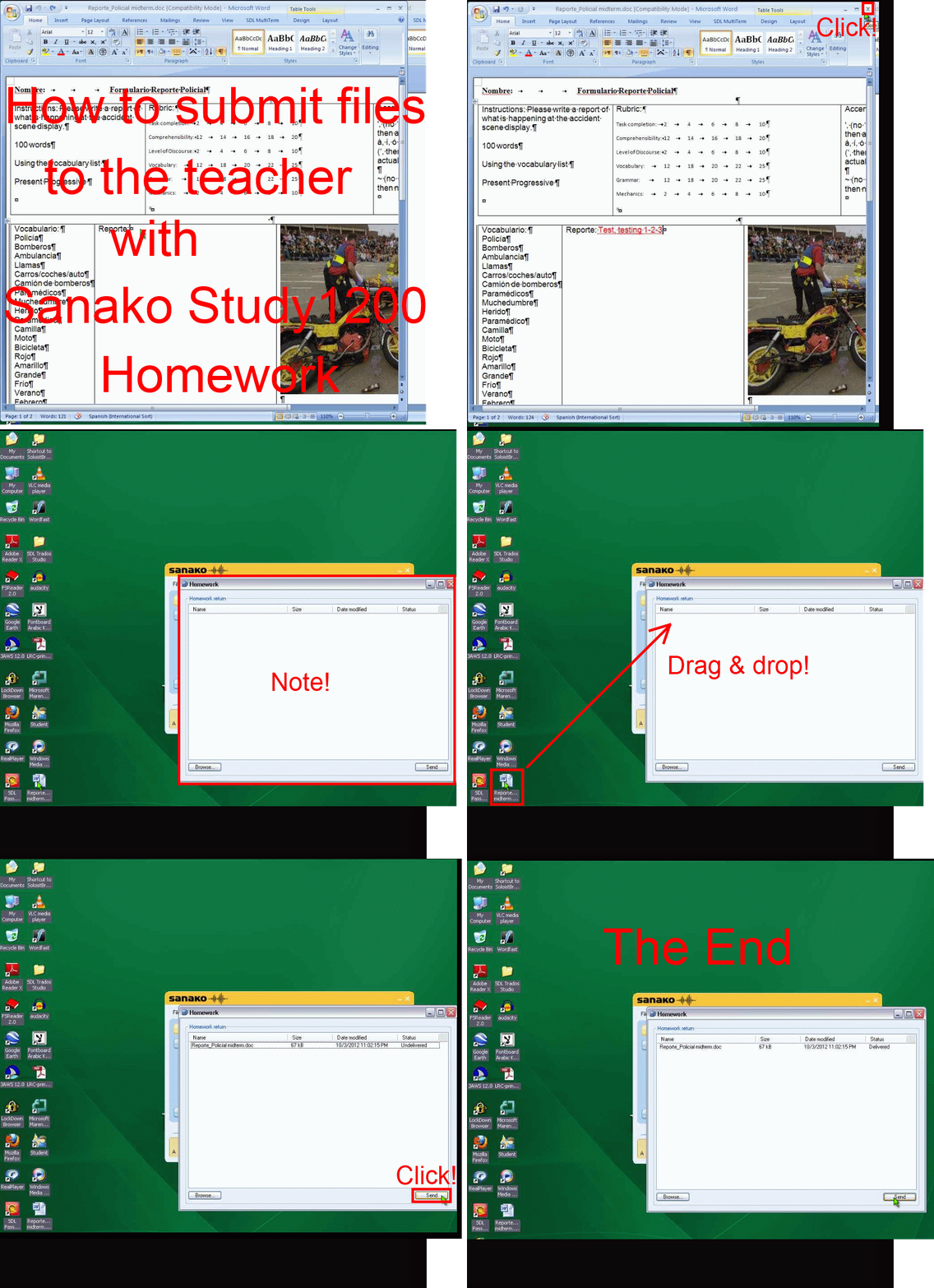
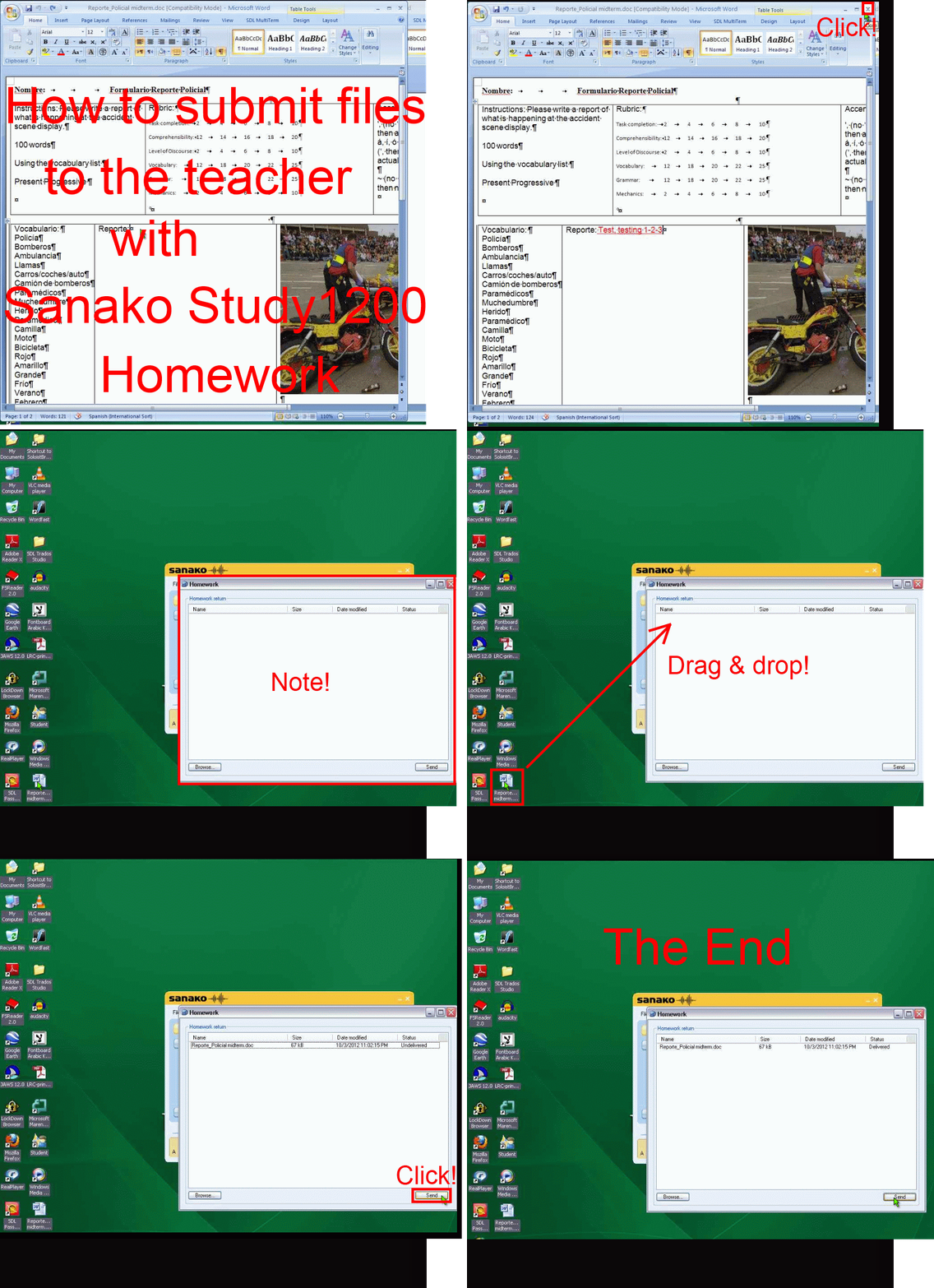
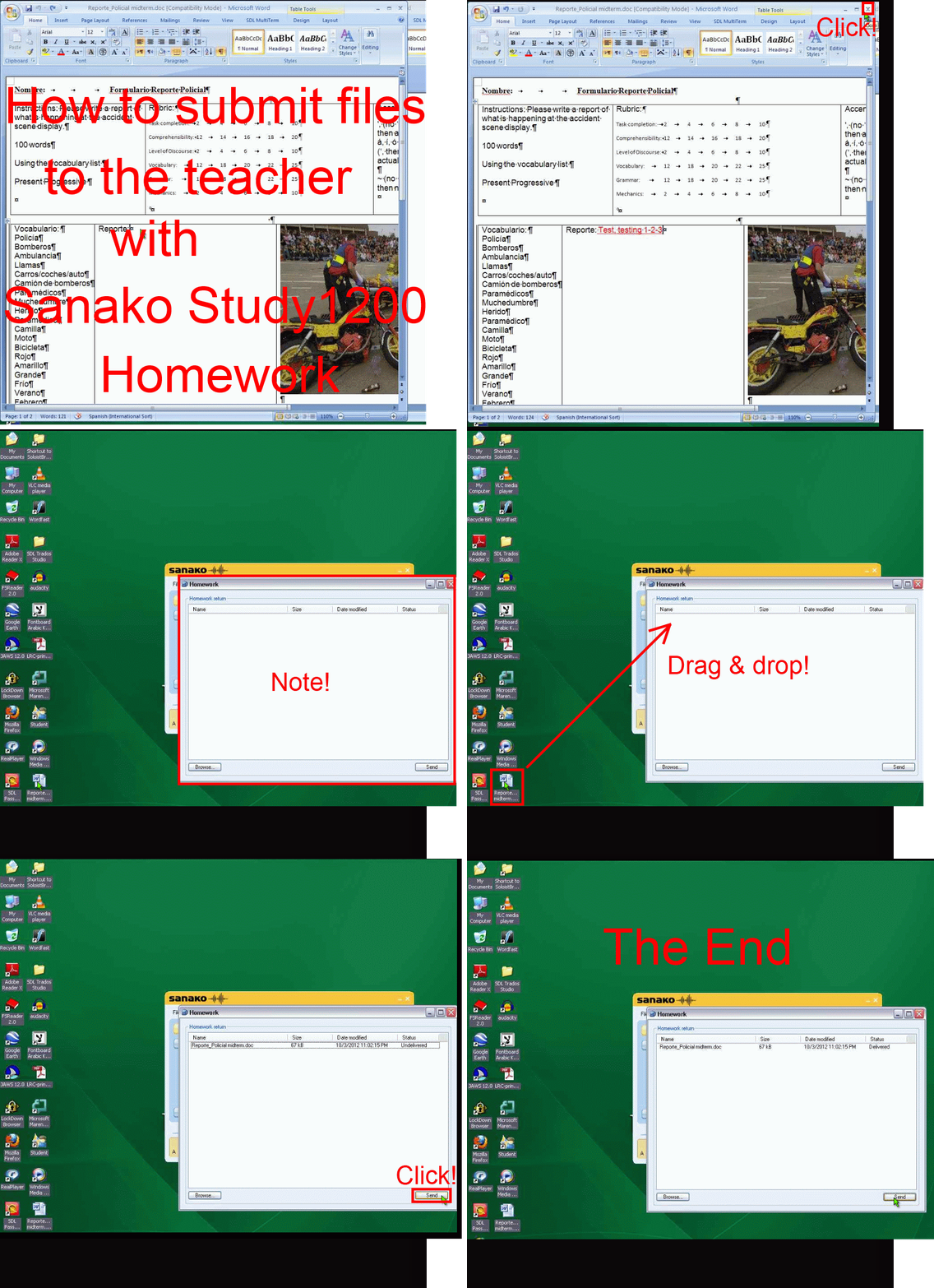
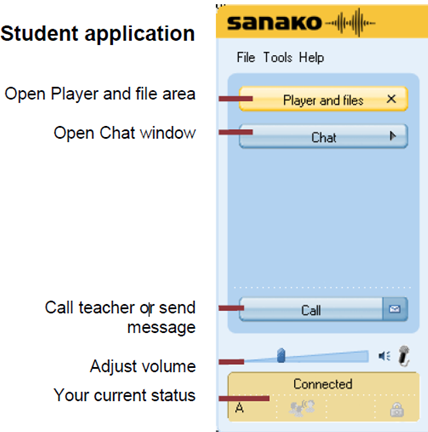
How student downloads, edits and submits files sent from the teacher with Sanako Study 1200 Homework –the ultimate training summary….
…using animated GIFs. (Here are the parts 1+2 that your teacher has to do). Slower? Click , 0.50sec, 0.75sec, 1sec, 2sec, 3sec, 4sec, 5sec, 6sec, 7sec, 8sec, 9sec, 10sec.
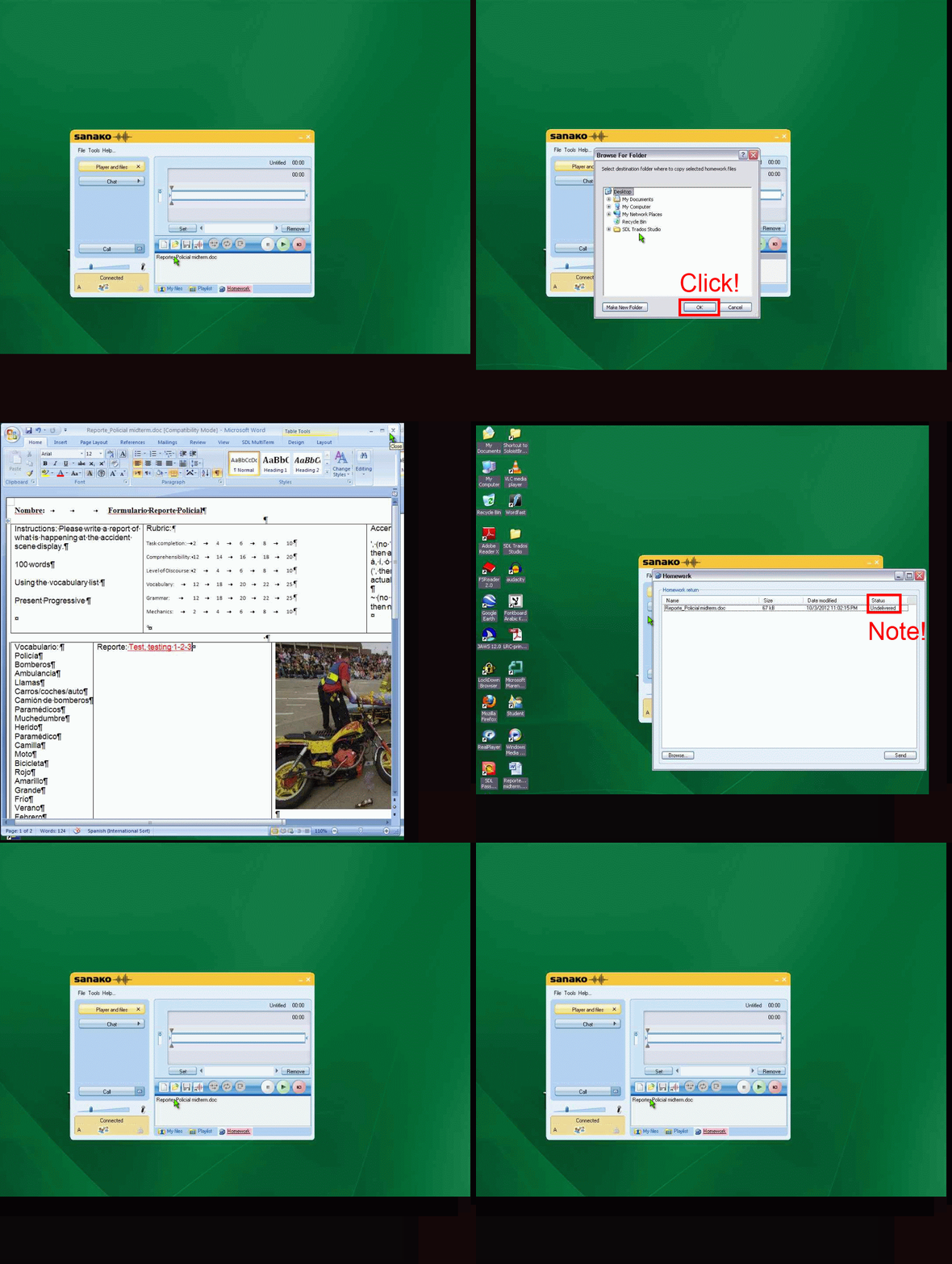
UPDATE: Now also split into
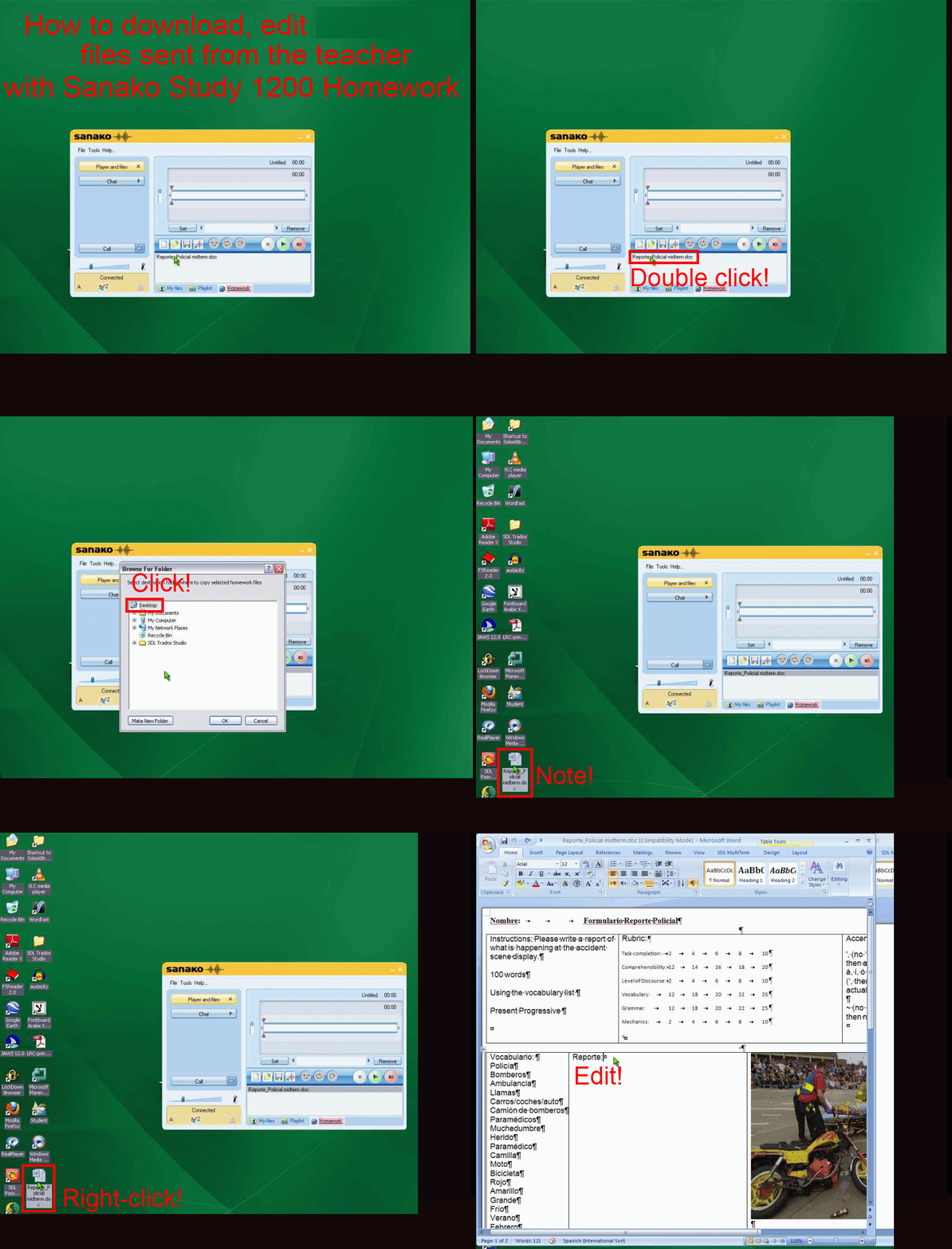
- PART 1: download from teacher (Here are the parts 1+2 that your teacher has to do). Slower? Click , 0.50sec, 0.75sec, 1sec, 2sec, 3sec, 4sec, 5sec, 6sec, 7sec, 8sec, 9sec, 10sec.

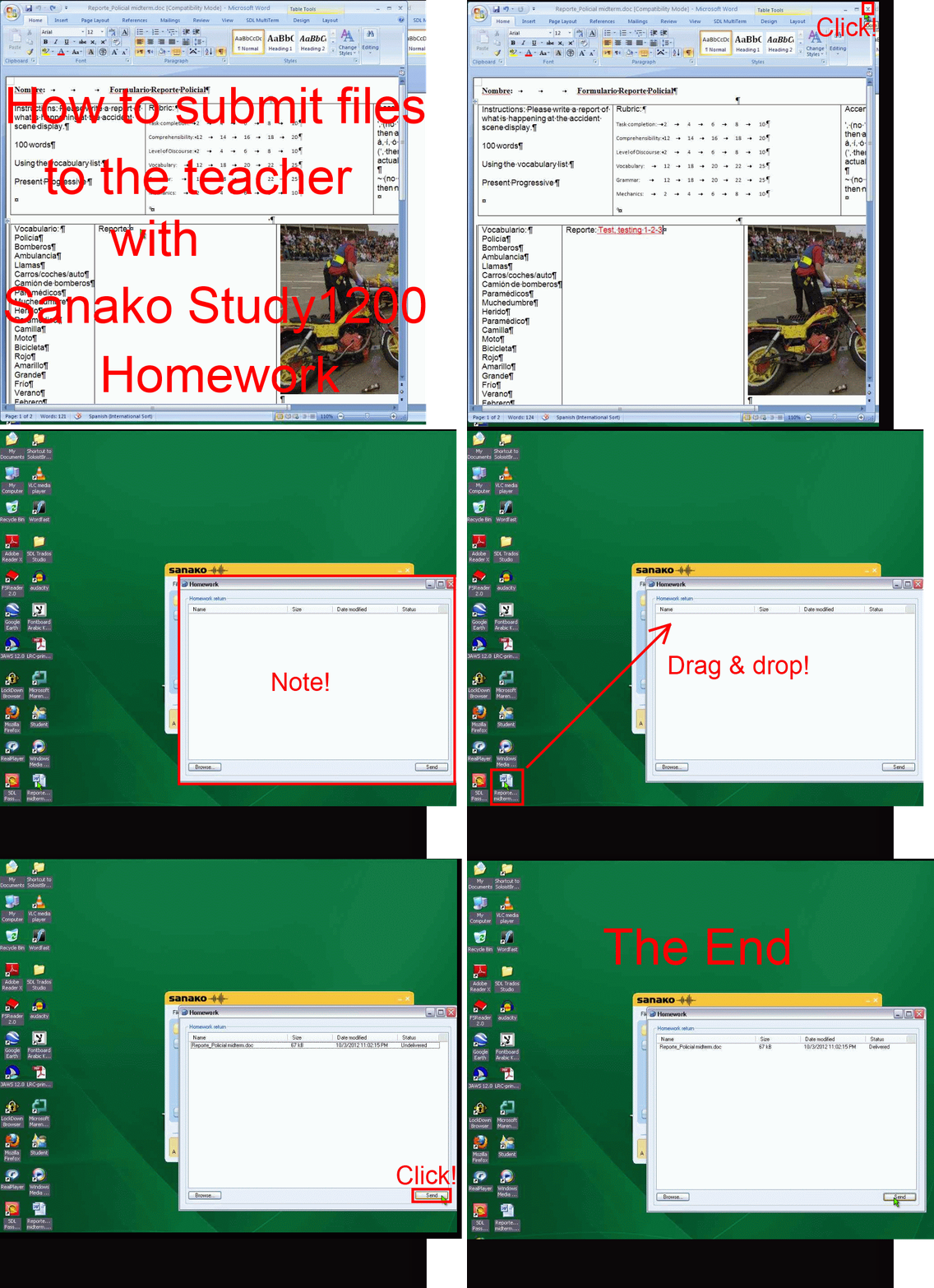
- PART 2: submission to teacher(Here are the parts 1+2 that your teacher has to do). Slower? Click , 0.50sec, 0.75sec, 1sec, 2sec, 3sec, 4sec, 5sec, 6sec, 7sec, 8sec, 9sec, 10sec.

Ipatrainer.com community provides free phonetic transcription tables with sounds and exercises
- This is looking good, but …
- There seem to be some coding issues, I am getting server errors 500 after registering.
- The site is advertisement-based.
- There is no content beyond the IPA sound which would put these bare basics in phonetics into language learning context and practice.
- Site Contains:
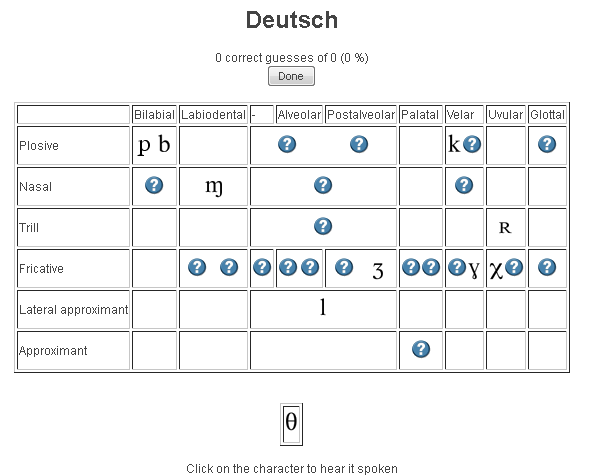
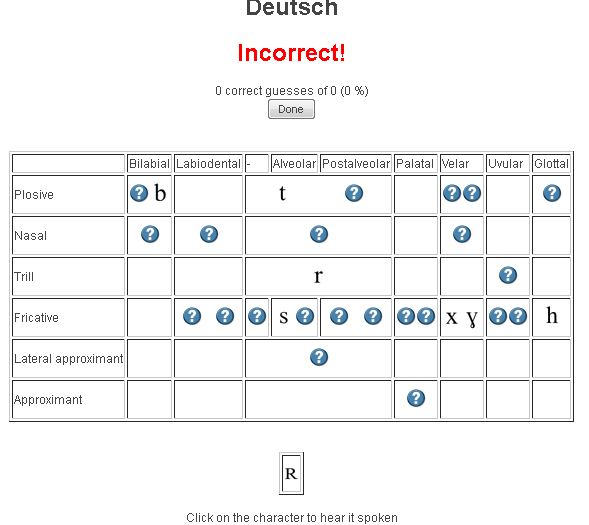
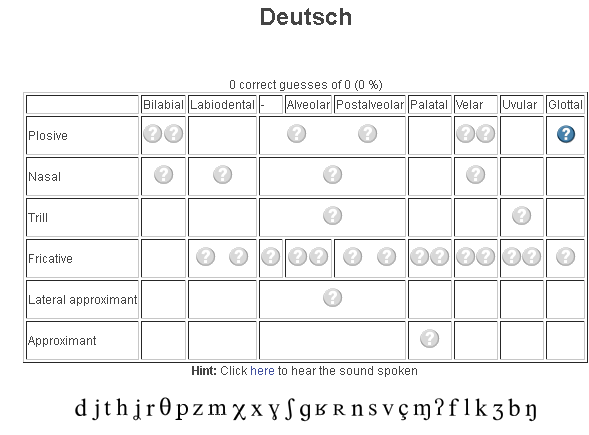
- tables for teaching your language – complete with phonetic symbols and sound samples

- and exercises for your students (e.g. Memory games, Identifying characters


 , places,
  and sounds.
- tables for teaching your language – complete with phonetic symbols and sound samples
- You can
- Create your own, after free registration,
- or assign one of the ones from many other teachers.
- Most popular ones are listed here: http://www.ipatrainer.com/user/site/?language=, and if the use numbers are accurate, there must be really some serious IPA learning going on here…
- I see no way to browse other tables without having the username of the teacher who created and assigned it.
- There is also a phonetic writer.
- And a user forum, in its infancy.



How to stay up to date by receiving RSS like email newsletters in MS-Outlook– explained in a single screenshot


MyGermanLab shortlinks and step-by-step chapter test for GERM1201, GERM1202 classes
- Using Internet Explorer, go here: goo.gl/JUSUC.
- Log into MyGermanLab.
- to open your test:
-
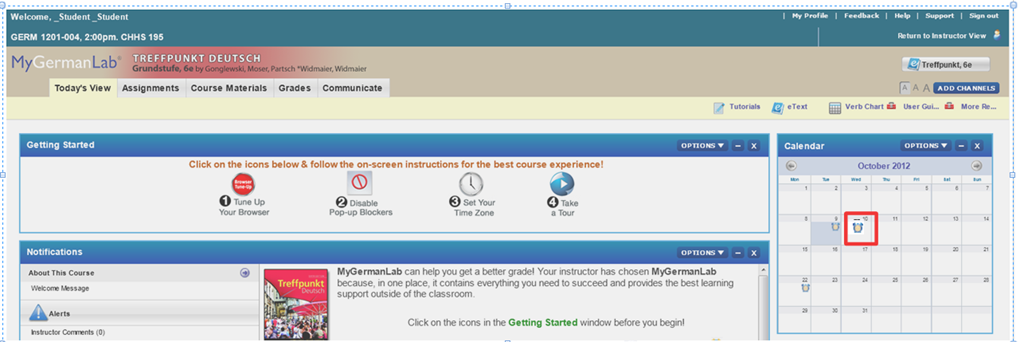
- Click on the assignment for today on your assignment calendar to the right:

- if your test does not show as assignment in the calendar (Update for proctored make-up exam: this applies espeially to you), go to the top tab: “course materials”“. Hold the CTRL key and click on the assignment
- either in the list on the right or
- at the bottom in the list on the left.
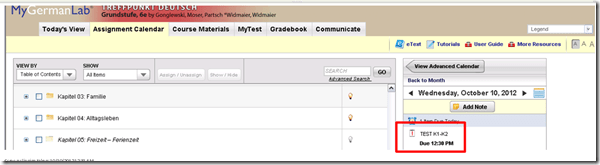
- if your test does not show as assignment in the calendar (Update for proctored make-up exam: this applies espeially to you), go to the top tab: “course materials”“. Hold the CTRL key and click on the assignment
- Enter the password that you will be given during the exam in the LRC:
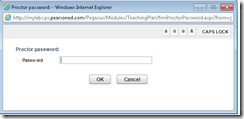 , hold the CTRL key and click button: “OK”.
 - Click button: “start”.

- Click through the pages until it tells you you have “submitted” the test.
- Click on the assignment for today on your assignment calendar to the right:
- to handle multimedia:
- Use the headsets hanging behind the screens for questions that require listening/speaking.
-
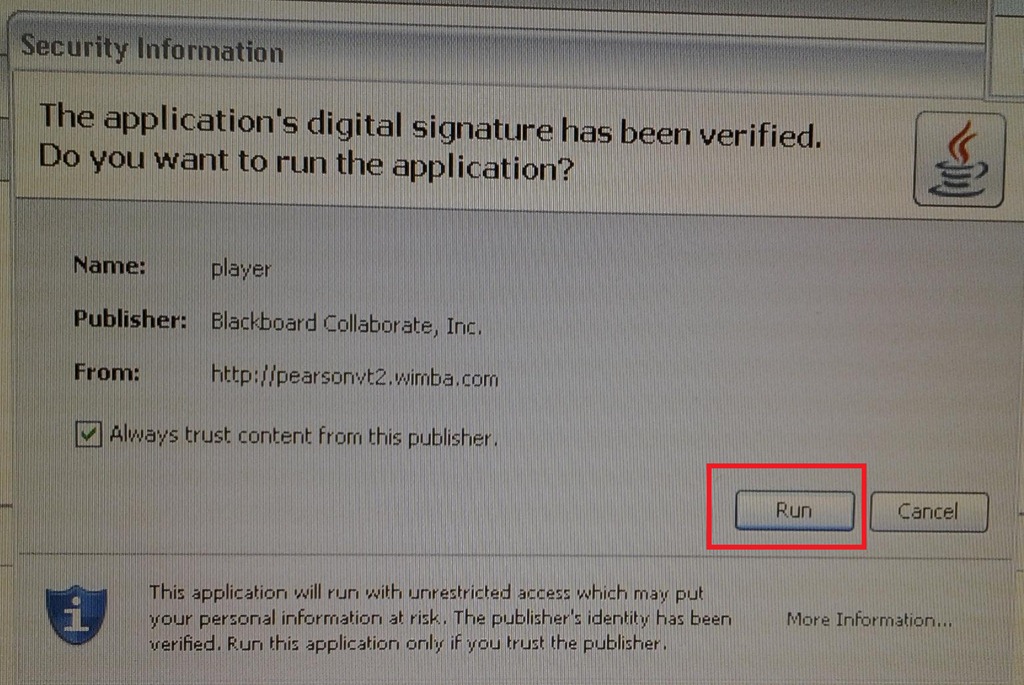
When you load the audio player or audio recorder, you will see a dialogue like these, click button: ”Run” or “Trust”:
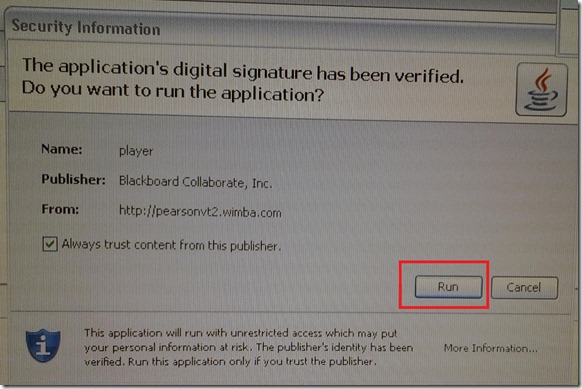
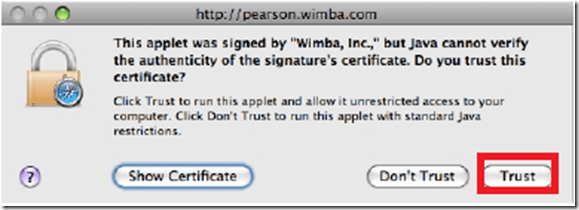
- There is a step-by-step guide on how to record here.
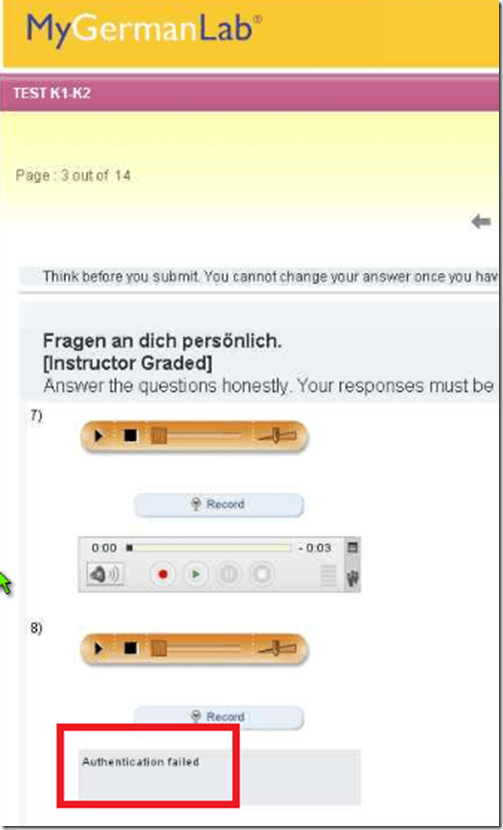
- If you get an error for the audio recorder saying “Authentication failed”, keep calm and carry on, your recording is not lost, you only cannot review it anymore:
- If you have a question, do not disturb others. Rather put your headsets on and get in the queue by clicking button: “Call” in this window
 . Your call will be answered shortly.
- Please be advised that this exam is
- proctored and that your screen can be seen by the proctor at any time.
- randomized, so that your neighbors’ screen will most likely display your current test question at a quite different time.





Questions? Read the About. Or just ask me a quick Our Databases: Resources with calendars -- Language learning material Moodle Sites, multimedia files -- films


FAQs for LRC student staff or for students or for teachers. To search our FAQs, in the browser addressbar, add after "https://plagwitz.wordpress.com/feed/?tag=faqs+/" "+TAG1" (from tag cloud below) OR "https://plagwitz.wordpress.com/feed/tag=faqs
&category_name=" "CAT1" (from category hierarchy below). OR search both categories and tags, and multiple TAGs/CATs (connect with "," for OR-search, with "+" for AND-search), like so: https://plagwitz.wordpress.com/feed/?tag=TAG1+TAG2+...TAGn&category_name=CAT1
+CAT2+...CATn"
Other ways to find help
If you cannot find it here, look there: 5,500 Language-Learning Links and Programs for learning or teaching 150 languages
Shortcuts:Our Lists, Our Maps, LRC Staff Moodle Site,LRC Project Moodle Site, 49erexpress, UNCC Moodle, Student Recordings: s:claslcslrcsanakostudent
Learning usage samples: Sanako oral exam, Kaltura webcam presentation, Dictation with speech recognition, Sanako written exam, Chinese and Japanese interactive stroke-order practice
Test the Sanako Installer, Webbrowser Popup Konfigurator for XP, or Windows7, faster LRC TeacherPC Log-in Let MS facilitate diacritics writing by installing for you US-International keyboard layout
This is my personal blog (Google+). The views expressed on these pages are mine alone and not those of my employer. The information in this weblog is provided “AS IS” with no warranties, and confers no rights.
 Thomas' Work Space