Archive
Archive for the ‘service-is-any’ Category
Ipatrainer.com community provides free phonetic transcription tables with sounds and exercises
2012/10/11
Leave a comment
- This is looking good, but …
- There seem to be some coding issues, I am getting server errors 500 after registering.
- The site is advertisement-based.
- There is no content beyond the IPA sound which would put these bare basics in phonetics into language learning context and practice.
- Site Contains:
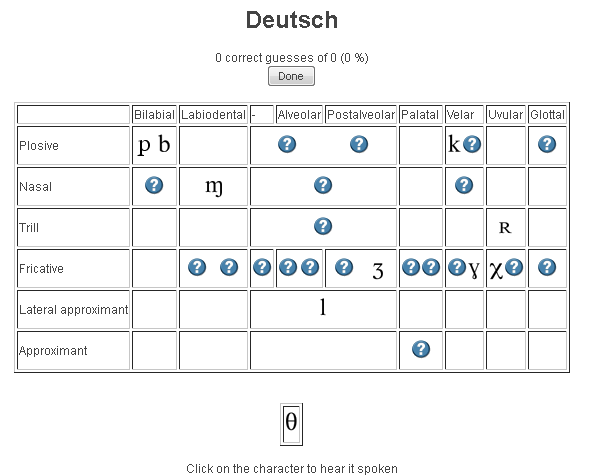
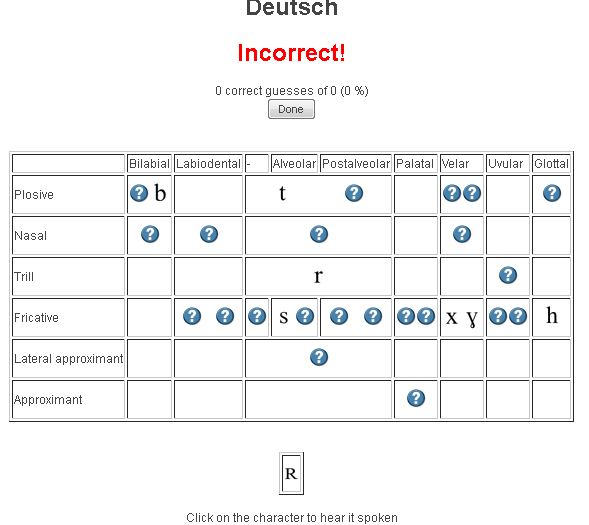
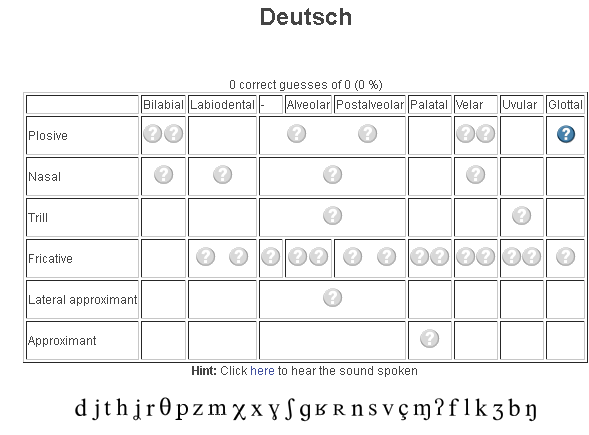
- tables for teaching your language – complete with phonetic symbols and sound samples

- and exercises for your students (e.g. Memory games, Identifying characters


 , places,
  and sounds.
- tables for teaching your language – complete with phonetic symbols and sound samples
- You can
- Create your own, after free registration,
- or assign one of the ones from many other teachers.
- Most popular ones are listed here: http://www.ipatrainer.com/user/site/?language=, and if the use numbers are accurate, there must be really some serious IPA learning going on here…
- I see no way to browse other tables without having the username of the teacher who created and assigned it.
- There is also a phonetic writer.
- And a user forum, in its infancy.



Categories: Arabic, audience-is-students, audience-is-teachers, e-languages, English, Farsi, French, German, Greek (modern), Hebrew, Hindi, Italian, Japanese, Korean, Latin, learning-materials, Mandarin, Polish, Portuguese, Russian, service-is-evaluating-learning-tools, Spanish, Speaking, Swahili, websites, Yoruba
ipa, phonetics
How the LRC provides volunteer tutoring services
2012/10/10
Leave a comment
- The volunteer tutor student gets a tutor calendarto publicize her services (non-personal information only) online.
- The LRC assistants at the LRC reception desk will train and set up the tutor initially. If the volunteer tutor needs more practice in using her NINERMAIL calendar than her initial training provided her with, she can come in and log in for the LRC assistants at the LRC reception desk and the LRC assistants will guide her. During LRC opening hours, at any time we have 3 computers and 2-3 LRC assistants staffing the LRC reception desk which is right next to the group rooms where the volunteer tutors work, so there should be minimal delay and overhead with maximum administrative benefit.
- From then on, the volunteer tutor is in charge of her own tutor calendar. If the volunteer tutor needs to announce changes, the volunteer tutor goes to NINERMAIL, section: calendar, and
- for single cancellations, deletes her appointment, like so: http://plagwitz.blob.core.windows.net/content/lrc/owa-cancel-by-rightclick-delete-appointment.html
- for changing the schedule, opens her old appointment (series), cancels it (only future occurrences) and creates her new altered (recurring) appointment, like so: https://thomasplagwitz.com/2012/01/10/how-to-make-changes-to-a-meeting-request/
- The volunteer tutor logs in and out of her tutor calendar appointment, whenever she starts/ends her tutoring hours, so that the LRC assistants at the reception desk can check her in and out of the LRC (LRC Assistants have a special program for this), and so that she can enter a summary of whom she tutored and on what. A the end of the term, the LRC coordinator can provide tutor supervisors with a report on the tutoring log collected this way.
- To maximize learning and minimize missed connections, bottlenecks and delays throuhg intermediaries – including tutor supervisors and LRC staff -, the volunteer tutor – the authoritative source of her tutoring time – can communicate directly through http://mail.uncc.edu/owa/calendar/LRCTutor01@uncc.edu/Calendar/calendar.html (sample only, for actual Tutor## see https://thomasplagwitz.com/?tag=lists+resources), with her stakeholders:
- the tutees who need to know her tutorung times, can communicate directly via
- the tutor supervisors, who, if they do not approve of the live or end-of-semester report tutor schedule, can let the tutor know, by asking her to change her time, deny her credit, not rehiring her…
- Currently, all tutoring is walk-up only. Enabling tuteees to sign-up for tutor help to avoid pile-ups is still TBA. If you would like to see sign-up tutoring implemented, please drop us a line explaining how this would be helpful for you.
- As far as the LRC is concerned:
- Tutors have to be within the within the opening hours of the LRC: http://mail.uncc.edu/owa/calendar/LRCRoomCOED434@uncc.edu/Calendar/calendar.html.
- The LRC being increasingly busy with classes, exams, self-access assessments and distance education sessions these days, we also require all tutors to include one of the group rooms in the box “resources:” LRCRoomCOED433c, LRCRoomCOED433d of their tutor calendar meeting request. Doing so will secure the tutor and tutee a convenient work place.
- Summaries of our tutor training in LRC language learning technology facilities are available here: https://thomasplagwitz.com/?category_name=service-is-tutoring+training.
How to fix “no audio” on the computers with black Sanako headsets
2012/10/10
Leave a comment
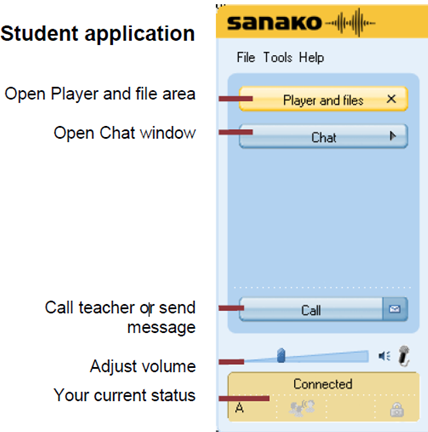
- First, show the Sanako student application (e.g. from button:Start / Student).
- Is the Volume Control slider set to 0? Move it up where it says “Adjust volume”:

- Still hear no audio playing on the black Sanako headsets? Then the volume slider was likely moved to 0 since the headset was not detected: On the rear of the computer, check the connection
- of the blue headset plug into the USB extension cord, and
- of the extension cord into the rear of the computer.

How to stay up to date by receiving RSS like email newsletters in MS-Outlook– explained in a single screenshot
2012/10/10
Leave a comment


How to start YouTube videos from the middle
2012/10/10
Leave a comment
- To avoid having to manually find a segment of a YouTube video clip during presentations, or worse, downloading the video clips from YouTube before the presentation, to edit them into shape,
- try using the “&t=”(for “time(line)”, I presume) query parameter, followed by “#m” (for minutes) and "##s” (for seconds) where the segment you want to show starts.
- Example links that you can try inserting into your PowerPoint Slide deck:
- http://www.youtube.com/watch?v=tDngRk5vImU starts the movie clip Aicha part 1/10 from the beginning;
- http://www.youtube.com/watch?v=tDngRk5vImU&t=1m10s starts Aicha at 1 minute and 10 seconds;
- http://www.youtube.com/watch?v=tDngRk5vImU&t=5m10s starts Aicha at 5 minutes and 10 seconds.
MyGermanLab shortlinks and step-by-step chapter test for GERM1201, GERM1202 classes
2012/10/10
Leave a comment
- Using Internet Explorer, go here: goo.gl/JUSUC.
- Log into MyGermanLab.
- to open your test:
-
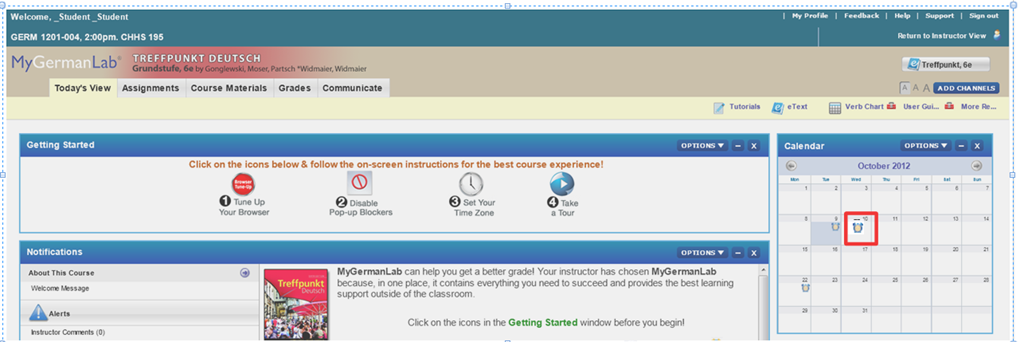
- Click on the assignment for today on your assignment calendar to the right:

- if your test does not show as assignment in the calendar (Update for proctored make-up exam: this applies espeially to you), go to the top tab: “course materials”“. Hold the CTRL key and click on the assignment
- either in the list on the right or
- at the bottom in the list on the left.
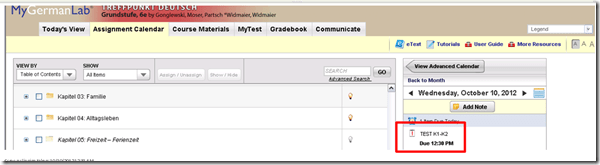
- if your test does not show as assignment in the calendar (Update for proctored make-up exam: this applies espeially to you), go to the top tab: “course materials”“. Hold the CTRL key and click on the assignment
- Enter the password that you will be given during the exam in the LRC:
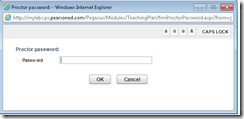 , hold the CTRL key and click button: “OK”.
 - Click button: “start”.

- Click through the pages until it tells you you have “submitted” the test.
- Click on the assignment for today on your assignment calendar to the right:
- to handle multimedia:
- Use the headsets hanging behind the screens for questions that require listening/speaking.
-
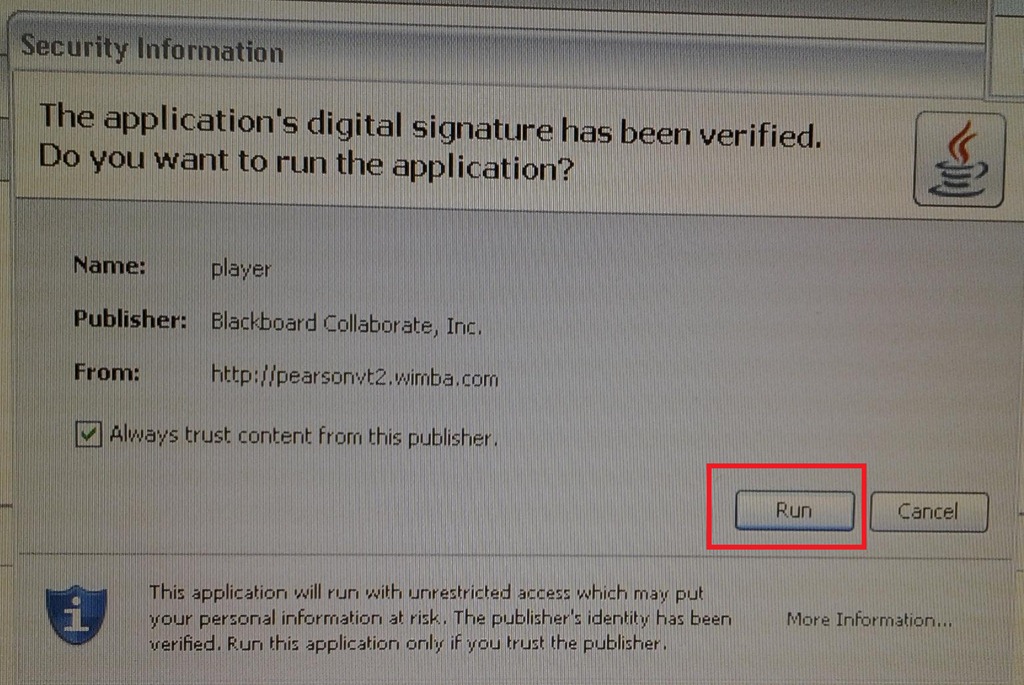
When you load the audio player or audio recorder, you will see a dialogue like these, click button: ”Run” or “Trust”:
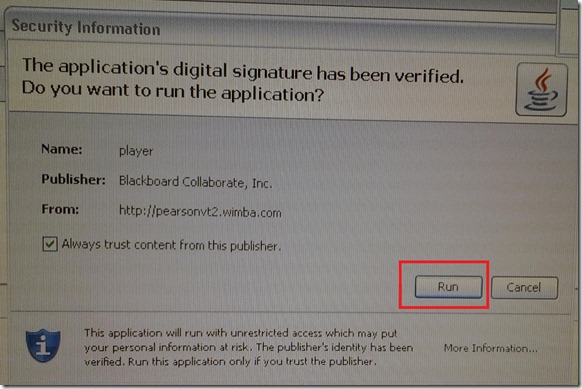
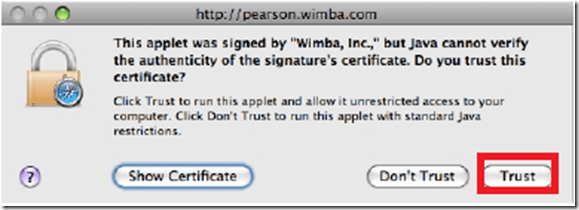
- There is a step-by-step guide on how to record here.
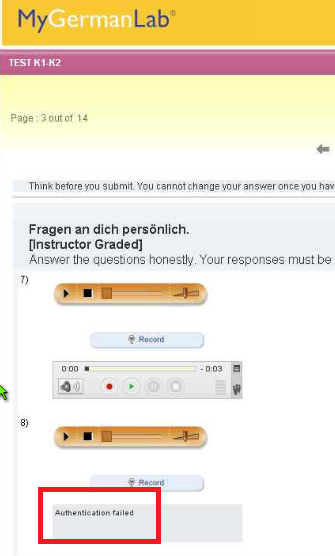
- If you get an error for the audio recorder saying “Authentication failed”, keep calm and carry on, your recording is not lost, you only cannot review it anymore:
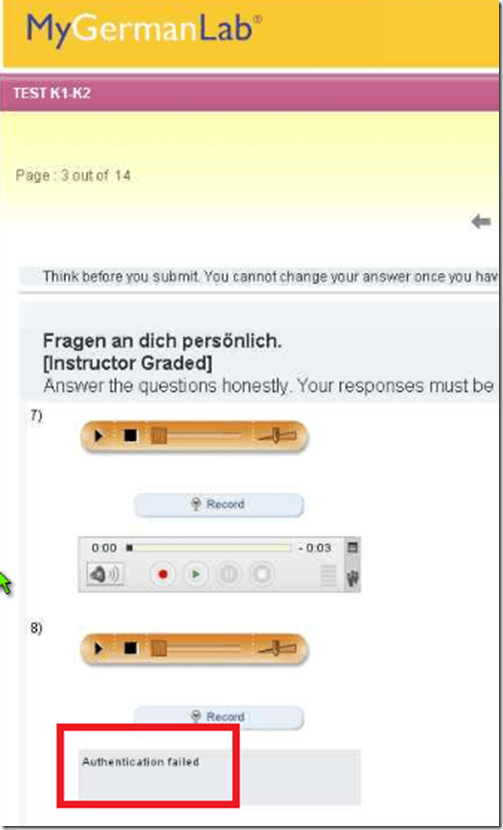
- If you have a question, do not disturb others. Rather put your headsets on and get in the queue by clicking button: “Call” in this window
 . Your call will be answered shortly.
- Please be advised that this exam is
- proctored and that your screen can be seen by the proctor at any time.
- randomized, so that your neighbors’ screen will most likely display your current test question at a quite different time.



Digitizing audio tapes in 2012…
2012/09/26
Leave a comment


…comes now at least with “China price”. e-learning is not about digitizing, but in tape, you can get entangled. : –)
Categories: service-is-learning-materials-creation
audio
No audio on listening stations and group rooms, and workaround
2012/09/26
Leave a comment
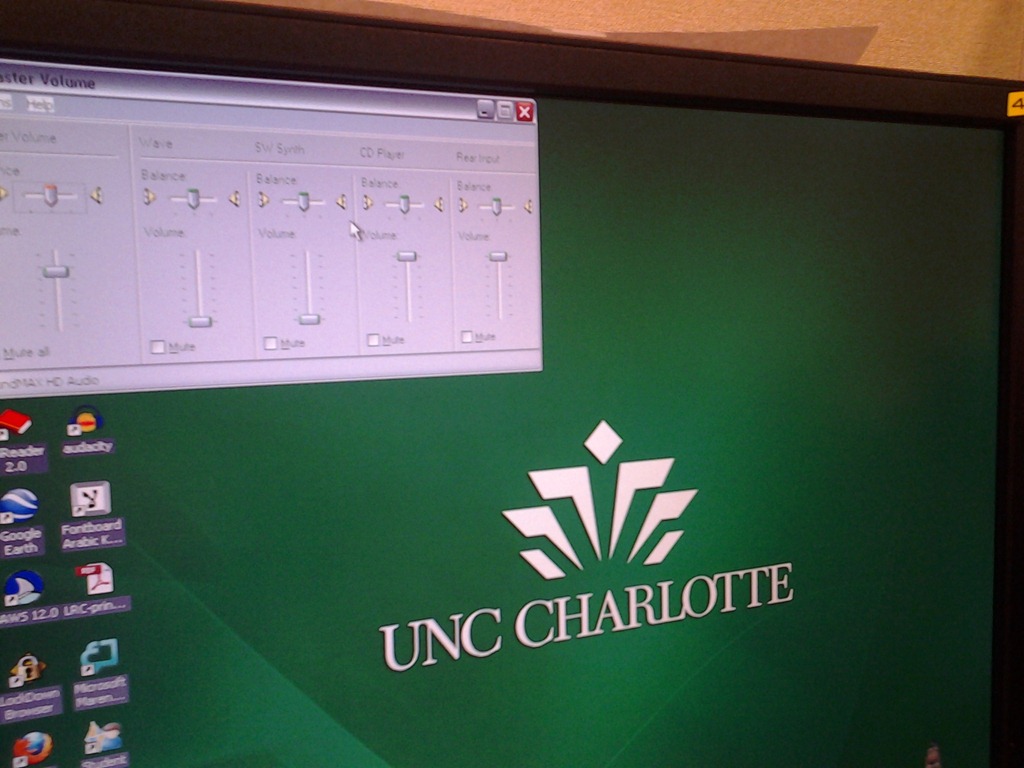
- Symptom: Headsets work (test feedback by putting microphone near headset speakers), but audio files from internet do not play with sound.
- Cause: having to support 2 different kinds of headsets (USB with built-in soundcard versus traditional analog) in one PC software image.
- The workaround
- for temp staff is to start / run / sndvol32.exe and up the low volume sliders here:

- for permanent staff is to unfreeze any computers that have been missed previously
 and put this script into the all users startup folder now: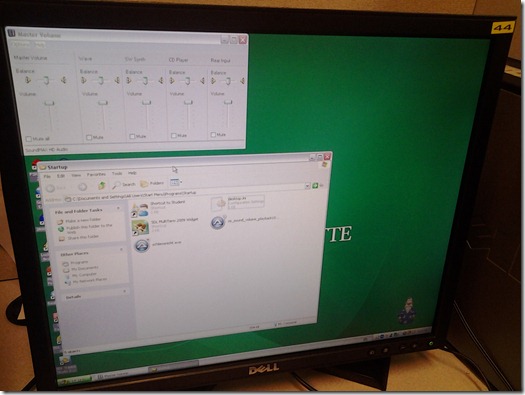
- The solution: standardize on USB headsets when you get a chance.


Categories: audience-is-language-learning-center-staff, audience-is-language-learning-center-temp-staff, e-infrastructure, Institution-is-University-of-North-Carolina-Charlotte, Listening-Stations, service-is-it-managing, service-is-testing-troubleshooting-debugging, small-group-work-spaces
audio, FAQs


Questions? Read the About. Or just ask me a quick Our Databases: Resources with calendars -- Language learning material Moodle Sites, multimedia files -- films


FAQs for LRC student staff or for students or for teachers. To search our FAQs, in the browser addressbar, add after "https://plagwitz.wordpress.com/feed/?tag=faqs+/" "+TAG1" (from tag cloud below) OR "https://plagwitz.wordpress.com/feed/tag=faqs
&category_name=" "CAT1" (from category hierarchy below). OR search both categories and tags, and multiple TAGs/CATs (connect with "," for OR-search, with "+" for AND-search), like so: https://plagwitz.wordpress.com/feed/?tag=TAG1+TAG2+...TAGn&category_name=CAT1
+CAT2+...CATn"
Other ways to find help
If you cannot find it here, look there: 5,500 Language-Learning Links and Programs for learning or teaching 150 languages
Shortcuts:Our Lists, Our Maps, LRC Staff Moodle Site,LRC Project Moodle Site, 49erexpress, UNCC Moodle, Student Recordings: s:claslcslrcsanakostudent
Learning usage samples: Sanako oral exam, Kaltura webcam presentation, Dictation with speech recognition, Sanako written exam, Chinese and Japanese interactive stroke-order practice
Test the Sanako Installer, Webbrowser Popup Konfigurator for XP, or Windows7, faster LRC TeacherPC Log-in Let MS facilitate diacritics writing by installing for you US-International keyboard layout
This is my personal blog (Google+). The views expressed on these pages are mine alone and not those of my employer. The information in this weblog is provided “AS IS” with no warranties, and confers no rights.

