Archive
First steps with MS-Lync 2013 screen sharing and remote control during support calls
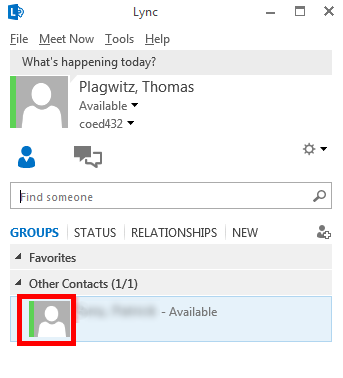
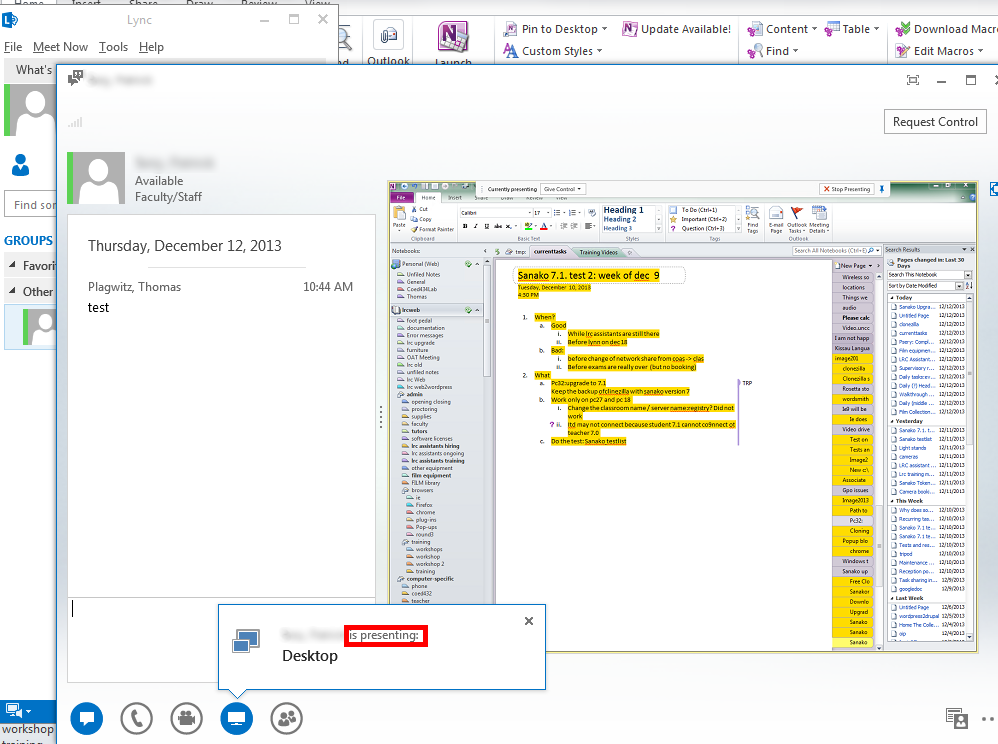
- Start a meeting, by double-clicking on somebody who shows as available in your contact list:

- If you then hover over the monitor item at the bottom, you get the option to “present”, i.e. show your screen to the other person your are meeting with. (Multi-monitor support seems good, if you have multiple monitors like we do):

- If you accept the sharing:

- Voilà, there is your colleague’s screen in a window on your desktop, watch her mouse actions:
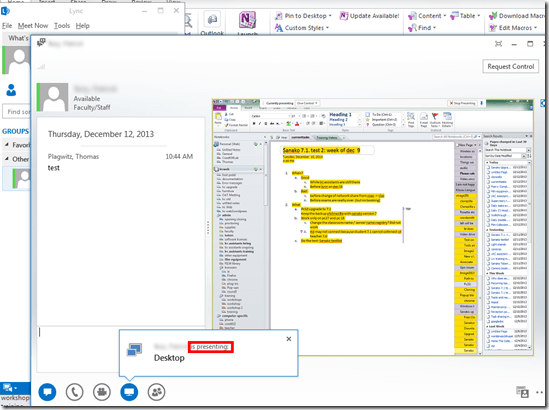
- The presenter
- receives a visual reminder:

- can also give you control to remote control her mouse:
 , the result of which looks like that: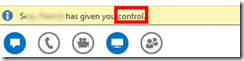
- can stop the presentation at any time.
- receives a visual reminder:
- Finally, the presentations can be recorded which could be extremely useful in a support call for later reuse/review either by the presenter or audience. Click on the 3 dots in the lower right of the “stage”window.
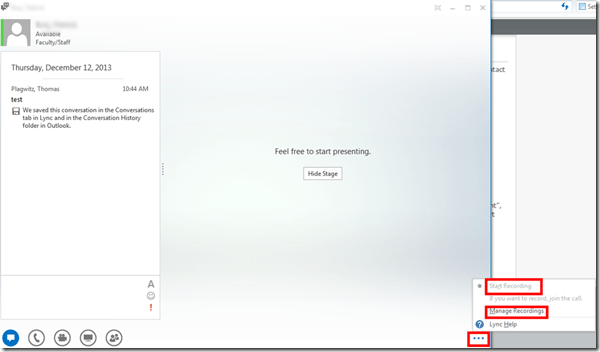
- It looks like a basic, easy workplace-wide screen sharing software that integrates with the local accounts could be extremely productive during daily collaboration. To make such a solution a system-wide service for calling support, one would probably need a queue and pool of supporters and call forwarding.




First steps with Publish or Perish citation analysis software program
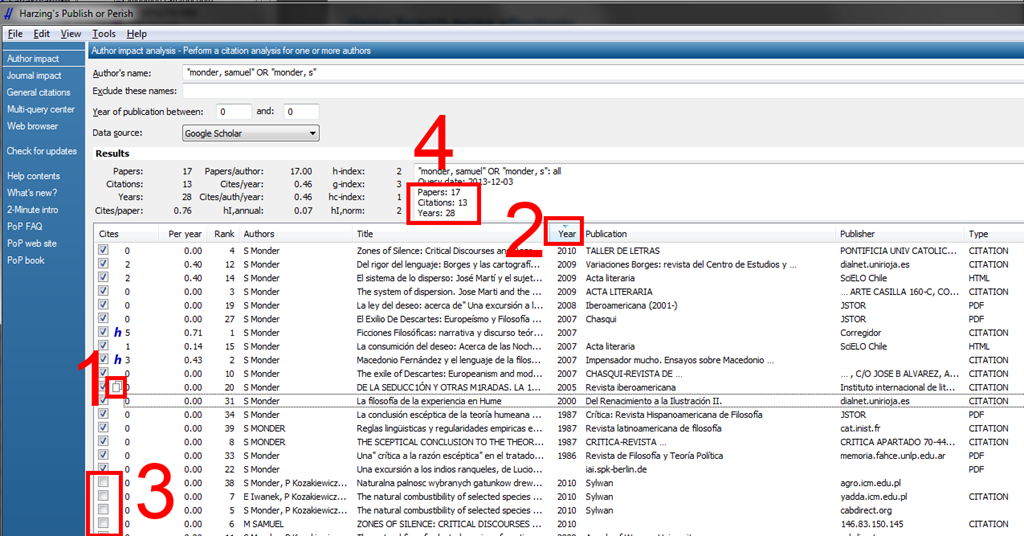
- Here is the result for a somewhat less basic query. You can (1) merge identical results by drag and drop, (2) sort by clicking the column header – for finding more duplicates and other examinations of the result set –, with the 1st sort level being the (3) checked/unchecked status. Note that the s”results”summary conveniently aggregates only the items from the query result set that you have not unchecked:

- Common pitfalls:
- Do not search author names without quotation marks, here is why:

- Think about including multiple versions of the author’s name, especially first name:

- Do not search author names without quotation marks, here is why:
- You can export,
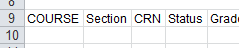
- e.g. as CSV which you can import into MS-Excel (note that MS-Excel does not autodiscover all settings, you have to set these:)

- and convert into an Excel table, for further analysis and distribution:



Working around problems getting ELTI course worksheet out of Report Express
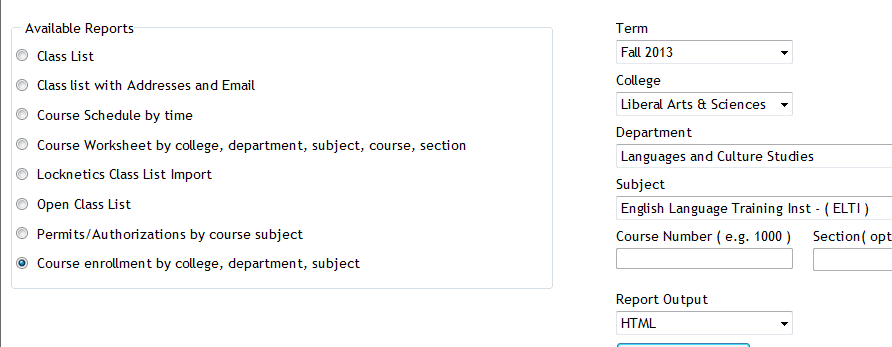
Problem: I used to, but cannot anymore get the course worksheet for ELTI out of Report Express. My choices:

Result set is empty:
Course enrollment does not work either:

I am still in a position to get the full class list out of the system, but that is not what I need, and is not the course worksheet sheet just a calculation based on the


Solution: Use “international programs” as the “department”.
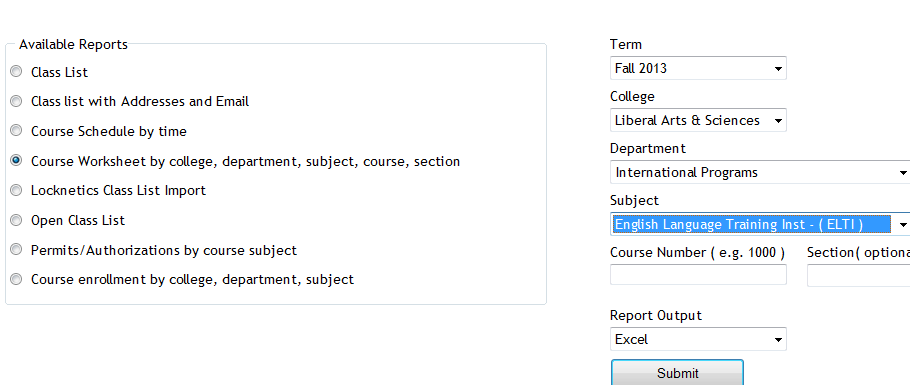
It seems “department”and “subject” drop downs synchronize only with the selection of “college”, but selection of “department” can be in conflict with selection of “subject” (Is this a good GUI?).
It also seems that this affects only the “course worksheet", but not the “class list”(Huh?)
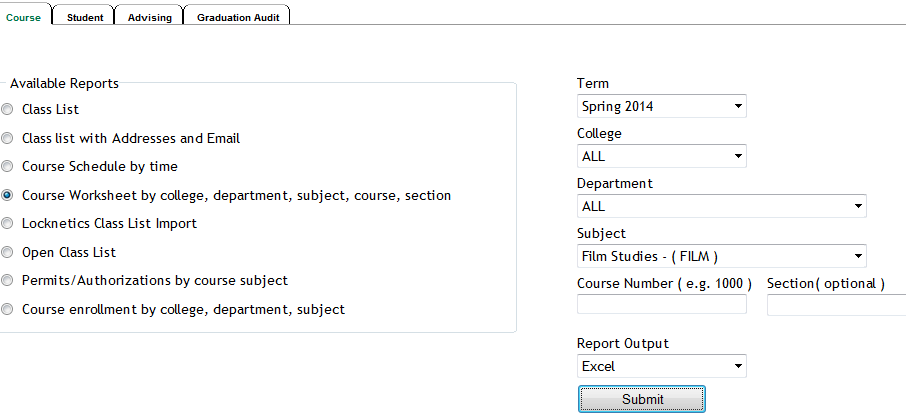
Another example: I seem to be able to get to the Film studies course list only if I leave all other drop down to “all”..
How to work around “Audio init failed” when recording in MyLanguageLab
- If you see this (or similar errors):

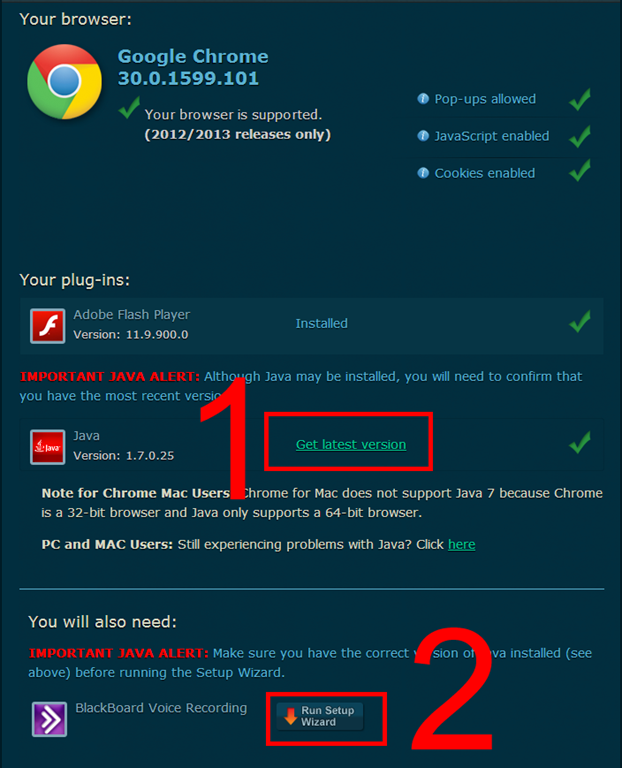
- Try running the browser tune-up,

- check for any new software versions (you can update Java, unfortunately only for your current session on this computer)
- finally run the voice recording setup wizard to check for results.
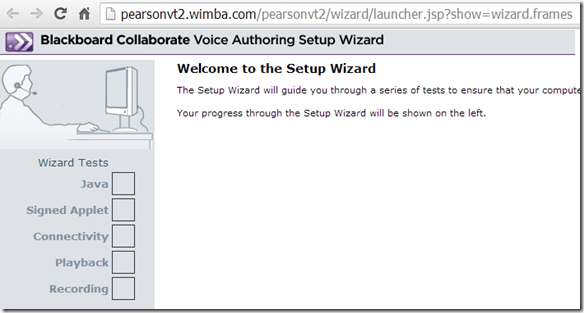
- Suggest you do this before entering a homework assignment, since a timer may be keeping running while you troubleshoot


Why not streaming audio from teacher to students in the Sanako is a poor workaround
- We lost streaming capabilities with upgrade to Sanako Version 7 – still investigating how we can get them back, for the workaround is not working well: Now class activities fail because of permission issues that we did not have when we still were able to stream.
- Below is the result of an attempt today to play a listening comprehension activity to students for a TOEFL list mock exam with a student that has regular SANAKO permissions, but not the ones to download from this file location (would need to redo the permissions if we keep streaming).


Static noise on sanako headsets
We seem to have one of these outages in ever class recently. Not sure, whether it is the hardware – the headphone seems not always have static, but frequently. What would be a good way to test this before class, or – to not have to log in individually on all lab computers – at beginning of class?
View a path to where you can start troubleshooting Pearson MyLanguageLab Wimba Voice Java
We used to do proctored LRC chapter exams using this textbook online component, but the Wimba Voice student recording tools stopped working, although a possible solution has been proposed with the problem report. This screencast leads to an exercise where more testing (each supported browser will behave differently – this is Chrome) is possible:: 
Forced downgrade to Color scheme Windows 7 Basic since “exceeded its allowed memory”
-

-
This warning and forced downgrade appeared on the teacher after starting using MS-Community Clips (which is just a GUI wrapper for Windows Media Encoder internally, which we used on the same machine successfully while it was still on XP).
-
The error seems slightly more informative than what we received earlier, but I did not manage to investigate since this was in the middle of supporting a teaching use .



Questions? Read the About. Or just ask me a quick Our Databases: Resources with calendars -- Language learning material Moodle Sites, multimedia files -- films


FAQs for LRC student staff or for students or for teachers. To search our FAQs, in the browser addressbar, add after "https://plagwitz.wordpress.com/feed/?tag=faqs+/" "+TAG1" (from tag cloud below) OR "https://plagwitz.wordpress.com/feed/tag=faqs
&category_name=" "CAT1" (from category hierarchy below). OR search both categories and tags, and multiple TAGs/CATs (connect with "," for OR-search, with "+" for AND-search), like so: https://plagwitz.wordpress.com/feed/?tag=TAG1+TAG2+...TAGn&category_name=CAT1
+CAT2+...CATn"
Other ways to find help
If you cannot find it here, look there: 5,500 Language-Learning Links and Programs for learning or teaching 150 languages
Shortcuts:Our Lists, Our Maps, LRC Staff Moodle Site,LRC Project Moodle Site, 49erexpress, UNCC Moodle, Student Recordings: s:claslcslrcsanakostudent
Learning usage samples: Sanako oral exam, Kaltura webcam presentation, Dictation with speech recognition, Sanako written exam, Chinese and Japanese interactive stroke-order practice
Test the Sanako Installer, Webbrowser Popup Konfigurator for XP, or Windows7, faster LRC TeacherPC Log-in Let MS facilitate diacritics writing by installing for you US-International keyboard layout
This is my personal blog (Google+). The views expressed on these pages are mine alone and not those of my employer. The information in this weblog is provided “AS IS” with no warranties, and confers no rights.
 Thomas' Work Space