Archive
Sanako Study 1200 Workshop Fall 2011
Those who wanted to, but did not make it to the vendor training by Sanako’s David Golden (who gave us a basic orientation displaying functions of teacher screen and student screen and demonstrated basic activity functions and what happens at the student screen), might want to have a look at the unedited screencast footage (for Windows Media Player on Windows, if necessary, resort to LRC) I recorded during the entire 2 1/4-hour session:
- the first one recording the screen of a sample student station
- with an explanation of the student player at the beginning,
- the second one recording the screen of the teacher computer
- have a look at the end around 2:10:00 where we connect a group of students via screensharing and audio (headsets), so that a group, dispersed across the classroom, can orally collaborate on an MS-Word document that one student types into but all students see.
- The Sanako features used for this are from the dropdown: activity: discussion, and from the button: pc control:model student. Both can be combined with each other, and with a third feature, the capability to subdivide the class in multiple groups.
- This application I found useful when, before reviewing materials with one half of the class, I sent my more advanced learners off to a more independent and applied group writing task. I allows any member of the class to join the advanced group, no matter where they are located. It also forces the group members to communicate all the target language aurally to the model student. Finally, it affords them access (though not individually) to the language learning tools of a computer while working on their tasks
Sanako Study 1200 Teacher Guide

Taken directly from the Sanako documentation and posted here for your convenience (click on image for larger version), this practical cheat sheet is also available on the teacher podium.
Sanako Study 1200 Workshop Spring 2011
Those who wanted to, but did not make it to my introductory training for the newly installed Sanako Study-1200 in LRC COED434 might want to have a look at the unedited screencast footage of the teacher computer that I recorded during this session (for Windows Media Player on Windows, if necessary, resort to LRC PCs).
QuickNotes: For ELTI 201/202/501 Student Recordings with Sanako Study1200
- This is 20 students class doing a model imitation for English phonetics and grammar – use right half of classroom plus 2 rightmost columns of left half.
- Have a couple of spare student computers logged in as labadmn (not as presenter: has no permissions to s-drive to save recordings) for emergencies.
- Your students will log in, then take their break. Wait until entire class shows up in the Sanako Classroom layout. Then you can lock their keyboard and mouse – but remember when computers go into locked mode, Sanako cannot control them
- See http://plagwitz.org, upper right corner “Quick links” for the path to copy/paste. Or, on the teacher computer in LRC 434, in folder C:\Temp, you can find a shortcut to the Sanako folders
- “media” with teacher audio (to be prepared with pauses and beeps once it has been recorded and sent; you can easily prepare it yourself: download and view how with Windows Media Player);
- “student” with student recordings
- You can download and view with Windows Media Player the (unedited) screencast of our summative walkthrough here.
Summary: Foreign language character input in LRC and on your own Windows PC
On popular request, I am posting a summary on this topic:
https://plagwitz.wordpress.com/2011/04/14/foreign-language-character-input-on-windows-xp-in-the-lrc/
DO try this on your PC at home: https://plagwitz.wordpress.com/2009/09/04/character-input-methods-for-sla-western/, includes an Interactive Demo of installation procedure (personal computers outside of the LLC) here: keyboard_usinternational.swf.
Sony Virtuoso Apprentice and Brevi Options Dialogues and Diagnostics
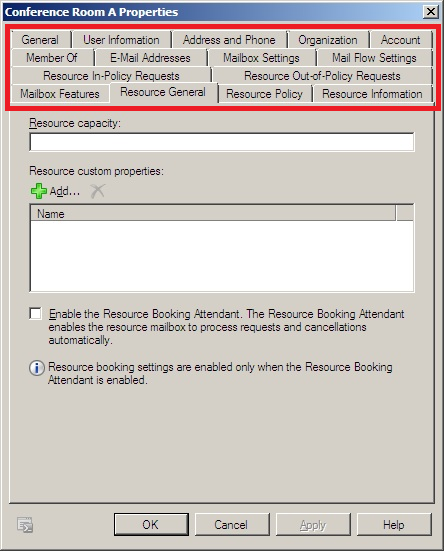
When working on improvements for the room booking and equipment checkout in the LRC, I was recently reminded by the MS-Exchange 2010 room mailbox settings :
 ,
,
how nice it is to have, like a giant tool belt, a reasonably evolved software application with all kinds of knobs and handles (all you can set here can help you, solve a problem for you, relieve you of manual troubleshooting/clerical work).
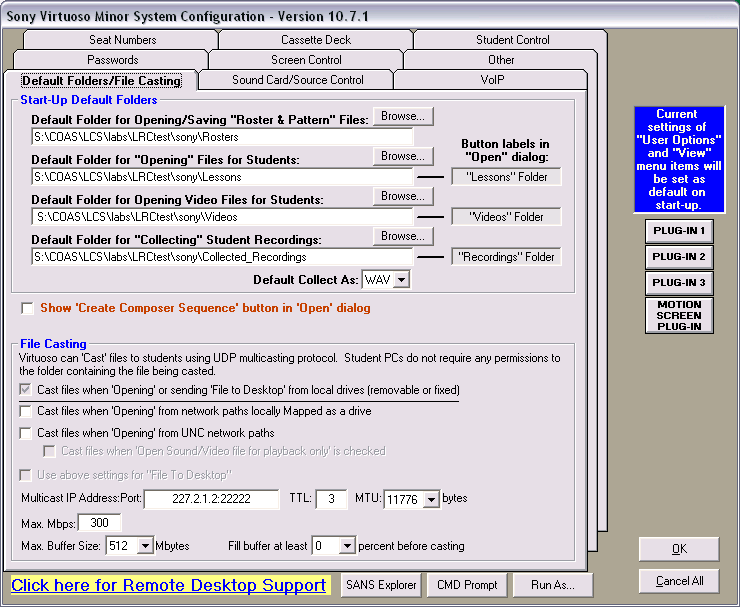
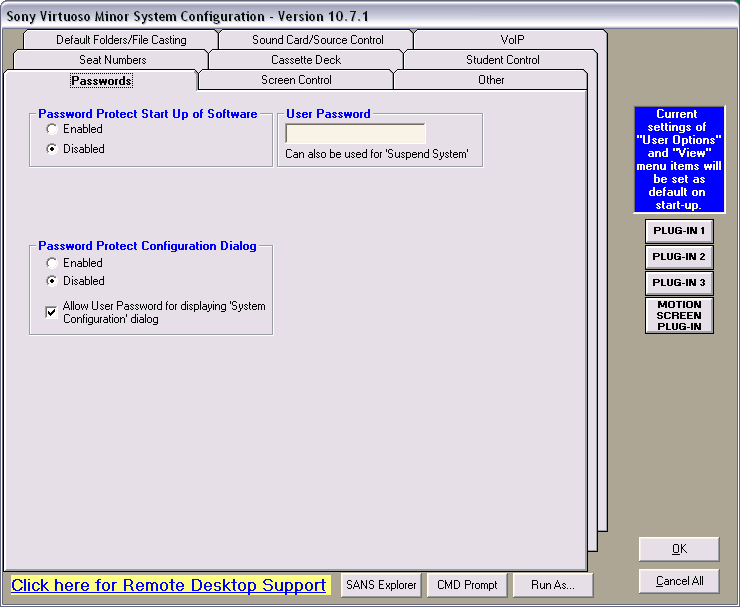
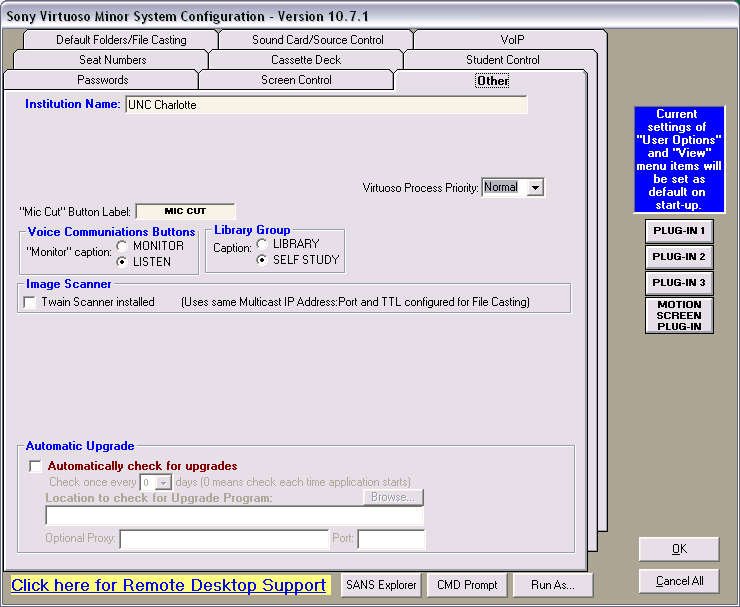
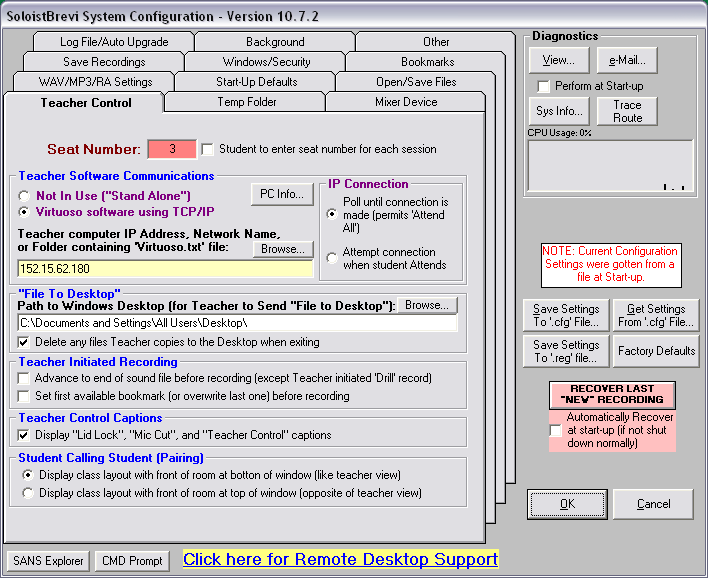
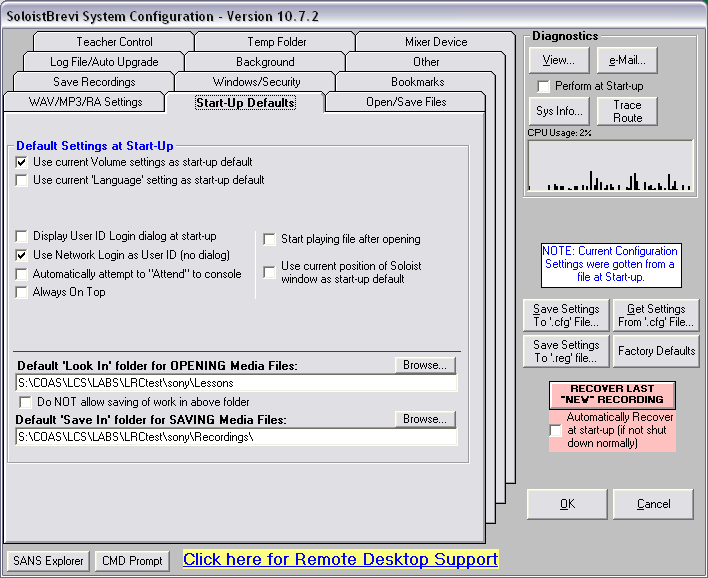
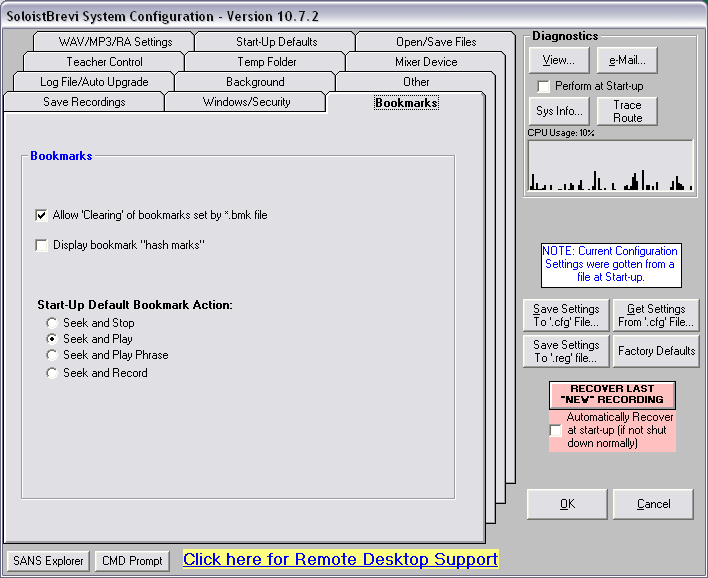
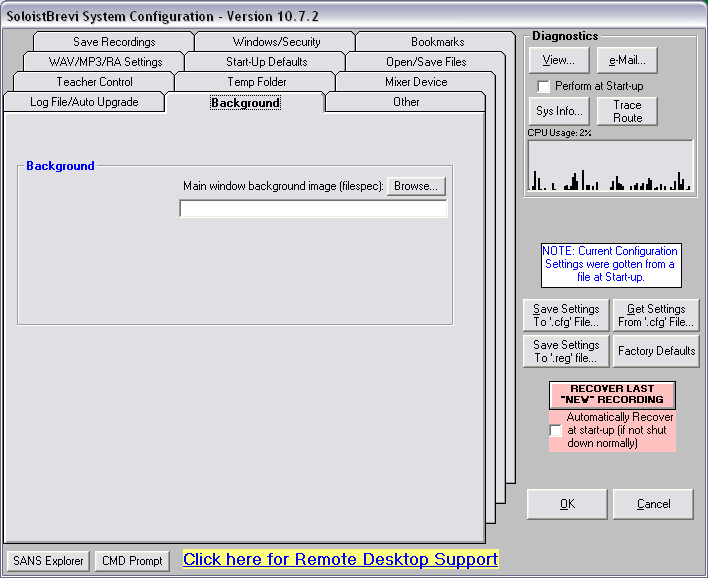
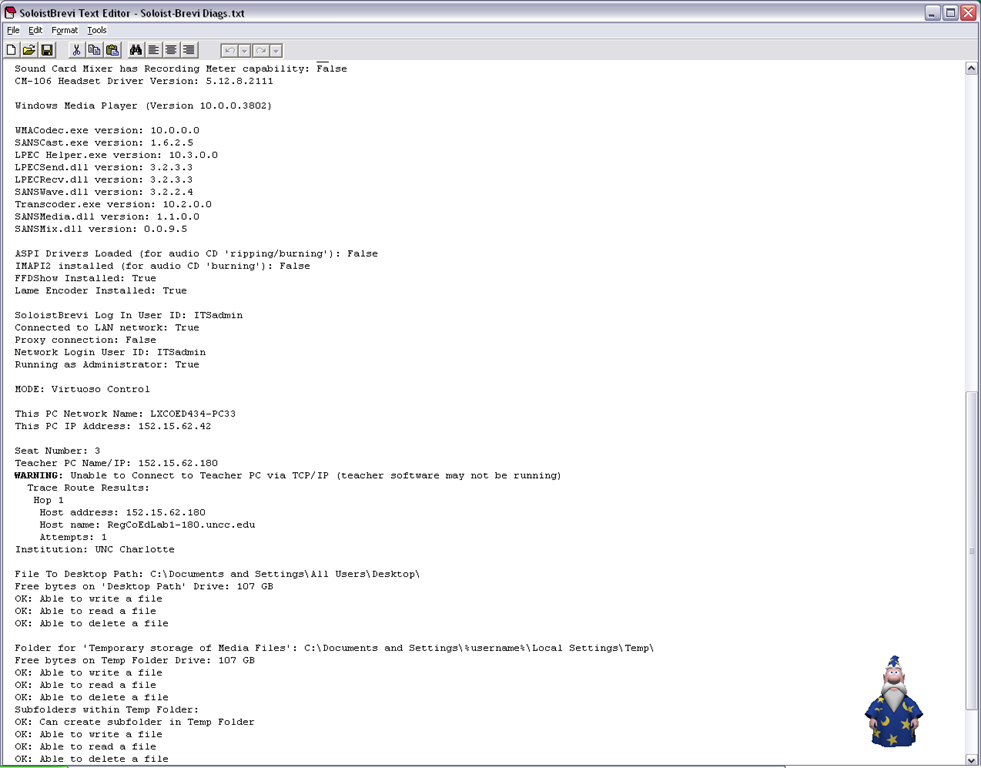
The Sony Virtuoso Apprentice language lab software and the corresponding Sony Soloist Brevi Student Recorder application did not make the cut here for other reasons. But I sure felt intrigued and put in control by its options and settings dialogues:
Virtuoso Dialogues:





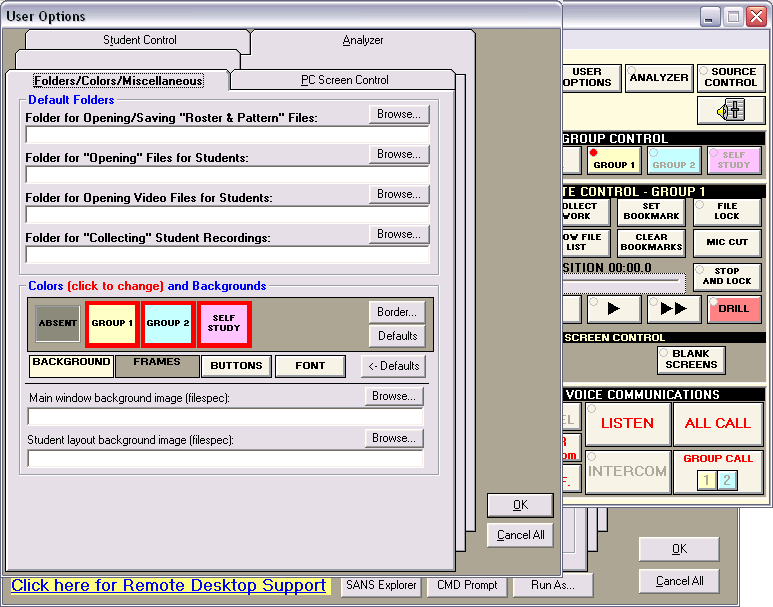


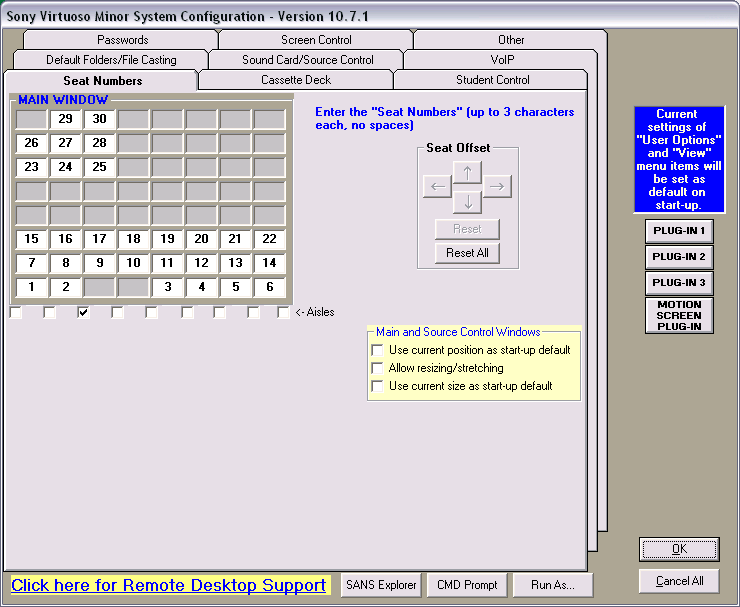


Soloist Dialogues and Diagnostics:








IALLT 2011 Presentation on Batch-produced time-stretched audio for personalized language learning
Batch-produced time-stretched audio for personalized language learning has been accepted for inclusion in the program for IALLT 2011, June 21-25 at the University of California – Irvine and was presented on June 23:
Pervasive networked digital media (both digitized mass media and pod- and tube-casts) and the build-up of higher education technology infrastructure (classroom management systems, eRepositories, ePortfolios) during what might become the next bubble could form much improved learning environments, if it were not for the impedance mismatch of systems integration challenges. The current challenging financial times can remind us of the original promise of e-learning: increased efficiency. Rapidly expanding second language programs (here English, Spanish and Mandarin) need scalability through automation of learning material provision. Smaller or shrinking programs (here German, Russian, Farsi), where widely differing learner proficiency is increasingly becoming a problem when trying to form classes, need to cope with fragmentation of learning material provision in a “long tail”-economy. Both would benefit from a personalization of instruction that takes into account individual skills, needs and interests. This paper’s software can batch-produce from mp3 and wma input files a user-adjustable range of audio output speeds (see options GUI at https://plagwitz.wordpress.com/2010/08/06/language-learning-audio-stretcher/) and – for a more natural sounding output than the time-stretching mechanisms commonly built into current media players – differentiate between language and pause segments in the input when time-stretching (see samples at https://plagwitz.wordpress.com/2010/11/03/language-learning-audio-stretcher-ii-samples/). The paper will demonstrate such time-stretched audio in a variety of languages and from both SLA and authentic materials and its use, as one step towards more comprehensible input of level “i+1” in a more personalized language learning provision.

I am grateful for being able to attend so many interesting workshops, posters and presentations on new developments in teaching material production, online distance education, ePortfolios, learning center design and management.
As well as the booths of professional organizations, educational software and content vendor.`

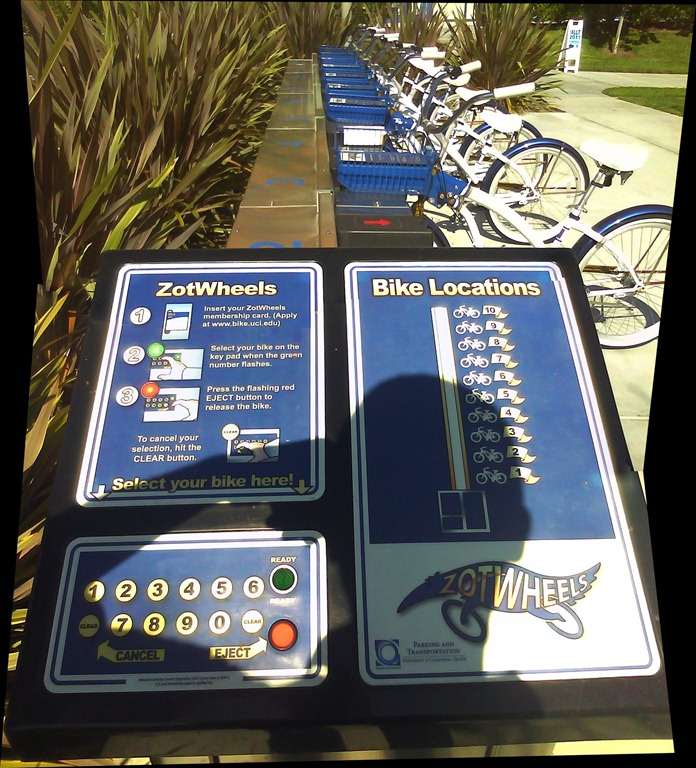
And another idea worth emulating were the ZotWheels bike rent stands  .
.
Moodle Streaming Video Recording Assignment Glitch
Environment: Mac OS 10.6.6, Moodle 1.9, Kaltura TBA, Firefox 3, Flash TBA.
Symptom: As pictured below, when student tries to redo a video assignment submitted previously, by pressing button “resubmit …”, Flash security window pops up, asking for her permission to access the webcam, but won’t accept any input (“pizza of death” spins).

Workaround: Use Safari instead of Firefox.
Lesson to learn: Not only, but especially with computers, be resilient (“Try something else”: modify the sequence of steps, browser version, browser make, operating system, hardware…).


Questions? Read the About. Or just ask me a quick Our Databases: Resources with calendars -- Language learning material Moodle Sites, multimedia files -- films


FAQs for LRC student staff or for students or for teachers. To search our FAQs, in the browser addressbar, add after "https://plagwitz.wordpress.com/feed/?tag=faqs+/" "+TAG1" (from tag cloud below) OR "https://plagwitz.wordpress.com/feed/tag=faqs
&category_name=" "CAT1" (from category hierarchy below). OR search both categories and tags, and multiple TAGs/CATs (connect with "," for OR-search, with "+" for AND-search), like so: https://plagwitz.wordpress.com/feed/?tag=TAG1+TAG2+...TAGn&category_name=CAT1
+CAT2+...CATn"
Other ways to find help
If you cannot find it here, look there: 5,500 Language-Learning Links and Programs for learning or teaching 150 languages
Shortcuts:Our Lists, Our Maps, LRC Staff Moodle Site,LRC Project Moodle Site, 49erexpress, UNCC Moodle, Student Recordings: s:claslcslrcsanakostudent
Learning usage samples: Sanako oral exam, Kaltura webcam presentation, Dictation with speech recognition, Sanako written exam, Chinese and Japanese interactive stroke-order practice
Test the Sanako Installer, Webbrowser Popup Konfigurator for XP, or Windows7, faster LRC TeacherPC Log-in Let MS facilitate diacritics writing by installing for you US-International keyboard layout
This is my personal blog (Google+). The views expressed on these pages are mine alone and not those of my employer. The information in this weblog is provided “AS IS” with no warranties, and confers no rights.

