Archive
How the LRC can help you proctoring your computer-based make-up exams
- We are testing
- whether we can offer proctored make-up exams for students that missed scheduled (publisher website- or Moodle-based) computerized exams that were held in the LRC. We have not been given additional resources for this service, so we have to set it up as smoothly as possible – as you and your students will desire also.
- Alternatively, you could administer your exam in your office, like you used to, but now using your office computer (where presumably you tested the exam in the first place – the LRC can temporarily borrow you a headset
- or we could group schedule all remaining students for a make-up in the main LRC classroom maybe during class meeting (likely more secure and quicker, but taking away from contact hours). Both the presence of the teacher and the lrc director may be required.
- The teacher gives
- to the studentthe exam’s
- step-by-step instructions (depends on your exam website, look at my example here regarding mylanguagelab tests (version 2012-10): goo.gl/g8q5g),
- or, if the exam is self-explanatory to the student (nothing ever seems to be, so if you want to go this route, please be prepared to troubleshoot with your students, the LRC can only help with making step-by-step guides beforehand), the link, i.e. login (e.g. mygermanlab: goo.gl/JUSUC) and exact location of exam (either path for manual browsing or (preferably, if at all possible) a direct link);
- duration
- deadline
- to the LRC coordinator the exam password. The LRC coordinator publishes the password in LRC Moodle forum “sticky notes” (to which only LRC staff has access).
- to the studentthe exam’s
- The student
- From her NINERMAILcalendar
- prepares a new/meeting request,
- “subject: [your course number] make-up exam”,
- to “resource:” lrcroomcoed433c @uncc.edu AND lrcroomcoed433d@uncc.edu, our small group rooms,
- uses the tab:”scheduling assistant” to find a free (= white, not-blocked) time-slot with the exam duration and before the exam deadline,
- and deletes that group room that s/he does not need before actual sending the meeting request (For the quietest experience, s/he should also stir clear of tutoring hours, subject:”up to ####” in the other group room http://mail.uncc.edu/owa/calendar/LRCRoomCOED433c@uncc.edu/Calendar/calendar.html http://mail.uncc.edu/owa/calendar/LRCRoomCOED433d@uncc.edu/Calendar/calendar.html ).
- The student can get help withmaking this meeting request at the LRC reception desk, including booking the room on the fly, but no group room may be immediately available for walk-in clients).
- cancels the meeting request if s/he changes her mind, to make the room available to other (we record the check-in time to report offenders who prevent other students from taking their make-up exams). Only in our 2 group rooms next to the reception desk the student can be (loosely) monitored by LRC assistants serving as proctors from behind the reception desk. We can test before term start if your website can use additional security features like Sanako controlled web browsing or Respondus Lockdown browser.
- prepares a new/meeting request,
- comes to the LRC shortly before her scheduled time slot,
- logs in on the computer in her group room first (to speed things up);
- opens her meeting request on the reception desk computer to receive a check-in code from the LRC assistant into the meeting request and “sends update”;
- places any personal possession behind the reception desk;
- opens the exam instructions (e.g. goo.gl/g8q5g) on the group room computer;
- Following instructions therein, goes to the exam website on the group room computer, opens the exam, so that the LRC assistant can type in the password from the LRC Moodle forum “sticky notes” without letting the examinee know the password.
- TBA: Will we require students to get a checkout code? The LRC assistants are not in a position to enforce exam deadlines; your testing software likely should be.
- From her NINERMAILcalendar
Ipatrainer.com community provides free phonetic transcription tables with sounds and exercises
- This is looking good, but …
- There seem to be some coding issues, I am getting server errors 500 after registering.
- The site is advertisement-based.
- There is no content beyond the IPA sound which would put these bare basics in phonetics into language learning context and practice.
- Site Contains:
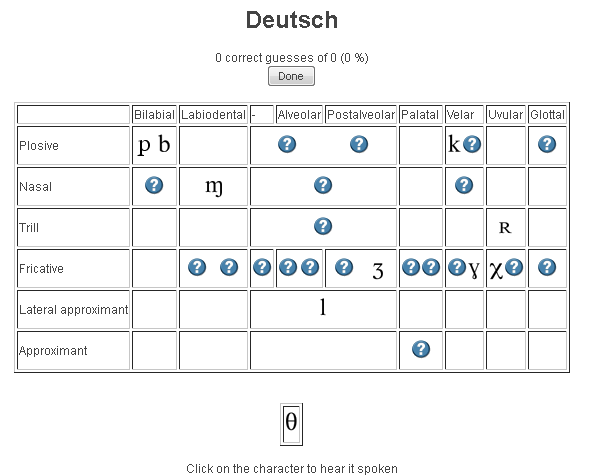
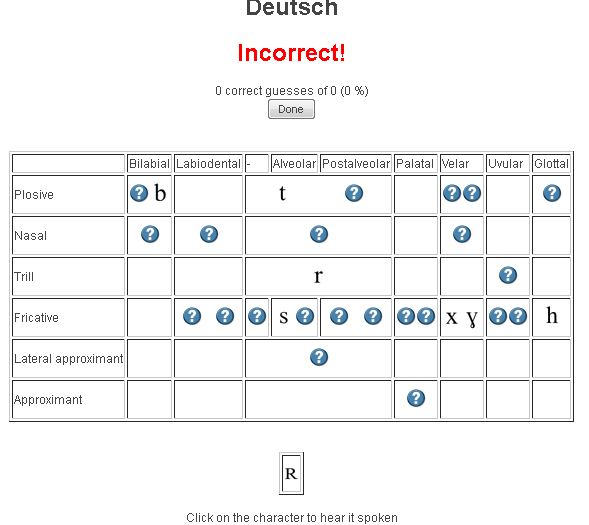
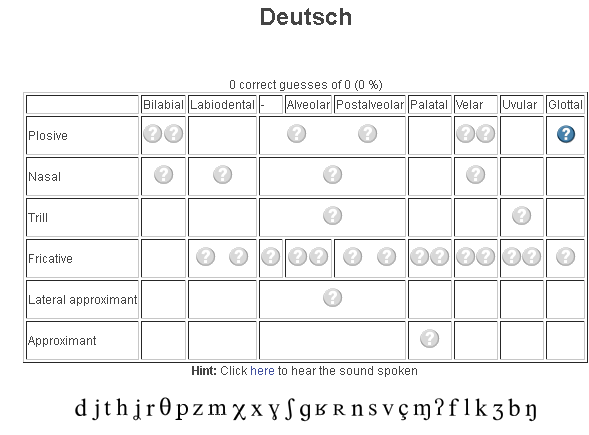
- tables for teaching your language – complete with phonetic symbols and sound samples

- and exercises for your students (e.g. Memory games, Identifying characters


 , places,
  and sounds.
- tables for teaching your language – complete with phonetic symbols and sound samples
- You can
- Create your own, after free registration,
- or assign one of the ones from many other teachers.
- Most popular ones are listed here: http://www.ipatrainer.com/user/site/?language=, and if the use numbers are accurate, there must be really some serious IPA learning going on here…
- I see no way to browse other tables without having the username of the teacher who created and assigned it.
- There is also a phonetic writer.
- And a user forum, in its infancy.



MyGermanLab shortlinks and step-by-step chapter test for GERM1201, GERM1202 classes
- Using Internet Explorer, go here: goo.gl/JUSUC.
- Log into MyGermanLab.
- to open your test:
-
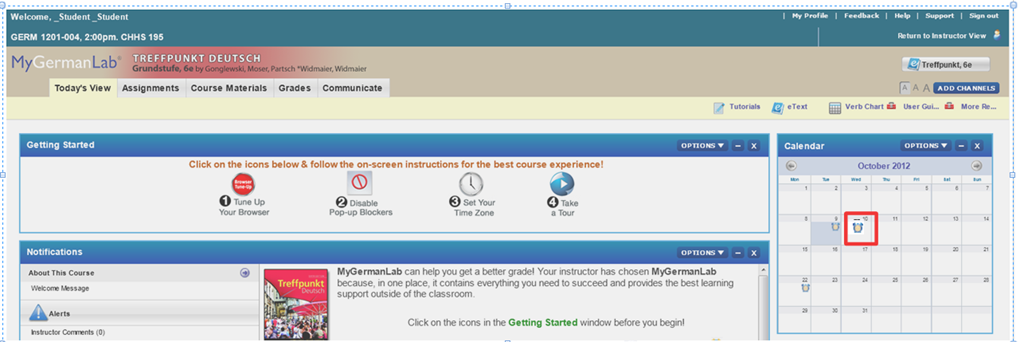
- Click on the assignment for today on your assignment calendar to the right:

- if your test does not show as assignment in the calendar (Update for proctored make-up exam: this applies espeially to you), go to the top tab: “course materials”“. Hold the CTRL key and click on the assignment
- either in the list on the right or
- at the bottom in the list on the left.
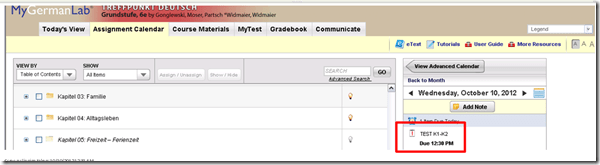
- if your test does not show as assignment in the calendar (Update for proctored make-up exam: this applies espeially to you), go to the top tab: “course materials”“. Hold the CTRL key and click on the assignment
- Enter the password that you will be given during the exam in the LRC:
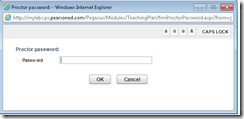 , hold the CTRL key and click button: “OK”.
 - Click button: “start”.

- Click through the pages until it tells you you have “submitted” the test.
- Click on the assignment for today on your assignment calendar to the right:
- to handle multimedia:
- Use the headsets hanging behind the screens for questions that require listening/speaking.
-
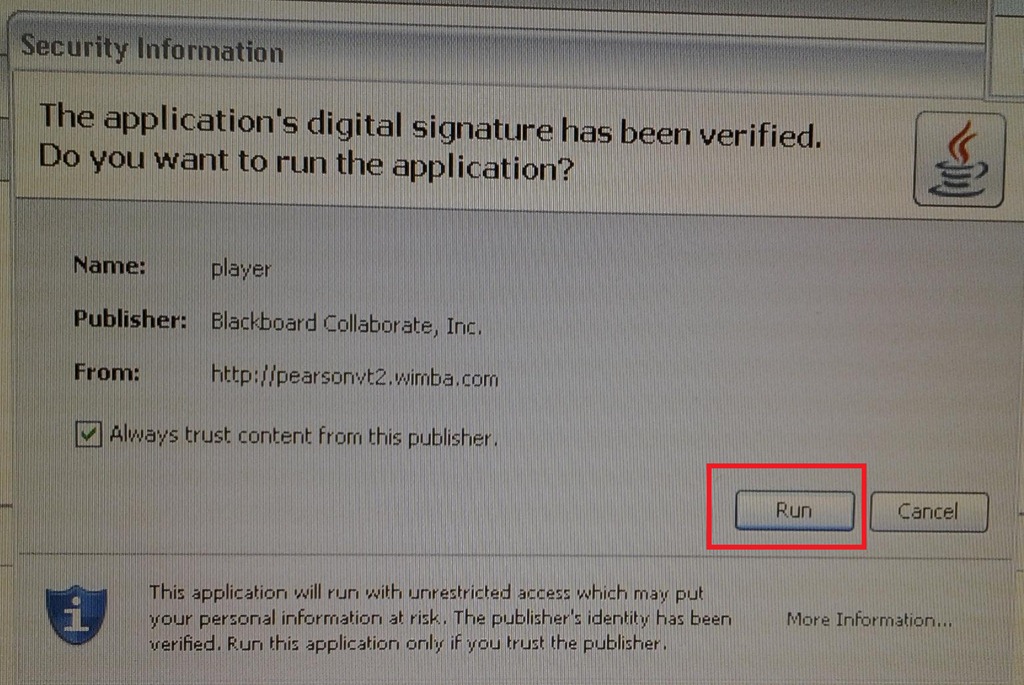
When you load the audio player or audio recorder, you will see a dialogue like these, click button: ”Run” or “Trust”:
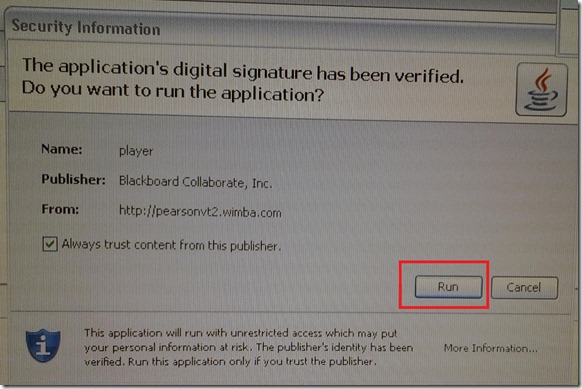
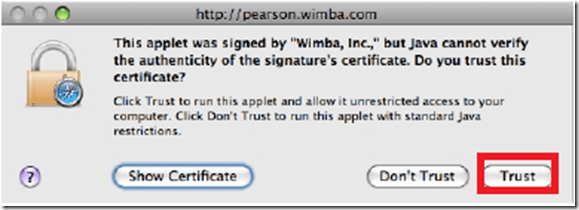
- There is a step-by-step guide on how to record here.
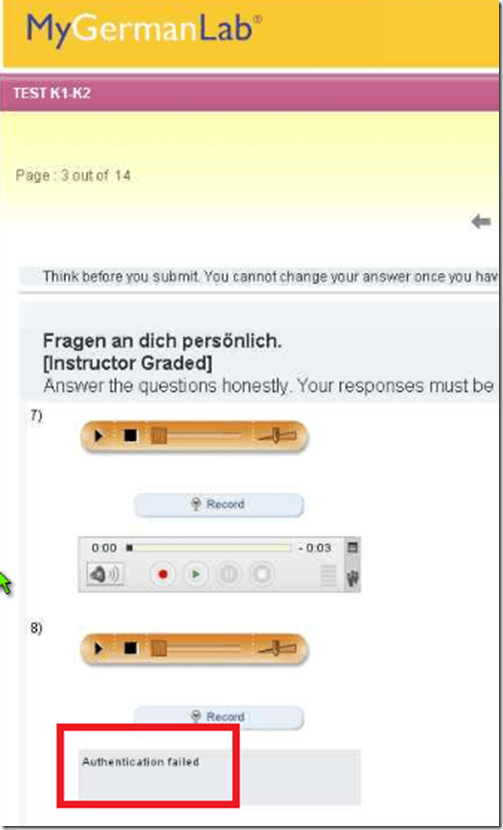
- If you get an error for the audio recorder saying “Authentication failed”, keep calm and carry on, your recording is not lost, you only cannot review it anymore:
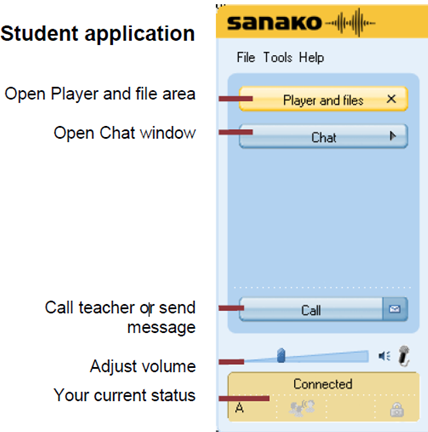
- If you have a question, do not disturb others. Rather put your headsets on and get in the queue by clicking button: “Call” in this window
 . Your call will be answered shortly.
- Please be advised that this exam is
- proctored and that your screen can be seen by the proctor at any time.
- randomized, so that your neighbors’ screen will most likely display your current test question at a quite different time.



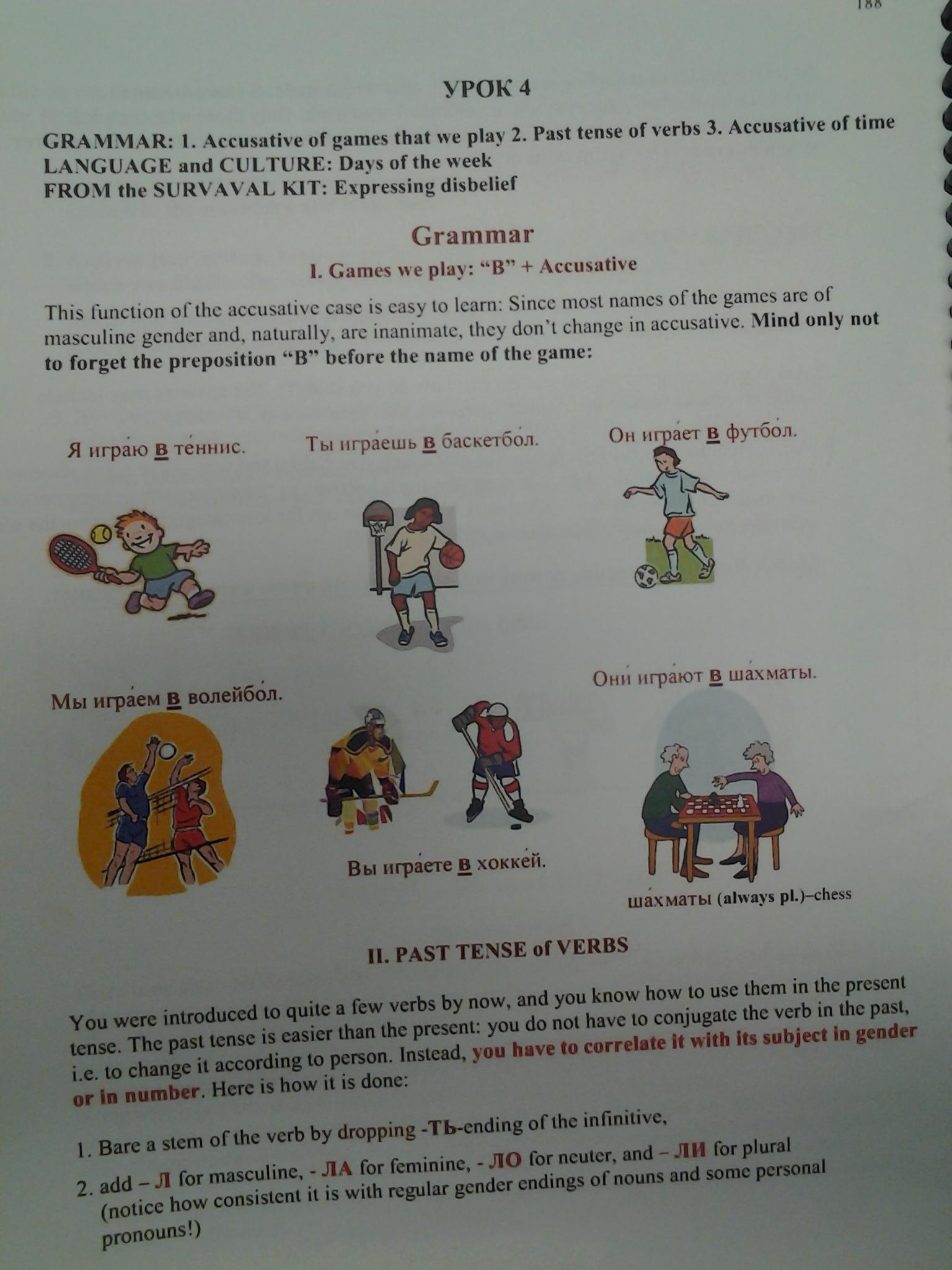
Friendly RUSSIAN chapter 5-3 Grammar 1
How to use archive.org’s US-English news collection as a language learning corpus with QUIK-like speaking samples
- Much of TV news nowadays seems to amount to not much more than a constant stream of sound bites – however, exactly this brevity,
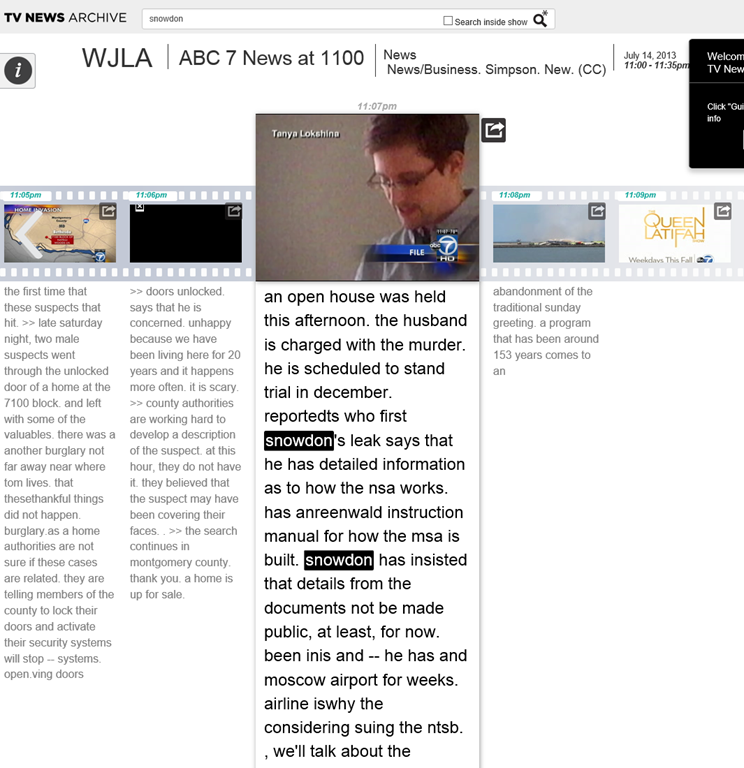
- the large archive and simple search interface:

- the research/browsing capabilities visible on the left here, including the varied sources – of which Arabic and French and other European TV likely provide a somewhat different perspectives on Edward Snowden –
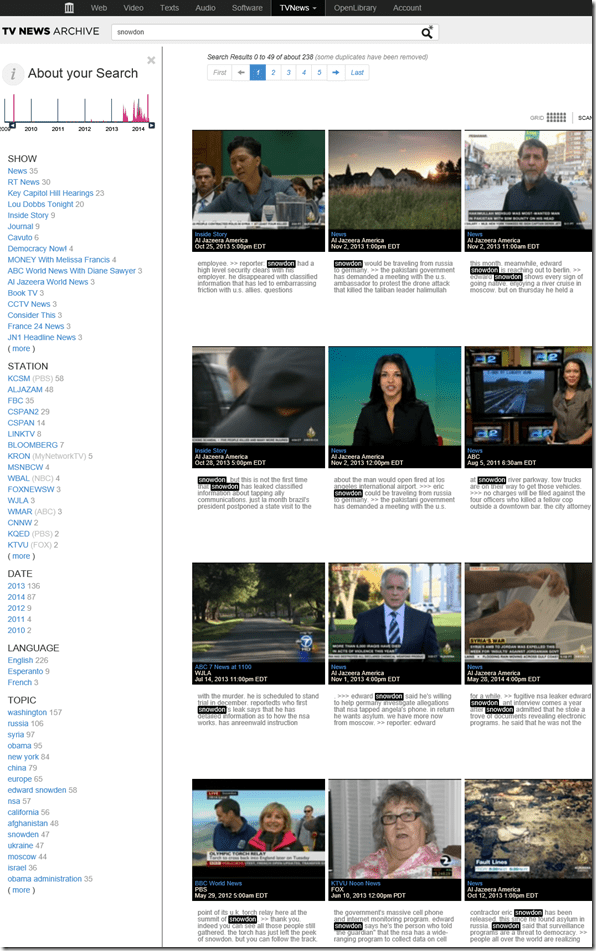
- and the caption-like transcription, make it all the more accessible for intermediate learners of English.

- video clips of only 30 seconds length is hardly enough for instruction, however, you can have students work with corpus-QUIK-like spoken samples, and have them string a news history together if you design webquest-like research assignments – with the major added benefits, that this corpus is spoken and trains listening.
- For more background info on archive.org’s transcribed TV news, consult this NYTimes article.

Protected: How to convert Friendly Russian web pages for better use with the Sanako Study 1200
Meta-search many historical German dictionaries and encyclopedias using Woerterbuchnetz.de
A meta-search by the University of Trier Center for Digital Humanities may not teach you much German – you need to know it already –, but help prevent you remaining a “one-dimensional man”.
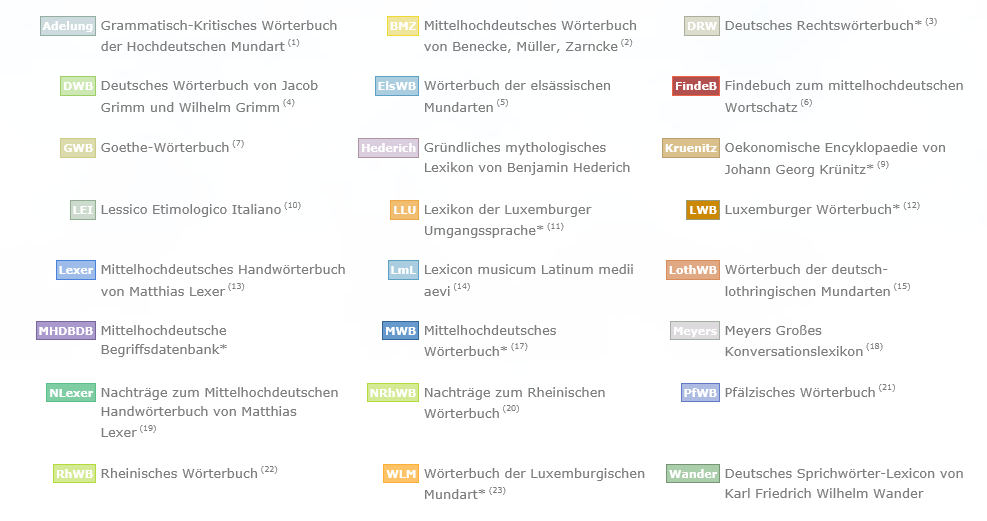
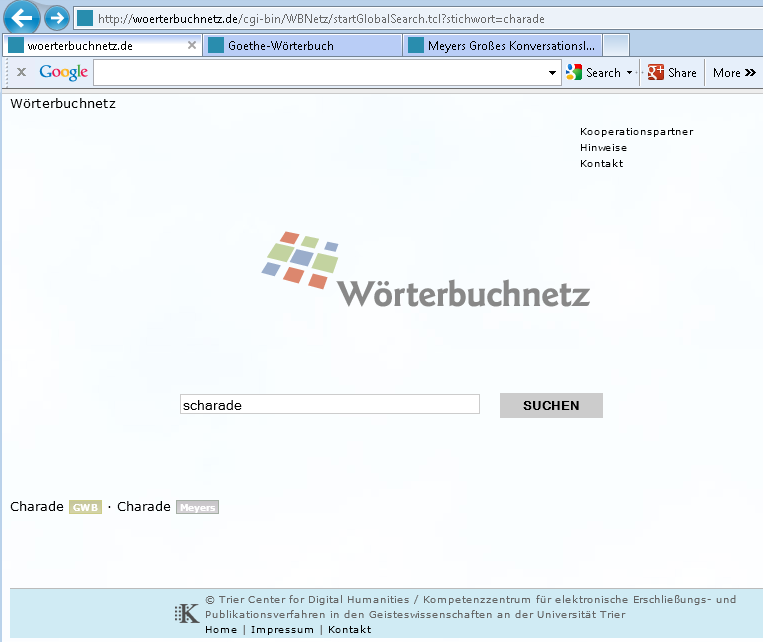
I came to know a lot of those during my own German and history studies a long time ago – – when they still only existed on paper, if not parchment  . Gotta love Digital Humanities, and find other activities for physical exercise. Her is an example search result:
How to download Centro Spanish Textbook audio
The audio is in (compressed) mp3 format. Just right-click on any audio link and choose save target/link as (or similar, depending on browser), like so: 
Example from Centro – Puntos de partida: Online Laboratory Manual, 8th Edition (you need access privileges to follow this link, but you can send links around, users can open them, provided their webbrowser is already logged into the centro site – getting access and finding you way around the website is the real issue. Webspiders are prohibited, though – and even Downthemall saves only files without extensions: rename them to .mp3 or save them manually as .mp3 in the first place, as shown above. Does not work as above? Try a different web browser.


Questions? Read the About. Or just ask me a quick Our Databases: Resources with calendars -- Language learning material Moodle Sites, multimedia files -- films


FAQs for LRC student staff or for students or for teachers. To search our FAQs, in the browser addressbar, add after "https://plagwitz.wordpress.com/feed/?tag=faqs+/" "+TAG1" (from tag cloud below) OR "https://plagwitz.wordpress.com/feed/tag=faqs
&category_name=" "CAT1" (from category hierarchy below). OR search both categories and tags, and multiple TAGs/CATs (connect with "," for OR-search, with "+" for AND-search), like so: https://plagwitz.wordpress.com/feed/?tag=TAG1+TAG2+...TAGn&category_name=CAT1
+CAT2+...CATn"
Other ways to find help
If you cannot find it here, look there: 5,500 Language-Learning Links and Programs for learning or teaching 150 languages
Shortcuts:Our Lists, Our Maps, LRC Staff Moodle Site,LRC Project Moodle Site, 49erexpress, UNCC Moodle, Student Recordings: s:claslcslrcsanakostudent
Learning usage samples: Sanako oral exam, Kaltura webcam presentation, Dictation with speech recognition, Sanako written exam, Chinese and Japanese interactive stroke-order practice
Test the Sanako Installer, Webbrowser Popup Konfigurator for XP, or Windows7, faster LRC TeacherPC Log-in Let MS facilitate diacritics writing by installing for you US-International keyboard layout
This is my personal blog (Google+). The views expressed on these pages are mine alone and not those of my employer. The information in this weblog is provided “AS IS” with no warranties, and confers no rights.

