Common video resolutions and ratios
Proposing for a free Moodle audio recorder: Technical options and faculty needs survey results
- Current popular options for a free Moodle audio recorder:
- Nanogong is a popular, feature-rich and simple recorder that go entangled in the recent java politics and security scares. Since the company has a non-free offering, chances are higher it will get updated to address these security warnings. It seems the long-term outlook for java in the enterprise is excellent, but i cannot judge the long term outlook for java as a client/in-browse solution.
- Poodle which played the 2nd fiddle to Nanogong for most of the time, seems to have caught up to Nanogong based on the above. that it is "server based" – but on theirs, not ours – Poodle has a freemium business model (could be an issue). Does this include the audio compression load? Does this have FERPA implications (and can they be resolved like with Kaltura)?
- Paul Nicholls has a number of flash-based popular audio recorder plugins , where record assignment submission seems to have superseded record assignment type for newer versions of Moodle, and assignment type offers student recording, while Record Audio repository complements this with teacher recording (and the same interface; i am not sure i understand which end user setup is required for repository).
- In the results of faculty survey on learning needs (sum of 0-centered Likert-scale), I find notable
- that teacher recording is considered almost as vital as student recording, and
- that most faculty even would be willing to deal with some complexity for the additional learning features that some of these recorders offer (Nanogong especially).
|
Question_text |
Rank |
|
It is important that my students can record their speech in my Moodle course (without need for separate software and file upload). |
14 |
|
It is important that the setup work that the teacher has to do before being able to assign audio recorder is minimal. |
13 |
|
It is that the teacher can record her voice in Moodle (without need for separate software and file upload), providing oral instead of written cues or feedback. |
11 |
|
Simplicity is more important to me than feature richness (controlling volume, limiting the amount of time a student can record, maximum number of recordings, Recordings can be slowed down or sped up , Peer review of recordings). |
7 |
|
I expect my students to have a microphone connected to or built-in to their home computer. |
5 |
|
It is important that other media than audio can be "recorded" (video (outside of Kaltura), webcam snapshots, whiteboard drawings). |
5 |
How to shoot movies with the Canon Vixia–files sizes and limitations
Vixia 4:

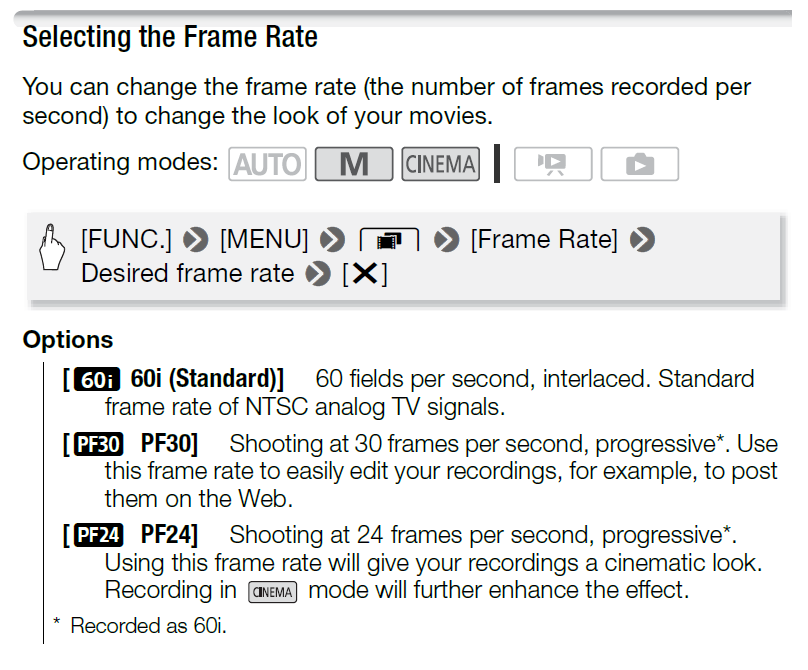
Vixia5:


Full overview:
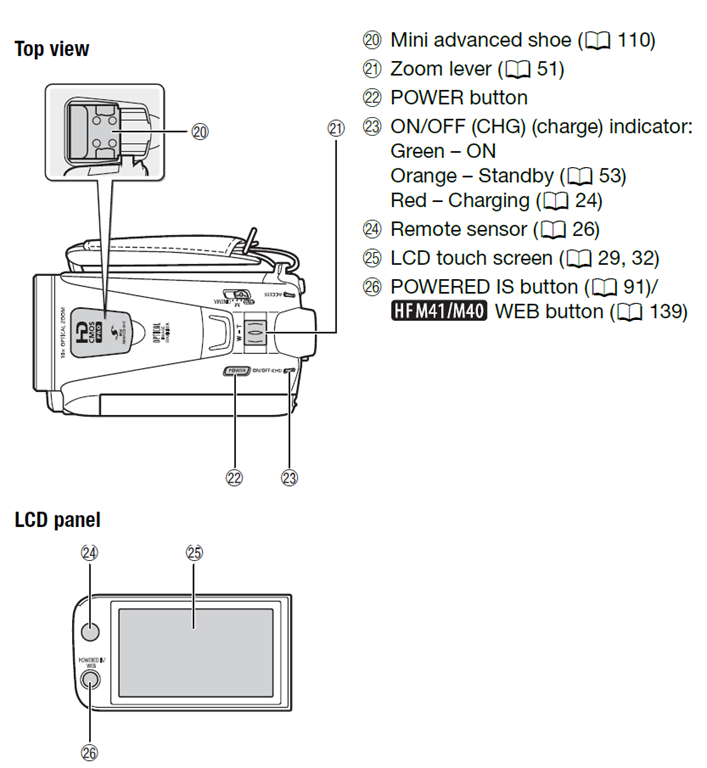

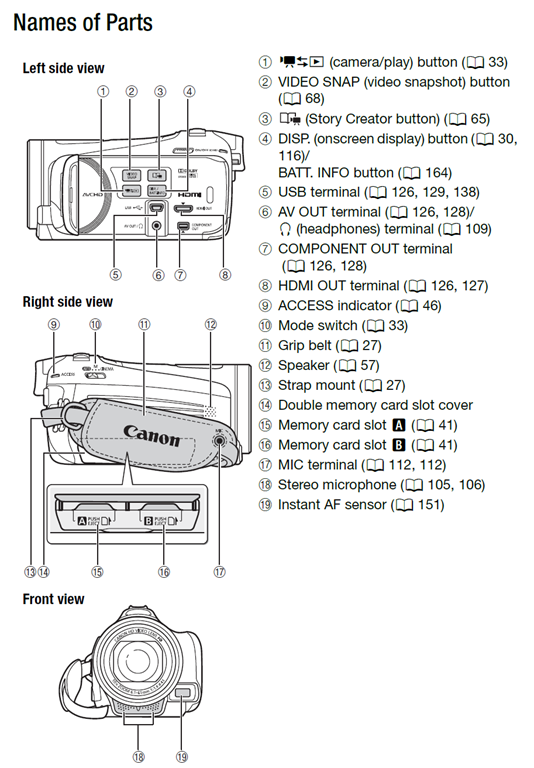
How to shoot movies with the Canon Eos Rebel T2i– and “movie recording has been stopped automatically”
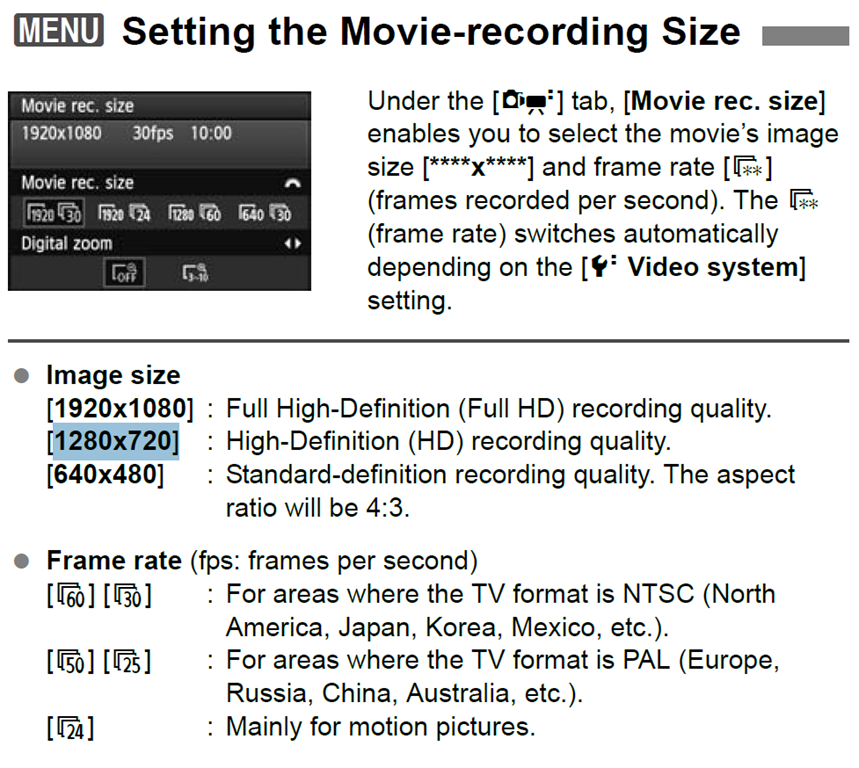
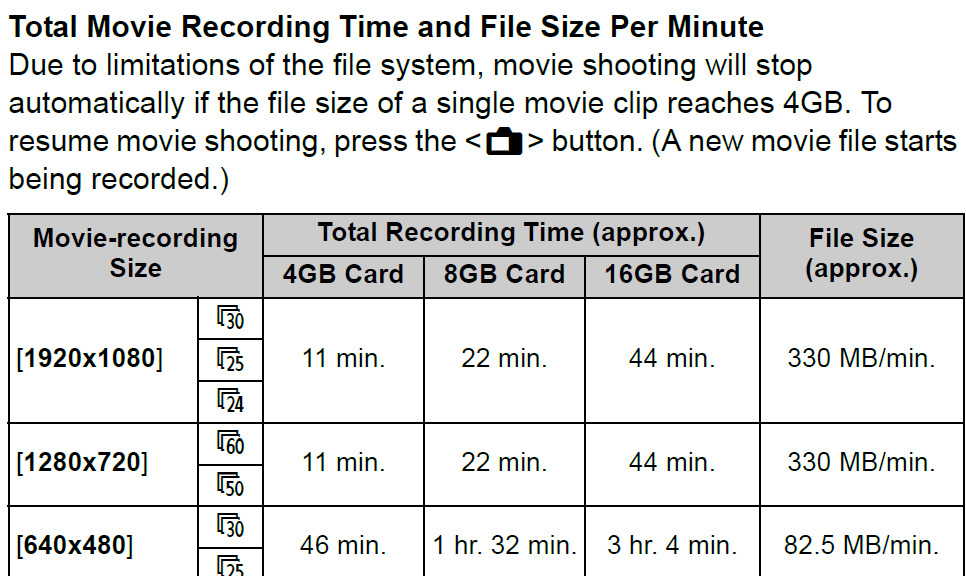
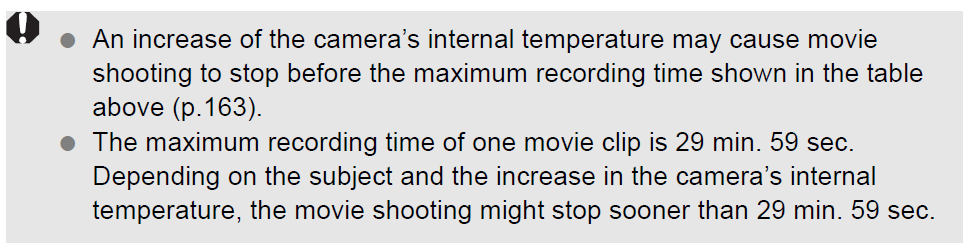
If the camera stops recording after a short while with the error “movie recording has been stopped automatically”, you most likely have an internal memory buffer overrun (there is a bar chart visible warning you off that shortly before the camera stops). This may be due to you not using a Class (6) or faster SDHC card. Try first a low level format inside the camera, or get a faster memory card. (Per the manual below, a lowering to standard HD should not help!).
Note also: The camera stops the recording when the file size has reached 4GB (3.99 in Windows – FAT32 limit). It is left as an exercise for the reader when that point in time is. May be related to the fact that this camera is primarily meant for photos, not video. I felt I had to use the lowest HD setting with my untested SD card (the one that buffer overran slightly later with the earlier SD card: 1280*720, 60fps – which produces 1GB/3 minute).
Note finally: camera might stop also due to overheating.
How-to for the new Vixia HF M500 camera
Here it is, and available for checkout per instructions here. Also see the video size considerations.
Step-by-step for Basic Recording:


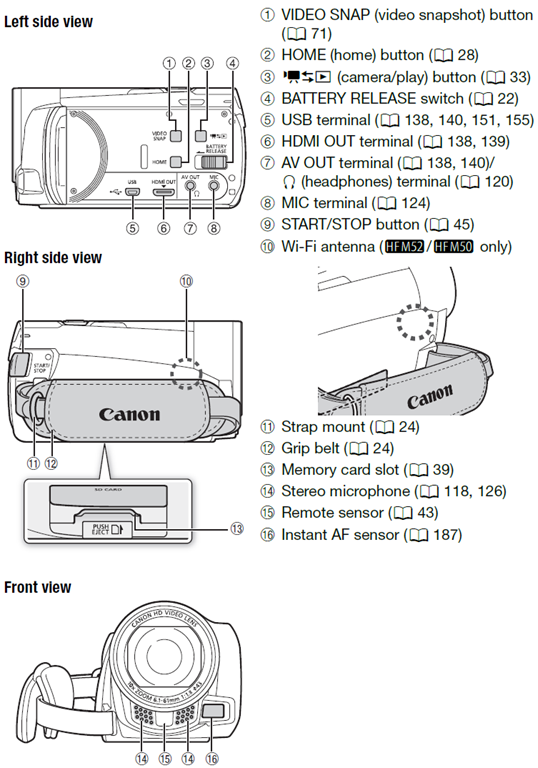
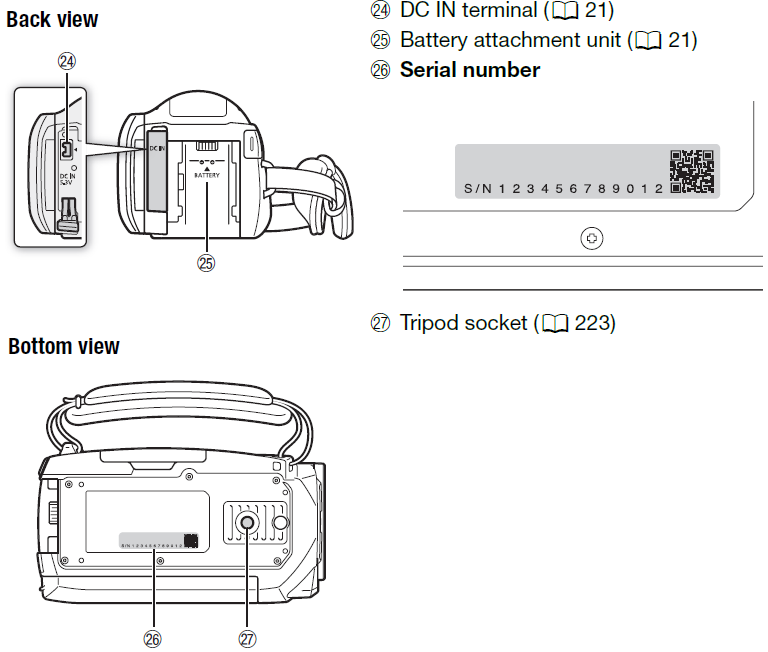
The Parts and Controls of the Camera:

How to workaround Moodle quiz audio not playing to the end in Respondus Lockdown Browser
- Problem:
- The Moodle 2 audio player
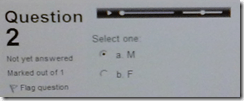 tends to get stuck (= does not play to end; not pictured) after you moved fast forward or backward on the timeline with your mouse.
 - Respondus Lockdown browser has is a page refresh button,
 but you cannot refresh the page since this might erase data you already inputted. .
- The Moodle 2 audio player
- Workaround:
- At the bottom of the page, click
 , or use the Quiz navigation
 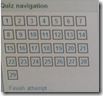 to browse to another page.
 - On the Submit page, click “Return to attempt”, or on another quiz page, use once more the “quiz navigation” to browse back.

- This seems to refresh the page, including the audio players, without erasing answers you already inputted.
- At the bottom of the page, click



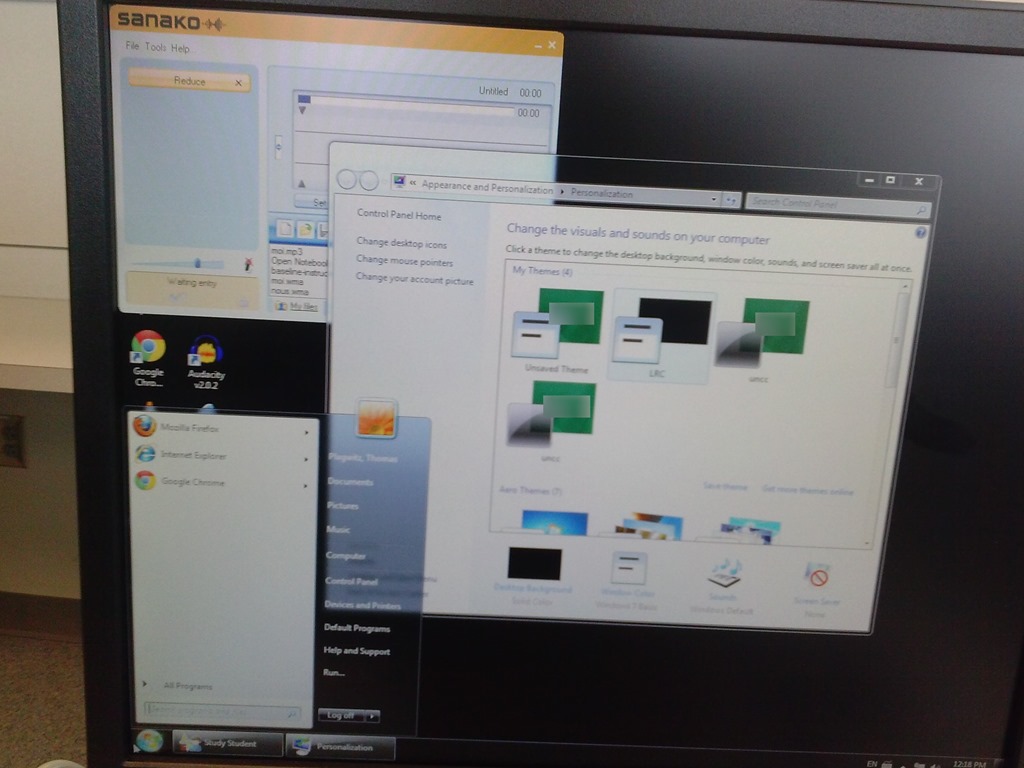
Switch to Color Scheme Basic not working for students
- Works for me:

- Does not work for students for whom it primarily has to work:

- Strangely, student seems to be not stuck on the original, but on an unsaved theme:


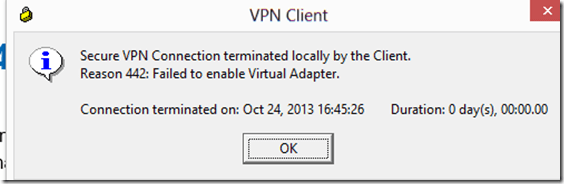
How to bypass error 442 when trying to connect to your office network with Cisco VPN Client 5 from Windows 8
- Problem:
- Solution:
- in [HKEY_LOCAL_MACHINE\SYSTEM\CurrentControlSet\Services\CVirtA]
"DisplayName"="@oem25.inf,%CVirtA_Desc%;Cisco Systems VPN Adapter for 64-bit Windows" - remove: “@oem25.inf,%CVirtA_Desc%;”.



Questions? Read the About. Or just ask me a quick Our Databases: Resources with calendars -- Language learning material Moodle Sites, multimedia files -- films


FAQs for LRC student staff or for students or for teachers. To search our FAQs, in the browser addressbar, add after "https://plagwitz.wordpress.com/feed/?tag=faqs+/" "+TAG1" (from tag cloud below) OR "https://plagwitz.wordpress.com/feed/tag=faqs
&category_name=" "CAT1" (from category hierarchy below). OR search both categories and tags, and multiple TAGs/CATs (connect with "," for OR-search, with "+" for AND-search), like so: https://plagwitz.wordpress.com/feed/?tag=TAG1+TAG2+...TAGn&category_name=CAT1
+CAT2+...CATn"
Other ways to find help
If you cannot find it here, look there: 5,500 Language-Learning Links and Programs for learning or teaching 150 languages
Shortcuts:Our Lists, Our Maps, LRC Staff Moodle Site,LRC Project Moodle Site, 49erexpress, UNCC Moodle, Student Recordings: s:claslcslrcsanakostudent
Learning usage samples: Sanako oral exam, Kaltura webcam presentation, Dictation with speech recognition, Sanako written exam, Chinese and Japanese interactive stroke-order practice
Test the Sanako Installer, Webbrowser Popup Konfigurator for XP, or Windows7, faster LRC TeacherPC Log-in Let MS facilitate diacritics writing by installing for you US-International keyboard layout
This is my personal blog (Google+). The views expressed on these pages are mine alone and not those of my employer. The information in this weblog is provided “AS IS” with no warranties, and confers no rights.
 Thomas' Work Space