Archive
How a teacher can use Sanako voice insert to easily add spoken comments to students’ Sanako oral proficiency exams
- All other things equal (given a limited amount of time), teachers can provide more and better corrective feedback on student oral proficiency recordings if, during their grading, they could easily insert their own oral comments into the students’ recordings (delivered as MP3 files to teachers’ desktops after Sanako oral exams).
- Both the Sanako Tutor and Student Player have a voice insert mode that is much easier and quicker to use than (albeit not free as) editing the student audio in Audacity (which we still recommend for bare-bone viewing/listening because of Audacity’s capability of loading and displaying multiple tracks simultaneously).
- Fortunately, Sanako tutor/student player are available on the teacher/student station PCs in the LRC (the latter’s insert function is available when the PC connected to the running Sanako Tutor on the teacher station).
- How easy and fast is it to use this? As you can see in this demo screencast on how to use Sanako voice insert to add spoken comments into your students’ Sanako oral exams
 , voice insert only requires:
 - a click on the voice insert button in the center, whenever a user wants to speak during listening,
- and, from the top left menu, a “file”/ “save as” at the end.
- In a next step – not only during the grading process –, how easy is it to distribute student recordings made with Sanako to students? That is TBA:a different story.
LRC Workshop Demand Survey Results
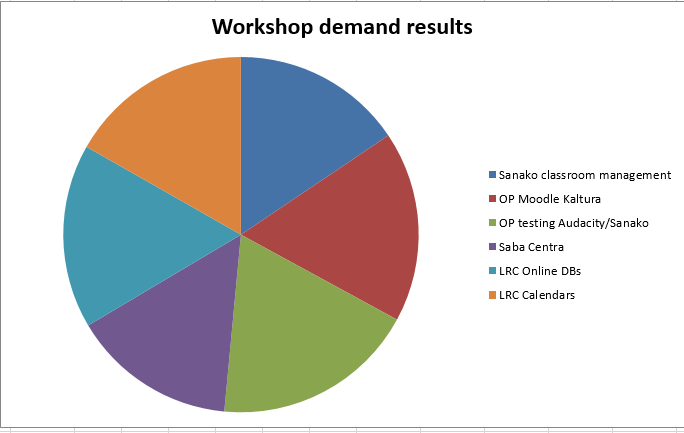
7 responded, 1 commented. OP=Oral Proficiency.
Installing support for non-western languages in Windows XP
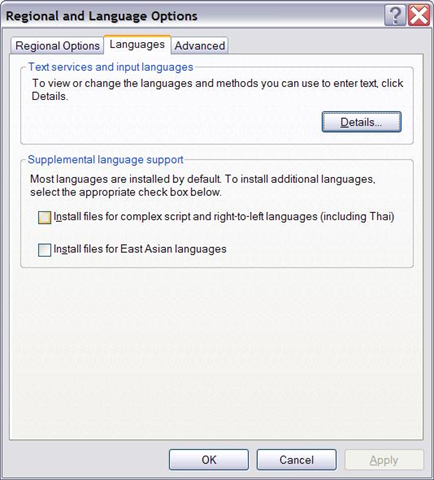
- You do not have them if your control panel / regional and language options looks unchecked like this:

- you need your Windows XP install disk
- The installer is not smart enough to find the i386 folder, nor to find all files around it.
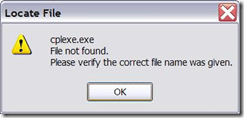
- Just point the installer to the directory manually where you located the file in question.

- The initial directory it is lookiong for is /i386/lang. The 2nd directory it is looking for is /i386.
- Additional complication: files in the install source are compressed, and their filename is altered (e.g. “.ex_” instead of “.exe”). So it is “Go figure”.
- Hm, I could have sworn this was the first thing I did here. Are downgrades being slipstreamed? I hope I did this now for the last time. Update: No, I did not…


Linguee dictionary lookup based on parallel corpora
- Support for more languages is planned (Chinese, Japanese):
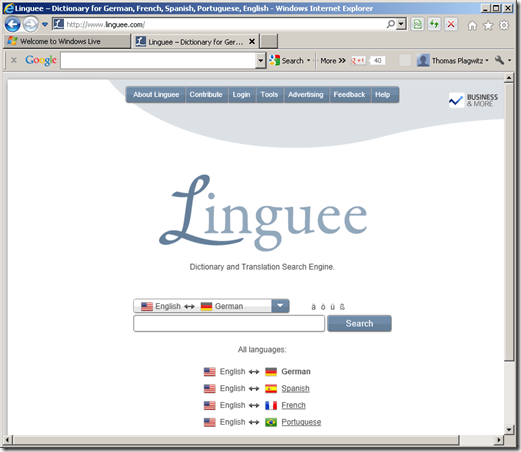

- The interesting approach based on parallel corpora provides a wealth of empirical data, albeit a bit raw and of varying quality, e.g.:



Find open access research on teaching modern foreign languages with Yazik Open
An inititative of an expert from the UK LLAS, Yazik Open has the potential to become a welcome addition to our SLA research search options, especially if you do not want to run into a pay wall after finding an interesting abstract.
The currently sole contributor seems to be admin – same problem I had when I started a language learning resource links database in 1998, when will this change?
The keyword list looks somewhat rudimentary – when I worked with LLAS on a language learning resource metadata schema, complexity led to a grinding halt.
So the need to bring some of the advances in technologically fostered collaboration and information exchange to domain-specific fields like SLA certainly remains to be felt here.
Independent study with free language learning materials from the FSI?
The Foreign Service Institute language learning materials – consisting of scanned documents and digitized audio of multiple courses per language – were still a heavily-advertised resource when I visited the Defense Language Institute in Monterey in 2006.
It is nice to see these resources be made available for free. It is also nice to see the progress that has been made not only in technological adaptation of textbook learning materials since these materials were made available (post WW II?).
This, however, comes at a cost. If you shun it, and do not take a course that works which requires (and entitles you to the use of) a textbook, here are easily accessibleviewable learning materials for a large set of languages, including many LCTL: Amharic, Arabic, Bulgarian, Cambodian, Cantonese, Chinese, Chinyanja, Czech, Finnish, French, Fula, German, Greek, Hausa, Hebrew, Hindi, Hungarian, Igbo, Italian, Japanese, Kirundi, Kituba, Korean, Lao, Lingala, Luganda, Moré, Polish, Portuguese, Romanian, Russian, Serbo-Croatian, Shona, Sinhala, Spanish, Swahili, Swedish, Tagalog, Thai, Turkish, Twi, Vietnamese, Yoruba.
The Forums , however seem to indicate that not too many still use these options. The transformation into a (technologically superficially) more modern format here is limited to very few languages and courses (and crashed my web browser).
Eva English Word Lookup against Wordnet
- Eva Word Lookup – not listed under the extensions, but run against Wordnet, the lexical database for English – enables you to study your English words in depth. This lookup gives you information organized by the following aspects of your word, linked from an overview of each word type your search term can belong to:
- the coordinate terms (sisters)
- the derived forms
- the synonyms/hypernyms (ordered by estimated frequency)
- the hyponyms (troponyms for verbs)
- the holonyms, for nouns
- the meronyms, for nouns
- sample sentences, for verbs
- Below is what results look like for example search term “design”:


Moodle Kaltura teacher and student video uploads combined
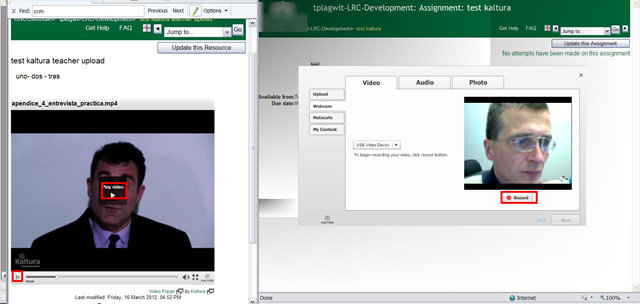
- You can combine
- a Model/Question video, uploaded by the teacher as a video resource
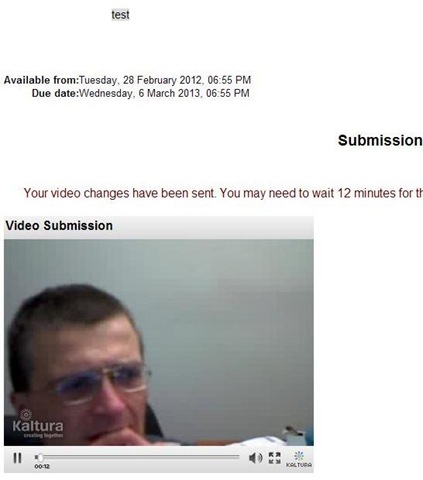
- with an Imitation/Response video captured by the student.

- Cons:
- When viewing the teacher upload video models/questions, the student has to alternate between pause/play (which are not even on the same button).
- Student does not have to also handle pausing/restarting the video recording, but that may be another con: The student cannot pause her video, so the grader will have to skip over pauses in his recording.
- Pros: Looks like a video recording can peacefully coexist with a simultaneous video playback (XP, IE8):



Questions? Read the About. Or just ask me a quick Our Databases: Resources with calendars -- Language learning material Moodle Sites, multimedia files -- films


FAQs for LRC student staff or for students or for teachers. To search our FAQs, in the browser addressbar, add after "https://plagwitz.wordpress.com/feed/?tag=faqs+/" "+TAG1" (from tag cloud below) OR "https://plagwitz.wordpress.com/feed/tag=faqs
&category_name=" "CAT1" (from category hierarchy below). OR search both categories and tags, and multiple TAGs/CATs (connect with "," for OR-search, with "+" for AND-search), like so: https://plagwitz.wordpress.com/feed/?tag=TAG1+TAG2+...TAGn&category_name=CAT1
+CAT2+...CATn"
Other ways to find help
If you cannot find it here, look there: 5,500 Language-Learning Links and Programs for learning or teaching 150 languages
Shortcuts:Our Lists, Our Maps, LRC Staff Moodle Site,LRC Project Moodle Site, 49erexpress, UNCC Moodle, Student Recordings: s:claslcslrcsanakostudent
Learning usage samples: Sanako oral exam, Kaltura webcam presentation, Dictation with speech recognition, Sanako written exam, Chinese and Japanese interactive stroke-order practice
Test the Sanako Installer, Webbrowser Popup Konfigurator for XP, or Windows7, faster LRC TeacherPC Log-in Let MS facilitate diacritics writing by installing for you US-International keyboard layout
This is my personal blog (Google+). The views expressed on these pages are mine alone and not those of my employer. The information in this weblog is provided “AS IS” with no warranties, and confers no rights.

