Archive
How to make (and cancel) a room/resource booking without conflict by sending a meeting request from OWA and OUTLOOK–the ultimate training…
…using animated .gifs. Note the update for Outlook (desktop) users at the bottom. (Slower? Click the Links.)You can not only book lrcroomcoed434@uncc.edu like this, but any resource listed here.If you need the classroom repeatedly or other advanced features, read on.
To Book:
0.25sec,0.5sec, 0.75sec, 1sec, , 2sec, 3sec, 4sec, 5sec, 6sec, 7sec, 8sec, 9sec, 10sec. 1.5sec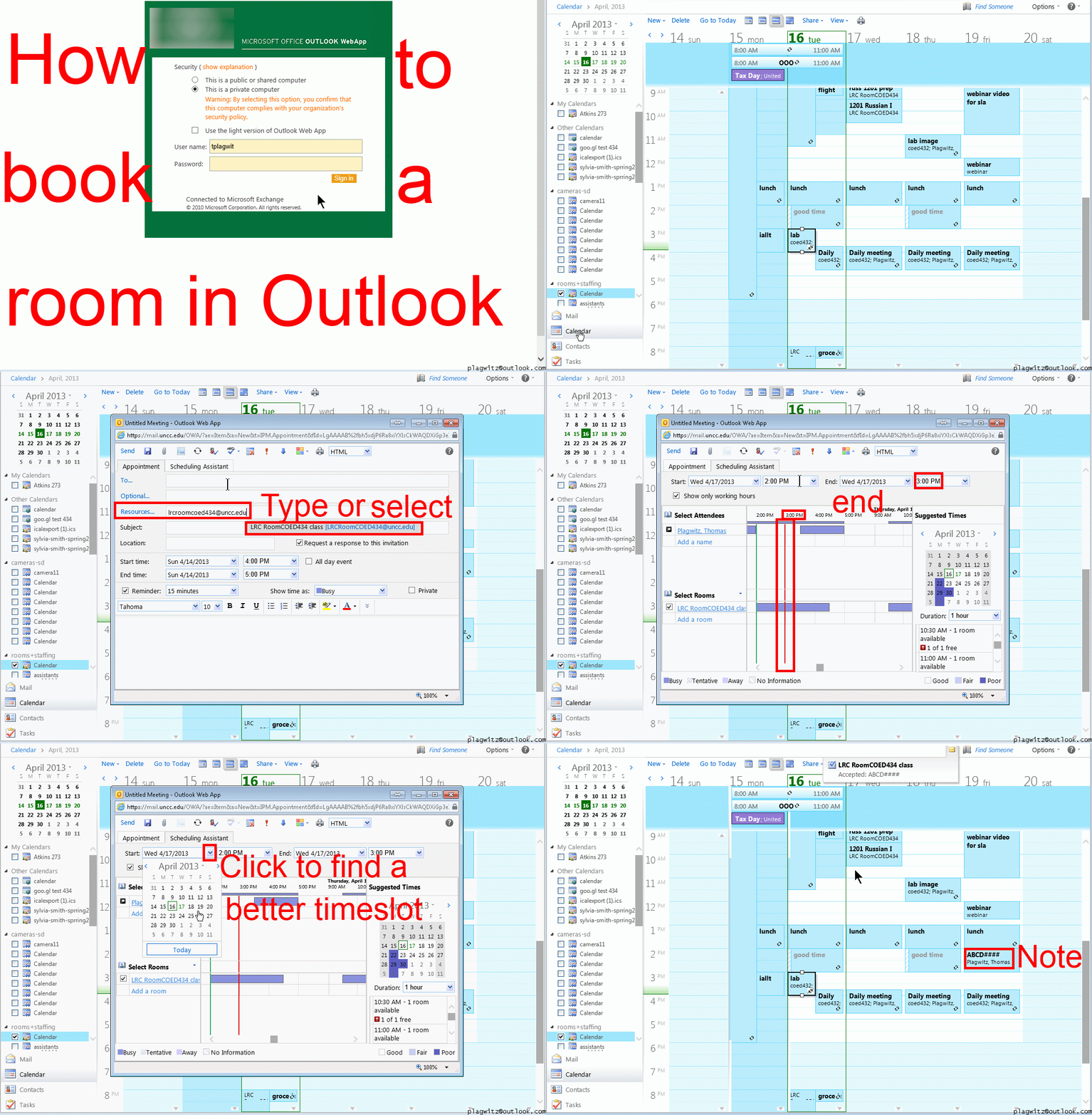
To Cancel booking (why so?):
0.25sec,0.5sec, 0.75sec, 1sec, , 2sec, 3sec, 4sec, 5sec, 6sec, 7sec, 8sec, 9sec, 10sec. 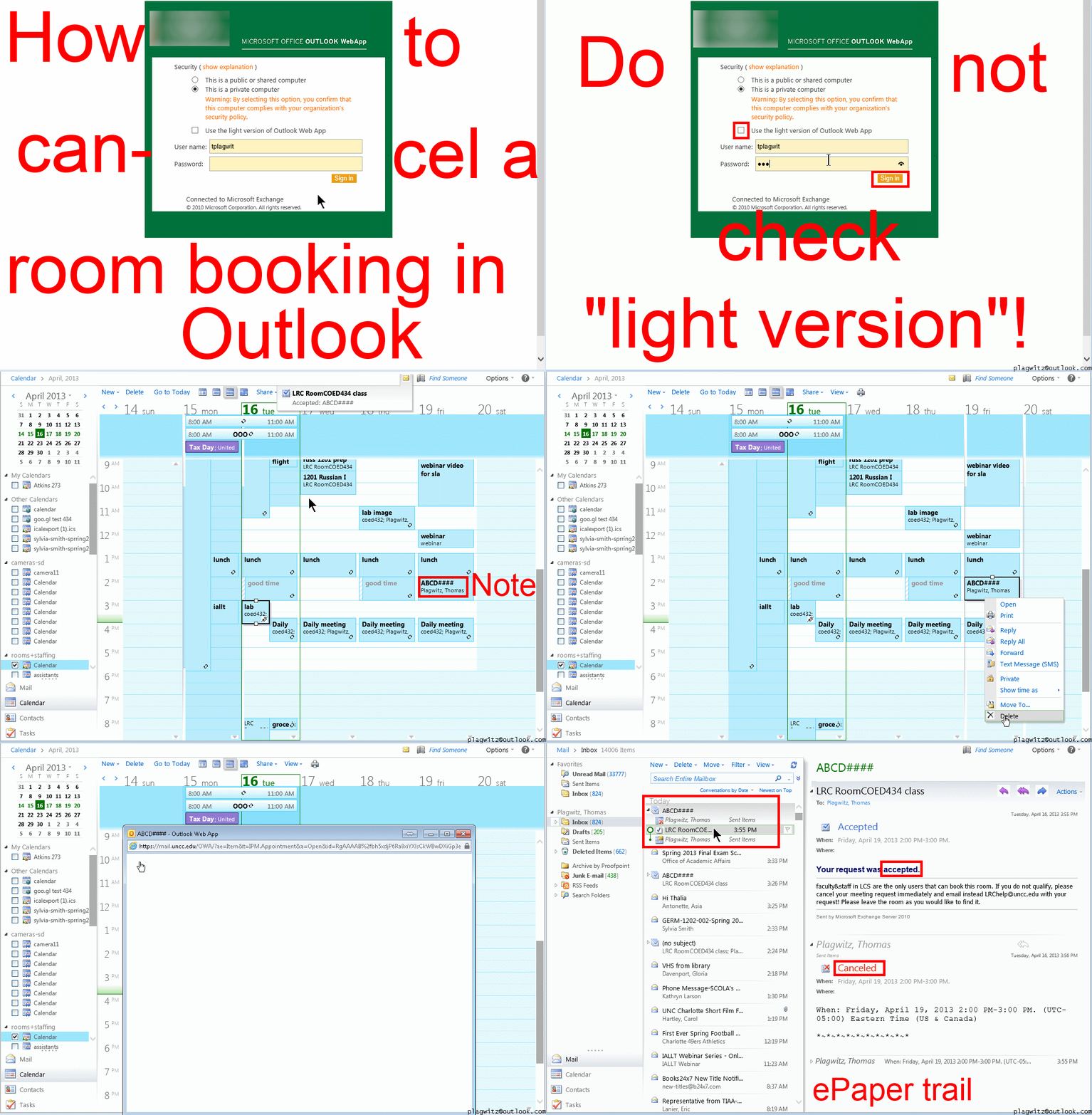
Both book and cancel booking: Compact: 0.25sec,0.5sec, 0.75sec, 1sec, , 2sec, 3sec, 4sec, 5sec, 6sec, 7sec, 8sec, 9sec, 10sec. 1.5sec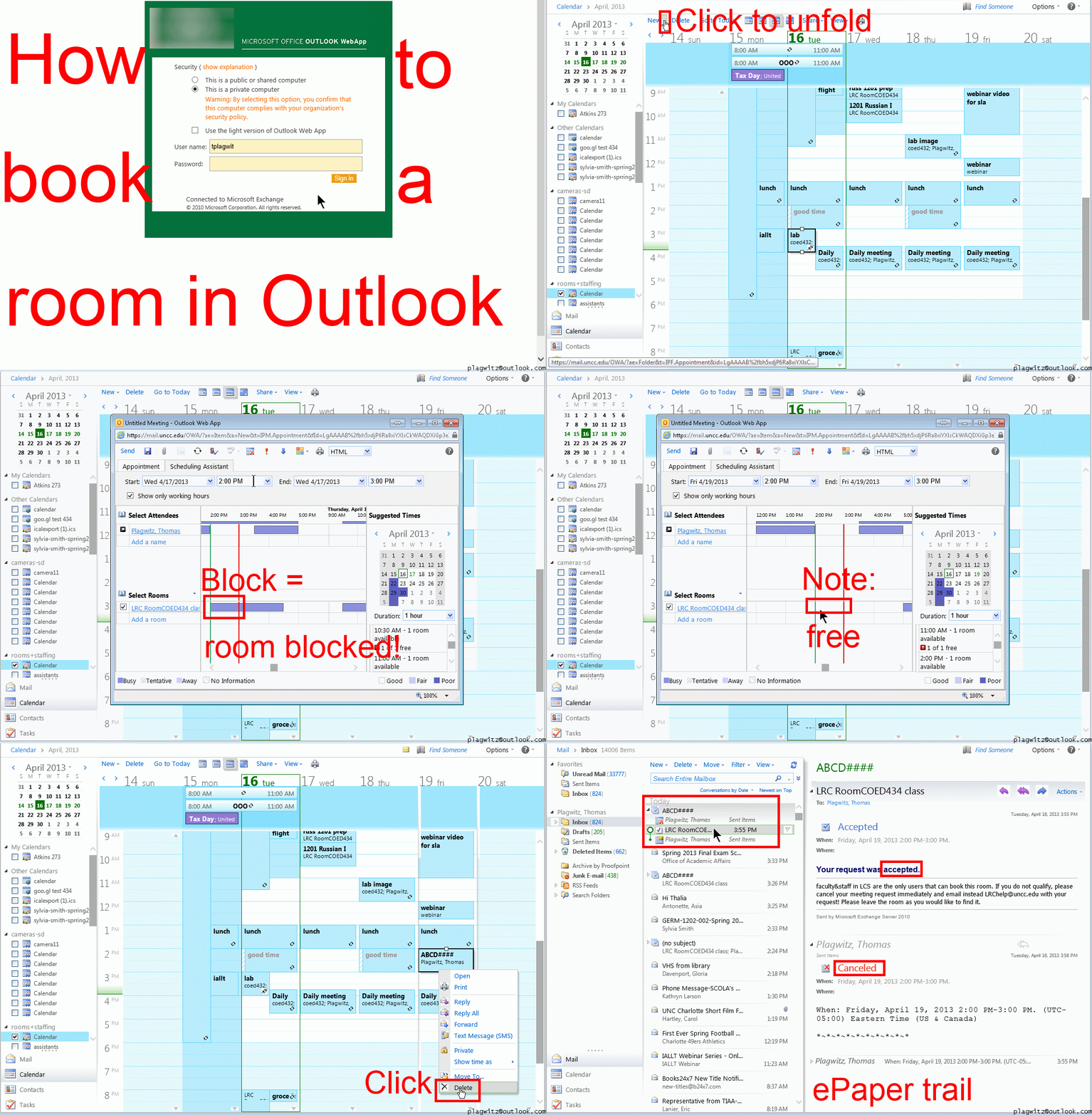 Or including unmarked frames: 0.25sec, 0.5sec, 0.75sec, 1sec, 1.5sec, 2sec, 3sec, 4sec, 5sec, 6sec, 7sec, 8sec, 9sec, 10sec.
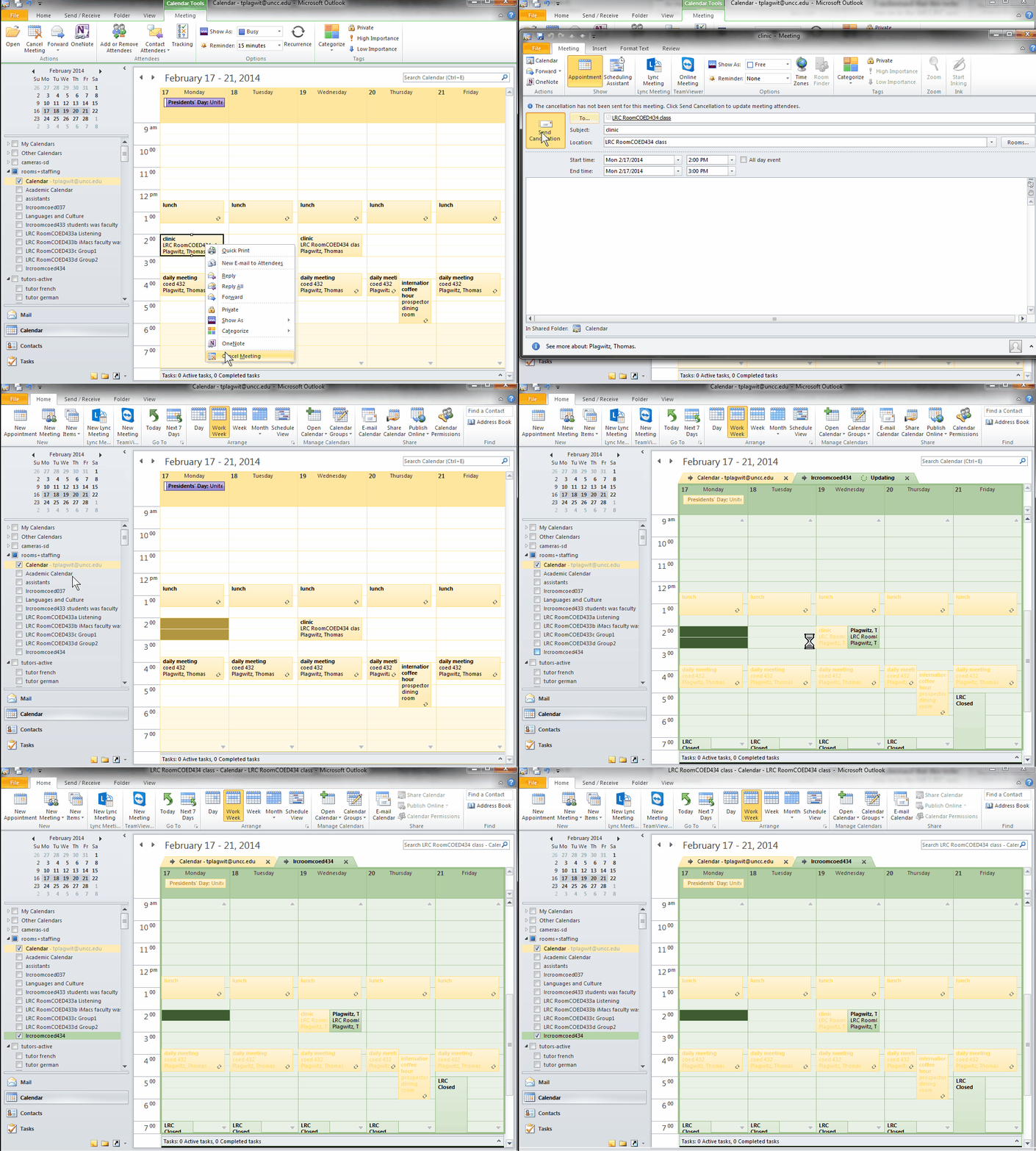
And now in addition 2 screencasts (make/cancel reservation) for our OUTLOOK (desktop) users:

Keyboard shortcuts in frequently used productivity and administrative applications on MS-Windows
For productivity purposes, when not having to work with a touch interface, I much prefer keyboard shortcuts to mouse operations for repetitive tasks. And I increasingly prefer accessing my spreadsheets on SkyDrive – added benefit: where suitable, like here, “sharing is caring”. There are many lists like this – this one is mine:
Online Tool to compress/decompress GUIDs
Could not immediately find one when I searched: Enjoy. My formula will not trim leading and trailing spaces from your input. You may have to enter the blue result field, move the cursor to the end of the formula and hit enter for the result cell to update. Download the sheet to use in Excel.
One can connect to the SANAKO files from home via VPN…
- …, I found when testing (on Window 7) here, but there are some prerequisites:
- You need VPN:
- install the UNCC preconfigured Cisco VPN (once), possibly troubleshoot (supported by IT Service Desk for Faculty/Staff),
- start the client:
- log in with your UNCC account:

- Use my shortcuts: goo.gl/yqR18 to the Sanako folders.
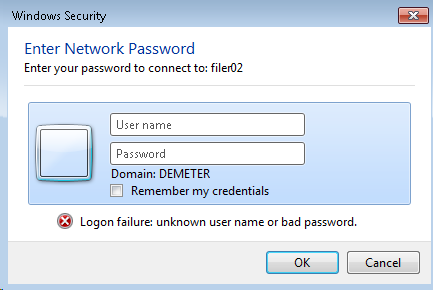
- Even after logging in, I needed to reissue my UNCC network credentials. Use this format: unccharlotte-nt\your-username-here, check “remember"):

- Then you can browse:
 and arrive :
 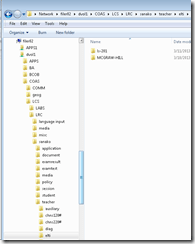 almost like in the office.
 - Make sure you stay connected:
 , not disconnected:
- Live with any (temporary) side effects and conflicts
- I seem to remember I lost my internet during VPN, this may have been fixed).
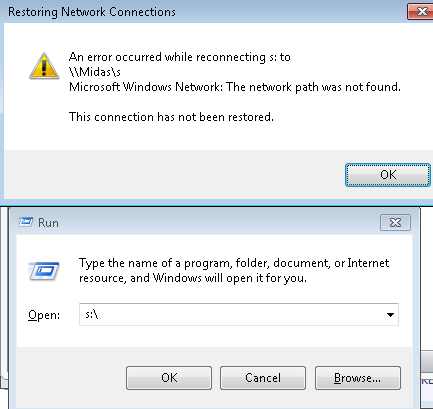
- Drive lettering: not for me
 , YMMV.
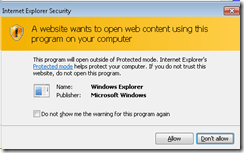
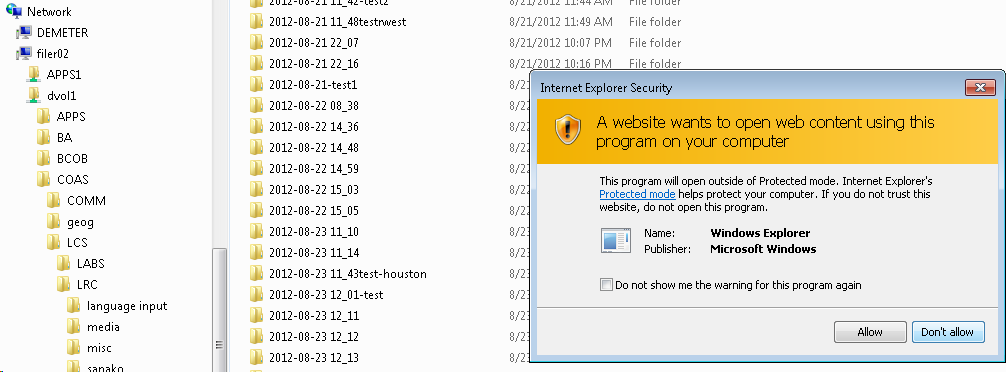
 - Even more security warnings on Adobe Acrobat:
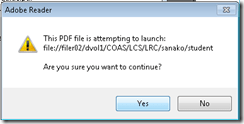 ,
, 
- But you can get to your files eventually:
 .
.





Have I reserved the LRC? 10 safety nets for you, plus a bonus
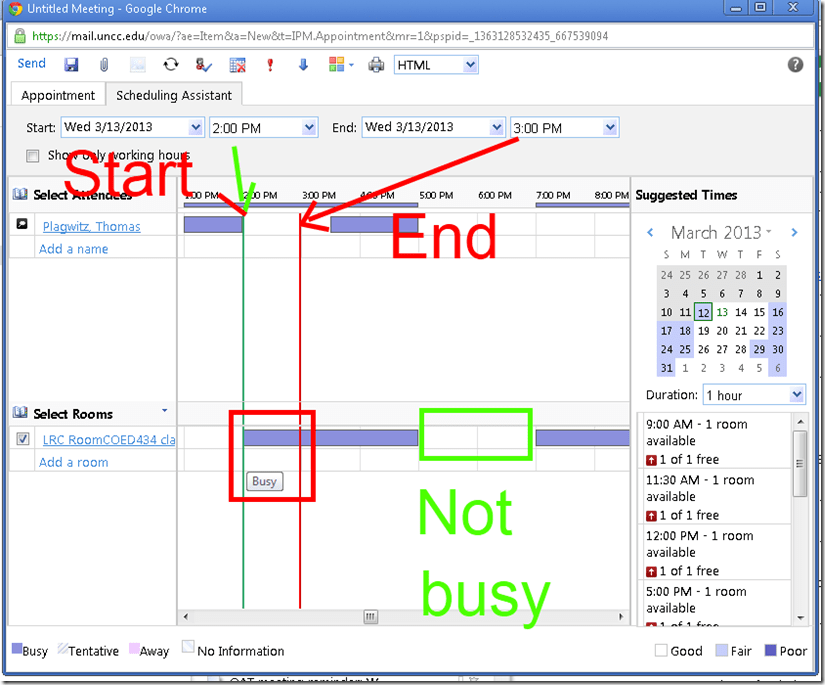
- No need to use them all: The first one you notice suffices. But we hope 1 of the 10 will work for you. Starting (that is why it is in explained in How to book LRC resources – explained in one screenshot: “Book me!”versus “Leave me alone!”) with the tab: “scheduling assistant” in your “meeting request” itself before you try to book the room: It tells you when the room is free (white or blank along the timeline). Don’t try to book the room when the room’s timeline is not blank and the hovering tool tip tells you “Busy”: It is futile.
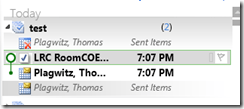
- But if you do, there will be more alerts: Immediately after you send the meeting request, a so-called “toast” (think of a slice of bread jumping out of a toaster – depending on email client you are using for NINERMAIL in the lower or upper right of the screen) flashes briefly with the automatic response from the room attendant. The response has in the subject : “Accepted or Denied” (you will not get “Tentative” from the room like in the example – UPDATE: only faculty and staff used to receive such toasts, but with the next upgrade of NINERMAIL, students will also!):

- Never mind if you miss the toast: it just notified you that the automatic response from the room attendant went into your inbox. You can see it on top there (here I unfolded it).
 It tells you in the subject and in bold in the body whether your booking was accepted or denied. If you have questions about these messages, you can forward them with your comment like any other email (no point in responding though).
 This does NOT remove the appointment from your own NINERRMAIL calendar (makes sense if you think about it: You still have your appointment (exam etc.), just the room can not be part of it).
 - If you miss that also, go to the LRC homepage and click on “Hours&Events” under the Quick links in the upper left (How to view ?)

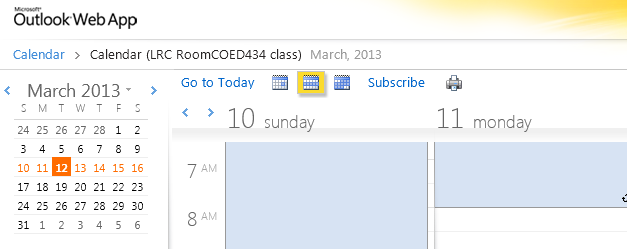
- You do not even need to visit the LRC home page: you have privileged access to the the LRC hours end events calendar from your NINERMAIL, if you subscribe to it there (shortcut: start @ #3 armed with this link:http://mail.uncc.edu/owa/calendar/LRCRoomCOED434@uncc.edu/Calendar/calendar.ics).
- You can do all this under guidance at the LRC reception desk: We try to have 1-3 name-tagged student assistants there at all times during LRC opening hours, 8 eyes see more than 2.
- One day after your booking, you will also be able to see your reservation (if successful!) on the
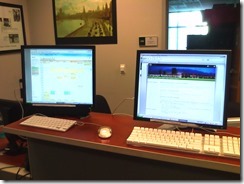 : .
: . - If in doubt, do all this well before your class takes place.
- Take a training: ITS supports NINERMAIL and CTL teaches Taming your inbox.
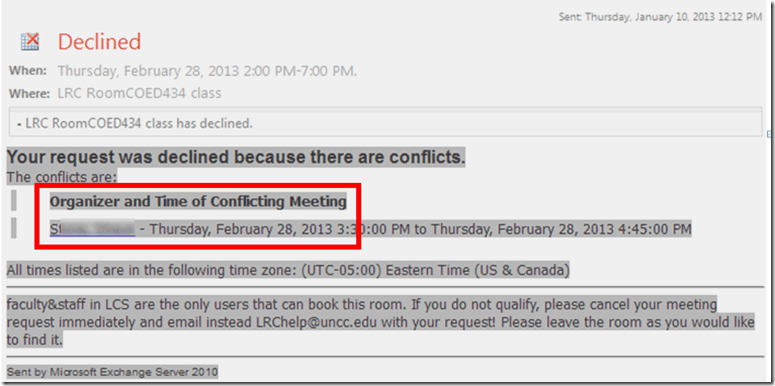
- Bonus: In the unfortunate event of a “Denied” response to your booking request, if it is not just an AM/PM error or similar which you can easily correct, the response includes information on the prior reservation, organizer, and email address.
- Why not email the colleague (click on the underlined name of the colleague that booked the LRC before you) from right here and see whether you both can rearrange? Remember: Sharing is caring.
- There is a departmental initiative to reschedule entire classes that might conflict over the use of the LRC. Talk to the departmental office well before the the prior term ends (i.e. before next term’s class schedules are finalized).
- Still confused? At this point, talk to LRC permanent staff who will go through above list with you. Please understand that the LRC staff cannot cancel other faculty’s bookings, we only extended the availability and bookability of the LRC which is readily available and easily bookable at many times during each term.
- Why not email the colleague (click on the underlined name of the colleague that booked the LRC before you) from right here and see whether you both can rearrange? Remember: Sharing is caring.



How teachers find their Sanako materials – even from home
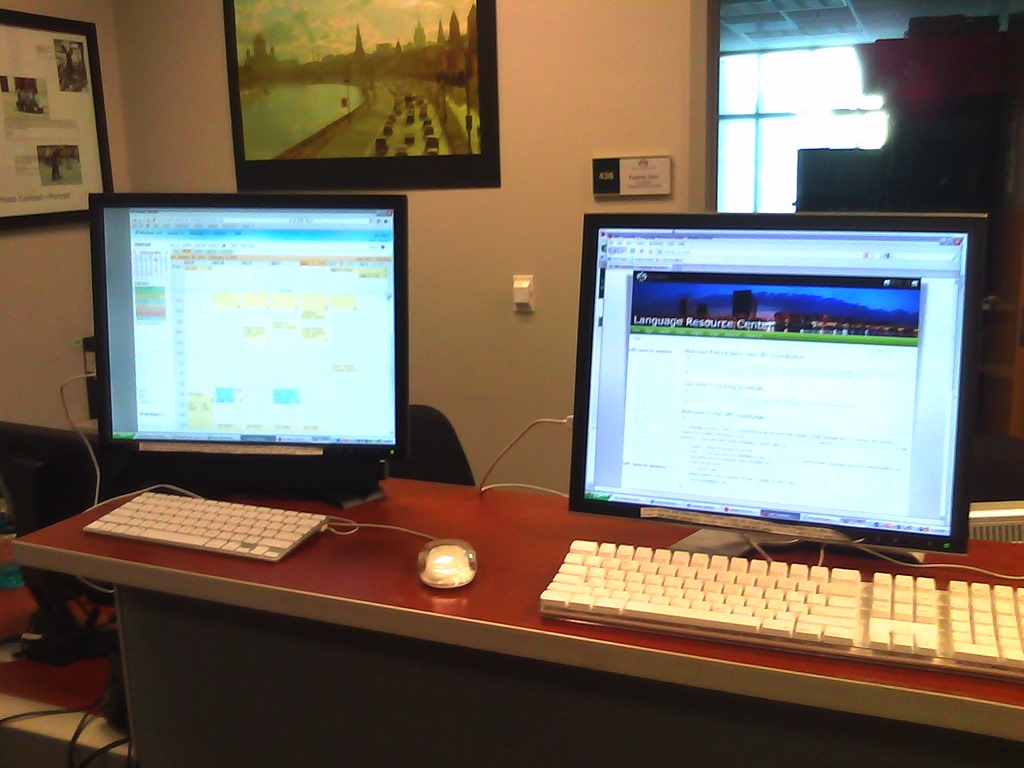
- The best way (from your office) I described here and support, for lack of any other possibilities, by getting you the desktop shortcuts and Sanako student recorder.
- Other ways are supported by whatever home connection to network shares ITS supports:
- The myfiles portal: https://myfiles.uncc.edu
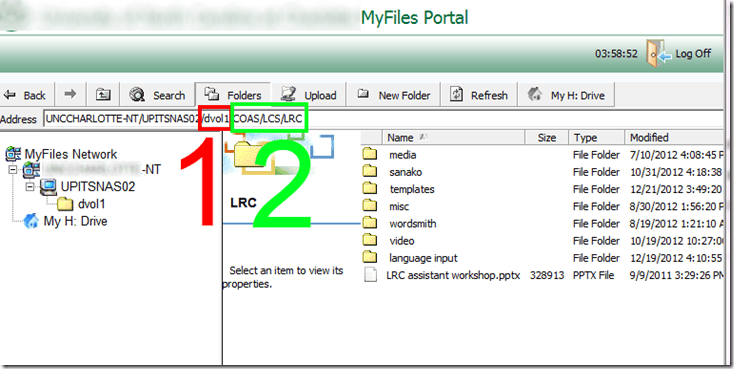
- You can use the folders listed in here,
- except you have to translate “S:” into (1) “DVOL1”.
- Rest stays the same (2).
- Cons’:
- Slower network
- You cannot easily save back after comment on your students audio or text (but give it a shot).
- VPN
- which I test and explain here in detail,
- Pro’s: it is a better experience
- instead of it requiring you to do yet another path translation, you can simply click here;
- you can (batch) open and save files (maintaining ownership) like on your office PC (no extra upload and download operations required, and no need to manually route files to students)
- Con’s: Slower network.
- The myfiles portal: https://myfiles.uncc.edu
Protected: How teachers can share multimedia files unsuitable for the LMS on MS-SkyDrive
OneNote “absolutely loved by everyone who uses it” according to LifeHacker
 Microsoft’s note-taking application OneNote is one of those apps no one really talks about much, but is absolutely loved by everyone who uses it. Heck, you guys even voted it your favorite outlining tool, personal project management tool, and minutes meeting service, not to mention third place for best note taking app. It’s available for a ton of platforms, too (despite it being part of Microsoft Office), so if you’re finding that Evernote just isn’t quite powerful enough for your organizational needs, give OneNote a shot—you might be surprised at everything it can do given its lesser-known status.” (Onenote makes #1 of Top 10 Underhyped Windows Apps, via OneNote Testing). Now how to spread that love?


Questions? Read the About. Or just ask me a quick Our Databases: Resources with calendars -- Language learning material Moodle Sites, multimedia files -- films


FAQs for LRC student staff or for students or for teachers. To search our FAQs, in the browser addressbar, add after "https://plagwitz.wordpress.com/feed/?tag=faqs+/" "+TAG1" (from tag cloud below) OR "https://plagwitz.wordpress.com/feed/tag=faqs
&category_name=" "CAT1" (from category hierarchy below). OR search both categories and tags, and multiple TAGs/CATs (connect with "," for OR-search, with "+" for AND-search), like so: https://plagwitz.wordpress.com/feed/?tag=TAG1+TAG2+...TAGn&category_name=CAT1
+CAT2+...CATn"
Other ways to find help
If you cannot find it here, look there: 5,500 Language-Learning Links and Programs for learning or teaching 150 languages
Shortcuts:Our Lists, Our Maps, LRC Staff Moodle Site,LRC Project Moodle Site, 49erexpress, UNCC Moodle, Student Recordings: s:claslcslrcsanakostudent
Learning usage samples: Sanako oral exam, Kaltura webcam presentation, Dictation with speech recognition, Sanako written exam, Chinese and Japanese interactive stroke-order practice
Test the Sanako Installer, Webbrowser Popup Konfigurator for XP, or Windows7, faster LRC TeacherPC Log-in Let MS facilitate diacritics writing by installing for you US-International keyboard layout
This is my personal blog (Google+). The views expressed on these pages are mine alone and not those of my employer. The information in this weblog is provided “AS IS” with no warranties, and confers no rights.
 Thomas' Work Space
