Archive
Archive for the ‘service-is-any’ Category
Checklist for microphone booms
2013/12/23
Leave a comment
- Model:

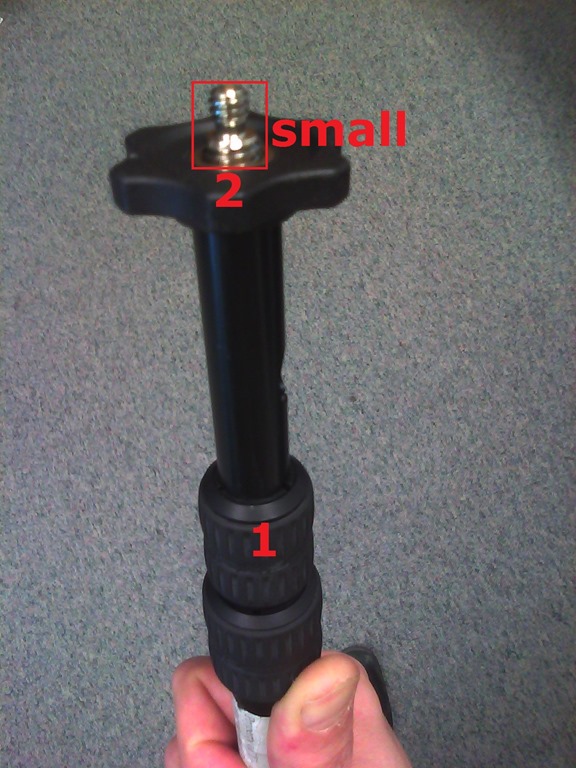
- Parts:

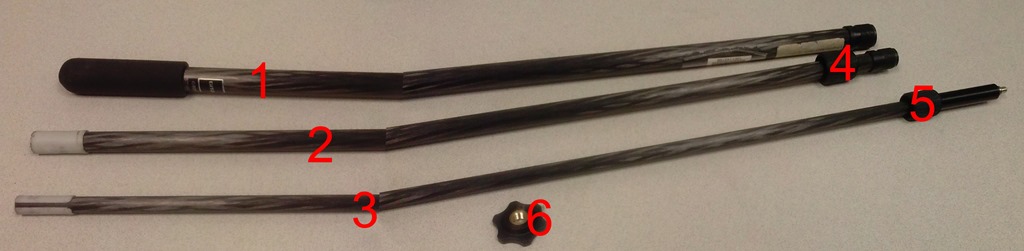
- 3 segments (1,2,3),
- 2 segment connecting screws (4,5)
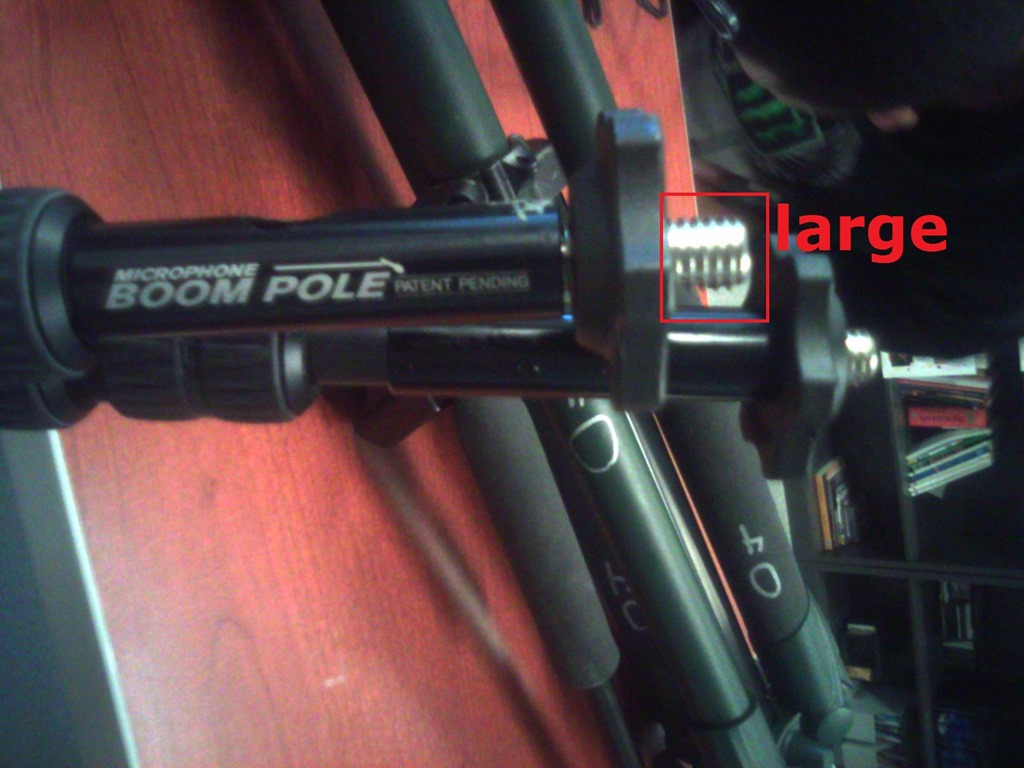
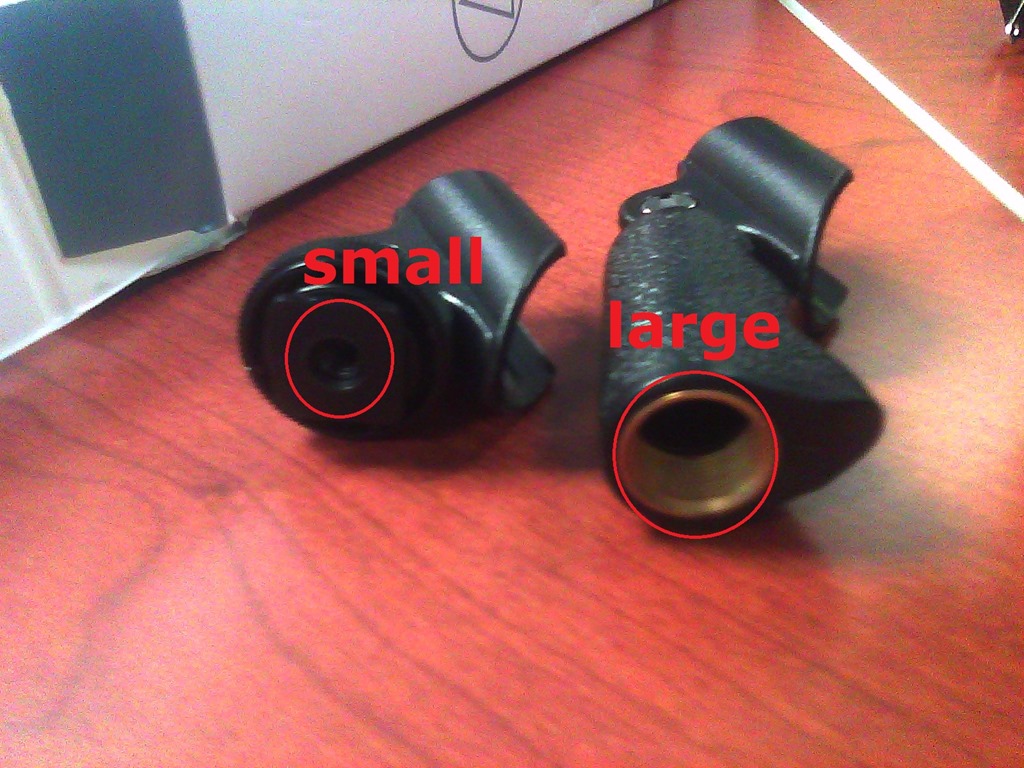
- 1 top screw (6) allows for attaching part “small”from shotgun mics (but “large” does not fit):

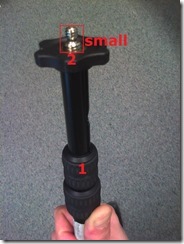

- 1 top screw plastic cap(not pictured)
- Functionality:
- Note that these parts are supposed to be assembled,
- and the plastic rings to be loosened,
- for the boom to extend, like so:



Trying to reduce Attempt abandoned in Hot Potato Hot Pot Moodle quizzes
2013/12/20
Leave a comment
- The Hot Potatoes quiz activity per se does not seem to have a submit button, since it is auto-grading, per question.
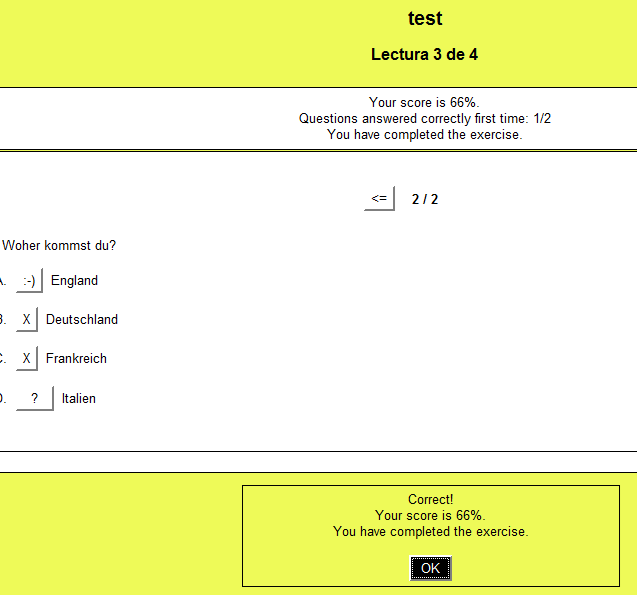
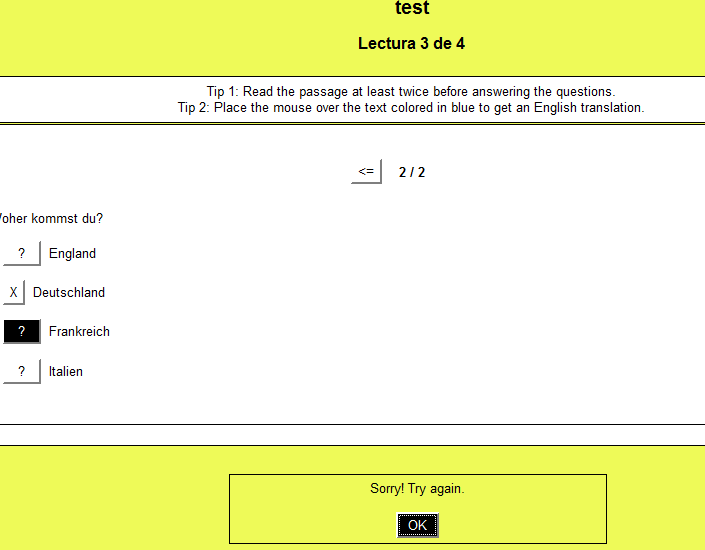
- . When the quiz is completed, the string in ExerciseCompleted (usually: “You have complete the exercise” )appears in a modal dialogue and on top.

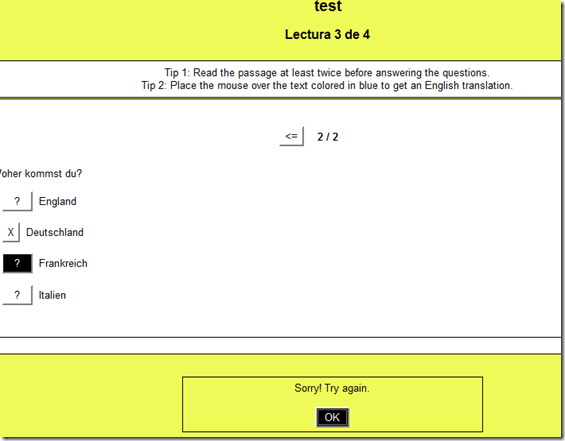
- Before Exercise is complete, the instructions now remain, since I have turned off ShowCompleteSoFar:
- One could make ExerciseCompleted much more visible (like with ShowCompleteSoFar permanently in a Hot Potatoe inhstallation), if looking out for this message would help the students not abandoning the quiz early:


Firefox and Chrome – Enterprise version in computer lab image?
2013/12/19
Leave a comment
- The tension between having to update the platform while not leaving the ecosystem behind seems one of the oldest issues IT – does the web browser platform add something fundamentally new to the mix?
- My understanding has always been that campus computer labs should run the “enterprise versions” of the Chrome and Firefox web browser, especially if they advertise the non-default web browsers to students on the start menu right next to Internet Explorer (which IT, with the help of the Windows Update tools that allow to shut out forced Internet Explorer’s upgrade, upgrades very conservatively, in order to not break applications).
- Reason for installing enterprise versions in the (ahem!) enterprise is that – I believe to know this for Firefox ESR – the enterprise version:
- is kept up to date with security patches, but
- is feature-stable (as opposed to the consumer version which gets updated every few weeks) which allows our software vendors – textbook websites etc. – to make sure their software works on a mainstream, non-cutting edge version of the web browser. Case in point which would likely cause havoc when trying to use online language textbooks in the LRC over the next term: http://www.theregister.co.uk/2013/12/10/firefox_26_blocks_java/
- Running the enterprise version of the software should also relieve
- IT departments of constant updates and testing, and
- students using deep-frozen lab computers to – every time they log in on a computer – having to wait for the auto update of the web browser to go through.
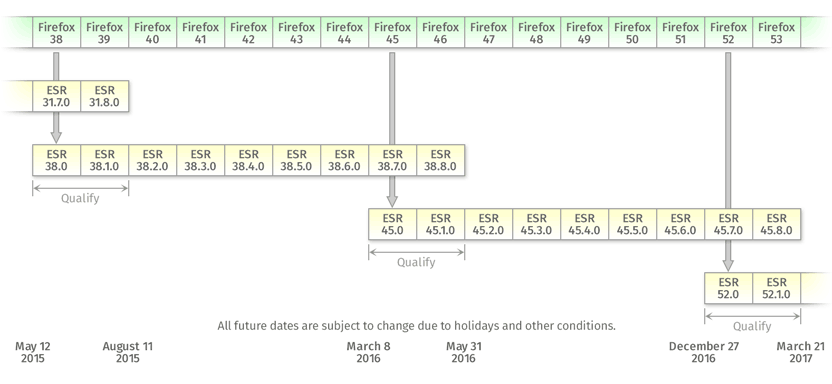
- E.g. you can see from this Firefox ESR version history graphic, that it has been on version 17 since November 2012, and that version 17, after an overlap of a few weeks, is now (December 3) deprecated, in favor of version 24.
- That means: with Firefox ESR, we were spared from having to deal with (test application software compatibility, like online textbooks) the 7 individual upgrades in between. If we upgrade to ESR version 24 now, we will likely for another full year receive security patches, but not have to deal with features that break instructional websites.
- Given this, I assume we should upgrade to Firefox ESR (and the Chrome equivalent, if it is one, i.e. works like Firefox ESR) in the LRC image
First steps with MS-Lync 2013 screen sharing and remote control during support calls
2013/12/12
Leave a comment
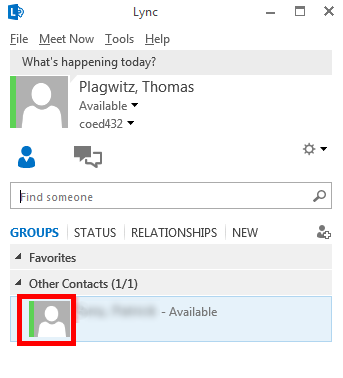
- Start a meeting, by double-clicking on somebody who shows as available in your contact list:

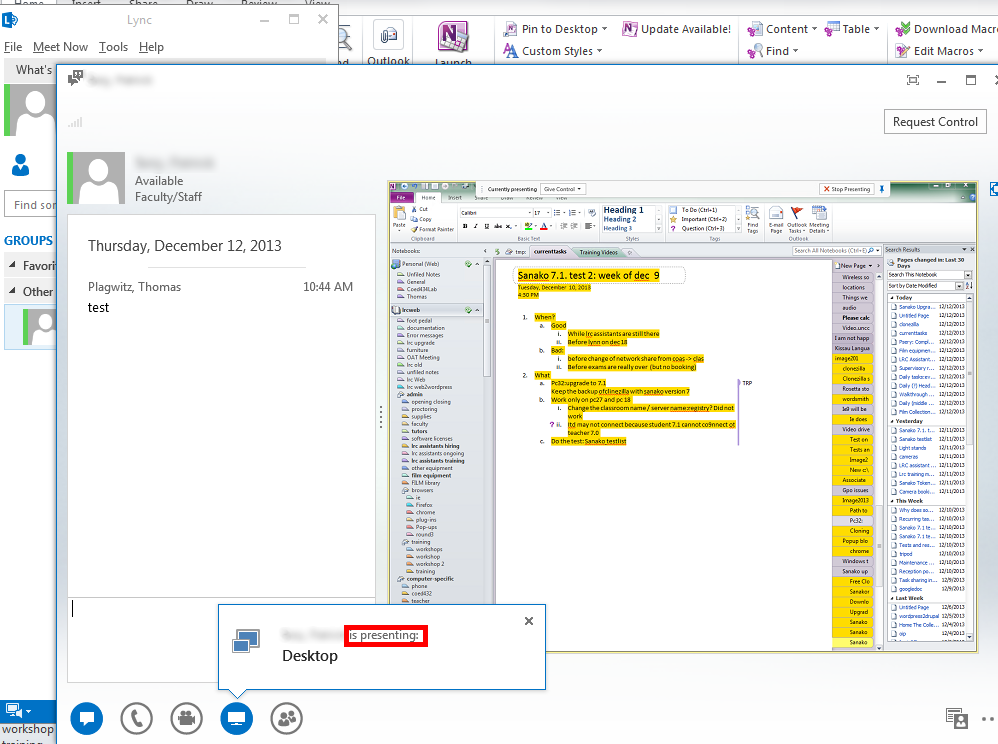
- If you then hover over the monitor item at the bottom, you get the option to “present”, i.e. show your screen to the other person your are meeting with. (Multi-monitor support seems good, if you have multiple monitors like we do):

- If you accept the sharing:

- Voilà, there is your colleague’s screen in a window on your desktop, watch her mouse actions:
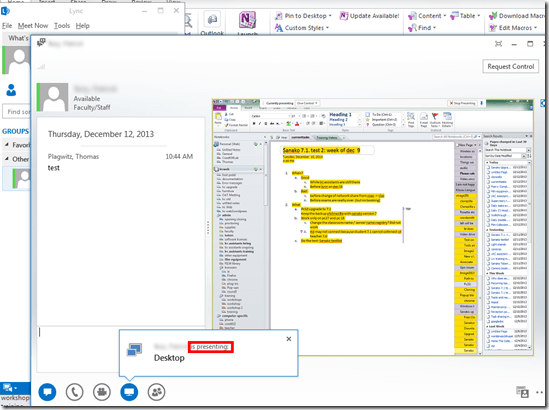
- The presenter
- receives a visual reminder:

- can also give you control to remote control her mouse:
 , the result of which looks like that: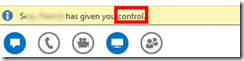
- can stop the presentation at any time.
- receives a visual reminder:
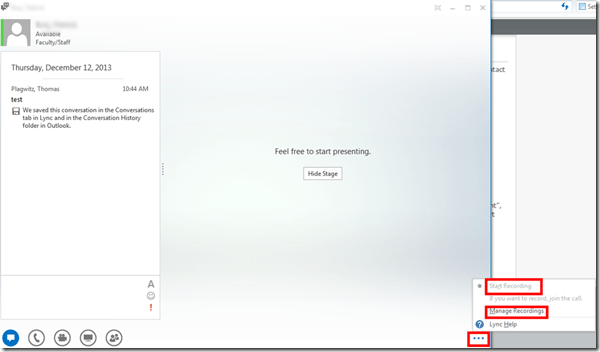
- Finally, the presentations can be recorded which could be extremely useful in a support call for later reuse/review either by the presenter or audience. Click on the 3 dots in the lower right of the “stage”window.
- It looks like a basic, easy workplace-wide screen sharing software that integrates with the local accounts could be extremely productive during daily collaboration. To make such a solution a system-wide service for calling support, one would probably need a queue and pool of supporters and call forwarding.




Checklist for light-kits
2013/12/11
Leave a comment
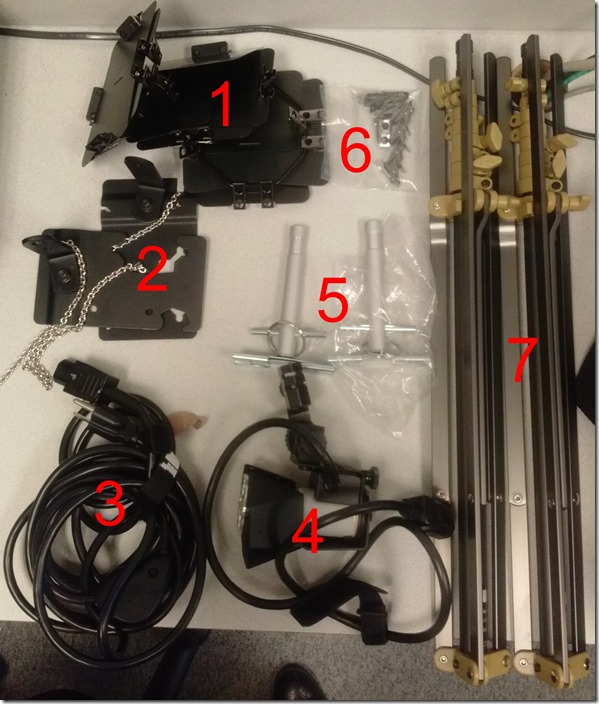
- Parts: 25 each, .i.e.:
- 4 plates (1)
- 2 more plates (2)
- 3 extension power cables (3)
- 3 lamps (4), containing 3 bulbs (not pictured)
- 2 thingamabobs (5)
- 8 clamps (6)
- 2 stands (7)
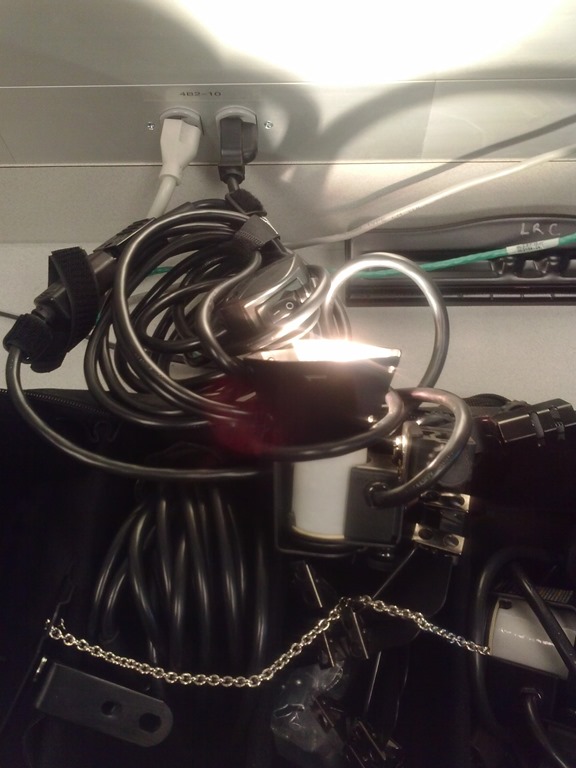
- Functionality: plug them in and turn them on, like so:


Sanakoaudioconfigonthefly software utilities updated for Vista/Windows7
2013/12/09
Leave a comment
- (Shortcut to download – now fixed) The reason why a colleague’s signature reads: “Worrying about a large institution, especially when it has computers, is like worrying about a large gorilla, especially when it’s on fire" (Bruce Sterling) might just be that a multimedia-capable fully computerized classroom – think 30 PCs and 30 students trying not only to listen to, but record responses to exam audio – is a notoriously difficult beast to control, and all too easily spins out of the same (a classroom humming in an endless audio feedback loop is neither a pleasant nor an unfamiliar sight).
- The Sanako Study 1200 is a digital audio lab software that facilitates the use of personal computers in face-to-face class settings. However, while the Sanako Study 1200 features many ways for the teacher to control and manage the student PCs, the students’ audio settings cannot be controlled on the fly.
- Enter these little sanakoaudioconfigonthefly utilities (written in AutoIt) for Windows 7 and Vista (old Windows PX version still available here) that extend the Sanako Study 1200.
- We now use (as it is completely adequate and actually superior to to the seemingly more applicable PC control / Launch programs features which is requires the program executable to reside under the same path on student and tutor computer) Playlist / copy and launch (folder icon) and the Sanako grouping feature to send a program with your choice of action to the student PCs of your choice. In this example,
- click playlist,

- and in the window that opens, click (1) to send to “all”, then click (2) to select which program to send:
![image_thumb[3]](https://thomasplagwitz.com/wp-content/uploads/2013/12/image_thumb3_thumb.png?w=341&h=244 "image_thumb[3]")
- Files included in this release (each for 64-bit, and as source code, so that you can compile your own if you are still on MS-Vista/MS-Windows-732-bit platform):
- Change student recording levels (microphone sensitivity).
- Toggle student sidetone ( in Sanako = “listen” to this device in Windows)
- Control student playback level (headphone volume).
- Likely these programs can be adapted beyond Sanako Study 1200, but I do not remember (helpful comments appreciated)
-
- whether other digital audio lab platforms (Sony Virtuoso, Robotel SmartClass) allow for changing the student audio config on the fly
- and what mechanism (if any – but likely) they (and Sanako Lab300) provide to launch programs on the students’ computers
- Prerequisites:
- None other than your digital audio lab software and the utilities you can download below. In particular, it is not required to install AutoIt on teacher or student computers.
- However, there should be only 1 microphone/speaker per student computer in the digital audio lab. If you have more, you likely have bigger problems to solve first, but you also need to alter the source code (included) to select the microphone you want to work with (should be easy; note however, that I have not tested this scenario, for: “There should be only 1 microphone/speaker per student computer in the digital audio lab”

- Request here to download these utilities.

![image_thumb[3]](https://thomasplagwitz.com/wp-content/uploads/2013/12/image_thumb31.png "image_thumb[3]")




Questions? Read the About. Or just ask me a quick Our Databases: Resources with calendars -- Language learning material Moodle Sites, multimedia files -- films
FAQs for LRC student staff or for students or for teachers. To search our FAQs, in the browser addressbar, add after "https://plagwitz.wordpress.com/feed/?tag=faqs+/" "+TAG1" (from tag cloud below) OR "https://plagwitz.wordpress.com/feed/tag=faqs
&category_name=" "CAT1" (from category hierarchy below). OR search both categories and tags, and multiple TAGs/CATs (connect with "," for OR-search, with "+" for AND-search), like so: https://plagwitz.wordpress.com/feed/?tag=TAG1+TAG2+...TAGn&category_name=CAT1
+CAT2+...CATn"
Other ways to find help
If you cannot find it here, look there: 5,500 Language-Learning Links and Programs for learning or teaching 150 languages
Shortcuts:Our Lists, Our Maps, LRC Staff Moodle Site,LRC Project Moodle Site, 49erexpress, UNCC Moodle, Student Recordings: s:claslcslrcsanakostudent
Learning usage samples: Sanako oral exam, Kaltura webcam presentation, Dictation with speech recognition, Sanako written exam, Chinese and Japanese interactive stroke-order practice
Test the Sanako Installer, Webbrowser Popup Konfigurator for XP, or Windows7, faster LRC TeacherPC Log-in Let MS facilitate diacritics writing by installing for you US-International keyboard layout
This is my personal blog (Google+). The views expressed on these pages are mine alone and not those of my employer. The information in this weblog is provided “AS IS” with no warranties, and confers no rights.
 Thomas' Work Space