Archive
FAQs for issues with Respondus Lockdown Browser
- New to Respondus Quizzes? Read the CTL’s write-up.
- No Photo ID (Niner ID or other state-issued)? Use the reception desk camera to take a photo with sheet, like below, we will forward it to the teacher for verification.

- Issues with starting:
- Respondus won’t open: How to bypass a Moodle Popup Window when using Respondus lockdown browser
- Test won’t open and you get a warning
- in Moodle that this test must be run in Respondus Lockdown Browser? Close your regular web browser and double click on the desktop on the Moodle Lockdown Browser Icon:
 , then go to Moodle2 from in there.
 - in Respondus that “No more attempts are allowed”, but the student has not made any attempts yet and the quiz closing date is long in the past: contact the teacher to check whether the quiz needs updating.

- in Moodle that this test must be run in Respondus Lockdown Browser? Close your regular web browser and double click on the desktop on the Moodle Lockdown Browser Icon:
- Issues with Audio:
- Students are advised to test the headsets before entering Respondus Lockdown browser assessments:
- Start Audacity from the desktop, click record: if you say something, you must see something;
- Play back to test the speakers. Hear nothing? Try the volume knob:
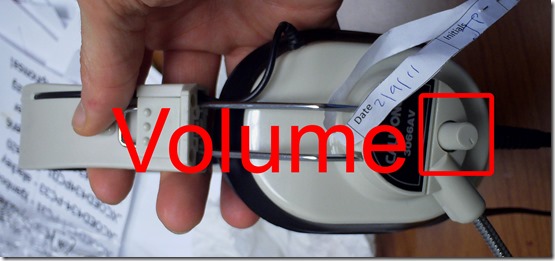
- (More detail here).
- Rewind-audio may get you stuck – to fix, next-page, then back (reloads page). More info: How to workaround Moodle quiz audio not playing to the end in Respondus Lockdown Browser
- How to bypass a Moodle Popup Window when using Respondus lockdown browser
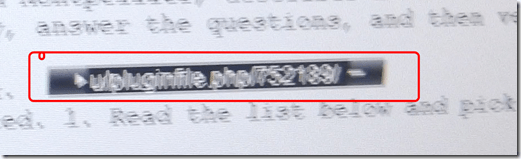 If no audio and error “pluginfile” flashes when clicking “Next”and back: notify permanent staff.
- Students are advised to test the headsets before entering Respondus Lockdown browser assessments:
- Issues with Writing:
- Lost the
 ?
?
- Clicking around nearby where it was may bring it back.
- Or
 , quickly cancel (gets you out of lockdown browser), new attempt from desktop shortcut.
 - Learn to use the installed US-international keyboard shortcuts.
 .
. - more info: Problems with accented characters in Respondus Lockdown Browser
- If your keyboard stops typing in English in a Respondus lockdown browser quiz…
- Lost the
- Issues with finishing
- If the test won’t submit, start Respondus lockdown browser on a different computer to see whether you can resume your attempt there.
- More issues? Let us know in the comments here.




 .
.How LRC assistants now help maintain LRC functionality with routine checks
Oral assessments have begun this week in the LRC. Please note that when using the LRC you may see LRC assistants going through the rooms doing a variety of chores (if need be, we can remind them that they must not disturb classes and other user activities).
We have written a large number of procedural guides, check lists with spreadsheets and illustrated parts lists (linked below) to train 7 groups of experts (varying in size between 2-6) in how to regularly inventory, test and maintain functionality of LRC equipment and services:
1. Daily LRC walkthrough check
2. Weekly headset test
3. Weekly film equipment check
4. Weekly staff and equipment calendar check
5. Biweekly faculty equipment check
6. Film collection maintenance (work in progress)
7. Help desk supervising

Samples of issues that we hope to address this way:
a. You check out a headset for recording learning materials over the last weekend before classes start and do not want to find it broken.
b. Your students come to the LRC for a quiz assignment/distance education and in the middle of it find the headset does not play audio while the timer/class is running.
c. You hold a recording class in the LRC and do not want to spend the first several more minutes – after the computers logged in – troubleshooting individual headsets that do not play or record.
d. Your students, when setting up film equipment for a film project (with location, actors/interviewees scheduled) have to find that the lights cannot stand essential since screws are missing.
e. Films cannot be located.
f. Etc.
I hope you will find experiencing fewer such issues a simplification in your interactions with the LRC .
How LRC assistants help maintain the film collection
Tuesday, January 21, 2014, 10:14:54 PM | plagwitz
Protected: How LRC assistants help with LRC room and resource mailboxes
Tuesday, January 21, 2014, 11:17:00 PM | plagwitz
New supervisor role for senior LRC Assistants
Monday, January 13, 2014, 7:09:36 PM | plagwitz
Friday, January 10, 2014, 10:45:32 PM | plagwitz
Friday, January 10, 2014, 8:52:51 PM | plagwitz
Thursday, January 02, 2014, 9:34:08 PM | plagwitz
Thursday, January 02, 2014, 9:00:44 PM | plagwitz
LRC daily walkthrough for all computers
Thursday, January 02, 2014, 9:38:44 PM | plagwitz
LRC daily walkthrough for classroom PCs
Thursday, January 02, 2014, 9:34:03 PM | plagwitz
LRC daily walkthrough for iMacs and printer
Thursday, January 02, 2014, 9:31:03 PM | plagwitz
LRC daily walkthrough for listening and group room stations
Thursday, January 02, 2014, 9:30:24 PM | plagwitz
Protected: A checklist for our regular equipment inventories
Monday, December 23, 2013, 11:43:29 PM | plagwitz
Checklist for the LRC Camera16
Monday, December 23, 2013, 11:32:25 PM | plagwitz
Monday, December 23, 2013, 11:19:13 PM | plagwitz
Monday, December 23, 2013, 11:15:42 PM | plagwitz
Monday, December 23, 2013, 11:14:29 PM | plagwitz
Checklist transcription foot pedal
Monday, December 23, 2013, 10:58:52 PM | plagwitz
Checklist for Voice recorder 03
Monday, December 23, 2013, 10:54:45 PM | plagwitz
Checklist for Voice recorder 01-02
Monday, December 23, 2013, 10:43:35 PM | plagwitz
Checklist for light kit (08-11)
Monday, December 23, 2013, 10:15:00 PM | plagwitz
Functionality tests for LRC microphones
Monday, December 23, 2013, 7:05:13 PM | plagwitz
Checklist for Vixia cameras (11-14)
Monday, December 23, 2013, 6:59:00 PM | plagwitz
LRC Wireless microphone basics
Monday, December 23, 2013, 5:59:04 PM | plagwitz
Monday, December 23, 2013, 5:25:24 PM | plagwitz
Checklist for light tripod (05-12)
Monday, December 23, 2013, 4:27:07 PM | plagwitz
Checklist for lavaliere microphones (01-03)
Monday, December 23, 2013, 3:29:47 PM | plagwitz
Checklist for heavy tripods (01-04)
Monday, December 23, 2013, 3:26:20 PM | plagwitz
Monday, December 23, 2013, 2:24:28 PM | plagwitz
Checklist for Rebel cameras (17/18/19/20)
Monday, December 23, 2013, 12:46:44 PM | plagwitz
Checklist for microphone booms
Monday, December 23, 2013, 12:34:00 PM | plagwitz
Wednesday, December 11, 2013, 3:02:51 PM | plagwitz
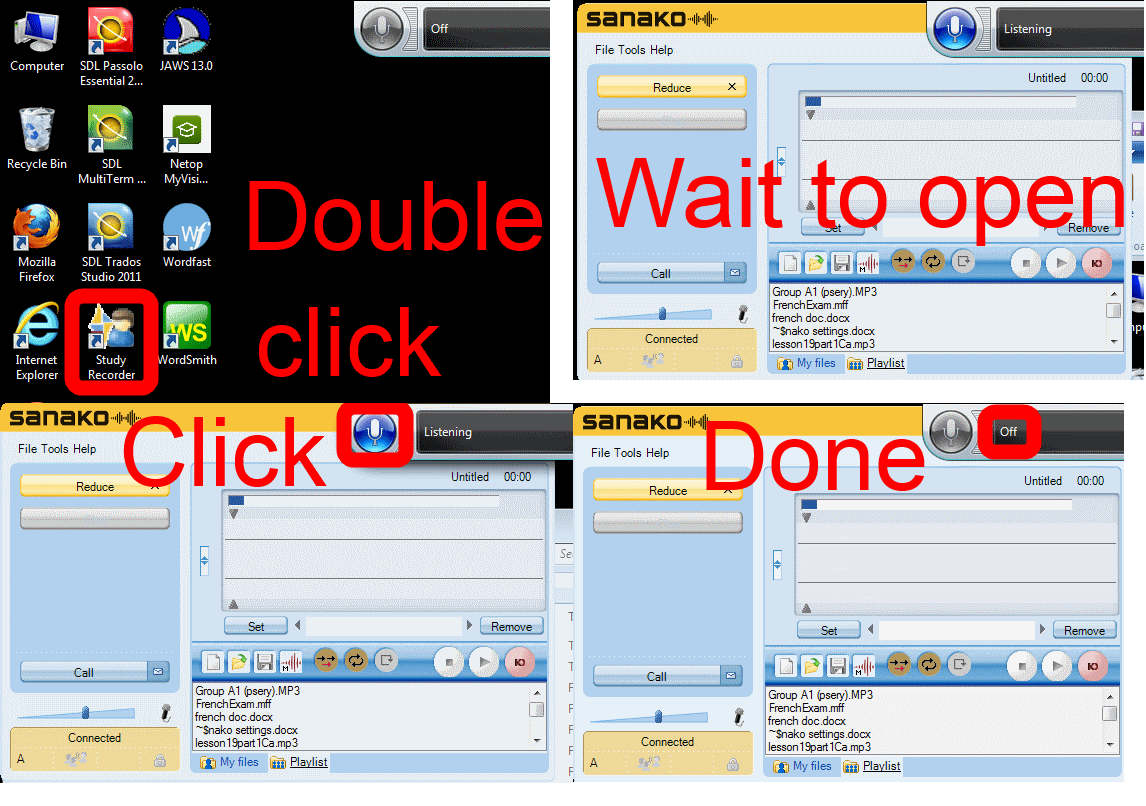
How students need to work around Sanako startup issues at start of 2014
UPDATE: Step 1 is not necessary anymore, Step2 (Microphone click) still is.

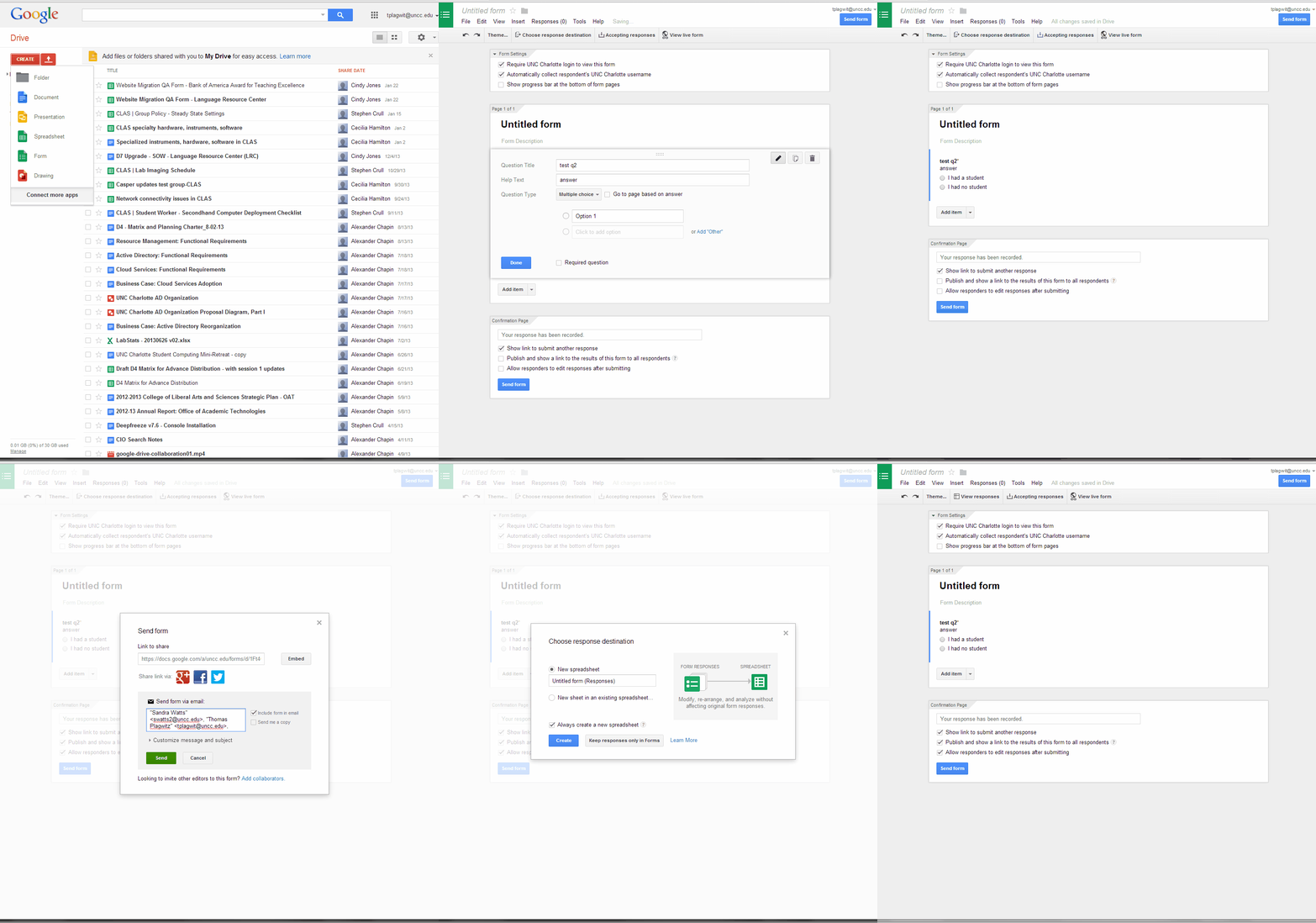
How to create a form on Google Apps
- If you want to collect input from others (including students outside of a course = Moodle), including recurring input from the same student (multiple submissions are the default andsingle submission limit can apparently only be enforced offwith JavaScript hacks)(.
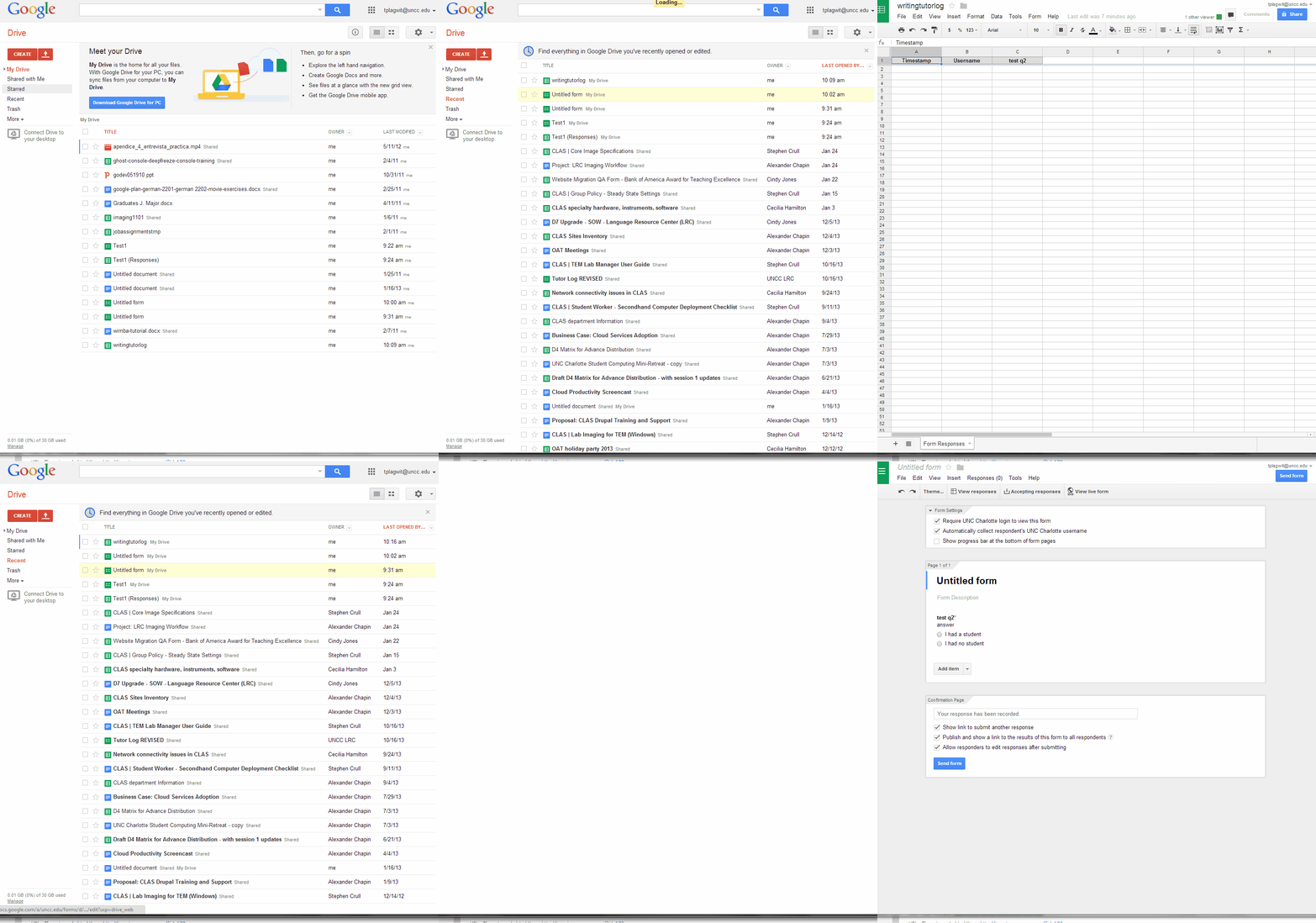
- Do this to create a form in Google Apps:

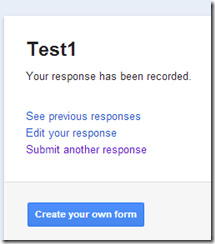
- Here is what you can have your submitters see:


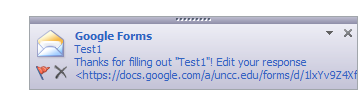
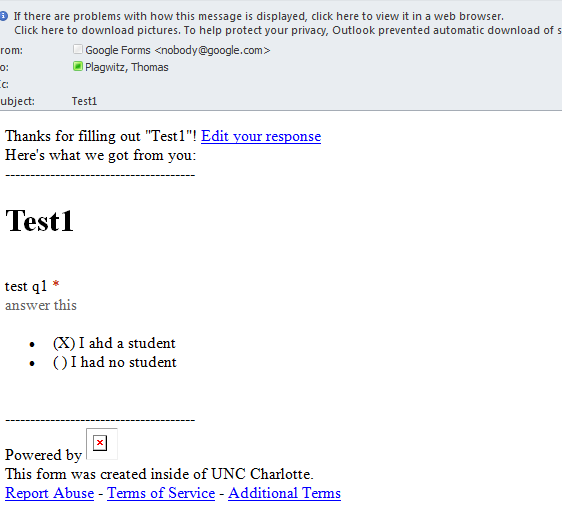
- Here is what you get:


Free interactive online learning materials for Heinle Interaction
- Available here – in spite of the prominent user login button, you do not need to sign up.
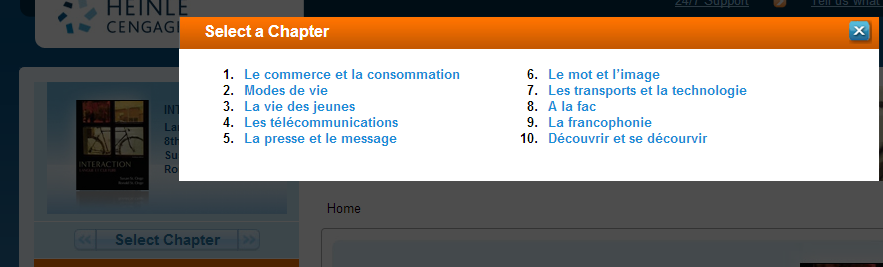
- Rather simply click the “Select Chapter” to get started.

- You then have access to some of these types of exercises, per chapter:

- Free (a (free) account is not needed):
- Tutorial Quiz
- Audio
- Web Search Activities
- Concentration
- Heinle Playlist
- Google Earth Coordinates
- Web Links
- Not free
- Flashcards
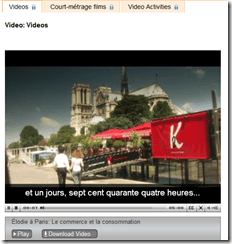
- Video (except for chapter 1 as taster)
- Podcasts
- Crossword
- Chapter Glossary
- What this content is good for:
- Practicing. Including with a tutor, for since this content is not assessed, there is no ethical issue if the tutor helps with these materials.
- It is from edition 8, which is not the current edition – but I expect it to be still reasonably to the current chapters chapter:
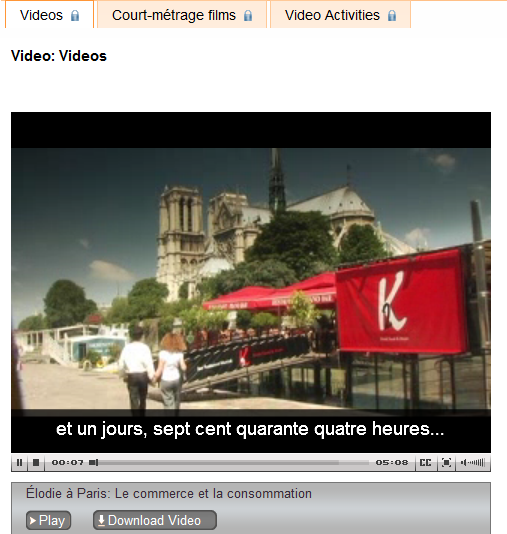
- Le commerce et la consommation
- Modes de vie
- La vie des jeunes
- Les télécommunications
- La presse et le message
- Le mot et l’image
- Les transports et la technologie
- A la fac
- La francophonie
- Découvrir et se décourvir

Protected: Facilitating equipment circulation and room booking with website calendar aggregation?
Code documentation for a quiz template based on MS-Word
- trpQuizGenerator allows for using simple markup (view training here) to produce cloze quizzes in large fonts, for easy screen sharing through the face-to-face classroom management system (see samples of quizzes based on this template here.)
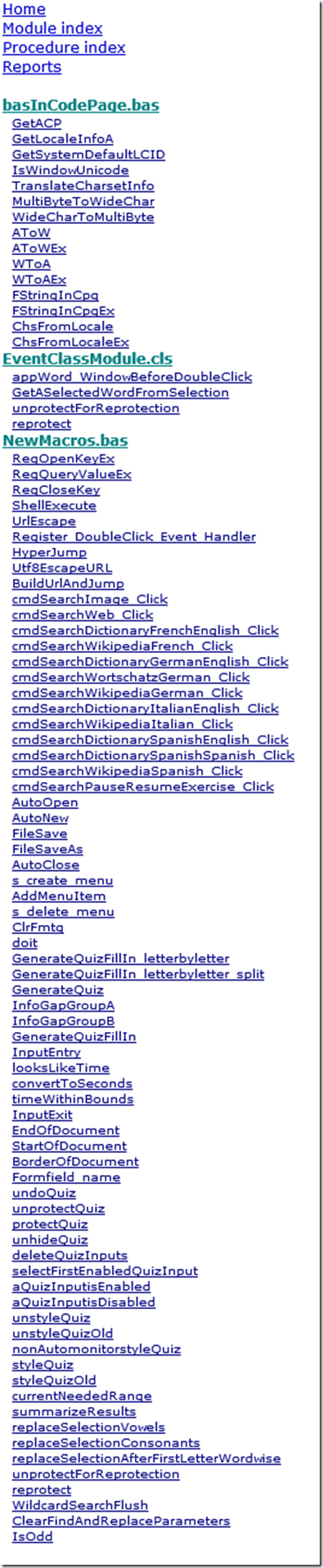
- Click the table of contents below to browse the VBA documentation built with Aivosto.


Questions? Read the About. Or just ask me a quick Our Databases: Resources with calendars -- Language learning material Moodle Sites, multimedia files -- films


FAQs for LRC student staff or for students or for teachers. To search our FAQs, in the browser addressbar, add after "https://plagwitz.wordpress.com/feed/?tag=faqs+/" "+TAG1" (from tag cloud below) OR "https://plagwitz.wordpress.com/feed/tag=faqs
&category_name=" "CAT1" (from category hierarchy below). OR search both categories and tags, and multiple TAGs/CATs (connect with "," for OR-search, with "+" for AND-search), like so: https://plagwitz.wordpress.com/feed/?tag=TAG1+TAG2+...TAGn&category_name=CAT1
+CAT2+...CATn"
Other ways to find help
If you cannot find it here, look there: 5,500 Language-Learning Links and Programs for learning or teaching 150 languages
Shortcuts:Our Lists, Our Maps, LRC Staff Moodle Site,LRC Project Moodle Site, 49erexpress, UNCC Moodle, Student Recordings: s:claslcslrcsanakostudent
Learning usage samples: Sanako oral exam, Kaltura webcam presentation, Dictation with speech recognition, Sanako written exam, Chinese and Japanese interactive stroke-order practice
Test the Sanako Installer, Webbrowser Popup Konfigurator for XP, or Windows7, faster LRC TeacherPC Log-in Let MS facilitate diacritics writing by installing for you US-International keyboard layout
This is my personal blog (Google+). The views expressed on these pages are mine alone and not those of my employer. The information in this weblog is provided “AS IS” with no warranties, and confers no rights.
 Thomas' Work Space