Archive
How to fix Sync Error code: 0xE0000793 in Microsoft OneNote 2010
That did it:
1.Close all notebooks (will delete the corrupted cache)
2.Open them with the Office Web App using your browser
3.Open them from within the browser using "Open in OneNote" (the cache is rebuild)
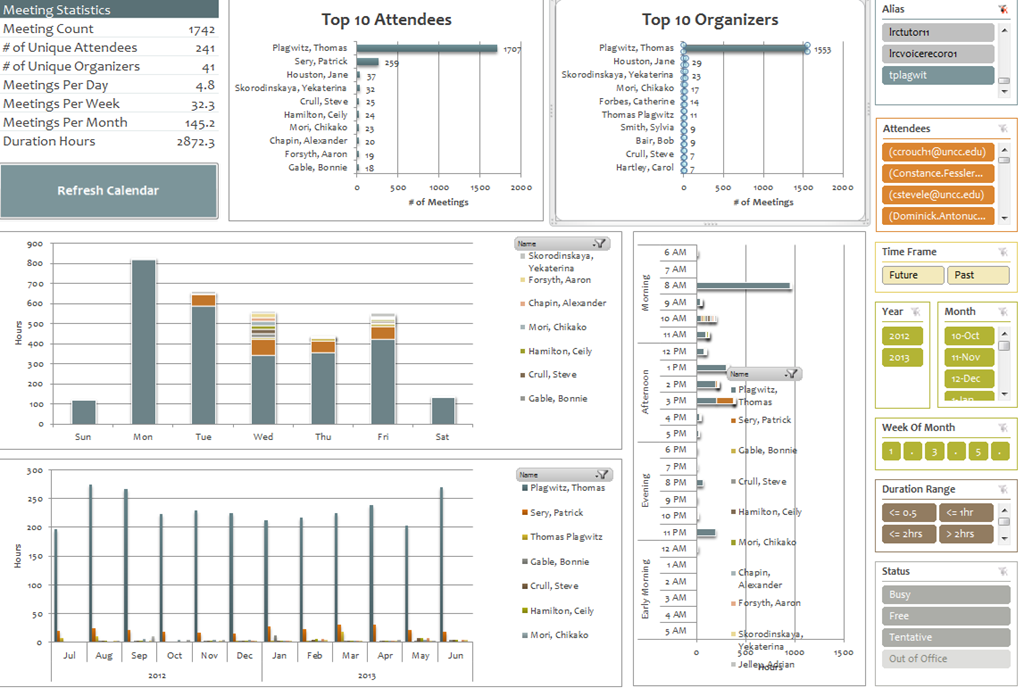
Summary of the LRC main classroom use in year 2012/3

(Tentative while experimenting with Calendaranalytics).
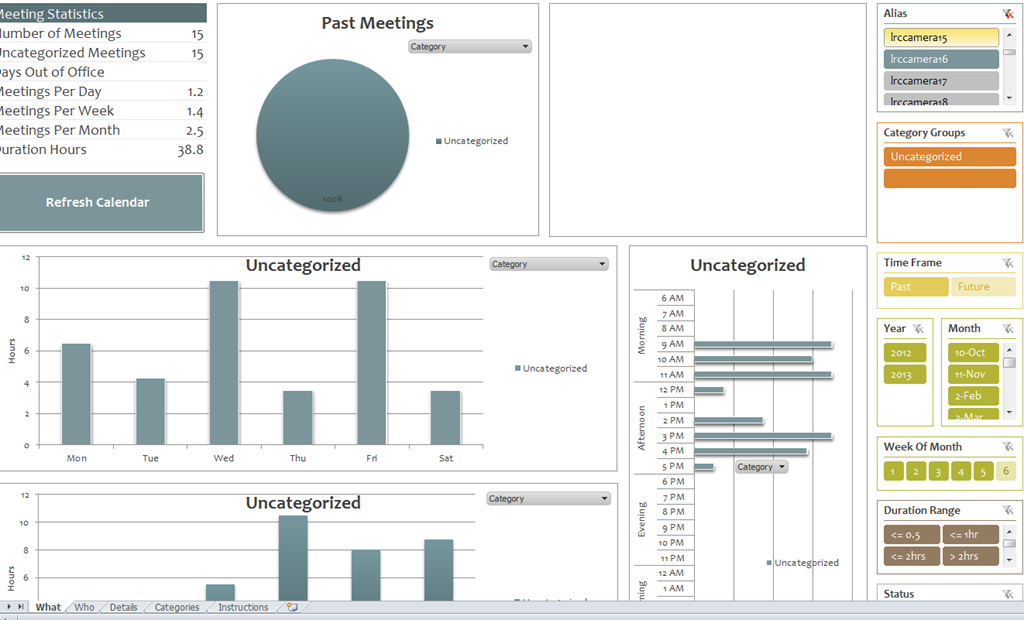
First results with MS-Calendar Analytics for learning center management
- You can use the controls on the right to drill into the detail by selecting one or more
- Aliases,
- Attendees,
- Time periods
- Status.
- The graphs on the left and in the center will automatically reflect your selection on the right.
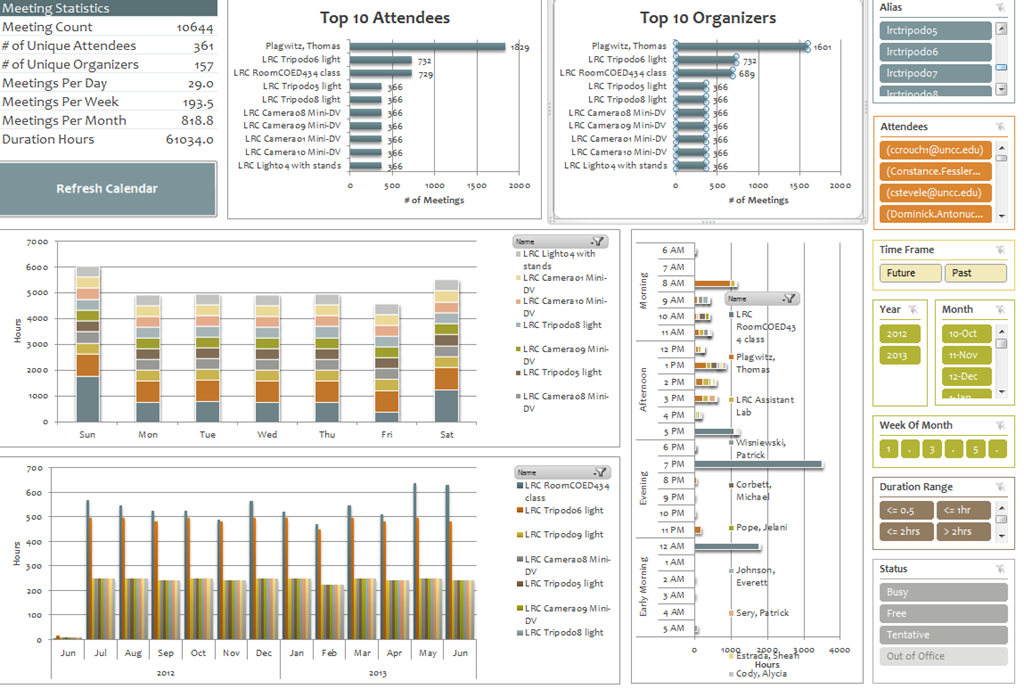
- These results lead to more questions. E.g. why is this tripod so popular?

-
Lesson learnt: Now it comes back to haunt us that we block broken or MIA equipment from users attempting to book it by making it look “busy” with an 24/7 “Appointment“. However, It should however be possible to filter out such appointments, versus “meeting requests”.
-

First steps with MS-Calendar Analytics
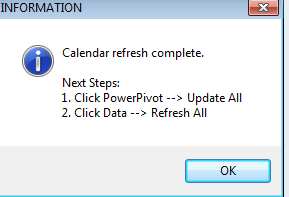
- After installing Calendar analytics (and, if you do not already have it, PowerPivot), open the Calendaranalytics spreadsheet from your desktop and click on “Refresh Calendar”.
- “Enter your full email address. Users with more than 1 email address may need to try each of them.”


- “Enter a start date and end date for the timeframes for the Dashboard to reflect”/
- “The interface will prompt you for the user’s aliases to add. You can add multiple.”
- “Type in users’ aliases of whom you have permission (i.e. “Full details”) to access their Outlook calendar and click Add”
-

- Do not use the fully qualified email address for the alias, or else:

- You cannot comma delimit (so AutoIt to the rescue).

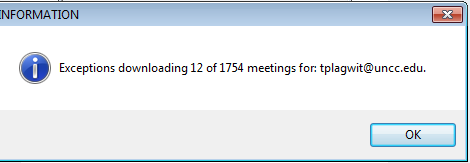
- You can continue after such a non-fatal error:


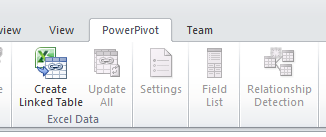
- Is your “Update all” greyed out ? Restart Excel.

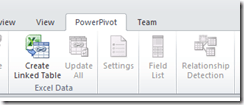
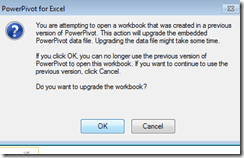
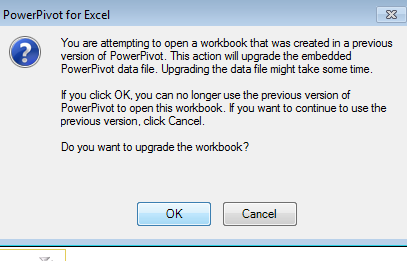
- Accept the offer to upconvert:
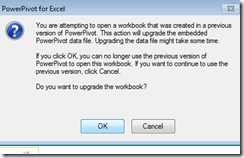


- Update all becoame available after restart of excel, even with download exceptions – maybe the unsaved update of the spreadsheet form powerpivot 1 was the root cause ?
- Not that here upconversion to the new powerpivot version does not “take”:

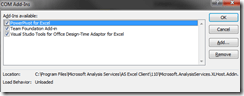
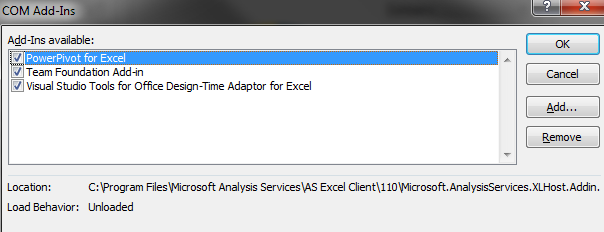
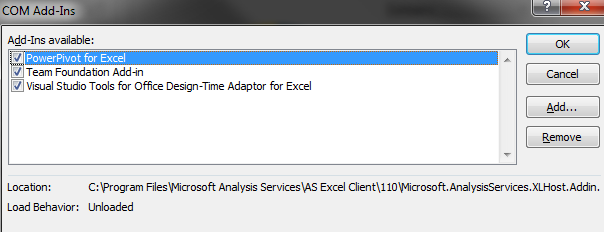
- If after a restart of excel your powerpivot tab on the ribbon does not show, reenable the powerpivot addin.
- How to reenable: excel file/ options / select dropwdown: addins, button:go, check the Checkbox in front of powerpivot:
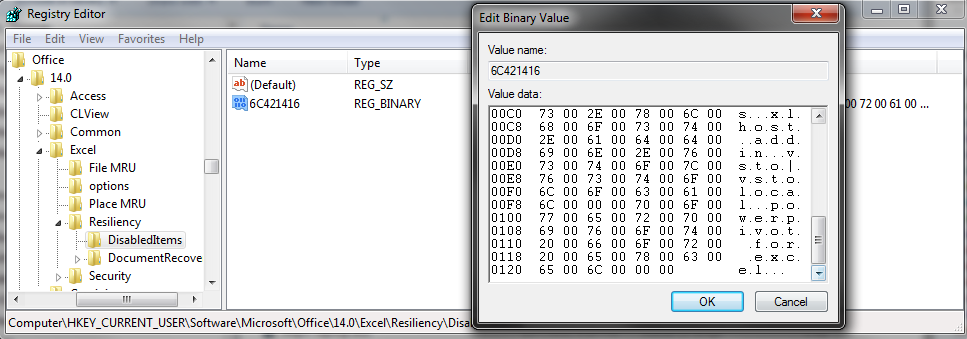
- What if even after a restart of excel, this does not “take”? See whether in the registry the key CURRENT_USER\Software\Microsoft\Office\14.0\Excel\Resiliency\DisabledItems contains the path to your powerpivot add-in,like here:
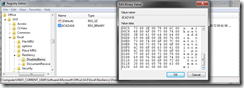
- Delete the key and restart excel, your powerpivot ribbon tab =should be back. Hope this will last?

- Now updating does something:

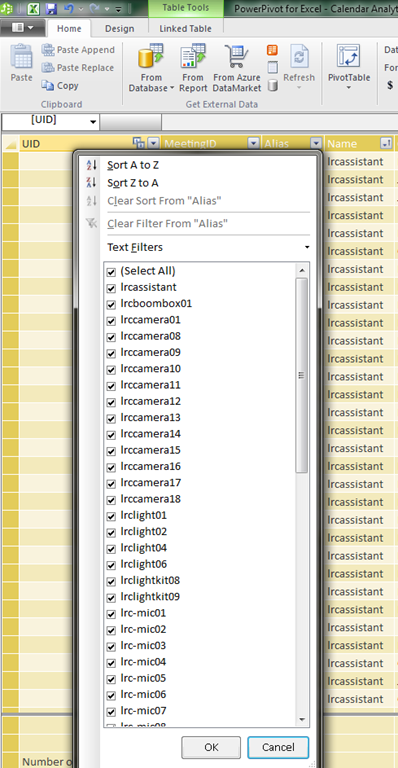
- This opens the powerpivot window with the meeting data collected fro mms-exchange:
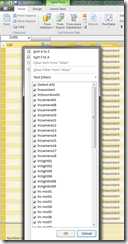
- Which can be interactively: visualized in the calendaranalytics sheet
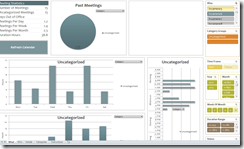
- More results here.









How to workaround SkyDrive embed codes not working WordPress.com
- Problem: I cannot seem to get the new embed code that SkyDrive offers now to work on wordpress.com.
- Cause: No idea. Guess somebody did not get the memo? Hope it is not me.

- Workaround:
- Old skydrive embed code still works in wordpress (E.g. https://thomasplagwitz.com/tag/lists+resources/), but is a completely different syntax than what skydrive offers for embedding now (insert office code into [] to try it out):
- office width="750" height="1300" src="http://r.office.microsoft.com/r/rlidExcelEmbed?su=10634757809471938&Fi=SD25C841818181C2!126&kip=1&AllowTyping=True&Item=Table2&wdHideGridlines=True&wdDownloadButton=True"
- However, you can still convert the current embed into the old one:
- by inserting the new parameter values into the old ones:
- "cid" becomes "su" and
- "resid" becomes "Fi" .
- This example successfully embeds into a WordPress.com code now. (insert office code into [] to try it out):
- office width="750" height="1300" src="http://r.office.microsoft.com/r/rlidExcelEmbed?su=4FA3329905D7E1CE&Fi=4FA3329905D7E1CE%2162359&kip=1&AllowTyping=True&Item=Table2&wdHideGridlines=True&wdDownloadButton=True"
- No we seem to have been here before, so we shall see how long this workaround lasts.
PostEditorStorageException when publishing from Windows Live Writer on new DELL
Not always, but more and more often – anybody else seeing this?
Version: 16.4.3508.205
OS Version: Microsoft Windows NT 6.1.7601 Service Pack 1
Runtime version: 2.0.50727.5466
Shutdown started: False
Program: "C:\Program Files (x86)\Windows Live\Writer\WindowsLiveWriter.exe"
Memory Load: 83%
Total Physical: 8146 MB
Available Physical: 1375 MB
Total Page File: 16291 MB
Available Page File: 9137 MB
Total Virtual: 2047 MB
Available Virtual: 1618 MB
Available Extented Virtual: 0 MB
Unexpected Error Occurred
An unexpected error has occurred within the application.
WindowsLive.Writer.PostEditor.PostEditorStorageException: Error Accessing Local Post – Unexpected error occurred while accessing local post (-2147287008)
Share violation–storage may already be opened.
at WindowsLive.Writer.PostEditor.PostEditorFile.SaveCore(IBlogPostEditingContext editingContext, PostEditorFile autoSaveSourceFile, String filePath)
at WindowsLive.Writer.PostEditor.PostEditorFile.SaveBlogPost(IBlogPostEditingContext editingContext)
at WindowsLive.Writer.PostEditor.BlogPostEditingManager.PrePublishHooks(Object sender, PublishEventArgs args)
at WindowsLive.Writer.PostEditor.UpdateWeblogProgressForm.OnShown(EventArgs e)
at System.Windows.Forms.Form.CallShownEvent()
at System.Windows.Forms.Control.InvokeMarshaledCallbackDo(ThreadMethodEntry tme)
at System.Windows.Forms.Control.InvokeMarshaledCallbackHelper(Object obj)
at System.Threading.ExecutionContext.runTryCode(Object userData)
at System.Runtime.CompilerServices.RuntimeHelpers.ExecuteCodeWithGuaranteedCleanup(TryCode code, CleanupCode backoutCode, Object userData)
at System.Threading.ExecutionContext.RunInternal(ExecutionContext executionContext, ContextCallback callback, Object state)
at System.Threading.ExecutionContext.Run(ExecutionContext executionContext, ContextCallback callback, Object state)
at System.Windows.Forms.Control.InvokeMarshaledCallback(ThreadMethodEntry tme)
at System.Windows.Forms.Control.InvokeMarshaledCallbacks()
Saba Centra on startup automatically selects the "microphone" as recording device…
- … But we in the language lab use the (dual function microphone/line-in) "rear input" for our headsets (for ergonomic, health&safety and security reasons). Workaround here.
- Apparently this startup behavior cannot be changed within Saba Centra:
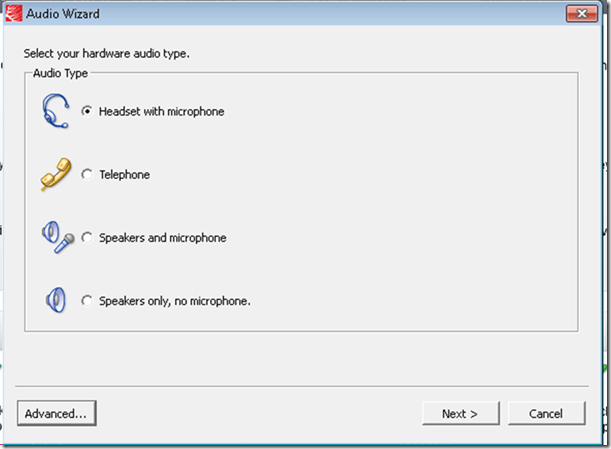
- Any startup will bring up the “Audio Wizard” asking users, even in a controlled lab environment, to configure their audio devices,
- and if users do (and choose what they have: headset), make wrong assumptions which audio plug to enable (“Microphone” front panel, even if your headset is plugged into the rear panel dual “line-in/microphone”)
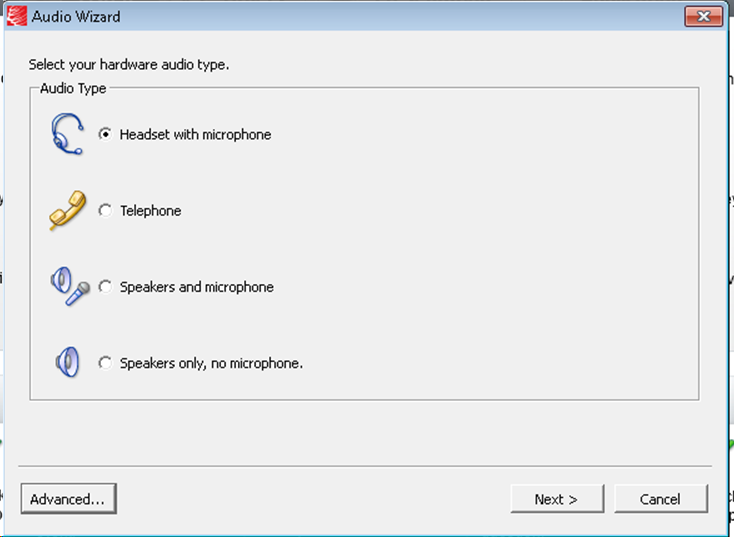
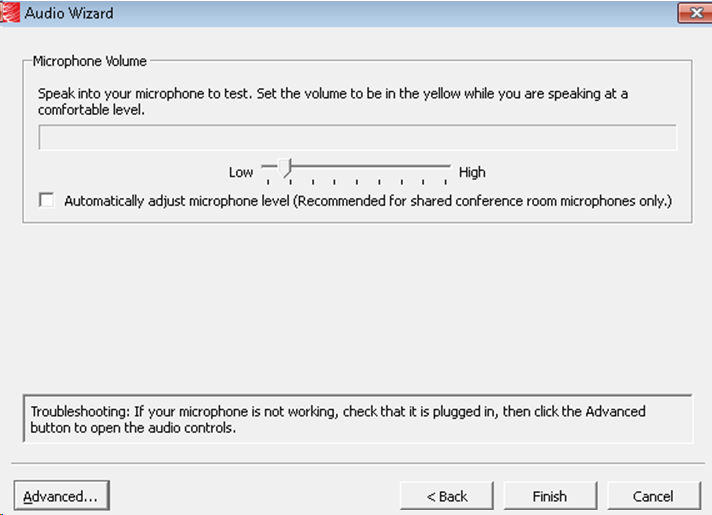
- The workaround according to these easily Googled instructions is using the “Advanced” audio wizard options to override this “Audio Wizard” error, like so:
- “Re-open the Audio Wizard, go to the third screen and change your recording device in your “Recording Device” menu. Advance two slides and determine if you can hear your recorded voice. ”
- 1st screen:
- 3rd screen:
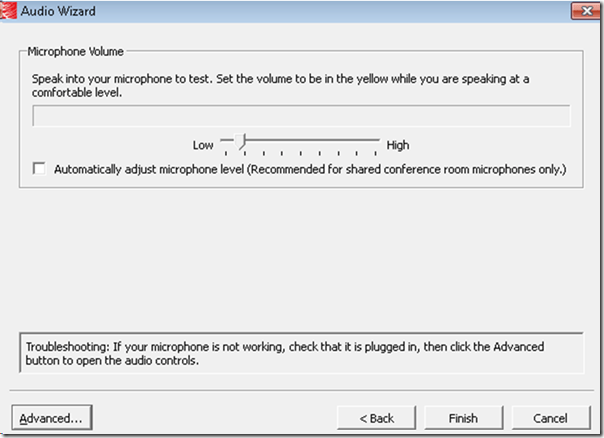
- note the instructions – Click “Advanced”. But it is easier to just use from the start our Workaround here.
- 1st screen:
- “Re-open the Audio Wizard, go to the third screen and change your recording device in your “Recording Device” menu. Advance two slides and determine if you can hear your recorded voice. ”
- The long-term solution is reconfigure your hardware and disable the front panel audio – but will Saba Centra understand you? Stay tuned…
How NLP and IR and LG are used by spammers now

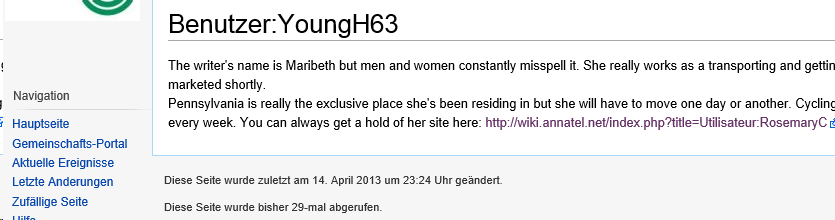
You need to know a little bit about “yours truly” to find this spam comment interesting (which, if you follow the links, eventually leads to a discount wrist watches site).


Questions? Read the About. Or just ask me a quick Our Databases: Resources with calendars -- Language learning material Moodle Sites, multimedia files -- films


FAQs for LRC student staff or for students or for teachers. To search our FAQs, in the browser addressbar, add after "https://plagwitz.wordpress.com/feed/?tag=faqs+/" "+TAG1" (from tag cloud below) OR "https://plagwitz.wordpress.com/feed/tag=faqs
&category_name=" "CAT1" (from category hierarchy below). OR search both categories and tags, and multiple TAGs/CATs (connect with "," for OR-search, with "+" for AND-search), like so: https://plagwitz.wordpress.com/feed/?tag=TAG1+TAG2+...TAGn&category_name=CAT1
+CAT2+...CATn"
Other ways to find help
If you cannot find it here, look there: 5,500 Language-Learning Links and Programs for learning or teaching 150 languages
Shortcuts:Our Lists, Our Maps, LRC Staff Moodle Site,LRC Project Moodle Site, 49erexpress, UNCC Moodle, Student Recordings: s:claslcslrcsanakostudent
Learning usage samples: Sanako oral exam, Kaltura webcam presentation, Dictation with speech recognition, Sanako written exam, Chinese and Japanese interactive stroke-order practice
Test the Sanako Installer, Webbrowser Popup Konfigurator for XP, or Windows7, faster LRC TeacherPC Log-in Let MS facilitate diacritics writing by installing for you US-International keyboard layout
This is my personal blog (Google+). The views expressed on these pages are mine alone and not those of my employer. The information in this weblog is provided “AS IS” with no warranties, and confers no rights.
 Thomas' Work Space