Archive
How to access your Saba Centra session outside of Moodle
- Watch this video on how Access a session link or create a new Centra event on http://centra.uncc.edu instead of Moodle: http://screencast.com/t/4glUbhJs. This shows you how to:
- if you already create the event:
- send guest links to your already
- lead :
![clip_image002[4]](https://thomasplagwitz.com/wp-content/uploads/2013/08/clip_image0024_thumb.gif?w=600&h=314 "clip_image002[4]")
- create a Saba-Centra event
- Information is courtesy of the CTL. I am just passing this on to LRC users, although I have not heard of issues with our first Saba Centra classes this morning.
![clip_image002[4]](https://thomasplagwitz.com/wp-content/uploads/2013/08/clip_image0024.gif "clip_image002[4]")
How to fix a crash of the teacher station control panel
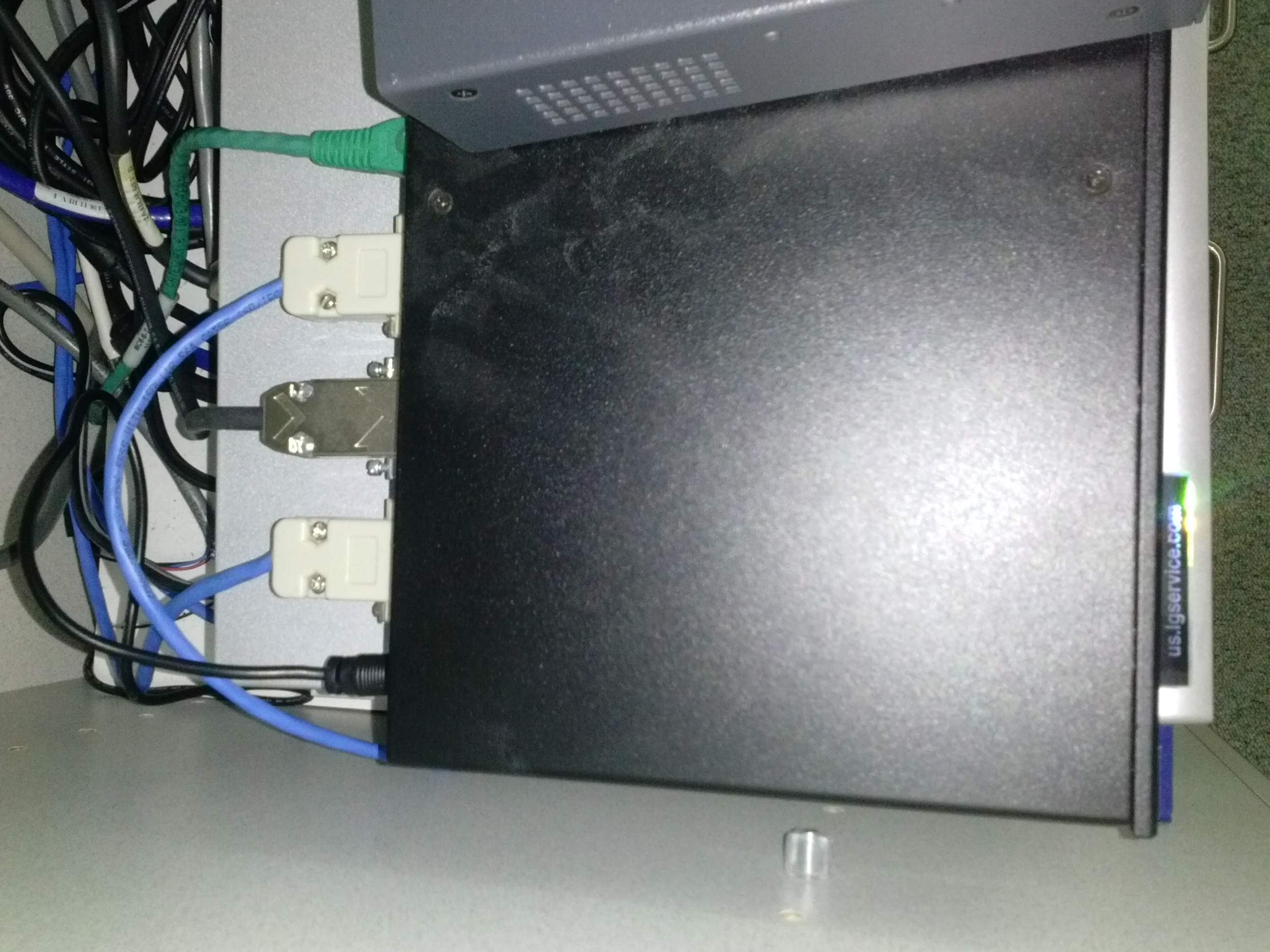
- Problem: control panel on the teacher station unresponsive (both hardware and software buttons). No AV and on/off switching.
- Cause: Octo switch in the AV cabinet crashed (it needs replacing).
- Resolution: Open the door to the AV cabinet and powercycle the switch (= unplug and replug the lower thin black cable in the 1st or top rightmost thin black cable in the 2nd photo). Or use the call button (still functional) and wait for help.


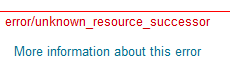
Moodle 1 into Moodle 2 course restore fails with error “unsupported subplugin” or “unknown resource successor” or “parameter (contextid) was missing
-
I could not get the course to convert, until I deleted everything but the fora , and not even my rss blocks converted with urls – if this helps somebody, I describe the steps I took here:


-
upconclicking on more info: error/moodle/unsupported subplugin From MoodleDocs
-
The cause of this is likely due to an unsupported subplugin not being available in the version of Moodle you are using. If this error appeared during the restore of a Moodle course check the plugins within the backed up course against what is available in the Moodle you are restoring the course to. The Moodle you are restoring the course to is likely to be missing a plugin that is present in the backed up course. There is a tracker for this error to be a bit more graceful during course restore for Moodle version 2.x.x http://tracker.moodle.org/browse/MDL-29288 <http://docs.moodle.org/23/en/error/moodle/unsupported_subplugin>
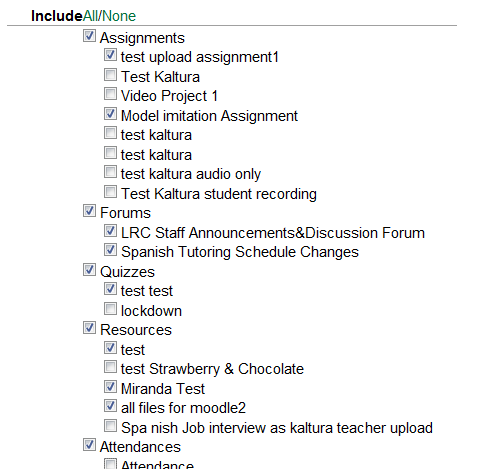
- Do not include "Video Assignments" means not only video files, but also Kaltura streamed video.
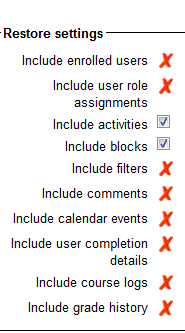
- If I remove pretty much anything which was useful and retry backup/restore with these settings

- I removed the video, however, there is a new error

error/moodle/unknown resource successor
From MoodleDocs
Jump to: navigation, search
There is currently no text in this page. You can search for this page title in other pages.
Pasted from <http://docs.moodle.org/23/en/error/moodle/unknown_resource_successor>
- There seems no way for me to deselect Centra events, soi I sem to have to delete them from the original course (whee I would still have had a use for them).
- Did I see these linked file warnings before?
Backup Details:
Include Assignments without user data
test upload assignment1
Model imitation Assignment
Include Forums without user data
LRC Staff Announcements&Discussion Forum
Spanish Tutoring Schedule Changes
Include Quizzes without user data
The Cloze(multianswer) question "" does not contain any question
Linked file 18197_4c96c46e/books01.gif doesn’t exist
Linked file 18197_4c96c46e/partcimage2jpg.jpg doesn’t exist
Linked file 18237_4c97eaaf/key.gif doesn’t exist
Linked file 18237_4c97eaaf/testpic1.jpg doesn’t exist
Linked file Ch5picture.jpg doesn’t exist
Linked file ST_two_image_halfsize.jpg doesn’t exist
Linked file Untitled-4.jpg doesn’t exist
Linked file f0test6ph.PNG doesn’t exist
Linked file lafamilleducharme.gif doesn’t exist
Linked file map1.gif doesn’t exist
Linked file moodle-upload-zip-files-unzipped.PNG doesn’t exist
Linked file testpic2contrast.jpg doesn’t exist
Pasted from <https://moodle.uncc.edu/backup/backup.php>
Error remains:

-
Now remove really all Saba Centra and Kaltura references.
-
Error remains:

-
Now we are removing everything except fora:
-
Not much point anymore, but now we reach the next step:
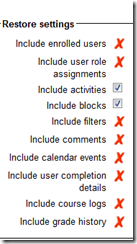
-
RSSs blocks were transferred, but without feeds.
-
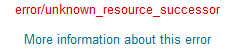
In addition, you may see this error, when you get logged out and have to log in again after uploading the backup file:




Workaround for Sanako study 1200 tutor v7 window limitations
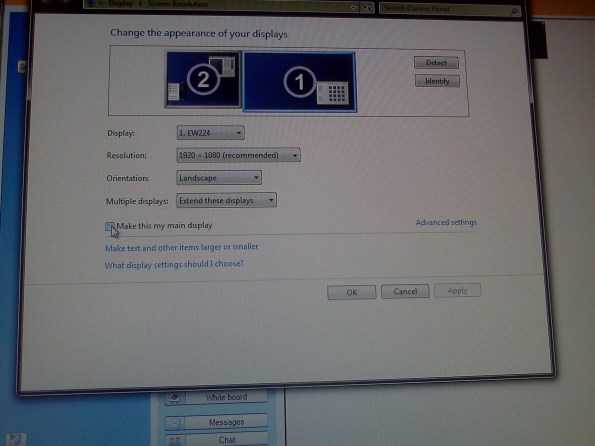
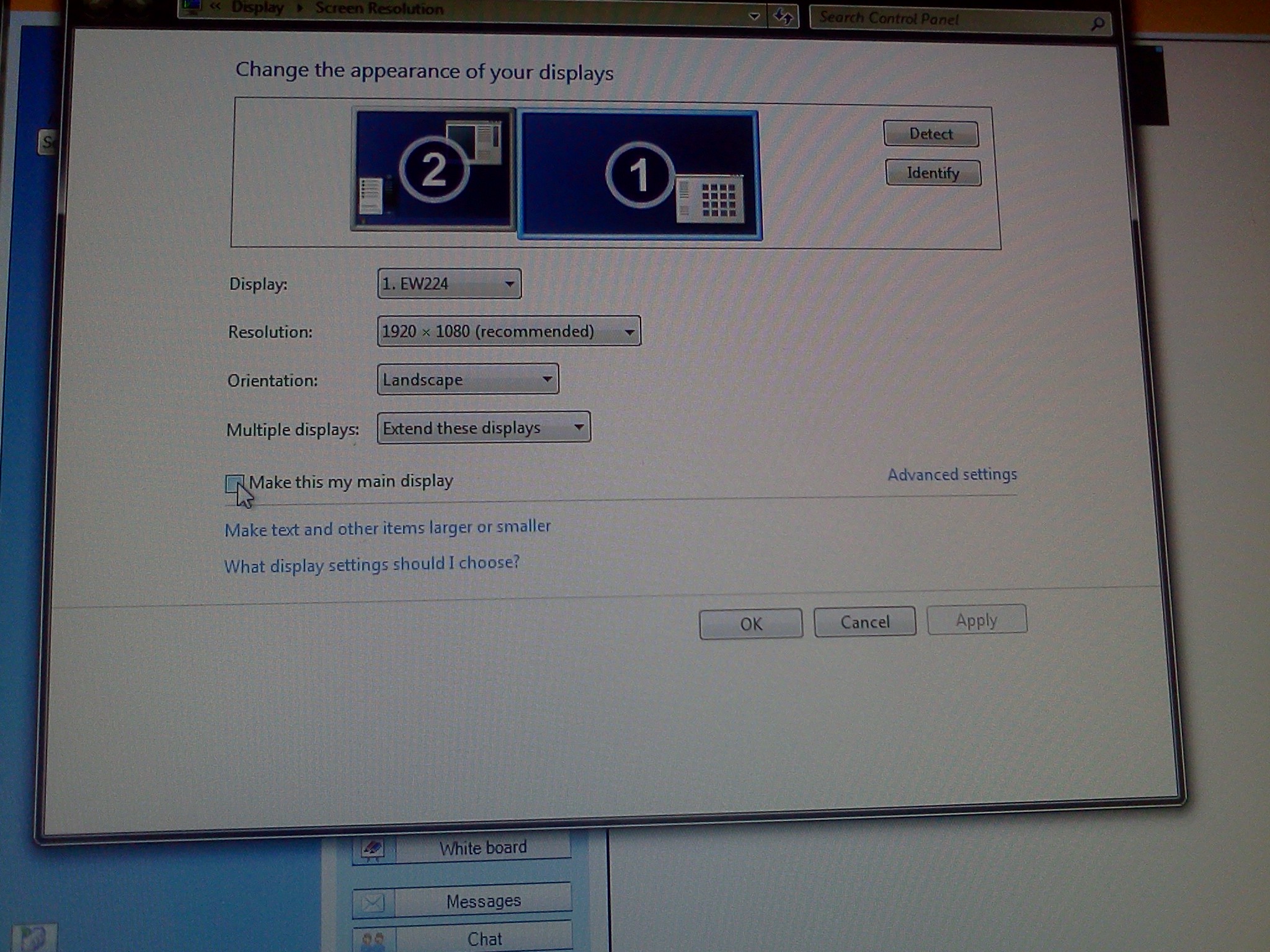
- Problem: Window maximizes only to size of,and location defaults to, primary screen. This is now on windows7.
- Workaround: make the screen whose size you desire the primary (and live with the side effects).
- Downside:
- Screencast recordings of instruction won’t work: Community Clips can only record the primary screen, which is not the screen displayed to students during regular teaching. Windows Media Encoder does not work with our non-standard dual screen configuration on Windows7.
Sanako student lite recorder needs reconfiguration
- Because of a misconfiguration, students now always have to make these two changes (on teacher screen) from the default configuration (on student screen) before their Sanako will become operational:

- If you made the default, but wrong choice “Lite recorder”, you will get stuck with this:
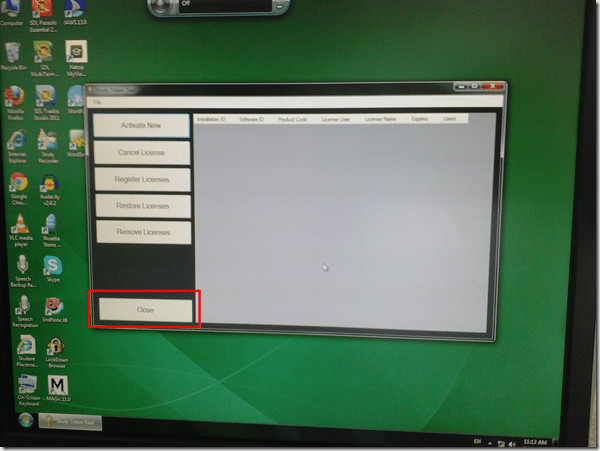
- To get out of it, click button:”close”and start over.


How to fix cygwin extension "unable to start correctly 0xc000007b" on Windows 7 64-bit
In this instance, the cryptic message denoted a bitness problem: dcfldd (the extension in question, like so: for /f %i in ( ‘dir /b .\input’ ) do dcfldd.exe if=input\%i of=output\%i.jpg bs=1 skip=6) would not start in a Cygwin 64-bit environment. Installed cygwin 32-bit (and changed my path), and dcfldd worked fine.
More unsolicited Deepfreeze system reboots in the middle of working?
What gives? 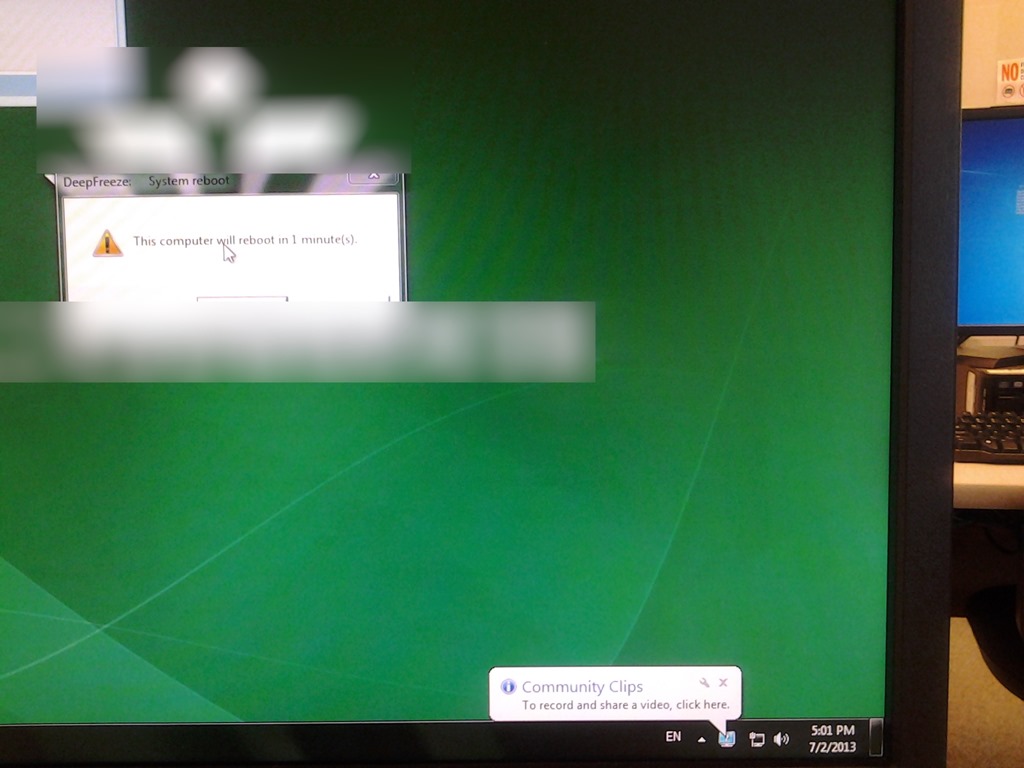
How to fix exception: Sanako Graph Data not installed
- Problem: When trying to administer an oral exam, using model imitation, source: file, I could not, but rather I got this error
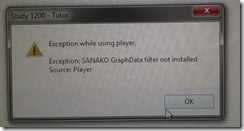
- Root: The same feature had worked in the morning – however, then the Sanakorecorder interfered with the Sanako tutor. Turned out that the Sanako tutor had been installed over a Sanako Student recorder which caused the tutor pc to connect to itself (distracting, also potentially a liability since it eats up licenses if not managed). In between morning and afternoon exam, the student recorder was uninstalled, but without the required functionality testing afterwards. So this exam had to become the test.
- Workaround: Reinstall the student recorder. We used the “test the Sanako installer” program on my home page to not delay the exam too much.

- Solution: do not install the Sanako tutor over a student installation in the first place.
- Either remove the Student recorder after imaging the teacher station with the student image,
- or better, image the PC without the added baseline task “Student recorder”.




Questions? Read the About. Or just ask me a quick Our Databases: Resources with calendars -- Language learning material Moodle Sites, multimedia files -- films


FAQs for LRC student staff or for students or for teachers. To search our FAQs, in the browser addressbar, add after "https://plagwitz.wordpress.com/feed/?tag=faqs+/" "+TAG1" (from tag cloud below) OR "https://plagwitz.wordpress.com/feed/tag=faqs
&category_name=" "CAT1" (from category hierarchy below). OR search both categories and tags, and multiple TAGs/CATs (connect with "," for OR-search, with "+" for AND-search), like so: https://plagwitz.wordpress.com/feed/?tag=TAG1+TAG2+...TAGn&category_name=CAT1
+CAT2+...CATn"
Other ways to find help
If you cannot find it here, look there: 5,500 Language-Learning Links and Programs for learning or teaching 150 languages
Shortcuts:Our Lists, Our Maps, LRC Staff Moodle Site,LRC Project Moodle Site, 49erexpress, UNCC Moodle, Student Recordings: s:claslcslrcsanakostudent
Learning usage samples: Sanako oral exam, Kaltura webcam presentation, Dictation with speech recognition, Sanako written exam, Chinese and Japanese interactive stroke-order practice
Test the Sanako Installer, Webbrowser Popup Konfigurator for XP, or Windows7, faster LRC TeacherPC Log-in Let MS facilitate diacritics writing by installing for you US-International keyboard layout
This is my personal blog (Google+). The views expressed on these pages are mine alone and not those of my employer. The information in this weblog is provided “AS IS” with no warranties, and confers no rights.
 Thomas' Work Space