Archive
Archive for the ‘audience-is-any’ Category
Changes in how to make a meeting request to resource mailboxes after students’ mid-term upgrade to Office365
2013/09/27
Leave a comment
- Update: We made a brief summary which you can read instead here.
- The interface has changed quite a bit, but don’t worry: the basic processes are still the same. Here is a very quick rundown:
- You now have to start from the Calendar / + new Event, like so:
 and
and 
- To add resources
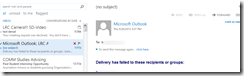
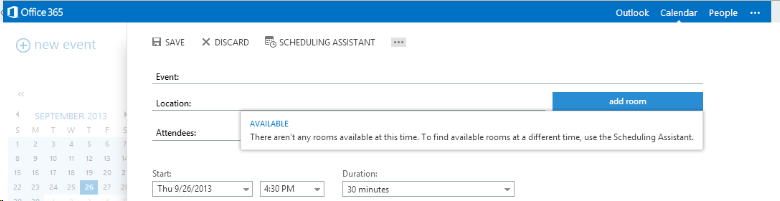
- Don’t try the “button:add room”, you will get this error:

- instead, either type the resource email address

- or click the + next to “Attendees’

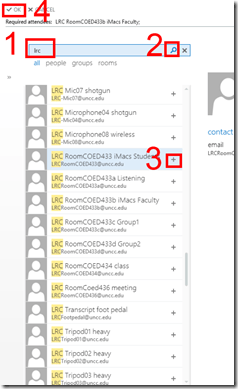
- and search the database for the “LRC[whatever]” resource,
- note: no need for a new window anymore
- and by double-clicking or clicking the + , from the search results, add the desired resources to the “Attendees”, finally click top menu: “OK”
- or to remove spurious ”Attendees”, right-click them:

- and search the database for the “LRC[whatever]” resource,
- to preview the availability, you can still click top menu: “Scheduling assistant”.
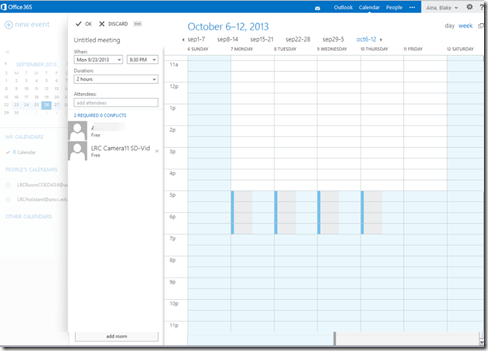
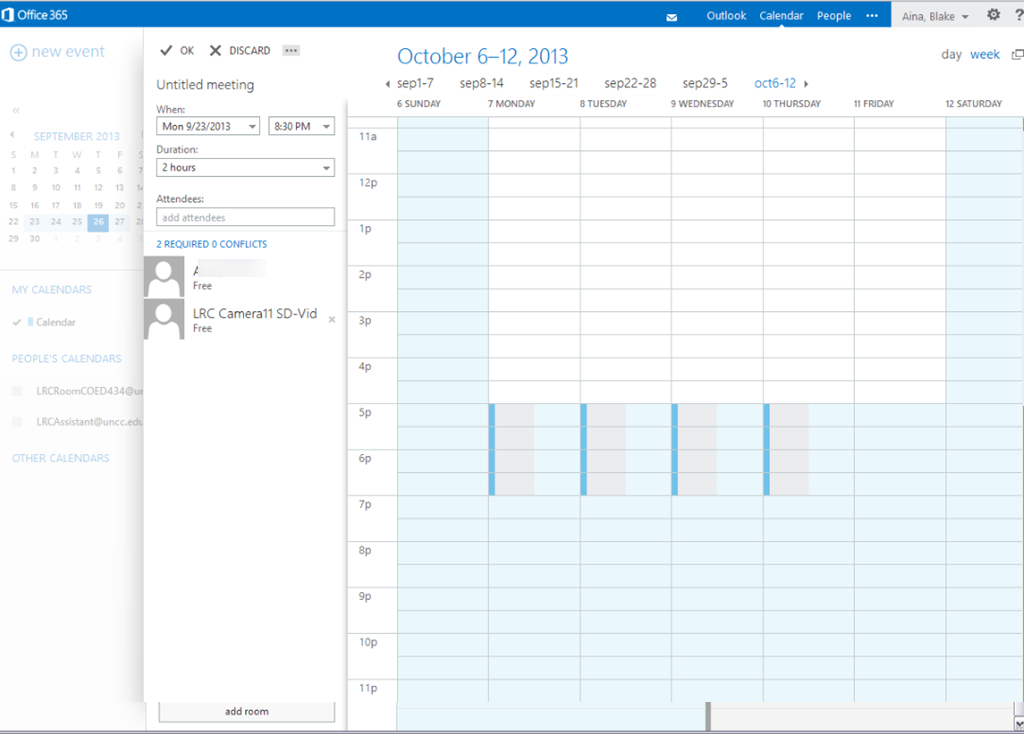
- Note that the “Scheduling Assistant”looks very different, not like a parallel timeline, more like a parallel calendars, you can choose form thee upper right
- either day view:

- or week view:
- either day view:
- Note that the “Scheduling Assistant”looks very different, not like a parallel timeline, more like a parallel calendars, you can choose form thee upper right
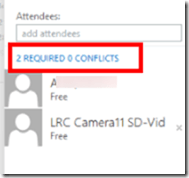
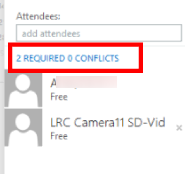
- and it tries to help you by giving more explicit information about conflicts:
- when happy with how you scheduled your “event”, click top menu: “send”
- read the response
- unfortunately, there seems to be no “toast” (tested in Chrome on Windows 7 and Firefox on Window XP)
- there is, however, still a response
- “accept”
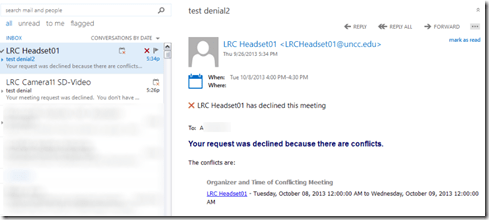
- or,”with explanation, “declined”:

- there seems to be also a bug that you cannot send messages to yourself (huh? investigating), ignore for the time being:
- from the “Event” in your calendar, you can still
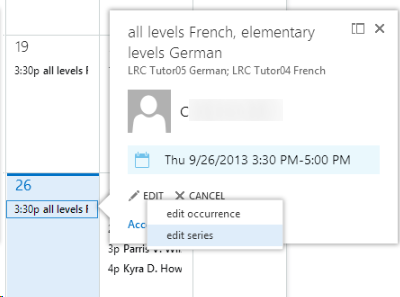
- edit (including, for repeating events, single occurrence or series :

- right-click the “Event” from the calendar and choose “cancel”, which still brings up a popup window where you have to “send”:

- edit (including, for repeating events, single occurrence or series :
- Don’t try the “button:add room”, you will get this error:







How to get the model and serial number of your iMac
2013/09/24
Leave a comment
According to Apple, you can find it on the foot for the type of iMacs I have seen around here. 
Categories: audience-is-teachers, e-infrastructure, faculty-offices

Protected: Collaborating on and reusing teaching materials in the LRC
2013/09/17
Enter your password to view comments.
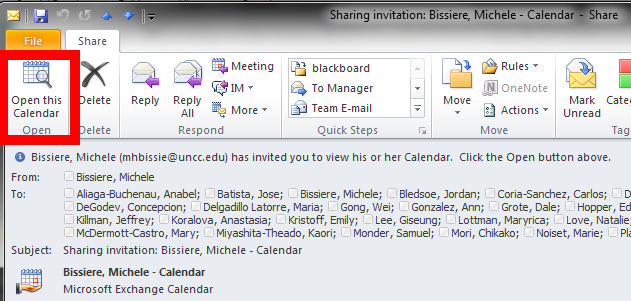
If you receive a calendar sharing invitation, click “Open the calendar”
2013/09/16
Leave a comment
- In Outlook (Desktop), like it says in the first item on the upper left:

- This will add the calendar to the list of calendars on the left of your Outlook, like so

- That is, if you do a calendar overlay, like so.

Cancelling a meeting request in Outlook 2007
2013/09/16
Leave a comment
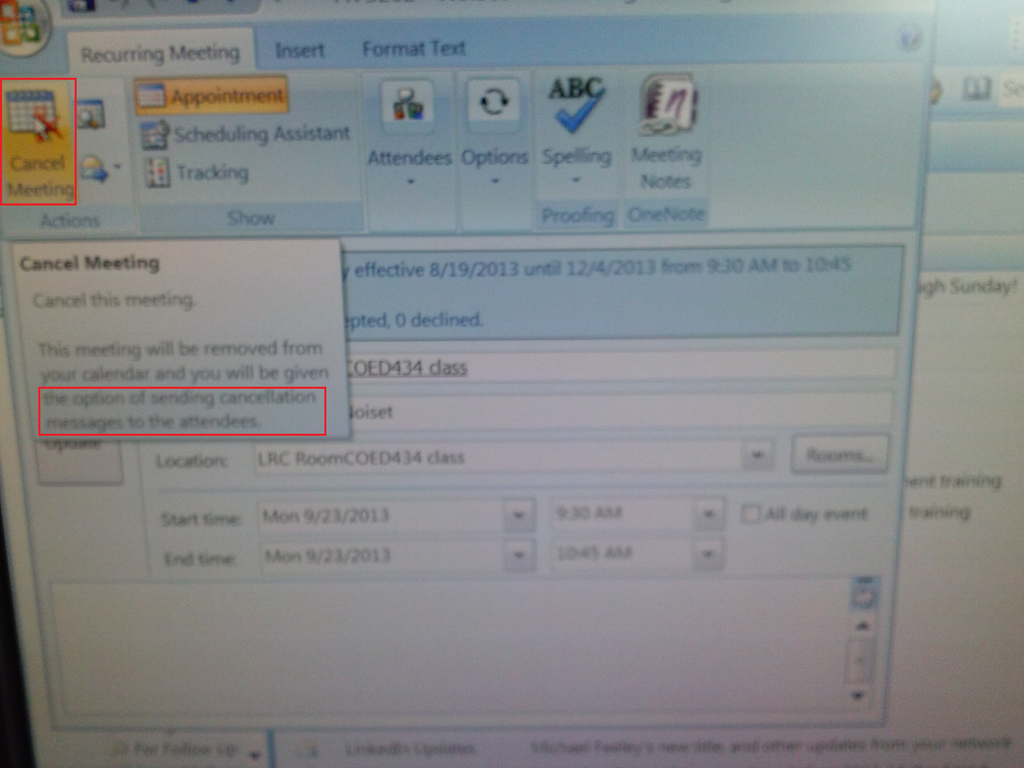
- Do not merely delete the meeting from your calendar;
- rather: open it and use the button: cancel meeting, like so:

Protected: Security alert about revocation information on LRC machines
2013/09/16
Enter your password to view comments.
LRC web browser popup blockers are currently misconfigured
2013/09/14
Leave a comment
- Problem: I noticed that mail.uncc.edu is not configured correctly, when our hands-on exercises during out training of film students and lrc assistants failed, but I did not have the time to take photos of which browser was involved.
- Workarounds:
- You can always (hold the key:) CTRL-click on the link where your web browsing fails.
- I have a temp solution for the lab, but why not configure these few sites, if you get fed that your users need it.
- Solution: We already asked for these sites be allowed through popup blockers of web browsers in use (chrome, firefox, internet explorer 8):
- *.uncc.edu
- *.mt202sabameeting.com
- *.Mygermanlabs.com
- *.pearsoned.com
- *.pearsoncmg.com
- *.mylanguagelabs.com
- *.mylabs.px.pearsoned.com
- *.pearsonvt.wimba.com
- *.outlook.com
- newly added: *.connect.mcgraw-hill.com.


Questions? Read the About. Or just ask me a quick Our Databases: Resources with calendars -- Language learning material Moodle Sites, multimedia files -- films


FAQs for LRC student staff or for students or for teachers. To search our FAQs, in the browser addressbar, add after "https://plagwitz.wordpress.com/feed/?tag=faqs+/" "+TAG1" (from tag cloud below) OR "https://plagwitz.wordpress.com/feed/tag=faqs
&category_name=" "CAT1" (from category hierarchy below). OR search both categories and tags, and multiple TAGs/CATs (connect with "," for OR-search, with "+" for AND-search), like so: https://plagwitz.wordpress.com/feed/?tag=TAG1+TAG2+...TAGn&category_name=CAT1
+CAT2+...CATn"
Other ways to find help
If you cannot find it here, look there: 5,500 Language-Learning Links and Programs for learning or teaching 150 languages
Shortcuts:Our Lists, Our Maps, LRC Staff Moodle Site,LRC Project Moodle Site, 49erexpress, UNCC Moodle, Student Recordings: s:claslcslrcsanakostudent
Learning usage samples: Sanako oral exam, Kaltura webcam presentation, Dictation with speech recognition, Sanako written exam, Chinese and Japanese interactive stroke-order practice
Test the Sanako Installer, Webbrowser Popup Konfigurator for XP, or Windows7, faster LRC TeacherPC Log-in Let MS facilitate diacritics writing by installing for you US-International keyboard layout
This is my personal blog (Google+). The views expressed on these pages are mine alone and not those of my employer. The information in this weblog is provided “AS IS” with no warranties, and confers no rights.
 Thomas' Work Space