Archive
Posts Tagged ‘ms-powerpivot’
Bugs in MS-Calendaranalytics?
2014/03/25
Leave a comment
- Is there an Off-by-1 bug in MS-Calendaranalytics pivot chart?
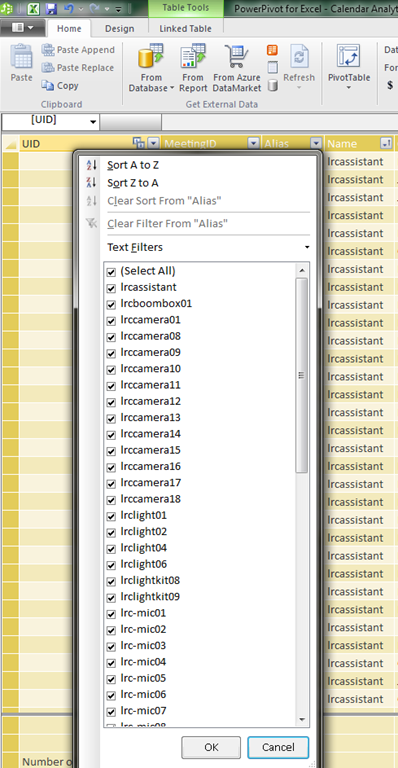
- I am hovering (as an example) over the first name in the upper list which displays the right name as tooltip, the first name in the second list

- I guess I could learn DAX to fix this one myself, but what I have found myself doing is copy/paste the legend control from underneath, which does not exhibit this apparent bug, as a screenshot over the wrong legend (Seems strangely inadequate!).
- I am hovering (as an example) over the first name in the upper list which displays the right name as tooltip, the first name in the second list
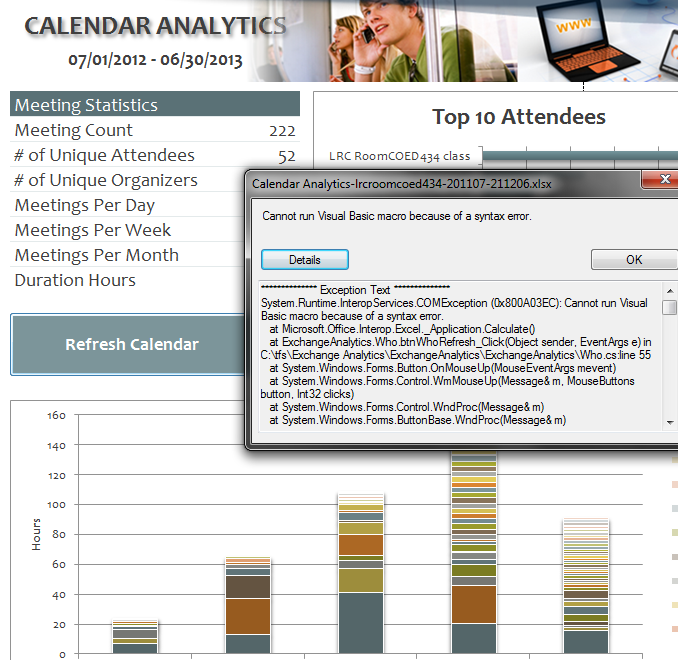
- Cannot run visual basic macro because of a syntax error”
 Version 1 on Excel 2010 (64-bit) on Windows 7 (64-bit). Restarting (Excel/Windows) made this go away.
 - This stopped working on load from one day to the next, without the file getting saved and updated in between: System.Runtime.InteropServices.COMException (0x80070490): Element not found. (Exception from HRESULT: 0x80070490)
at Microsoft.VisualStudio.Tools.Office.Runtime.Interop.IHostItemProvider.GetHostExtender(String extenderType, String extenderCookie, IntPtr& extenderObject)
at Microsoft.VisualStudio.Tools.Office.Runtime.DomainCreator.ExecuteCustomization.Microsoft.Office.Tools.IHostItemProvider.GetHostExtender(Type primaryType, String primaryCookie)
at Microsoft.Office.Tools.Excel.ControlSiteImpl..ctor(IServiceProvider serviceProvider, IHostItemProvider hostItemProvider, String primaryCookie, String identifier, Object containerComponent, UInt32 officeVersion, Control control, _OLEObject extenderControl, Boolean isDynamic)
at Microsoft.Office.Tools.Excel.FactoryImpl.Microsoft.Office.Tools.Excel.Factory.CreateControlSite(IServiceProvider serviceProvider, IHostItemProvider hostItemProvider, String primaryCookie, String identifier, Object containerComponent, Control control)
at Microsoft.Office.Tools.Excel.Controls.Button..ctor(Factory factory, IHostItemProvider hostItemProvider, IServiceProvider serviceProvider, String cookie, String extenderCookie, Object container, String identifier)
at ExchangeAnalytics.Sheet4.InitializeControls() in C:\tfs\Exchange Analytics\ExchangeAnalytics\ExchangeAnalytics\What.Designer.cs:line 169
at ExchangeAnalytics.Sheet4.Initialize() in C:\tfs\Exchange Analytics\ExchangeAnalytics\ExchangeAnalytics\What.Designer.cs:line 55
at Microsoft.VisualStudio.Tools.Office.Runtime.DomainCreator.ExecuteCustomization.ExecutePhase(ExecutionPhases executionPhases)
at Microsoft.VisualStudio.Tools.Office.Runtime.DomainCreator.ExecuteCustomization.Microsoft.VisualStudio.Tools.Office.Runtime.Interop.IExecuteCustomization2.LoadEntryPoints(IntPtr serviceProvider)

First steps with MS-Calendar Analytics
2013/06/22
2 comments
- After installing Calendar analytics (and, if you do not already have it, PowerPivot), open the Calendaranalytics spreadsheet from your desktop and click on “Refresh Calendar”.
- “Enter your full email address. Users with more than 1 email address may need to try each of them.”


- “Enter a start date and end date for the timeframes for the Dashboard to reflect”/
- “The interface will prompt you for the user’s aliases to add. You can add multiple.”
- “Type in users’ aliases of whom you have permission (i.e. “Full details”) to access their Outlook calendar and click Add”
-

- Do not use the fully qualified email address for the alias, or else:

- You cannot comma delimit (so AutoIt to the rescue).

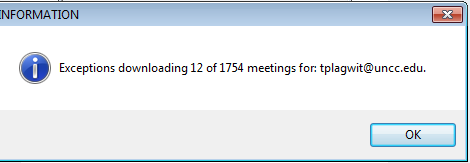
- You can continue after such a non-fatal error:


- Is your “Update all” greyed out ? Restart Excel.

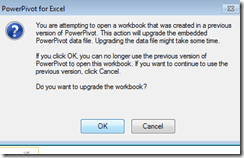
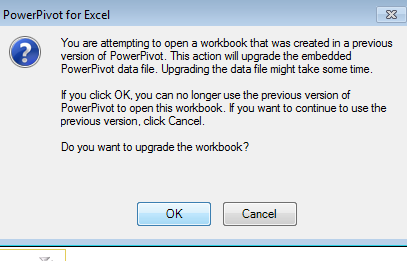
- Accept the offer to upconvert:
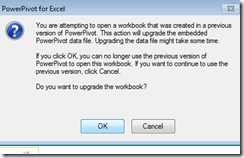


- Update all becoame available after restart of excel, even with download exceptions – maybe the unsaved update of the spreadsheet form powerpivot 1 was the root cause ?
- Not that here upconversion to the new powerpivot version does not “take”:

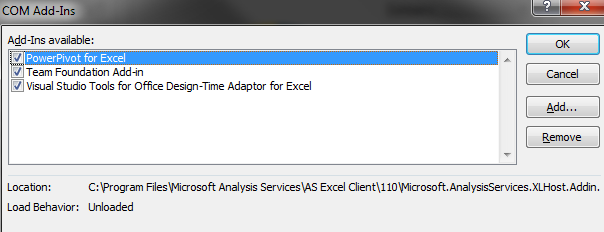
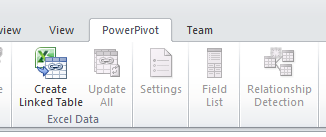
- If after a restart of excel your powerpivot tab on the ribbon does not show, reenable the powerpivot addin.
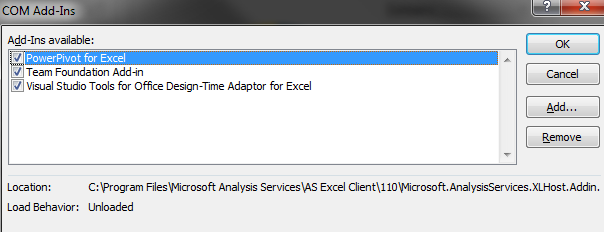
- How to reenable: excel file/ options / select dropwdown: addins, button:go, check the Checkbox in front of powerpivot:
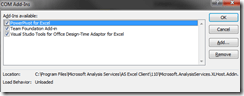
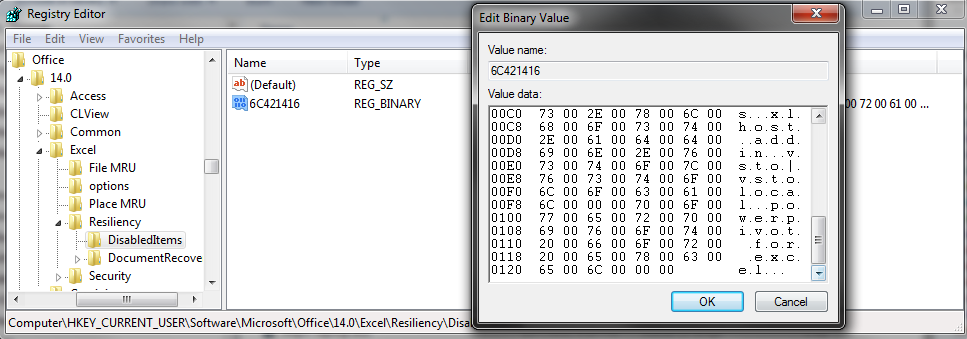
- What if even after a restart of excel, this does not “take”? See whether in the registry the key CURRENT_USER\Software\Microsoft\Office\14.0\Excel\Resiliency\DisabledItems contains the path to your powerpivot add-in,like here:
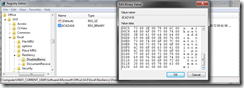
- Delete the key and restart excel, your powerpivot ribbon tab =should be back. Hope this will last?

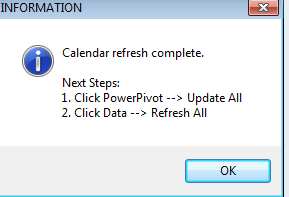
- Now updating does something:

- This opens the powerpivot window with the meeting data collected fro mms-exchange:
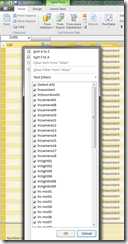
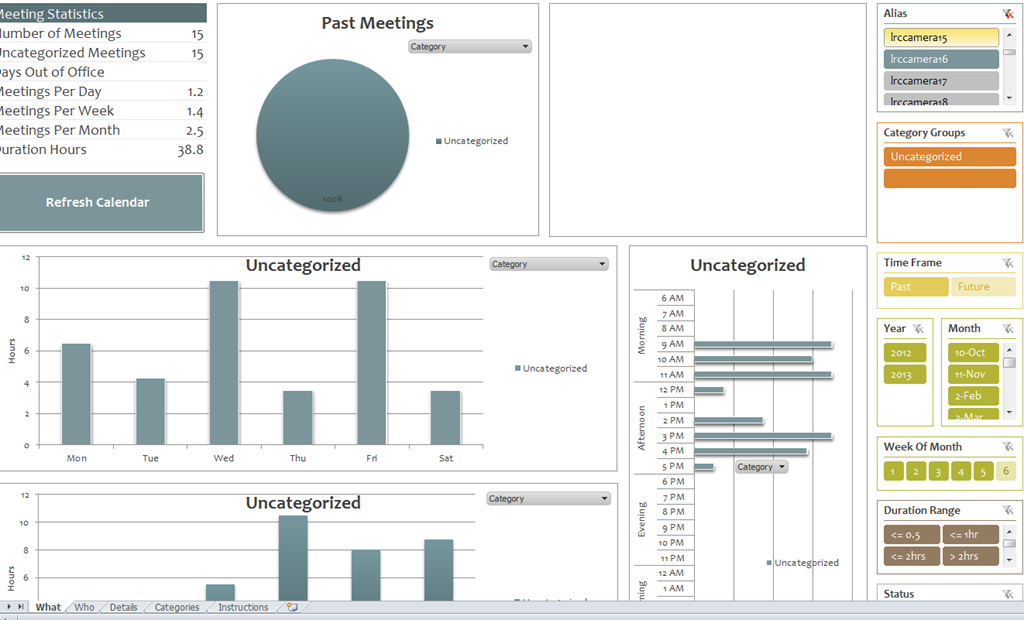
- Which can be interactively: visualized in the calendaranalytics sheet
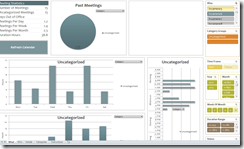
- More results here.











Questions? Read the About. Or just ask me a quick Our Databases: Resources with calendars -- Language learning material Moodle Sites, multimedia files -- films


FAQs for LRC student staff or for students or for teachers. To search our FAQs, in the browser addressbar, add after "https://plagwitz.wordpress.com/feed/?tag=faqs+/" "+TAG1" (from tag cloud below) OR "https://plagwitz.wordpress.com/feed/tag=faqs
&category_name=" "CAT1" (from category hierarchy below). OR search both categories and tags, and multiple TAGs/CATs (connect with "," for OR-search, with "+" for AND-search), like so: https://plagwitz.wordpress.com/feed/?tag=TAG1+TAG2+...TAGn&category_name=CAT1
+CAT2+...CATn"
Other ways to find help
If you cannot find it here, look there: 5,500 Language-Learning Links and Programs for learning or teaching 150 languages
Shortcuts:Our Lists, Our Maps, LRC Staff Moodle Site,LRC Project Moodle Site, 49erexpress, UNCC Moodle, Student Recordings: s:claslcslrcsanakostudent
Learning usage samples: Sanako oral exam, Kaltura webcam presentation, Dictation with speech recognition, Sanako written exam, Chinese and Japanese interactive stroke-order practice
Test the Sanako Installer, Webbrowser Popup Konfigurator for XP, or Windows7, faster LRC TeacherPC Log-in Let MS facilitate diacritics writing by installing for you US-International keyboard layout
This is my personal blog (Google+). The views expressed on these pages are mine alone and not those of my employer. The information in this weblog is provided “AS IS” with no warranties, and confers no rights.
 Thomas' Work Space