Archive

Intel HD 4000 a disappointment even in 2D…
- I did not expect anything great of INTEL HD’s 3d performance, and I do not need it.
- I thought, however, I could get away with the HD4000 which is part of my I5-3570k.
- first disappointment: my board comes with HDMI, DVI and VGA, but HD4000 supports only up to 2 screens at a time.
- System is unbalanced, slowed down.
- Winsat seems to indicate, why:

- Seems poorly balanced by Intefor the most common use case.
- After installing an ASUS GT640-2GD (inexpensive, but supports 4 displays):
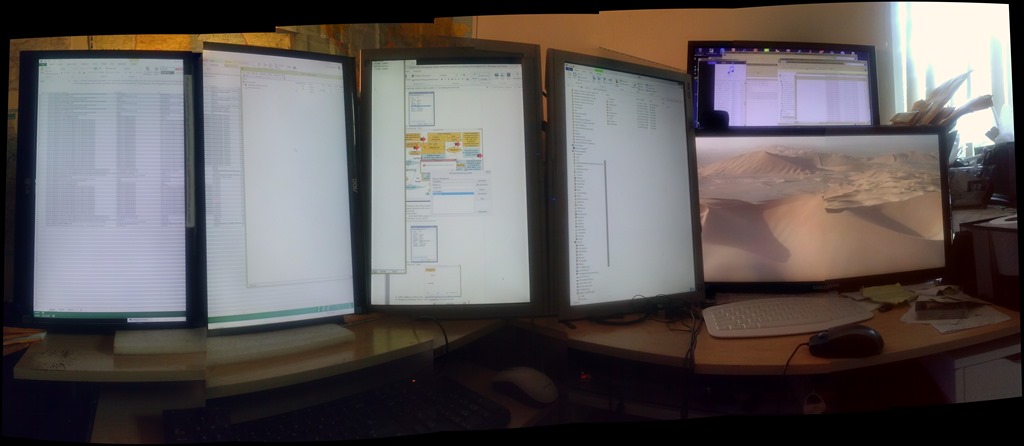
- And 4 (+2, the alignment is better than it appears in this photo stitch) instead of dual screens:

- Still not great (and the 3d score drops actually), but seems much more usable during office work: CPUScore : 7.8
D3DScore : 6.4
DiskScore : 8.05
GraphicsScore : 6.4
MemoryScore : 7.8 - Especially efficient is the support of 4 displays without need for equipment supporting Displayport:

- No full screen spanning support in the driver (monitors are not considered one large screen by Windows): good for window management with Aero Snap; not good for multimedia display spanning screens.
- And 4 (+2, the alignment is better than it appears in this photo stitch) instead of dual screens:


“To rely on raw MT output is almost as bad an idea as getting a full-body tattoo in a language you don’t speak.”
“Hanzi Smatter, a blog, received a picture of a biker who got a computer-translated “Ride Hard Die Free” tattooed in huge Chinese characters down his torso. The only problem was that he got “die” in the sense of a “tool used for stamping or shaping metal” permanently inked on his body, probably because nothing like “die free” was in the translator’s training texts. (It also translated “free” as “free of charge”.)” (from: Johnson: Rise of the machine translators, Economist Jun 4th 2014). However, “using MT, plus post-editing, has cut translation time by 40% for” DELL. Good use of Machine Translation seems all about “blending” resources intelligently, while managing expectations – like eLearning. Like most things in life  .
.
Advanced language learners can test their English, German or Spanish proficiency in 3.5 minutes here using Exhale
Update: A new version of the Spanish vocabulary test is here, and the English vocabulary test has been updated here.
Go here and click English or German, or (also requiring only 3.5 minutes to take, but more for manually grading your test with this answer key) go here for Spanish, if you want to to take a simple quick vocabulary test that has been shown to correlate well with general proficiency. You can find more info here on English and German, and here on Spanish.
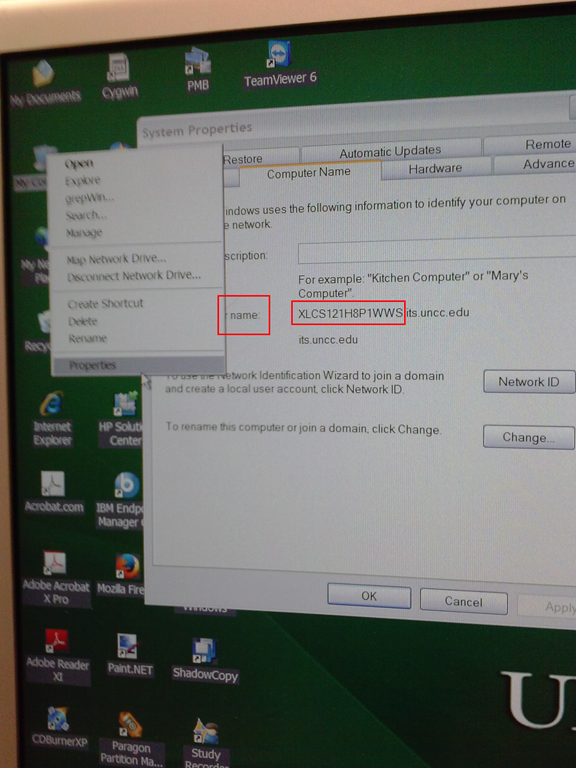
How to find your computer’s name
- Right click on “my computer” on desktop,
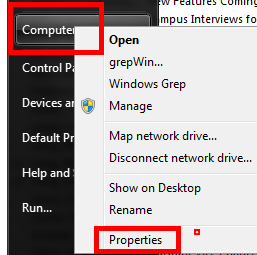
- or on “[My] computer” on start menu,
- and clicik “Properties”
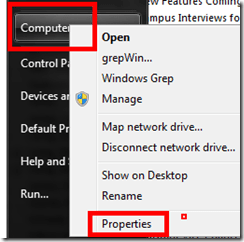
- or hold the windows key and press “pause /break” on upper right,
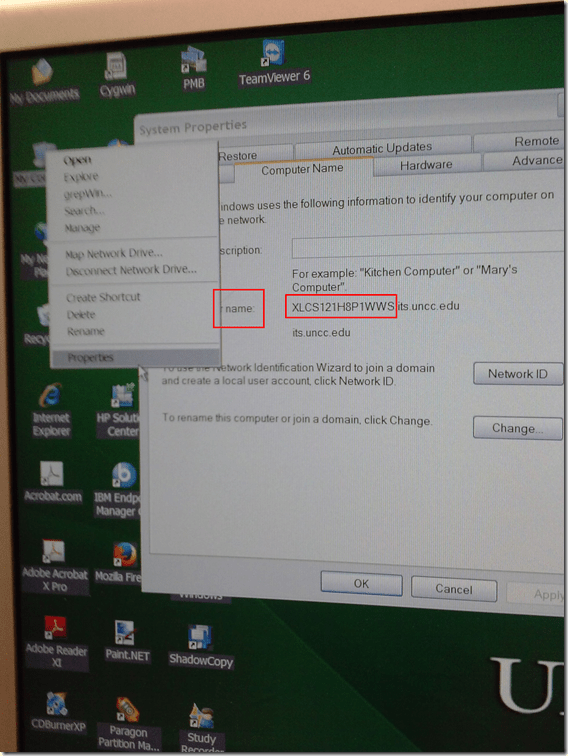
- in the window that comes up (tab computer name on XP), you can see the name:
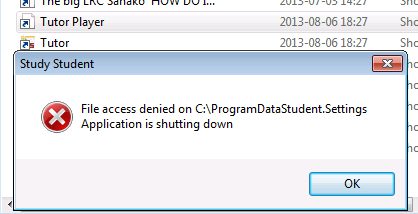
Our tutorplayer installation which comes with Sanako study 1200 tutor on the teacher computer is broken

- What’s with the non-existent path hard-coded here? Missing path delimiter? But that is not enoguh to fix the path: There is a student.settings in C:\ProgramData\Sanako\Study\Student\Tutor.Settings – not sure why tutorplayer is not accessing this file.
- Which is double annoying since I just had to enable MFF as default recording save format for some teachers that need dual track support which is buggy with MP3.
More disruptive recommendations to downgrade to colorscheme basic on lab PCs despite Themeswitcher?
- Is this maybe what happens when Themeswitcher crashes: While the desktop background still gets changed, the Colorscheme does not get set to Basic? How to avoid the crashing FileIOException? What fileIO may a colorscheme change require?

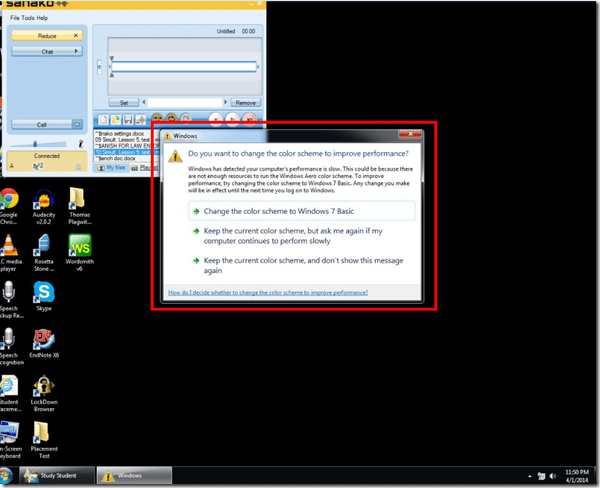
- Disruption is the least of the problem: The warning comes up when computers become dangerously slow. In the past, they have become disfunctional during these episodues and needed to be power-cycled. This has resulted in loss of assignment and assessment materials.

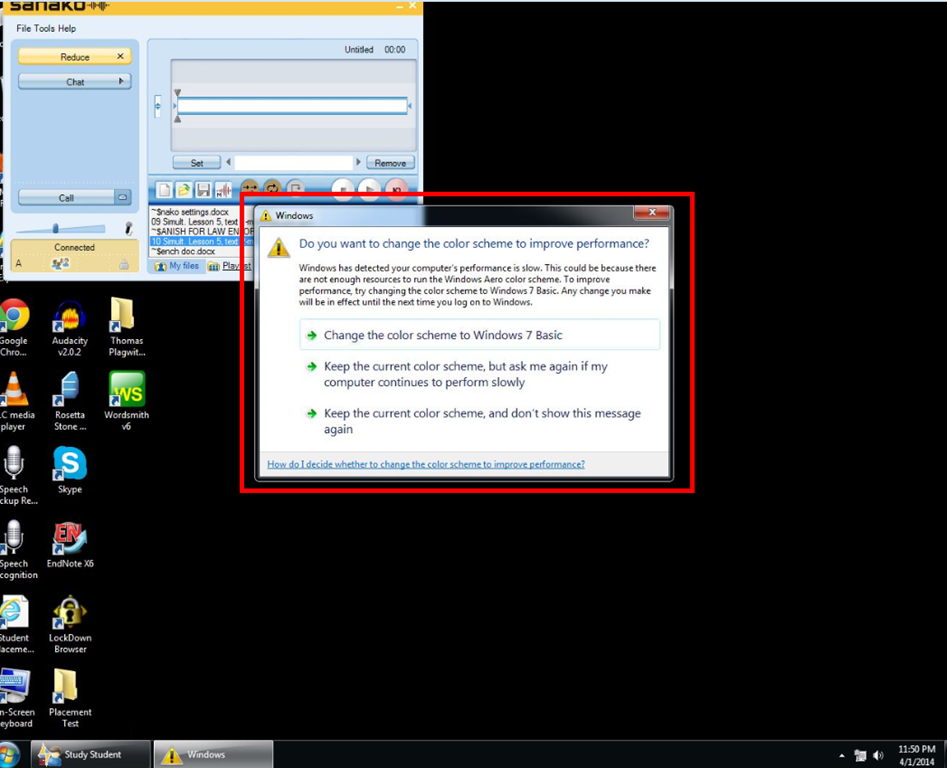
Protected: How to get rid of themeswitcher appcrashes on Lab pcs?


Questions? Read the About. Or just ask me a quick Our Databases: Resources with calendars -- Language learning material Moodle Sites, multimedia files -- films


FAQs for LRC student staff or for students or for teachers. To search our FAQs, in the browser addressbar, add after "https://plagwitz.wordpress.com/feed/?tag=faqs+/" "+TAG1" (from tag cloud below) OR "https://plagwitz.wordpress.com/feed/tag=faqs
&category_name=" "CAT1" (from category hierarchy below). OR search both categories and tags, and multiple TAGs/CATs (connect with "," for OR-search, with "+" for AND-search), like so: https://plagwitz.wordpress.com/feed/?tag=TAG1+TAG2+...TAGn&category_name=CAT1
+CAT2+...CATn"
Other ways to find help
If you cannot find it here, look there: 5,500 Language-Learning Links and Programs for learning or teaching 150 languages
Shortcuts:Our Lists, Our Maps, LRC Staff Moodle Site,LRC Project Moodle Site, 49erexpress, UNCC Moodle, Student Recordings: s:claslcslrcsanakostudent
Learning usage samples: Sanako oral exam, Kaltura webcam presentation, Dictation with speech recognition, Sanako written exam, Chinese and Japanese interactive stroke-order practice
Test the Sanako Installer, Webbrowser Popup Konfigurator for XP, or Windows7, faster LRC TeacherPC Log-in Let MS facilitate diacritics writing by installing for you US-International keyboard layout
This is my personal blog (Google+). The views expressed on these pages are mine alone and not those of my employer. The information in this weblog is provided “AS IS” with no warranties, and confers no rights.
 Thomas' Work Space