Archive
Archive for the ‘e-infrastructure’ Category
MS-OneDrive “Get link” incompatible with MS-Word “Always create backup copy”, use MS-OneDrive versioning instead
2014/07/07
Leave a comment
- Symptoms:
- If I edit my local MS-OneDrive copy with MS-Word, my collaborators lose access to the most recent copy via the link I shared with them.
- Worse, the new file MS-Word generates when the backup is created, won’t get automatically synched with MS-OneDrive, and no sync error seems to get flagged in Explorer.
- Root cause (presumably):
- When saving in MS-Word, I can see my focus moving to the backup file

- MS-Word, when creating a backup of the original file, actually rather creates a “fore-up”: The original file gets renamed (“Backup of…”) and the recent changes get copied into a new file.
- The MS-OneDrive link keeps pointing to the old file “Backup of…”, “when after (which one can see normally, if the user renames a file manually, is a desirable feature)
- Workaround: I managed to manually upload the files that got out off synch.
- When saving in MS-Word, I can see my focus moving to the backup file
- Solution:
- Turn MS-Word backup off, it is not compatible with MS-OneDrive under File / Options /Advanced / section: Save:

- Rather, rely on the MS-OneDrive versioning.
- Turn MS-Word backup off, it is not compatible with MS-OneDrive under File / Options /Advanced / section: Save:


Categories: e-infrastructure, Glitches&Errors, office-software
2013, backups, MS-OneDrive, MS-Word, versioning
ScreenToGif Debugging: Object reference not set to an instance of an object (#7)
2014/07/03
Leave a comment
- Trying to contribute a tiny bit to the development of this great utility ScreenToGif:
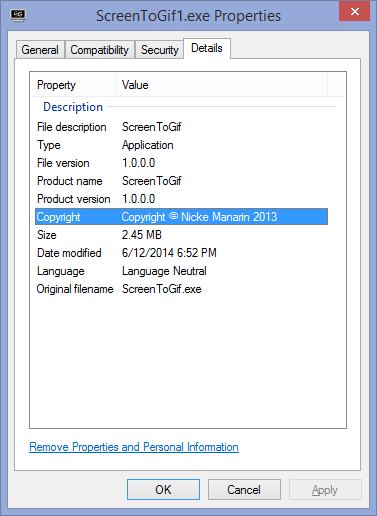
- 1st version:

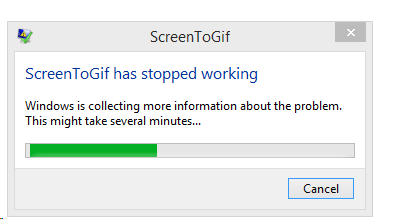
- crashes on pressing “stop”:

- the Log
- Title: NullPointer in the Stop function 7
Message: Object reference not set to an instance of an object.
Source: ScreenToGif
TargetSite: Void Stop()
StackTrace: at ScreenToGif.Legacy.Stop()
Date/Time: 7/3/2014 12:55:16 PM
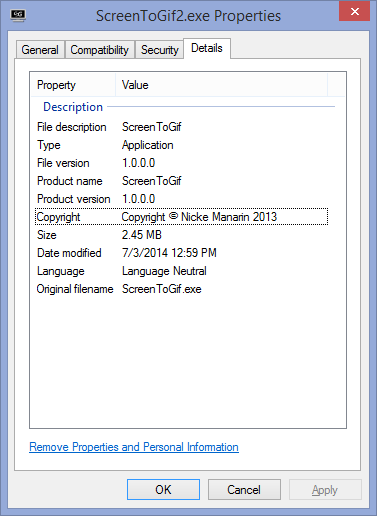
============================== - Newer version:

- does not hang on “stop”
- after adding overlay text (great new feature!),

- seems to hang on pressing “Done” with “Analizing [sic] Unchanged Pixels”
- crashes on pressing window close:

- Maybe I was just not patient enough? for:
- without adding overlay pixels:
- seems to also take a long time (2-3minutes analyzing, without a progress bar, or any other indication that the program is still working and has not crashed – the couple of minutes “Processing” seem to go by faster, thanks to the progress bar and frame counter) for a 5fps 1073*810, about 300frames, but hey! It works:

- Plus you can now open the resulting GIF file directly from the creator.
- Actually, when I click “Stop” (I realize I am supposed to click “Close”), I still get a NullReferenceException (#9), probably should not:

- No log has been outputted with the new version .




Your camera roll backup to OneDrive may not be turned on automatically on the MS-Surface after all
2014/06/25
Leave a comment
- Swipe from the right, tab on “Settings”, “Change PC Settings”.
- On the next page in the left menu, tab on “OneDrive”, and check:
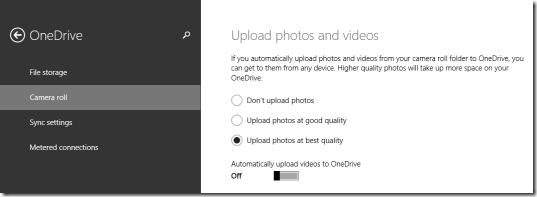
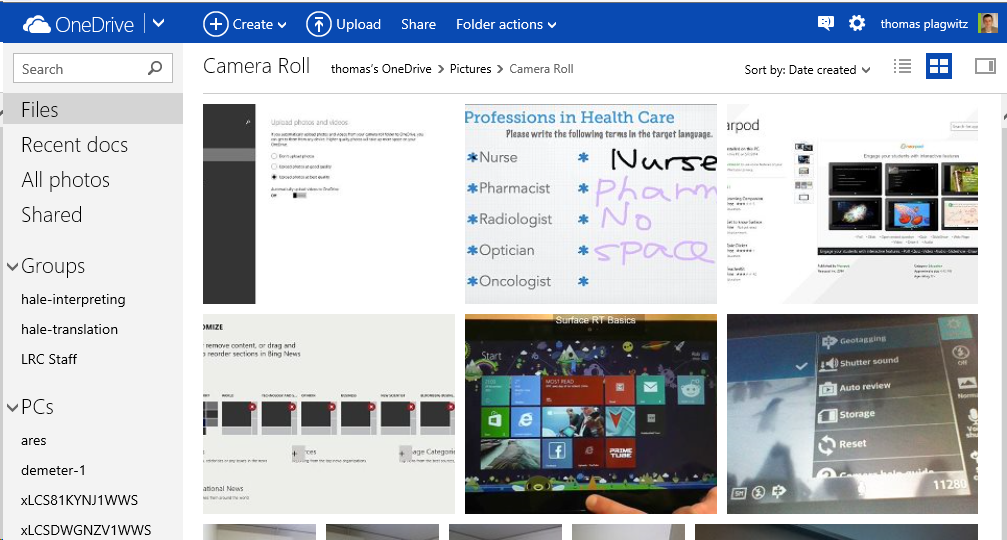
- Turn it on. If necessary, start OneDrive, give it some time, then check in OneDrive whether your photos from your Surface camera get uploaded:
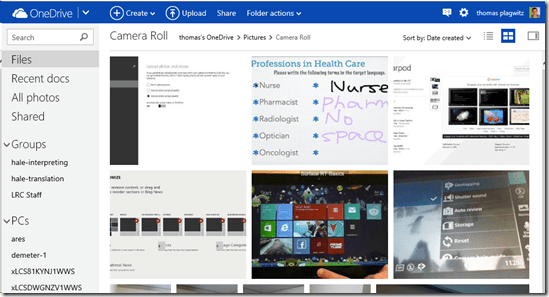
- My automatic camera roll backup may have been off
- due to an initial problem setting up OneDrive on my MS-Surface
- due to a path that was too long
- due to the fact that, in spite of trying the instructions to change this folder, my surface seems to insist on synching my OneDrive to a subfolder of my user folder: That, however, is a post for another day…

Categories: e-infrastructure, tablets
8, Camera-roll.backup, MS-OneDrive, ms-surface, ms-windows, rt
How to bind files to PDF with eXpert PDF Creator
2014/06/23
Leave a comment
- I tried PDF Editor (mind you, old version! 6 which I still have around from a promotion – nice software, though) first, including its help.
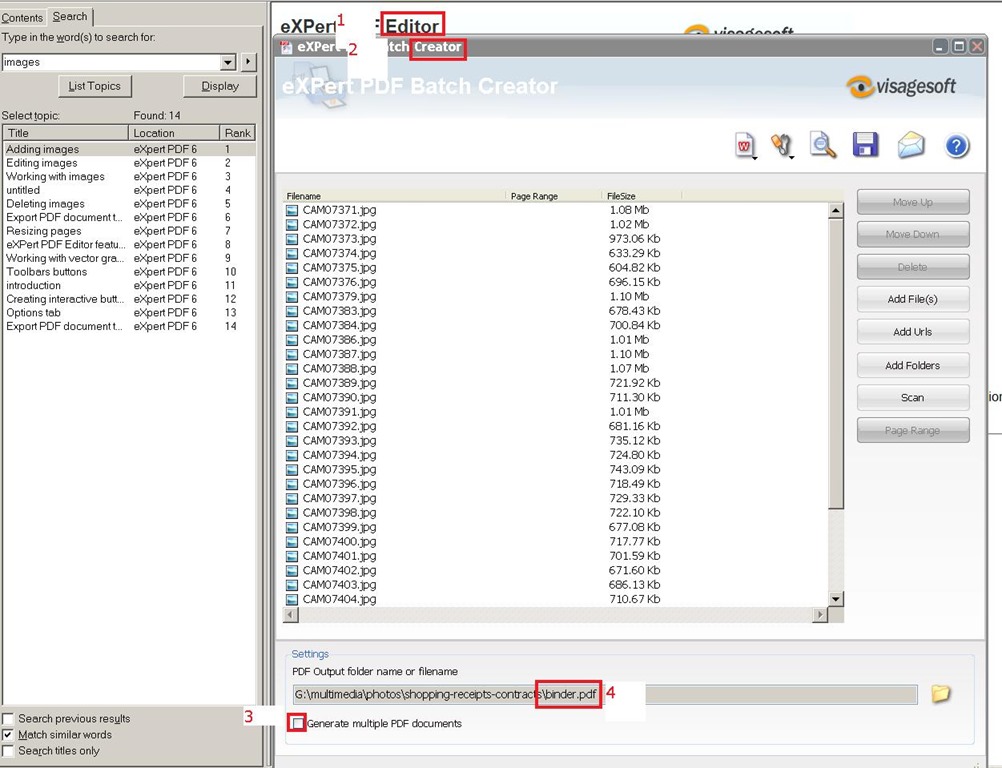
- Use Batch Creator instead,
- uncheck “Create multiple Documents”
- then you will be prompted for a (new) filename for the bound files.

- Then click the “save” icon in the upper right menu.
Categories: e-infrastructure, mental-notes, office-software
expert-pdf, pdf

Intel HD 4000 a disappointment even in 2D…
2014/06/22
Leave a comment
- I did not expect anything great of INTEL HD’s 3d performance, and I do not need it.
- I thought, however, I could get away with the HD4000 which is part of my I5-3570k.
- first disappointment: my board comes with HDMI, DVI and VGA, but HD4000 supports only up to 2 screens at a time.
- System is unbalanced, slowed down.
- Winsat seems to indicate, why:

- Seems poorly balanced by Intefor the most common use case.
- After installing an ASUS GT640-2GD (inexpensive, but supports 4 displays):
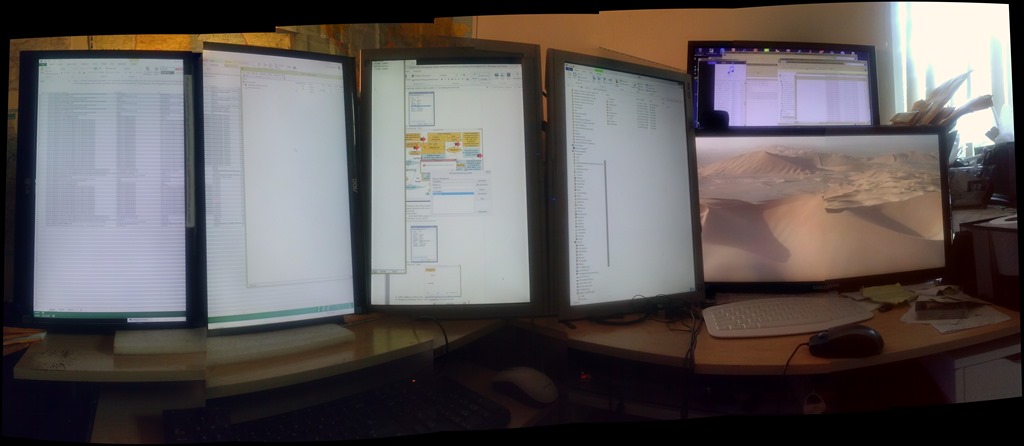
- And 4 (+2, the alignment is better than it appears in this photo stitch) instead of dual screens:

- Still not great (and the 3d score drops actually), but seems much more usable during office work: CPUScore : 7.8
D3DScore : 6.4
DiskScore : 8.05
GraphicsScore : 6.4
MemoryScore : 7.8 - Especially efficient is the support of 4 displays without need for equipment supporting Displayport:

- No full screen spanning support in the driver (monitors are not considered one large screen by Windows): good for window management with Aero Snap; not good for multimedia display spanning screens.
- And 4 (+2, the alignment is better than it appears in this photo stitch) instead of dual screens:


Categories: e-infrastructure, hardware
ASUS-GT640-2GD, intel-hd-4000, multi-monitor, video-card
How to find your computer’s name
2014/04/07
Leave a comment
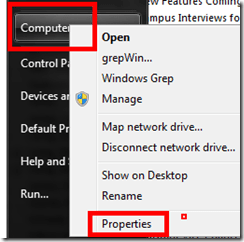
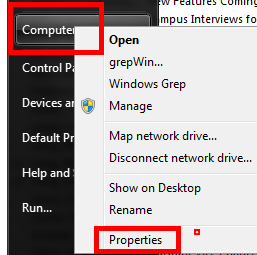
- Right click on “my computer” on desktop,
- or on “[My] computer” on start menu,
- and clicik “Properties”
- or hold the windows key and press “pause /break” on upper right,
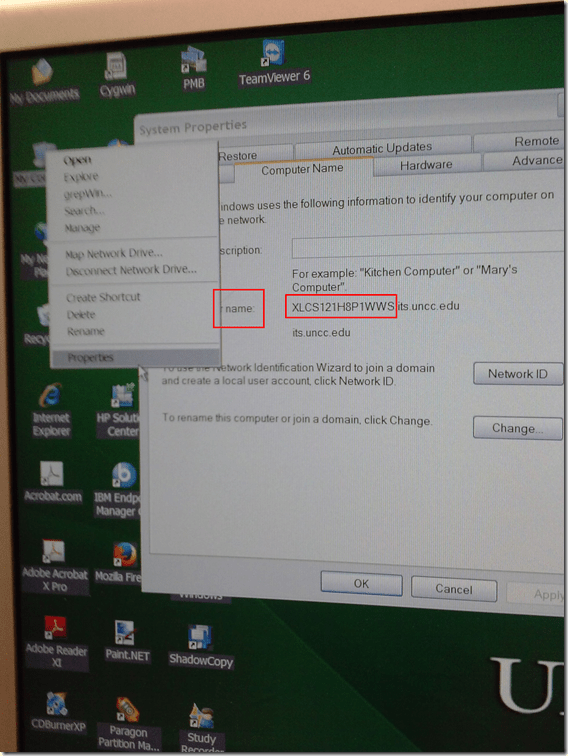
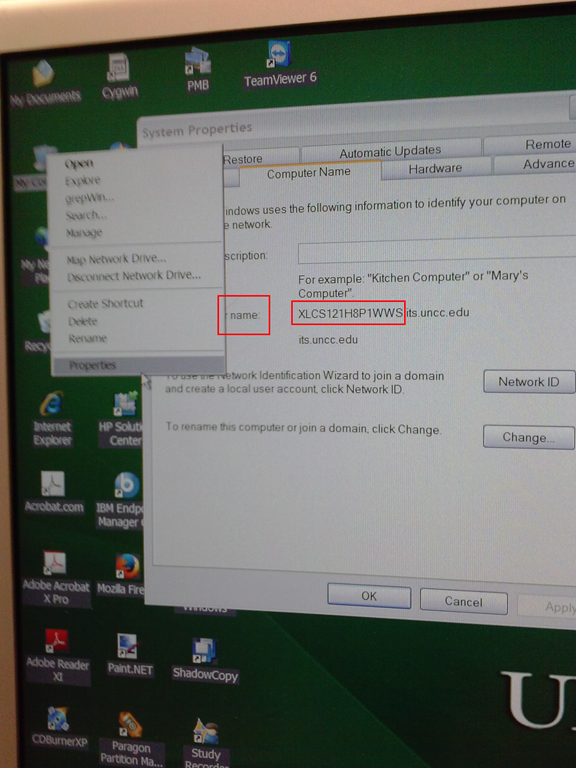
- in the window that comes up (tab computer name on XP), you can see the name:
Categories: e-infrastructure, Operating-system
7, windows, xp
More disruptive recommendations to downgrade to colorscheme basic on lab PCs despite Themeswitcher?
2014/04/03
Leave a comment
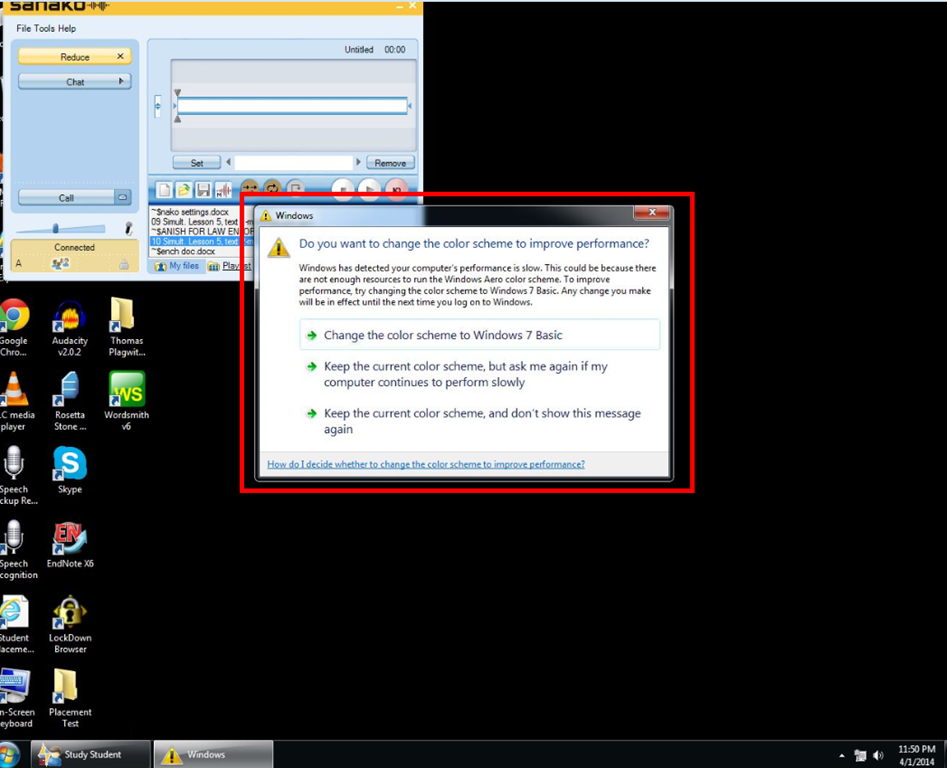
- Is this maybe what happens when Themeswitcher crashes: While the desktop background still gets changed, the Colorscheme does not get set to Basic? How to avoid the crashing FileIOException? What fileIO may a colorscheme change require?

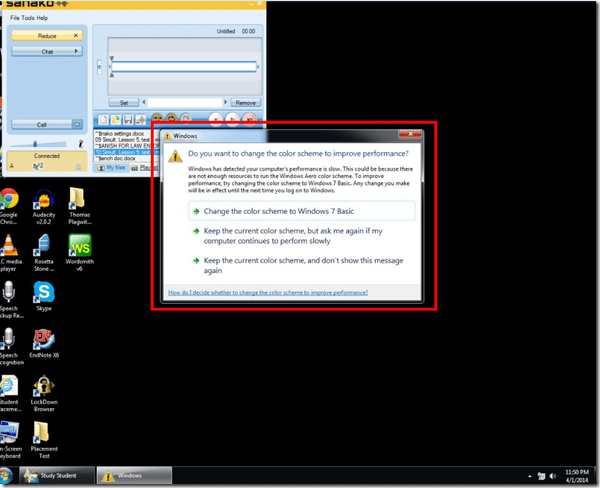
- Disruption is the least of the problem: The warning comes up when computers become dangerously slow. In the past, they have become disfunctional during these episodues and needed to be power-cycled. This has resulted in loss of assignment and assessment materials.

Categories: e-infrastructure, Glitches&Errors
7, colorschemes, image2014spring, sanako-study-1200, themeswitcher, windows


Questions? Read the About. Or just ask me a quick Our Databases: Resources with calendars -- Language learning material Moodle Sites, multimedia files -- films


FAQs for LRC student staff or for students or for teachers. To search our FAQs, in the browser addressbar, add after "https://plagwitz.wordpress.com/feed/?tag=faqs+/" "+TAG1" (from tag cloud below) OR "https://plagwitz.wordpress.com/feed/tag=faqs
&category_name=" "CAT1" (from category hierarchy below). OR search both categories and tags, and multiple TAGs/CATs (connect with "," for OR-search, with "+" for AND-search), like so: https://plagwitz.wordpress.com/feed/?tag=TAG1+TAG2+...TAGn&category_name=CAT1
+CAT2+...CATn"
Other ways to find help
If you cannot find it here, look there: 5,500 Language-Learning Links and Programs for learning or teaching 150 languages
Shortcuts:Our Lists, Our Maps, LRC Staff Moodle Site,LRC Project Moodle Site, 49erexpress, UNCC Moodle, Student Recordings: s:claslcslrcsanakostudent
Learning usage samples: Sanako oral exam, Kaltura webcam presentation, Dictation with speech recognition, Sanako written exam, Chinese and Japanese interactive stroke-order practice
Test the Sanako Installer, Webbrowser Popup Konfigurator for XP, or Windows7, faster LRC TeacherPC Log-in Let MS facilitate diacritics writing by installing for you US-International keyboard layout
This is my personal blog (Google+). The views expressed on these pages are mine alone and not those of my employer. The information in this weblog is provided “AS IS” with no warranties, and confers no rights.
 Thomas' Work Space