Archive
SDL-Trados Studio 2009 Online Training Links
SDL maintains an repository of archived online webinars on Trados here.
SDL maintains a list of upcoming free webinar events here. Here is a sampling of their upcoming live trainings (as of August 2011) here:
Friday 19
Ask the expert – A session dedicated / to the most frequently asked questions / on SDL Trados Studio 2009
15:00 – 16:00 London / 16:00 – 17:00 Paris
Thursday 25
Tips and tricks to get you more productive / with SDL Trados Studio 2009
09:30 – 10:30 London / 10:30 – 11:30 Paris
Type: Product info & demo
Friday 26
An introduction to SDL Trados Studio 2009 for translators
10:00 – 11:00 London / 11:00 – 12:00 Paris
Type: Product info & demo
For what you can expect from these webinars, please note that they also offer full training courses, but these are not free.
Updated Microsoft Collaborative Translations Framework useful for translation exercises?
Microsoft Translator updated their Collaborative Translations Framework yesterday, which blends machine translation – their Bing Translator translation service where Google’s quality of translation seems to be noticeably ahead of them – and crowdsourcing – maybe this can give their QoS “a leg up” (“= auf die Sprünge helfen”) – with an attractive interface that lets you manage dedicated and drive-by translators of your website and: It’s free (meaning of course: the business model is “you”. They’ll harvest your input to improve their product, like all web services these days).
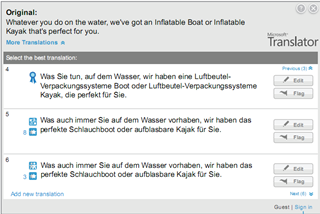
Naturally, my next question is: Could this framework be used for collaborative translation exercises in the LRC/fully computerized classroom?

Swift-TX subtitling with Windows XP Japanese IME
In order to get Swift to work with Japanese , you have to set the font in the swift preferences:

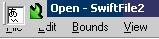
This computer worked –

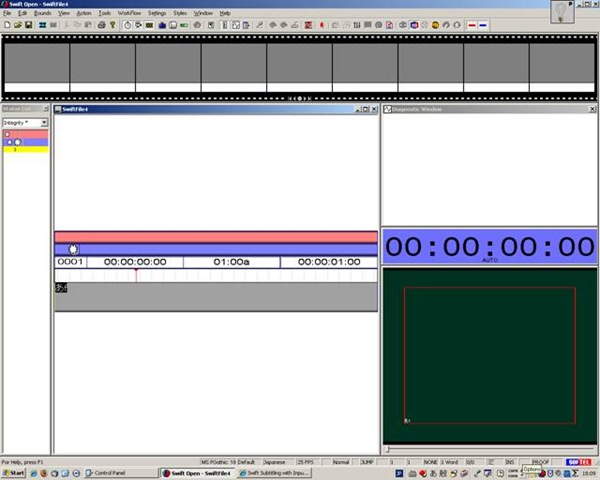
meaning: IME showing up here.

”Input mode” must be set to Hiragana, not “direct input” which (if I recall correctly think) we did in XP/ control panel/ “regional and language settings”.

We could replicate getting it to work on other XP computers:
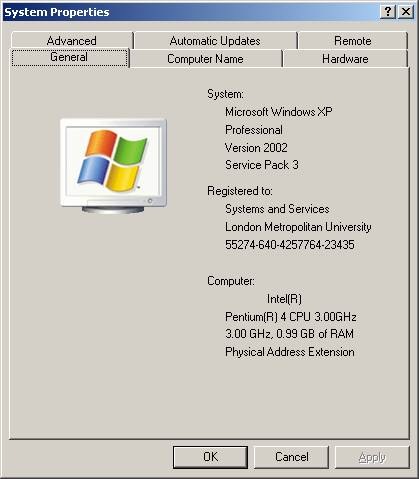
by resetting of the “input mode” from “direct input” to “hiragana”,

AND after a restart of switch and opening a new swift file:


Next problem:
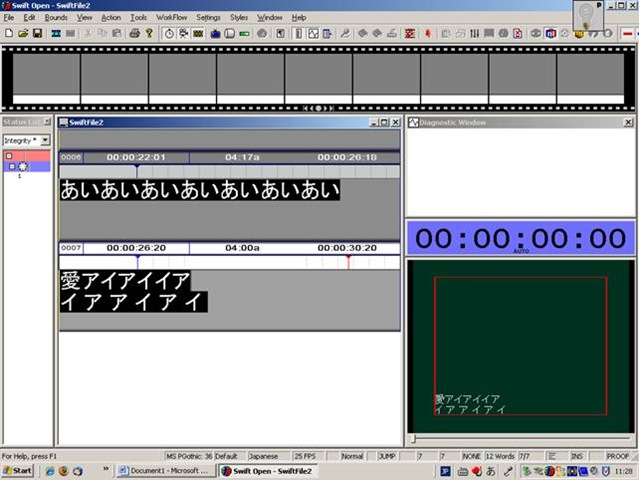
when you use ctrl up/down arrow , spurious spaces appear between letters.
Swift-TX Subtitling/Screen Translation Software: Preference Dialogues
This impressive array of preferences dialogues of the Swift subtitling software by Softel is in desperate need of a FAQ

– which I have yet to write (feel free to make suggestions in the comments).
OK, here is one bit: Japanese.
Swift Subtitling Frequently Asked Questions
This list will be updated:
Swift Subtitling with Input Language Japanese in Windows XP
-
Go to control panel / regional and language options / tab: languages.
-

-
Check whether (1) Japanese / Keyboard / MS IME Standard 2003 is installed. Otherwise (2) button:add it
-
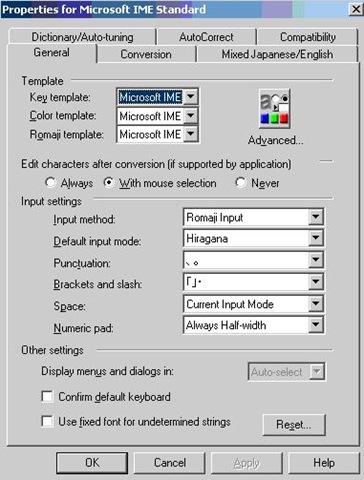
With (1) Japanese / Keyboard / MS IME Standard 2003 is installed selected, click on (3) button: properties and ensure these settings are right, then click button: “ok”
-

-
Now Open Swift.
-
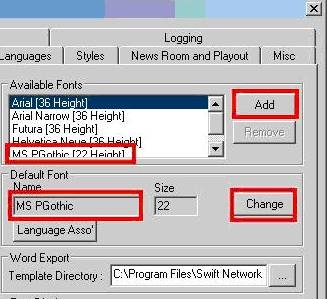
Menu file / preferences / tab: open:/ section:available fonts, button:add, add ms pgothic, section: default font, button:change, select ms pgothic, like here:
-

-
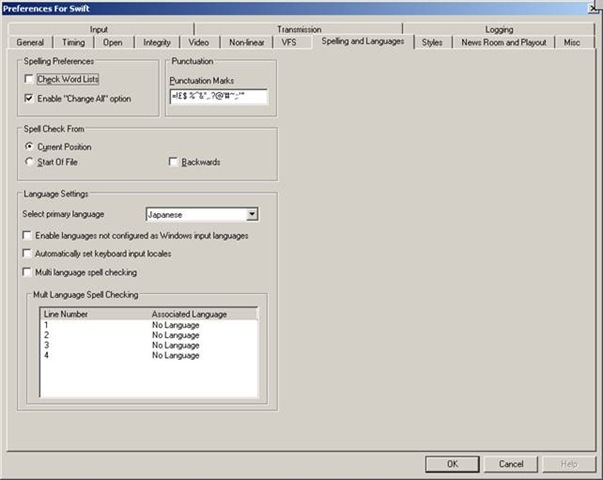
Menu file / preferences / tab: spelling and languages, select primary language: Japanese, like here, then close with button: ok,
-

-
Close the existing and open a new swift file.
-
With swift still being the active application, ensure that in the windows language bar (if you do not see all the language bar icons, right click on input language icon
 , choose additional icons in the taskbar
  ; you may also have to right-click left of the input language icon, uncheck lock language bar, then resize the bar for the additional icons to show) the right input language is chosen, like here:
 -


-
Troubleshooting: It has been observed that the IME popup editor does not appear like here:
 . This may be related to the IME option “Input type” getting reset from “Hiragana”to “Direct Input”. Double-check this. Also, if all else fails, close existing and open a new file within Swift and/or close and reopen Swift, making sure that the IME settings remain.
 -
Still won’t work? Contact me.





Questions? Read the About. Or just ask me a quick Our Databases: Resources with calendars -- Language learning material Moodle Sites, multimedia files -- films


FAQs for LRC student staff or for students or for teachers. To search our FAQs, in the browser addressbar, add after "https://plagwitz.wordpress.com/feed/?tag=faqs+/" "+TAG1" (from tag cloud below) OR "https://plagwitz.wordpress.com/feed/tag=faqs
&category_name=" "CAT1" (from category hierarchy below). OR search both categories and tags, and multiple TAGs/CATs (connect with "," for OR-search, with "+" for AND-search), like so: https://plagwitz.wordpress.com/feed/?tag=TAG1+TAG2+...TAGn&category_name=CAT1
+CAT2+...CATn"
Other ways to find help
If you cannot find it here, look there: 5,500 Language-Learning Links and Programs for learning or teaching 150 languages
Shortcuts:Our Lists, Our Maps, LRC Staff Moodle Site,LRC Project Moodle Site, 49erexpress, UNCC Moodle, Student Recordings: s:claslcslrcsanakostudent
Learning usage samples: Sanako oral exam, Kaltura webcam presentation, Dictation with speech recognition, Sanako written exam, Chinese and Japanese interactive stroke-order practice
Test the Sanako Installer, Webbrowser Popup Konfigurator for XP, or Windows7, faster LRC TeacherPC Log-in Let MS facilitate diacritics writing by installing for you US-International keyboard layout
This is my personal blog (Google+). The views expressed on these pages are mine alone and not those of my employer. The information in this weblog is provided “AS IS” with no warranties, and confers no rights.
 Thomas' Work Space