Archive
Archive for the ‘service-is-any’ Category
How to fix a crash of the teacher station control panel
2013/08/15
Leave a comment
- Problem: control panel on the teacher station unresponsive (both hardware and software buttons). No AV and on/off switching.
- Cause: Octo switch in the AV cabinet crashed (it needs replacing).
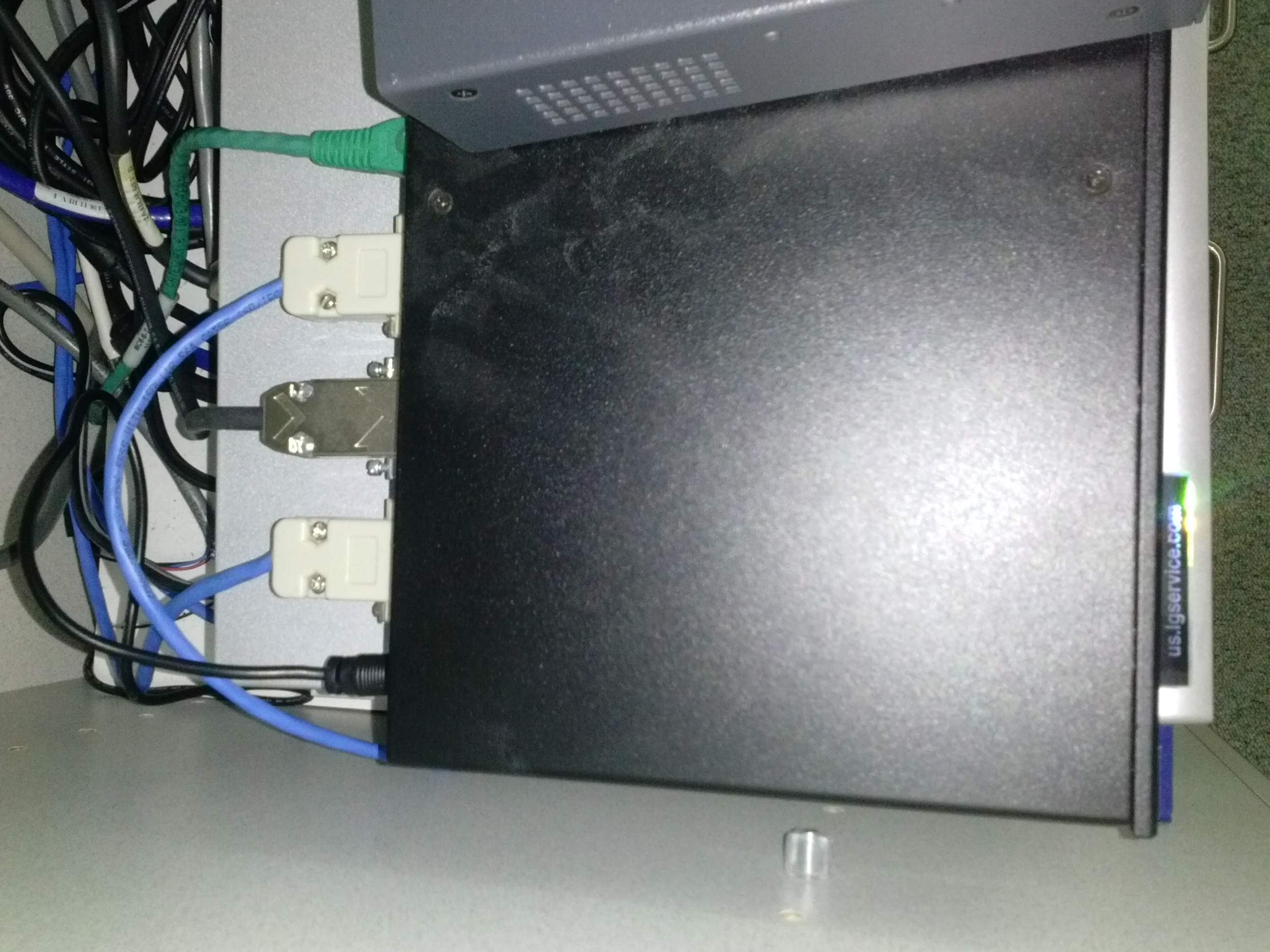
- Resolution: Open the door to the AV cabinet and powercycle the switch (= unplug and replug the lower thin black cable in the 1st or top rightmost thin black cable in the 2nd photo). Or use the call button (still functional) and wait for help.


Workaround for Sanako study 1200 tutor v7 window limitations
2013/08/06
Leave a comment
- Problem: Window maximizes only to size of,and location defaults to, primary screen. This is now on windows7.
- Workaround: make the screen whose size you desire the primary (and live with the side effects).
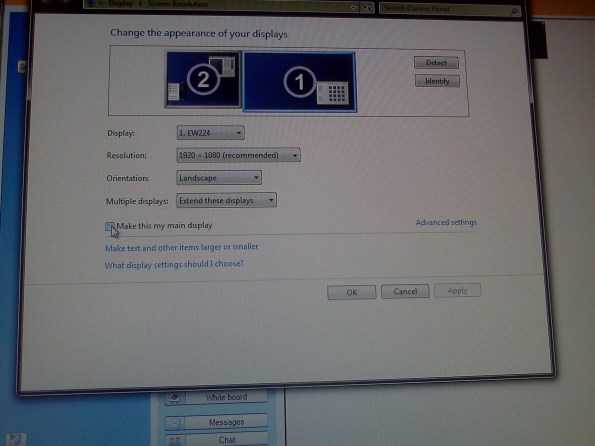
- Downside:
- Screencast recordings of instruction won’t work: Community Clips can only record the primary screen, which is not the screen displayed to students during regular teaching. Windows Media Encoder does not work with our non-standard dual screen configuration on Windows7.
How to publish an OWA calendar to the internet
2013/07/31
Leave a comment
- For lack of PowerShell access, we have to:
- sign in as the resource :

- “click on publish” in the calendar’s context menu:

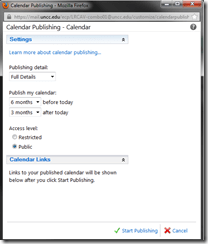
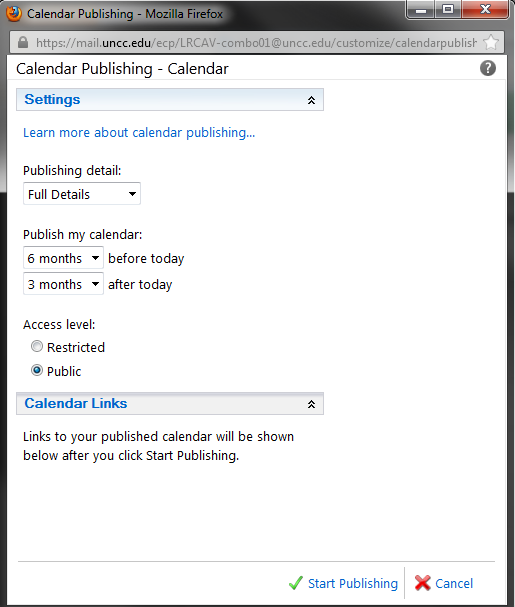
- choose these settings
 ”
”
- we do a lot of forensics and statistics, looking back throuhg the term, which is longer back than 3 months
- students do not need to book ahead at the beginning of the term for end-of-term projects, so we do not need 6 months forward;
- Result:
 .
.



Protected: Could the LRC provide free translation services to campus and community, and marketable translation experience to our students?
2013/07/02
Enter your password to view comments.
Categories: service-is-outreach, Translation
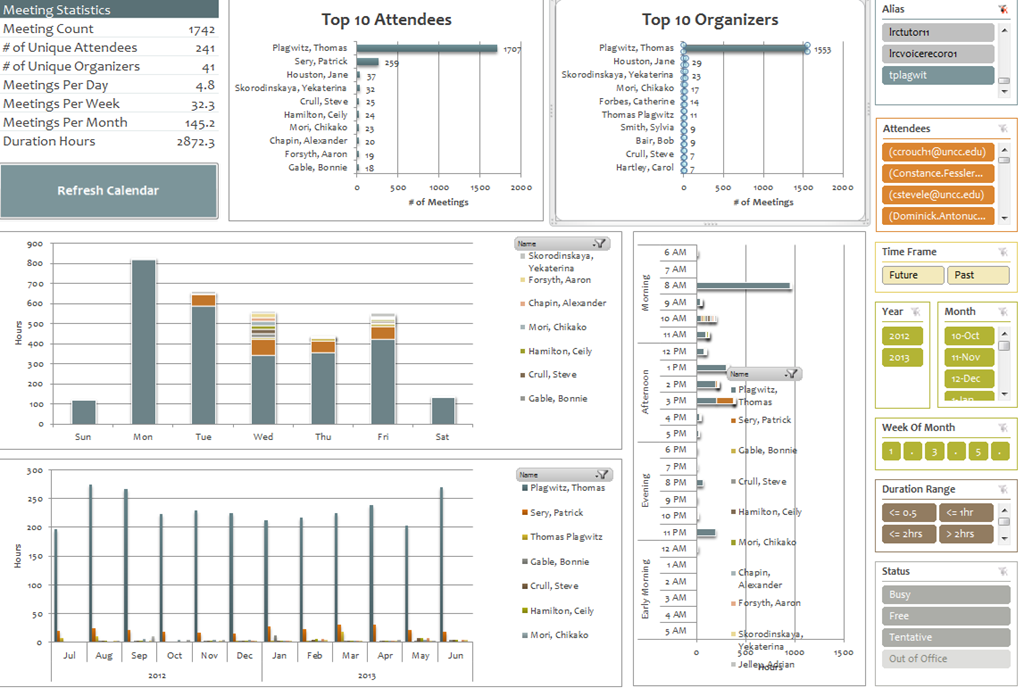
Summary of the LRC main classroom use in year 2012/3
2013/06/22
Leave a comment

(Tentative while experimenting with Calendaranalytics).
First results with MS-Calendar Analytics for learning center management
2013/06/22
Leave a comment
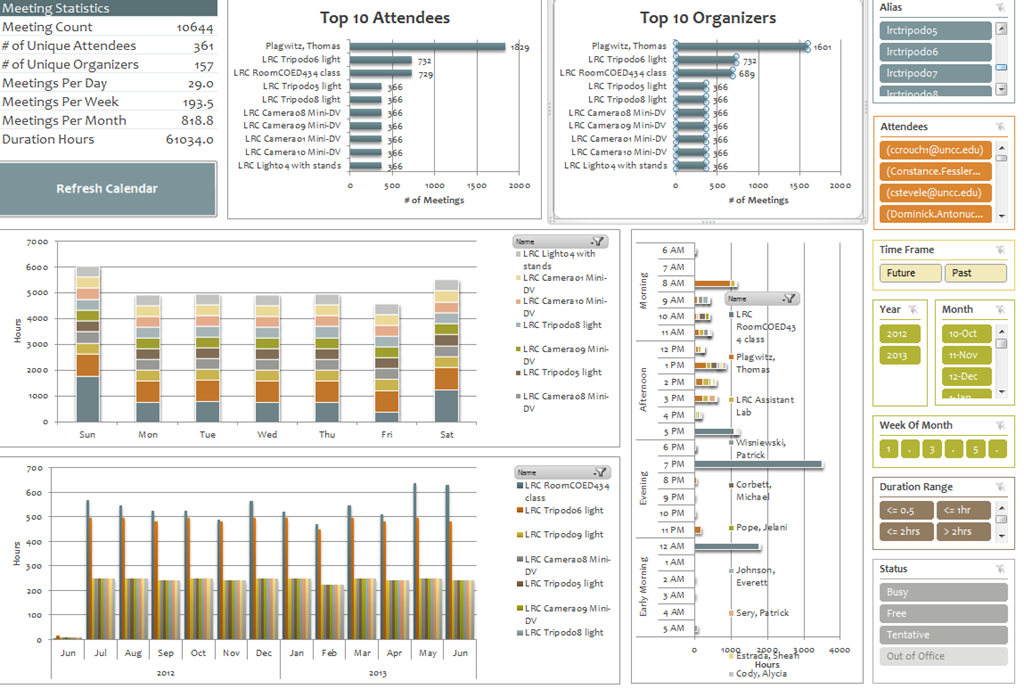
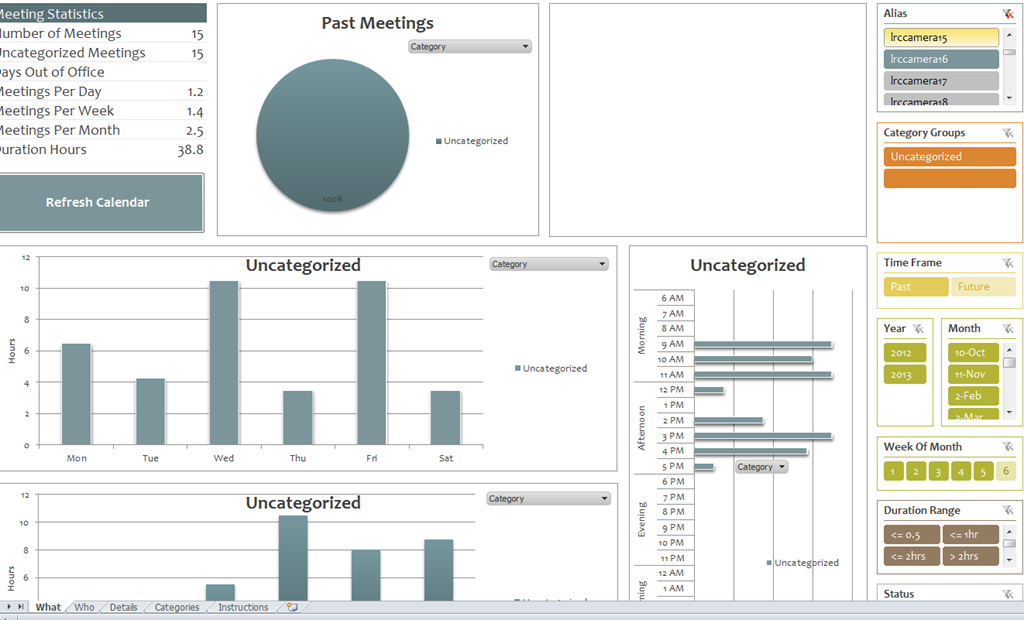
- You can use the controls on the right to drill into the detail by selecting one or more
- Aliases,
- Attendees,
- Time periods
- Status.
- The graphs on the left and in the center will automatically reflect your selection on the right.
- These results lead to more questions. E.g. why is this tripod so popular?

-
Lesson learnt: Now it comes back to haunt us that we block broken or MIA equipment from users attempting to book it by making it look “busy” with an 24/7 “Appointment“. However, It should however be possible to filter out such appointments, versus “meeting requests”.
-

First steps with MS-Calendar Analytics
2013/06/22
2 comments
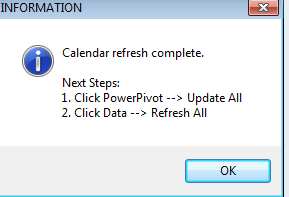
- After installing Calendar analytics (and, if you do not already have it, PowerPivot), open the Calendaranalytics spreadsheet from your desktop and click on “Refresh Calendar”.
- “Enter your full email address. Users with more than 1 email address may need to try each of them.”


- “Enter a start date and end date for the timeframes for the Dashboard to reflect”/
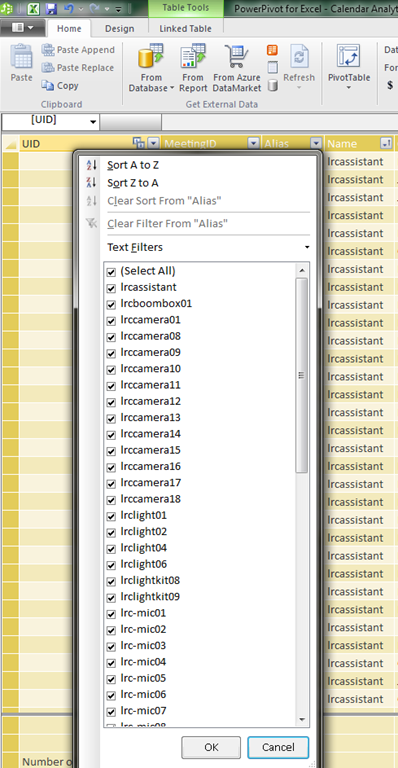
- “The interface will prompt you for the user’s aliases to add. You can add multiple.”
- “Type in users’ aliases of whom you have permission (i.e. “Full details”) to access their Outlook calendar and click Add”
-

- Do not use the fully qualified email address for the alias, or else:

- You cannot comma delimit (so AutoIt to the rescue).

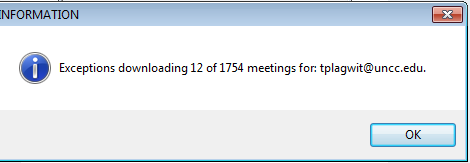
- You can continue after such a non-fatal error:


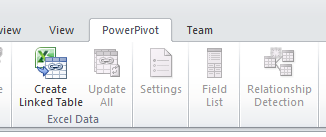
- Is your “Update all” greyed out ? Restart Excel.

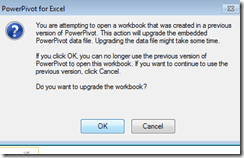
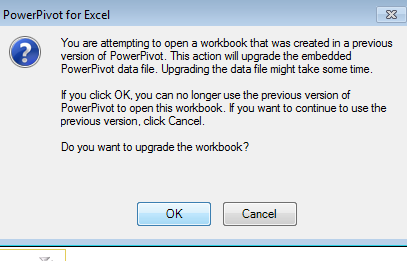
- Accept the offer to upconvert:


- Update all becoame available after restart of excel, even with download exceptions – maybe the unsaved update of the spreadsheet form powerpivot 1 was the root cause ?
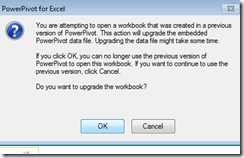
- Not that here upconversion to the new powerpivot version does not “take”:

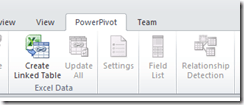
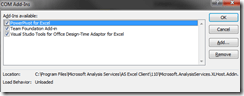
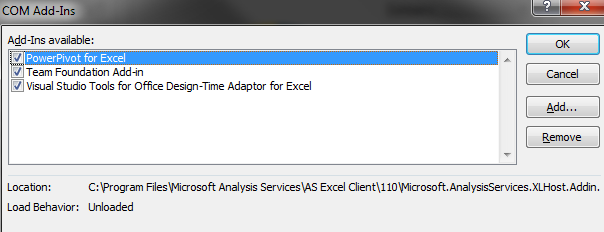
- If after a restart of excel your powerpivot tab on the ribbon does not show, reenable the powerpivot addin.
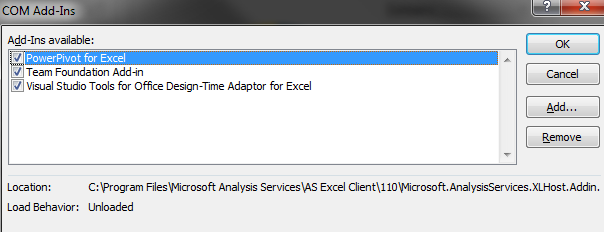
- How to reenable: excel file/ options / select dropwdown: addins, button:go, check the Checkbox in front of powerpivot:
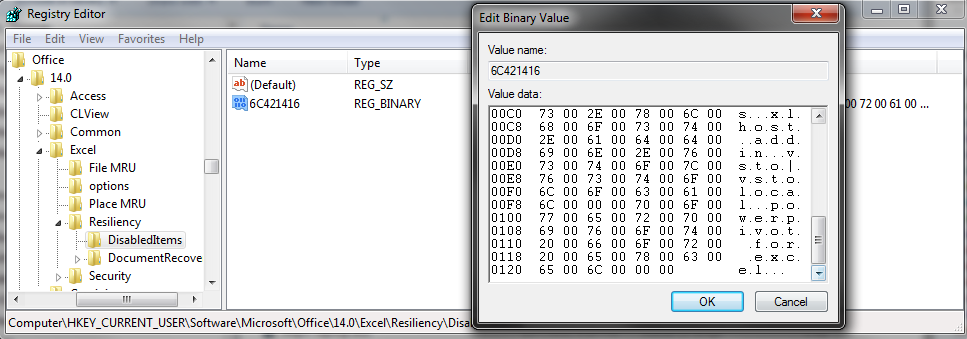
- What if even after a restart of excel, this does not “take”? See whether in the registry the key CURRENT_USER\Software\Microsoft\Office\14.0\Excel\Resiliency\DisabledItems contains the path to your powerpivot add-in,like here:
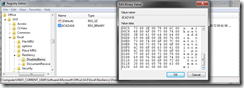
- Delete the key and restart excel, your powerpivot ribbon tab =should be back. Hope this will last?

- Now updating does something:

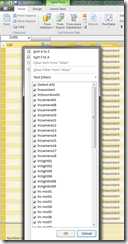
- This opens the powerpivot window with the meeting data collected fro mms-exchange:
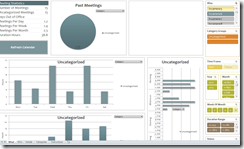
- Which can be interactively: visualized in the calendaranalytics sheet
- More results here.











Questions? Read the About. Or just ask me a quick Our Databases: Resources with calendars -- Language learning material Moodle Sites, multimedia files -- films


FAQs for LRC student staff or for students or for teachers. To search our FAQs, in the browser addressbar, add after "https://plagwitz.wordpress.com/feed/?tag=faqs+/" "+TAG1" (from tag cloud below) OR "https://plagwitz.wordpress.com/feed/tag=faqs
&category_name=" "CAT1" (from category hierarchy below). OR search both categories and tags, and multiple TAGs/CATs (connect with "," for OR-search, with "+" for AND-search), like so: https://plagwitz.wordpress.com/feed/?tag=TAG1+TAG2+...TAGn&category_name=CAT1
+CAT2+...CATn"
Other ways to find help
If you cannot find it here, look there: 5,500 Language-Learning Links and Programs for learning or teaching 150 languages
Shortcuts:Our Lists, Our Maps, LRC Staff Moodle Site,LRC Project Moodle Site, 49erexpress, UNCC Moodle, Student Recordings: s:claslcslrcsanakostudent
Learning usage samples: Sanako oral exam, Kaltura webcam presentation, Dictation with speech recognition, Sanako written exam, Chinese and Japanese interactive stroke-order practice
Test the Sanako Installer, Webbrowser Popup Konfigurator for XP, or Windows7, faster LRC TeacherPC Log-in Let MS facilitate diacritics writing by installing for you US-International keyboard layout
This is my personal blog (Google+). The views expressed on these pages are mine alone and not those of my employer. The information in this weblog is provided “AS IS” with no warranties, and confers no rights.
 Thomas' Work Space