Archive
ECAR National Study of Undergraduate Students and Information Technology, 2011 Report released
- The Educause ECAR for 2011 Lists among its top actionable survey results: “Nail the basics. Help faculty and administrators support students’ use of core productivity software for academic work.
- Not a language learning specific result , but a reminder also for the LRC to prioritize:
- LRC posts on “productivity software”,
- and most of our students’ “academic work” lives online in Moodle.
Chinese newspapers
- China Daily is the largest Chinese newspaper available in English. It has a variety of versions: here is the version for the US, for cross-cultural learning, while the English version for speakers of Chinese is valuable both for learners of Mandarin and English.
- The government-run newspaper People’s Daily has an English version, also with language learner glossing.
MS-Bing Dictionary for Chinese learners of English–and vice versa?
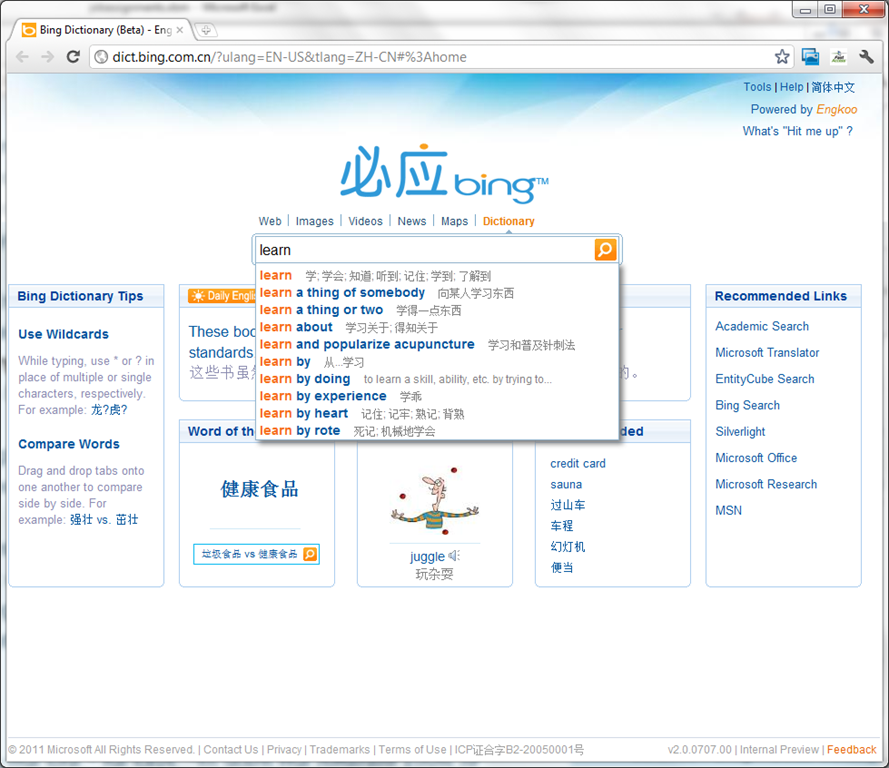
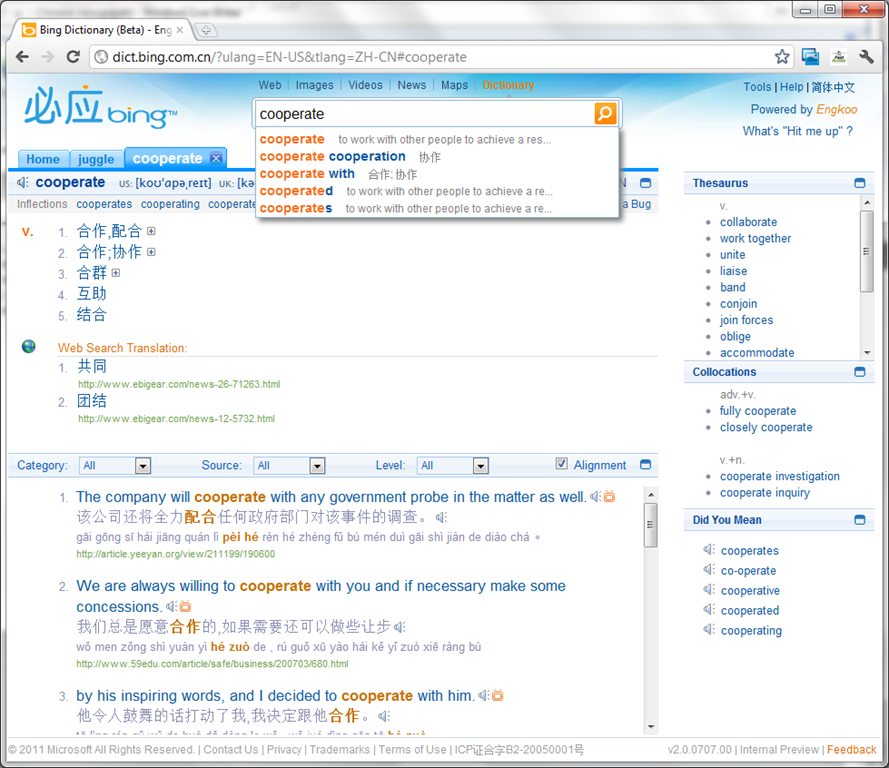
- Link: http://dict.bing.com.cn/?ulang=EN-US&tlang=ZH-CN#%3Ahome, powered by Engkoo:
- This looks like a pretty evolved learning tool: It has instant suggestions that include usage information and translations.

- Rich results that include contextual, parallel web-as-corpus matches in text and text-to-speech (that, on spot-checking, seems barely noticeably computer-generated).

Dell Studio XPS 16
- When coming to my desk today, my laptop made a grinding noise. Even worse, the noise later decreased, sounding like grinding to a halt.
- here is a recording:
- Fan? That cannot be good with a laptop that always ran hot (video card cannot be disabled during normal, non-gaming operation).
- keyboard developed a mind of its own after half a year: cursor began jumping at random.
- side panels: started peeling off within the first few weeks
Easy adding and viewing GeoTags with your phone camera
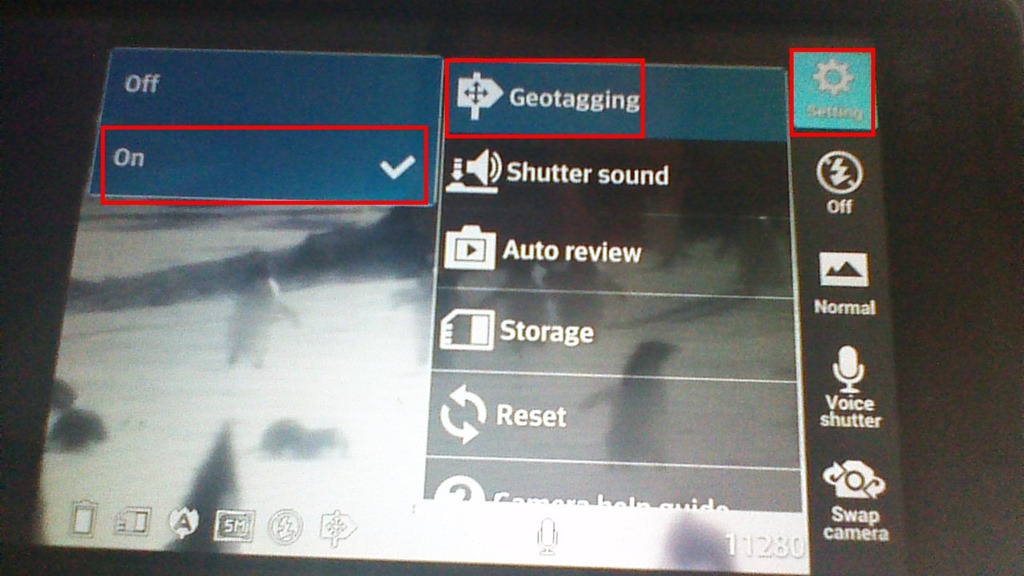
- “Open your camera app, go to “Settings” (sprocket), menu item: “Geotagging”, “On”:

- Turning the phone’s the GPS on is not absolutely necessary, as this indoor basement shot proves:

- but will likely increase the accuracy of the Geotag in your photo greatly:

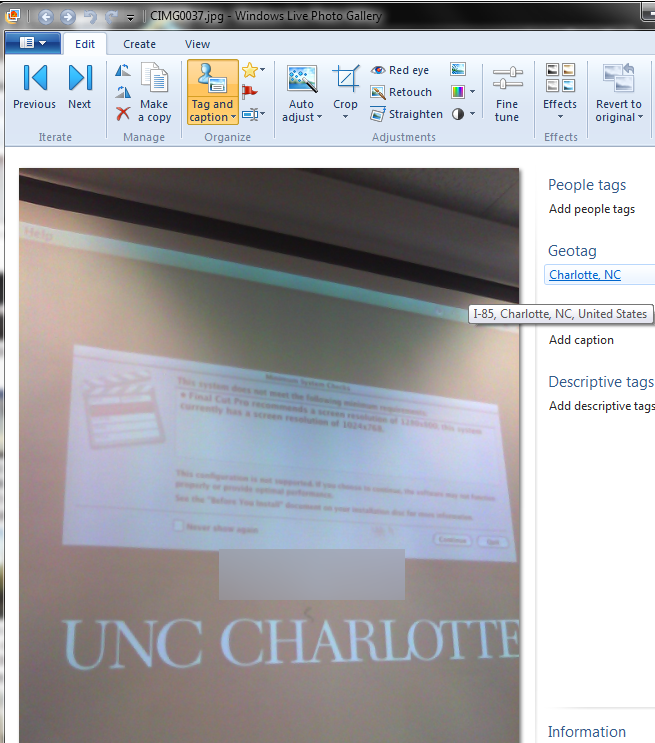
- How to view depends on your photo viewer application, above examples are taken from the free Windows Live Photo Gallery.

Using geolocation information in photos for documentation?
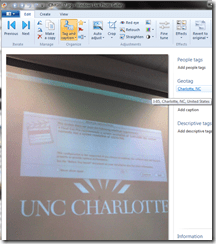
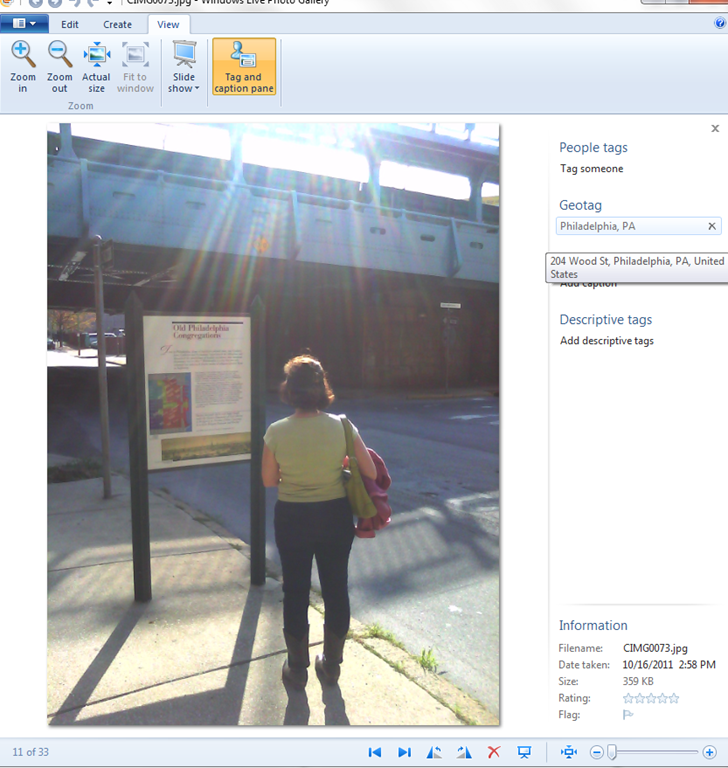
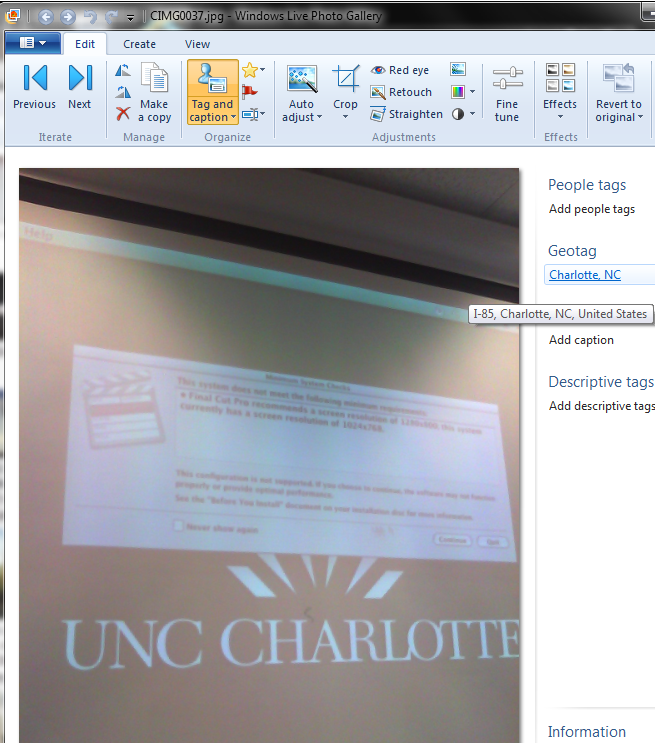
- During documentation writing today, I noticed that my WlGallery suddenly (?) started displaying the geotags in pictures taken with my Palm Pixi which I set a long time ago to store (and share) location information. I t looks like this has started working earlier, but gone unnoticed.
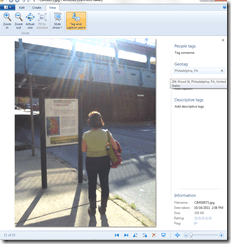 I also looks like it uses cell tower triangulation, not GPS data (when the latter is not available?):
  At such a granularity, this feature can not be useful for generating documentation. But maybe for excursions?
 - But seems still a bit iffy, on the Pixi side of things: I am pretty sure that previously, I could not see geotags in my photos, even though I tried several image metadata viewers. Also, the Pixi does not always add geotags: is this limited to pictures taken when there are network connectivity issues?
- Also seems like editing operations in wlgallery, including create panorama, “eat” the geotags in the output image….
Sample of how students use the foreign language TTS (text-to-speech) in the LRC
Last week, I noticed this student in the LRC working on a speaking assignment in her SLA class. First, she wrote a draft of her presentation. She then had the Deskbot TTS wizard (in the lower right of her screen) read out the draft to her. She recorded her version, modeling after the Deskbot’s pronunciation. Then she had the Deskbot read out the draft again, to compare with her own recording.
Look for the little guy in the lower right corner of the screen with the cartoon bubble over his head.
I favor the use of the Deskbot TTS (a Windows XP technology) as an easily accessible speaking dictionary, including during face-to-face teaching, when students may otherwise be too shy to make an utterance because they are not sure about the pronunciation of a single word, or even ask the teacher to pronounce it for them. Prosodically, the deskbot TTS leaves many things to be desired. Let’s hope that Windows 7 will enable us to set up more advanced TTS support in the LRC.
How to use the online Portuguese pronunciation help to generate phonetic alphabet transcriptions and text-to-speech
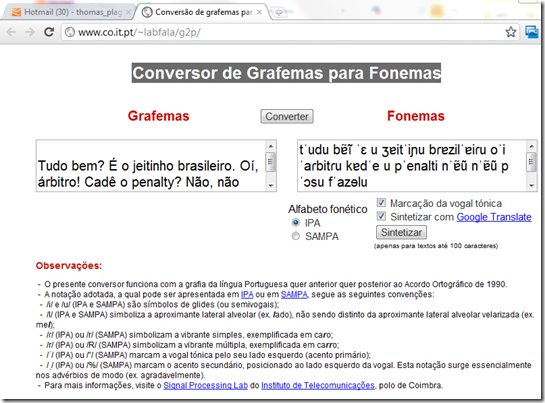
- Go to http://www.co.it.pt/~labfala/g2p/
- Write or paste your text into the textbox:“Grafemas”
- Choose your preferred phonetic alphabet (IPA, SAMPA) and other options.
- Press button: “Converter” to see results.
- Press button: “Sintetizar” to hear results.
- Like so:
- Or click here to view a demo (requires Windows Media Player) with audio (download requires Windows Media Player). Our example was:
- Input: Tudo bem? É o jeitinho brasileiro. Oí, árbitro! Cadê o penalty? Não, não posso faze-lo.
- Output: tˈudu bɐ̃ĩ ˈɛ u ʒɐitˈiɲu bɾɐzilˈɐiɾu oˈi ˈaɾbitɾu kɐdˈe u pˈenalti nˈɐ̃ũ nˈɐ̃ũ pˈɔsu fˈazɘlu


Questions? Read the About. Or just ask me a quick Our Databases: Resources with calendars -- Language learning material Moodle Sites, multimedia files -- films


FAQs for LRC student staff or for students or for teachers. To search our FAQs, in the browser addressbar, add after "https://plagwitz.wordpress.com/feed/?tag=faqs+/" "+TAG1" (from tag cloud below) OR "https://plagwitz.wordpress.com/feed/tag=faqs
&category_name=" "CAT1" (from category hierarchy below). OR search both categories and tags, and multiple TAGs/CATs (connect with "," for OR-search, with "+" for AND-search), like so: https://plagwitz.wordpress.com/feed/?tag=TAG1+TAG2+...TAGn&category_name=CAT1
+CAT2+...CATn"
Other ways to find help
If you cannot find it here, look there: 5,500 Language-Learning Links and Programs for learning or teaching 150 languages
Shortcuts:Our Lists, Our Maps, LRC Staff Moodle Site,LRC Project Moodle Site, 49erexpress, UNCC Moodle, Student Recordings: s:claslcslrcsanakostudent
Learning usage samples: Sanako oral exam, Kaltura webcam presentation, Dictation with speech recognition, Sanako written exam, Chinese and Japanese interactive stroke-order practice
Test the Sanako Installer, Webbrowser Popup Konfigurator for XP, or Windows7, faster LRC TeacherPC Log-in Let MS facilitate diacritics writing by installing for you US-International keyboard layout
This is my personal blog (Google+). The views expressed on these pages are mine alone and not those of my employer. The information in this weblog is provided “AS IS” with no warranties, and confers no rights.

