Archive
Archive for the ‘hardware’ Category
How to initialize memory card on the LRC cameras
2013/12/23
Leave a comment
- Initializing the memory cards formats, erases, readies them (= speeds up) for future use and protects the innocent from video footage being distributed.
- Hence camera users need to do this when they return the cameras (and LRC assistants do it during weekly inventory).
- Vixia 4:
- hardware buttons:
- power on
-

- software buttons:
- “menu”
- tab:

- (scroll down, then tab: ) “Initialize SD”
- hardware buttons:
- Vixia 5:
- hardware buttons:
- power on
-

- home
- software buttons:
- “other settings”
- tab:

- (scroll down, then tab: ) “Initialize SD” .
- hardware buttons:
- Rebel: Both for 550 (LRCcamera 17,18) and 600 (LRCcamera 19,20):
 . Select “Low-level format”: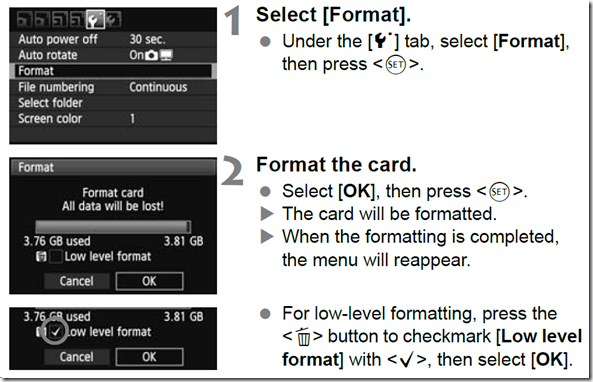




Checklist shotgun microphones
2013/12/23
Leave a comment
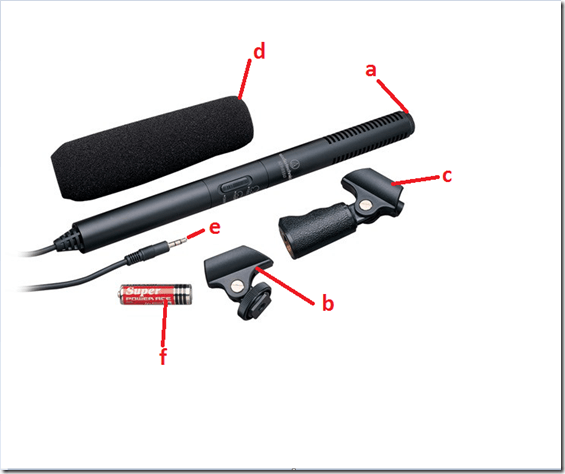
- Are all Parts there?
- Shotgun Microphone
- Camera mount
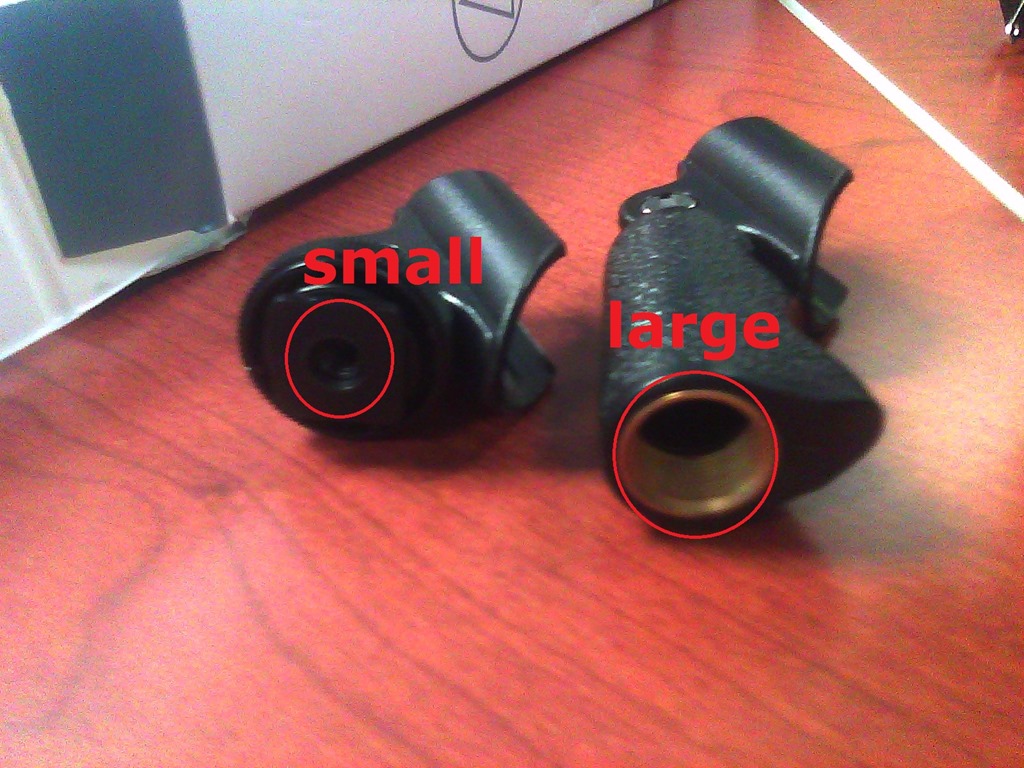
- Microphone stand clamp : Especially look for the smaller connector in the bottom center – it tends to get lost (remain on the boom pole?).
- Foam windscreen
- Permanently attached cable with 3.5 mm output plug
- AA battery
- Test the Functionality
- Maintenance
- If needed, exchange battery (from box on shelves in coed436 with sign "office supplies")
- Ensure that microphone is turned "OFF" when it is returned – drains battery.

Checklist for light tripod (05-12)
2013/12/23
Leave a comment
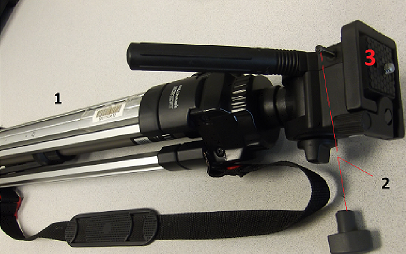
- Are all Parts there?
- Tripod screw, wing nut
- Top plate – make sure this part is not missing!

- Test the Functionality
- Make sure that tripod can extend and stand on 3 legs, like so:

- Attach a camera to tripod.
- Move camera in all directions (top/bottom, left/right…)
- Make sure that tripod can extend and stand on 3 legs, like so:
- Maintenance:
- reduce tripod size again to its most compact position.
- Close all levers so that legs arrest.

Checklist for lavaliere microphones (01-03)
2013/12/23
Leave a comment
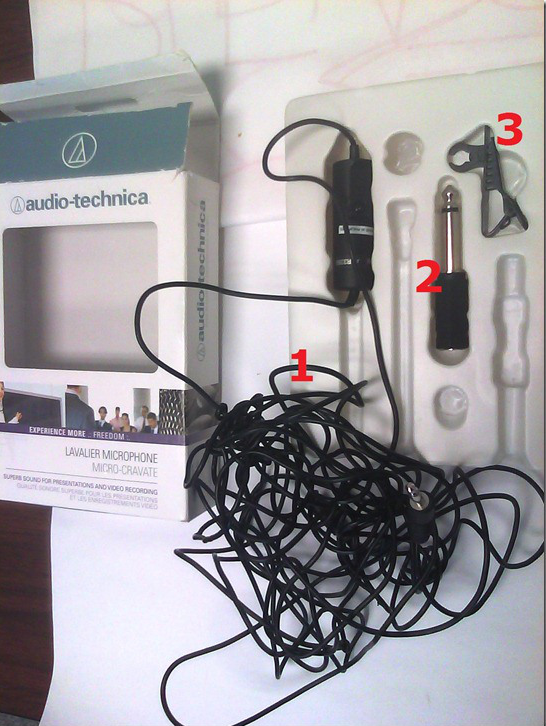
- Are all Parts there?
- Microphone with 3.5 mm cable
- Phono adapter (1/4’’)
- Clip

- Battery (pictured below)

- Test the Functionality
- Maintenance:
- If needed, exchange battery (from box on shelves with sign "office supplies")
- Ensure that microphone is turned off. Have returning student make sure the microphone is turned off (wears down battery).

Checklist for heavy tripods (01-04)
2013/12/23
Leave a comment
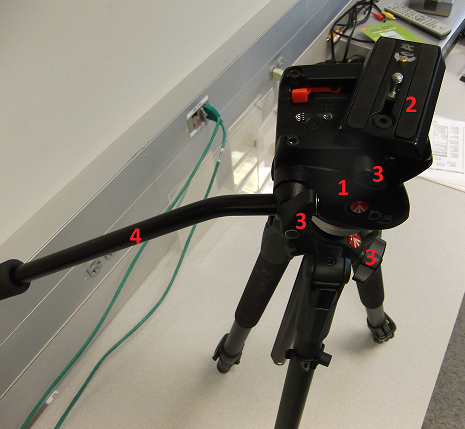
- Are all Parts there?
- Tripod
- Head plate
- Screws /wing nuts
- Handle
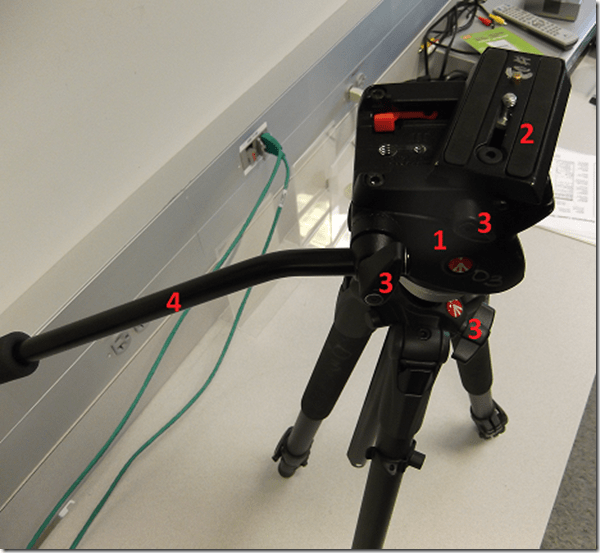
- Test the Functionality:
- Attach a camera to tripod.
- Move camera in all directions (top/bottom, left/right…)
- Maintenance:
- reduce tripod size again to its most compact position.
- Close all levers so that legs arrest.


Checklist for Rebel cameras (17/18/19/20)
2013/12/23
1 comment
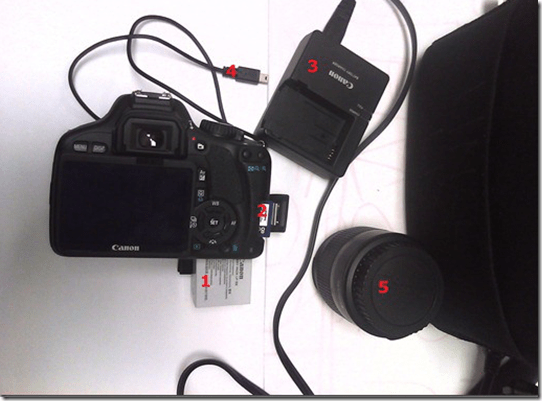
- Parts
- Battery
- SD Memory Card
- Battery Charger
- USB cable
- Lens
- Test the Functionality
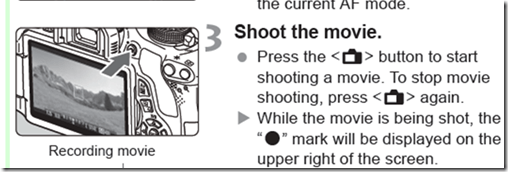
- Turn camera on
- Set to video
- Take a 5sec video

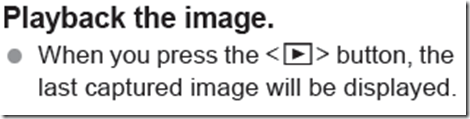
- Playback
- Maintenance
- Charge battery
- Initialize sd card like so.


Checklist for microphone booms
2013/12/23
Leave a comment
- Model:

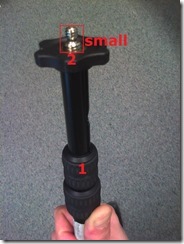
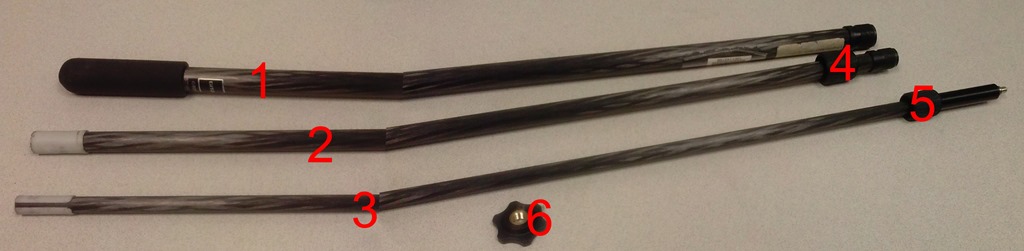
- Parts:

- 3 segments (1,2,3),
- 2 segment connecting screws (4,5)
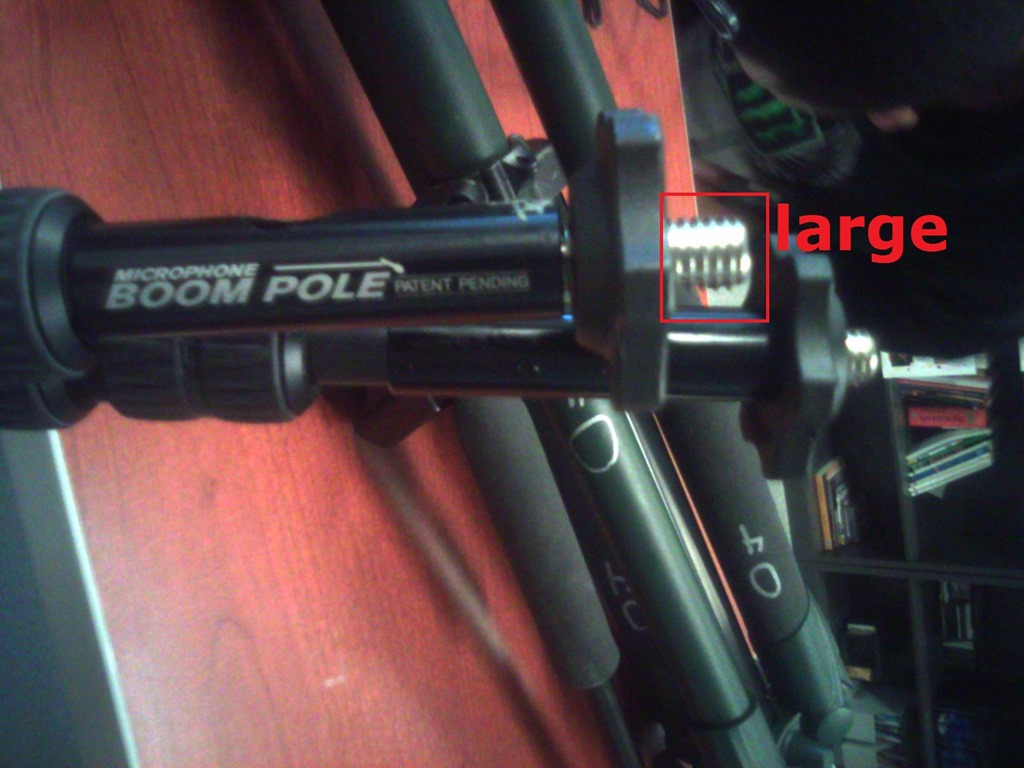
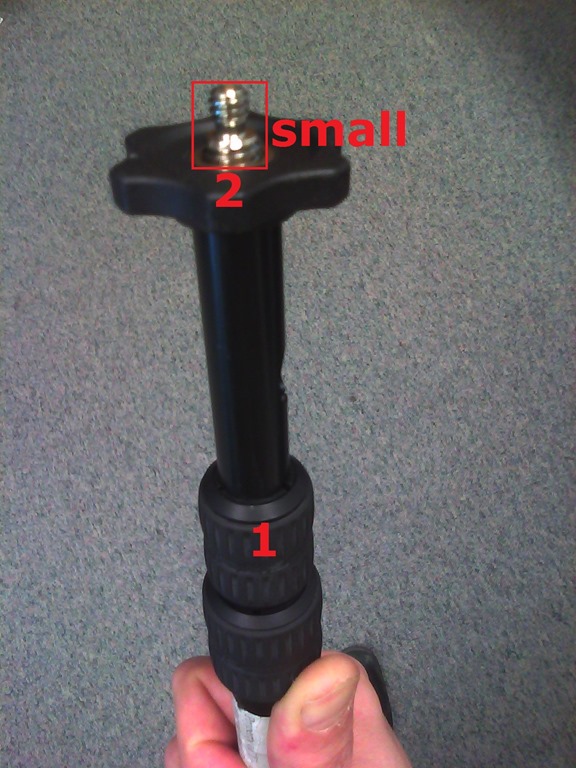
- 1 top screw (6) allows for attaching part “small”from shotgun mics (but “large” does not fit):


- 1 top screw plastic cap(not pictured)
- Functionality:
- Note that these parts are supposed to be assembled,
- and the plastic rings to be loosened,
- for the boom to extend, like so:





Questions? Read the About. Or just ask me a quick Our Databases: Resources with calendars -- Language learning material Moodle Sites, multimedia files -- films


FAQs for LRC student staff or for students or for teachers. To search our FAQs, in the browser addressbar, add after "https://plagwitz.wordpress.com/feed/?tag=faqs+/" "+TAG1" (from tag cloud below) OR "https://plagwitz.wordpress.com/feed/tag=faqs
&category_name=" "CAT1" (from category hierarchy below). OR search both categories and tags, and multiple TAGs/CATs (connect with "," for OR-search, with "+" for AND-search), like so: https://plagwitz.wordpress.com/feed/?tag=TAG1+TAG2+...TAGn&category_name=CAT1
+CAT2+...CATn"
Other ways to find help
If you cannot find it here, look there: 5,500 Language-Learning Links and Programs for learning or teaching 150 languages
Shortcuts:Our Lists, Our Maps, LRC Staff Moodle Site,LRC Project Moodle Site, 49erexpress, UNCC Moodle, Student Recordings: s:claslcslrcsanakostudent
Learning usage samples: Sanako oral exam, Kaltura webcam presentation, Dictation with speech recognition, Sanako written exam, Chinese and Japanese interactive stroke-order practice
Test the Sanako Installer, Webbrowser Popup Konfigurator for XP, or Windows7, faster LRC TeacherPC Log-in Let MS facilitate diacritics writing by installing for you US-International keyboard layout
This is my personal blog (Google+). The views expressed on these pages are mine alone and not those of my employer. The information in this weblog is provided “AS IS” with no warranties, and confers no rights.
 Thomas' Work Space