Archive
ELRA language corpora available in the LRC for research
The LRC has availed itself of a free research distribution of 55GB collection of language corpora from http://www.elra.info/, the European Language Resources Association. This “big data” should be of interest for the translation program, as well as the language learning programs, since it enables corpus linguistic approaches to language learning and automated learning material production based on natural language processing.
Here is an overview of the materials included:

A list of files included can be found here:
More unsolicited Deepfreeze system reboots in the middle of working?
What gives? 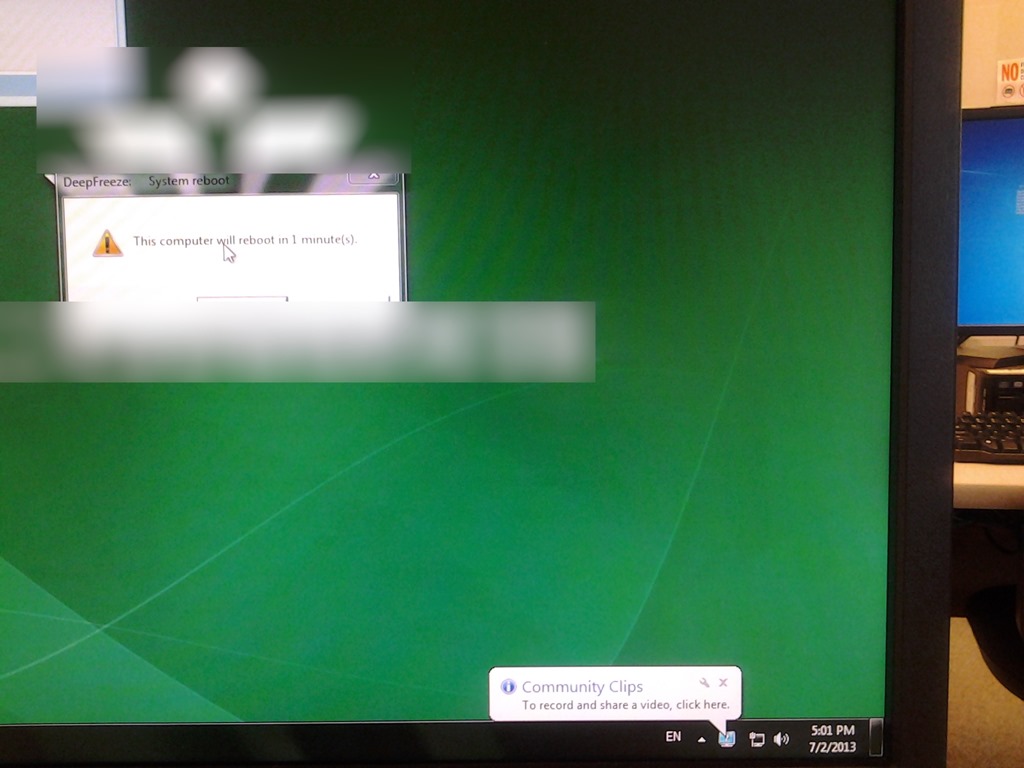
LRC Teacher podium AV switch
- Even though we may soon swap the switch, here is how the AV switch needs to be connected for the teacher computer’s left screen to get projected to the dual projector screens:


How to fix exception: Sanako Graph Data not installed
- Problem: When trying to administer an oral exam, using model imitation, source: file, I could not, but rather I got this error
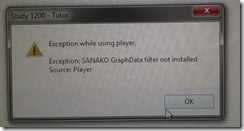
- Root: The same feature had worked in the morning – however, then the Sanakorecorder interfered with the Sanako tutor. Turned out that the Sanako tutor had been installed over a Sanako Student recorder which caused the tutor pc to connect to itself (distracting, also potentially a liability since it eats up licenses if not managed). In between morning and afternoon exam, the student recorder was uninstalled, but without the required functionality testing afterwards. So this exam had to become the test.
- Workaround: Reinstall the student recorder. We used the “test the Sanako installer” program on my home page to not delay the exam too much.

- Solution: do not install the Sanako tutor over a student installation in the first place.
- Either remove the Student recorder after imaging the teacher station with the student image,
- or better, image the PC without the added baseline task “Student recorder”.


How to fix Sync Error code: 0xE0000793 in Microsoft OneNote 2010
That did it:
1.Close all notebooks (will delete the corrupted cache)
2.Open them with the Office Web App using your browser
3.Open them from within the browser using "Open in OneNote" (the cache is rebuild)
LRC annual report
- Calendar overviews: Director/ LRC Classroom
- Face-to-face teaching and examination support in the LRC
- Phonetics
- Oral exams
- Business Spanish
- Assessment materials
- Reached 1000s of assessments and assignments in the LRC in November (http://goo.gl/hQulG);
- Recorded and emailed 1600/year oral exams (langlabemailer could do 3000/day) by May
- Putting chapter tests online using Mygermanlab online textbook companion -> acknowledged through invitation by Pearson Publishing to symposium on language learning technology;
- Kaltura.
- Tutoring : regained CAE tutors and introduced a volunteer tutoring service for LCTL (Arabic, Farsi), and wrote policy and training.
- Learning spaces: installed 2nd larger teacher screen.
- IT+HR management:
- Programmed, presented (http://goo.gl/TjQei) and released internationally language labsoftware
- to install (http://goo.gl/6lZ13, http://goo.gl/zqQew) SANAKO recorder and access, for preparation and grading, from 2 (home +office pc)*100+ LCS+ELTI faculty (could not delegate or manually install )
- to manage language lab audio (http://goo.gl/5xjKx), system stability (http://goo.gl/Ewn5X), and assessment management (http://goo.gl/oRoYS)
- for automating text-to-speech audio materials production with Google translate (http://goo.gl/2E24U).
- Also: to support in the LRC student writing (with Word templates: http://goo.gl/XAztO) or photo presentation w/ speaking (Powerpoint : http://goo.gl/gBHqf)
- Programmed, presented (http://goo.gl/TjQei) and released internationally language labsoftware
- Handled 3 major LRC upgrades/transitions
- HR: Helped select and trained new coordinator in LRC organization, some IT management and some language technology.
- IT: Windows 7 and Office 2010, used MS globalization and other resources to implement free support for
- 17+ languages in reading and writing;
- 7 languages in speech recognition (http://goo.gl/juA6j) and new self-grading exercise type (http://goo.gl/x32hN).
- Helped translate this software image into the new college imaging infrastructure/staff evolving in Fall 2012, including – been left to my own devices – setting up a software inventory based on actual MS infrastructure information (http://goo.gl/w5zqb).
- Standing in for ITS (hardware troubleshooting for Saba Centra, Kaltura; faculty computer config, documenting campus-wide IT infrastructure, domain drops, deepfreeze reboots, network slowness).
- Trados troubleshooting.
- Library:
- Oversee (maintain infrastructure , train users ) now 115 bookable resources
- Calendars: Multimedia trainings for circulation system based on NINERMAIL resources (why me for campus-wide infrastructure?)
- Managed to impress on ITS that in office365 we need also for students
- automated booking response ;
- automatic proper timezone.
- Set up MS calendar analytics for strategic planning.
- Oversee (maintain infrastructure , train users ) now 115 bookable resources
- Learning Materials:
- Management: Farsi audio in metacourses and SkyDrive, French phonetics audio and text book in Sanako share, Japanese and Spanish exam audio, “Friendly Russian ” conversion to Sanako file format.
- Creation: Created learning materials for use during F2F-classes with the sanako in the LRC: English (speaking) ,French (phonetics), Japanese (speaking),Russian (intermediate), etc.
- Documentation for users and IT
- Blog: Published 314 LRC documentation articles (including 25 screencasts: http://goo.gl/Gqb4F), helping during 71,963 page visits since 7/1/2013, a 40% increase (http://goo.gl/aL85w) over last year.
- Created for teachers a single entry-point into the language lab: The big LRC SANAKO “How do I…?”.
- Training:
- Accompanied numerous F2F classes using SANAKO teacher station, including few Chinese, German, Portuguese, some English, Japanese and Spanish, many Russian and all French phonetics classes.
- Helped French with their AATF news teaching ideas WordPress site .
- Training workshops: Held 2 fall workshops
- In Spring, due to low turnout for bi-semester workshops, adapted to offer 2 hour-long weekly clinics preparing LRC use during classes and doubled reach.
- Organized and co-presented 2 segments in a Language Teaching with Technology ” showcase with 9 presenters from LCS and ELTI.
- Outreach
- Impressed (http://goo.gl/nmEXR) visiting candidates (German, Spanish, Head searches), schools and parents or prospective students with live demonstrations of LRC .
Summary of the LRC main classroom use in year 2012/3

(Tentative while experimenting with Calendaranalytics).
Summary of my work calendar in year 2012/13

(Tentative while experimenting with Calendaranalytics).


Questions? Read the About. Or just ask me a quick Our Databases: Resources with calendars -- Language learning material Moodle Sites, multimedia files -- films


FAQs for LRC student staff or for students or for teachers. To search our FAQs, in the browser addressbar, add after "https://plagwitz.wordpress.com/feed/?tag=faqs+/" "+TAG1" (from tag cloud below) OR "https://plagwitz.wordpress.com/feed/tag=faqs
&category_name=" "CAT1" (from category hierarchy below). OR search both categories and tags, and multiple TAGs/CATs (connect with "," for OR-search, with "+" for AND-search), like so: https://plagwitz.wordpress.com/feed/?tag=TAG1+TAG2+...TAGn&category_name=CAT1
+CAT2+...CATn"
Other ways to find help
If you cannot find it here, look there: 5,500 Language-Learning Links and Programs for learning or teaching 150 languages
Shortcuts:Our Lists, Our Maps, LRC Staff Moodle Site,LRC Project Moodle Site, 49erexpress, UNCC Moodle, Student Recordings: s:claslcslrcsanakostudent
Learning usage samples: Sanako oral exam, Kaltura webcam presentation, Dictation with speech recognition, Sanako written exam, Chinese and Japanese interactive stroke-order practice
Test the Sanako Installer, Webbrowser Popup Konfigurator for XP, or Windows7, faster LRC TeacherPC Log-in Let MS facilitate diacritics writing by installing for you US-International keyboard layout
This is my personal blog (Google+). The views expressed on these pages are mine alone and not those of my employer. The information in this weblog is provided “AS IS” with no warranties, and confers no rights.
 Thomas' Work Space