Archive
Meeting Requests in OWA – from the source
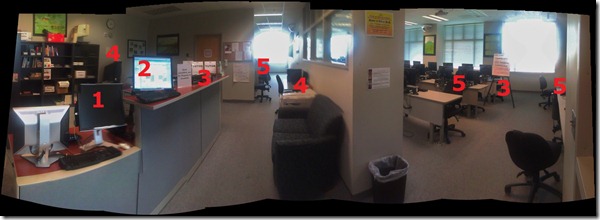
Language tutoring support in the LRC
- New and improved as of Spring 2012: We now have 2 computerized small group work spaces for tutoring groups.
- An effective computerized help desk
- A live CAE tutor calendar display. This will help the time zone-challenged students until all students are put into the right time zone in NINERMAIL (or self-help). At that point all students will be able to load the tutor calendar of their choice in NINERMAIL. The tutor calendar has also “LRC” in the title – this way students always are reminded WHERE the tutoring is. We are also working on getting small group workspaces set up in the entrance library area to the left.
- Improved tutor signage
- A variety of non-computerized tutoring workspaces
- A variety of computerized tutoring workspaces that allow the tutoring to share with other uses of the LRC.
- As listed in this view when you enter the LRC:

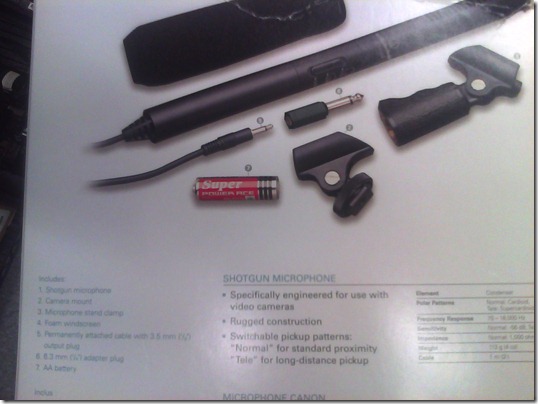
How to check if components of Shotgun Microphones (05-08) are complete
- Use this list:
- micro
- seat1
- seat2
- cable1
- cable2
- adapter1/4”
- windshield
- Or use the illustration from the microphone package:

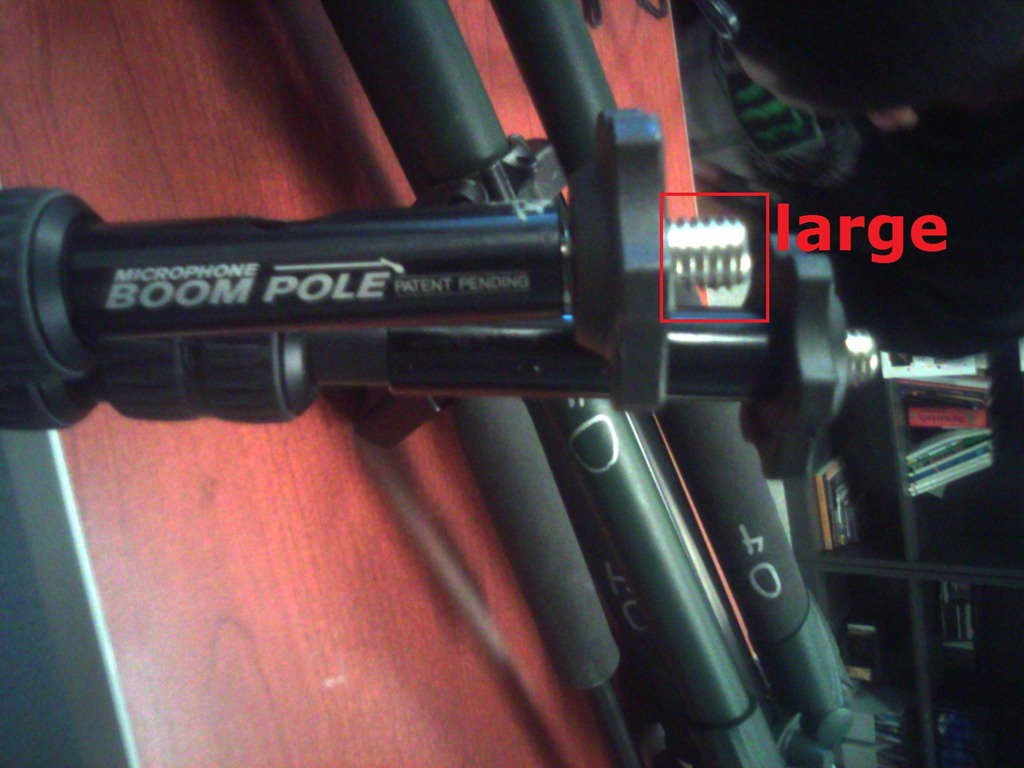
How to check if components of Microphone Boom pole (01-04) are complete
- Boom
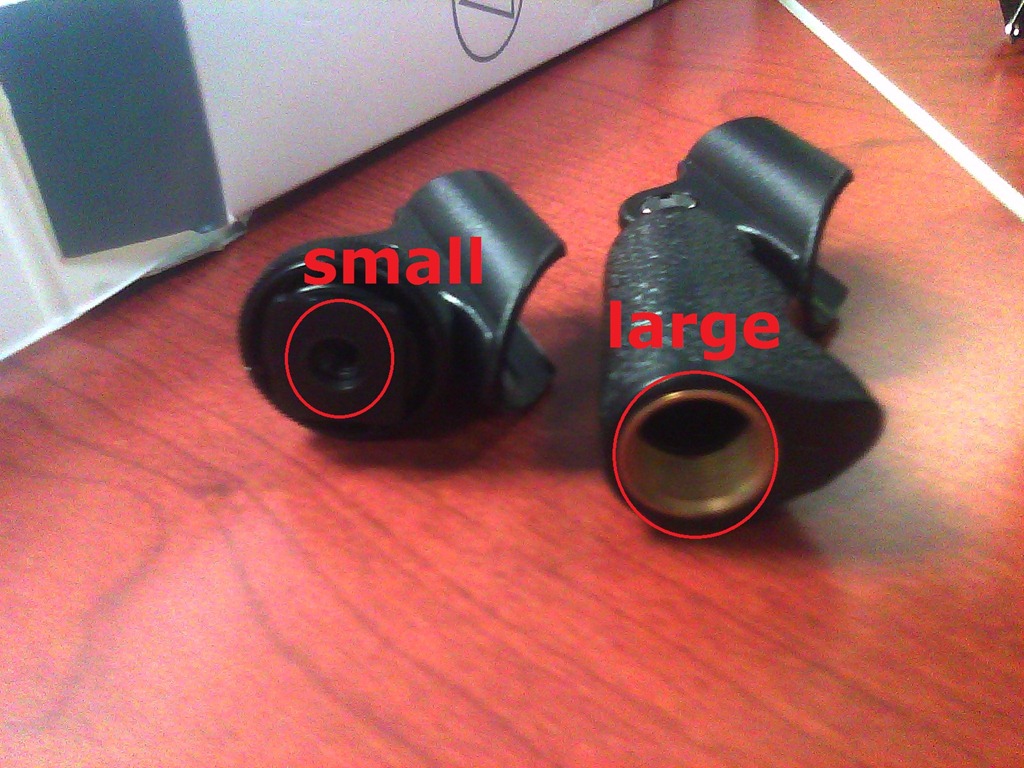
- Adapter for microphone holder. To change the screw size to that of the microphone holder you have

 , you can unscrew the adapter and turn it around – however, do not lose it!



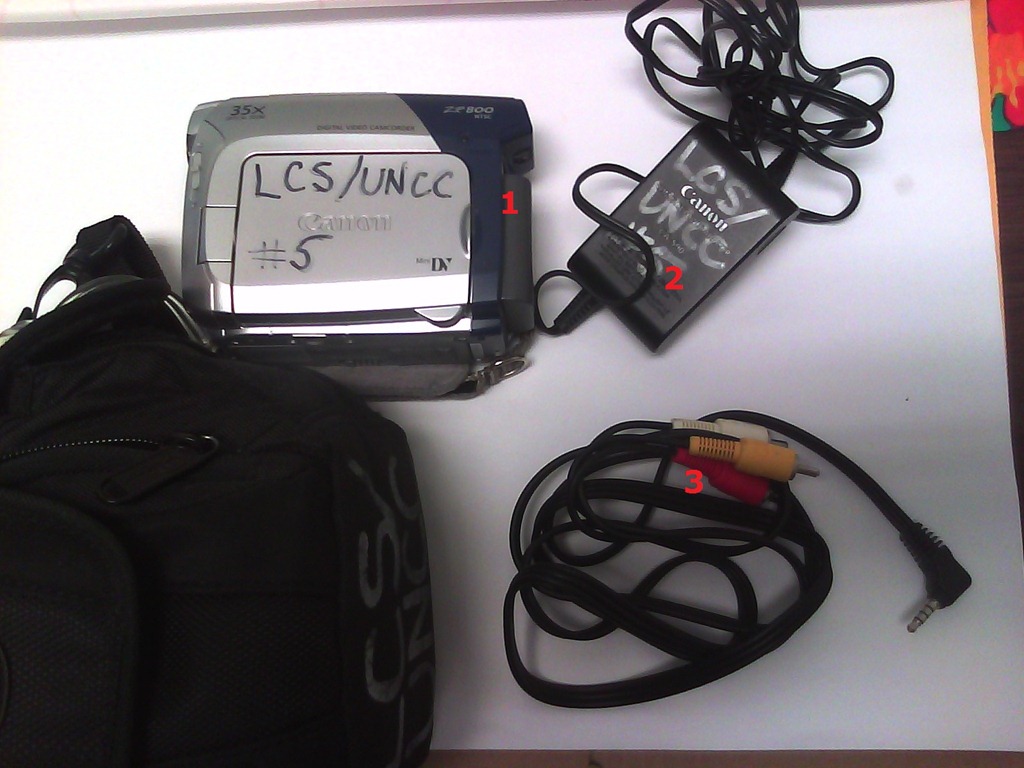
How to check if components of Canon camera (01-10) are complete
- Battery
- Battery Charger
- AV cable – FIREWIRE cables for transferring video are not included, we do not have enough. Use in the LRC only.

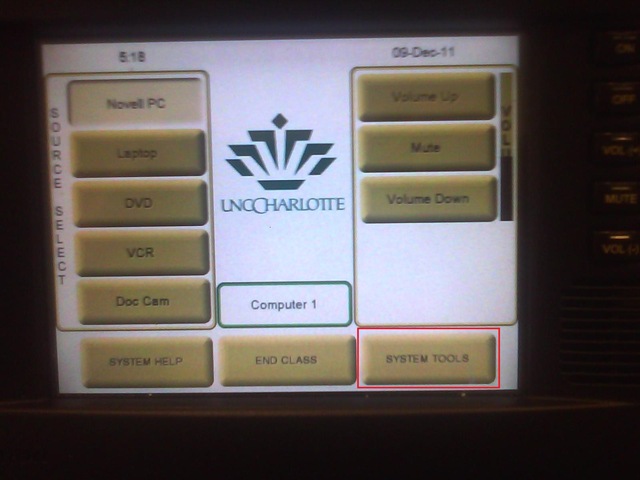
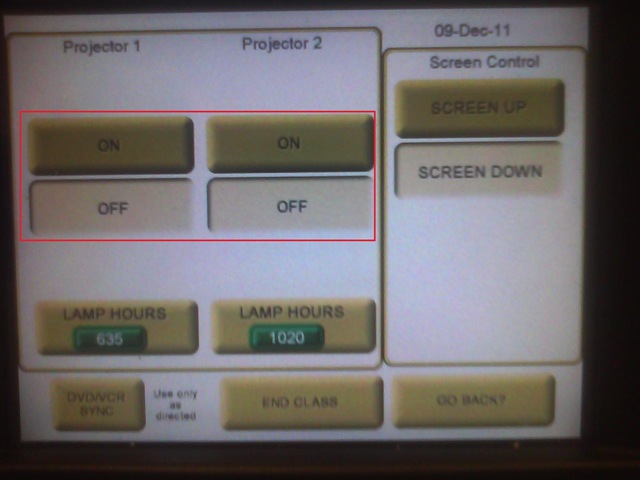
How to override a Projector control out of synch with the Classroom projector
- When the projector control system is “out of synch”with the projector.
- Symptom: “System off” does not turn the projector off, but also “System on” does not turn.
- Workaround: From the control panel Home screen, access soft button “system tools”

- Here you can manually turn the projector on/off (and the close the screens)

Logging off fails on teacher station?
- Symptoms: Cannot log off.
- Diagnostics:
- Not even after taskkilling so far (got to around “S” in process name initials)).

- When did this behavior first manifest itself? This week? MS-Office 2010 upgrade? Novell upgrade?
- Not even after taskkilling so far (got to around “S” in process name initials)).
- Workaround: Current best workaround is power-cycling the computer.
- Solution: Problem seems to have disappeared. Cause and resolution unclear, though.

How to book LRC resources – explained in one screenshot
You can come to the LRC reception desk to book an item (you will still need to log into your NINERMAIL). But you can also self-help, and get immediate confirmation, from any device with access to your NINERMAIL:
If you have a basic LRC classroom booking scenario, send to the room lrcroomcoed434@uncc.edu what looks like “an email that includes times”: Go to your Ninermail inbox. Using the little triangle icon, unfold the “New” menu. Click menu item “Meeting request”. In the window, that opens, in the “Resources:” field, put lrcroomcoed434@uncc.edu. In the “Subject:”, put your course number. Enter start and end times of your classes visit. In the upper left, Click “Send”. Within a few seconds you receive a response email from the room in OWA: If you did not check the “Scheduling Assistant” tab, you may be asked to reschedule because of a conflict. If you fail to get a response, something went wrong, did you mistype the address? OWA remembers and suggests it after first use, but the first time you need to get it right.
For more advanced scenarios (beyond #3 below), first find the email address of our bookable resources, then book it like so:

More on repeating/recurrence here.


Questions? Read the About. Or just ask me a quick Our Databases: Resources with calendars -- Language learning material Moodle Sites, multimedia files -- films


FAQs for LRC student staff or for students or for teachers. To search our FAQs, in the browser addressbar, add after "https://plagwitz.wordpress.com/feed/?tag=faqs+/" "+TAG1" (from tag cloud below) OR "https://plagwitz.wordpress.com/feed/tag=faqs
&category_name=" "CAT1" (from category hierarchy below). OR search both categories and tags, and multiple TAGs/CATs (connect with "," for OR-search, with "+" for AND-search), like so: https://plagwitz.wordpress.com/feed/?tag=TAG1+TAG2+...TAGn&category_name=CAT1
+CAT2+...CATn"
Other ways to find help
If you cannot find it here, look there: 5,500 Language-Learning Links and Programs for learning or teaching 150 languages
Shortcuts:Our Lists, Our Maps, LRC Staff Moodle Site,LRC Project Moodle Site, 49erexpress, UNCC Moodle, Student Recordings: s:claslcslrcsanakostudent
Learning usage samples: Sanako oral exam, Kaltura webcam presentation, Dictation with speech recognition, Sanako written exam, Chinese and Japanese interactive stroke-order practice
Test the Sanako Installer, Webbrowser Popup Konfigurator for XP, or Windows7, faster LRC TeacherPC Log-in Let MS facilitate diacritics writing by installing for you US-International keyboard layout
This is my personal blog (Google+). The views expressed on these pages are mine alone and not those of my employer. The information in this weblog is provided “AS IS” with no warranties, and confers no rights.
 Thomas' Work Space