Archive
If MS-Exchange room mailbox does not auto-decline, but forwards conflicting requests
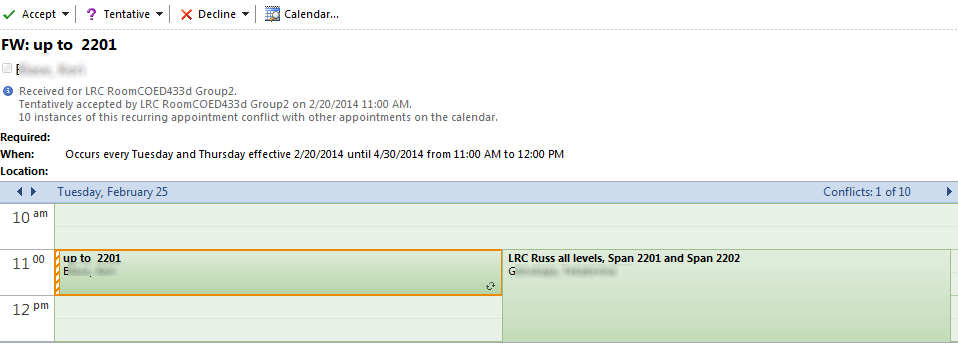
- This room should auto-decline conflicting requests, but forwards them:

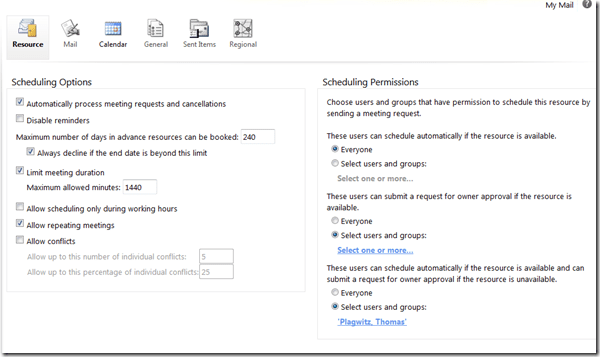
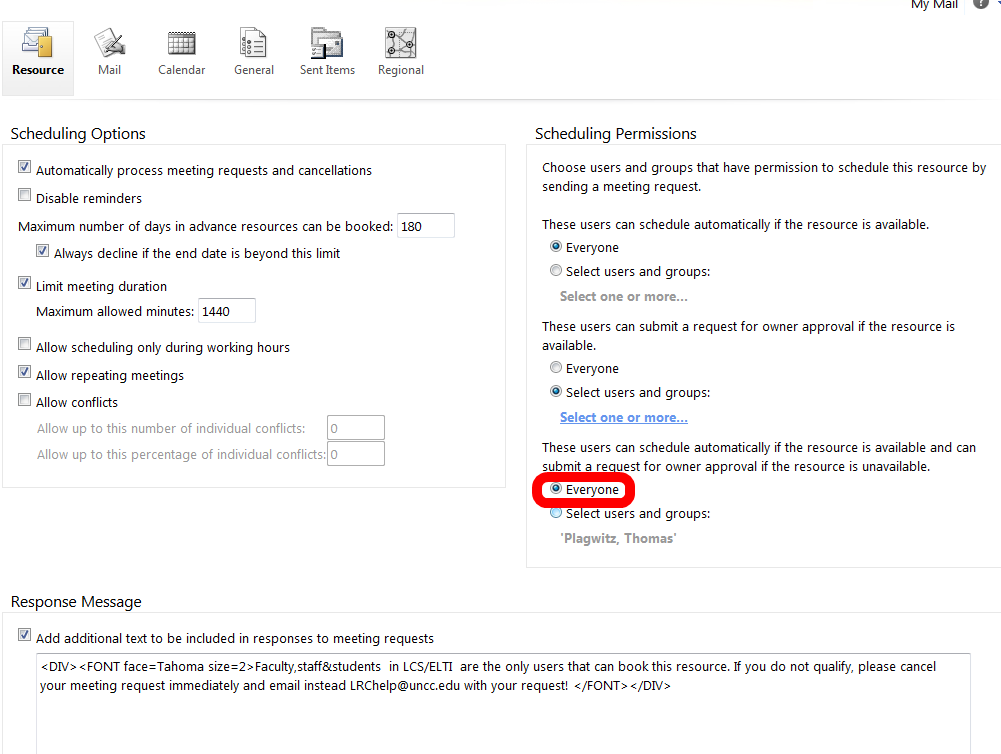
- If you log in as the room and look under Options / See more options / Settings / Resource:

- You see that 433d has it wrong here:

- 434 has it set correctly:


Change onedrive to skydrive to embed your MS-Office online files in WordPress
- A while ago, Microsoft was successfully sued by Sky to change the name of SkyDrive. Recently MS did that, but it looks like somebody has not gotten the memo yet, again:
- Originally suggested embed code from SkyDrive: https://onedrive.live.com/embed?cid=0025C841818181C2&resid=25C841818181C2%21666&authkey=ANeXAUnGHDfEqTQ&em=2
- Fail on WordPress.com:

- Change to:

- Sort of works on WordPress.com (but width and hieght parameters are being ignored):




FAQs for issues with Respondus Lockdown Browser
- New to Respondus Quizzes? Read the CTL’s write-up.
- No Photo ID (Niner ID or other state-issued)? Use the reception desk camera to take a photo with sheet, like below, we will forward it to the teacher for verification.

- Issues with starting:
- Respondus won’t open: How to bypass a Moodle Popup Window when using Respondus lockdown browser
- Test won’t open and you get a warning
- in Moodle that this test must be run in Respondus Lockdown Browser? Close your regular web browser and double click on the desktop on the Moodle Lockdown Browser Icon:
 , then go to Moodle2 from in there.
 - in Respondus that “No more attempts are allowed”, but the student has not made any attempts yet and the quiz closing date is long in the past: contact the teacher to check whether the quiz needs updating.

- in Moodle that this test must be run in Respondus Lockdown Browser? Close your regular web browser and double click on the desktop on the Moodle Lockdown Browser Icon:
- Issues with Audio:
- Students are advised to test the headsets before entering Respondus Lockdown browser assessments:
- Start Audacity from the desktop, click record: if you say something, you must see something;
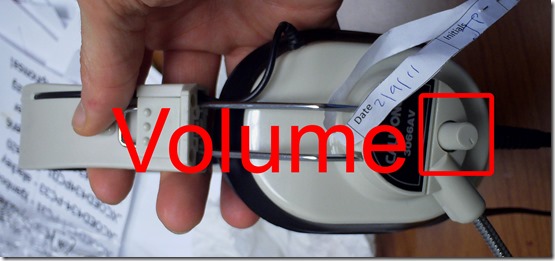
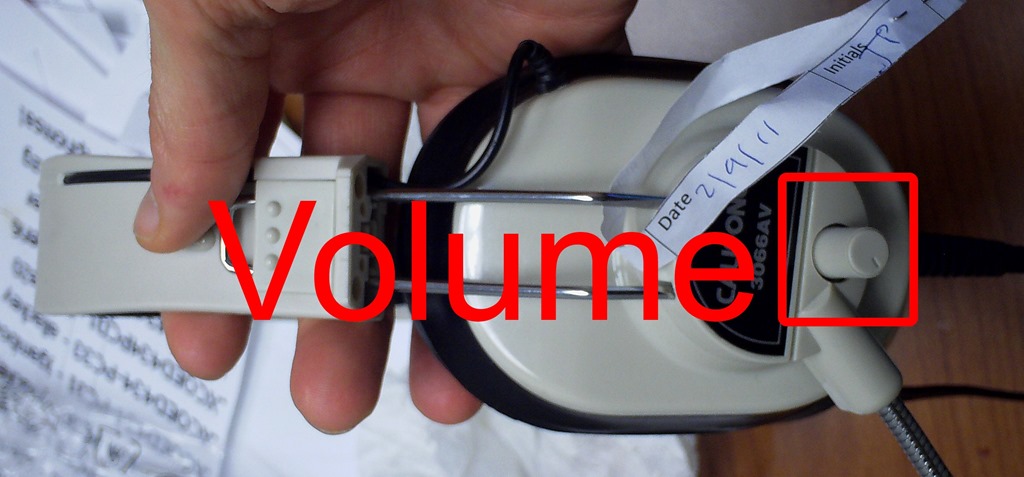
- Play back to test the speakers. Hear nothing? Try the volume knob:
- (More detail here).
- Rewind-audio may get you stuck – to fix, next-page, then back (reloads page). More info: How to workaround Moodle quiz audio not playing to the end in Respondus Lockdown Browser
- How to bypass a Moodle Popup Window when using Respondus lockdown browser
 If no audio and error “pluginfile” flashes when clicking “Next”and back: notify permanent staff.
- Students are advised to test the headsets before entering Respondus Lockdown browser assessments:
- Issues with Writing:
- Lost the
 ?
?
- Clicking around nearby where it was may bring it back.
- Or
 , quickly cancel (gets you out of lockdown browser), new attempt from desktop shortcut.
 - Learn to use the installed US-international keyboard shortcuts.
 .
. - more info: Problems with accented characters in Respondus Lockdown Browser
- If your keyboard stops typing in English in a Respondus lockdown browser quiz…
- Lost the
- Issues with finishing
- If the test won’t submit, start Respondus lockdown browser on a different computer to see whether you can resume your attempt there.
- More issues? Let us know in the comments here.




 .
.Firefox Java AddOn settings on learning lab PCs
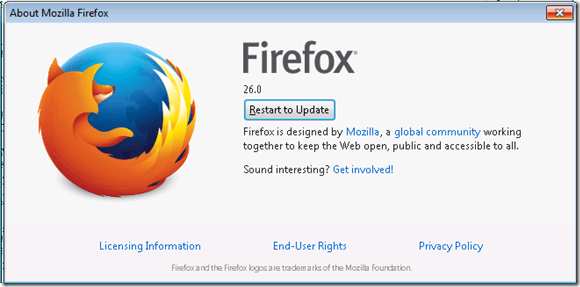
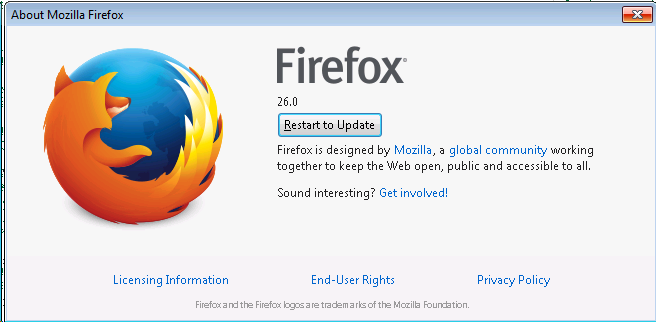
- FireFox should not be allowed to update automatically:
- teacher
- student:
 after restart:
- change in:

- or:

- or in prefs.js and user.js
- change in:
- v. 26 disables Java by default which we need for online textbook components
- what dos v27 do which is now being automatically downloaded and installed
- teacher
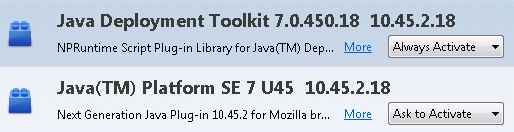
- Java within Firefox
- should not be allowed to update automatically

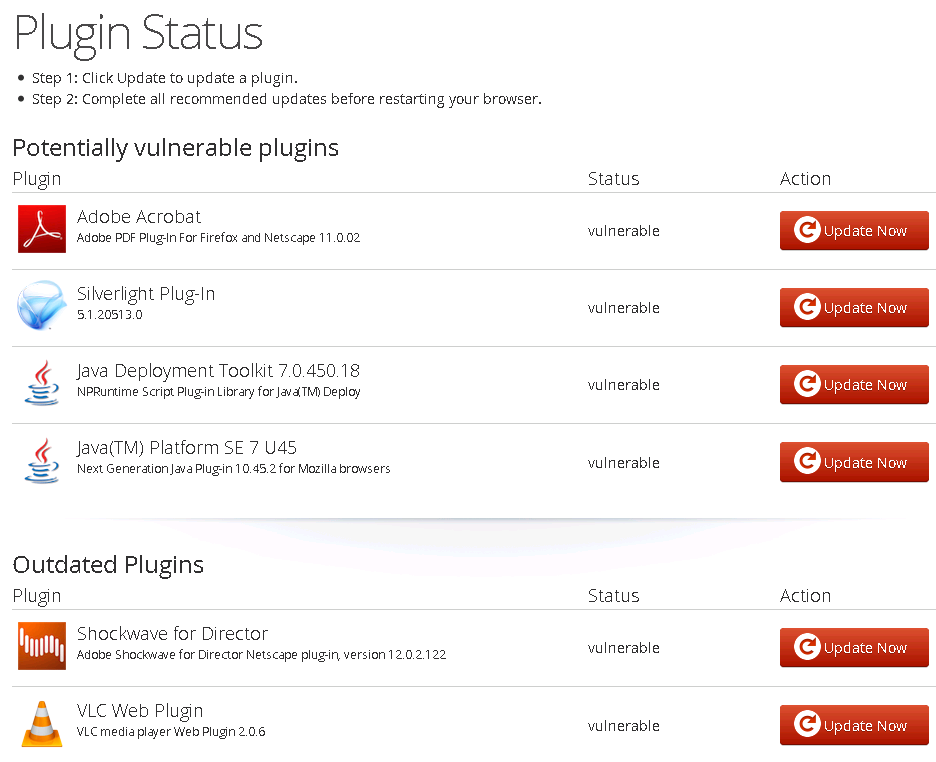
- especially not for Java (7.51 breaks our online textbook components)
- but it has not updated to 7.51
- is this b/o the Deployment Toolkit also being deactivated? Not sure: “By blocking the Java DT plug-in, the Java version detection mechanism is disabled. Therefore, when a user tries to launch a Java applet or application, that requires a specific Java version other than the active Java version on a user’s system, it will fail.”

- Manually checking for updates leads to this:

- how to prevent automatic update of java?
- Manually checking for updates leads to this:
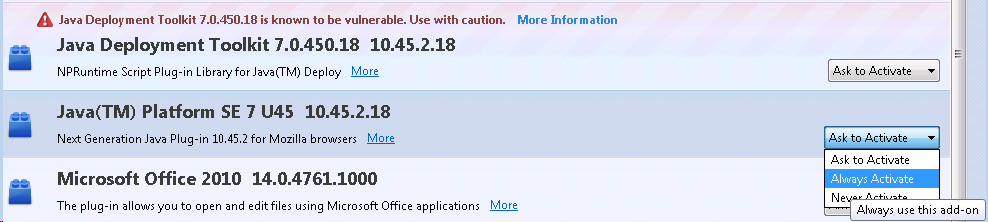
- should not be set to “ask” every time (on frozen computers), plus: users miss the notification that asks them to enable it
- teacher
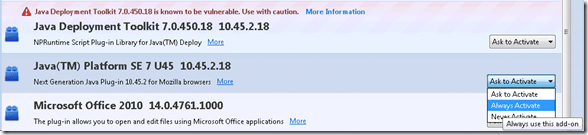
- student:

- to just freeze java temporarily on a version known working , setting about:config/
- extensions.blocklist.enabled / false seems to radical
- teacher
- should not be allowed to update automatically


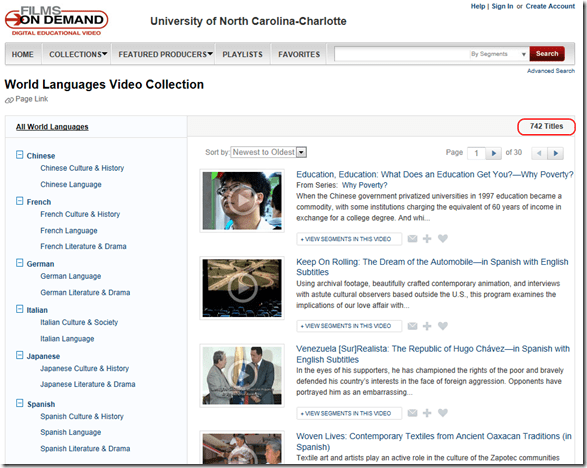
The Films on Demand subscription of Atkins library
- Benefits:
- provides access to over ten thousand streaming videos.

- including world languages:
- Remaining Problems:
- 741 titles for World languages is not a lot (additional materials may be applicable to language learning, but I do not see the most commonly requested foreign language films used in the department which we are currently trying to rescue across the demise of VHS). Any particular silo of information is not comprehensive (given the power of the network effect, YouTube wins hands-down most if the times),
- any content is difficult to integrate into a language skill curriculum,
- any added interface restrictions may make it more difficult, not more stable,
- not unlike YouTube, files you may have used, even linked, can get removed.
- the website seems to be available only on campus – even if you are logged into your campus account (university VPN will likely help, and not, given that it has video throughput issues).


Google new maps’ photo tour slideshow viewer

<Grumble> If these internet companies invent anything else, I won’t get out much anymore.</Grumble> (I have always loved “travelling on a map” too much already ).
).
This is not your grandparents’ photos feature in Google maps anymore. The new photo tour automatically (I must assume? Based on GIS data included in the photo, image recognition to cluster motifs?) intelligently tags the map includes highlights of well-known sights, and it seems to automatically group similar shots/motifs, providing the feel of an in-depth exploration, even presence. And the occasional grandparents in the foreground remind us, that this remains a crowd-sourced project…
Now how to plan a better intercultural map exploration class with this…
Call it “blog”, “CMS” or whatever, as long as your WordPress site visitor stats show that it helped people
I have been asked by a colleague about the “hits” in the upper right on my website. They are the number of visits I had(not counting myself, at least not when I am logged in – like many “bloggers”, I am likely my own best audience!  ).
).
My website could be called “a blog”, since it is based on WordPress, which started as a platform for blogging (but now – being so easy and flexible, and free (though not to host)- is behind every 5th website on the planet!).
WordPress is also the platform for the faculty blogs in CLAS-pages: If you are member of CLAS and not represented up there, I hope you know that you can request getting a CLAS-page here.
“Blog stats” is a hard-coded label that I cannot change. If I could, I’d prefer to call it “Content Management System stats” (that’s probably why they do not allow for changes ).
As opposed to just “web-logging” what is going on in my daily work life, I try to organize in this CMS the little things that I discover, hoping for reuse:
- by other people. That’s at least my justification for blathering, and I am sticking to it. (1125 posts? Really? Plus plus 1? Oh well… ).
- by myself. For the CMS and blogging habit (summarizing into a somewhat presentable, comprehensible form, and tagging for findability) makes me often search for answers that I have forgotten on my blog rather than on my computer (and that is despite me loving OneNote).
In my WordPress site (hosted on wordpress.com), I can see site visitor statistics like in the picture below: Includes search terms which led to clicks on one of my posts, countries of origin, outgoing links clicked etc.
I don’t do SEO or anything similar advanced on this website, nor do I use the statistics to cater to my audience (I am sure it is almost entirely transient). For me, it is just fun how I can glean from these statistics that I could help people find answers to their language, learning (and too often: computer infrastructure) questions and some of my work can be reused.

Heck, I decided to “blog” this email response, since it might answer the questions of a few more of colleagues than the person that emailed me.
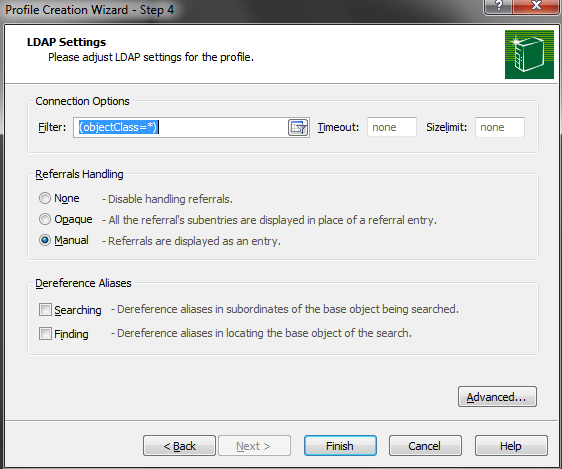
Exploring the active directory
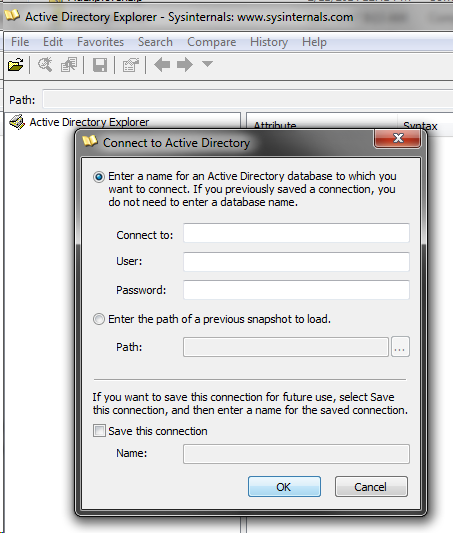
(leave database blank for default on the domain you are joined to)





Questions? Read the About. Or just ask me a quick Our Databases: Resources with calendars -- Language learning material Moodle Sites, multimedia files -- films


FAQs for LRC student staff or for students or for teachers. To search our FAQs, in the browser addressbar, add after "https://plagwitz.wordpress.com/feed/?tag=faqs+/" "+TAG1" (from tag cloud below) OR "https://plagwitz.wordpress.com/feed/tag=faqs
&category_name=" "CAT1" (from category hierarchy below). OR search both categories and tags, and multiple TAGs/CATs (connect with "," for OR-search, with "+" for AND-search), like so: https://plagwitz.wordpress.com/feed/?tag=TAG1+TAG2+...TAGn&category_name=CAT1
+CAT2+...CATn"
Other ways to find help
If you cannot find it here, look there: 5,500 Language-Learning Links and Programs for learning or teaching 150 languages
Shortcuts:Our Lists, Our Maps, LRC Staff Moodle Site,LRC Project Moodle Site, 49erexpress, UNCC Moodle, Student Recordings: s:claslcslrcsanakostudent
Learning usage samples: Sanako oral exam, Kaltura webcam presentation, Dictation with speech recognition, Sanako written exam, Chinese and Japanese interactive stroke-order practice
Test the Sanako Installer, Webbrowser Popup Konfigurator for XP, or Windows7, faster LRC TeacherPC Log-in Let MS facilitate diacritics writing by installing for you US-International keyboard layout
This is my personal blog (Google+). The views expressed on these pages are mine alone and not those of my employer. The information in this weblog is provided “AS IS” with no warranties, and confers no rights.
 Thomas' Work Space