Archive
How to recycle your Moodle Course using backup/restore
Better do this before the first day of classes, but if you need a quick refresher:

How students upload a video file to Moodle using Kaltura
-
My closest related instruction so far has been for teachers, and the CTL also seems to have only instructions for how teachers upload videos for students. However, instructions for students are very similar, follow these steps:
-
Open the kaltura assignment and click “Add video submission”:

-
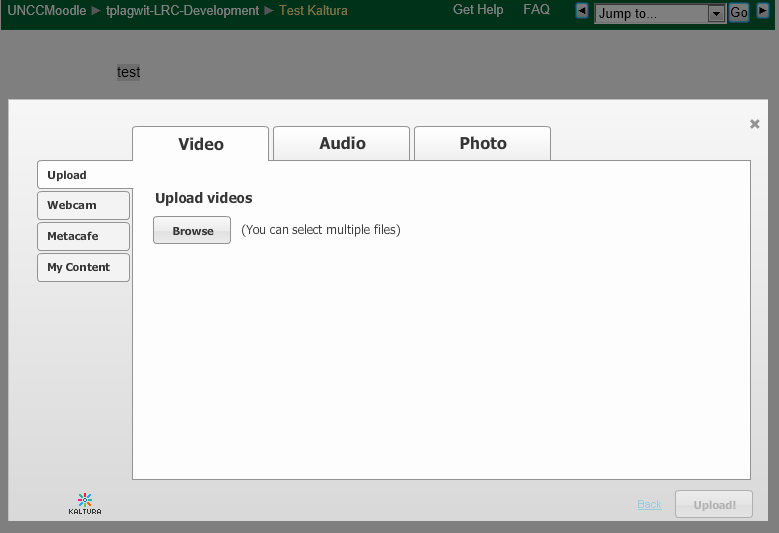
Under left tab “Upload”, Click “Browse”:

-
Browse to your video file (note the “files of type”allow only the upload of certain extensions) and click “Open”:

-
Click “Upload”
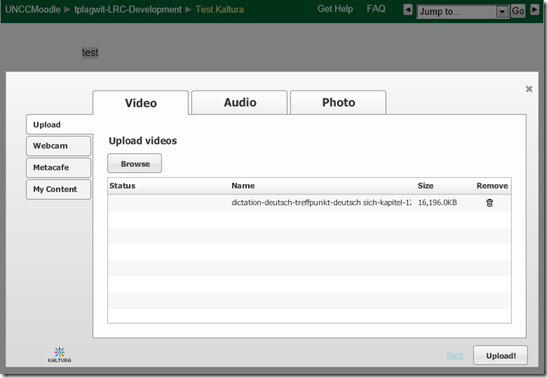
-
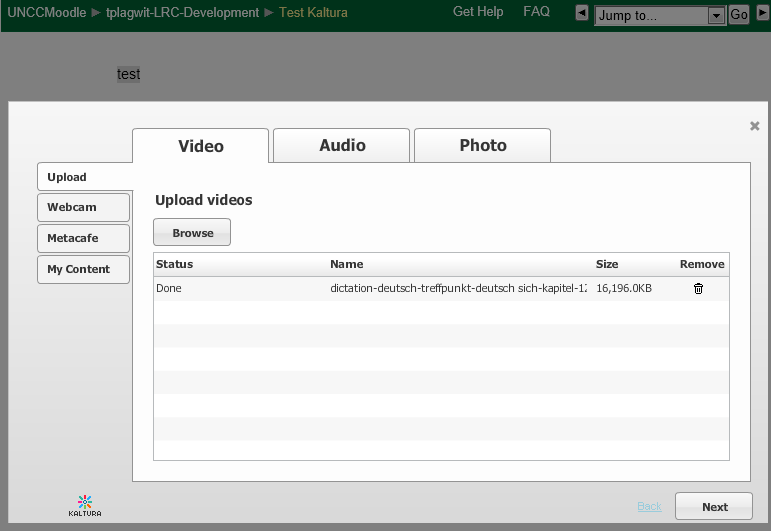
Wait for the upload to complete:
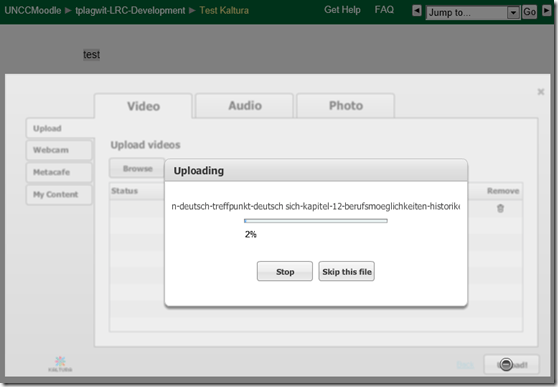
-
Click “Next” :
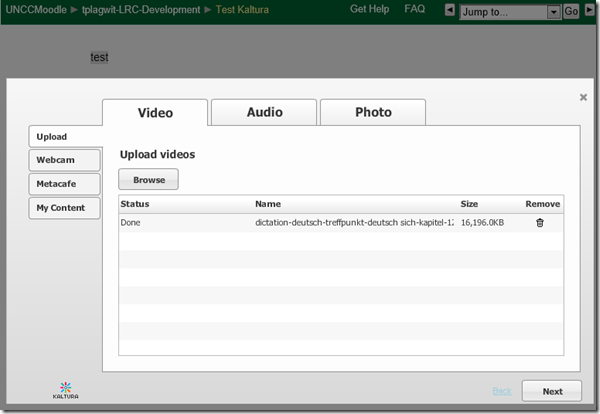
-
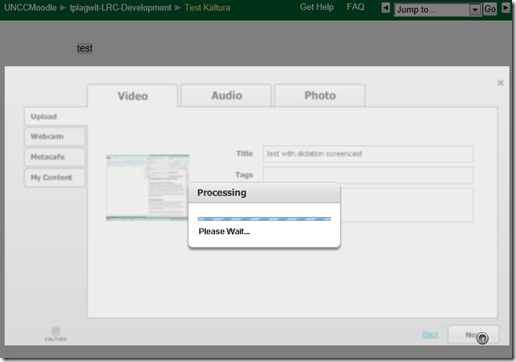
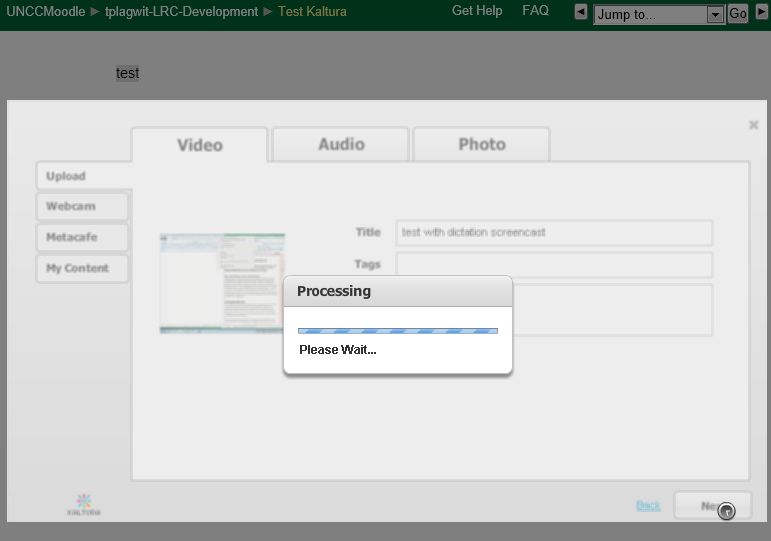
Add at least a “title”, and fix any errors you might get:
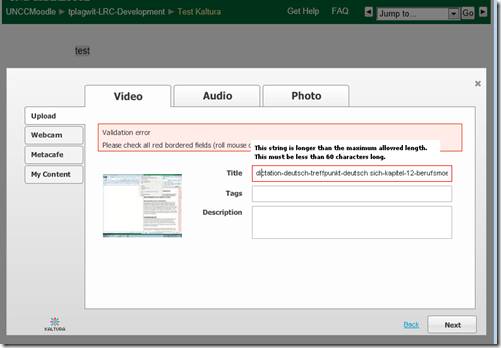
-
Click “Next”:
-
Click “Submit”:

-
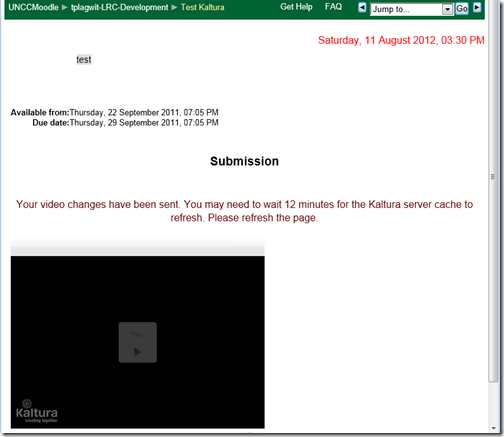
Look for the success message:

-
You will have to wait for the video preview to become available:
-
If you refresh the page, the wait time gets updated, take the amount with a grain of salt. Here I could already view…

-
Be aware that your video resolution will likely be downscaled (my 1280*1024 screencast in this example ended up pretty grainy).






Summer 2012 Learning materials creation clinic for preparing oral assessments/assignments
1. I am holding a “Clinic”, open to anybody who needs help with preparing their classes using oral assessments/assignments in the LRC this fall term – RVSP if interested.
2. This clinic focuses on material creation for delivery in upcoming specific courses – based on, but different from my faculty workshops on this topics, If you have not attended, please view the below links for what was covered in the workshops
a. https://thomasplagwitz.com/2011/08/18/sanako-study-1200-workshop-spring-2011/
Specifically:
1. Materials creation
- with SANAKO
i. make teacher audio recording for model-imitation/question-response oral exam: https://thomasplagwitz.com/2012/01/25/how-a-teacher-best-adds-cues-and-pauses-to-an-mp3-recording-with-audacity-to-create-student-language-exercises/
ii. Make teacher recording (https://thomasplagwitz.com/2012/01/11/recording-with-audacity/) for model imitation with voice insert (like reading practice homework assignment, https://thomasplagwitz.com/2012/01/24/how-a-teacher-creates-audio-recordings-for-use-with-sanako-student-voice-insert-mode/ ):
- with Moodle
i. Moodle Kaltura webcam recording assignment: https://thomasplagwitz.com/2011/11/02/how-to-grade-a-moodle-straming-video-assignment-and-moodle-streaming-video-recording-assignment-glitch-2/
ii. Prepare Moodle metacourses learning materials upload: https://thomasplagwitz.com/2011/06/17/moodle-metacourses-part-iv-the-support-workflow-uploading/ and https://thomasplagwitz.com/2011/01/26/moodle-batch-upload-learning-materials-give-students-access/
- with PowerPoint (visual speaking cues with timers): https://thomasplagwitz.com/2009/11/18/create-a-powerpoint-slide-with-a-timer-from-template-for-a-timed-audio-recording-exercise/
- Materials delivery with SANAKO
- remote control student pcs, collaborate over headphones: https://thomasplagwitz.com/2012/05/04/how-you-can-view-the-computer-screens-of-your-class-using-sanako-study-1200/
- pairing students’ audio using headphones: https://thomasplagwitz.com/2011/05/11/study-1200-pairing/
- You must bring some assessment ideas that fit into your skills course which we will turn into audio recordings. You can also bring prerecorded audio files from textbooks as mp3 which we can edit to turn them into materials. If you would like some examples of what colleagues have done
- With Moodle Kaltura: https://thomasplagwitz.com/feed/?category_name=learning-usage-samples&tag=kaltura
- With Sanako oral (formative) assessments/(outcome) exams: please email me, I make accessible to you samples that we do not publish to preserve exam integrity.
How to do successful Moodle-Kaltura webcam recording assignments
Kaltura turned out to have a number of limitations, and we have some of our own in the LRC. Both required some debugging and finding of workarounds, which you can benefit of if you follow carefully our step-by-step guides for teachers or for students.

Does Respondus-lockdown–browser block when a user attempts to load a Moodle quiz on 2 different computers?
- We experienced slowness of Moodle during an exam where about 12 students
- load a Moodle quiz into the Respondus lockdown browser (lockdown browser hangs with message "page loading"),
- but also already when logging into Moodle with a regular browser (hangs on login page).
- Turns out large classes used the Moodle quiz function elsewhere on campus which put lots of load on the Moodle servers.
- What can we do on our end to work around this as smoothly as possible?
- First, be patient while Respondus-lockdown–browser displays “Page loading”
- “Refresh” or “Back/forward” are the next resort once “Page loading” attempt has stopped and the page
- states it cannot be loaded
- displays an error about missing CSS component (likely due to incomplete load before timeout)
- says it “can be loaded only in Respondus-lockdown–browser” while you are in Respondus-lockdown–browser (Huh?).
- Keep calm and carry on, i.e. on your current computer.
- In general, trying on additional “fallback” computers is likely to make matters only worse, since even more load is put on the Moodle server system.
- Specifically, however, does Respondus-lockdown–browser block when a user attempts to load a Moodle quiz in Respondus-lockdown–browser on 2 different computers simultaneously? One student kept getting “can be loaded only in Respondus-lockdown–browser” consistently, until closing Respondus-lockdown–browser on this computer. Then the quiz would finally load in Respondus-lockdown–browser where she was logged in on another computer (can this being tracked by the Respondus-lockdown–browser security layer that checks whether a page is loaded within Respondus-lockdown–browser? Why then no more helpful error message, or is this “Security by obscurity”? Data seems inconclusive).
- Additional tips for takers (and authors) of Moodle exams are available.
How to stream video clips to students in classroom and at home, using Moodle Kaltura
- DVDs are getting a bit long in the tooth, not to mention VHS, and can form a real obstacle or time-consuming distraction in an educational setting, from handling the media to finding compatible software and/or hardware players for the media.
- Fortunately, there is a now a better way to make video clips available to students than uploading them to YouTube.com:
- university-supported,
- more compliant with copyright and fair use restrictions (which still apply)
- also requiring only a web browser (available on all campus computers, including teacher computers in classrooms, including those that have no (region-free) DVD-player installed)
- and a course enrolment. But access to a Moodle course can now be considered a given, both for teachers and students.
- Moodle Kaltura allows for easy
- uploading of a video file by the teacher
- viewing by the student (streamed – Flash required, not different from YouTube.com).
- View a screencast example how easy it is with Moodle Kaltura to upload and playback a video clip from a movie DVD.

- Not different from YouTube.com, you still need to edit out the segment from the DVD that you want to show in your class, uploading a full DVD I do not intend to test.
- From this example, you can also get an idea how long the server-side encode takes before the video an be streamed back to students: the short clip of a few minutes here starts playing back at 12:40. Naturally, a teacher would prepare their course, including all video uploads, before the term starts or possibly before the week starts, or, in extremis, before the class starts – in practice, only the – extremely unlikely – scenario where the teacher would try and upload the video during the class is not supported.
LRC Workshop Demand Survey Results
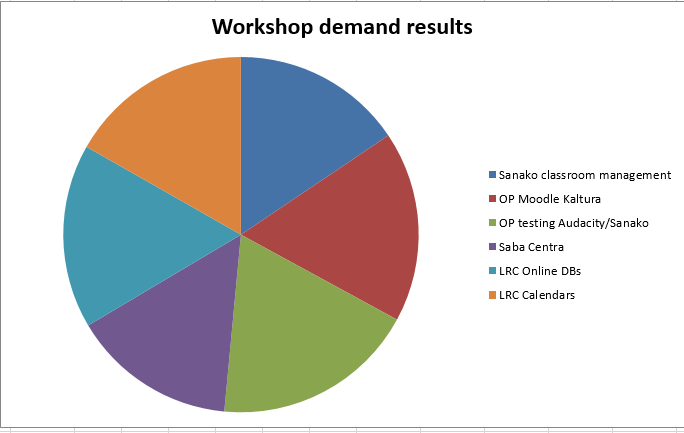
7 responded, 1 commented. OP=Oral Proficiency.


Questions? Read the About. Or just ask me a quick Our Databases: Resources with calendars -- Language learning material Moodle Sites, multimedia files -- films


FAQs for LRC student staff or for students or for teachers. To search our FAQs, in the browser addressbar, add after "https://plagwitz.wordpress.com/feed/?tag=faqs+/" "+TAG1" (from tag cloud below) OR "https://plagwitz.wordpress.com/feed/tag=faqs
&category_name=" "CAT1" (from category hierarchy below). OR search both categories and tags, and multiple TAGs/CATs (connect with "," for OR-search, with "+" for AND-search), like so: https://plagwitz.wordpress.com/feed/?tag=TAG1+TAG2+...TAGn&category_name=CAT1
+CAT2+...CATn"
Other ways to find help
If you cannot find it here, look there: 5,500 Language-Learning Links and Programs for learning or teaching 150 languages
Shortcuts:Our Lists, Our Maps, LRC Staff Moodle Site,LRC Project Moodle Site, 49erexpress, UNCC Moodle, Student Recordings: s:claslcslrcsanakostudent
Learning usage samples: Sanako oral exam, Kaltura webcam presentation, Dictation with speech recognition, Sanako written exam, Chinese and Japanese interactive stroke-order practice
Test the Sanako Installer, Webbrowser Popup Konfigurator for XP, or Windows7, faster LRC TeacherPC Log-in Let MS facilitate diacritics writing by installing for you US-International keyboard layout
This is my personal blog (Google+). The views expressed on these pages are mine alone and not those of my employer. The information in this weblog is provided “AS IS” with no warranties, and confers no rights.
 Thomas' Work Space