Archive
Archive for the ‘technology-domains-is-any’ Category
Room and Equipment handling using MS-Exchange Resource Mailboxes: Configuration with OWA instead of PowerShell
2011/08/30
1 comment
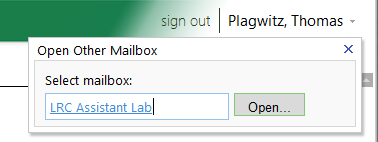
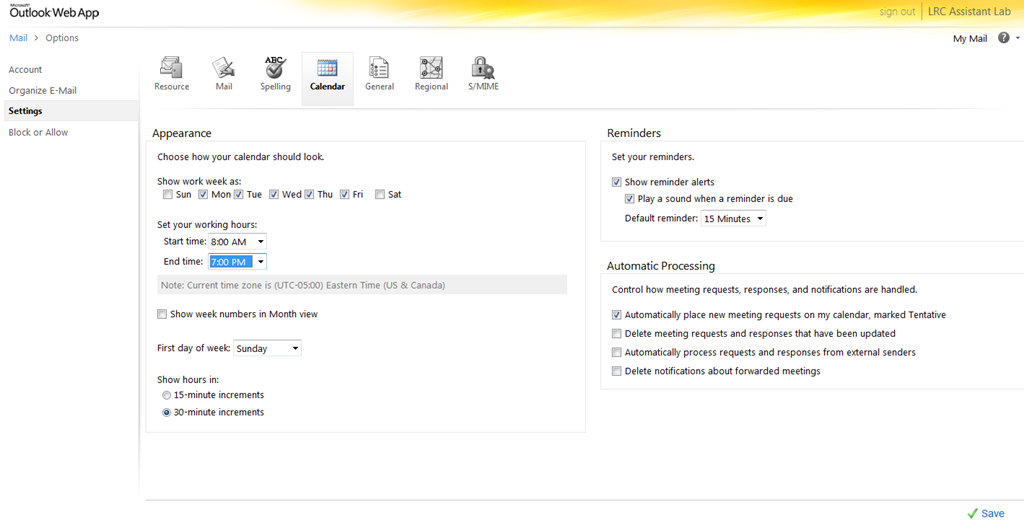
- As once can easily find documented for MS-Exchange 2007, if you are the owner of the mailbox, you can use the OWA-feature “open other mailbox”.

- As impersonated user for this mailbox
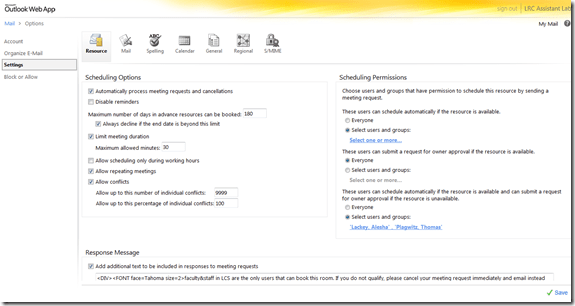
 , you can access the “Options / Settings”:
 - for the “resource” scheduling
- for its “calendar”

- This is maybe not as much fun as PowerShell’s Set-MailboxCalendarSettings and set-CalendarProcessing (click as you go, no batching), but easier on your MS-Exchange admin
 and especially practical for quick modifications and tests,

LRC Outlook/Exchange 2010 Resource Calendaring: LRC resources in the Global Address List (GAL)
2011/08/30
3 comments
- Open the GAL for resources by clicking on “Resources” in a meeting request, like here:

- You will find an equivalent of the LRC bookable resources list in Outlook’s/O’WA’s Global Address List.
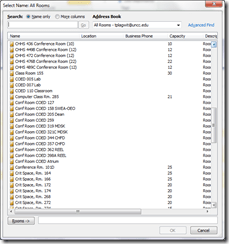
- In the GAL,you can filter by recipient type:

- the result, in outlook:
- the result, in outlook:
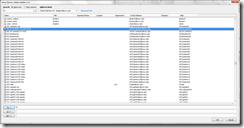
- for LRC resources, especially other than rooms, it is easier to filter by name(all LRC resource names start with “LRC”) – the result,
- in Outlook:
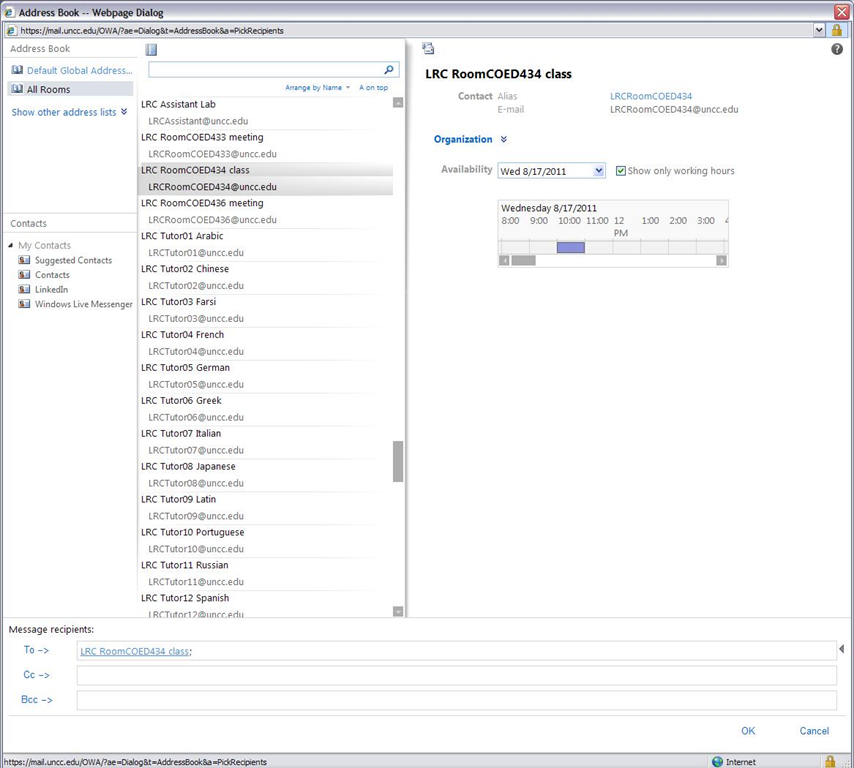
- in OWA you will see the GAL as part of the address book

- in Outlook:


LRC Outlook/Exchange 2010 Resource Calendaring: How to cancel meetings in OWA
2011/08/30
4 comments
- View instead a short screencast how to cancel meeting requests in OWA.
- Or: You start out with a meeting request conversation like this, showing:
- a request send from account LRC help (example)
- an accepted meeting response from the resource (e.g. the room) account

- to cancel that meeting, you can go to your (!) calendar in OWA,
- select (click on) the meeting and choose “delete”
- either from the context menu after right-click the meeting
- or from the ribbon after selecting the meeting
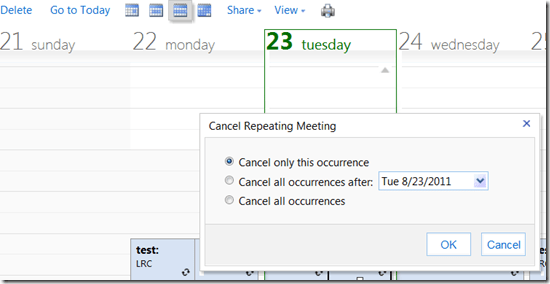
- if the meeting was repeating/recurring, you will be given the option to
- cancel this occurrence
- cancel all future occurrences
- cancel all occurrences (be CAREFUL not to delete past meetings that have taken place; cancel all future meetings in a series by updating the meeting series end time (leaves past meetings of the series intact))
- either from the context menu after right-click the meeting
- select (click on) the meeting and choose “delete”
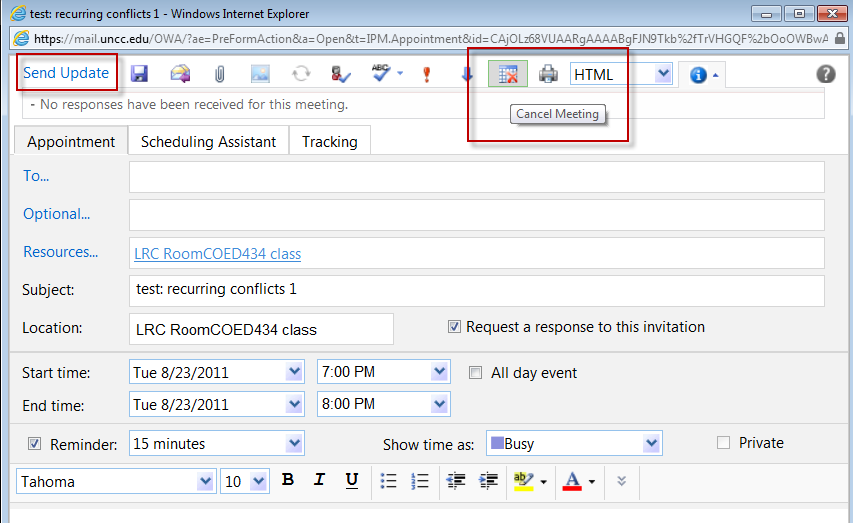
- you can also just open the meeting and choose from the top menu the “Cancel meeting” button, then press menu button: “Send update”:

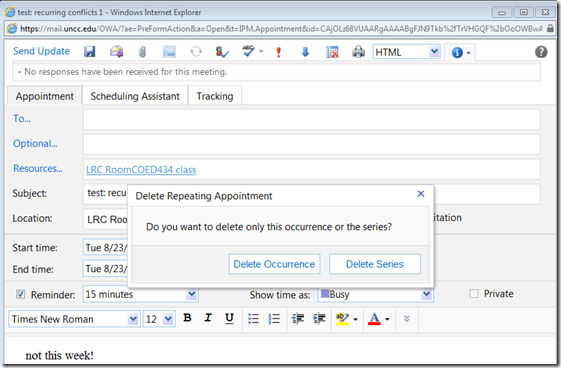
- Again, for recurring/repeating meetings, you will be asked to confirm what exactly you want to cancel, the individual occurrence or the entire series of meetings:
- Again, for recurring/repeating meetings, you will be asked to confirm what exactly you want to cancel, the individual occurrence or the entire series of meetings:
- You have the opportunity to include an informative note in your update before sending.

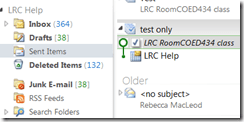
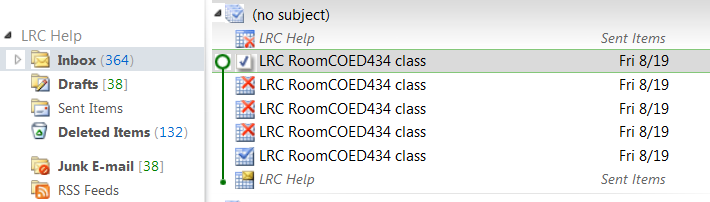
- After the cancellation has gone through, this is how the results will look like in the e-paper trail:
- “sent items”
- a cancelled meeting conversation in your “inbox” in “conversation view”:

- Here is a complete icon legend:

- “sent items”





LRC Outlook/Exchange 2010 Resource Calendaring: How staff view resource “Calendars from your organization” in OWA
2011/08/30
6 comments
- Note: Students that have not been specifically invited to share a calendar, must use (staff may also) this approach to view calendars, to avoid a permission problem .
- Staff can load resource calendars, but as somebody who books the resource (except where you still cannot book/schedule/sign up: Tutors), you normally neither need nor want to (unless you manage the resources).
- To preview the free/busy schedule of the resource, use the scheduling assistant instead.
- To make sure that you have booked the resource, load your OWN calendar instead: Since it is you who “meets” with the resource, your meeting will be reflected on there. If you also loaded the resource’s calendar, you would see your “meeting” twice. A meeting always appears in the calendar of all “participants” – only that, other than for resource calendars, you normally do not view the calendar of the other participants who are “human resources”(or maybe you are, at least in the scheduling assistant, but not with details beyond “busy”).

- You may want to load the resource calendar to learn details about the other “meetings”of the resource (e.g. which conflicting meeting organizer you can contact in an emergency, or to know how many tentative meeting requests are already pending for a tutor). Below is how:
-
Similarly to in Outlook (desktop):
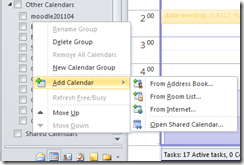 , in OWA, click on the lower left “Calendar-icon”
  to unfold the “My Calendars” list
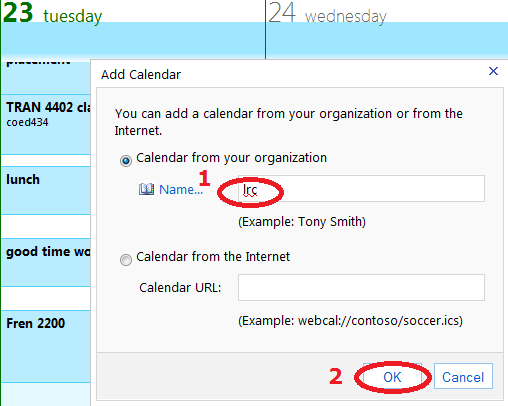
  in the left pane, then right-click on “My Calendars”, choose “Add Calendar”
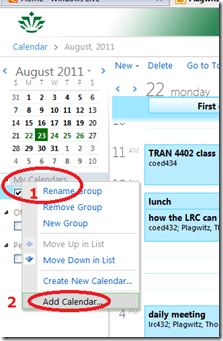 .
. -
put (part of) the name, click “ok”
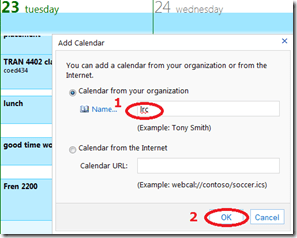
-
if there are multiple matches, select the correct one (you can only select one at a time)

-
press “OK” again:
 .
. -
As explained above, there is little reason to go overboard and add too many calendars, unless you have to manage:

-
However, you can also easily remove calendars, through the context menu item “Remove shared calendar”






How best to fit your class into the Sanako Study1200 Classroom Layout
2011/08/25
Leave a comment
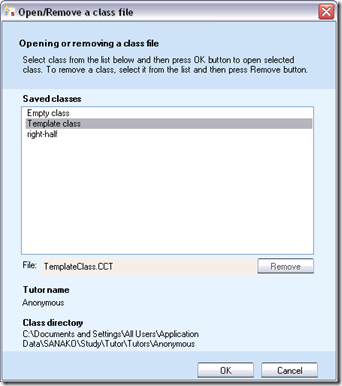
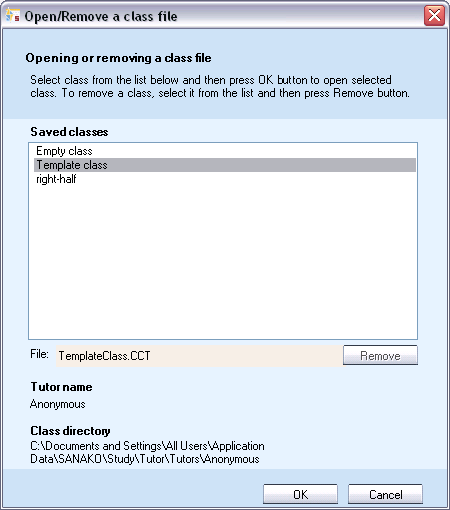
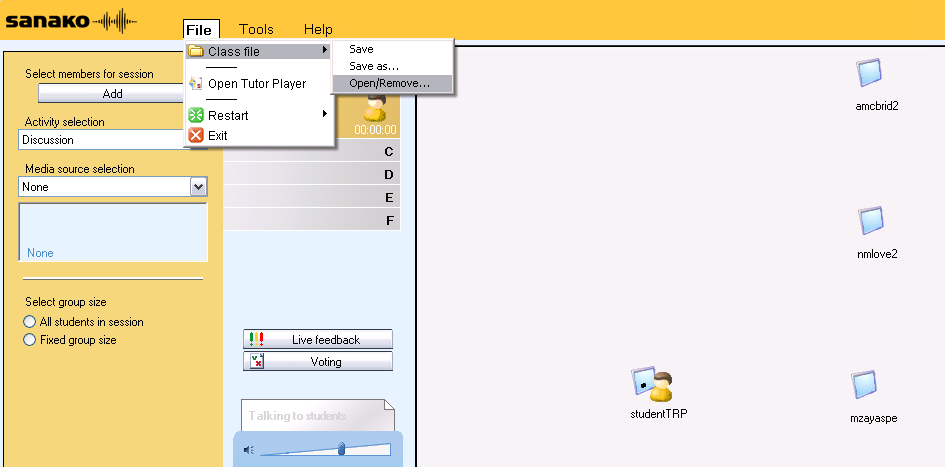
- When started, the Study1200 Tutor will prompt for the classroom layout (computer and student icons in the right part of the Sanako window) that you want to load, like so:
- We have 2 classroom layouts preconfigured for common uses of the LRC
- “right-half”: only the right half, as viewed by the teacher, of the coed434 main classroom. If you come with smaller classes (<16), this will fit relatively nicely onto the screen.
- “template class” = all that can fit onto the screen which means:To fit students (and, more importantly, the reasonably sized thumbnails of their desktops) onto the screen (Sanako Tutor will not span both screens, at least not if they have different resolutions), we had to
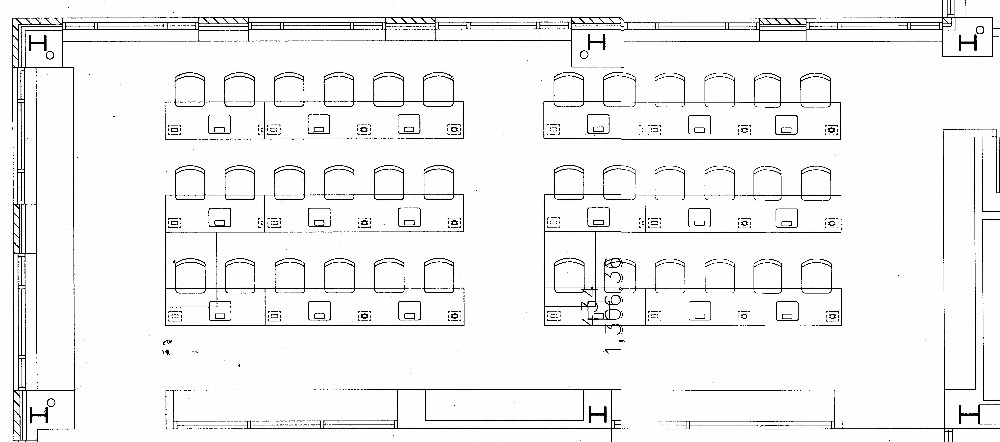
- take the main classroom COED434

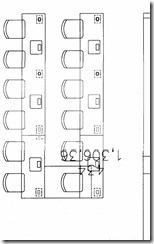
- break out the front 2 rows, break them apart in the middle, and turn them counterclockwise, like so:
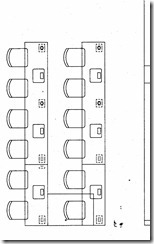
- to achieve the following result in the Study 1200 classroom layout:
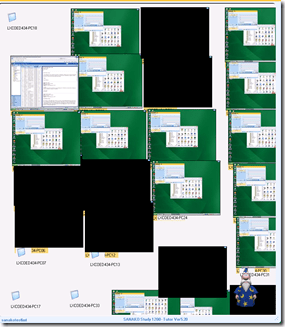 thumbnails of the 2 front rows barely fit the layout, remaining computers from the rear row are cluttering the bottom of the classroom layout. This severely limits the usefulness of this great feature, and is counter-intuitive, which is twice as bad when standing in front of (or here rather: behind) a class. We are working on getting a bigger secondary screen on the teacher podium. Since we will also eventually need more Sanako licenses to equip the whole classroom. So the secondary screen should be as big as we can possibly get for the podium: 1900*1200 would be 1.75 times what we have now.
 - To simplify this while we wait, we have numbered the seats (rather: the monitors) in the LRC according to the computer numbers. In the Study-1200 classroom layout, you can show the computer (names which end in these) numbers instead of the the student login names, by going to menu: tools / admin / change student names.
- if you classroom configuration changes,
- you can change the layout by reloading a preconfigured classroom layout file, like so:

- you can alter the layout on the right on the fly, by CTRL-SHIFT dragging student/computer icons
- If you have done this, on exiting, the study1200 tutor will ask you whether you want to save your changes to the layout. Feel free to do this, as longs as you save them in your personal tutor folder. Please do not overwrite existing layouts for all teachers.
- Classroom layouts are stored with the extension CCF, but are simply XML files. To preview or even edit them, You can open them in your preferred XML editor, like so in MS-Excel:




LRC website homepage updated to included LRC newsfeeds
2011/08/25
Leave a comment
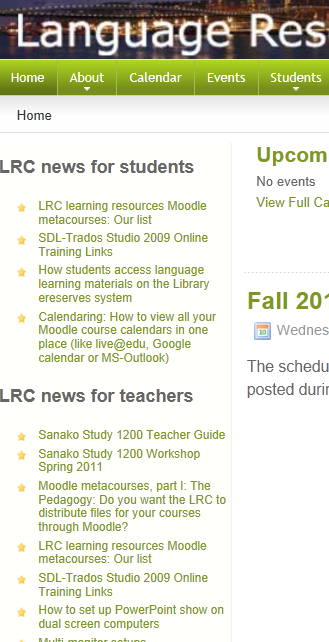
We have added newsfeeds to the most recent LRC news for students and teachers to the UNCC-LRC homepage, in the hope that our clients will find it easier to learn about new LRC features for language learning.
Categories: audience-is-students, audience-is-teachers, e-infrastructure, websites
joomla, newsfeed, rss, website
Room and Equipment handling using MS-Exchange Resource Mailboxes: What the parameter AddNewRequestsTentatively means
2011/08/22
1 comment
-
It is an instruction to the calendarattendant, that seems to be conjured up by automateprocessing: autoupdate, but also, now together with, but still separate from, the resource booking assistant, by automateprocessing: autoaccept
-
It is an instruction relating only to meeting requests, not to meetings. But it is not the calendarattendant, but rather the resource booking assistant that decides what is to remain a request and what not (= what is to be accepted or denied, and thus to stop being a mere request and be promoted to a meeting). if there are no (mere) requests (since all requests, for whatever other settings, are either auto-accepted or auto-denied, so effectively automatically rendered into non-(not anymore) requests, the AddNewRequestsTentatively will have no effect on the calendar. It is these other settings, that may allow requests to remain requests. Even though the parameter name may sound like it is doing this, it is NOT AddNewRequestsTentatively that will turn off/override these other settings to make all incoming requests remain requests. It is rather automateprocessing: autoupdate (or a combination of automateprocessing: autoaccept and allbookinpolicy: $false and Allrequestinpolicy: $true (and even more so AllRequestOutOfPolicy: $true) that would do that.
-
However, the latter is the combination if have for pseudo-rooms where it is important that the delegate can collate requests in a calendar-format when deciding which to accept/deny, instead of having to cobble together a picture from forwarded meeting request messages.
-
Organizer can make a request (out of policy: maxduration), and it appears on the organizers calendar
![outlook test AddNewRequestsTentatively true automateprocessing not autoupdate maxduration outfofpolicy lrc calendar this looks tentative_thumb[1]](https://thomasplagwitz.com/wp-content/uploads/2011/08/outlook-test-addnewrequeststentatively-true-automateprocessing-not-autoupdate-maxduration-outfo3.png?w=141&h=39 "outlook test AddNewRequestsTentatively true automateprocessing not autoupdate maxduration outfofpolicy lrc calendar this looks tentative_thumb[1]")
-
It appears on the room calendar for the delegate as tentative
![owa test AddNewRequestsTentatively true automateprocessing not autoupdate maxduration outfofpolicy lrc calendar this looks not tentative_thumb[1]](https://thomasplagwitz.com/wp-content/uploads/2011/08/owa-test-addnewrequeststentatively-true-automateprocessing-not-autoupdate-maxduration-outfofpol3.png?w=142&h=55 "owa test AddNewRequestsTentatively true automateprocessing not autoupdate maxduration outfofpolicy lrc calendar this looks not tentative_thumb[1]")
-
It appears in the scheduling assistant as tentative, for others to see
![owa test AddNewRequestsTentatively true scheduling assistant _thumb[1]](https://thomasplagwitz.com/wp-content/uploads/2011/08/owa-test-addnewrequeststentatively-true-scheduling-assistant-_thumb1_thumb.png?w=244&h=94 "owa test AddNewRequestsTentatively true scheduling assistant _thumb[1]")
![outlook test AddNewRequestsTentatively true automateprocessing not autoupdate maxduration outfofpolicy lrc calendar this looks tentative_thumb[1]](https://thomasplagwitz.com/wp-content/uploads/2011/08/outlook-test-addnewrequeststentatively-true-automateprocessing-not-autoupdate-maxduration-outfo2.png "outlook test AddNewRequestsTentatively true automateprocessing not autoupdate maxduration outfofpolicy lrc calendar this looks tentative_thumb[1]")
![owa test AddNewRequestsTentatively true automateprocessing not autoupdate maxduration outfofpolicy lrc calendar this looks not tentative_thumb[1]](https://thomasplagwitz.com/wp-content/uploads/2011/08/owa-test-addnewrequeststentatively-true-automateprocessing-not-autoupdate-maxduration-outfofpol2.png "owa test AddNewRequestsTentatively true automateprocessing not autoupdate maxduration outfofpolicy lrc calendar this looks not tentative_thumb[1]")
![owa test AddNewRequestsTentatively true scheduling assistant _thumb[1]](https://thomasplagwitz.com/wp-content/uploads/2011/08/owa-test-addnewrequeststentatively-true-scheduling-assistant-_thumb1.png "owa test AddNewRequestsTentatively true scheduling assistant _thumb[1]")
Room and Equipment handling using MS-Exchange Resource Mailboxes: What the parameter AllowConflict means
2011/08/22
1 comment
-
NOT TRUE HERE? More info here, search “AllowConflicts”.
-
Is required for a practically very desirable feature in handling of recurring meeting requests: A conflict exception still allows the basic recurrent meeting go through I found a helpful flowchart
 , see bottom left for effect of Allowconflicts.
 -
what will the effect be on non-recurring meeting requests? Will conflict in.stances (there are only instances with non-recurring meeting requests) still be denied? From the flowchart and when allowconflicts comes into play (only after automateprocessing: autoaccept (it does not come into play with automateprocessing:autoupdate) immediately before thresholds ) and that it still does not allow actual conflicts, it appears to me that allowconflicts should have been called “allow-a-recurring-meeting-request-to-be-not-outright-denied-if-it-has-conflict-instances-that-have-to-be-denied-(always-by-the-autoaccept-agent)-as-long-as-not-the-ConflictPercentageAllowed-and-MaximumConflictInstances-numbers-are-also-exceeded”. it was, however, with good reason not called: “allowdoublebooking” J
- That much about the theory. Now the Test results for AllowConflicts $true
-
What works: Allowconflicts does not prompt the autoprocessing: autoaccept (calendar booking assistant) to allow actual conflict instances (double bookings)) from recurring meeting requests.
-
What does not seem to work, but is not important right now: thresholds for conflict amounts are ignored, even if both are crossed
-
MaximumConflictInstances= 5
-
ConflictPercentageAllowed= 25% guides the calendar booking assistant in deciding whether a recurring meeting request gets
-
(10 conflict instances out of 20) still get accepted,
-
-


Questions? Read the About. Or just ask me a quick Our Databases: Resources with calendars -- Language learning material Moodle Sites, multimedia files -- films


FAQs for LRC student staff or for students or for teachers. To search our FAQs, in the browser addressbar, add after "https://plagwitz.wordpress.com/feed/?tag=faqs+/" "+TAG1" (from tag cloud below) OR "https://plagwitz.wordpress.com/feed/tag=faqs
&category_name=" "CAT1" (from category hierarchy below). OR search both categories and tags, and multiple TAGs/CATs (connect with "," for OR-search, with "+" for AND-search), like so: https://plagwitz.wordpress.com/feed/?tag=TAG1+TAG2+...TAGn&category_name=CAT1
+CAT2+...CATn"
Other ways to find help
If you cannot find it here, look there: 5,500 Language-Learning Links and Programs for learning or teaching 150 languages
Shortcuts:Our Lists, Our Maps, LRC Staff Moodle Site,LRC Project Moodle Site, 49erexpress, UNCC Moodle, Student Recordings: s:claslcslrcsanakostudent
Learning usage samples: Sanako oral exam, Kaltura webcam presentation, Dictation with speech recognition, Sanako written exam, Chinese and Japanese interactive stroke-order practice
Test the Sanako Installer, Webbrowser Popup Konfigurator for XP, or Windows7, faster LRC TeacherPC Log-in Let MS facilitate diacritics writing by installing for you US-International keyboard layout
This is my personal blog (Google+). The views expressed on these pages are mine alone and not those of my employer. The information in this weblog is provided “AS IS” with no warranties, and confers no rights.
 Thomas' Work Space