Archive
Archive for the ‘service-is-any’ Category
Manage some of your teacher computer settings per logged in user
2014/04/03
Leave a comment
- Another day, another hack, and inconsequential, unless of course you are in my situation:
- If you need a simple way to change some of your Sanako settings per logged in user
- but cannot use the logged-in user system built into Sanako Study 1200:
$path = "C:\ProgramData\Sanako\Study\Tutor\"If (@UserName = "PRTOTECTTHEINNOCENT") Then; change the sanako default save to dual track supporting mff; prereq: customized settings files in the folder ready to renameFileCopy($path & "mffTutor.Settings", $path & "Tutor.Settings", 1)ElseIf (@UserName = "tplagwit") Then; change the sanako default save to dual track supporting wma, for testingFileCopy($path & "wmaTutor.Settings", $path & "Tutor.Settings", 1)Else; keep the default mp3, but we may have to reset the tutorsettings on this unfrozen computerFileCopy($path & "mp3Tutor.Settings", $path & "Tutor.Settings", 1)EndIf; tutor.exe could be hardcoded to (re)load hereIf ProcessExists("Tutor.exe") Then; determine: we could kill tutor to reload it, but that could be disruptive of a classElseRun("C:\Program Files (x86)\SANAKO\Study\Tutor\Tutor.exe")EndIfExit
First steps with the teacher-training-setup for Sanako Study 1200 v7 in a deepfrozen computer lab environment
2014/03/31
Leave a comment
- I remember a time when the vendor travelled onsite to provide faculty induction into the Sanako Lab300, they set up the student PCs with a special version of the tutor software that multiple faculty could gain hands-on experience during a workshop.
- I have sorely missed this facility during my own 8 years’ of experience training faculty in using the successor product, Sanako Study 1200. No longer: With Sanako 7, Sanako provides to the digital audio lab manager an installer that sets up a similar environment for faculty in a Sanako Study 1200 lab. Below are some observations how to get this to run what should be a fairly typical HE language lab environment
- Install, in frozen state, as admin:
- Uninstall Sanako student recorder from appwiz.cpl
- Install "S:\COAS\LCS\MYDEPT\LRC\Secure\software\Sanako\7\TeacherTrainingSETUP.EXE" (right-click, run as admin)
- Is mostly hands-free, but I’d prefer an MSI with a /quiet install option, then I could automate that.
- One could write AutoIt script compiled to .exe that uninstalls student recorder? Need to know the msicache location ?
- Neither Uninstall of student recorder nor install of teacher-training-setup require a restart - is suitable for installation on otherwise frozen lab installation
- Additional setup required:
- I got an error about corrupt student settings file, but it worked.
- Loading students from "corridor"
- On unfrozen office computer, I got an error about student settings corrupt, but teacher could load students
- On frozen lab computer, I get no error, but teacher does not see students, although 5 have been started – Is an original student settings hanging around?
- After tutor setup (do not require tutor login) and restart, I get this error on the tutor:
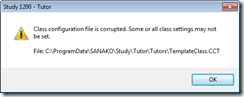
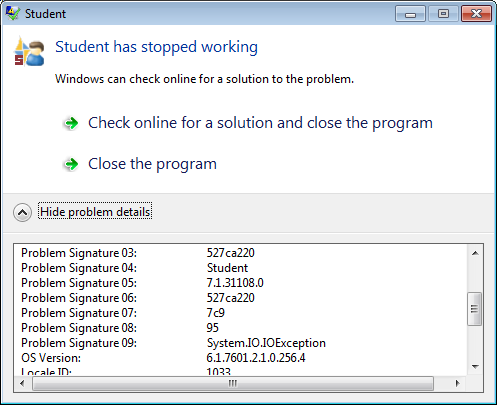
- And this crash of the student:

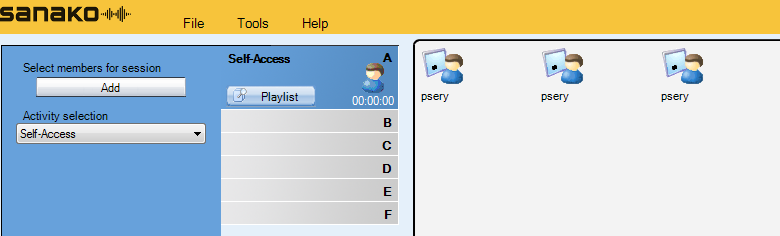
- But now is see these signs of success :
- on student t

- on tutor this :

- And it works:
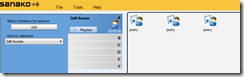
- on student t
- We have to unblock tutor in firewall twice:
- Initiate a screen sharing , then unblock :

- For audio: initiate a model imitation with collect, then unblock.
- Initiate a screen sharing , then unblock :
- Set Collection path:
- Initiate a homework collection , set collect path to a suitable folder (here S:\COAS\LCS\LRC\sanako\student).
- Not needed for audio collection.
- Other observations:
- Uses file download, not stream audio, to students: You can see the tutor and the student applications at the same time, monitoring the effects your tutor operations would have in the classroom
- Why at first 2 students and then 3?

- Why at first 2 students and then 3?
- Remote control:
- Note that screen sharing will switch aero off on your computer
- Note that button:"collaborate" does weird things to your mouse, make sure you can even get back to the button:"monitor" to turn it off.
- Uses file download, not stream audio, to students: You can see the tutor and the student applications at the same time, monitoring the effects your tutor operations would have in the classroom
- Setup TeacherTrainingSETUP for each workshop participant.
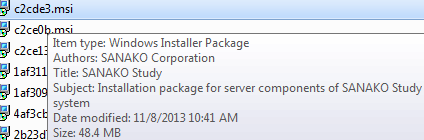
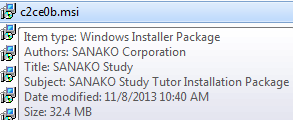
- The msi packages contained in teacher training setup as of Fall 2013, in case you ever get around automating the installer using AutoIt that you can deploy it from teacher station instead of having to touch each machine, please share:
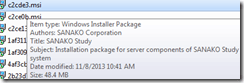
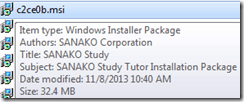

- The msi packages contained in teacher training setup as of Fall 2013, in case you ever get around automating the installer using AutoIt that you can deploy it from teacher station instead of having to touch each machine, please share:






MS-Exchange and Outlook enable managing scheduling of 100+ functional resources
2014/03/31
Leave a comment
High-level Reporting: ![clip_image004[5]](https://thomasplagwitz.com/wp-content/uploads/2014/07/clip_image0045.jpg "clip_image004[5]")
Also, it is easy to manage calendars by group calendars, e.g.
![clip_image002[5]](https://thomasplagwitz.com/wp-content/uploads/2014/07/clip_image0025.jpg "clip_image002[5]")
Creation of calendar groups is also easy via the outlook address book:
![clip_image006[5]](https://thomasplagwitz.com/wp-content/uploads/2014/07/clip_image0065.jpg "clip_image006[5]")
It is Outlook (Desktop) currently only (not Exchange 2010 OWA) that allows for High-level Reporting. And even here, there are limitations:
![clip_image007[5]](https://thomasplagwitz.com/wp-content/uploads/2014/07/clip_image0075.png "clip_image007[5]")
Bugs in MS-Calendaranalytics?
2014/03/25
Leave a comment
- Is there an Off-by-1 bug in MS-Calendaranalytics pivot chart?
- I am hovering (as an example) over the first name in the upper list which displays the right name as tooltip, the first name in the second list

- I guess I could learn DAX to fix this one myself, but what I have found myself doing is copy/paste the legend control from underneath, which does not exhibit this apparent bug, as a screenshot over the wrong legend (Seems strangely inadequate!).
- I am hovering (as an example) over the first name in the upper list which displays the right name as tooltip, the first name in the second list
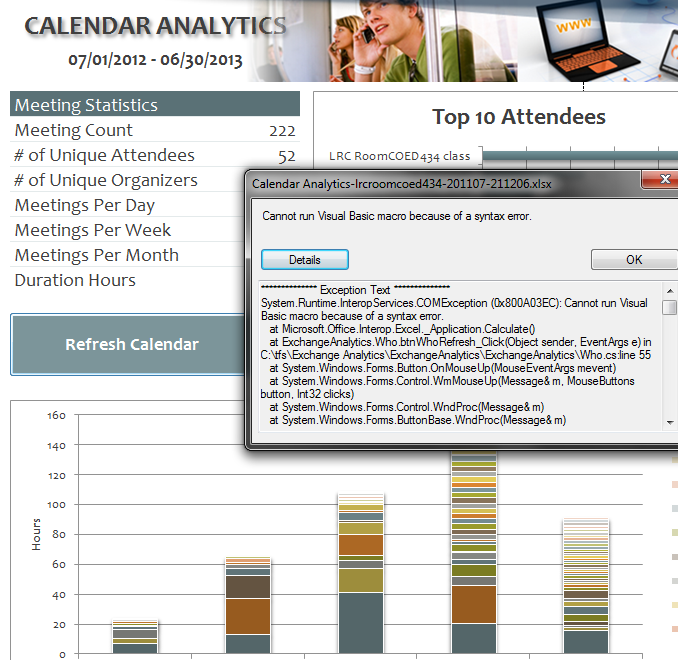
- Cannot run visual basic macro because of a syntax error”
 Version 1 on Excel 2010 (64-bit) on Windows 7 (64-bit). Restarting (Excel/Windows) made this go away.
 - This stopped working on load from one day to the next, without the file getting saved and updated in between: System.Runtime.InteropServices.COMException (0x80070490): Element not found. (Exception from HRESULT: 0x80070490)
at Microsoft.VisualStudio.Tools.Office.Runtime.Interop.IHostItemProvider.GetHostExtender(String extenderType, String extenderCookie, IntPtr& extenderObject)
at Microsoft.VisualStudio.Tools.Office.Runtime.DomainCreator.ExecuteCustomization.Microsoft.Office.Tools.IHostItemProvider.GetHostExtender(Type primaryType, String primaryCookie)
at Microsoft.Office.Tools.Excel.ControlSiteImpl..ctor(IServiceProvider serviceProvider, IHostItemProvider hostItemProvider, String primaryCookie, String identifier, Object containerComponent, UInt32 officeVersion, Control control, _OLEObject extenderControl, Boolean isDynamic)
at Microsoft.Office.Tools.Excel.FactoryImpl.Microsoft.Office.Tools.Excel.Factory.CreateControlSite(IServiceProvider serviceProvider, IHostItemProvider hostItemProvider, String primaryCookie, String identifier, Object containerComponent, Control control)
at Microsoft.Office.Tools.Excel.Controls.Button..ctor(Factory factory, IHostItemProvider hostItemProvider, IServiceProvider serviceProvider, String cookie, String extenderCookie, Object container, String identifier)
at ExchangeAnalytics.Sheet4.InitializeControls() in C:\tfs\Exchange Analytics\ExchangeAnalytics\ExchangeAnalytics\What.Designer.cs:line 169
at ExchangeAnalytics.Sheet4.Initialize() in C:\tfs\Exchange Analytics\ExchangeAnalytics\ExchangeAnalytics\What.Designer.cs:line 55
at Microsoft.VisualStudio.Tools.Office.Runtime.DomainCreator.ExecuteCustomization.ExecutePhase(ExecutionPhases executionPhases)
at Microsoft.VisualStudio.Tools.Office.Runtime.DomainCreator.ExecuteCustomization.Microsoft.VisualStudio.Tools.Office.Runtime.Interop.IExecuteCustomization2.LoadEntryPoints(IntPtr serviceProvider)

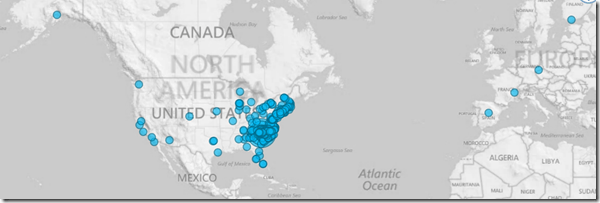
Mapping of Language Student Locations using PowerView
2014/03/09
Leave a comment
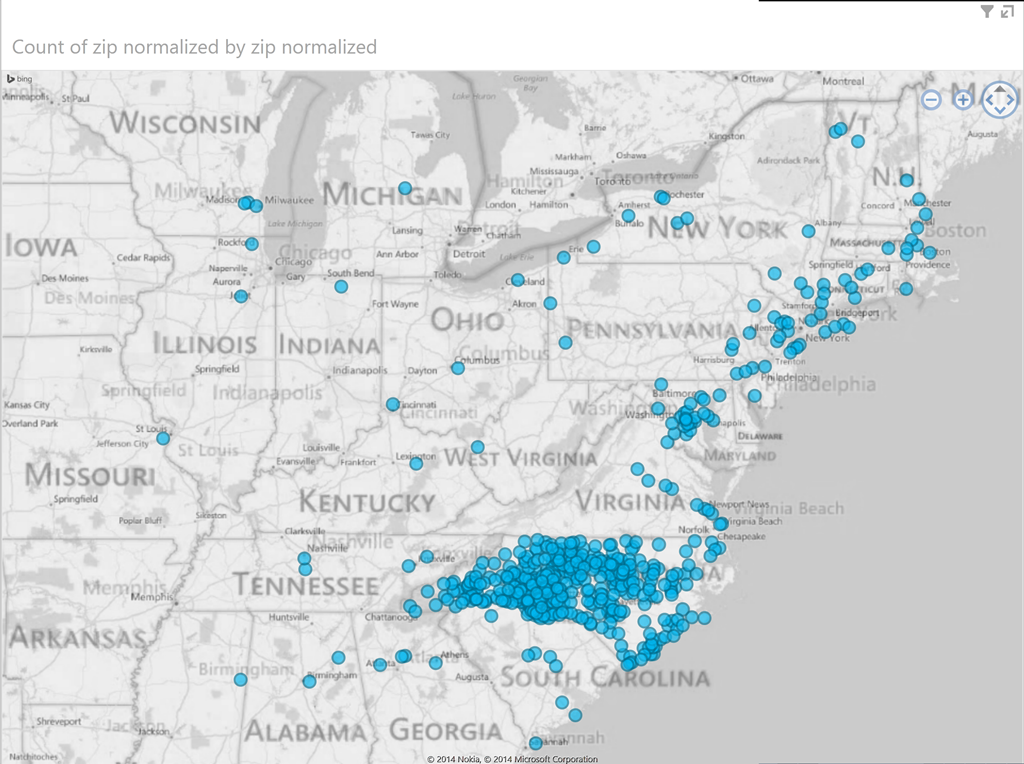
- What do our language students call home? Based on a pivot-table that counts zip codes, let PowerView tell you, which is can now distributed as a free add-in for Excel 2013 Prof, but you need to enable it (under File / Options / Add-Ins).

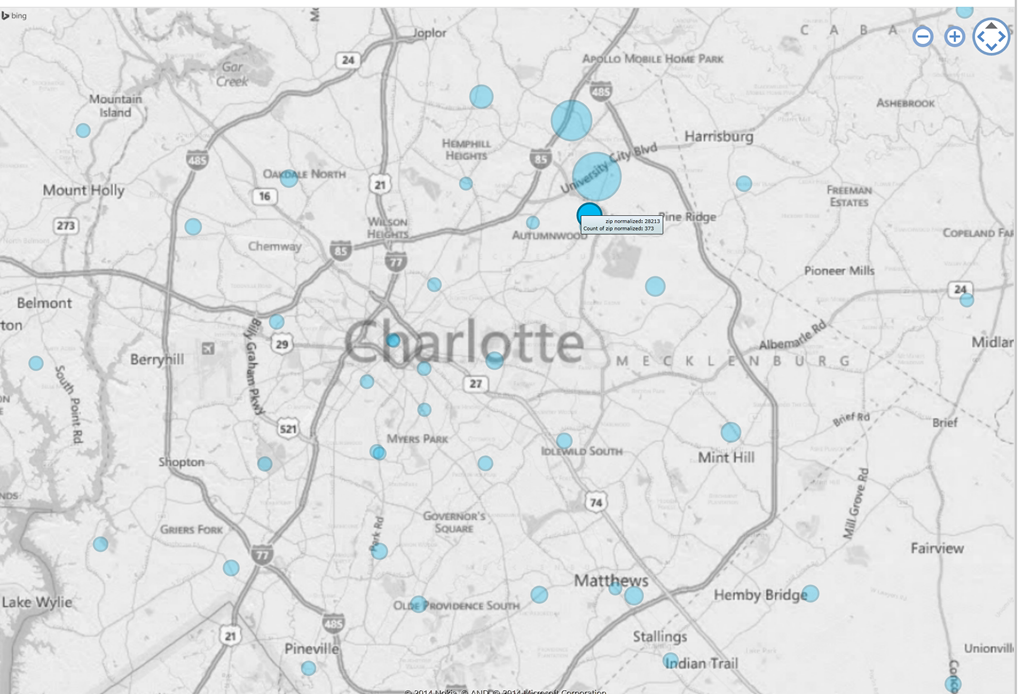
- Comes with a nifty zoom:
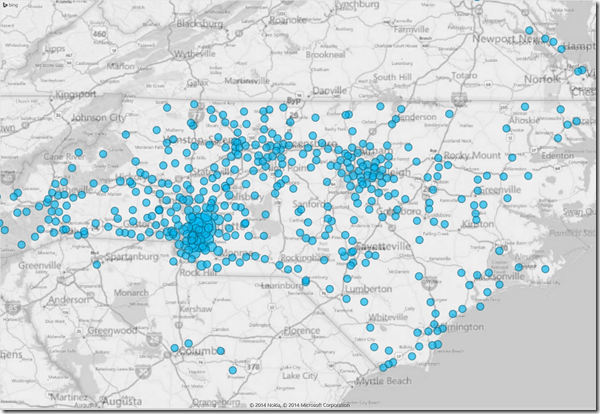
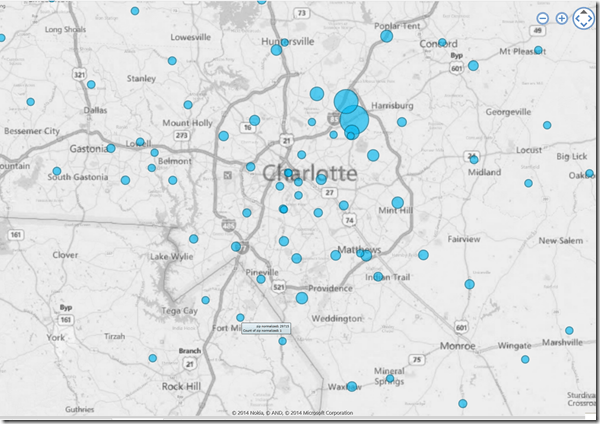
- Click, then Hover a data bubble for more info;

- Like with Bing Maps Visualization, the weighting is surprising:



Mapping of Language Student Locations using Bing Maps
2014/03/09
Leave a comment
- What do our language students call home? Based on a pivot-table that counts zip codes, let Bing Maps tell you, a default add-in easily accessible in the insert section of the ribbon:
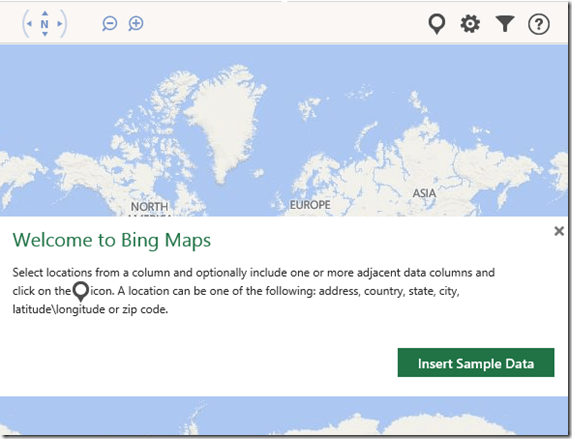
- Note a Limitation: Bing Maps max 100 data points.

- So we limited to zip codes with at least 15 students (which returns just below 100 zip codes).
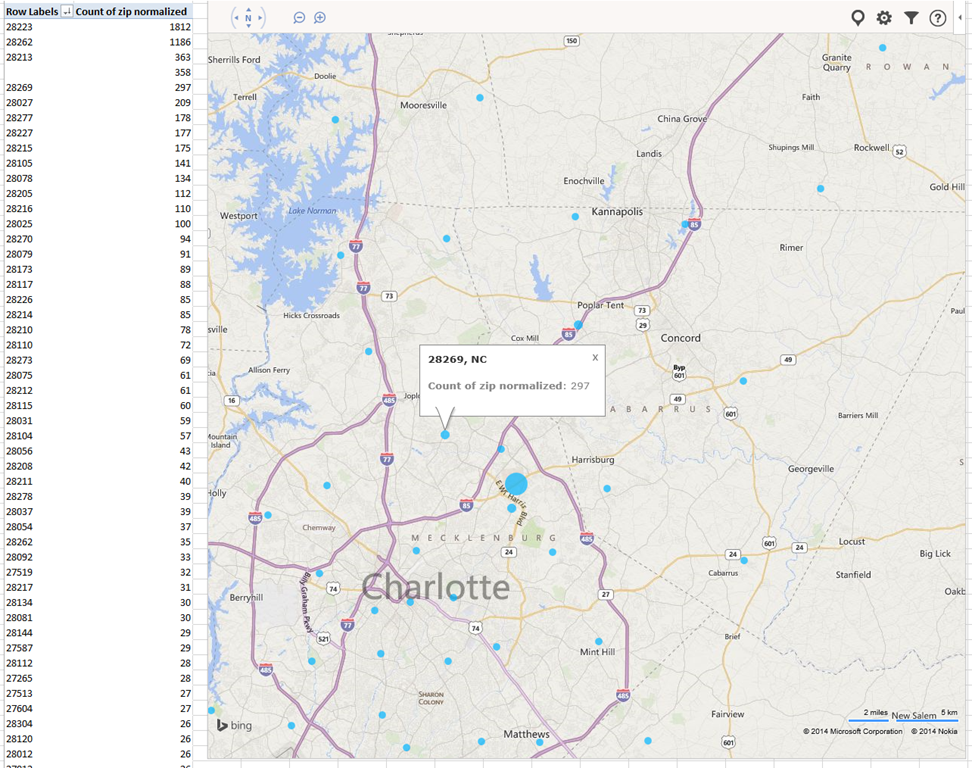
- Also note, the Bing maps app cannot be increased beyond a certain size (below is the maximum).

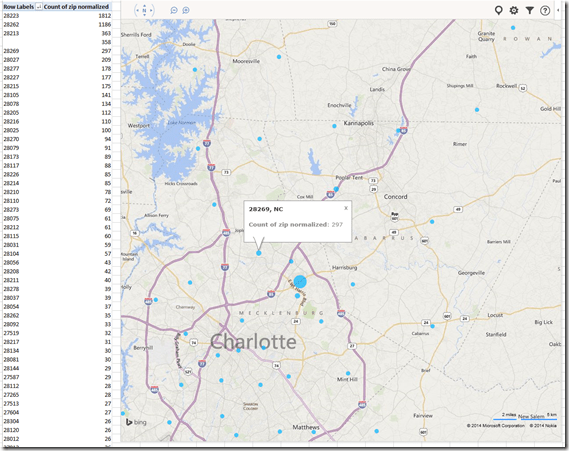
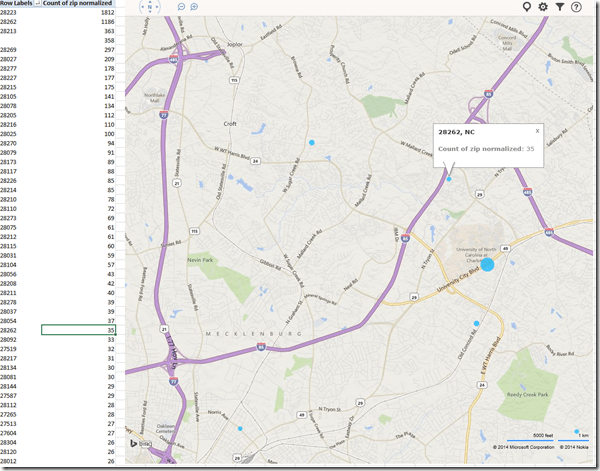
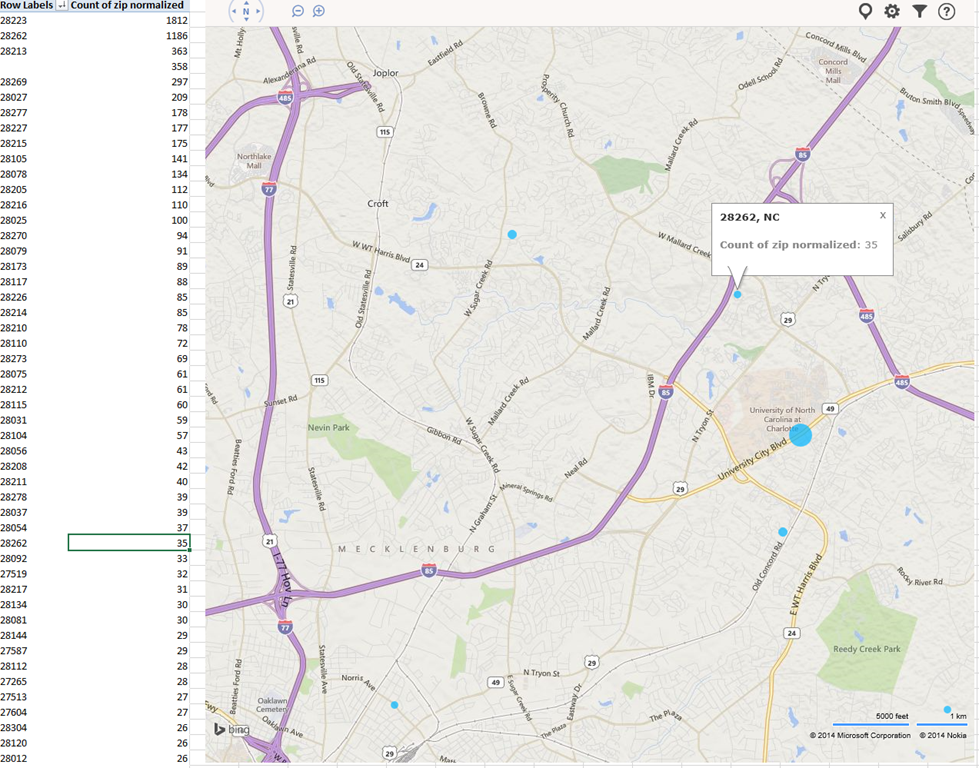
- Finally, note that the visualization does have a weight indicator, but it seems imperfect:

- Here is how data (type) input errors get handled (duplicates override the original):
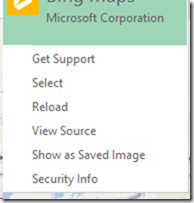
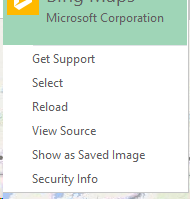
- Fix your data, the reload from the upper right unfoldable menu:

- Voilà:






Example 5: Watch how you can dictate to Windows speech-recognition (e.g. in English) and correct results in MS-Word
2014/03/07
Leave a comment

- Important: Listen carefully: I am not a native speaker, but have a reasonably low amount of errors, because it enunciate, speak clearly and slowly, and separate the words.
- Consider it part of the exercise that you will have to re-read and re-type some your output – use track changes in MS-Word:
- Make it a game: How good can you get?
- If you get really good at it, make a screencast like this one and include it in your Mahara ePortfolio as authentic evidence of your foreign language proficiency.
- Overall, it’s like how I refer to cycling: Beats walking. Anytime.

Categories: assignments, audience-is-students, audience-is-teachers, e-languages, English, French, German, Hindi, Japanese, Mandarin, multimedia-recording, Operating-system, Reading, Screencasts, service-is-applying-learning-tools, Spanish, Speaking, Student-Computers, training, Writing
ePortfolio, MS-Word, speech-recognition, track-changes


Questions? Read the About. Or just ask me a quick Our Databases: Resources with calendars -- Language learning material Moodle Sites, multimedia files -- films


FAQs for LRC student staff or for students or for teachers. To search our FAQs, in the browser addressbar, add after "https://plagwitz.wordpress.com/feed/?tag=faqs+/" "+TAG1" (from tag cloud below) OR "https://plagwitz.wordpress.com/feed/tag=faqs
&category_name=" "CAT1" (from category hierarchy below). OR search both categories and tags, and multiple TAGs/CATs (connect with "," for OR-search, with "+" for AND-search), like so: https://plagwitz.wordpress.com/feed/?tag=TAG1+TAG2+...TAGn&category_name=CAT1
+CAT2+...CATn"
Other ways to find help
If you cannot find it here, look there: 5,500 Language-Learning Links and Programs for learning or teaching 150 languages
Shortcuts:Our Lists, Our Maps, LRC Staff Moodle Site,LRC Project Moodle Site, 49erexpress, UNCC Moodle, Student Recordings: s:claslcslrcsanakostudent
Learning usage samples: Sanako oral exam, Kaltura webcam presentation, Dictation with speech recognition, Sanako written exam, Chinese and Japanese interactive stroke-order practice
Test the Sanako Installer, Webbrowser Popup Konfigurator for XP, or Windows7, faster LRC TeacherPC Log-in Let MS facilitate diacritics writing by installing for you US-International keyboard layout
This is my personal blog (Google+). The views expressed on these pages are mine alone and not those of my employer. The information in this weblog is provided “AS IS” with no warranties, and confers no rights.
 Thomas' Work Space