Archive
Streaming Problems with Realmedia via RTSP from ereserves with VLC Player (and Internet Explorer. And NetOp School)
- VLC-player
- version 1.1.9, but also currently newest 1.1.11 as well on Windows CXP SP 3
- opens from IE8 and Firefox 3.6
- but is not able to play files (tested even multi) through. Rather, it nicely falls on its face, with the audio stream simply appearing to stop, mid-sentence, after 2:38 (pretty consistently – a buffering bug? A great way to slip through pre-testing).
- In the LRC, I could hardly bring the taskswitcher up, let alone (15 minutes of waiting) the task manager, to even find that vlc.exe is the culprit, with a CPU utilization of 99% solid (Ouch!).

- Not quite so bad in the office computer where it hovered slightly above 25%, maybe busying only one CPU core.

- My Google searches do not find anything quite similar.
- RealPlayer 14 to the rescue?
- In IE8, RealPlayer does not open when clicking on the web page link with the RM file which causes a dialogue to open if VLC-player is the default player, rather a strange unplayable content error..

- In Firefox, RealPlayer open and plays (and pre-buffers) the stream completely.

- Note that ereserves “download as zip” cannot serve as a workaround: gives you only the links like http://dlib4.uncc.edu/streaming/media_play.php?file=9364cb66b9e1cae26aed0f471e9eab5b, which require you to re-authenticate, even if in the same browser session, and do not redirect to the resource, neither audio nor web page form which you could launch the audio (in short, I do not get what this download as zip is good for)
- Next Problem: This may work on my office computer. In the lab we have NetOp School installed. That adds another layer of NetOp School problems which look like they can be resolved
next time the lab is reimaged. For now, use instead audio from Moodle metacourses where possible.next time I get around to design and run a Symantec-Ghost Software and File Action on the computers (all LRC lab PCs) and test the result (on PC10) which was now.


Deutsche Welle ends her live German program streaming today
- Too bad:
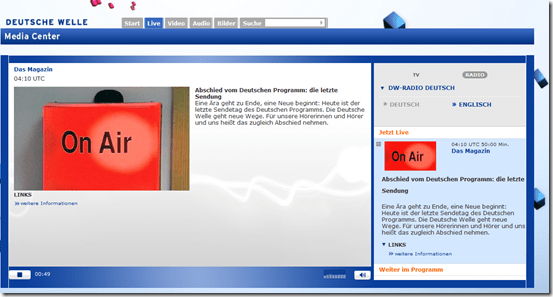
- And in those last news: “The Chinese government demands reforms in the Euro-zone before providing financial help”.
- I remember a time when Deutsche Welle was available during family vacation only via short wave radio. Now, the on-demand offerings of the Deutsche Welle will be expanded. They are more useful for language learning than live streaming anyway.

MS-Engkoo glossing of Chinese newspaper text
- Learners of Mandarin can increase not only their cross-cultural knowledge, when using the English versions of two of the biggest Chinese newspapers: “China Daily has adopted Engkoo’s “hover translation” feature—hover your cursor over an English word or phrase and get an inline Chinese translation— on its China-facing website” and the People’s Daily, the largest official newspaper in China, uses the same feature in its English website”
- Make sure you are on the right version (English version for Chinese user) of the site (
 are the choices you want to see on top) and “Enable Bing Dictionary”in lower right corner:
 ![china daily engkoo enable_thumb[1]](https://thomasplagwitz.com/wp-content/uploads/2011/10/china-daily-engkoo-enable_thumb1_thumb.png?w=244&h=40 "china daily engkoo enable_thumb[1]")
- Then hover:
![china daily engkoo example_thumb[1]](https://thomasplagwitz.com/wp-content/uploads/2011/10/china-daily-engkoo-example_thumb1_thumb1.png?w=559&h=462 "china daily engkoo example_thumb[1]") .
.

![china daily engkoo enable_thumb[1]](https://thomasplagwitz.com/wp-content/uploads/2011/10/china-daily-engkoo-enable_thumb1.png "china daily engkoo enable_thumb[1]")
![china daily engkoo example_thumb[1]](https://thomasplagwitz.com/wp-content/uploads/2011/10/china-daily-engkoo-example_thumb11.png "china daily engkoo example_thumb[1]")
Chinese newspapers
- China Daily is the largest Chinese newspaper available in English. It has a variety of versions: here is the version for the US, for cross-cultural learning, while the English version for speakers of Chinese is valuable both for learners of Mandarin and English.
- The government-run newspaper People’s Daily has an English version, also with language learner glossing.
How to link screencasts from MS-SkyDrive
- I am trying to replace – in the routine cases that do not need post-editing, but where speed is of the essence – my practice to post-process my screencasts in MS-Expression Encoder (installed on one machine only) and upload the result with a page to load a Silverlight Control – all hosted on my MS-Windows Azure portfolio.
- Much easier and quicker would it be to store screencasts in MS-SkyDrive (mapping to drives in MS-Windows enables a more robust drag and drop than the still browser-specific web version on live.com), and top take advantage the embed links provided.
- Unfortunately, WordPress.com, my blogging platform, does not support iframes with videos from MS-SkyDrive.
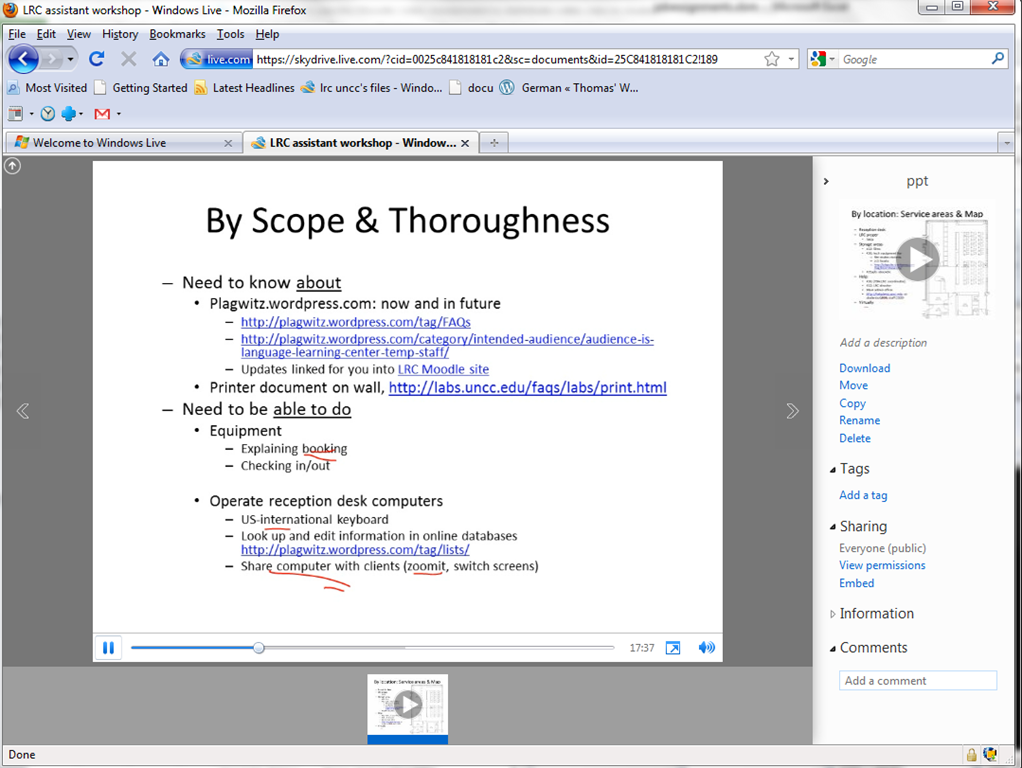
- However, by linking to the URL in the embed code, to open in a new window (with the inelegant instruction to “click on the thumbnail that opens”; if it loads slow, the thumbnail ALT displays essentially the same),:
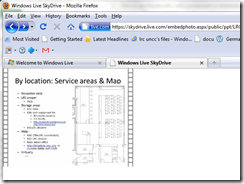
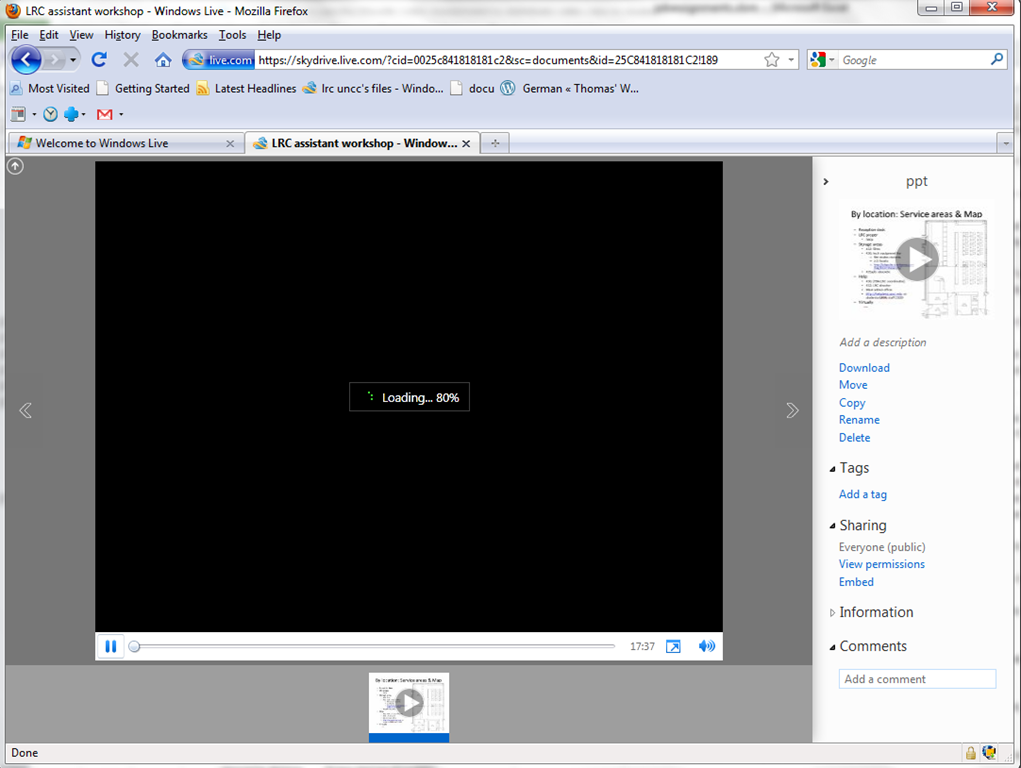
- I can get the user to an MS- Silverlight control which loads:
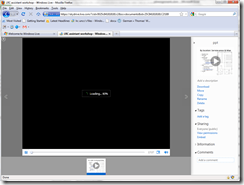
- and plays the video:

- more user-friendly and robustly (This has been tested to work on MS-Windows 7 with IE9 and Firefox 3.6) than distributing the bare WMVs of my screencasts directly.

Varying the speed of animated GIFs for learners – the technology: Shell-scripting ImageMagick
Animated GIFs for visualizing teaching content were the first e-learning tool that I heard a conference presentation on, in the early nineties.
In the recent past, I have been trying to revive animated GIFs for use in minimalistic training materials.
Now, for different learner personalities, and also to accompany each learner in their practice of Chinese character stroke order, as they get more proficient in drawing, I wanted to provide varied animation speeds of the Chinese characters drawings.
This bash script can do this, using a downloaded set with several hundred source characters in one animation speed to produce 75000 animated GIF (via 95000 temporary) files:
#!/bin/sh

shopt -s nocasematch # shopt -s sets the option, whereas shopt -u disables it.; however, Find is an external command and not affected by shopt

echo `date -u`

# todo: parameterize

# -maindir todo: convert param to $maindir

blnskipcreated=1 # 1=do not recreate anims if _mydelaylimit exists

echo "blnskipcreated:" $blnskipcreated

mydelaystep=10

mydelaylimit=1010


# test: what happens if i add zi to maindir

maindir="/cygdrive/G/myfiles/doc/work/students/ms-office/charinput/mandarin_chinese/stroke-order/Zi/Animated-characters/azi"

# todo: the rootdir is unimportant, it contains only a shortcut which points to nothing

rootdir="/cygdrive/G/myfiles/doc/work/students/ms-office/charinput/mandarin_chinese/stroke-order/Zi/Animated-characters"

framefilefilepath=${rootdir}/azi/page1.htm # the actual framefile which loads the azi.html and the character is G:\myfiles\doc\work\students\ms-office\charinput\mandarin_chinese\stroke-order\Zi\Animated characters\azi\page1.htm

# wrong  ${rootdir}/animated-characters.htm

framefilefileextension="htm"

framefilenamenopath="`expr "//$framefilefilepath" : '.*/\([^/]*\)'`"           # remove path to file

framefilenamenoextension="`expr "$framefilenamenopath" : '\(.*\)\.[^.]*$'`"        # remove last suffix ${i}

framefilefilepathnoextension=${rootdir}/${framefilenamenoextension}

echo "DOLLAR 1framefilefilepath, 2framefilefilepathnoextension, 3framefilenamenopath 4framefilenamenoextension:"1${framefilefilepath}:2${framefilefilepathnoextension}:3${framefilenamenopath}:4${framefilenamenoextension}:

# todo DOLLAR framefilefilepathnoextension, framefilenamenopath framefilenamenoextension:


cd $maindir

if [ -d  "$maindir" ] ; then # needs "" around vriable, space before ]

echo "Good!"

else

echo "not a dir"

exit 1

fi


sourcehtmlfilename="azi" # todo: how to i need to reference (enclose) the variables so that can the maindir and sourcehtmlfilename can contain spaces

# todo: document: "give the string one has to add to the maindir to get to the html file that links to the gifs": complication: animated-characters is just al link to azi/azi.htm`- so why not change the maindir to include azi-subdir

sourcehtmlfileextension="htm"

sourcehtmlfilepathnoextension=${maindir}/${sourcehtmlfilename}

sourcehtmlfilepath=${sourcehtmlfilepathnoextension}.${sourcehtmlfileextension}

echo "dollar sourcehtmlfilepath =" $sourcehtmlfilepath # debug

# exit 0 # debug

if [ -e  "$sourcehtmlfilepath" ] ; then # needs "" around vriable, space before ]

echo "Html File good!"

sourcehtmlfileswitch=1

else

echo "$sourcehtmlfilepath not an html file"

# no need, leave the html alone then, but set a switch exit 1

sourcehtmlfileswitch=0

fi

mfiles=`find $maindir  -iname '*.gif'` # Simply enclosing the wildcard in single quotes makes it work! unix find is case-sensitiv

# todo: if you want to be able to resume gif creation, you have to remove (previously created) files that match pattern _[0-9]+.gif

# shopt -s extglob - does this work with find or only ls

# shopt -s extglob

# mfiles=`find $maindir  -name '*!(_[0-9]+).gif'`

# shopt -u extglob

# Find is an external command, so its globbing isn't affected by bash shopt options, but you can use: find . ! -name 's.*.java'

# mfiles=`find $maindir  -name '*!(_[0-9]+).gif'`

# i will include the full path

# done: skip some, not all gifs are animated, e.g. G:\myfiles\doc\work\students\ms-office\charinput\mandarin_chinese\stroke-order\Zi\Animated-characters\azi\18b.gif

k=0 #debug:break

# echo "mfiles:$mfiles"

for i in $mfiles ; do

if [[ $i =~ _([0-9]+|strip).gif ]]; then

echo "skipping previously produced file $i"

else

echo "Converting {$i}..." # this prints 1 line extra per space  in dir - may cause problems with i down the road?

curdelay=0

delaystep=$mydelaystep # cs

delaylimit=$mydelaylimit # cs

filepath=$i

filenamenopath="`expr "//$i" : '.*/\([^/]*\)'`"           # remove path to file

filenamenoextension="`expr "$filenamenopath" : '\(.*\)\.[^.]*$'`"        # remove last suffix ${i}

filepathnoextension=${maindir}/${filenamenoextension}  # test: w/o azi ${maindir}/azi/${filenamenoextension} # todo: stupid workaround, but i supsect i cannot just add /azi to maindir

echo "DOLLAR 1filepathnoextension,2filenamenopath,3filenamenoextension:"1${filepathnoextension}:2${filenamenopath}:3${filenamenoextension}:

#  suffix="`expr "$name" : '.*\.\([^./]*\)$'`"     # extract last suffix

#  name="`expr "$name" : '\(.*\)\.[^.]*$'`"        # remove last suffix


############################################################################################### BREAK APART

# path2name

# as a animation disassembler, producing a summary of animation in terms of IM options

# gif2anim [options] image_anim.gif.

#. gif2anim.sh -s MIFF -b $i  -o ${i}.anim $i

# the s-switch of gif2anim.sh   never worked, can i do without it ? ainim2gif.convert will complain: unable to open idid0_20.gif_001.-s

# -s seems to result in ext -s, miff seems to result in all params fro mmiff on being interpreted as filenames

#. gif2anim.sh  -o ${i}.anim $i

framesfileext="xpm" # change this to give if you not use -x - CASESENSITIVE

. gif2anim.sh  -x -o ${filenamenoextension}.anim $filepath

#. gif2anim.sh -s MIFF -b $i  -o ${i}.anim $i

#. gif2anim.sh MIFF -b $i  -o ${i}.anim $i

#      -c             coalesce animation before parsing

#      -t             Add time synchronization comment before each frame

#      -l             just list the anim file to stdout, no images

#      -v             Be verbose in animation conversions

#      -n             no images, just create the '.anim' file

#1      -g             use an GIF suffix for frame images (default)

#      -x             use an XPM suffix for frame images

#todo: did this work? b0aej.gif_001.-s 1 MIFF      -s suffix      use this suffix for the frame images

#      -i initframe   number of the first frame image (def=1)

#needed?      -b framename   basename for the individual frames

# 1     -o file.anim   output to this .anim file (- for stdout)

#


# grep 'delay ' ${i}.anim # check return 0exit good, 1exit bad - You can see what a commands exit status is by looking at the variable $?.

# might be safer

grep 'delay ' ${filenamenoextension}.anim

if [ $? == 1 ]; then # is no animated gif, skip

echo "NO ANIM GIF grep finds no delay in: " ${i}.anim

# do nothing: # done: if there is no delay in the gif.anim, do not enter while for curdelay, go to next file

else # is animated gif, curdelay

echo "since delay is matched for this gif, ENTERING curdelay WHILE"

while [ $curdelay -lt  $delaylimit ] ; do  # go in step 20cs from 20s = tile, to 40cs - default is 80cs\

echo "CURDELAY : " $curdelay

if [ $curdelay == 0 ]; then # branch into strip producing programm

############################################################################################## MAKE A STRIP

# The "gif_anim_montage" script also the special option '-u' which will also underlay a semi-transparent copy of the coalesced animation.

# interface: if you just output to samename.gif, you can leave the original links intact

# advantage: synchronous overview:

# disadvantage: viewing even more, and pseudo-signs

# gif_anim_montage [options] animation.gif  [output_image]

# done: query how many frame files into a variable and use this as param 1x${frames} of call to gif_anim_montage.sh

if [ -e ${filepathnoextension}_strip.gif ] ; then

echo "skipping found ${filepathnoextension}_strip.gif"

else

striplength=$(ls ${filenamenoextension}.${framesfileext} 2> /dev/null | wc -l) # count matching files, errors redirected

echo "found ${striplength} of frames framesfileext with ${framesfileext}, calling montage 1x${striplength} -u -w ${filepath}  ${filepathnoextension}_strip.gif"

if [ "striplength" != "0" ] ; then

. gif_anim_montage.sh 1x${striplength} -u -w -n ${filepath}  ${filepathnoextension}_strip.gif

#1    -u          Underlay a dimmed coaleased image (context for frame)

#0    -c          Add checkerboard background for transparent areas

#0    -g          Use granite for background

#1    -w          Use a white background

#0    -b          Use a black background

#0    -t image    Use this image (or color image) for background

#0    -r          Use a red border color rather than black

#0 todo: not USE DEFAULT, need column    #x#         tile the images   (default one single row)

#0    -n          Don't label the animation frames (not important)

else

echo "NO STRIP MADE!"

fi

fi # strip file already exists?

else # $curdelay > 0 -> branch into gif producing program

# first you need to stream edit the .anim textfile for each iteration match "-delay 80"/"-delay curdelay"

# echo "CALLING sed $curdelay ${i}.anim  ${filepathnoextension}_${curdelay}.gif.anim" # debug

# sed 's/-delay 80/-delay '$curdelay'/g' ${i}.anim > ${filepathnoextension}_${curdelay}.gif.anim # todo: break delay loop if no match in gif.anim = no animated gif

echo "1:what is i now ${i}  and filepathnoextension.anim is: ${filepathnoextension}.anim"

echo "CALLING sed $curdelay in: ${filepathnoextension}.anim out: ${filepathnoextension}_${curdelay}.anim" # debug

sed 's/\-delay\s.*/-delay '$curdelay'/g' ${filepathnoextension}.anim > ${filepathnoextension}_${curdelay}.anim # todo: break delay loop if no match in

# first stream edit the .anim textfile for each iteration match

# redirection: file is UNCHANGED the modified file is file.bak

# watch variable expansion '/'$license'/p' README.txt

# skip timeconsuming recreate

if [ $blnskipcreated == 1 ] ; then  # if not needed (assuming generated files are correct - todo:parameterize!)

if [ -e ${filepathnoextension}_${mydelaylimit}.gif ] ; then

echo "skipping recreating gifs for ${filepathnoextension}_${mydelaylimit}.gif and below "

else

echo "NOT skipping recreating gifs for ${filepathnoextension}_${mydelaylimit}.gif and below "

############################################################################################### PUT TOGETHER AGAIN - w different delay AS PARAM -cs centiseconds

# read in prior output file .anim

# anim2gif [-b BASENAME] file.anim...

# anim2gif: Failed to convert "/cygdrive/G/myfiles/doc/work/students/ms-office/charinput/mandarin_chinese/stroke-order/Zi/Animated-characters/azi/b0b2_400.gif.anim" into "B0B2_400.GIF.GIF"

echo "CALLING CP  ${filepathnoextension}_${curdelay}.anim ${filepathnoextension}.anim"

cp  ${filepathnoextension}_${curdelay}.anim ${filepathnoextension}.anim #

# now try to call the ${filepathnoextension}.gif w/o${curdelay} to not muddy the output file name

echo "CALLING anim2gif.sh -g ${filepathnoextension}.gif" # debug  exists: idid0.gif.anim - do we have curdelay?

. anim2gif.sh  -g ${filepathnoextension}.anim # determine: we overwrite the ori gif here, does it matter? -> final cleanup

echo "CALLING mv4 ${filepathnoextension}.gif  ${filepathnoextension}_${curdelay}.gif" # debug

mv  ${filepathnoextension}.gif ${filepathnoextension}_${curdelay}.gif

# OPTIONS

#is this needed? not taken from the .anim  ?  -b framename   basename for the individual frames

# 1   -g             Add '.gif' to end of basename, not '_anim.gif'

# we rather want to overwrite the original gif: The "anim2gif" by default will re-create the GIF animation with a "_anim.gif" suffix.

#    -c             Input frames are coalesced, ignore any initial page size

# todo: since there is only one "animated characters.htm", one could append the _curdelay to all the output.gifs

# todo: and once per all gif files within one curdelay iteration, to the occurence of .gif within  "animated characters.htm" and to the filename "animated characters_curdelay.htm"

fi # _mydelaysteplimit.gif already exists, can skip?

fi # blnskipcreated, allowed to skip?

fi # is $curdelay > 0 -> s or gif producing?

echo " before exec:" $curdelay "delaystep:" $delaystep

curdelay=$(( $curdelay + $delaystep )) # 0=20 command not found, does not work here: `expr $curdelay + $delaystep` # increment for next iteration #todo: command not found

# k=$(( $k + 1 ))

echo " afterexec:" $curdelay

if [ $sourcehtmlfileswitch == 1 ] ; then #################### update the azi-html that points to the _curdelay.gif

if [ -e ${sourcehtmlfilepathnoextension}_${curdelay}.${sourcehtmlfileextension} ] ; then # only once per pseudo $curdelay=0=strip

echo "file ${sourcehtmlfilepathnoextension}_${curdelay}.${sourcehtmlfileextension} already exists, nothing to do "

else

# todo: is das cp nicht überflüssig before sed

cp ${sourcehtmlfilepath} ${sourcehtmlfilepathnoextension}_${curdelay}.${sourcehtmlfileextension} # create file

echo "dollar sourcehtmlfilepath =" $sourcehtmlfilepath # debug

sed -e 's/\.gif/_'${curdelay}'\.gif/gI'  $sourcehtmlfilepath > ${sourcehtmlfilepathnoextension}_${curdelay}.${sourcehtmlfileextension} # update gif links in html file to reflect curdelay

fi # if sourcehtmlfilename_curdelay already exists


#################### update the frames-html that points to azi.html

if [ -e ${framefilefilepathnoextension}_${curdelay}.${framefilefileextension} ] ; then # only once per pseudo $curdelay=0=strip

echo "framefile already exists, nothing to do "

else

# todo: is das cp nicht überflüssig before sed

echo "CALLING CP ${framefilefilepath} ${framefilefilepathnoextension}_${curdelay}.${framefilefileextension}"

cp ${framefilefilepath} ${framefilefilepathnoextension}_${curdelay}.${framefilefileextension} # create file

echo "dollar framefilefilepath =" $framefilefilepath # debug

# todo: magic string

sed -e 's/azi.htm/azi_'${curdelay}'\.htm/gI'  $framefilefilepath > ${framefilefilepathnoextension}_${curdelay}.${framefilefileextension} # update gif links in html file to reflect curdelay

fi # if framefilefilename_curdelay already exists

fi # if $sourcehtmlfileswitch=1

# does break jump across below

# obsolete echo " NOBREAK ${i}.anim $curdelay "

done # all curdelay steps to limit

echo " could be BREAK ${i}.anim $curdelay "

# does break go here?

echo " before exec $k:" $k

k=$(( $k + 1 )) # `expr $k + 1` #debug: test only

echo " after exec $k:" $k


if [ $k -gt 6 ] ; then # increased to 2 since 1 is skipped then # the "if [ ... ]" and the "then" commands must be on different lines. Alternatively, the semicolon ";" can separate the

echo "let it run freely , or uncomment the next line"

# exit 0

fi  # debug

fi # is animated gif?


# final cleanup todo: only if the ori gif and ori htmlsource do not get deleted

if [ -e ${filepathnoextension}_${curdelay}.gif ] ; then # this errors now for undeleted non-animated gifs (break)

# todo: ${i} something wrgon is in ${i}

# echo "5: what is in ${i} now"?

rm ${filepathnoextension}.gif # the ori gif name, whatever is not in there is also in ${i}_${curdelay}.gif

fi

fi #skipping previously produced?

done     # all gif files

# final cleanup delete the compromised ori gif and ori htmlsource

# debug this causes to many probs rm $sourcehtmlfilepath  # the ori html name, whatever is not in there is also in ${sourcehtmlfilename}_${curdelay}.${sourcehtmlfileextension}

echo 'animated gif conversion complete!'

# todo: azi.htm is the file to be made into azi_10...1010.htm, ot animated characters

# todo:b1caf_strip.gif wont displaty inphotoviewer, strip gets way too long with empty spots at end

# -> redo only the strips and

# deleate all (after variable creation and loopstarting) and (before grep 'delay ' ${filenamenoextension}.anim)

# delete all after echo "NO STRIP MADE!" except fi and loop closing

# todo:labelling of strips - can one also label the animated gifs

#todo: der erste rame sollte nicht blank sein, sonst kann erst lange gar nichts sichtbar sein

#todo: found 0 of frames, calling montage 1x0 -u -w /cygdrive/G/myfiles/doc/work/students/ms-office/charinput/mandarin_chinese/stroke-order/Zi/Animated-characters/azi/a1f5.gif/cygdrive/G/myfiles/doc/work/students/ms-office/charinput/mandarin_chinese/stroke-order/Zi/Animated-characters/azi/a1f5_strip.gif

# afterexec:10

#dollar sourcehtmlfilepath = /cygdrive/G/myfiles/doc/work/students/ms-office/charinput/mandarin_chinese/stroke-order/Zi/Animated-characters/azi/azi.htm

#CALLING CP  _10.htm

# cp: missing destination file operand after `_10.htm'

#/cygdrive/g/conf/lang/bat/imagemagick/animated-gifs-slow-down.sh: line 26: /cygdrive\

#G\myfiles\doc\work\students\ms-office\charinput\mandarin_chinese\stroke-order\Zi\Animated-characters\animated-characters.htm: No such file or directory

#G:\myfiles\doc\work\students\ms-office\charinput\mandarin_chinese\stroke-order\Zi\Animated-characters\animated-characters.htm
One day, I hope to generalize this script for adapting other animated GIF collections from the Web, e.g . parameterizing it. For now, it can run out of the box on the Chinese website if you setup the necessary environment.
I am running this from mintty using Cygwin’s ImageMagick, to avoid having to port the great shell ImageMagick scripts gif2anim.sh, anim2gif.sh and gif_anim_montage.sh by Anthony Thyssen which you need to put in the same directory as my animated-gifs-slow-down-pub.sh
And if you change the rootdir and maindir to point to the disk location where you downloaded the website package.
Call the script with “animated-gifs-slow-down.sh &>slowing.log” to log the chatty debug information.
If you use it and/or adapt it to process other websites that use animated GIFs, kindly link back.
Hint: When done, be careful when moving such a large set of files. InfoZip’s zip utility ate the last 10000 of my gif files, without warning, as if it can handle only 64k files? Since this happened during a “move into zip-file”operation, this was costly, at least in CPU cycles required to rerun the gif animation script…
AviSynth scripting should be next…
Learn Chinese character stroke-order with slowed-down animated GIFs
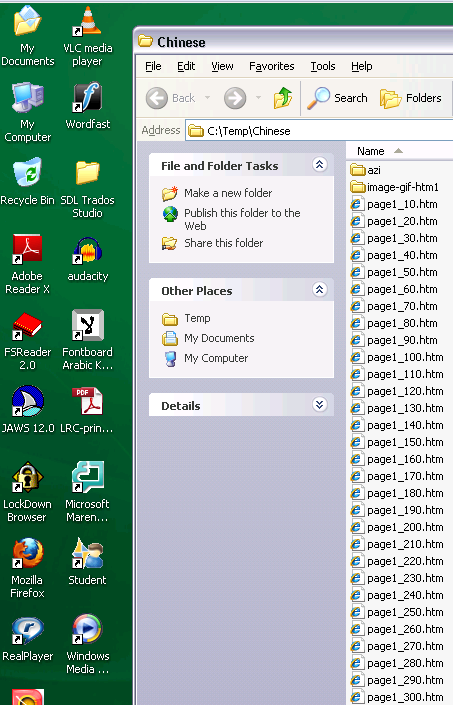
Further to our prior tips on learning Chinese stroke order, now you can take your time, in the LRC: To facilitate your practicing of Chinese character stroke-order, we have used the most helpful site (also available by direct download) created by Tim Xie for the California State University, Long Beach, to create 100 different speed versions, and one comic strip like static image, for each of the several hundred of animated GIFs demonstrating Chinese character writing, and made them available on the LRC computers under Internet Explorer Favorites – Example:
 |
 |
 |
|
 |
|
 |
|
 |
|
 |
|
 |
|
 |
You can access the files with the stroke order speed of your preference from the LRCCOED434 student computers, like so:
(Many thanks also to the authors of programmable ImageMagick image editor and corresponding Unix shell scripts that we could use in the production of the slowed down animated GIFs. To create your own version of these slowed down animated GIFs, or others similar websites, feel free to pick up and/or adapt our shell script here).


Questions? Read the About. Or just ask me a quick Our Databases: Resources with calendars -- Language learning material Moodle Sites, multimedia files -- films


FAQs for LRC student staff or for students or for teachers. To search our FAQs, in the browser addressbar, add after "https://plagwitz.wordpress.com/feed/?tag=faqs+/" "+TAG1" (from tag cloud below) OR "https://plagwitz.wordpress.com/feed/tag=faqs
&category_name=" "CAT1" (from category hierarchy below). OR search both categories and tags, and multiple TAGs/CATs (connect with "," for OR-search, with "+" for AND-search), like so: https://plagwitz.wordpress.com/feed/?tag=TAG1+TAG2+...TAGn&category_name=CAT1
+CAT2+...CATn"
Other ways to find help
If you cannot find it here, look there: 5,500 Language-Learning Links and Programs for learning or teaching 150 languages
Shortcuts:Our Lists, Our Maps, LRC Staff Moodle Site,LRC Project Moodle Site, 49erexpress, UNCC Moodle, Student Recordings: s:claslcslrcsanakostudent
Learning usage samples: Sanako oral exam, Kaltura webcam presentation, Dictation with speech recognition, Sanako written exam, Chinese and Japanese interactive stroke-order practice
Test the Sanako Installer, Webbrowser Popup Konfigurator for XP, or Windows7, faster LRC TeacherPC Log-in Let MS facilitate diacritics writing by installing for you US-International keyboard layout
This is my personal blog (Google+). The views expressed on these pages are mine alone and not those of my employer. The information in this weblog is provided “AS IS” with no warranties, and confers no rights.
 Thomas' Work Space