Archive
Archive for the ‘Genre-is-any’ Category
How do I make a video out of my PowerPoint Presentation?
2011/09/14
Leave a comment
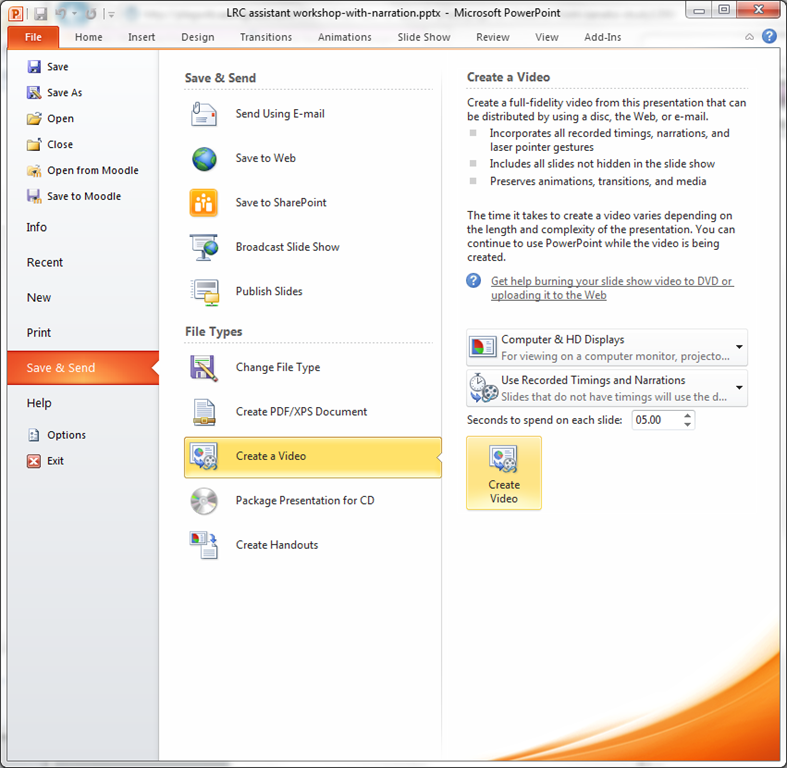
- Many streets may lead to Rome, but here is the "One Microsoft way”, built into PowerPoint 2010: http://office.microsoft.com/en-us/powerpoint-help/turn-your-presentation-into-a-video-HA010336763.aspx: You can essentially “save as” video, including recorded narrations. You have to have your media inserted in 2010 format. Here is a walk-through:
- under “file”, “save&send”, use “create video”

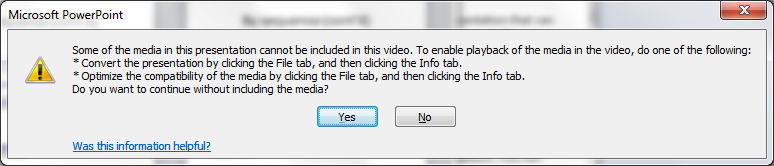
- if you get a compatibility error like so:
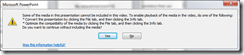
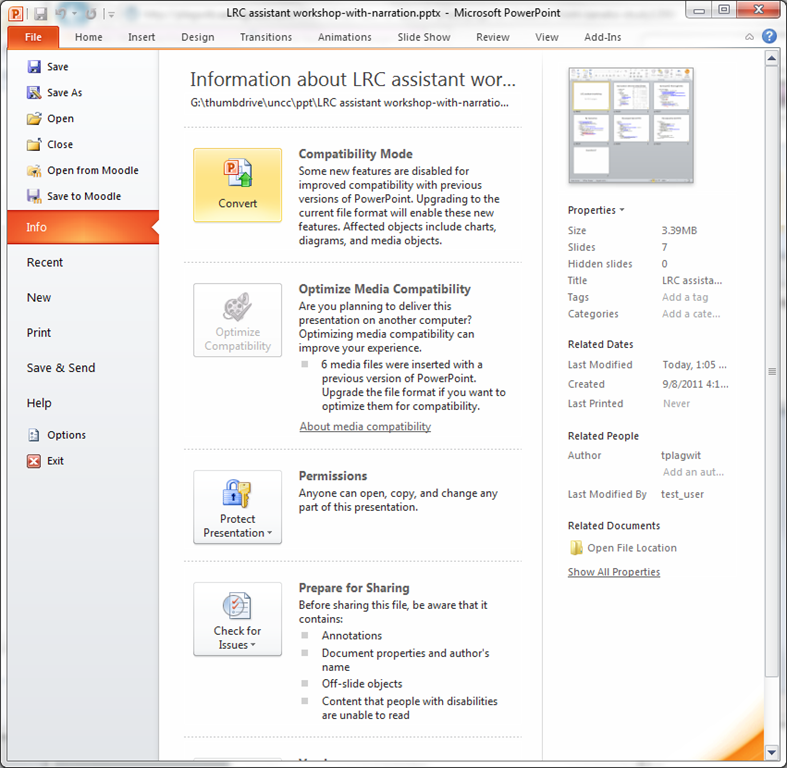
- follow the instructions given;

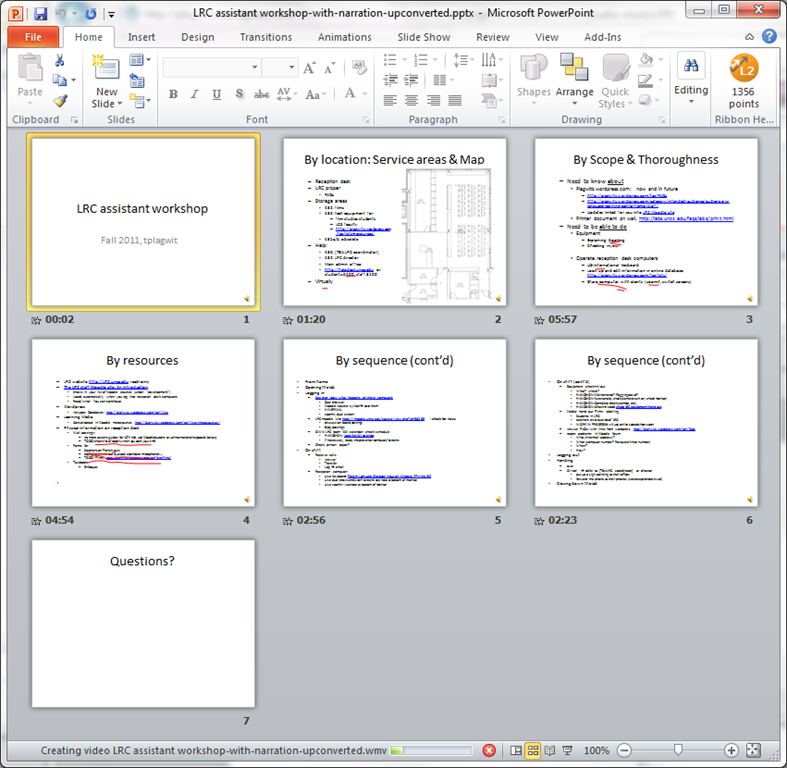
- watch the progress bar:
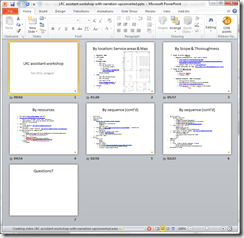
- Takes over 60 minutes with on average over 50% CPU of an Intel i5 with 8 GB Ram, to produce a 75MB file of 920*760 and less than 18 minutes in length. But this video streams from MS-SkyDrive.
Categories: audience-is-teachers, documentation, e-infrastructure, learning-materials
2010, FAQs, ms-powerpoint, narrration, recording, video
LRC Assistant Start of Year Training: The PowerPoint
2011/09/13
Leave a comment
Categories: audience-is-language-learning-center-temp-staff, training, workshops
pptx
Adapting a Symantec Ghost 11 Dell Optiplex 760 imaging setup to 780 hardware using Boot Wizard Win-PE editor
2011/09/07
Leave a comment
-
I have set up locally, and documented, a default installation of Symantec Ghost 11 (Ghost console version 11.5.1.2266) that can image a computer lab of dell OptiPlex 760 (not sure how I ended up with doing even this part).
-
Trying to set to implement use of our new live@edu communications infrastructure in this environment, I need to image a Dell OptiPlex 780 lab with this setup results in an error: “To Virtual Partition Drivers could not be found in the PreOS for the following devices:Manufacturer: "Intel", Description: "Intel(R) ICH10D/DO SATA AHCI Controller", PCI Vendor: 0x8086, PCI Device: 0x3a02, PCI Subsystem: 0x4201028”
-
The institution has not produced any documentation on this adaptation, so here goes: You can get a complete set of MS-Vista 32 drivers (which is the OS version that Ghost 11 Win-PE uses ) for Dell Optiplex 780 from Dell’s Driver CABs Homepage, including a table of contents.
-
You can expand this in Windows Explorer and look for the x86 storage driver, and you will find only one suitable: R222843, Matrix Storage Manager (OS Pre-Install Driver Only), A17, 8.8.0.1009
-
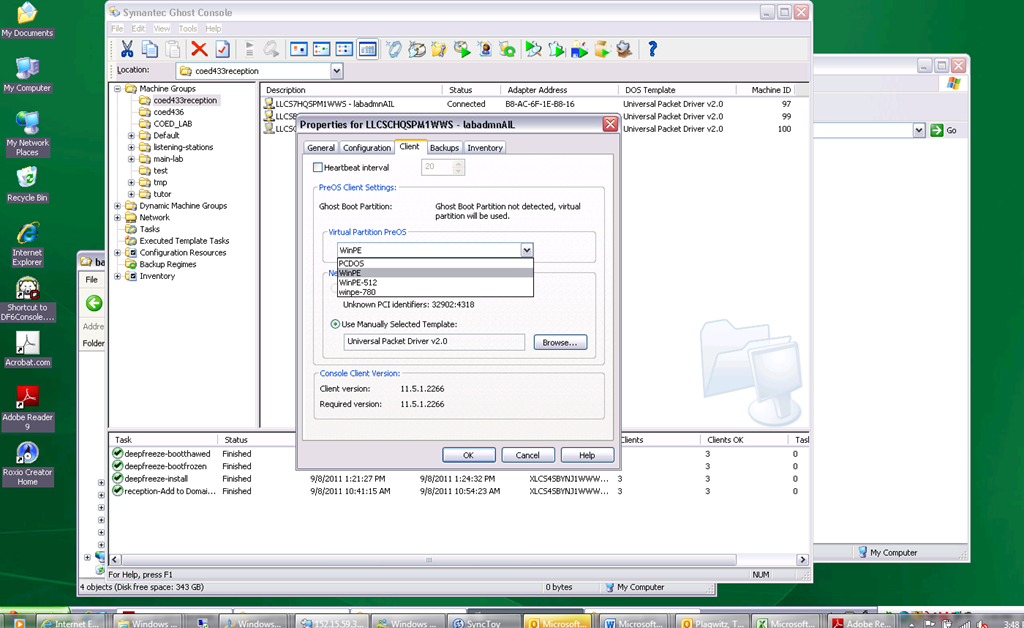
In Ghost console / tools / boot wizard, You can add this driver (entire dir, as long as it has a friendly name for ghost – could you have done this with the entire dell driver cab of 300mb?) to the win-pe-780 (I made a copy of the default win pee environment which I still need to use for a different set of hardware) (which then compiles the win-pe image), and
-
You also have to check the driver , to have it included (which compiles the win-pe image again – why? ).
-
You have to set in Ghost console menu; tools / options / the win-pe as the default remote boot os (this will have to be changed for 760 imaging back to win-pe).
-
Now, did this really “take”?

-
This allows the reception-captureimage task to complete.
-
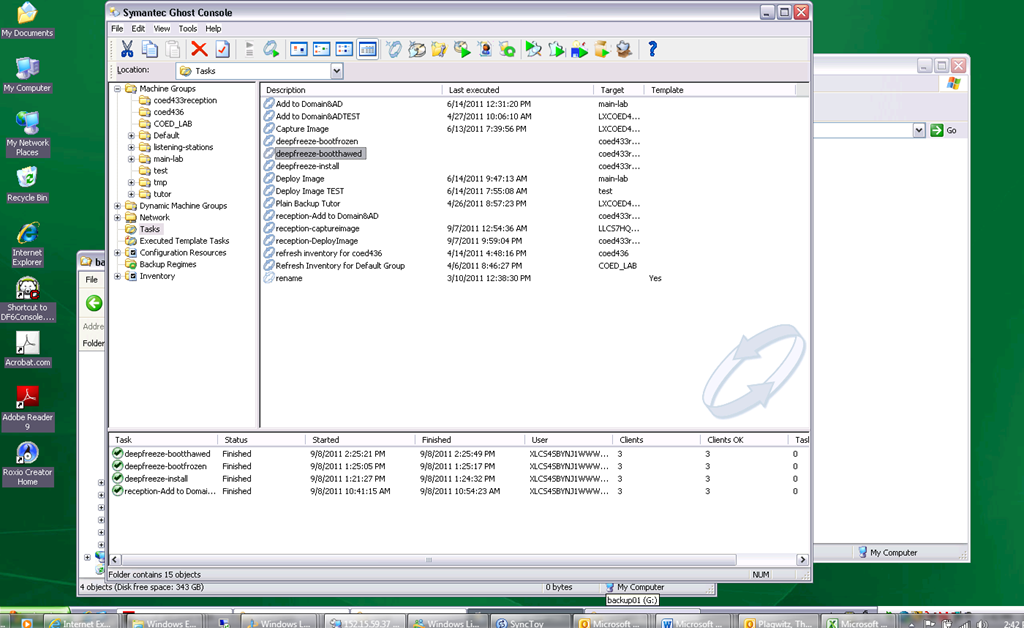
Additional tasks reception-DeployImage and reception-Add to Domain&AD can be derived from the default installation.
-
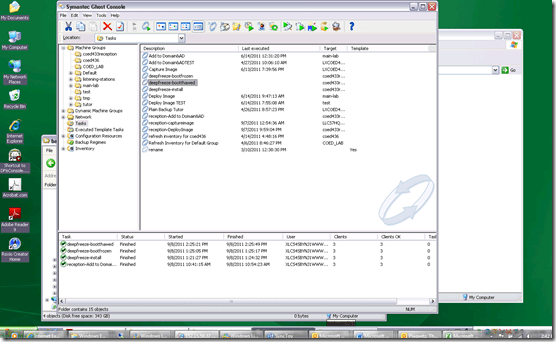
We can also deploy and manage Deepfreeze now from the Ghost Console, bypassing Deepfreeze Console.
-
-
I hope this was my last trip down the “general computing” infrastructure Geisterbahn for a while. I was actually trying to apply productivity software infrastructure to a local business process, and merely to free up some time for elearning pedagogy…
Categories: audience-is-IT-staff, documentation, Glitches&Errors, hardware, software
boot-wizard, symantec-ghost, win-pe
Sanako Study-1200 Oral Exams: More result examples
2011/09/07
1 comment
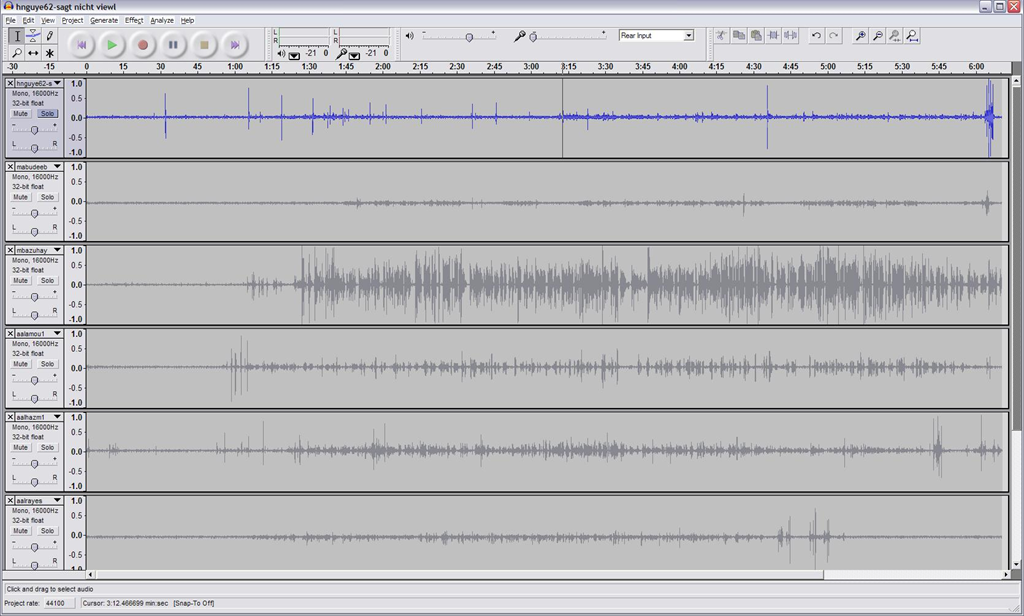
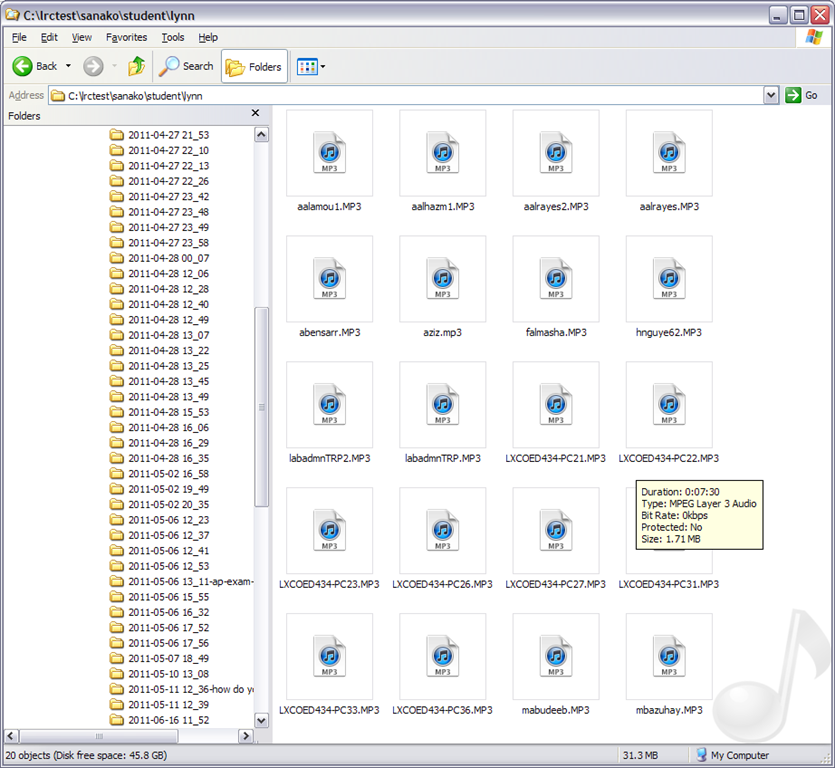
- Study 1200 will automatically save the exam recordings of each of your students under a distinct name (you can choose student email name or seat number) in a location which you can access from your office desktop:

- You can load this recordings in Audacity to grade them, including skipping past the questions and increasing the play speed, but not the pitch, and easy comparison of students like in the picture below:
-


LRC Renovation Proposal: Add small group collaboration spaces by consolidating equipment storage and circulation
2011/09/07
Leave a comment
- Objective:
- to support new requirements in LCS
- increased and further increasing 1-on-1 tutoring and small group collaboration spaces for the (current) hybrid Spanish program and tele-taught LCTL (imminent: Hindi) programs,
- collaborative presentation and multimedia (e.g. ePortfolio projects) in other languages,
- circulation of multimedia equipment to teachers and students
- with
- small group work spaces
- which we free up by streamlining the workflow (cope with higher traffic, keep accurate records, monitor repair state and provide hands-on instructions) for the increased tech equipment circulation needs (and to make up for one lost office)
- to support new requirements in LCS
- Action proposed:
- centralize circulation desk & materials in COED436, with storage, student assistants, supervisor in fishbowl, and walkup circulation counter;
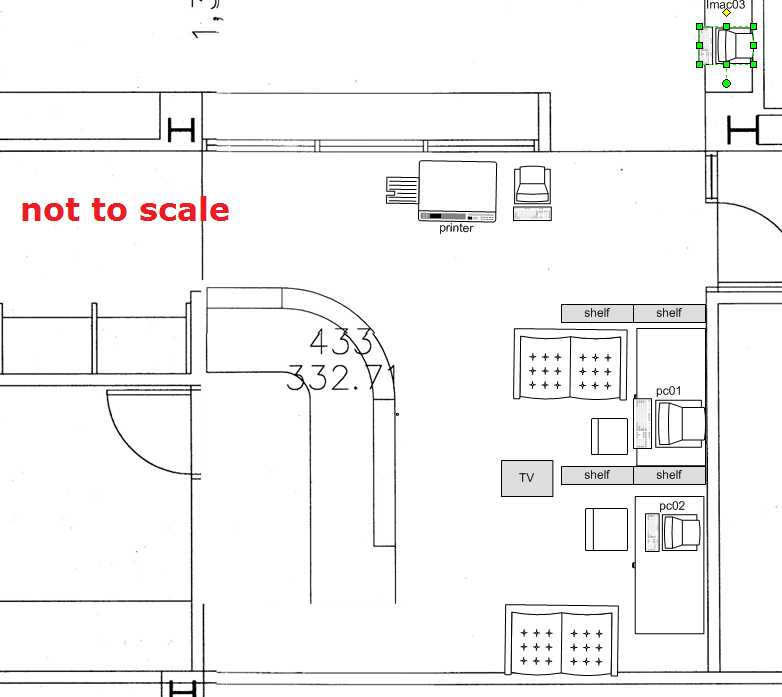
- equip the freed-up spaces 431,433&435a/b with furniture (portable walls, seats,desks,insulation) and technology (power, internet access) for tutoring&small group work.
- Illustrations:
- inspiration from other institutions:
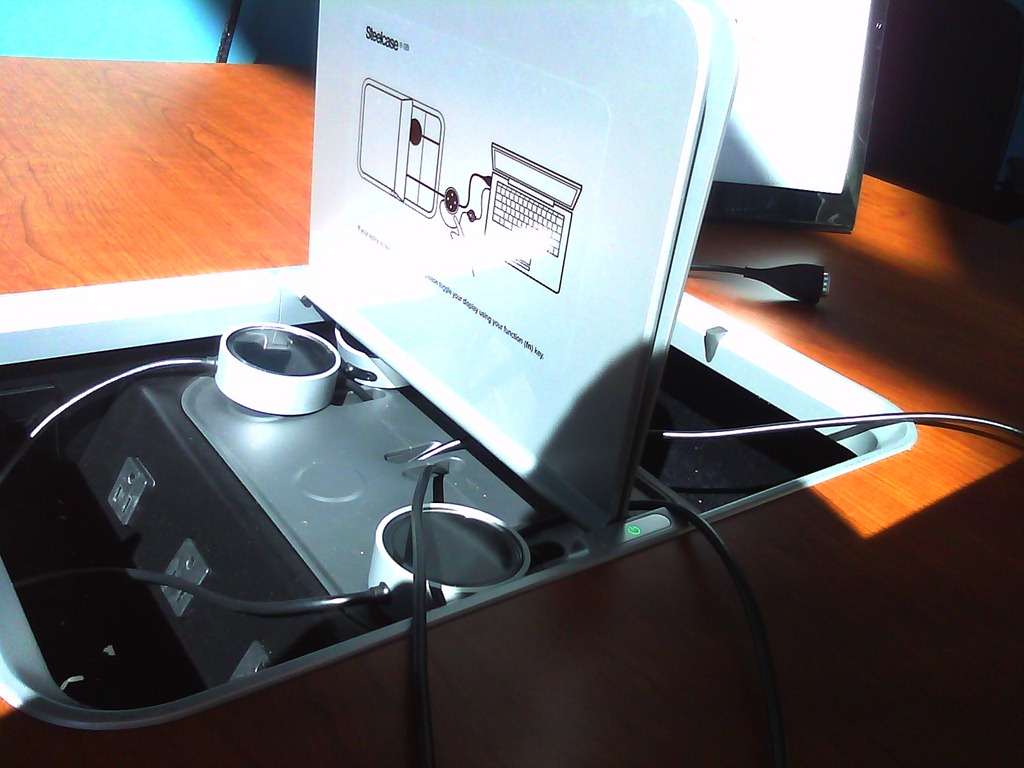
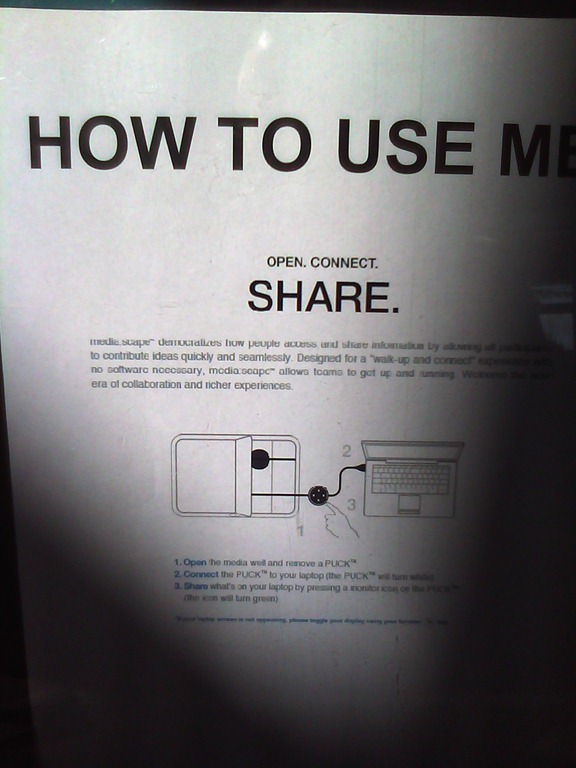
- Shared computer screen small group collaboration spaces
- UNCC Atkins library installation by TBA: We would need better sound insulation to accommodate multiple tutors and groups for currently 12 languages taught:


- Rhodes College. We would prefer booths with tables (for laptops, notebooks) to easy chairs.
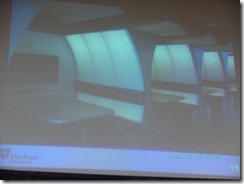
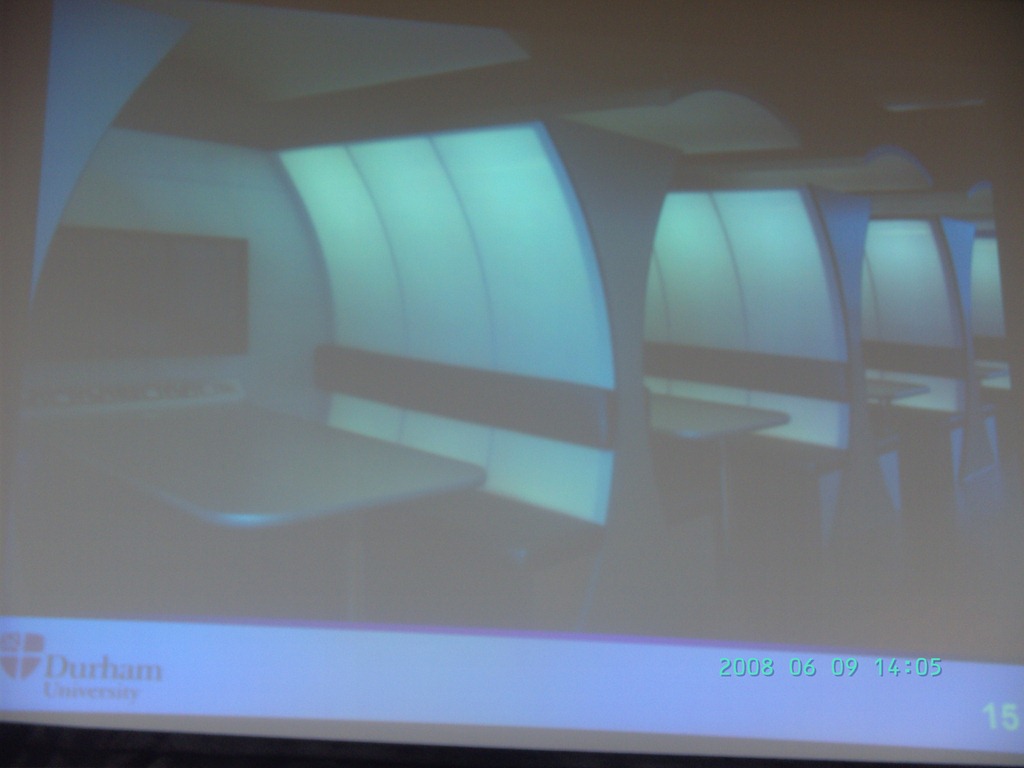
- Computer science collaboration spaces, Durham University, UK. For foreign language exchanges, we would want better sound proofing:

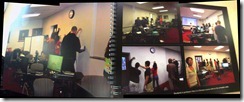
- Rhodes College. whiteboard writable walls would be excellent space savers for small group workspaces:
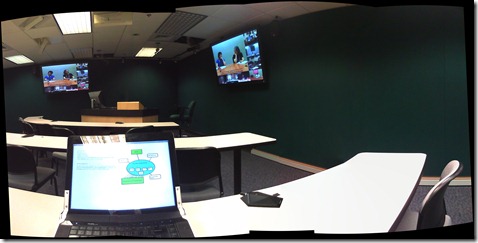
- The Atkins library videoconferencing facility: For small groups in (many different) LCTL, one would better set up a more intimate facility with better audio, possibly with facilities for directed audio channels and possibly breakout groups which are a requirement for SLA classes.
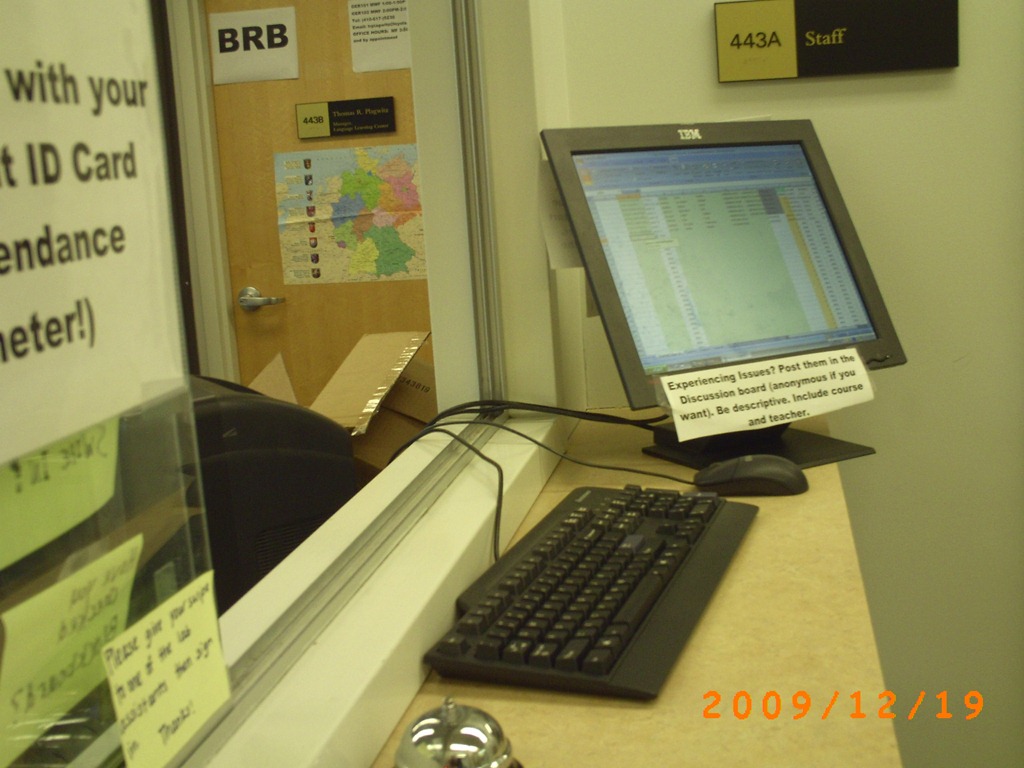
- Loyola University language resource center library walkup counter with one computer shared between staff and client (the LRC would want 2 computers, to serve 2 lines)

- UNCC Atkins library installation by TBA: We would need better sound insulation to accommodate multiple tutors and groups for currently 12 languages taught:
- Shared computer screen small group collaboration spaces
- to document our current facilities:
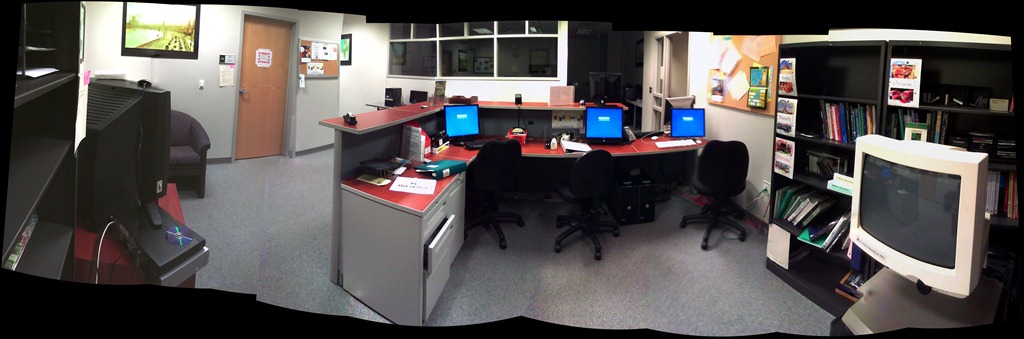
- To the right: Coed 434 (large classroom). To the left: Coed433 (reception area part which should be converted into 2-3 small group workspaces:
- Rooms to be converted into small group workspaces:
- Storage Coed435a, to become teleconferencing or pair workspace:

- Storage Coed4355b, to become teleconferencing or pair workspace:

- Storage Coed431, to become small group workspace:

- Coed436, to become consolidated storage area and office:

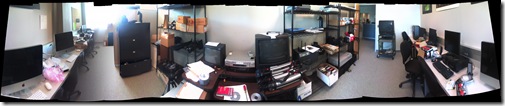
- Or use this as a stopgap:

- Storage Coed435a, to become teleconferencing or pair workspace:
- To the right: Coed 434 (large classroom). To the left: Coed433 (reception area part which should be converted into 2-3 small group workspaces:
- inspiration from other institutions:








Categories: documentation, e-infrastructure, proposals, service-is-library
facilities
Trying out the new Moodle layout options by integrating my blog via an RSS block
2011/09/06
4 comments
- Running a blog? Feeding a twitter account? It could be worthwhile narrowcasting your (teaching-related) postings (presumably more substantial than tweets about tardiness for class) by integrating it with your Moodle course, via RSS.
- As of today, UNCC-Moodle offers new layout options, including putting blocks into the content (center) column, as a “sticky” post underneath the header.
- This is timely, since I have created a Moodle site for the LRC staff and have been wondering how I can use it to quickly update the LRC staff on new technological opportunities or issues and solutions around the LRC.
- Moodle’s RSS block – linking to the feeds that my blog feed/Twitter hash tag for LRC staff emit – makes that easy.
- Except that up until now, outside the center column, there has not been enough space to display also the teaser of blog posts – an area I invest some thought in, in accordance with age old publishing principles transferred into the internet age.
- The layout options upgrade allows me to fix that – here is how:
- After pressing button: editing on, choose from the dropdown “blocks”: remote RSS feeds
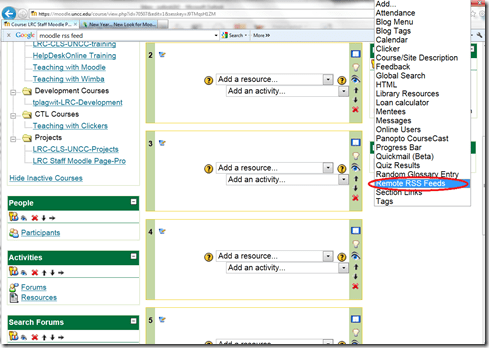

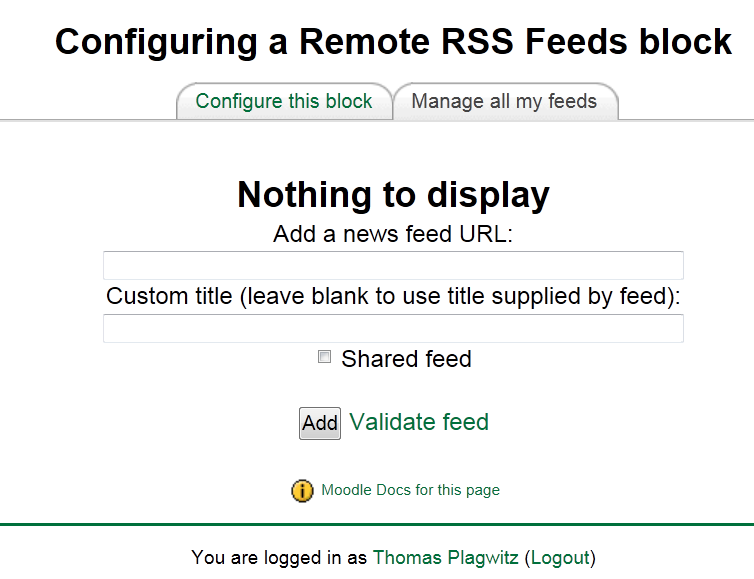
- Don’t be confused by the inability to add your feed source – you need to change to the tab: “manage my feeds” first:
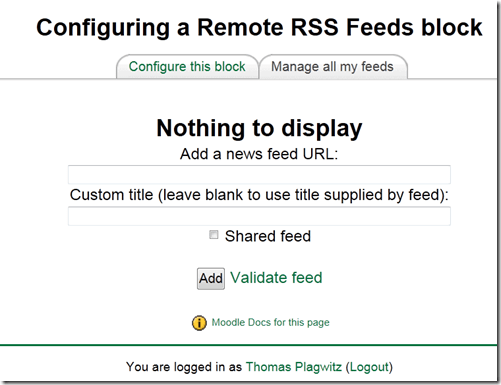
- if you make your feed a “share feed”, it becomes an option for all institutional Moodle sites.
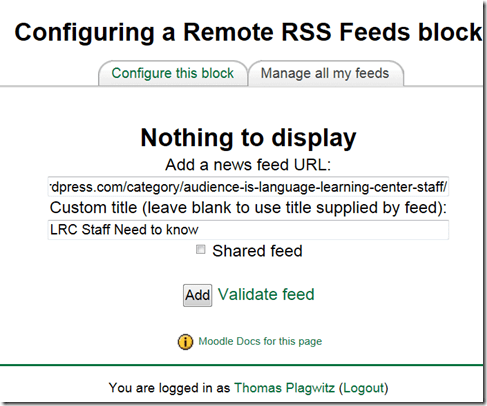
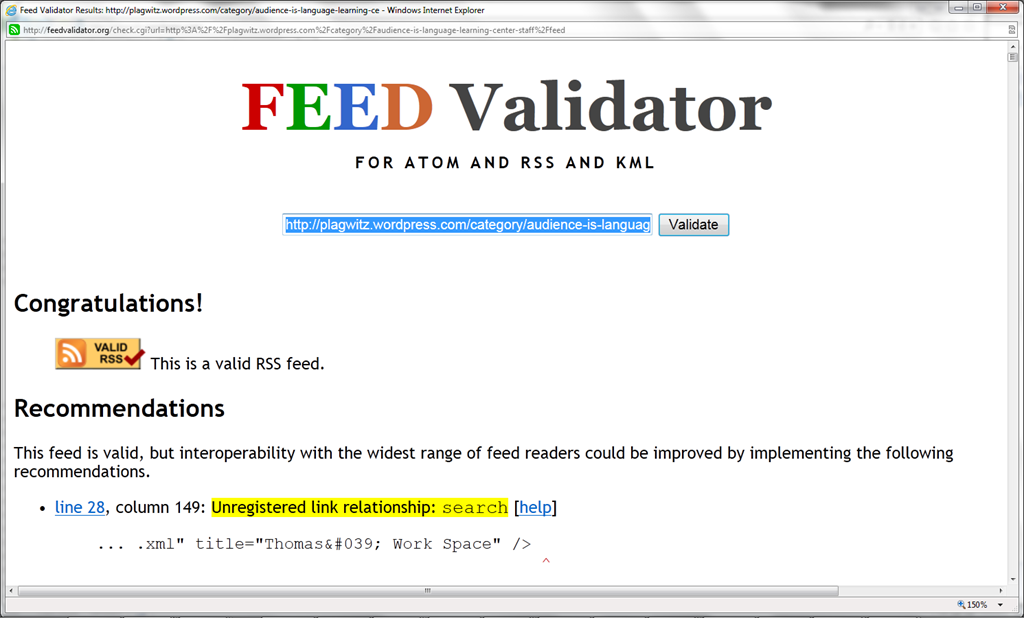
- Validate your feed so that Moodle doe not outright refuse to display (the linked validator will give you error information that can help you fix your feed).

- After moving your feed to the center with the “left arrow”, you can

- You can see more of the Moodle RSS block results here.

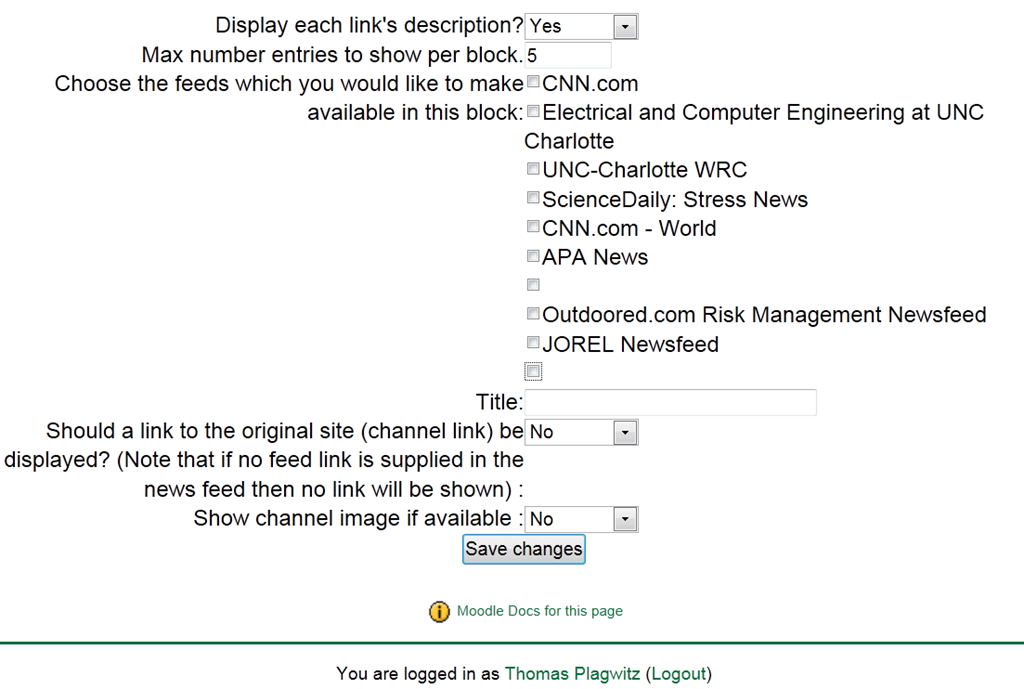
Adjust the settings: for me it is important to display descriptions.


Categories: audience-is-teachers, e-learning, learning-materials
blogging, moodle, rss, twitter
Teacher startup
2011/09/01
Leave a comment
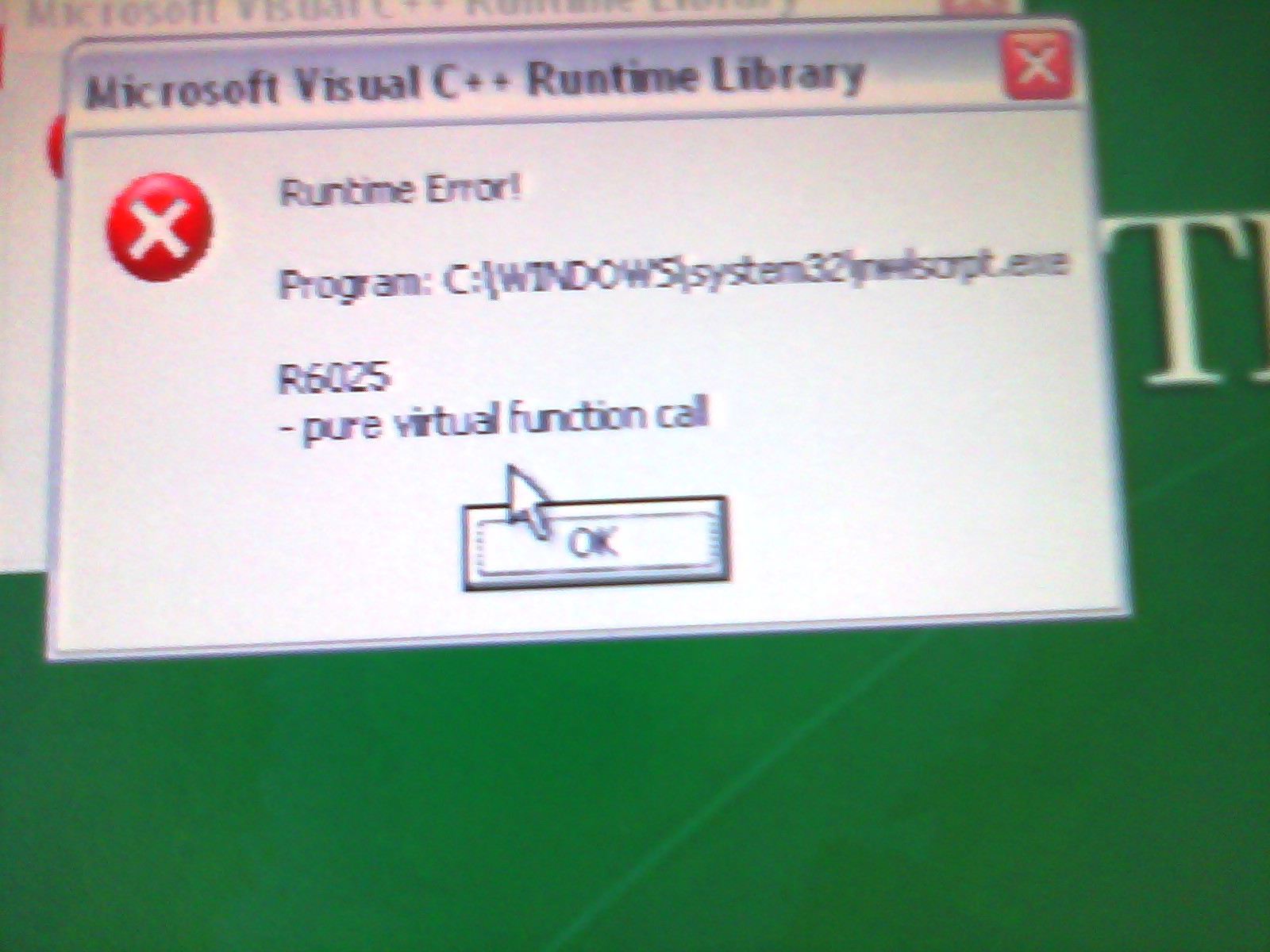
What may cause this Novell error and subsequent crash when a teacher logs into pc32, using edirectory?
Categories: Glitches&Errors
Centro,quia student access problems
2011/09/01
Leave a comment
-
- cimg01781
-

- cimg01771
-

- cimg01761
-

- cimg01751
Categories: Glitches&Errors
centro, CourseCompass, mygermanlab, onekey, pearson, quia


Questions? Read the About. Or just ask me a quick Our Databases: Resources with calendars -- Language learning material Moodle Sites, multimedia files -- films


FAQs for LRC student staff or for students or for teachers. To search our FAQs, in the browser addressbar, add after "https://plagwitz.wordpress.com/feed/?tag=faqs+/" "+TAG1" (from tag cloud below) OR "https://plagwitz.wordpress.com/feed/tag=faqs
&category_name=" "CAT1" (from category hierarchy below). OR search both categories and tags, and multiple TAGs/CATs (connect with "," for OR-search, with "+" for AND-search), like so: https://plagwitz.wordpress.com/feed/?tag=TAG1+TAG2+...TAGn&category_name=CAT1
+CAT2+...CATn"
Other ways to find help
If you cannot find it here, look there: 5,500 Language-Learning Links and Programs for learning or teaching 150 languages
Shortcuts:Our Lists, Our Maps, LRC Staff Moodle Site,LRC Project Moodle Site, 49erexpress, UNCC Moodle, Student Recordings: s:claslcslrcsanakostudent
Learning usage samples: Sanako oral exam, Kaltura webcam presentation, Dictation with speech recognition, Sanako written exam, Chinese and Japanese interactive stroke-order practice
Test the Sanako Installer, Webbrowser Popup Konfigurator for XP, or Windows7, faster LRC TeacherPC Log-in Let MS facilitate diacritics writing by installing for you US-International keyboard layout
This is my personal blog (Google+). The views expressed on these pages are mine alone and not those of my employer. The information in this weblog is provided “AS IS” with no warranties, and confers no rights.
 Thomas' Work Space