Archive
Protected: Our assessment results after 1.5 years with Sanako Study 1200
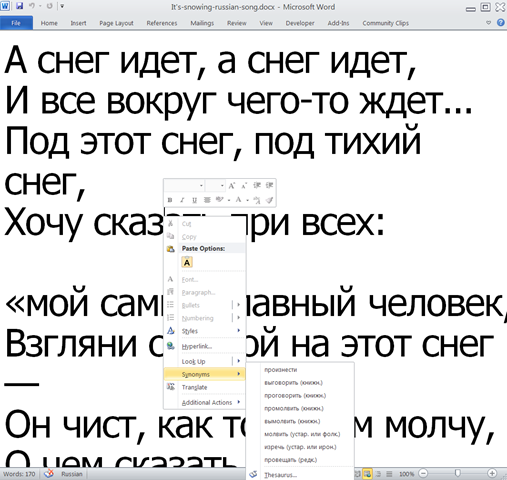
Announcing new MS-Word templates for writing assignments during face-to-face-classes in the LRC
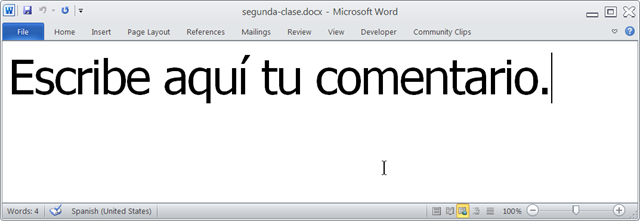
- Benefits
- MS-Word is technology that has become “transparent”for most users:
- Have teachers focus on assignment pedagogy, not authoring technology.
- Have students focus on the target language, not authoring technology.
- Document is protected (for restricting formatting to predefined Word-styles):
- Have students focus on form or content, but not on distracting formatting issues.
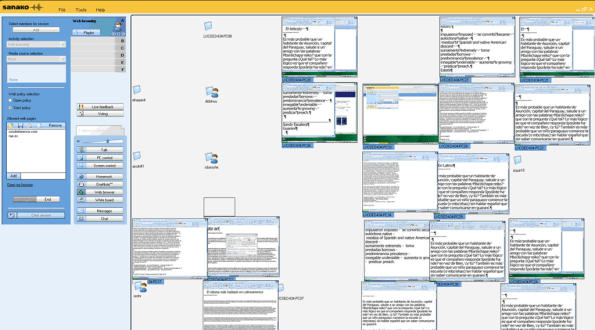
- Styles are designed to facilitate teacher monitoring students’ work using Sanako screensharing, like so:
- Take advantage of MS-Office Proofing tools (templates are preset for your target language).
- Take advantage of easy assignment file management with Sanako homework activity.
- Take advantage of internet lookup process, especially pedagogical if you combine with Sanako controlled-web-browsing activity
- MS-Word is technology that has become “transparent”for most users:
- Requirements:
- Teacher
- The easiest is to save the writing template for your language in C:\Program Files\Microsoft Office\Templates\1033 (or if your run 32-bit MS-Word on a 64-bit Windows, C:\Program Files (x86)\Microsoft Office\Templates\1033)
- Then base your writing assignment document on the template (e.g. by double-clicking the template in the folder you saved it to).
- Then save your writing assignment to your class material folder on the Sanako network share (from the office or in the LRC).
- In class, launch the Sanako homework activity.
- Student: none other than downloading and submitting the Sanako homework.

- Teacher
Protected: How teachers find their Sanako materials
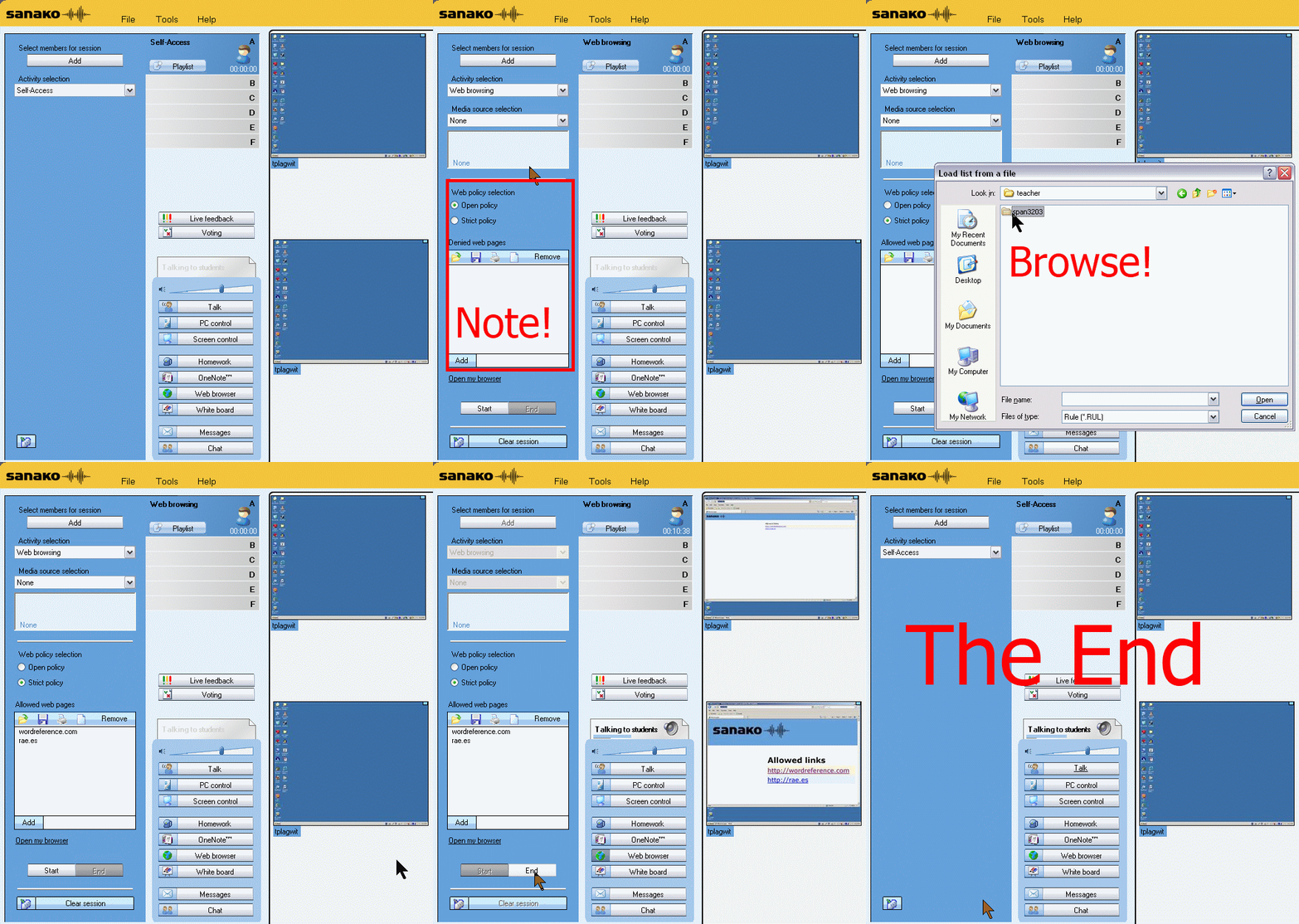
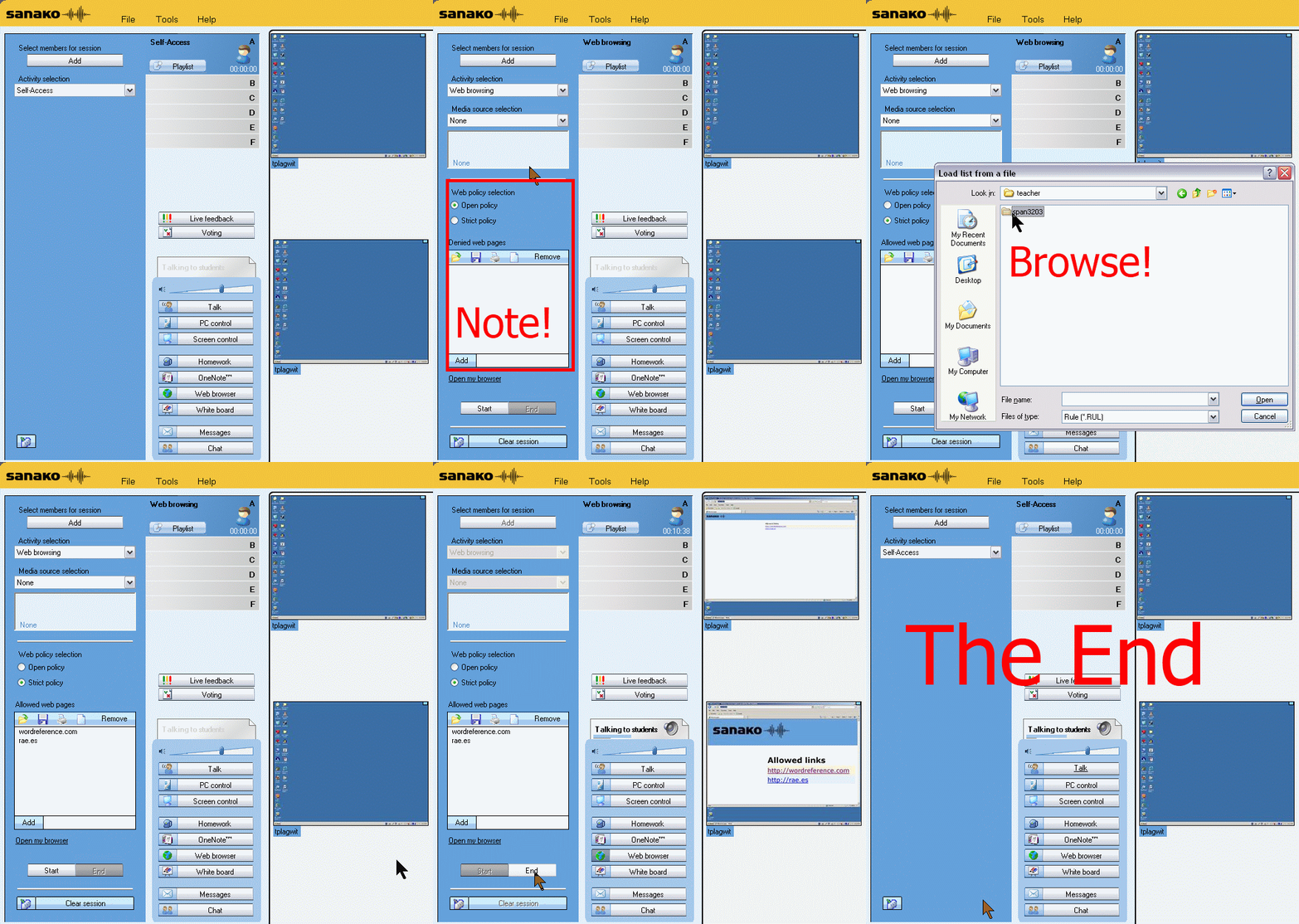
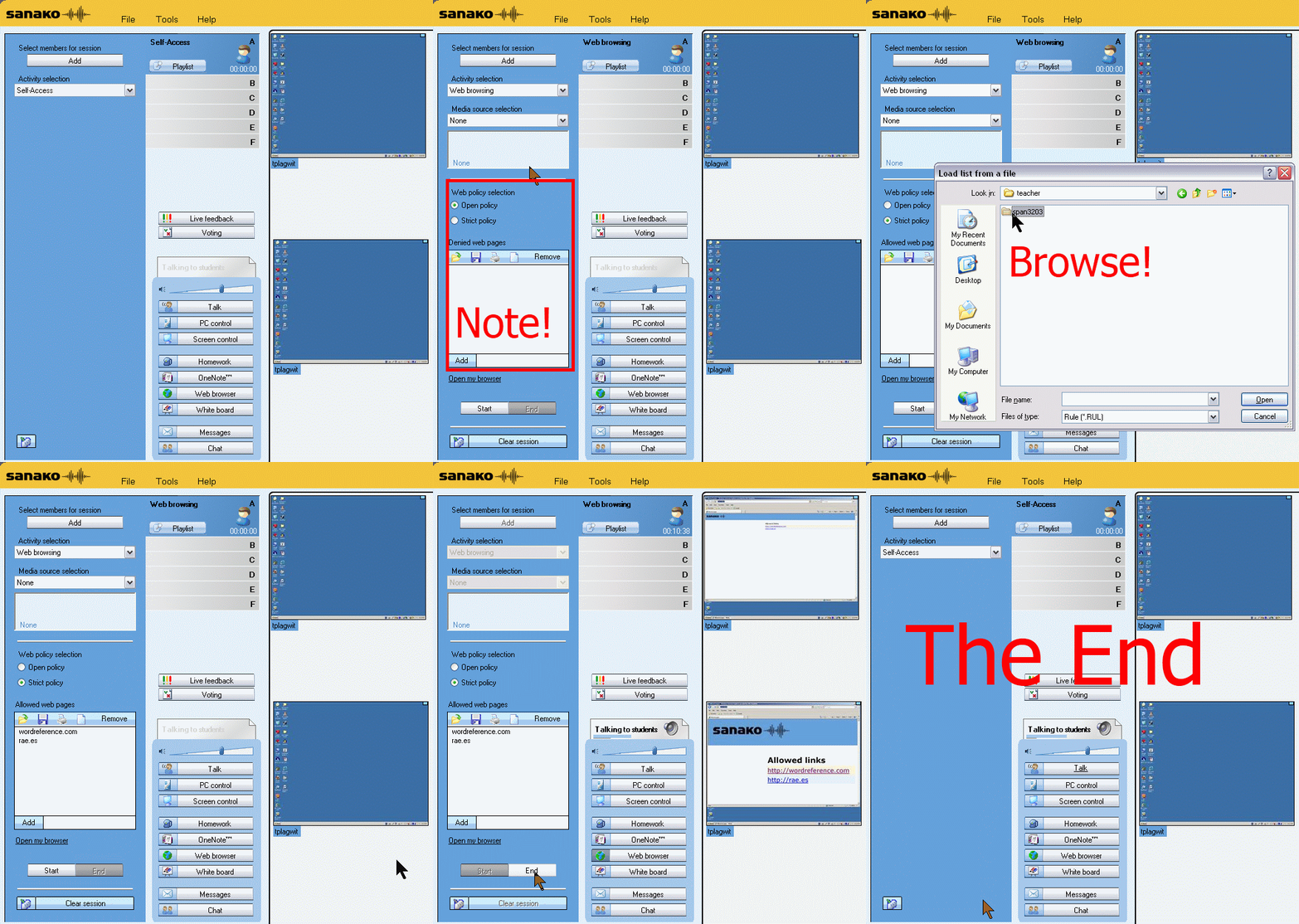
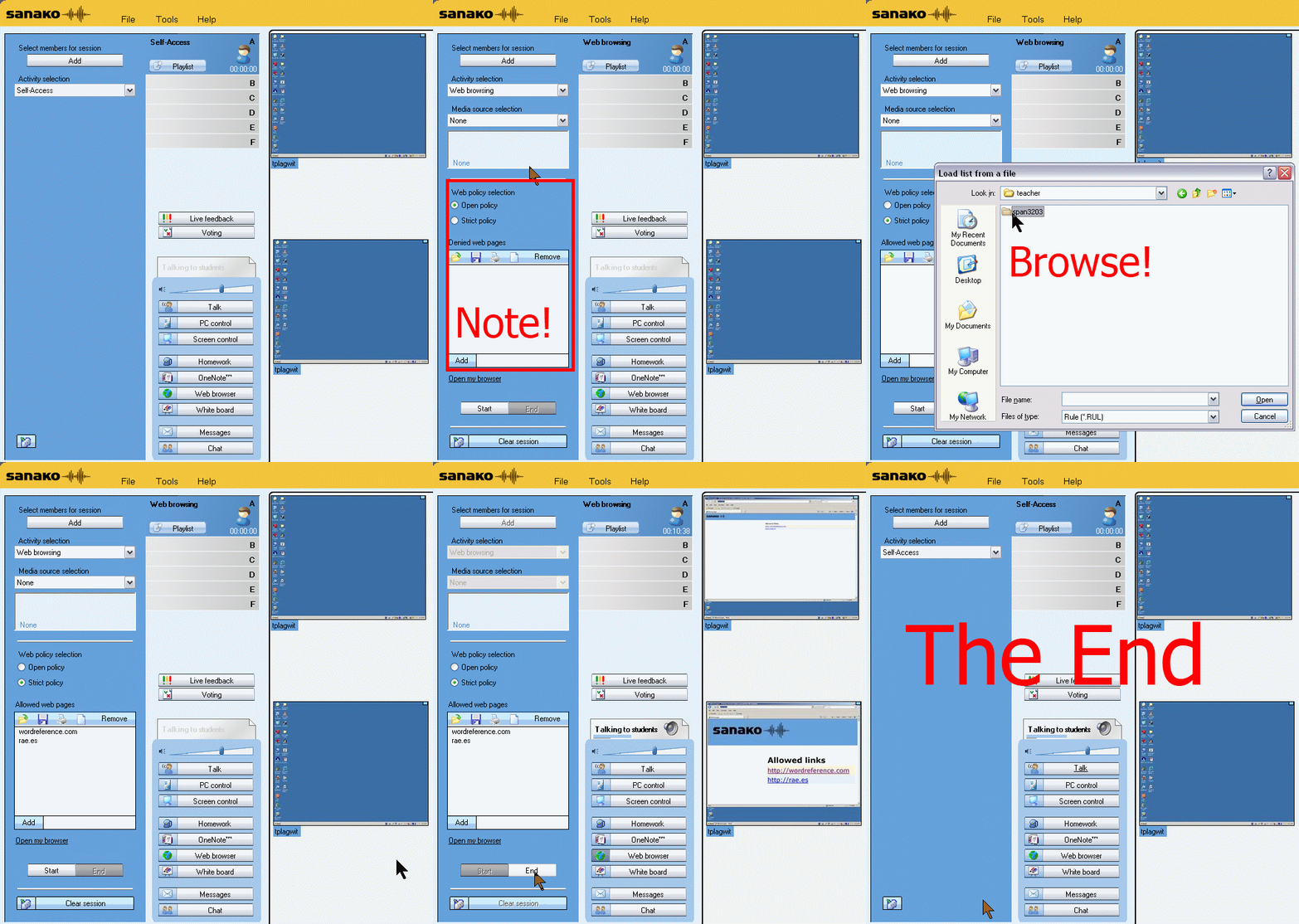
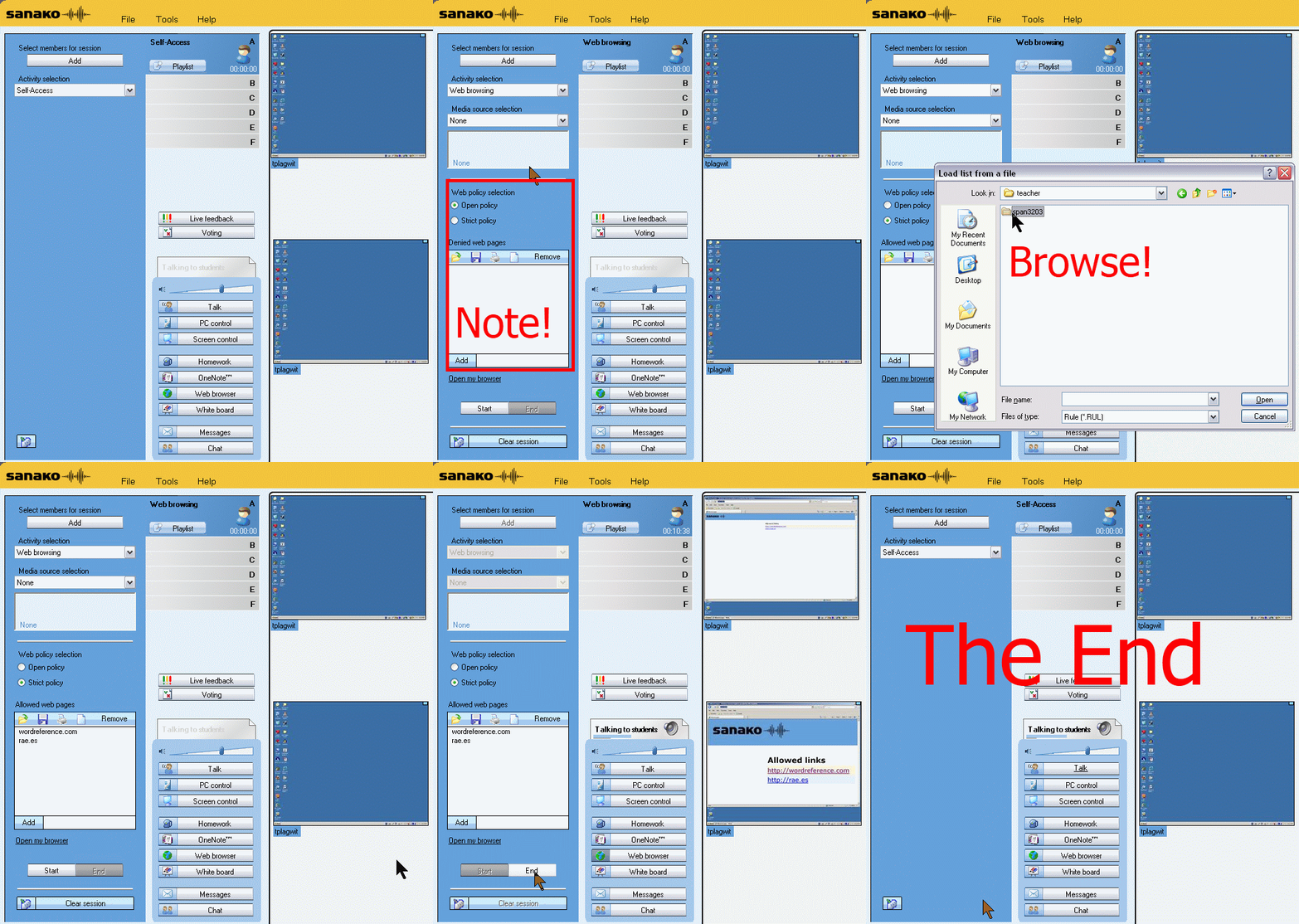
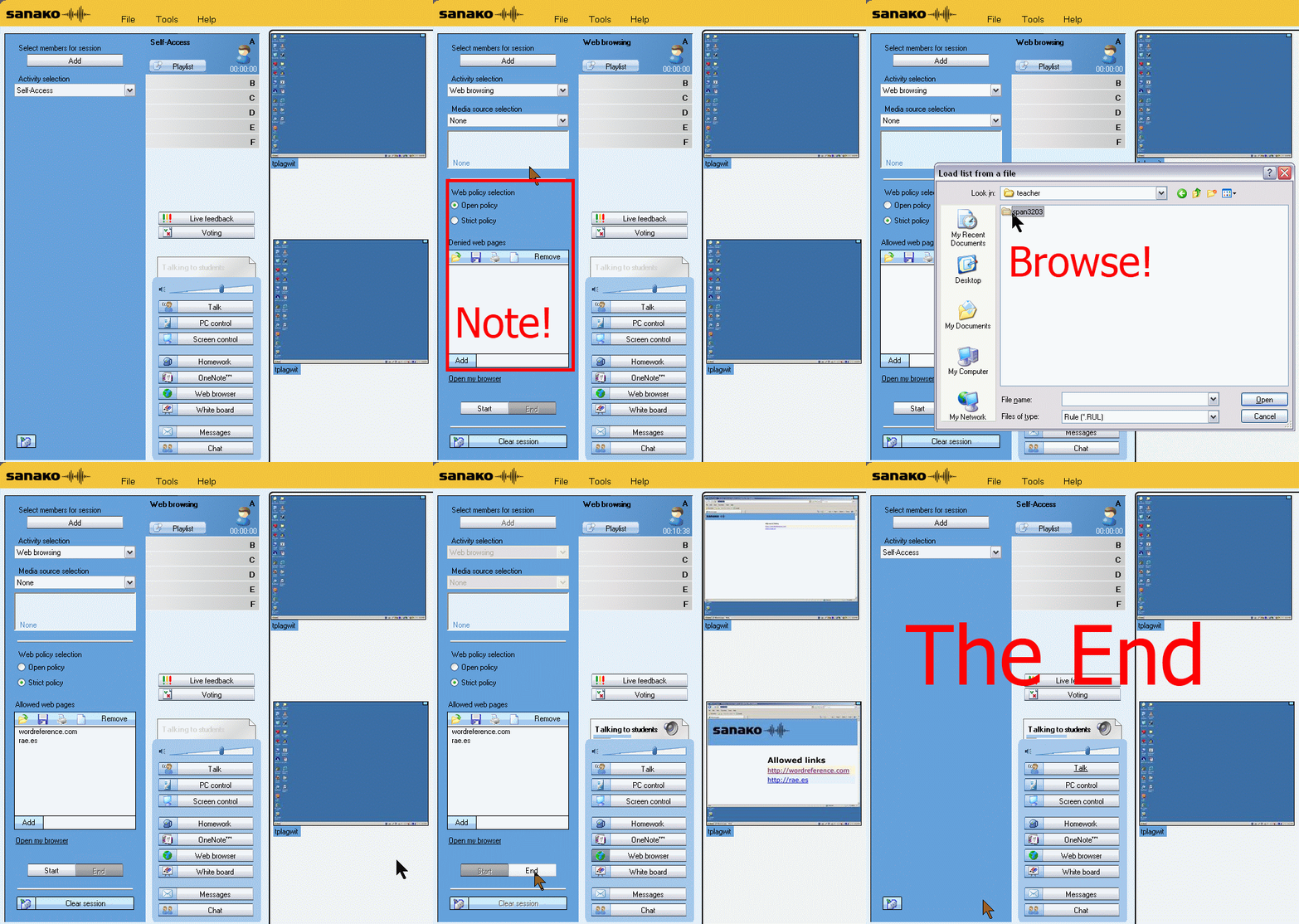
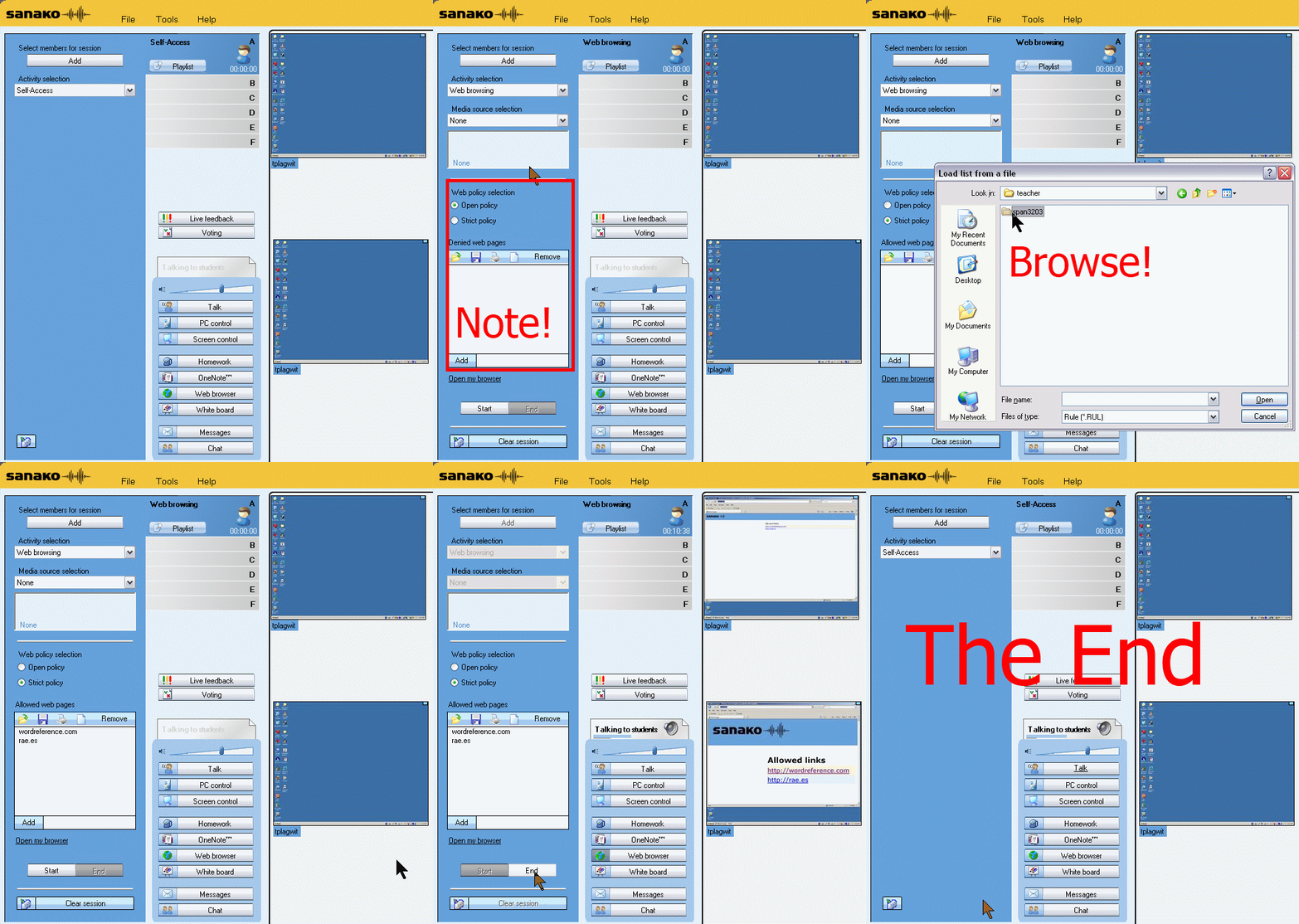
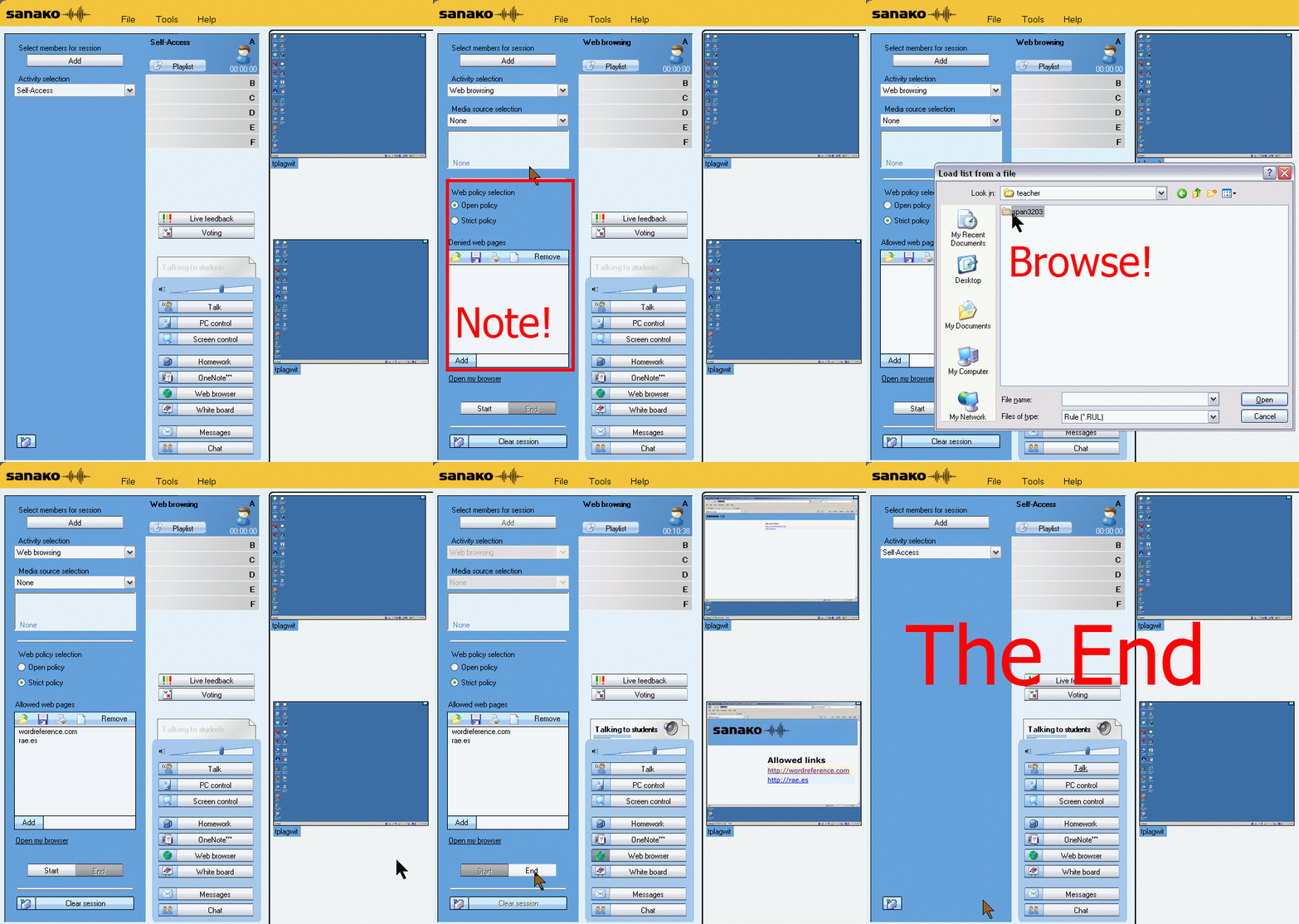
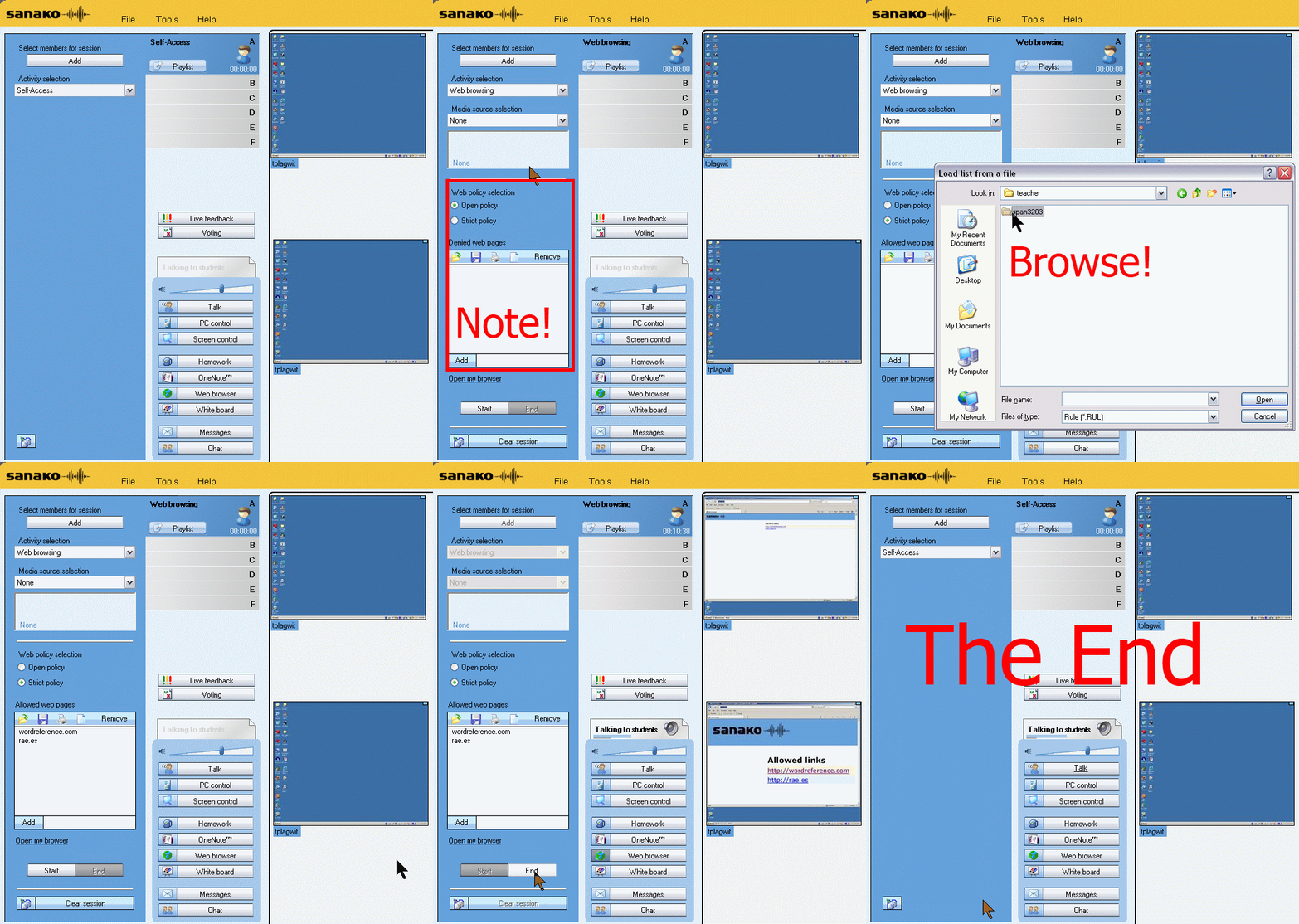
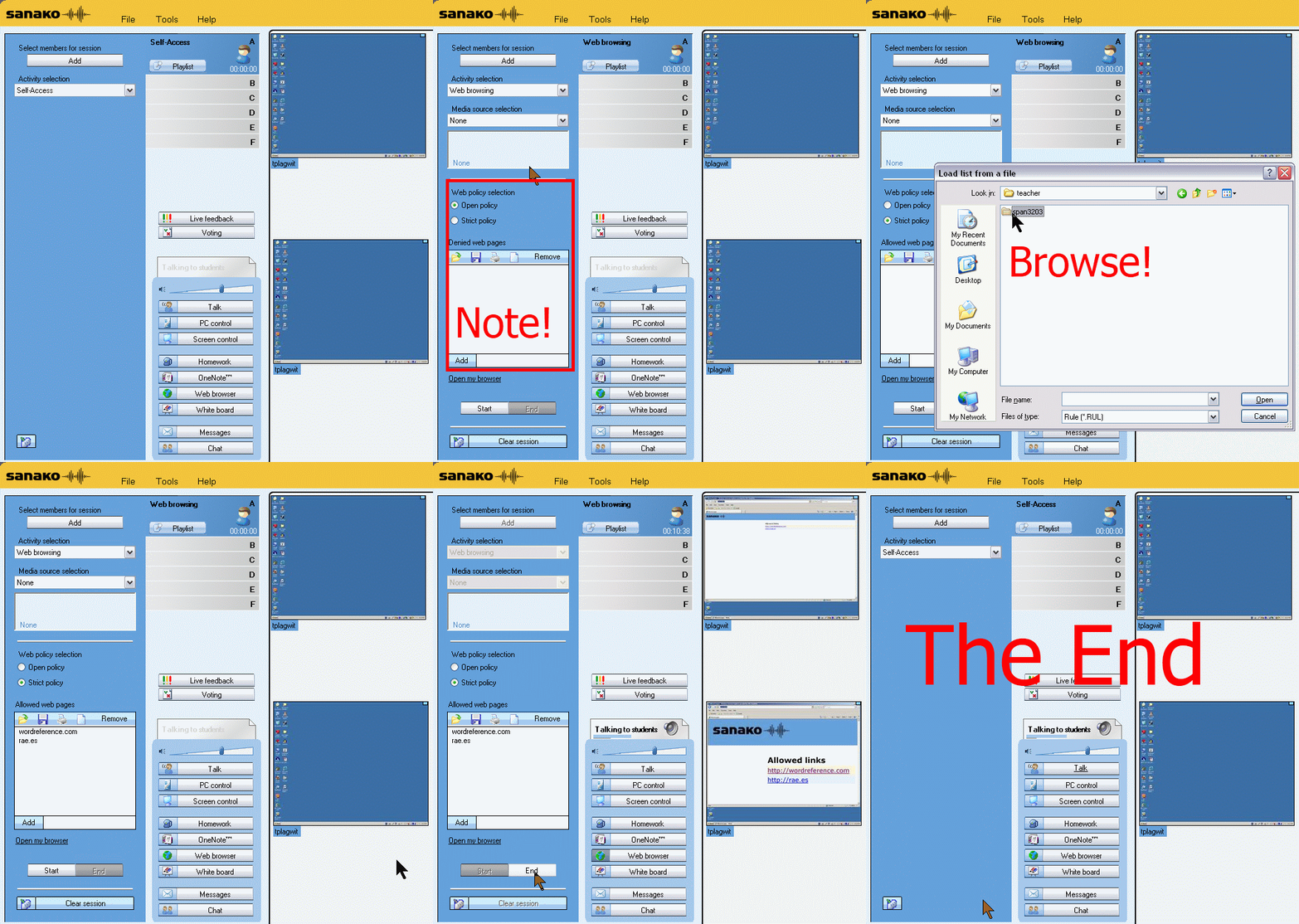
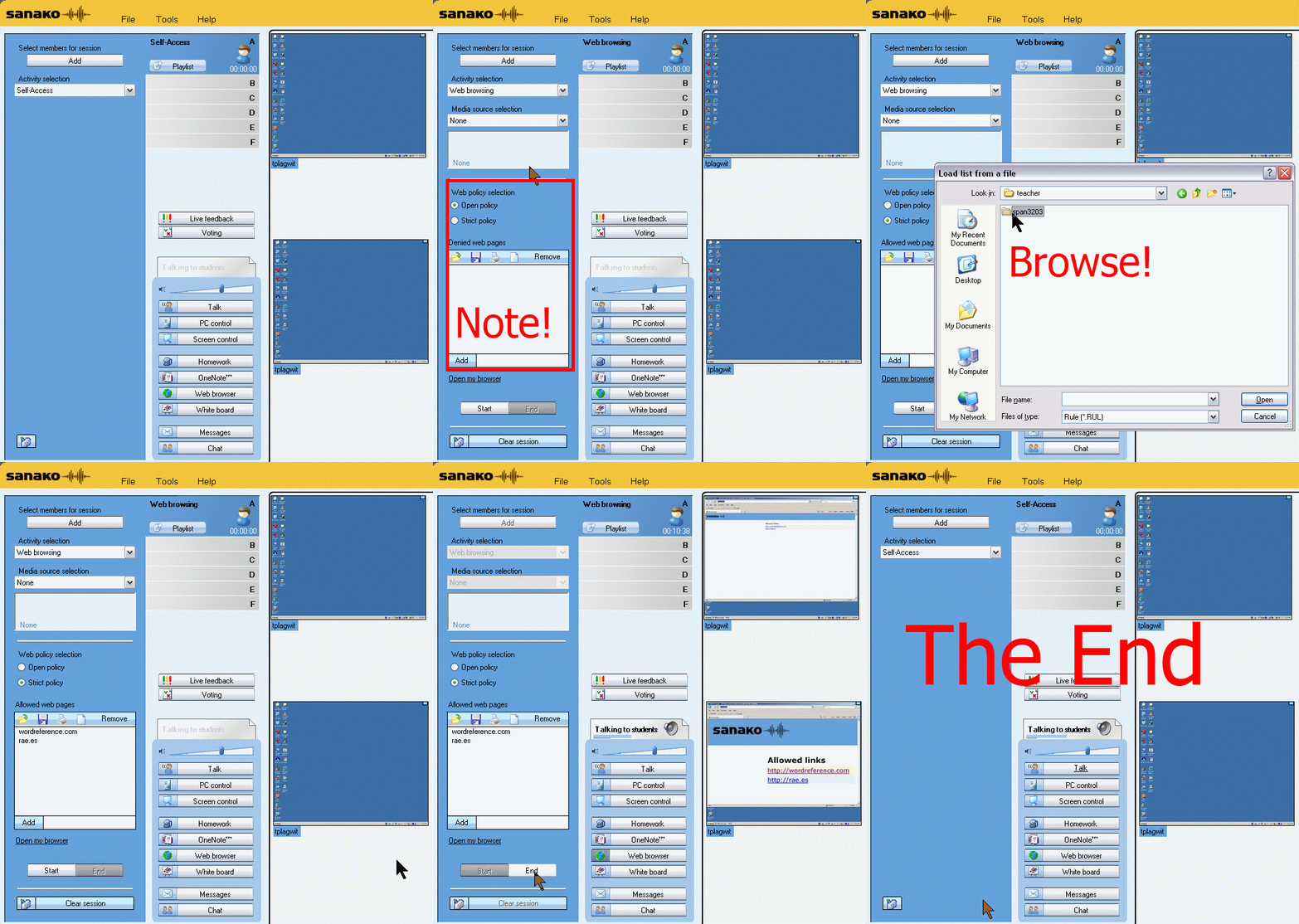
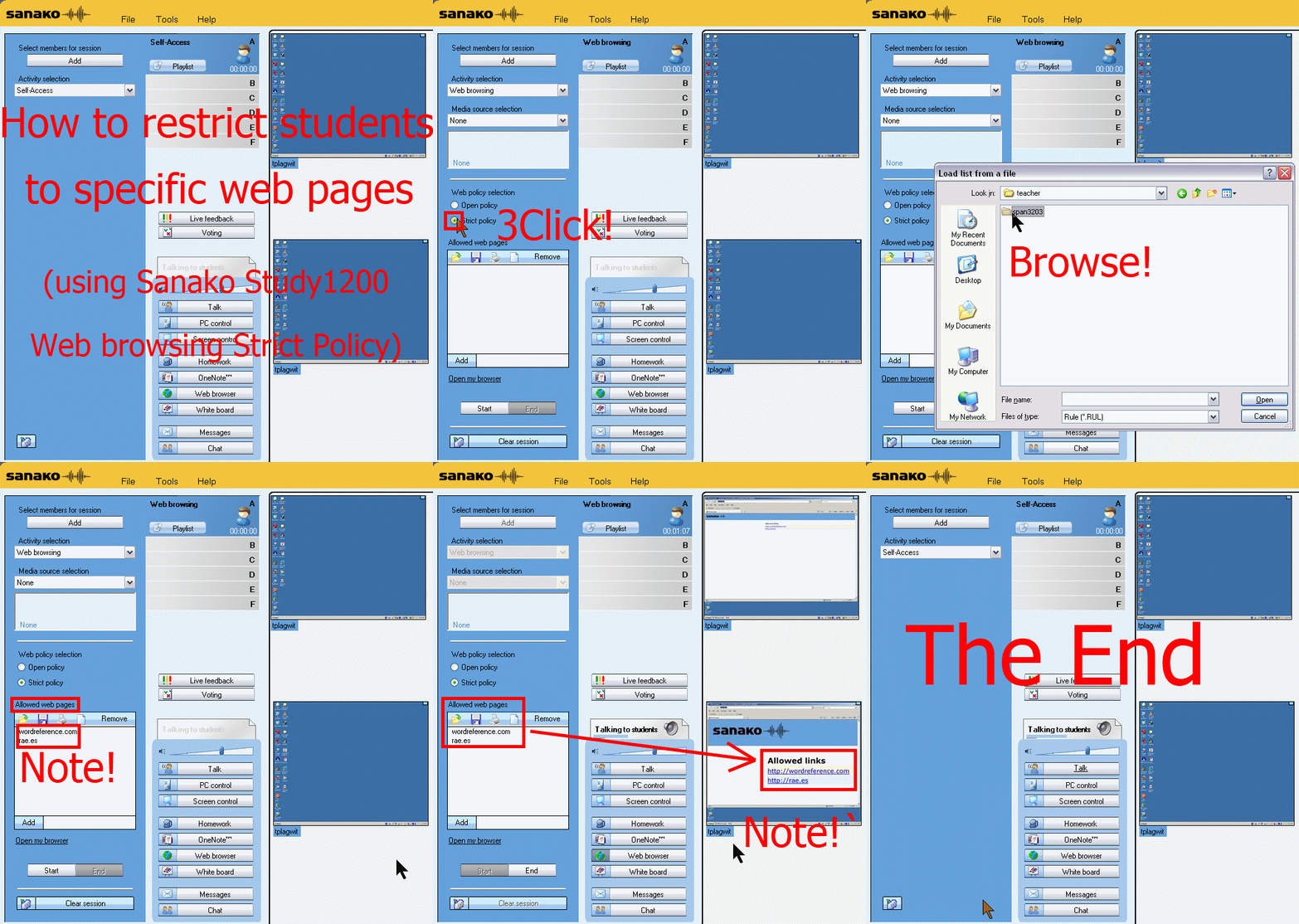
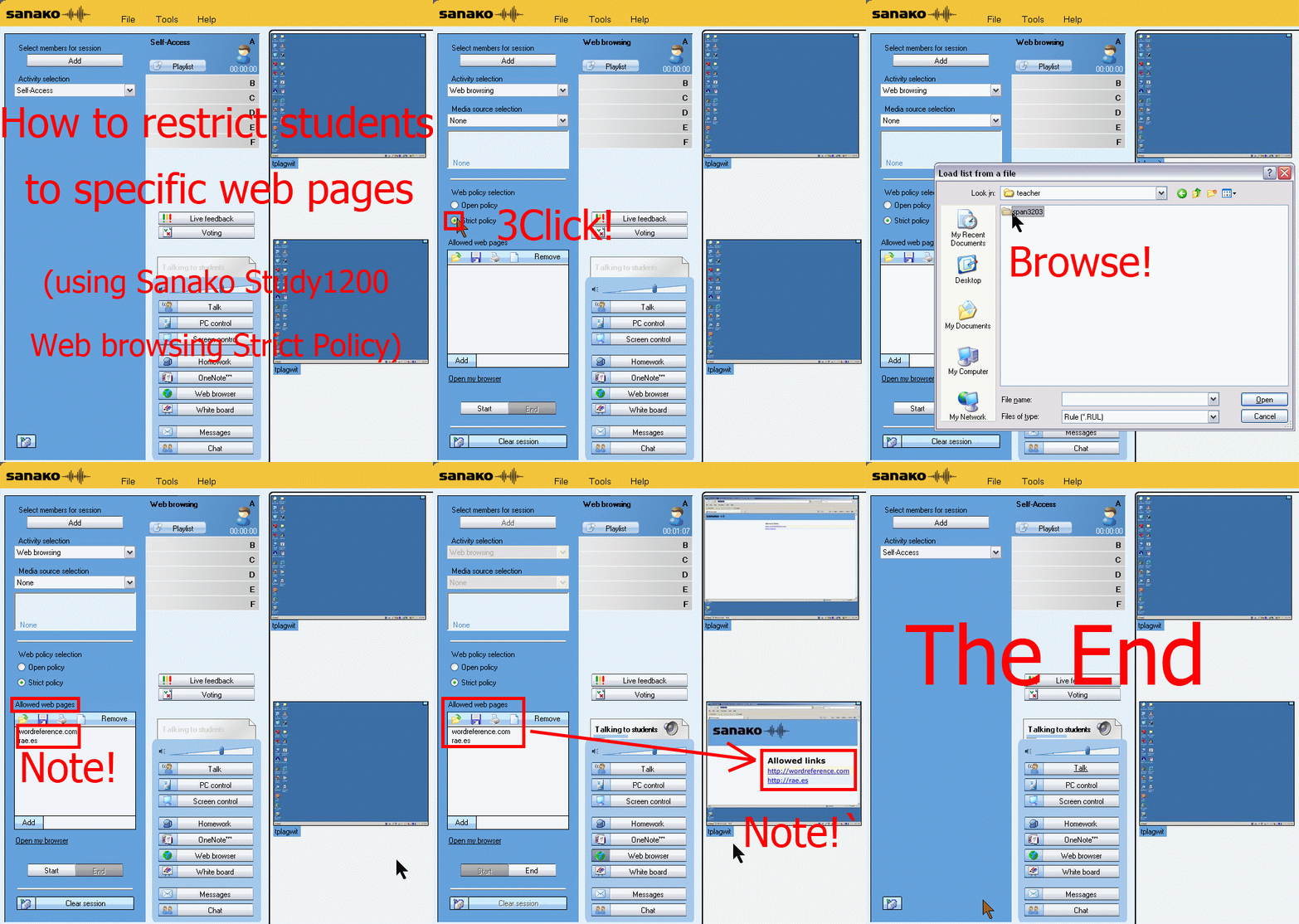
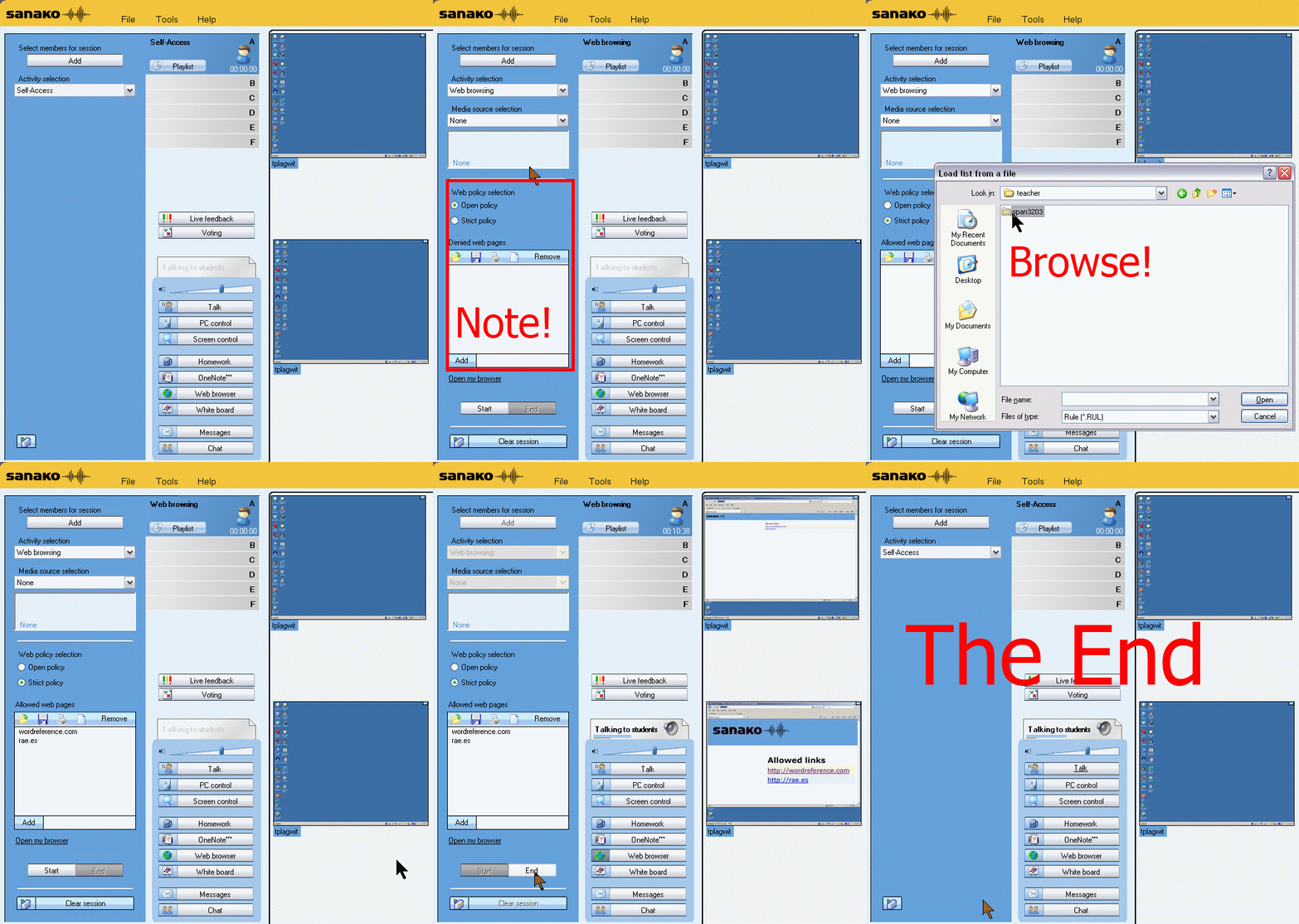
How teachers restrict students to allowed web pages with Sanako Study 1200 web browsing (strict) activity–the ultimate training summary
…using animated GIFs. Load the speed of your choosing (or several, use CTRL-Click to open links in a new tab) into the left screen of the teacher station before administering an oral exam, with the window active, press F5 in your web browser to restart the animation from the beginning:0.50sec,0.75sec,1sec,2sec,3sec,4sec,5sec,6sec,7sec,8sec,9sec,10sec
 .
.
Condensed (instructions only) for recap: 100cs, 200cs, 300cs, 400cs, 500cs, 600cs, 700cs, 800cs, 900cs, 1000cs. And if you need to pause:


LRC teacher screen new and improved

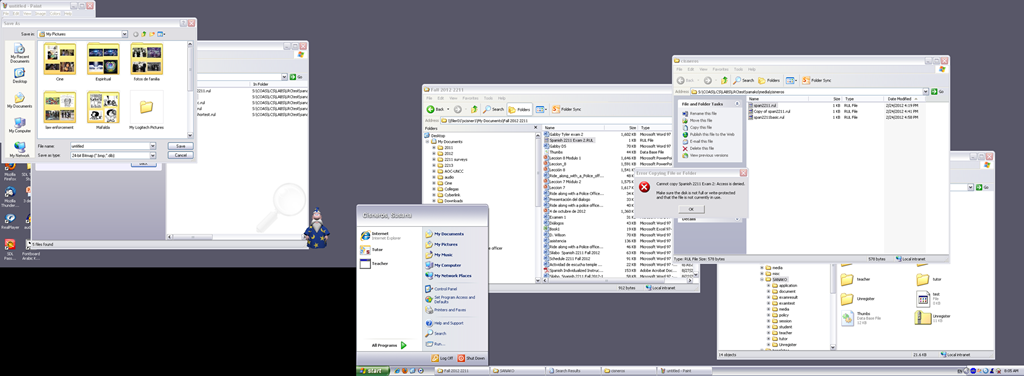
The above screenshot (taken from a screencast) does not do the new screen justice: Teachers can actually read all the ongoing student work, and, with two clicks, intervene surgically, where necessary.
On the right screen of the teacher PC in the main LRC classroom, we went from WXGA to HD1080, gaining almost 60% more screen real estate (=(1920*1080)/(1280*1024)), a crucial improvement for displaying all the information the Sanako Study 1200 provides the teacher with.
Or in more graphical terms (thanks to Wikipedia), we went from 2nd lower left to 3rd upper right:
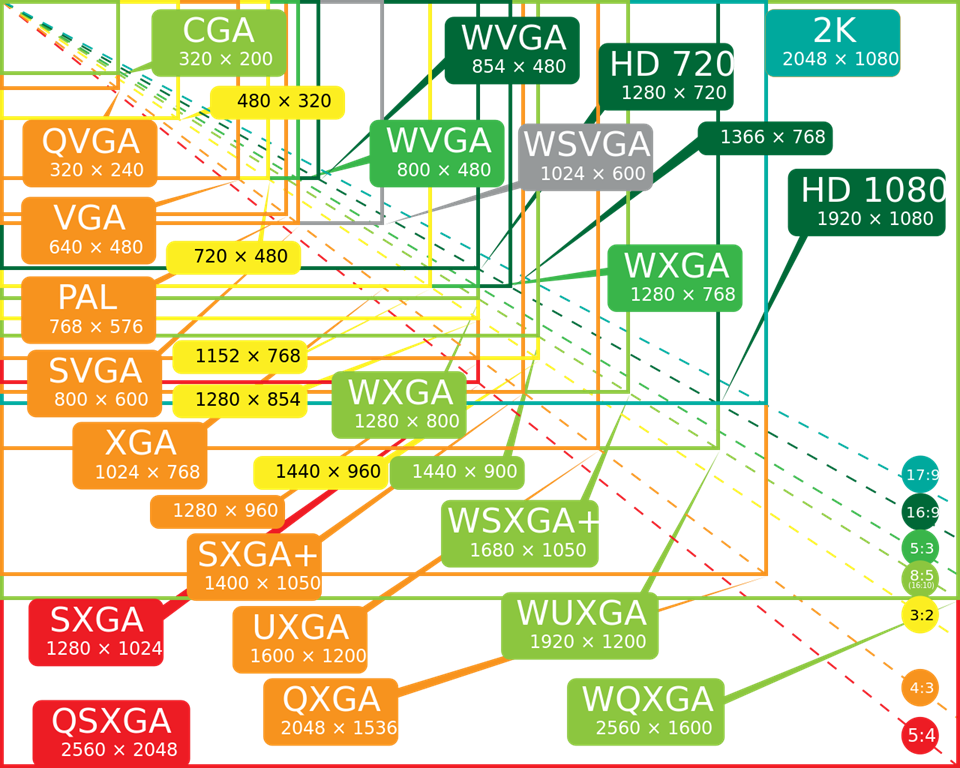
To fit the actual classroom layout into the display, we would however need the bottom lower right resolution (WQXGA). We still have to split the classroom you see into 2 halves and tilt those by 90 degrees clockwise to fit them onto the right teacher screen.
Since our left screen is still the original 1024*768 (and will be until not only the screen, but the switch and projector get upgraded), you have to work (= move your mouse pointer) around the “wall” formed by the black block in the lower right of this screenshot.
LoC says on DVDs: Excerpts, but no space-shifting
And: foreign language faculty seems now included.
“The most complicated exemption focuses on DVDs. Between now and 2015, it will be legal to rip a DVD “in order to make use of short portions of the motion pictures for the purpose of criticism or comment in the following instances: (i) in noncommercial videos; (ii) in documentary films; (iii) in nonfiction multimedia e-books offering film analysis; and (iv) for educational purposes in film studies or other courses requiring close analysis of film and media excerpts, by college and university faculty, college and university students, and kindergarten through twelfth grade educators.” A similar exemption applies for “online distribution services.”
The Librarian also allowed DVDs to be decrypted to facilitate disability access. Specifically, it’s now legal “to access the playhead and/or related time code information embedded in copies of such works and solely for the purpose of conducting research and development for the purpose of creating players capable of rendering visual representations of the audible portions of such works and/or audible representations or descriptions of the visual portions of such works to enable an individual who is blind, visually impaired, deaf, or hard of hearing, and who has lawfully obtained a copy of such a work, to perceive the work.”
But the Librarian did not allow circumvention for space-shifting purposes. While public interest groups had argued that consumers should be allowed to rip a DVD in order to watch it on an iPad that lacks a built-in DVD drive, the Librarian concluded that no court has found that such “space shifting” is a fair use under copyright law.”
Jailbreaking now legal under DMCA for smartphones, but not tablets | Ars Technica
STM Crash
Oops? Haven’t seen that one before, and the Sanako Study 1200 has been stable. Networking issues again? (availability of file share S-drive?) See similar crash of licensing service recently.
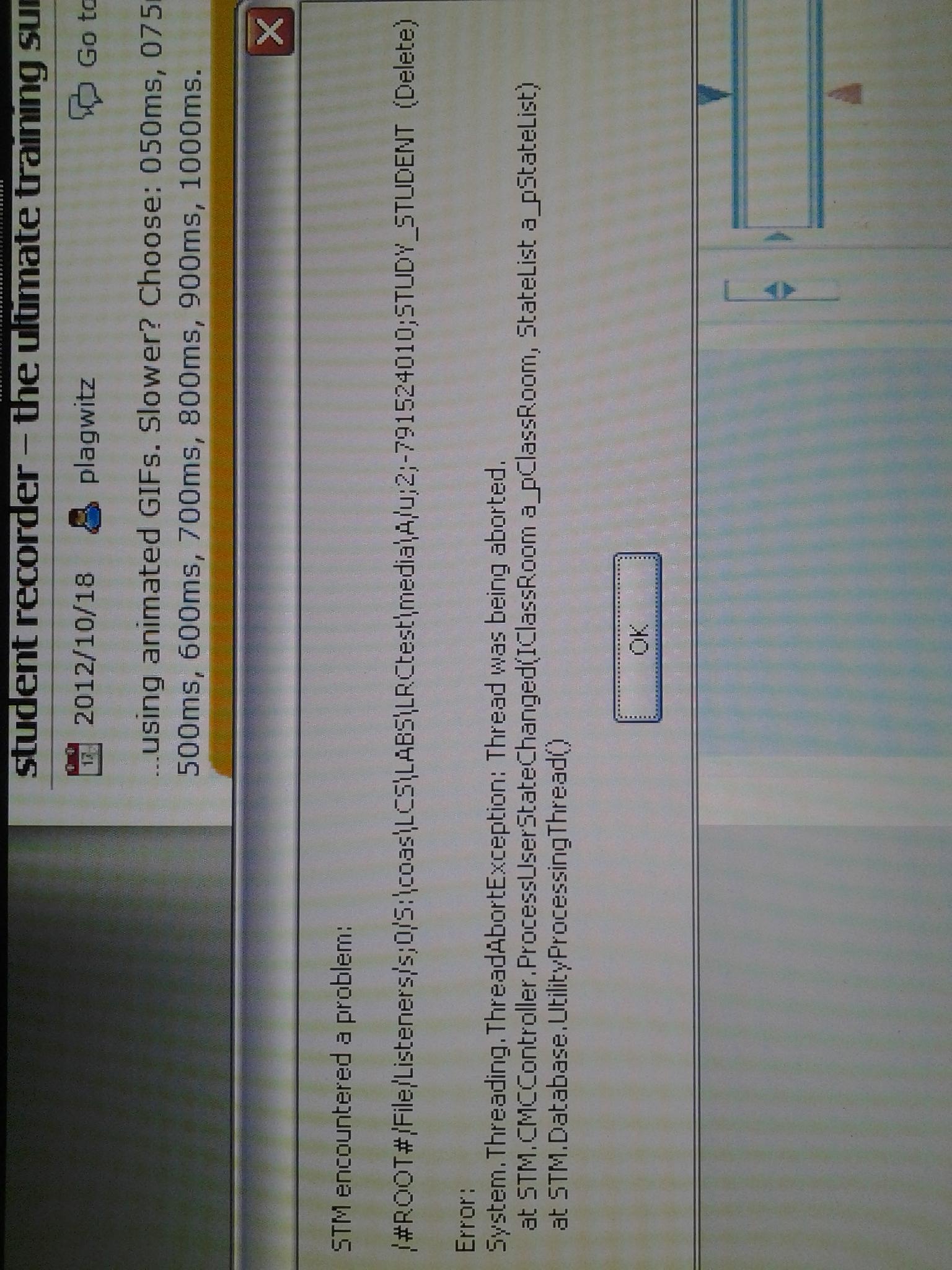
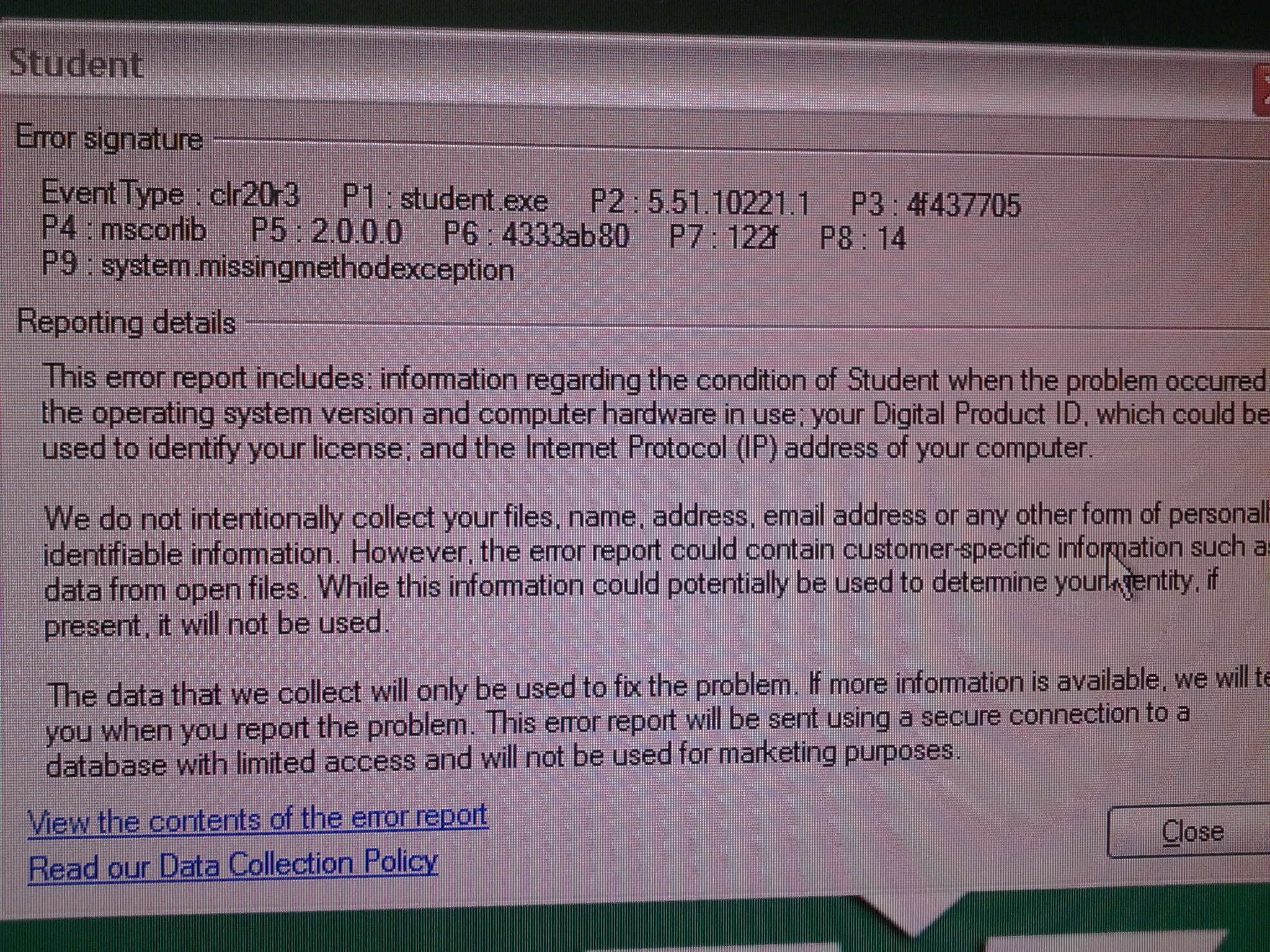
System.MissingMethodException error when installing recorder standalone light
Do we know why? – Still not, but looking into whether all prerequisites are fulfilled (this looks like a .Net error, but the my framework check says higher than version 2 is installed on that faculty computer).


Questions? Read the About. Or just ask me a quick Our Databases: Resources with calendars -- Language learning material Moodle Sites, multimedia files -- films


FAQs for LRC student staff or for students or for teachers. To search our FAQs, in the browser addressbar, add after "https://plagwitz.wordpress.com/feed/?tag=faqs+/" "+TAG1" (from tag cloud below) OR "https://plagwitz.wordpress.com/feed/tag=faqs
&category_name=" "CAT1" (from category hierarchy below). OR search both categories and tags, and multiple TAGs/CATs (connect with "," for OR-search, with "+" for AND-search), like so: https://plagwitz.wordpress.com/feed/?tag=TAG1+TAG2+...TAGn&category_name=CAT1
+CAT2+...CATn"
Other ways to find help
If you cannot find it here, look there: 5,500 Language-Learning Links and Programs for learning or teaching 150 languages
Shortcuts:Our Lists, Our Maps, LRC Staff Moodle Site,LRC Project Moodle Site, 49erexpress, UNCC Moodle, Student Recordings: s:claslcslrcsanakostudent
Learning usage samples: Sanako oral exam, Kaltura webcam presentation, Dictation with speech recognition, Sanako written exam, Chinese and Japanese interactive stroke-order practice
Test the Sanako Installer, Webbrowser Popup Konfigurator for XP, or Windows7, faster LRC TeacherPC Log-in Let MS facilitate diacritics writing by installing for you US-International keyboard layout
This is my personal blog (Google+). The views expressed on these pages are mine alone and not those of my employer. The information in this weblog is provided “AS IS” with no warranties, and confers no rights.