Archive
Archive for the ‘Notes’ Category
Students get an error when trying to open links from MS-Word file
2012/01/18
Leave a comment
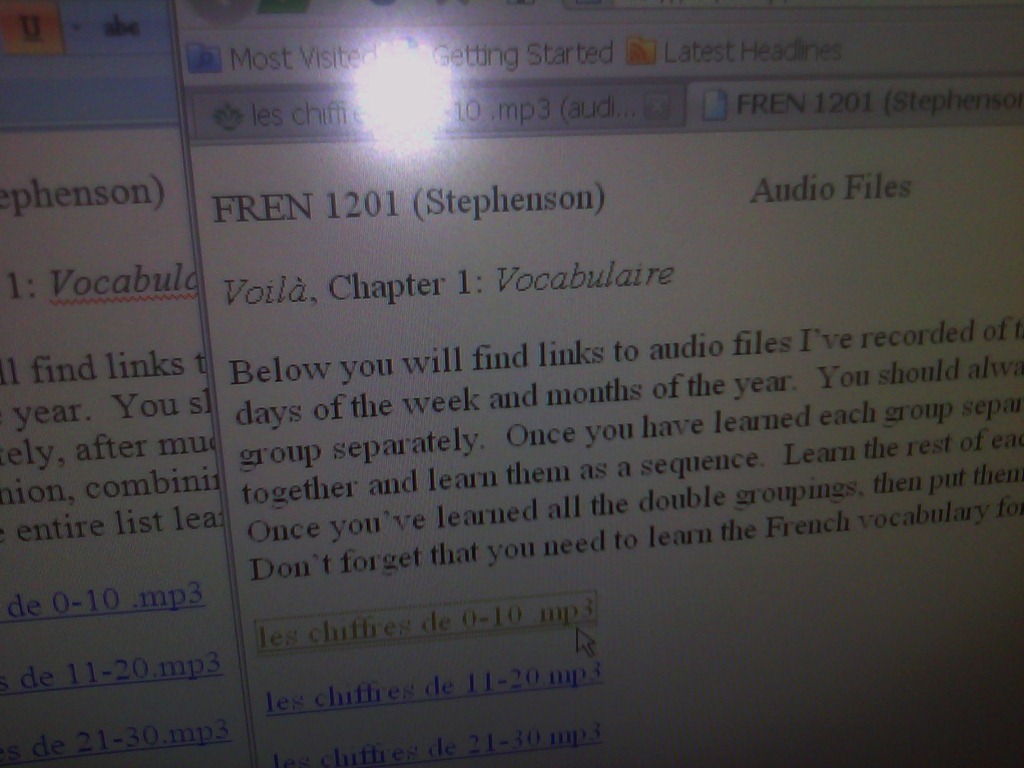
- Error reads: “”this operation has been cancelled due to restrictions in effect on this computer”.
- Immediate workaround:
- right-click on the link, choose copy, open a web browser window
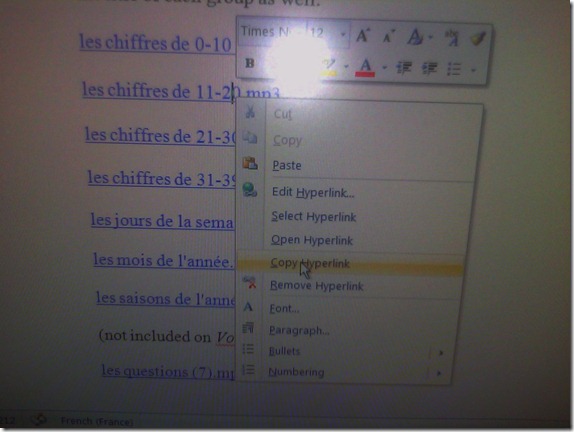 and paste the link into the address bar, browse to it from there.
 - File / Save as / Web page. From where you saved the web page, double click to open it in the your web browser, click the links form within there.

- Have you tried saving your MS-Word files to the new SkyDrive.live.com (login with your NINERNET password) yet? Students can choose to open MS-Word documents in either MS-Word or their web browser which should also bypass the problem.
- right-click on the link, choose copy, open a web browser window
- Solution: Investigating. Seems related to no “default browser set” in XP Control Panel / Internet options. If you cannot live with the workaround, do ask your System Administrator. Or stay tuned

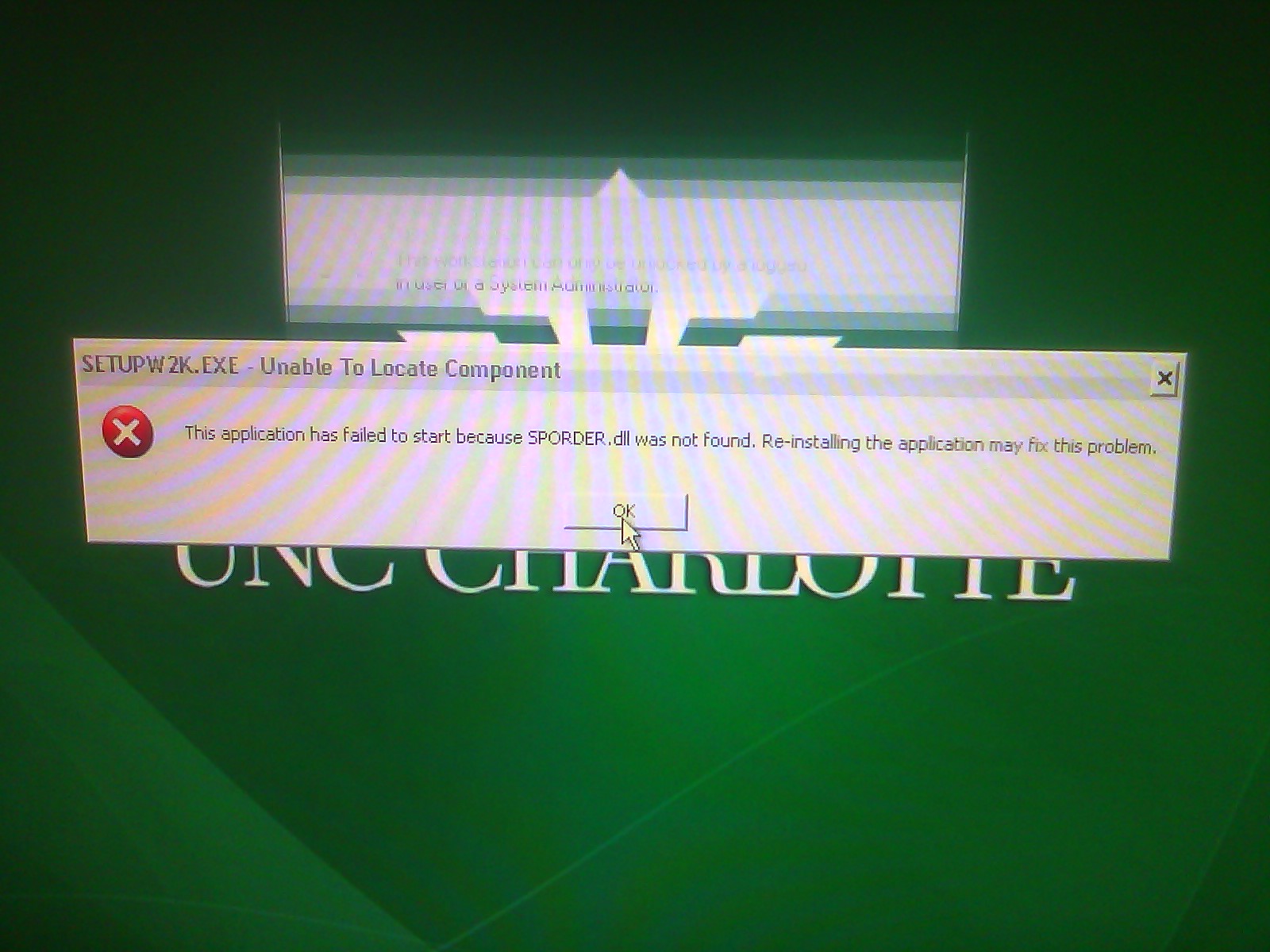
Error uninstalling Novell
2012/01/17
Leave a comment
- Shows in the Add Remove Programms on XP, but uninstall fails:


Categories: Glitches&Errors
novell
Novell uninstall related error?
2012/01/17
Leave a comment
Categories: Glitches&Errors, Uncategorized
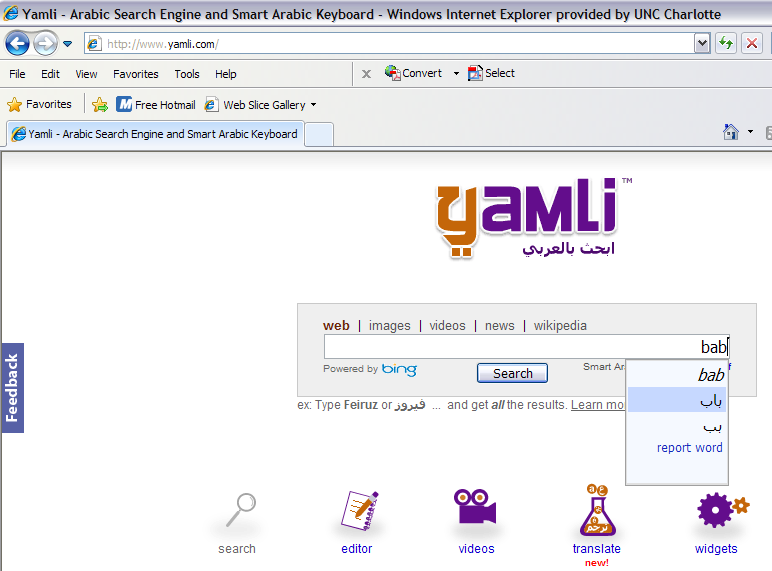
Transcribe sounds into Arabic letters on the web using Yamli
2012/01/06
Leave a comment
How do you compare this to Microsoft Maren and Google Arabic keyboard input?
How to override a Projector control out of synch with the Classroom projector
2011/12/10
Leave a comment
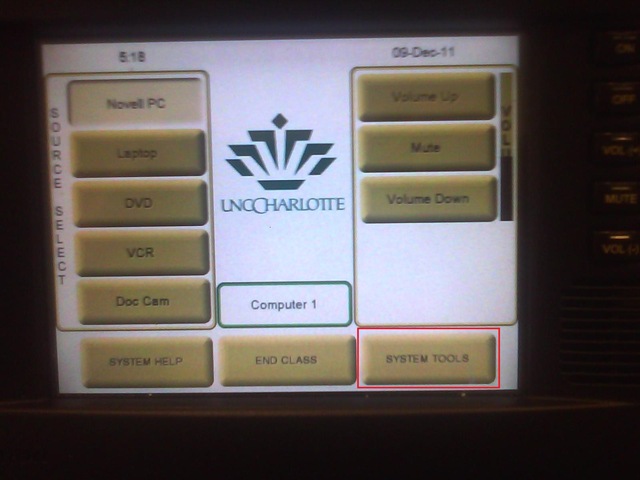
- When the projector control system is “out of synch”with the projector.
- Symptom: “System off” does not turn the projector off, but also “System on” does not turn.
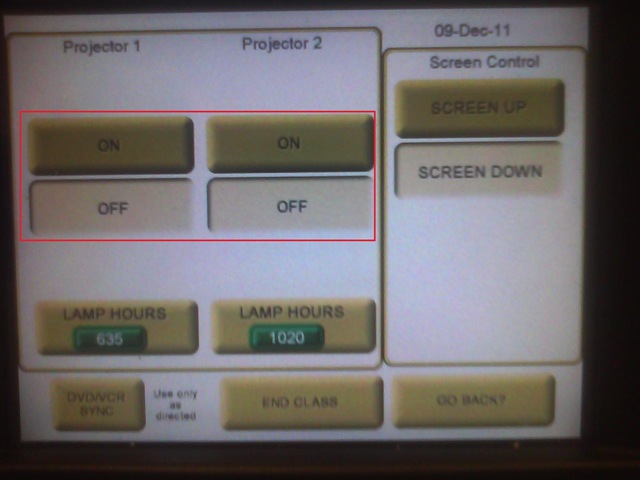
- Workaround: From the control panel Home screen, access soft button “system tools”

- Here you can manually turn the projector on/off (and the close the screens)

Logging off fails on teacher station?
2011/12/08
Leave a comment
- Symptoms: Cannot log off.
- Diagnostics:
- Not even after taskkilling so far (got to around “S” in process name initials)).

- When did this behavior first manifest itself? This week? MS-Office 2010 upgrade? Novell upgrade?
- Not even after taskkilling so far (got to around “S” in process name initials)).
- Workaround: Current best workaround is power-cycling the computer.
- Solution: Problem seems to have disappeared. Cause and resolution unclear, though.

PowerPoint 2010 upgrade from 2007 disables setup show display on secondary screen
2011/12/06
Leave a comment
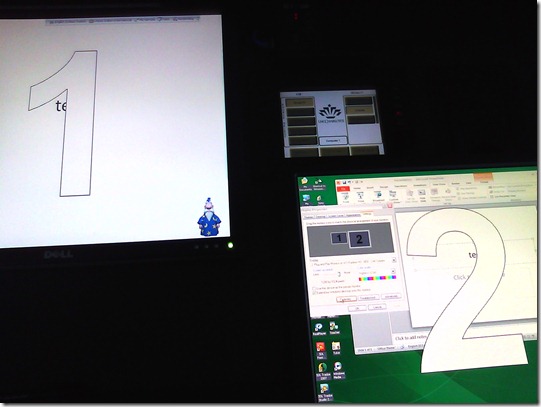
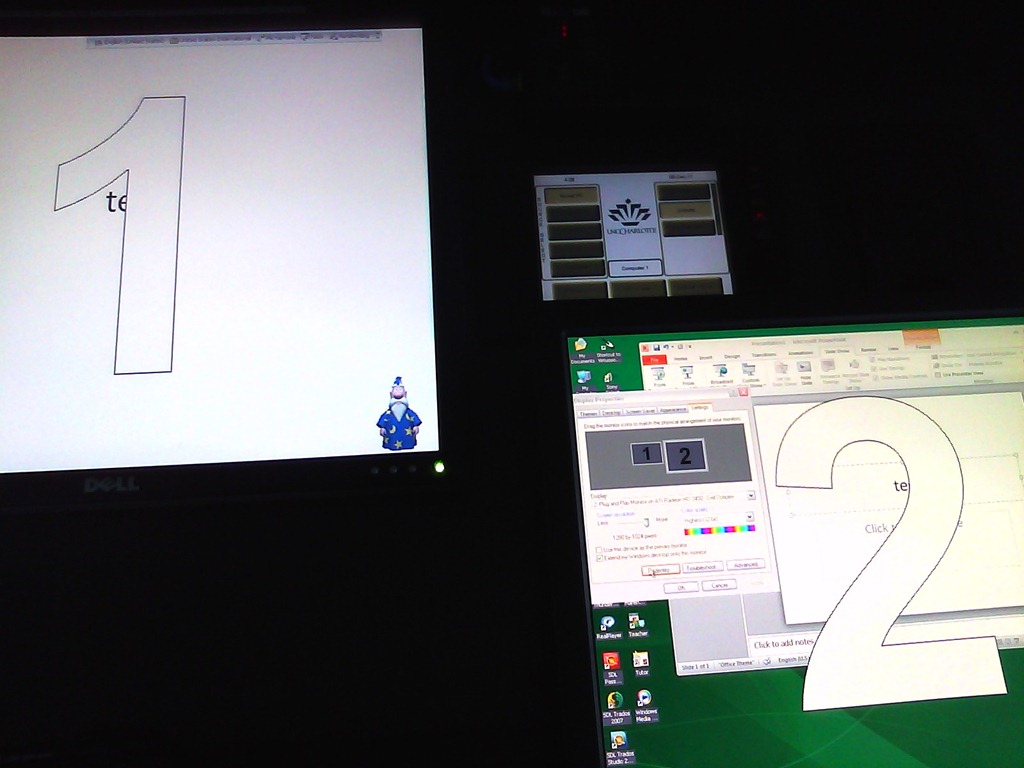
- Symptom: Without hardware changes (a visualizer that seemed to enter into the equation as an AV source seems to have been ruled out as culprit), PowerPoint cannot display show from primary right screen to secondary left screen.
- Cause: Upgrade to PowerPoint 2010 from 2007, but seems really an underlying video driver limitation that has given us grieve in our – admittedly uncommon: 1024*768 on secondary, projector-connected screen, dictated by the projector – setup before.
- Workaround: Make the 1024*768 left screen the primary screen.
- Upside: this allows to project the show to the class, but teacher can still move the underlying PowerPoint presentation onto the right screen (for previewing answers. The PowerPoint 2010 upgrade did fix the PowerPoint 2007 bug that interactive animations from PowerPoint 2003 where briefly revealed on slide load before they went into the default hidden state).
- Downsides:
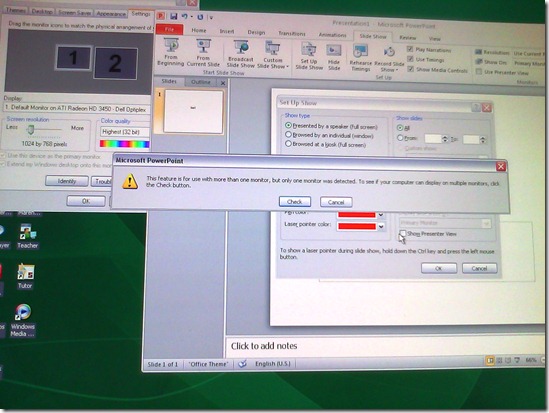
- Presenter view is still not possible, complains about seeing only one screen connected, even though “Check” button brings up the windows screen properties dual screen.
- The Windows taskbar displays on the left screen, so teacher staging is visible to the class when projector is on (as it always was with a single screen. Only the secondary right screen added a staging area for the teacher).
- Presenter view is still not possible, complains about seeing only one screen connected, even though “Check” button brings up the windows screen properties dual screen.
- Upside: this allows to project the show to the class, but teacher can still move the underlying PowerPoint presentation onto the right screen (for previewing answers. The PowerPoint 2010 upgrade did fix the PowerPoint 2007 bug that interactive animations from PowerPoint 2003 where briefly revealed on slide load before they went into the default hidden state).

Deepfreeze sees no clients
2011/11/29
Leave a comment
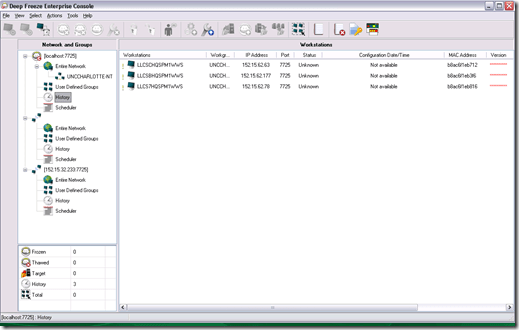
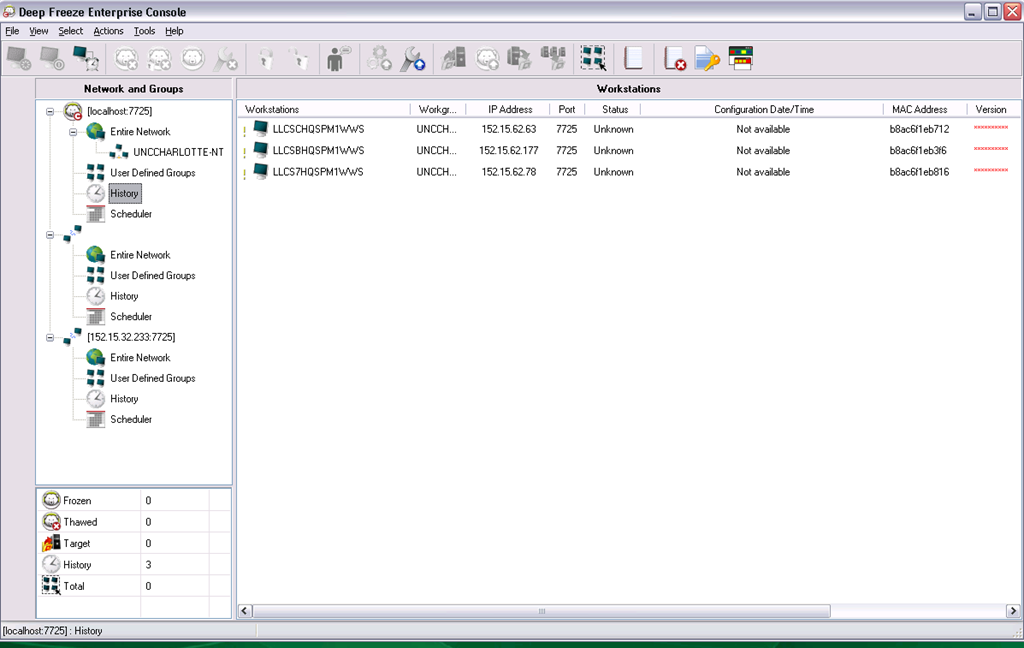
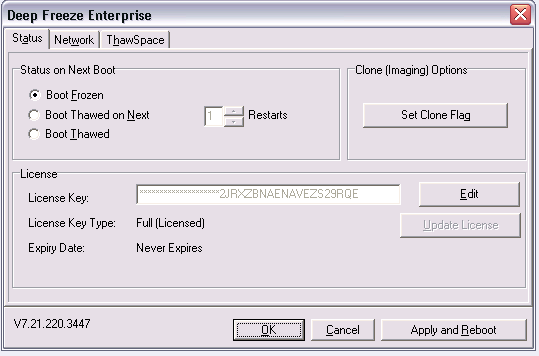
- Problem: Deepfreeze Console cannot see its clients anymore, including the ones that remain in history from before:
- Here is the client status on one of the frozen computers in history:
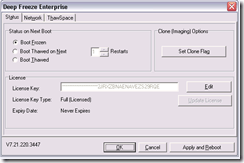
- Solution: This can happend when the client cannot connect to the Deepfreeze server. Make sure that you have the current server address.
Categories: Glitches&Errors
faronics-deepfreeze


Questions? Read the About. Or just ask me a quick Our Databases: Resources with calendars -- Language learning material Moodle Sites, multimedia files -- films


FAQs for LRC student staff or for students or for teachers. To search our FAQs, in the browser addressbar, add after "https://plagwitz.wordpress.com/feed/?tag=faqs+/" "+TAG1" (from tag cloud below) OR "https://plagwitz.wordpress.com/feed/tag=faqs
&category_name=" "CAT1" (from category hierarchy below). OR search both categories and tags, and multiple TAGs/CATs (connect with "," for OR-search, with "+" for AND-search), like so: https://plagwitz.wordpress.com/feed/?tag=TAG1+TAG2+...TAGn&category_name=CAT1
+CAT2+...CATn"
Other ways to find help
If you cannot find it here, look there: 5,500 Language-Learning Links and Programs for learning or teaching 150 languages
Shortcuts:Our Lists, Our Maps, LRC Staff Moodle Site,LRC Project Moodle Site, 49erexpress, UNCC Moodle, Student Recordings: s:claslcslrcsanakostudent
Learning usage samples: Sanako oral exam, Kaltura webcam presentation, Dictation with speech recognition, Sanako written exam, Chinese and Japanese interactive stroke-order practice
Test the Sanako Installer, Webbrowser Popup Konfigurator for XP, or Windows7, faster LRC TeacherPC Log-in Let MS facilitate diacritics writing by installing for you US-International keyboard layout
This is my personal blog (Google+). The views expressed on these pages are mine alone and not those of my employer. The information in this weblog is provided “AS IS” with no warranties, and confers no rights.
 Thomas' Work Space