Archive
Archive for the ‘audience-is-students’ Category
How to record your speech with Audacity
2012/01/11
Leave a comment
- For a cut-and-dry recording session, the LRC has a simple instruction on
- For more advanced editing with Audacity, I have a detailed screencast here.
How to make changes to a meeting request to update/alter a reservation
2012/01/10
2 comments
- You can easily release a reservation of an LRC room or resources, completely or partially (e.g. some of the time when you return an item earlier than anticipated), from your calendar in OWA/NINERMAIL:
- By opening the meeting request
- In (staff:)OWA,
- go to your calendar
- find and open your meeting
- make changes to the meeting, e.g. start and end time
- click “Send Update”
- (students:)NINERMAIL: looks like you have to cancel the meeting and recreate it with new times. This may change once we get the calendars used by students set up to autoaccept.
- More conveniently, without opening:
- right-click on and choose delete the appointment (if necessary, the system is smart enough to ask you whether you want to delete an entire series of appointments or only this occurrence; on cancelling, see also here).
![owa-update-recurring2_thumb[1]](https://thomasplagwitz.com/wp-content/uploads/2012/01/owa-update-recurring2_thumb1_thumb.png?w=559&h=302 "owa-update-recurring2_thumb[1]")
- Or to release the reservation partially (= reduce the time), drag the upper or lower margin to the new desired start or end time.
![owa-update-recurring_thumb[2]](https://thomasplagwitz.com/wp-content/uploads/2012/01/owa-update-recurring_thumb2_thumb.png?w=572&h=309 "owa-update-recurring_thumb[2]")
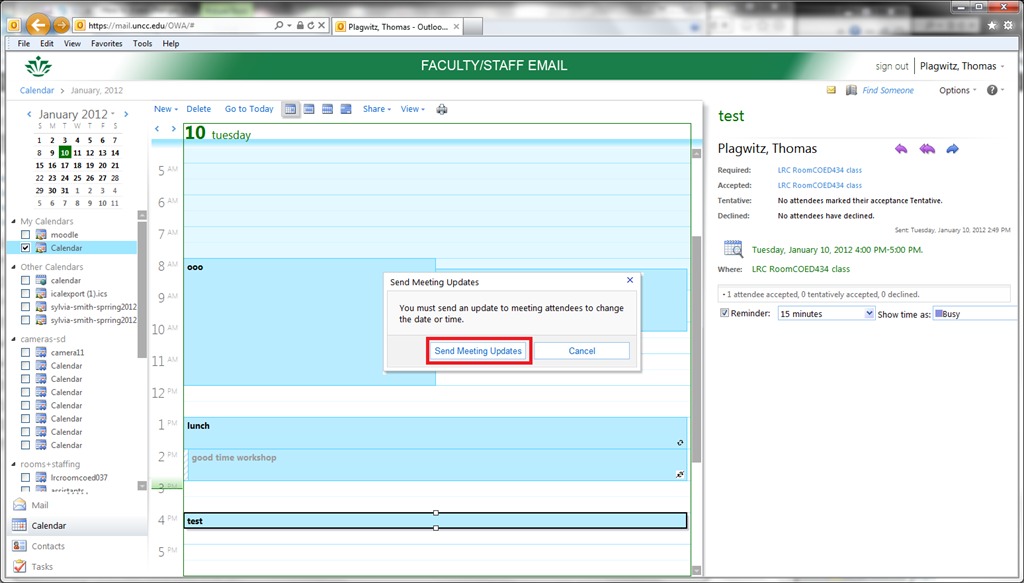
- If you are working with a meeting request (which by definition has more than the organizer as participants, unlike appointments you make for yourself on your calendar; be wary of making changes to meeting requests which you are not the organizer of (= you did not initially create the meeting request)), the system offers you – and should should accept – to notify the other participants automatically.

- Which in this case is not a person, but only (unless other people have been included in the resource booking which can be done) a resource mailbox which, if configured to autoaccept, may still respond to you like so, in this case with an acceptance, since you can not cause a conflict when releasing a resource that had been reserved for you):

- This also only affects the occurrence you are currently working with, as you can see from the stricken-out recurrence icon that results:
![owa-update-recurring1_thumb[2]](https://thomasplagwitz.com/wp-content/uploads/2012/01/owa-update-recurring1_thumb2_thumb.png?w=600&h=324 "owa-update-recurring1_thumb[2]")
- This flexibility is one of the main reasons (= better resource utilization) why we introduced this system: so that users who want to visit the LRC with their class/borrow a resource on short (often happens, depending on pedagogy, with a couple off days or less ) notice don’t have to be turned away with no good reason.
- Just do not try updating from the publically viewable web calendars, those are for “view”-ing only, including by students:
![owa-update-don-not-do-this-from-the-publically-viewable-web-calendar_thumb[3]](https://thomasplagwitz.com/wp-content/uploads/2012/01/owa-update-don-not-do-this-from-the-publically-viewable-web-calendar_thumb3_thumb.png?w=570&h=325 "owa-update-don-not-do-this-from-the-publically-viewable-web-calendar_thumb[3]")
- right-click on and choose delete the appointment (if necessary, the system is smart enough to ask you whether you want to delete an entire series of appointments or only this occurrence; on cancelling, see also here).
![owa-update-recurring2_thumb[1]](https://thomasplagwitz.com/wp-content/uploads/2012/01/owa-update-recurring2_thumb1.png "owa-update-recurring2_thumb[1]")
![owa-update-recurring_thumb[2]](https://thomasplagwitz.com/wp-content/uploads/2012/01/owa-update-recurring_thumb2.png "owa-update-recurring_thumb[2]")

![owa-update-recurring1_thumb[2]](https://thomasplagwitz.com/wp-content/uploads/2012/01/owa-update-recurring1_thumb2.png "owa-update-recurring1_thumb[2]")
![owa-update-don-not-do-this-from-the-publically-viewable-web-calendar_thumb[3]](https://thomasplagwitz.com/wp-content/uploads/2012/01/owa-update-don-not-do-this-from-the-publically-viewable-web-calendar_thumb3.png "owa-update-don-not-do-this-from-the-publically-viewable-web-calendar_thumb[3]")
Transcribe sounds into Arabic letters on the web using Yamli
2012/01/06
Leave a comment
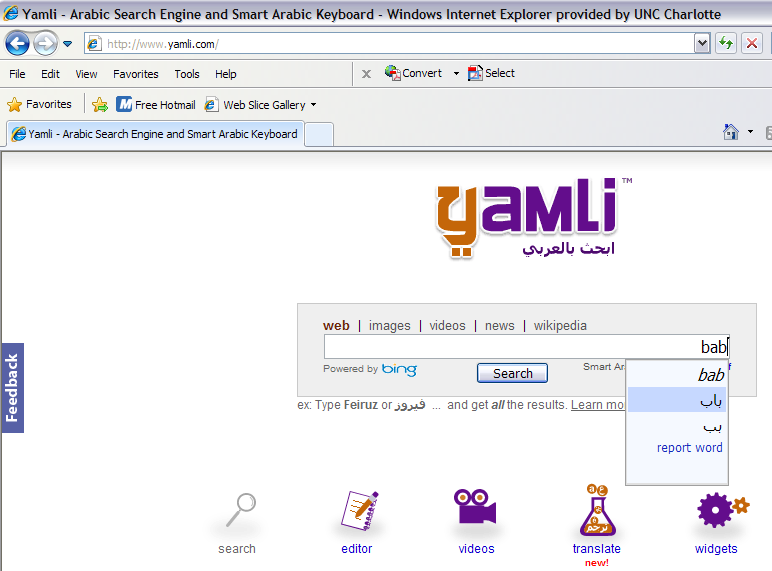
How do you compare this to Microsoft Maren and Google Arabic keyboard input?
Calendaring: How to view all your Moodle course assignments in Ninermail, OWA or MS-Outlook – Shortest
2012/01/05
3 comments

Categories: audience-is-students, audience-is-teachers, documentation, lms, Screenshots, step-by-step-guides
calendaring, FAQs, moodle, ms-outlook, OWA
Meeting Requests in OWA – from the source
2011/12/22
1 comment
Language tutoring support in the LRC
2011/12/20
Leave a comment
- New and improved as of Spring 2012: We now have 2 computerized small group work spaces for tutoring groups.
- An effective computerized help desk
- A live CAE tutor calendar display. This will help the time zone-challenged students until all students are put into the right time zone in NINERMAIL (or self-help). At that point all students will be able to load the tutor calendar of their choice in NINERMAIL. The tutor calendar has also “LRC” in the title – this way students always are reminded WHERE the tutoring is. We are also working on getting small group workspaces set up in the entrance library area to the left.
- Improved tutor signage
- A variety of non-computerized tutoring workspaces
- A variety of computerized tutoring workspaces that allow the tutoring to share with other uses of the LRC.
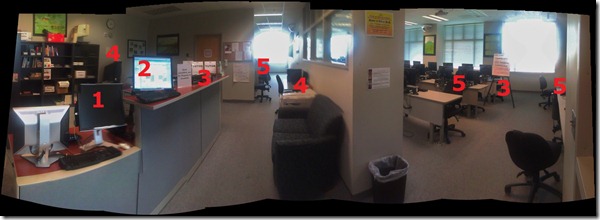
- As listed in this view when you enter the LRC:

How to check if components of Shotgun Microphones (05-08) are complete
2011/12/20
Leave a comment
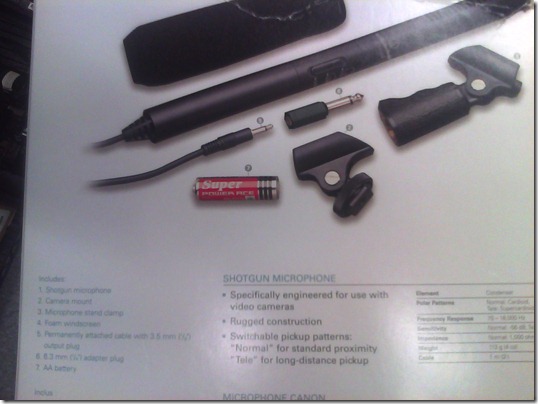
- Use this list:
- micro
- seat1
- seat2
- cable1
- cable2
- adapter1/4”
- windshield
- Or use the illustration from the microphone package:

How to check if components of Microphone Boom pole (01-04) are complete
2011/12/20
Leave a comment
- Boom
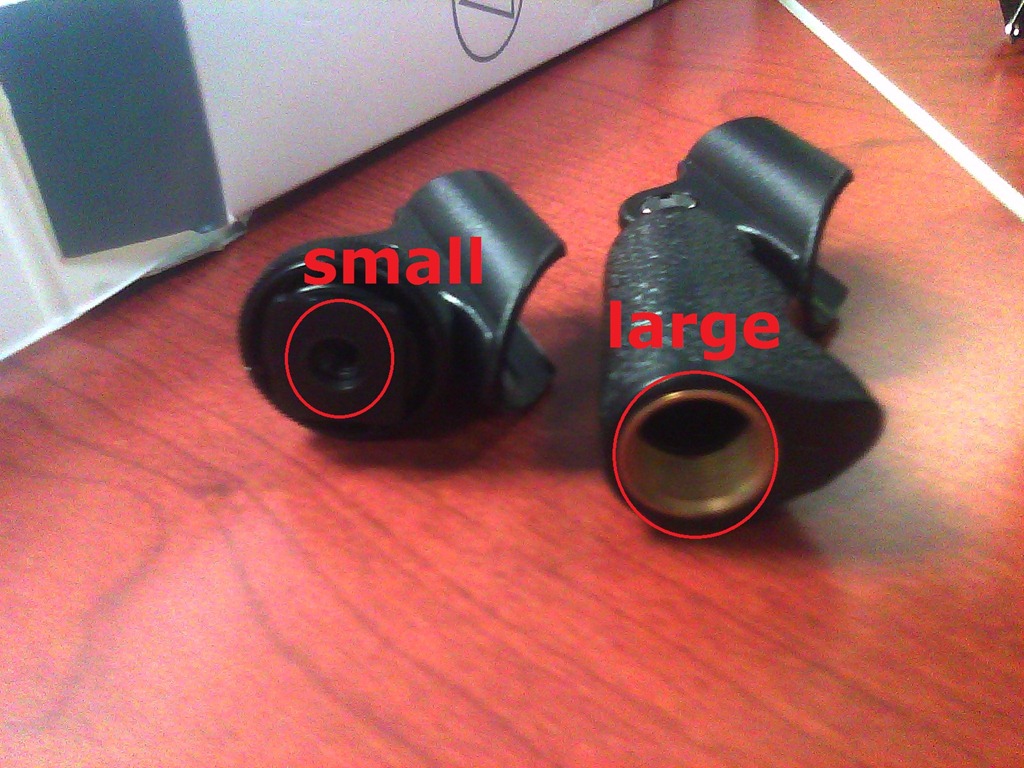
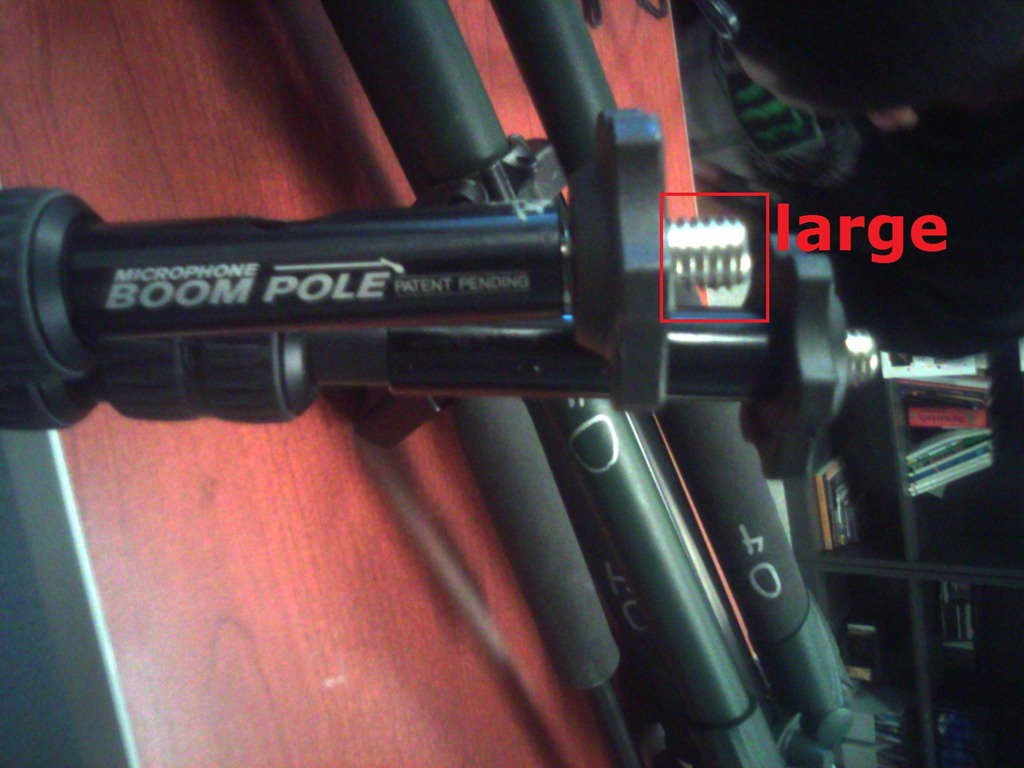
- Adapter for microphone holder. To change the screw size to that of the microphone holder you have

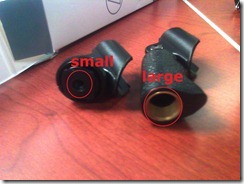 , you can unscrew the adapter and turn it around – however, do not lose it!





Questions? Read the About. Or just ask me a quick Our Databases: Resources with calendars -- Language learning material Moodle Sites, multimedia files -- films


FAQs for LRC student staff or for students or for teachers. To search our FAQs, in the browser addressbar, add after "https://plagwitz.wordpress.com/feed/?tag=faqs+/" "+TAG1" (from tag cloud below) OR "https://plagwitz.wordpress.com/feed/tag=faqs
&category_name=" "CAT1" (from category hierarchy below). OR search both categories and tags, and multiple TAGs/CATs (connect with "," for OR-search, with "+" for AND-search), like so: https://plagwitz.wordpress.com/feed/?tag=TAG1+TAG2+...TAGn&category_name=CAT1
+CAT2+...CATn"
Other ways to find help
If you cannot find it here, look there: 5,500 Language-Learning Links and Programs for learning or teaching 150 languages
Shortcuts:Our Lists, Our Maps, LRC Staff Moodle Site,LRC Project Moodle Site, 49erexpress, UNCC Moodle, Student Recordings: s:claslcslrcsanakostudent
Learning usage samples: Sanako oral exam, Kaltura webcam presentation, Dictation with speech recognition, Sanako written exam, Chinese and Japanese interactive stroke-order practice
Test the Sanako Installer, Webbrowser Popup Konfigurator for XP, or Windows7, faster LRC TeacherPC Log-in Let MS facilitate diacritics writing by installing for you US-International keyboard layout
This is my personal blog (Google+). The views expressed on these pages are mine alone and not those of my employer. The information in this weblog is provided “AS IS” with no warranties, and confers no rights.
 Thomas' Work Space