Archive
How to start YouTube videos from the middle
- To avoid having to manually find a segment of a YouTube video clip during presentations, or worse, downloading the video clips from YouTube before the presentation, to edit them into shape,
- try using the “&t=”(for “time(line)”, I presume) query parameter, followed by “#m” (for minutes) and "##s” (for seconds) where the segment you want to show starts.
- Example links that you can try inserting into your PowerPoint Slide deck:
- http://www.youtube.com/watch?v=tDngRk5vImU starts the movie clip Aicha part 1/10 from the beginning;
- http://www.youtube.com/watch?v=tDngRk5vImU&t=1m10s starts Aicha at 1 minute and 10 seconds;
- http://www.youtube.com/watch?v=tDngRk5vImU&t=5m10s starts Aicha at 5 minutes and 10 seconds.
MyGermanLab shortlinks and step-by-step chapter test for GERM1201, GERM1202 classes
- Using Internet Explorer, go here: goo.gl/JUSUC.
- Log into MyGermanLab.
- to open your test:
-
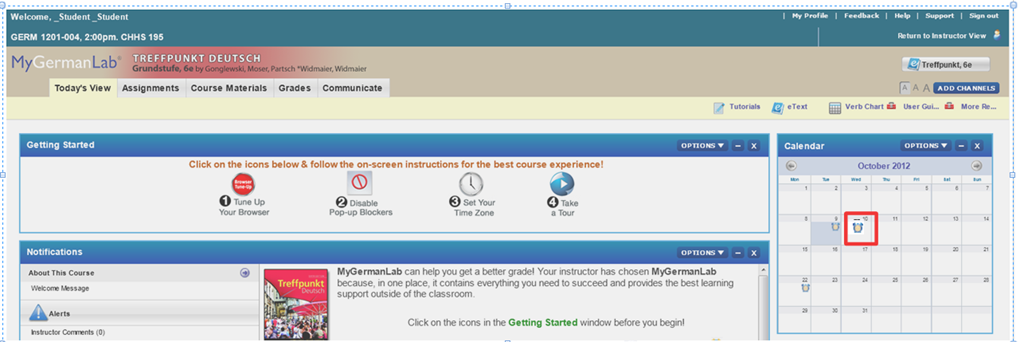
- Click on the assignment for today on your assignment calendar to the right:

- if your test does not show as assignment in the calendar (Update for proctored make-up exam: this applies espeially to you), go to the top tab: “course materials”“. Hold the CTRL key and click on the assignment
- either in the list on the right or
- at the bottom in the list on the left.
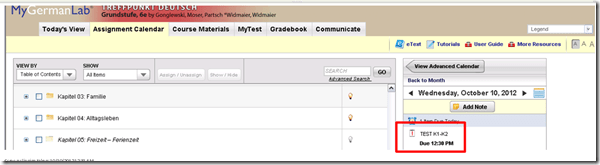
- if your test does not show as assignment in the calendar (Update for proctored make-up exam: this applies espeially to you), go to the top tab: “course materials”“. Hold the CTRL key and click on the assignment
- Enter the password that you will be given during the exam in the LRC:
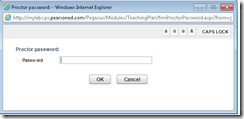 , hold the CTRL key and click button: “OK”.
 - Click button: “start”.

- Click through the pages until it tells you you have “submitted” the test.
- Click on the assignment for today on your assignment calendar to the right:
- to handle multimedia:
- Use the headsets hanging behind the screens for questions that require listening/speaking.
-
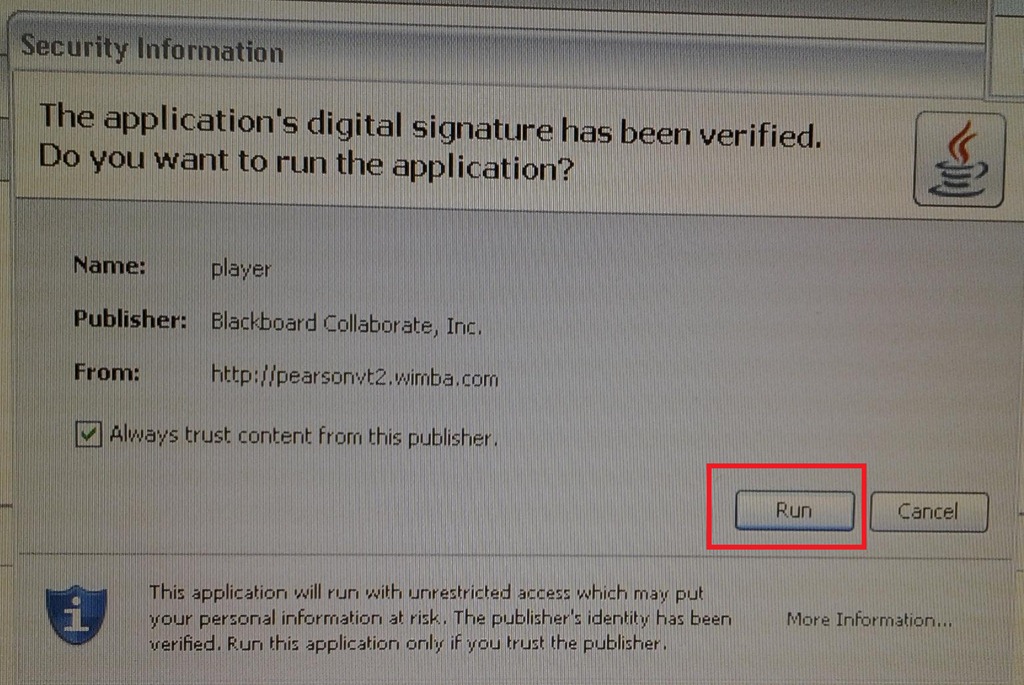
When you load the audio player or audio recorder, you will see a dialogue like these, click button: ”Run” or “Trust”:
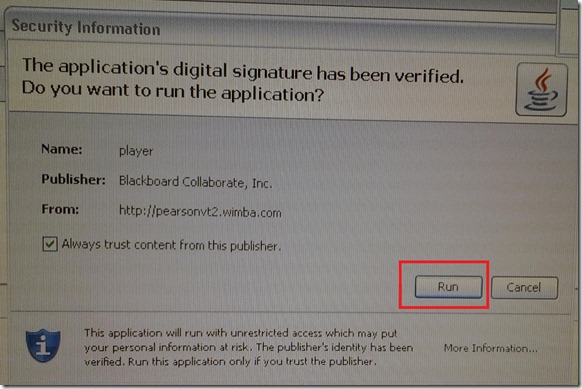
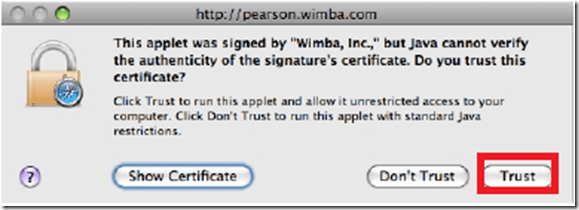
- There is a step-by-step guide on how to record here.
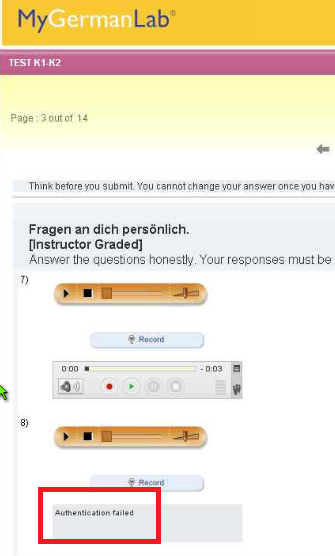
- If you get an error for the audio recorder saying “Authentication failed”, keep calm and carry on, your recording is not lost, you only cannot review it anymore:
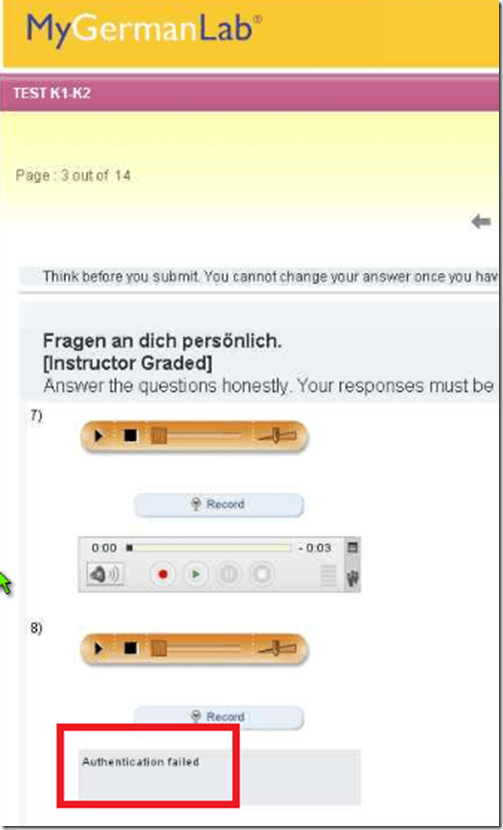
- If you have a question, do not disturb others. Rather put your headsets on and get in the queue by clicking button: “Call” in this window
 . Your call will be answered shortly.
- Please be advised that this exam is
- proctored and that your screen can be seen by the proctor at any time.
- randomized, so that your neighbors’ screen will most likely display your current test question at a quite different time.



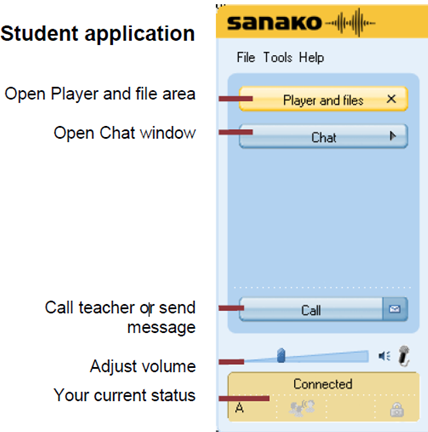
Sanako Study 1200 Homework step-by-step
1. In the Sanako student player window, in the upper left of your screen, above the red “homework” tab, an MS-Word file will show in the list.
2. Click on this MS-Word file in the Sanako student player list.
3. A window will open that asks you to save the word file. Use the default, your Desktop. Click “OK” to save. The file will be added to your desktop.
4. Do whatever other activities your teacher assigned. Once the teacher aks you to do so, open the MS-Word file from the desktop.
5. Write in the MS-Word file what it asks you to do.
6. When done, close the MS-Word file.
7. MS-Word will ask you whether you want to save. Click “yes” (and do NOT “save as”, or change the file name or file format).
8. The file on your desktop will look the same, but it will have been updated with your input.
9. The teacher will open a window titled “homework” on your desktop.
10. Drag and drop the MS-Word file into this window.
11. If the file in the homework” window does not automatically say it was “delivered” to the teacher, click the lower right button: “Send”.
12. Once the file says “delivered”, you can go to the next task or log out.
13. If in doubt, ask for help. Use the Sanako student player button:“Call” to get into the queue. Somebody will connect to your headsets and screen ASAP.

Friendly RUSSIAN chapter 5-3 Grammar 1
Why MS-OneNote may let you run out of storage space here
I am running into out of file space issues in a number of applications. Turns out that OneNote is the culprit, but it is not obvious from the OneNote Save & Backup why: 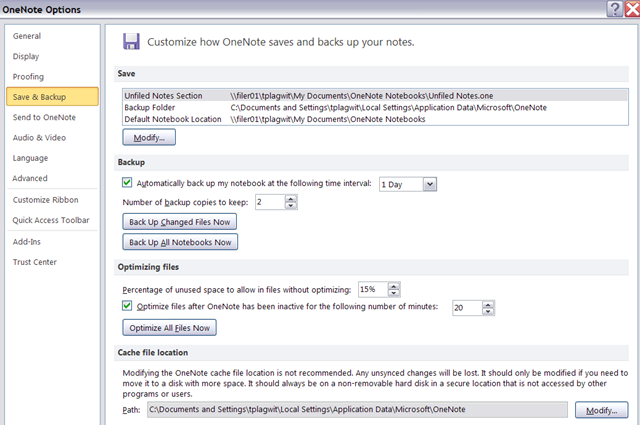
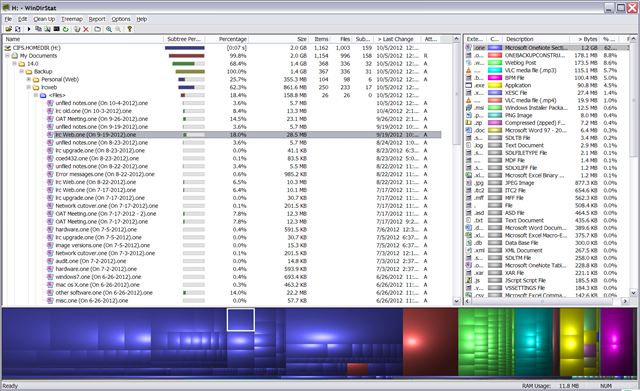
The Reason is that Application Data\Microsoft\OneNote gets redirected to the personal network drive:\My documents folder, the disk quota for which is limited:
Protected: How to show the Developer Tab in the MS-Word 2007/2010 Ribbon
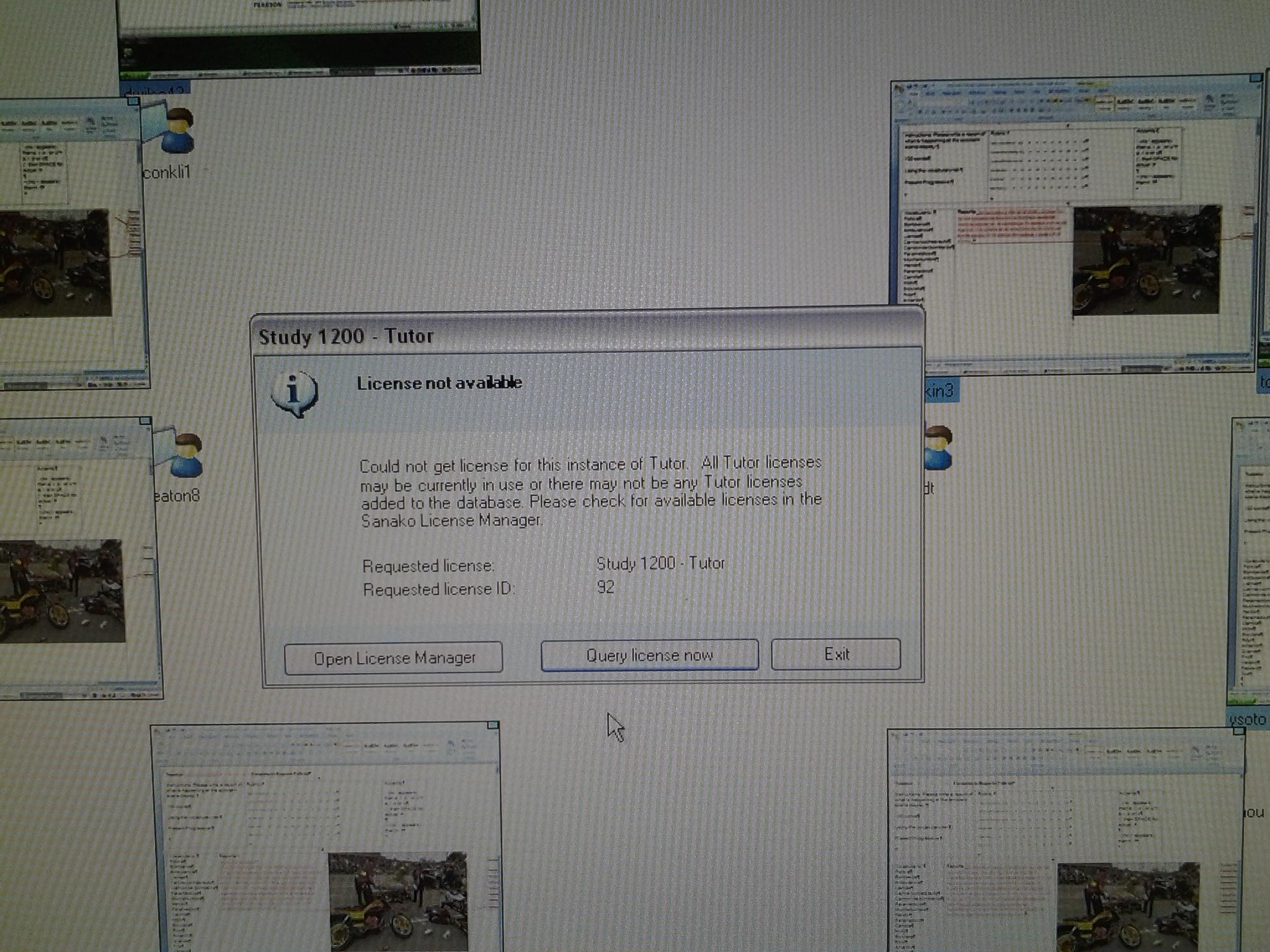
Sanako licensing error in the middle of an exam?
What NOW? I decided to not update from 22 to 24 licenses last night to avoid running into issues like that with pending exams. Can this be a mere temporary network error? How can I assure students can submit their Sanako homework activity?UPDATE: The problem went away as mysteriously as it had cropped up, even before a restart of the teacher computer or Sanako services running on that computer (I did restart Sanako Teacher, though). However, during the outage, other network sites could be pinged from the teacher computer. Licensing server issue then?


Questions? Read the About. Or just ask me a quick Our Databases: Resources with calendars -- Language learning material Moodle Sites, multimedia files -- films


FAQs for LRC student staff or for students or for teachers. To search our FAQs, in the browser addressbar, add after "https://plagwitz.wordpress.com/feed/?tag=faqs+/" "+TAG1" (from tag cloud below) OR "https://plagwitz.wordpress.com/feed/tag=faqs
&category_name=" "CAT1" (from category hierarchy below). OR search both categories and tags, and multiple TAGs/CATs (connect with "," for OR-search, with "+" for AND-search), like so: https://plagwitz.wordpress.com/feed/?tag=TAG1+TAG2+...TAGn&category_name=CAT1
+CAT2+...CATn"
Other ways to find help
If you cannot find it here, look there: 5,500 Language-Learning Links and Programs for learning or teaching 150 languages
Shortcuts:Our Lists, Our Maps, LRC Staff Moodle Site,LRC Project Moodle Site, 49erexpress, UNCC Moodle, Student Recordings: s:claslcslrcsanakostudent
Learning usage samples: Sanako oral exam, Kaltura webcam presentation, Dictation with speech recognition, Sanako written exam, Chinese and Japanese interactive stroke-order practice
Test the Sanako Installer, Webbrowser Popup Konfigurator for XP, or Windows7, faster LRC TeacherPC Log-in Let MS facilitate diacritics writing by installing for you US-International keyboard layout
This is my personal blog (Google+). The views expressed on these pages are mine alone and not those of my employer. The information in this weblog is provided “AS IS” with no warranties, and confers no rights.
 Thomas' Work Space