Archive
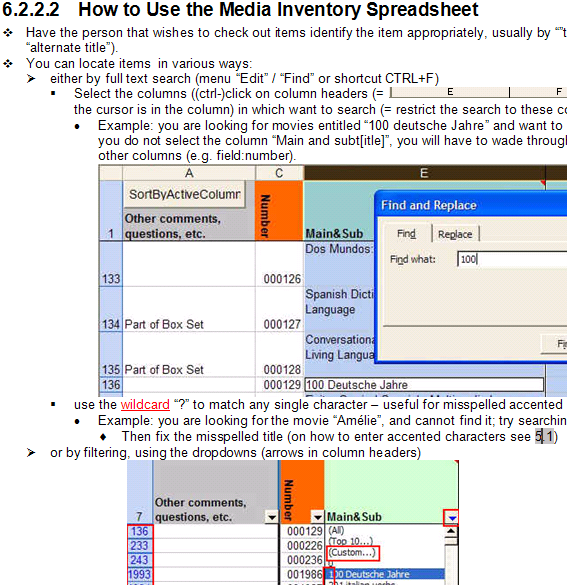
How to validate an ISBN checksum with an MS-Excel formula

(Sorry, no Excel option in the sourcecode formatter on WordPress)
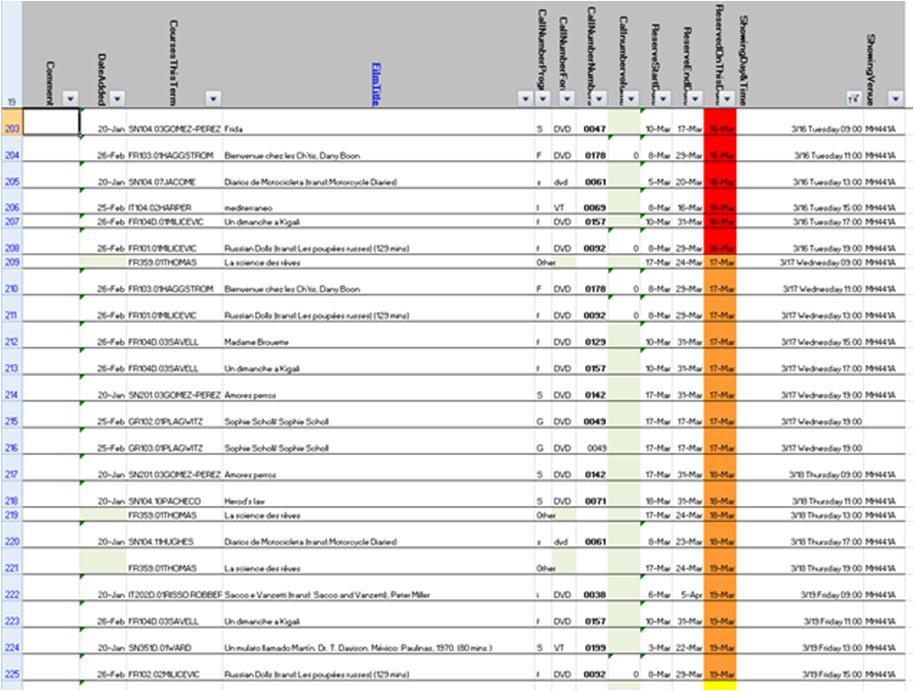
How to use the LRC Lists
- The LRC lists are built with MS-Excel Web app, one of the new features which came with NINERMAIL (live@edu, try logging into http://skydrive.com .
- Important benefits of MS-Excel Web app include
- sorting: click on column header / down arrow, and choose menu item: “Sort Ascending/Descending”
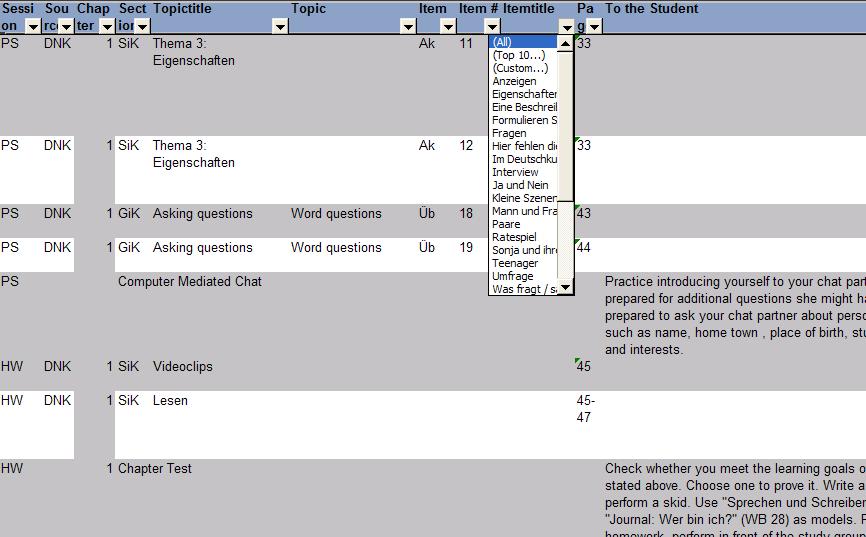
- filtering: click on column header / down arrow, and choose menu item:
- either “filter”,
 , to choose from a condensed overview of all unique items that occur in the column, and e.g. filter out “Blanks” by removing the checkmark in front of it: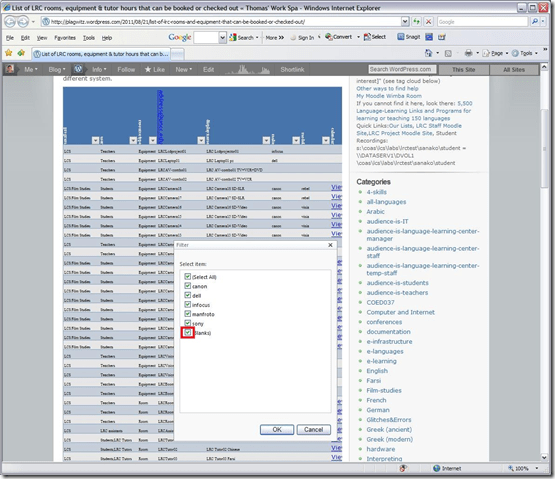
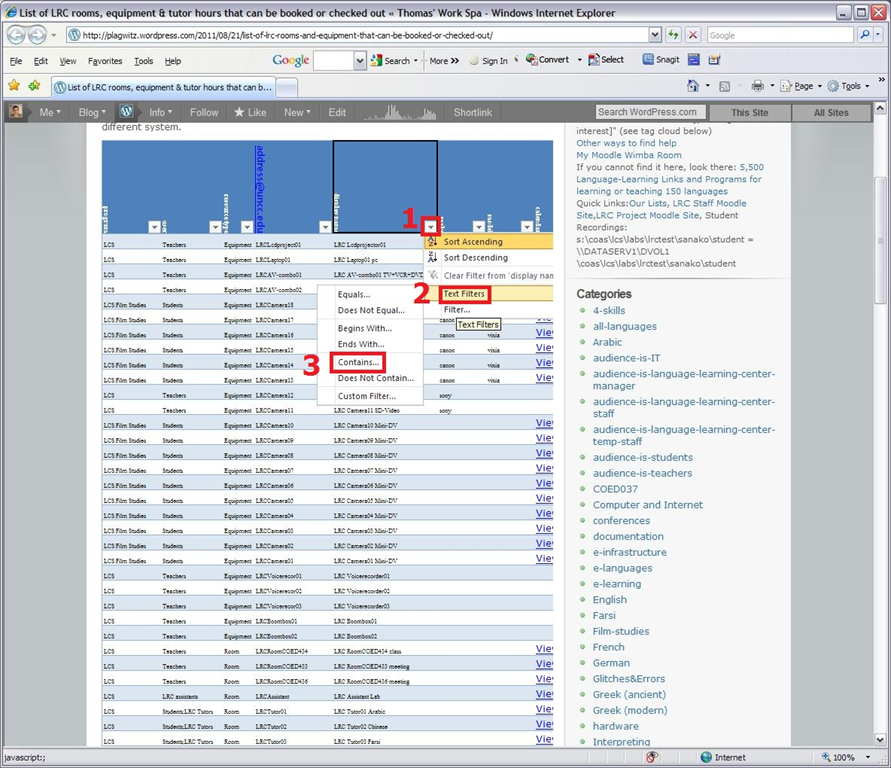
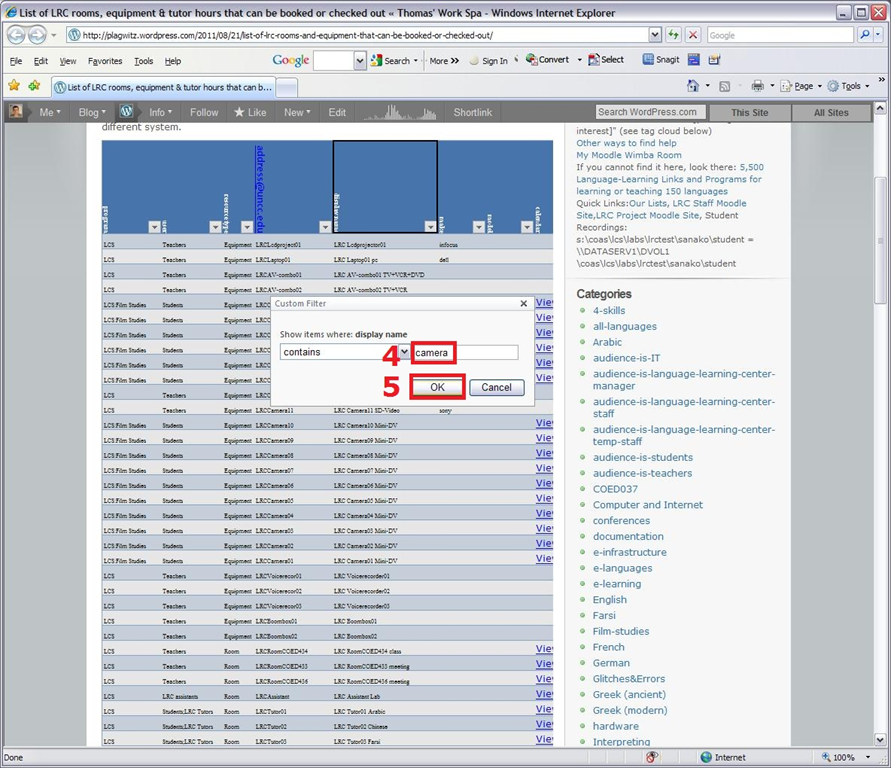
- or the advanced “number filter” (in columns with numbers) or “textfilter”,
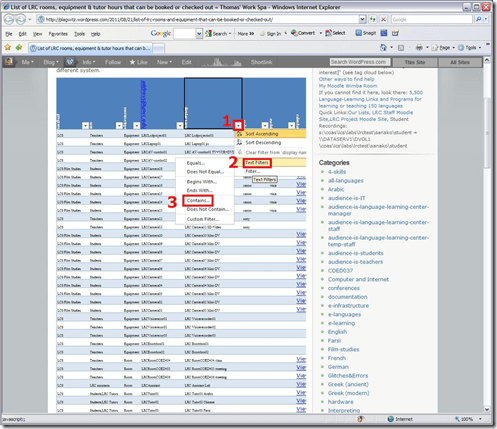 , to do more advanced searches, like for all items that contain “camera”: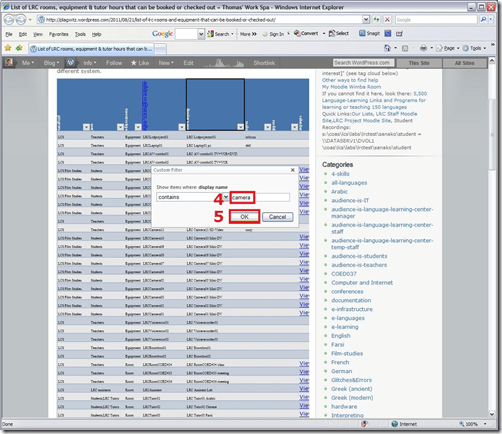
- sharing beyond viewing: Authorized users can click on an “edit link” below the list display to update the information from their web browser.
- either “filter”,


How LRC assistants log into the reception desk computers
- Let the computer finish its startup tasks:
- Browsers: both internet Explorer and Firefox will open on relevant pages, since you and your client will have to work in different browsers, ensuring that both your and your client can be logged into different NINERNET accounts.
- Excel will load a checkin.xlsm. In Excel, under the ribbon, press button:"Enable content". Use this to generate codes that you can paste into users"’ meeting requests when they check in and out LRC equipment. The spreadsheet will not save the codes since your computer is frozen.
- A program called bginfo will analyze the computer settings and display the results on the desktop
- ZoomIt: press “ok” on the startup dialogue. You can now press CTRL-2 (thanks Ashley) and drag the left mouse button (ESC to stop) to paint on screen to communicate with client across mirrored screens, and vice versa.
- Do you have a client at the counter?
- yes: press CTRL-ALT-F10 to clone/mirror (= show the same screen on) both monitors. You can now collaborate with the client using a computer (e.g. in OWA or in a database)
- no client: press CTRL-ALT-F11 to extend the desktop. You can now display an informational window on the LRC-facing monitor, while working on your own monitor in privacy.
- The reception computers use Deepfreeze. You cannot save information on reception desk computers between reboots.
- All personal information you want to save needs to go to your H: drive.
- All information you want to share with LRC staff needs to go into LRC Moodle site, UNCC-LRC website or NINERMAIL.
Testing Ribbon Hero 2 as a training resource for MS-Office
“A game fit for playing at work”? I am game!
Easy to tell after a couple of rounds that this constitutes a nice effort, but…
I wish the Excel Ribbon Hero game would remember – after all, Office 2010 still does, thank you! – the Office 2003 keyboard shortcuts, like for Data / Sort.
Or do you really think I needed a hint to sort a table in Excel?
“Right, but is the game called Excel Keyboard Shortcut Hero?”. Oh well, I earned my points via the context menu, that is not a Ribbon feature either, is it?

How to use the MS-Word Quiz Template (and the MS-Excel subtitles spreadsheet)
How to make formative assessment quizzes for face-to-face teaching settings like in the examples here?
Part I: quiz_dot_create_excel: Watch a screencast on How to ready target language subtitle source material for the quiz template
|
0,00 |
Working with subtitle material from the source: time coding is not correct
1,40
spreadsheet formulae can fix the subtitle time codes
2,00
why using DVD chapters as learning units
2,20
filtering on chapters in the DVD
3,00
ready to copy paste the filtered learning unit text data into the quiz template
Part II: Watch a screencast on How you can apply your pedagogy with ease to a text and transform the same to a quiz, and how the student benefits from both
|
0,00 |
start quiz from word template (on file share)
0,35
paste text data, e.g. for listening comprehension, e.g. from target language movie subtitles
1,15
create markup from pedagogy
3,14
generate quiz from markup : parenthesis 1 {helpful hint}, parenthesis 2 [correct answer]
3,35
closing and saving the quiz, receiving a summary
3,55
create a backup
4,00
open the quiz to test the quiz from student perspective
4,30
what opening information the student receives
5,00
how the student inputs answers and receives feedback
5,20
language learning lookup menu , after pausing the quiz
6,30
or double-click words to look them up in the default dictionary for the set language
7,10
how the student resumes the quiz
7,20
how the student closes the quiz
Part III: Watch a screencast on How you can revise your pedagogy
|
0,15 |
open the quiz, enable macros
0,30
unprotect the quiz
0,45
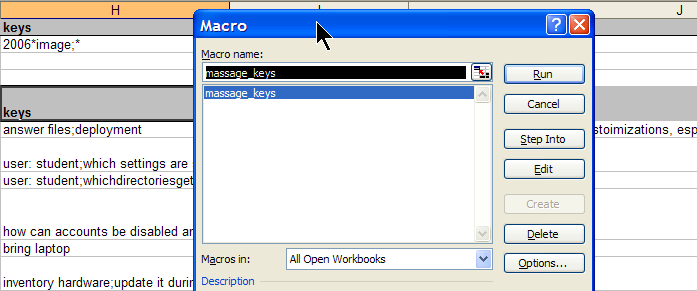
office 2003: tools / macros / macros
1,00
now you can edit your pedagogical markup
1,10
regenerated the altered quiz
Using the MS-Word Quiz Template (and the MS-Excel subtitles spreadsheet)
Part I: quiz_dot_create_excel: Watch a screencast on How to ready target language subtitle source material for the quiz template:
|
0,00
|
Working with subtitle material from the source: time coding is not correct
|
|
1,40
|
spreadsheet formulae can fix the subtitle time codes
|
|
2,00
|
why using DVD chapters as learning units
|
|
2,20
|
filtering on chapters in the DVD
|
|
3,00
|
ready to copy paste the filtered learning unit text data into the quiz template
|
Part II: Watch a screencast on How you can apply your pedagogy with ease to a text and transform the same to a quiz, and how the student benefits from both
|
0,00
|
start quiz from word template (on file share)
|
|
0,35
|
paste text data, e.g. for listening comprehension, e.g. from target language movie subtitles
|
|
1,15
|
create markup from pedagogy
|
|
3,14
|
generate quiz from markup : parenthesis 1 {helpful hint}, parenthesis 2 [correct answer]
|
|
3,35
|
closing and saving the quiz, receiving a summary
|
|
3,55
|
create a backup
|
|
4,00
|
open the quiz to test the quiz from student perspective
|
|
4,30
|
what opening information the student receives
|
|
5,00
|
how the student inputs answers and receives feedback
|
|
5,20
|
language learning lookup menu , after pausing the quiz
|
|
6,30
|
or double-click words to look them up in the default dictionary for the set language
|
|
7,10
|
how the student resumes the quiz
|
|
7,20
|
how the student closes the quiz
|
Part III: Watch a screencast on How you can revise your pedagogy
|
0,15
|
open the quiz, enable macros
|
|
0,30
|
unprotect the quiz
|
|
0,45
|
office 2003: tools / macros / macros
|
|
1,00
|
now you can edit your pedagogical markup
|
|
1,10
|
regenerated the altered quiz
|
My little Ode to Excel
Since about 2003, I have spent a good portion of my days analyzing data in Excel, and I enjoy it.
Specifically, I have written and administered many inventory databases: for software, various learning materials, media products, content feeds, departmental equipment, work tickets, for user timesheets and user accounts and other user management tasks. I have of course also maintained budgets and various schedules applications in MS-Excel and technology projects.
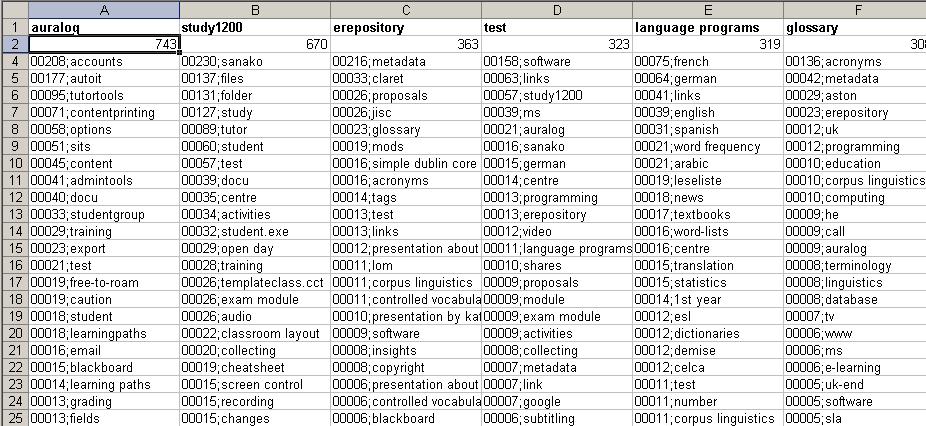
I have also programmed learning and other LOB applications in MS-Excel: automated account creation from the university student database, subtitle exercise creation, vocabulary learning based on word frequency, collaborative learning material repository catalogue, automated video metadata reading and import or automated multimedia learning material cataloguing system in MS-Excel.
From work, I am proficient in using MS-Excel features array formulas for aggregating/summarizing numerical data, v-lookups, data visualization and chart plotting. I routinely write VBA macros, including my own worksheet formulas/functions to enforce complex data integrity requirements (ISBN13), created a VBA-driven automated backup solution for shared workbooks, and data-mine complex dependencies, including network graphs. Most recently, I have set up pivot tables against multi-million record election database for a large political organization in Philadelphia.
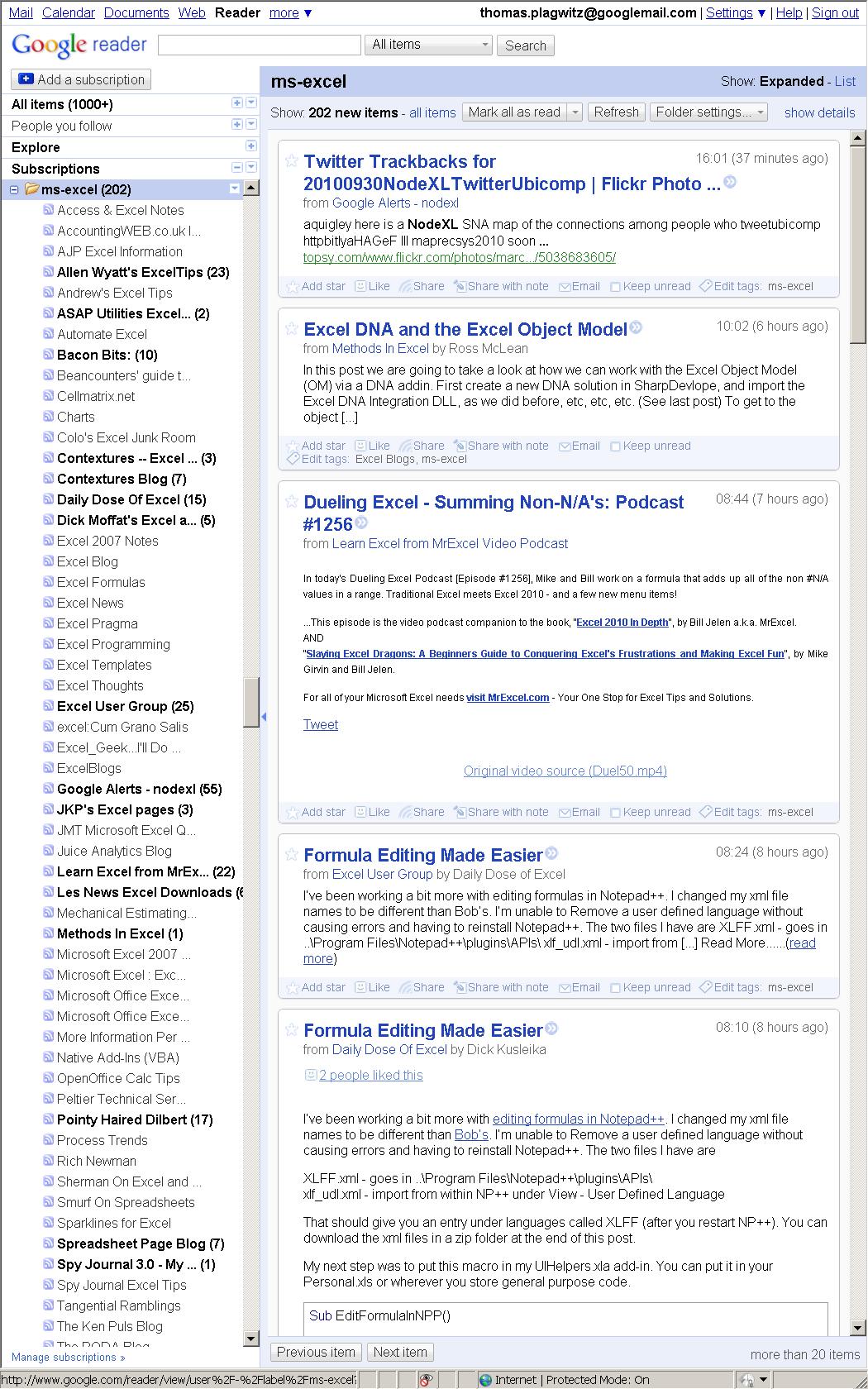
For many years, I have been subscribed to the lists and blogs that are most popular in the MS-Excel user community. Finally, I also have experience in documenting of and training staff in MS-Excel, e.g. on sharing workbooks, and I blog MS-Excel how-to’s, e.g. on pivot-tables or scheduling.
Please also have a look at my Excel portfolio.
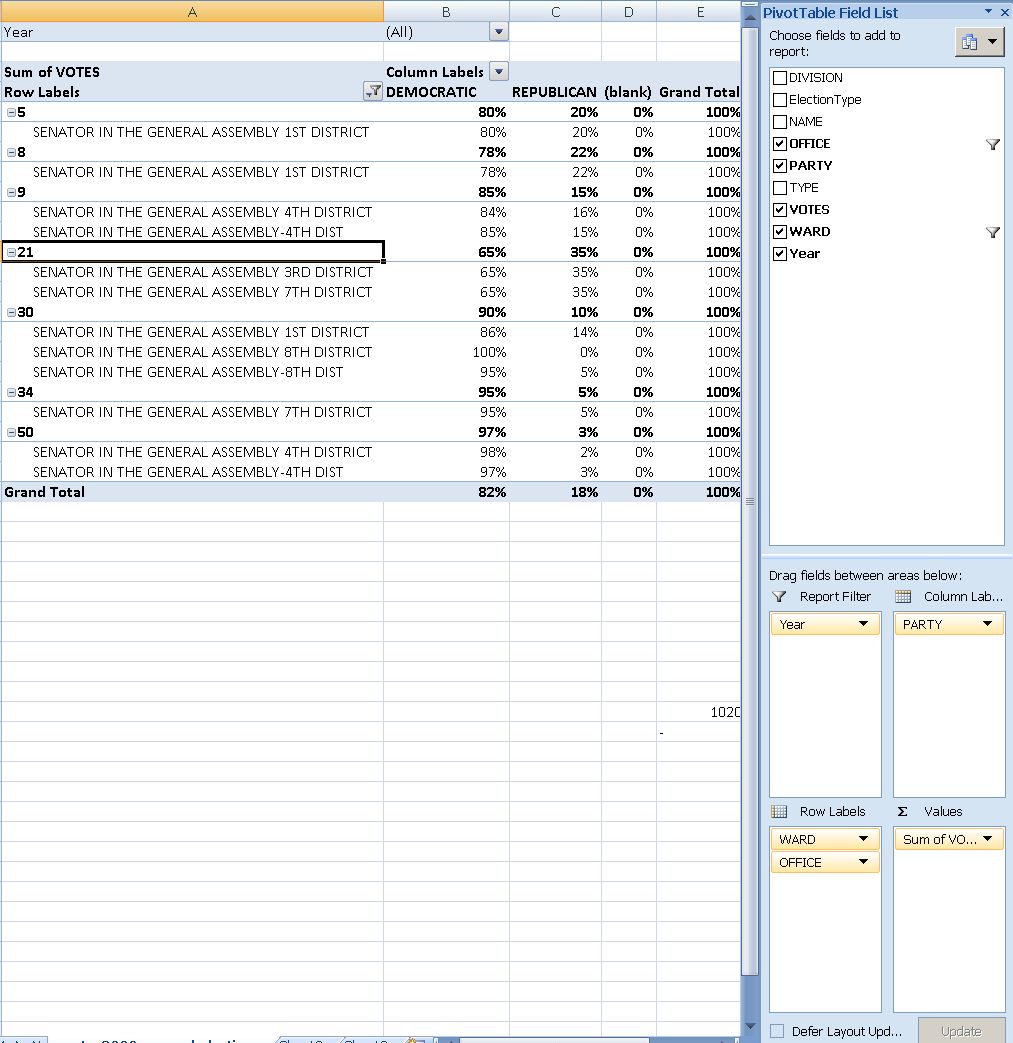
How to display rows as percentage of grand total in Excel Pivot Tables
A few notes on Excel’s Version of OLAP cubes: Here is a note detailing the steps taken to display rows as percentage integers of the grand total.



Questions? Read the About. Or just ask me a quick Our Databases: Resources with calendars -- Language learning material Moodle Sites, multimedia files -- films


FAQs for LRC student staff or for students or for teachers. To search our FAQs, in the browser addressbar, add after "https://plagwitz.wordpress.com/feed/?tag=faqs+/" "+TAG1" (from tag cloud below) OR "https://plagwitz.wordpress.com/feed/tag=faqs
&category_name=" "CAT1" (from category hierarchy below). OR search both categories and tags, and multiple TAGs/CATs (connect with "," for OR-search, with "+" for AND-search), like so: https://plagwitz.wordpress.com/feed/?tag=TAG1+TAG2+...TAGn&category_name=CAT1
+CAT2+...CATn"
Other ways to find help
If you cannot find it here, look there: 5,500 Language-Learning Links and Programs for learning or teaching 150 languages
Shortcuts:Our Lists, Our Maps, LRC Staff Moodle Site,LRC Project Moodle Site, 49erexpress, UNCC Moodle, Student Recordings: s:claslcslrcsanakostudent
Learning usage samples: Sanako oral exam, Kaltura webcam presentation, Dictation with speech recognition, Sanako written exam, Chinese and Japanese interactive stroke-order practice
Test the Sanako Installer, Webbrowser Popup Konfigurator for XP, or Windows7, faster LRC TeacherPC Log-in Let MS facilitate diacritics writing by installing for you US-International keyboard layout
This is my personal blog (Google+). The views expressed on these pages are mine alone and not those of my employer. The information in this weblog is provided “AS IS” with no warranties, and confers no rights.
 Thomas' Work Space