Archive
Mysterious Japanese video DVD: What I have tried
- Crashes win7 when wmp tries to autoplays it

-
Disabled this and tried VLC, but displays as green screen in vlc (no sound):
-
Recognized as mpeg 1/2 by my codec appliance, but before recognition is complete, crashes my encoders
-

-
Or does not display -> transcode
-




Text messaging in class using Sanako Study 1200
Students click:  – Tutors click:
  . Stop endless spelling out of URL’s or queuing with raised hands during class. Your students will
  .
.
How a teacher can see student computer screens in Sanako Study 1200–the ultimate training summary


Keyboard shortcuts in frequently used productivity and administrative applications on MS-Windows
For productivity purposes, when not having to work with a touch interface, I much prefer keyboard shortcuts to mouse operations for repetitive tasks. And I increasingly prefer accessing my spreadsheets on SkyDrive – added benefit: where suitable, like here, “sharing is caring”. There are many lists like this – this one is mine:
Cheatsheet for typing phonetic symbols with the IPA Keyboard Layout on Windows 7 – the ultimate training…
…using animated .gifs. Slower? Compact: 0.25sec, 0.5sec, 0.75sec, 1sec, 1.5sec, 2sec, 3sec, 4sec, 5sec, 6sec, 7sec, 8sec, 9sec, 10sec. 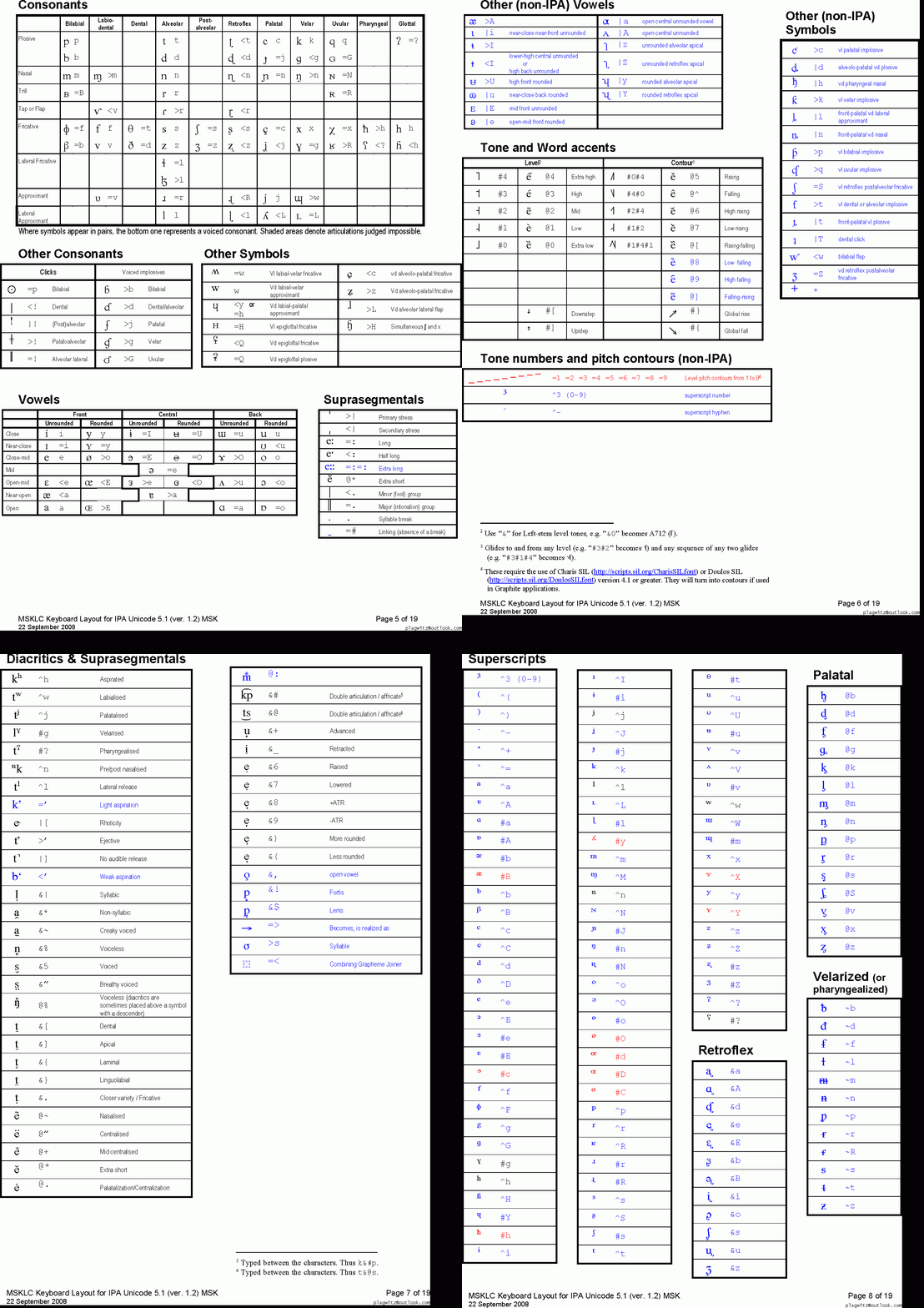
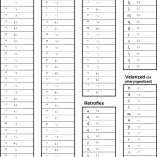
This is taken straight from the great documentation of this great Phonetic symbols Windows keyboard layout by SILS international, but needed a bit of massaging to support hands-free lookup via display on one screen of your dual screen system, while you learn or demo the keyboard to the class). Users without dual screen (including students) are better off with the slideshow below in which they can stop the images on any page:


The IPA MSKLC can produce both regular Roman characters and transcriptions with phonetic symbols by employing certain “dead keys” that can be combined with regular keys. Just and like our default LRC keyboard us-international .
Your first must select the keyboard like so. 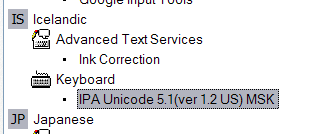 (Icelandic is suitable since it is not used for other purposes much). In the LRC, you must wait until we upgrade to Windows7.
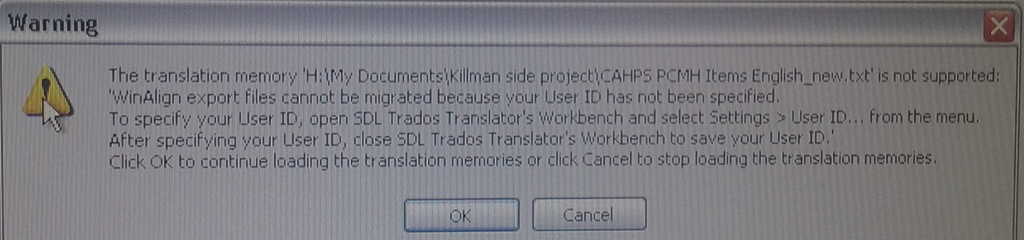
How to resolve “WinAlign export files cannot be migrated because your User ID has not been specified”
- Steps to replicate:
- in Winalign window:
- menu:file / export file pair
- dialogue: “export file pair to file”, choose an name and format: text,
- wait for “export”dialogue to disappear;
- in SDL Trados Studio 2009,
- left menu pane: “translation memories”, menu button”:”open translation memories”,dialogue:”menu button: “open document”, choose the source text document, in dialogue:”open document”, dropdown: “target language”,
- dropdown: “target language”, select yours
- dropdown”: add”: “file-based translation memory”
- open dialogue:”file-based translation memory”, select exported text file;
- Error pops up:

- in Winalign window:
- Resolution: follow the instructions in the error dialogue.
- Bonus points for knowing that “translator’s workbench” is a legacy application and accessible only through SDL Trados Studio 2007: open this from the start menu.
- In the left pane, click to open “Translator’s workbench”:

- Give your username:
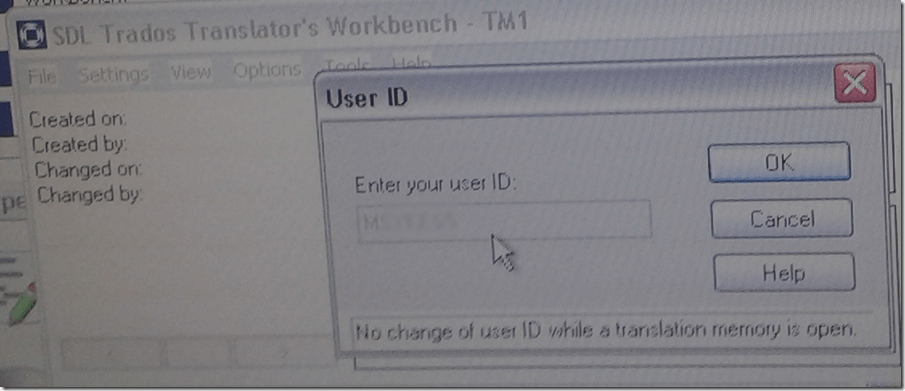
- Test: on your next try, you will get past the error into upgrade converting your winalign-exported text file into TMX:



Voyant-tools.org

Neat encounter at the ThatCamp2013 Digital Humanities Unconference at UNCC today. Certainly a simplification over Wordsmith tools. That’s all the reviewing I have time for right now. 
Online Tool to compress/decompress GUIDs
Could not immediately find one when I searched: Enjoy. My formula will not trim leading and trailing spaces from your input. You may have to enter the blue result field, move the cursor to the end of the formula and hit enter for the result cell to update. Download the sheet to use in Excel.


Questions? Read the About. Or just ask me a quick Our Databases: Resources with calendars -- Language learning material Moodle Sites, multimedia files -- films


FAQs for LRC student staff or for students or for teachers. To search our FAQs, in the browser addressbar, add after "https://plagwitz.wordpress.com/feed/?tag=faqs+/" "+TAG1" (from tag cloud below) OR "https://plagwitz.wordpress.com/feed/tag=faqs
&category_name=" "CAT1" (from category hierarchy below). OR search both categories and tags, and multiple TAGs/CATs (connect with "," for OR-search, with "+" for AND-search), like so: https://plagwitz.wordpress.com/feed/?tag=TAG1+TAG2+...TAGn&category_name=CAT1
+CAT2+...CATn"
Other ways to find help
If you cannot find it here, look there: 5,500 Language-Learning Links and Programs for learning or teaching 150 languages
Shortcuts:Our Lists, Our Maps, LRC Staff Moodle Site,LRC Project Moodle Site, 49erexpress, UNCC Moodle, Student Recordings: s:claslcslrcsanakostudent
Learning usage samples: Sanako oral exam, Kaltura webcam presentation, Dictation with speech recognition, Sanako written exam, Chinese and Japanese interactive stroke-order practice
Test the Sanako Installer, Webbrowser Popup Konfigurator for XP, or Windows7, faster LRC TeacherPC Log-in Let MS facilitate diacritics writing by installing for you US-International keyboard layout
This is my personal blog (Google+). The views expressed on these pages are mine alone and not those of my employer. The information in this weblog is provided “AS IS” with no warranties, and confers no rights.
 Thomas' Work Space