Archive
Archive for the ‘technology-domains-is-any’ Category
How to view the full MS-Exchange resource booking details in scheduling assistant
2013/08/13
3 comments
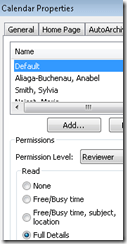
- If you set resource mailbox calendar default permissions to “full details” like so:
- you will get the benefit of seeing immediately the contact info of other bookers of the resource in the scheduling assistant , like so:
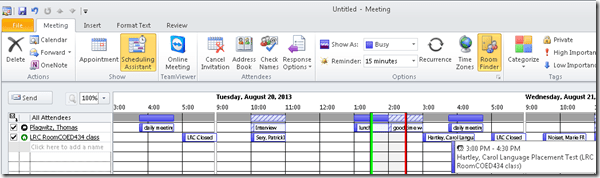
- That is more personal and personable – in Outlook! In OWA of exchange 2010 sp2, you still do not, and you have to go through the full calendar (subscribed or published with full detail like in the view links here).
- Here is a little bonus for the recent commenter: You may have to trigger a refresh (wait time seemed bit enough). The information for the resources at the bottom I started seeing only after I switched back and forth between scheduling assistant/appointment/scheduling assistant view.


Categories: e-infrastructure
ms-exchange-2010, outlook-2010, OWA, scheduling assistant
Sanako Study 1200 classroom map can now scroll to fit on small screens
2013/08/09
Leave a comment
- We are now on Sanako Study 1200 ver 7.
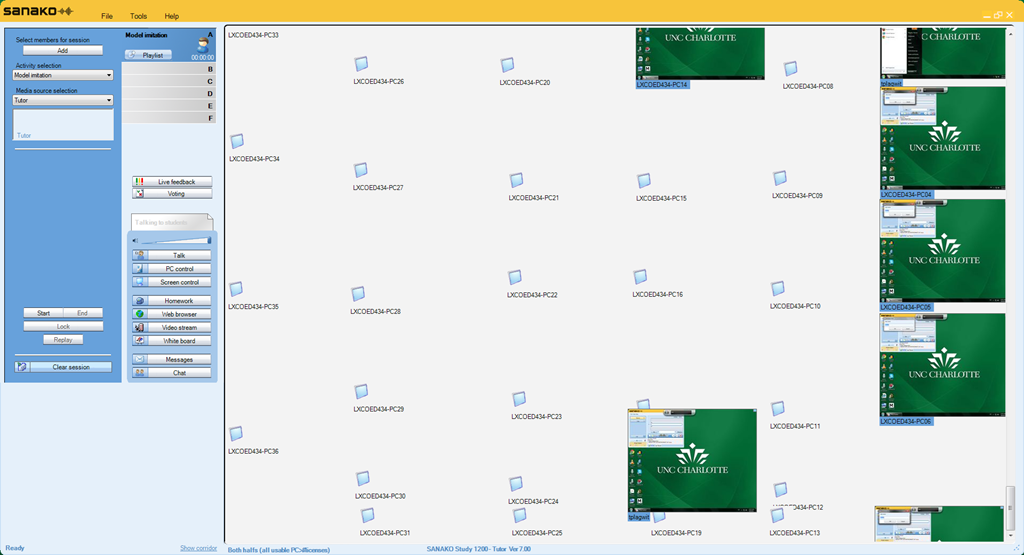
- As you can see in this thumbnail view (note the vertical scrollbar on the right), it does help,
-

-
but not enough. Here is why:
-
I can get it to scroll only vertically.
-
I can only marginally move the student icons off the map when I use the GUI (ctrl-shift drag&drop). Wondering whether I have to dig into the XML source to force an even wider layout…
Categories: e-languages, Presenter-Computer
classroom-layout, sanako-study-1200
Workaround for Sanako study 1200 tutor v7 window limitations
2013/08/06
Leave a comment
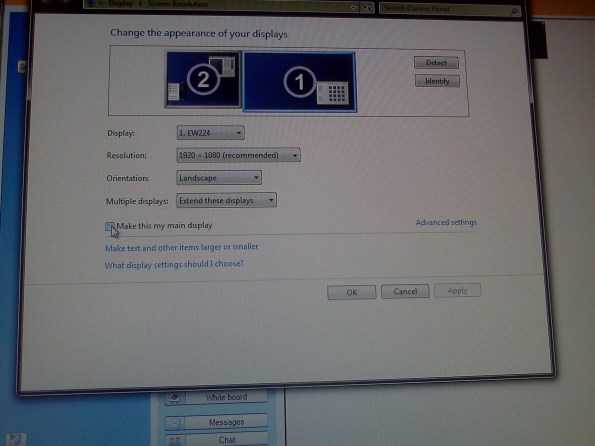
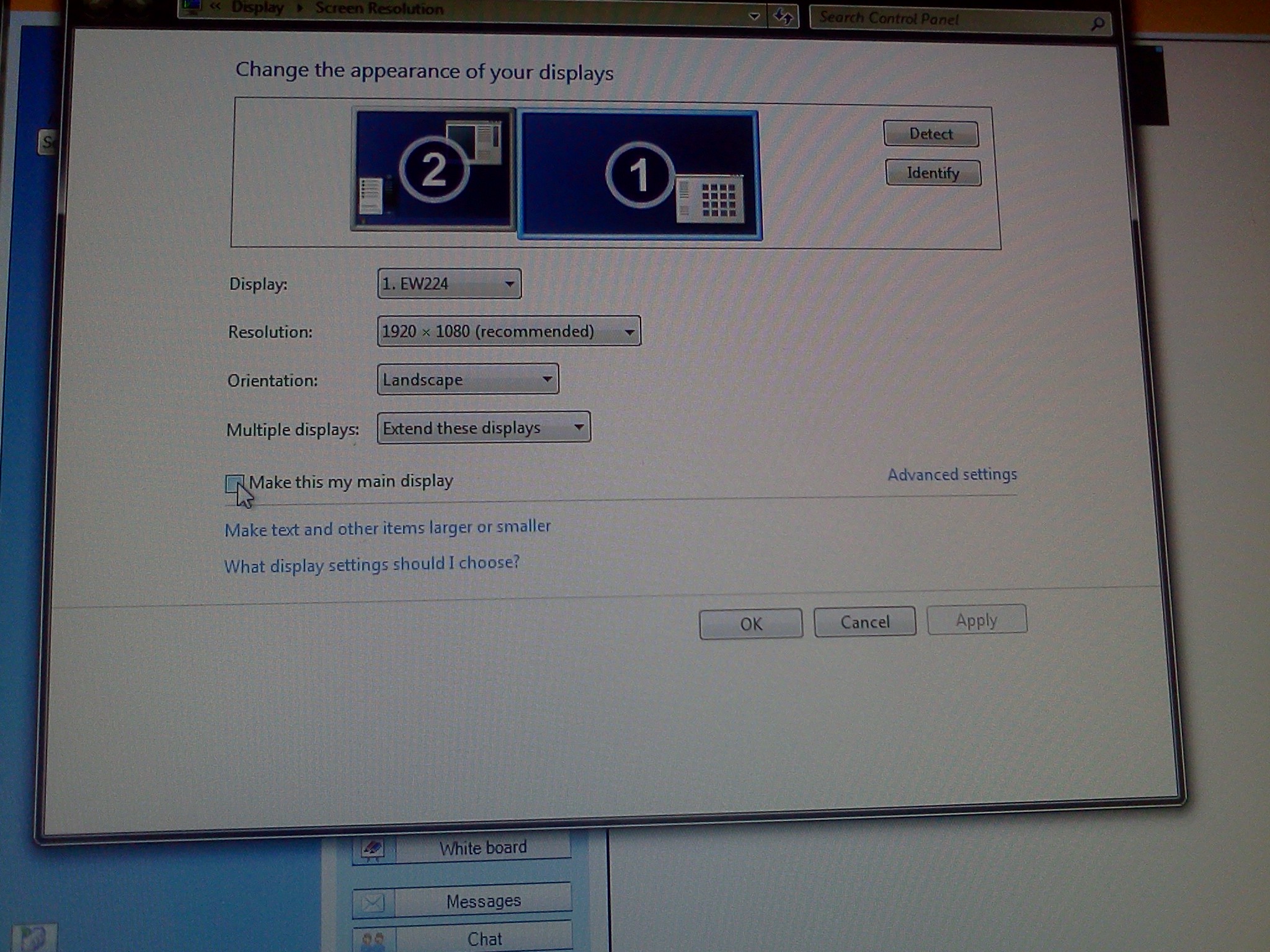
- Problem: Window maximizes only to size of,and location defaults to, primary screen. This is now on windows7.
- Workaround: make the screen whose size you desire the primary (and live with the side effects).
- Downside:
- Screencast recordings of instruction won’t work: Community Clips can only record the primary screen, which is not the screen displayed to students during regular teaching. Windows Media Encoder does not work with our non-standard dual screen configuration on Windows7.
How to publish an OWA calendar to the internet
2013/07/31
Leave a comment
- For lack of PowerShell access, we have to:
- sign in as the resource :

- “click on publish” in the calendar’s context menu:

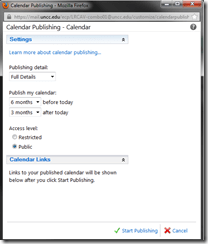
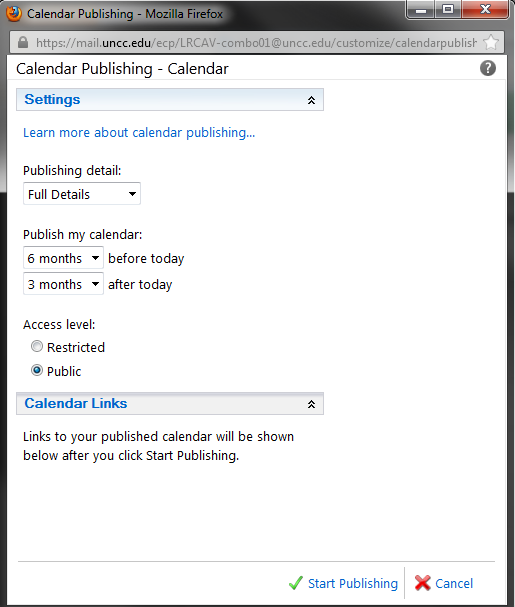
- choose these settings
 ”
”
- we do a lot of forensics and statistics, looking back throuhg the term, which is longer back than 3 months
- students do not need to book ahead at the beginning of the term for end-of-term projects, so we do not need 6 months forward;
- Result:
 .
.



Design options for the departmental WordPress-based website using Widgets and Pages
2013/07/28
Leave a comment
- For layout design:
- Go to http://[yo r site’s URL here]/wp-admin, e.g. http://lrc.unc.edu/wp-admin, and log in (you need site admin privileges , like I have for the LRC site).
- In the left-hand menu, click on “appearance”/ “widgets”
- You should see this:

- to design your right sidebar, follow the instructions on top of the widget list (i.e. drag and drop, then unfold the widget in question by clicking on the down arrow to the right
 to edit the appearance of the site.
- Go to http://[yo r site’s URL here]/wp-admin, e.g. http://lrc.unc.edu/wp-admin, and log in (you need site admin privileges , like I have for the LRC site).
- “Pages”(in the left hand menu)
- are an afterthought in wordpress which was originally based on dated posts (for a diary-like web logs), but can be useful for not time-sensitive , stable areas/sections of your site.
- You can include a bulleted or numbered list which you periodically update manually (click “edit” on the page)
- or, for frequently changing information (like lists of students), you can use a system that may have more initial learning curve, but in the long run makes updating easier
- embed an online spreadsheet from Google Apps or SkyDrive
- or embed an RSS feed like in the above example (if you have an RSS. provider).


How to fix cygwin extension "unable to start correctly 0xc000007b" on Windows 7 64-bit
2013/07/23
Leave a comment
In this instance, the cryptic message denoted a bitness problem: dcfldd (the extension in question, like so: for /f %i in ( ‘dir /b .\input’ ) do dcfldd.exe if=input\%i of=output\%i.jpg bs=1 skip=6) would not start in a Cygwin 64-bit environment. Installed cygwin 32-bit (and changed my path), and dcfldd worked fine.
Categories: e-infrastructure, Glitches&Errors
cygwin, windows-7
How to quickly check if onboard audio is disabled on student PCs with Sanako headsets
2013/07/05
Leave a comment
- Sanako Study 1200 works best with its own Sanako SLH-07 headsets (they include a USB soundcard). When using these, it is best to completely disable the analog or other sound chip/card that came with your system (onboard). Usually, you can do this in the BIOS.
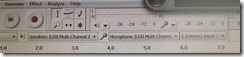
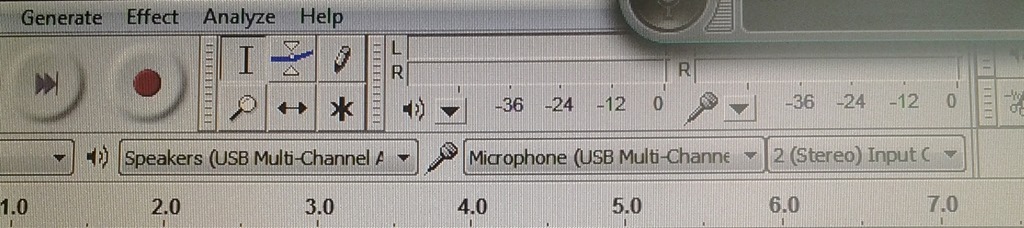
- Before you venture in there, an easy check on which computers is necessary is possible thanks to Audacity displaying the sound card options: Start Audacity form the desktop and look in the dropdowns under the top menu which sound devices Audacity has detected on the system:
- This example is form a PC where I had to fix it:
 . Audacity should not see the SoundMax if it has been disabled in the BIOS.
 - And this is what audacity should see (the USB sound card that comes with the Sanako SLH-07):
- This example is form a PC where I had to fix it:

LRC Teacher podium AV switch
2013/07/05
Leave a comment
- Even though we may soon swap the switch, here is how the AV switch needs to be connected for the teacher computer’s left screen to get projected to the dual projector screens:




Questions? Read the About. Or just ask me a quick Our Databases: Resources with calendars -- Language learning material Moodle Sites, multimedia files -- films


FAQs for LRC student staff or for students or for teachers. To search our FAQs, in the browser addressbar, add after "https://plagwitz.wordpress.com/feed/?tag=faqs+/" "+TAG1" (from tag cloud below) OR "https://plagwitz.wordpress.com/feed/tag=faqs
&category_name=" "CAT1" (from category hierarchy below). OR search both categories and tags, and multiple TAGs/CATs (connect with "," for OR-search, with "+" for AND-search), like so: https://plagwitz.wordpress.com/feed/?tag=TAG1+TAG2+...TAGn&category_name=CAT1
+CAT2+...CATn"
Other ways to find help
If you cannot find it here, look there: 5,500 Language-Learning Links and Programs for learning or teaching 150 languages
Shortcuts:Our Lists, Our Maps, LRC Staff Moodle Site,LRC Project Moodle Site, 49erexpress, UNCC Moodle, Student Recordings: s:claslcslrcsanakostudent
Learning usage samples: Sanako oral exam, Kaltura webcam presentation, Dictation with speech recognition, Sanako written exam, Chinese and Japanese interactive stroke-order practice
Test the Sanako Installer, Webbrowser Popup Konfigurator for XP, or Windows7, faster LRC TeacherPC Log-in Let MS facilitate diacritics writing by installing for you US-International keyboard layout
This is my personal blog (Google+). The views expressed on these pages are mine alone and not those of my employer. The information in this weblog is provided “AS IS” with no warranties, and confers no rights.
 Thomas' Work Space