Archive
Archive for the ‘service-is-learning-materials-creation’ Category
A template for Digital audio lab model-imitation/question-response oral exams
2012/04/11
Leave a comment
Links explaining Copyright
2012/04/04
Leave a comment
- Code of Best Practices in Fair Use for Academic and Research Libraries. A librarian’s write-up that can also be very useful for Learning Centers that handle learning material media (but would it be possible to run this through MS-Word to “down-design” and add a table of contents instead?).
- Notable:
- “It is fair use to make digital copies of collection items that are likely to deteriorate, or that exist only in difficult-to-access formats, for purposes of preservation, and to make those copies available as surrogates for fragile or otherwise inaccessible materials. LIMITATIONS: Preservation copies should not be made when a fully equivalent digital copy is commercially available at a reasonable cost. Libraries should not provide access to or circulate original and preservation copies simultaneously”.
Categories: service-is-learning-materials-creation
copyright, links
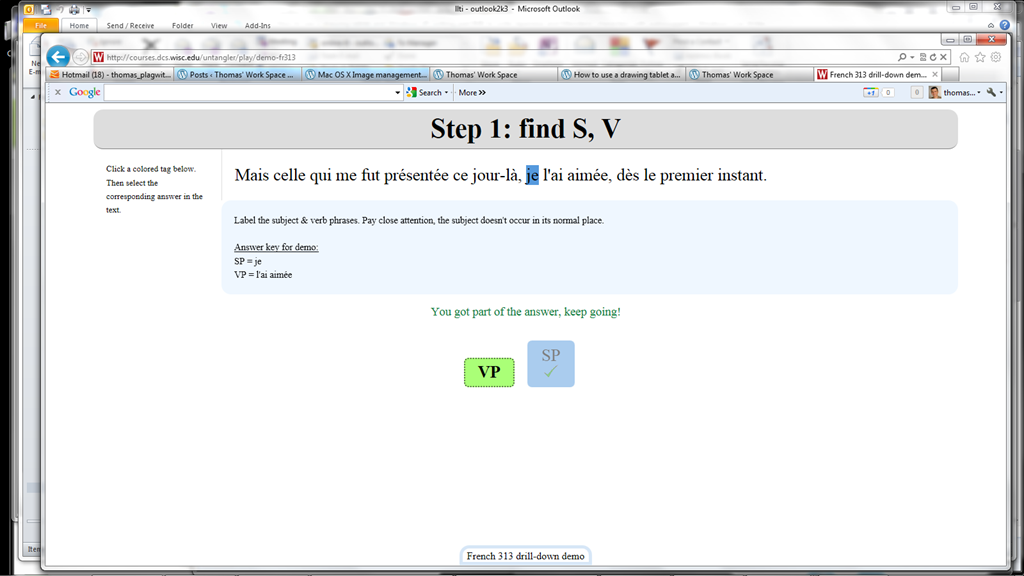
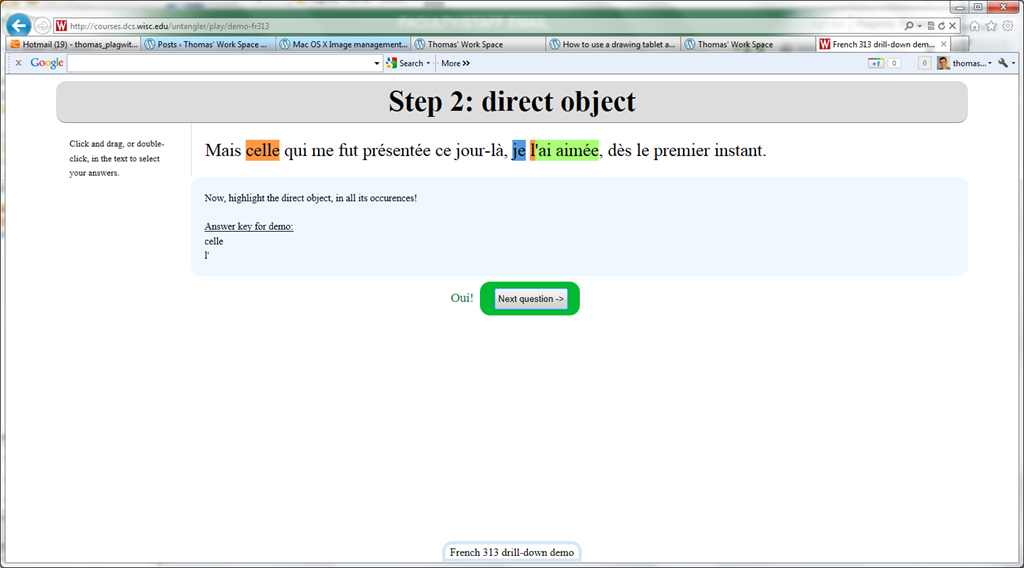
Nice Syntax highlighter tool from wisc.edu @ Madison
2012/02/10
Leave a comment
-
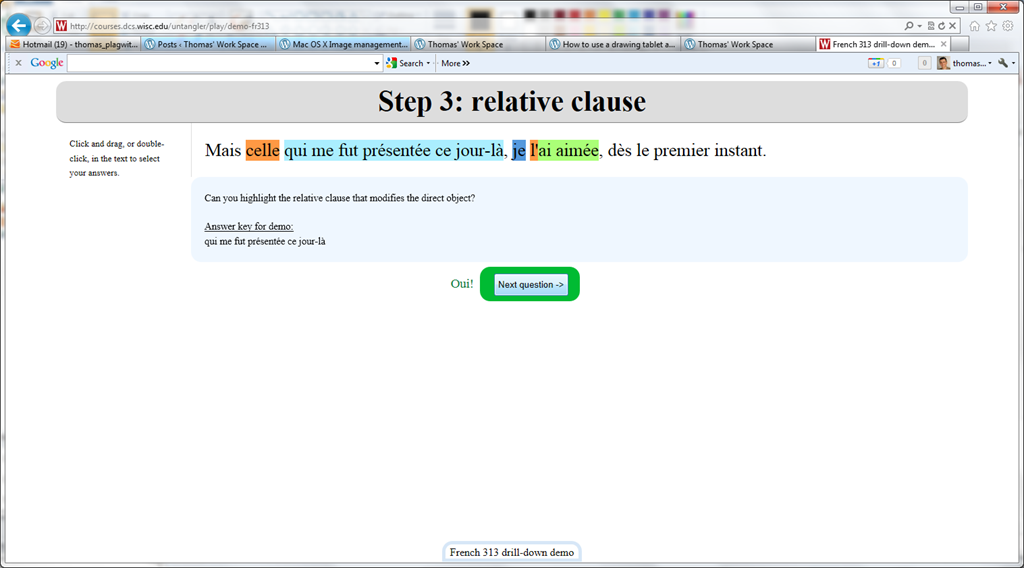
Wish my Latin teacher at home would have had such a nice tool when he analyzed the “Ante mare et terras et quod tegit omnia caelum / unus erat toto naturae vultus in orbe / quem dixere chaos”, he had only me:

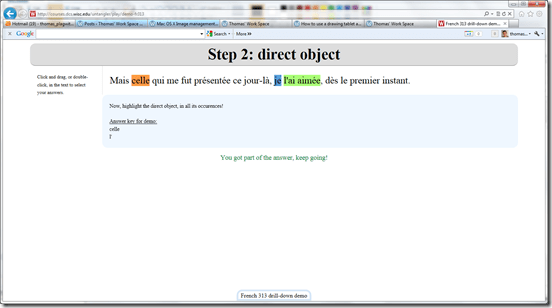

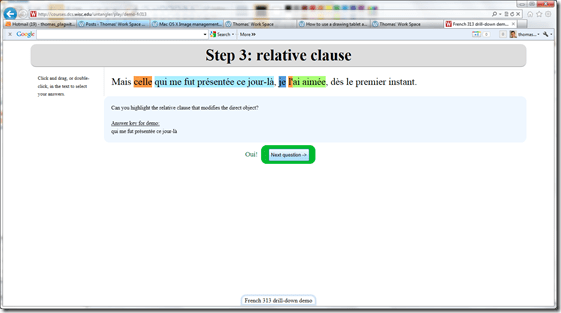

- Now how could such exercise creation made more automated by having it accept the output of NLP tools like Treetagger?


Spanish movie subtitles exercise project
2012/02/03
Leave a comment
- objective:
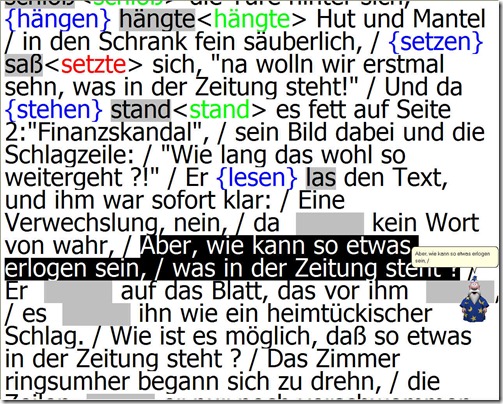
- To facilitate lesson delivery and student interaction in our Language Resource Center I have programmed a VBA- and MS-Word- based cloze quiz template with batch creation based on a simple markup language and rich autocorrecting functions that use string metric algorithms (Damerau-Levenshtein).
 The template supports typical activities in the digital language lab: digital audio- and video-based listening comprehensions, e.g. Quiz Template with Chanson Lyrics,
  and speaking and dialoguing activities for language learning or other examples):
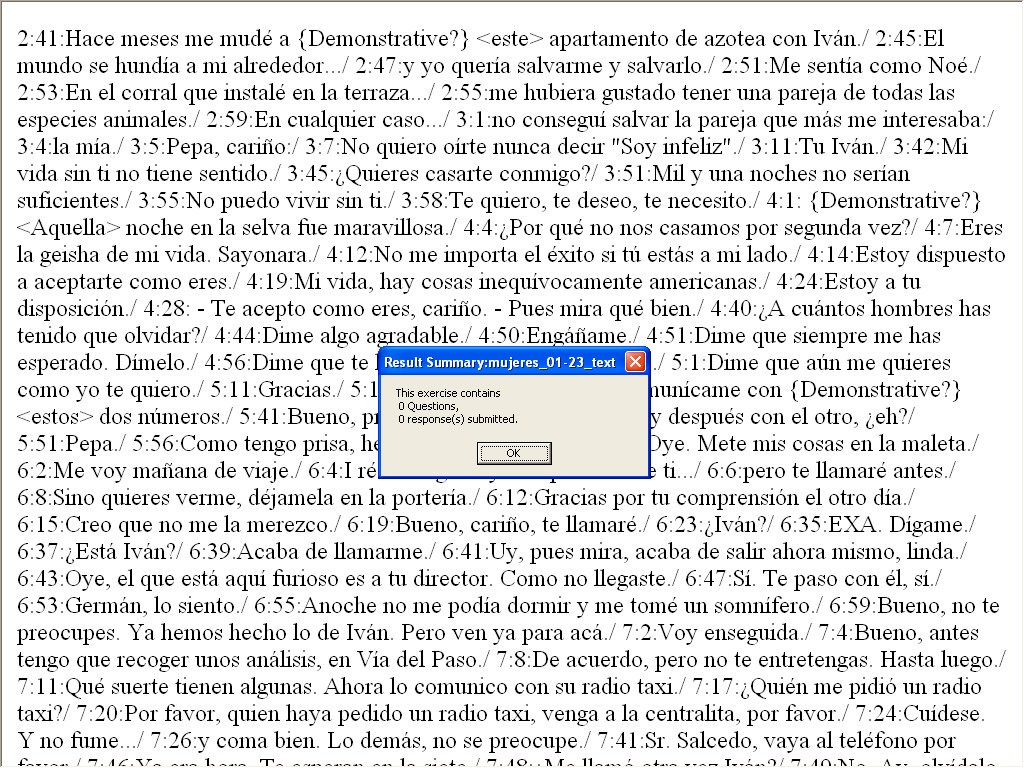
 - Teachers can use them as exercise-generating engines: the templates allow copy/paste of their own exercises into this template. To also automatically create language teaching materials with the required markup in French, German, Italian and Spanish (mostly based on movie subtitles) for this template, I wrote a C#-program that applies an expanding library of regular expressions which can match typical language learner tasks:
- function words,
 e.g for Spanish Movie Subtitling Exercise Creation,
- affixes/infixes
- and lexical subsets taken from corpus linguistic research on word-frequency (SUBTLEX, Opensubtitles)).
- function words,
- This template support the learner by strengthening learner autonomy and providing immediate corrective feedback and – in conjunction with the grouping facilities of the Center’s classroom management system infrastructure – allow for custom-tailored instruction based on the immediately available outcome of formative assessments, and also automated summative feedback:
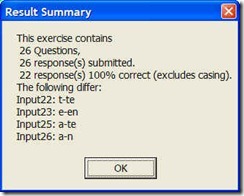
- A Spanish TA can provide meaningful vocabulary and grammar questions as input for cloze listening comprehension exercises that I will create on the basis of subtitles I have for Spanish movies being used in (= put on reserve for viewing in the LRC by) the Spanish program consistent exercises that students can take while watching the movie in class adapted meaningfully to technical possibilities of template
- Screencasts Demos:
- making of template exercises
- manually marked up: Part II to minute 4, Part III
- alternatively, markup can be generated by regular expressions which we will try to develop:
- use of template exercises : Part II, from minute 4
- materials
- source texts:subtitle files for proof reading
- Amores Perros
- Pedro Almodovar – Mujeres al borde de un ataque de nervios
- Pedro Almodovar – Hable Con Ella
- ideas for exercise needs that fit into this cloze format
- grammar
- function words
- affixes
- vocabulary
- frequency-based wordlists from corpus linguistics
- word lists from current textbook
- grammar
- source texts:subtitle files for proof reading
- Deliverables: combos of
- materials
- exercise ideas
- making of template exercises
- To facilitate lesson delivery and student interaction in our Language Resource Center I have programmed a VBA- and MS-Word- based cloze quiz template with batch creation based on a simple markup language and rich autocorrecting functions that use string metric algorithms (Damerau-Levenshtein).



How a teacher creates a Moodle file upload assignment for writing
2012/01/30
1 comment
- In your Moodle course, turn editing on, choose Assignment: Advanced upload of files (required for response file from teacher).
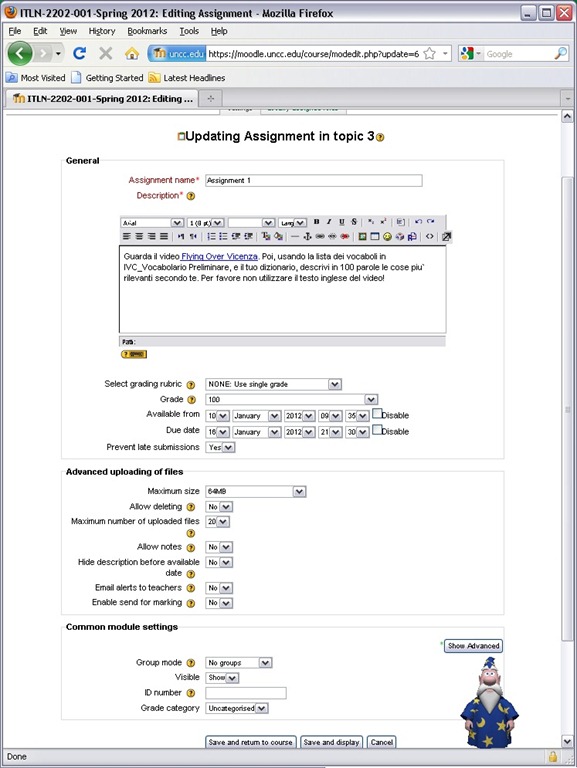
- Provide name and instructions. Choose the desired options (uploading one file is enough):
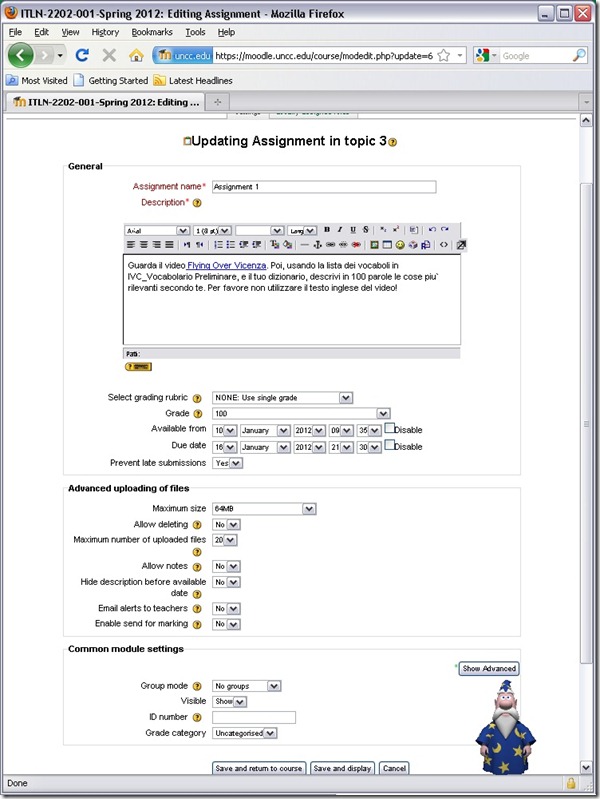
- A gradebook column will be automatically created, and will be initially empty.

- Instruct your students how to take the MS-Word upload assignment, and when (if you leave the default availability/due date on, the assignment will automatically appear in their Moodle Calendar, and can appear in their Ninermail calendar).

How a teacher best adds cues and pauses to an mp3-recording with Audacity to create student language exercises
2012/01/25
1 comment
- The first screencast example uses insert tones and a gut amount of pause, for an interpreting exercise, into an authentic German political speech
- 1:00 search for a break (button: play/stop – pause prevents edits)
- 1:05 move the cursor to the break (mouse left-click on timeline)
- 1:20 insert a pause (menu:Generate / Silence )
- 1:25 zoom in (button:magnifying glass, CTRL + mouse scroll wheel)
- 1:45 generate a tone (menu:Generate / Noise), change the duration
- 2:10 do not replace the selection
- 2:20 use undo, just like in MS-word and other programs
- 2:30 move the cursor to the start of the selection (mouse left-click on timeline)
- 2:40 generate a tone (menu:Generate / Noise)
- don’t forget to review results before distributing to students
- the second screencast example, of post-editing a questions/response exercise in ESL, takes the amount of pause inserted from the recorded teacher instruction for the student, and uses copy/paste to speed things up even more.
- You can also only insert tones and not pauses, as in the 3rd screencast, and allow the students flexible pause lengths, if you can rely on the Sanako Student recorder Voice insert. Or if you must, let students use audacity for recording also, and have them learn how to move the recording cursor around manually, and throw away the source track.
How a teacher creates audio recordings for use with Sanako Student Voice Insert mode
2012/01/24
Leave a comment
- One of the Sanako Student player’s useful features geared toward language learning activities, is that it can save the teacher the time and effort for inserting pauses into their audio recordings, so that students can record responses into them.
- Meaning the teacher can just press the red speak button
 and record through the entire file in one sitting.
 - The teacher can still help students finding their way around the file, especially where to insert their own audio recording responses, by adding aural cues.
- This can be done in minimal time: I once saw a teacher use a bicycle bell – and why not, if it saves time.
- A spoken instruction “Respond”/”Answer in 10 seconds” is not more difficult to spot (unless only the voice graph is being browsed) and might be even better.
- If you have spare time:
- You can post-edit the file with audacity, generating and inserting sinus tones.
- You can use the Sanako player to insert bookmarks instead of cues.
- Meaning the teacher can just press the red speak button
- As long as students have been instructed to how to use voice insert recording mode with the Sanako student recorder.
- This is for self access of students to teacher recorded files – be it during class or homework.
- If you want to record students under exam conditions, a similar insert recording feature is available within the activity: Model imitation, but not with a pre-recorded file, only when the live teacher is the program source students listen to for cues.

Categories: Arabic, audience-is-teachers, documentation, English, Farsi, French, German, Greek (modern), Hindi, Italian, Japanese, Korean, Listening, Mandarin, Polish, Portuguese, presenter-computer, Russian, service-is-learning-materials-creation, software, Spanish, Speaking, Student-Computers, Swahili, Yoruba
audio, recording, sanako-study-1200, student.exe, voice-insert


Questions? Read the About. Or just ask me a quick Our Databases: Resources with calendars -- Language learning material Moodle Sites, multimedia files -- films


FAQs for LRC student staff or for students or for teachers. To search our FAQs, in the browser addressbar, add after "https://plagwitz.wordpress.com/feed/?tag=faqs+/" "+TAG1" (from tag cloud below) OR "https://plagwitz.wordpress.com/feed/tag=faqs
&category_name=" "CAT1" (from category hierarchy below). OR search both categories and tags, and multiple TAGs/CATs (connect with "," for OR-search, with "+" for AND-search), like so: https://plagwitz.wordpress.com/feed/?tag=TAG1+TAG2+...TAGn&category_name=CAT1
+CAT2+...CATn"
Other ways to find help
If you cannot find it here, look there: 5,500 Language-Learning Links and Programs for learning or teaching 150 languages
Shortcuts:Our Lists, Our Maps, LRC Staff Moodle Site,LRC Project Moodle Site, 49erexpress, UNCC Moodle, Student Recordings: s:claslcslrcsanakostudent
Learning usage samples: Sanako oral exam, Kaltura webcam presentation, Dictation with speech recognition, Sanako written exam, Chinese and Japanese interactive stroke-order practice
Test the Sanako Installer, Webbrowser Popup Konfigurator for XP, or Windows7, faster LRC TeacherPC Log-in Let MS facilitate diacritics writing by installing for you US-International keyboard layout
This is my personal blog (Google+). The views expressed on these pages are mine alone and not those of my employer. The information in this weblog is provided “AS IS” with no warranties, and confers no rights.
 Thomas' Work Space