Archive
Manage some of your teacher computer settings per logged in user
- Another day, another hack, and inconsequential, unless of course you are in my situation:
- If you need a simple way to change some of your Sanako settings per logged in user
- but cannot use the logged-in user system built into Sanako Study 1200:
$path = "C:\ProgramData\Sanako\Study\Tutor\"If (@UserName = "PRTOTECTTHEINNOCENT") Then; change the sanako default save to dual track supporting mff; prereq: customized settings files in the folder ready to renameFileCopy($path & "mffTutor.Settings", $path & "Tutor.Settings", 1)ElseIf (@UserName = "tplagwit") Then; change the sanako default save to dual track supporting wma, for testingFileCopy($path & "wmaTutor.Settings", $path & "Tutor.Settings", 1)Else; keep the default mp3, but we may have to reset the tutorsettings on this unfrozen computerFileCopy($path & "mp3Tutor.Settings", $path & "Tutor.Settings", 1)EndIf; tutor.exe could be hardcoded to (re)load hereIf ProcessExists("Tutor.exe") Then; determine: we could kill tutor to reload it, but that could be disruptive of a classElseRun("C:\Program Files (x86)\SANAKO\Study\Tutor\Tutor.exe")EndIfExit
How to workaround AntWordProfiler error “Cannot open the file”
- Seems a little bug in this otherwise great program. I started getting this on Windows 7 64-bit with
-
 for all files, no matter which size.
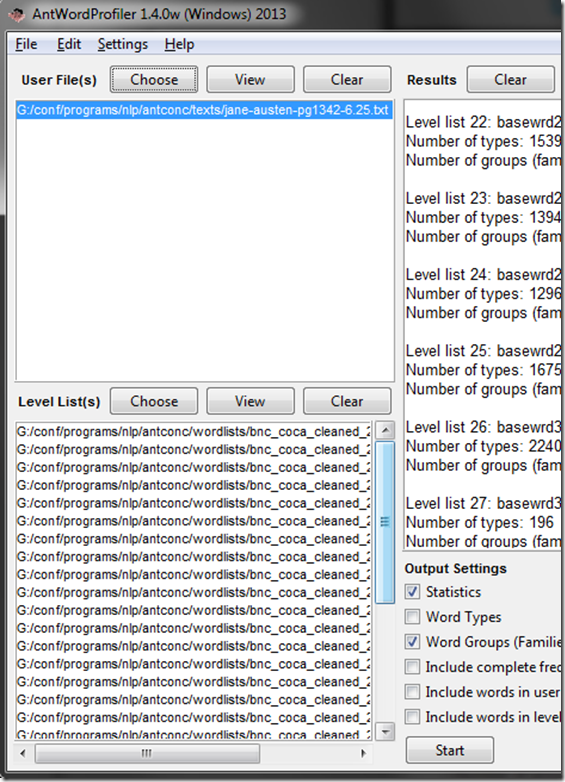
 - It occurred to me to go to menu: Settings/ global settings / file settings / show full pathnames
- Here is what you see: Note the duplicate path to the file.
-

-
How did I get there? Seems like you cannot take my usual preferred shortcut and paste the full file path into the browse dialogue.
-
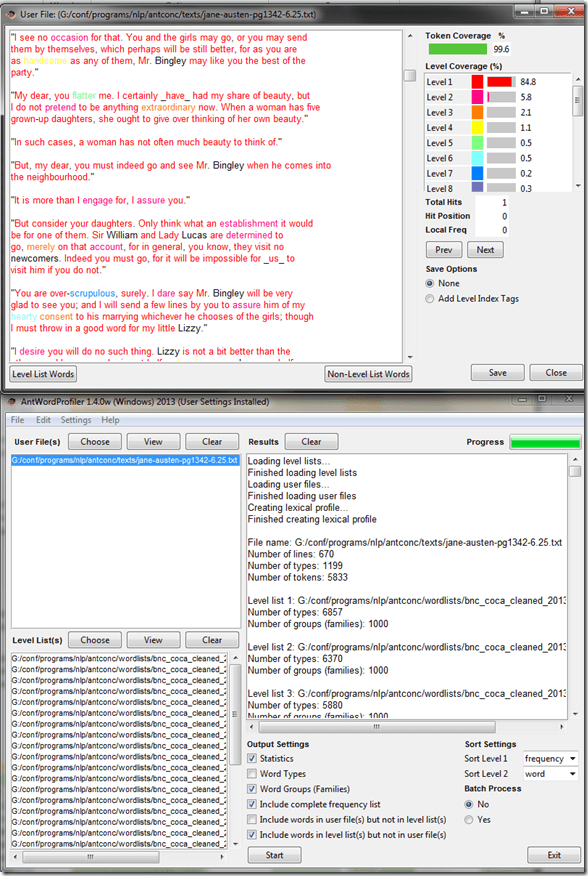
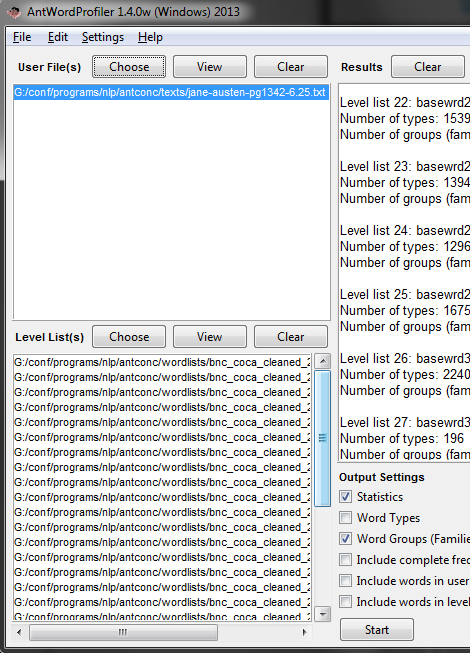
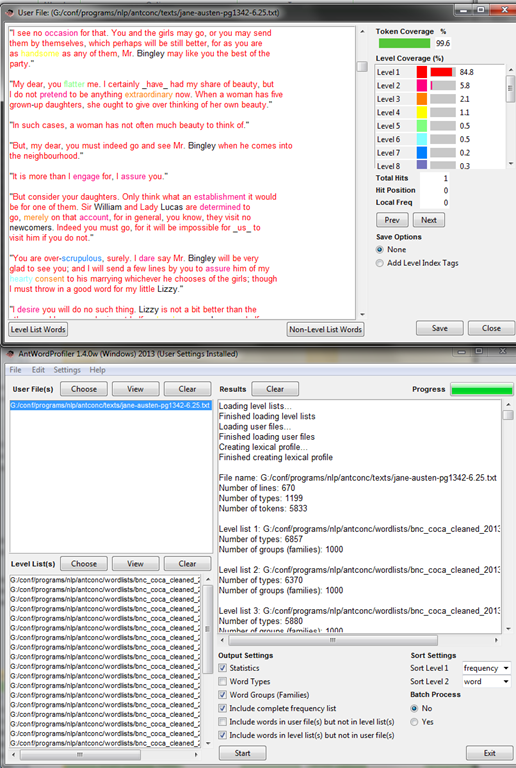
If I browse to the file and select, the same botched up double path does not appear:
-
-
I can then process the file fine.


How to shoot movies with the Canon Eos Rebel T2i– and “movie recording has been stopped automatically”
If the camera stops recording after a short while with the error “movie recording has been stopped automatically”, you most likely have an internal memory buffer overrun (there is a bar chart visible warning you off that shortly before the camera stops). This may be due to you not using a Class (6) or faster SDHC card. Try first a low level format inside the camera, or get a faster memory card. (Per the manual below, a lowering to standard HD should not help!).
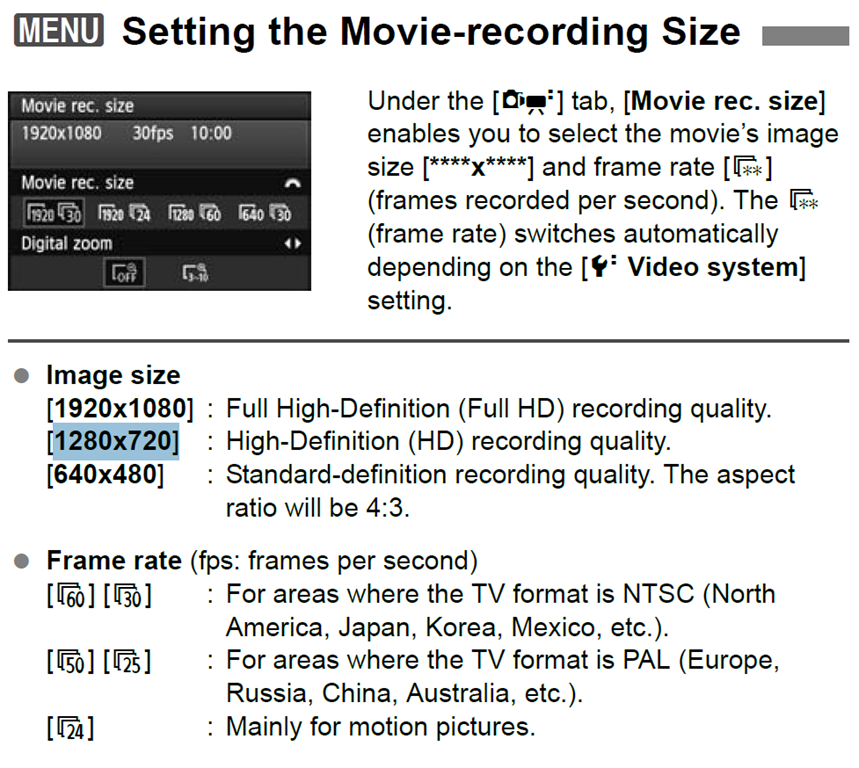
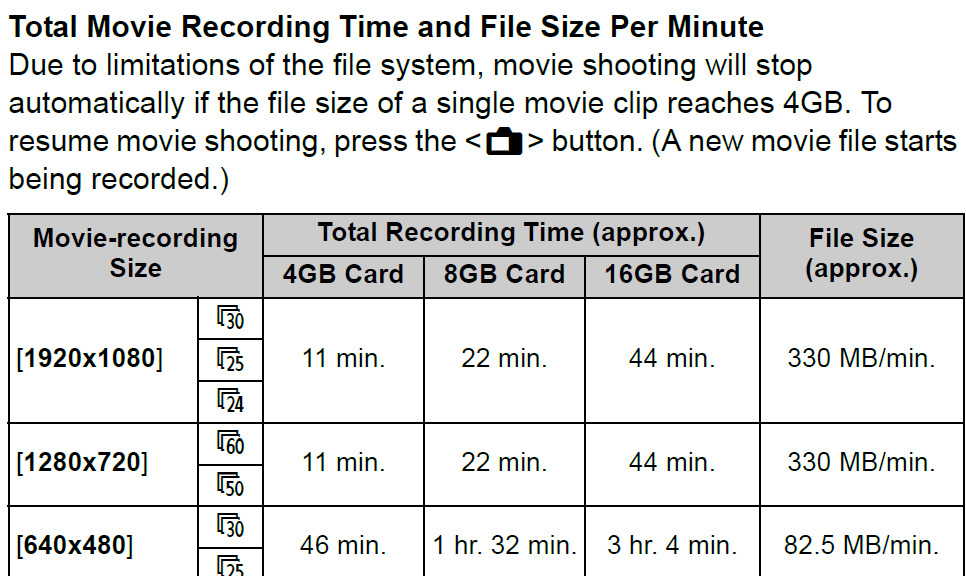
Note also: The camera stops the recording when the file size has reached 4GB (3.99 in Windows – FAT32 limit). It is left as an exercise for the reader when that point in time is. May be related to the fact that this camera is primarily meant for photos, not video. I felt I had to use the lowest HD setting with my untested SD card (the one that buffer overran slightly later with the earlier SD card: 1280*720, 60fps – which produces 1GB/3 minute).
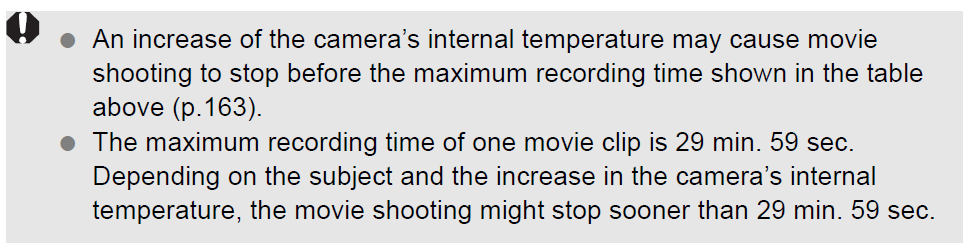
Note finally: camera might stop also due to overheating.
Protected: Collaborating on and reusing teaching materials in the LRC
Protected: Native speaker recordings for Voilà vocabulary
Making computerized vocabulary quizzes for use in the LRC from Prof. Koralova’s Friendly Russian textbook
You can browse on the Group room PC to this folder with the
source files (read acces), you just need to look at the Word versions: S:\COAS\LCS\LRC\sanako\student\friendly-russian-docx-student-copy
In the source files, new vocabulary that the students have to learn, appears in 2 forms
1. Either under the heading “new words”, mostly with English meaning in a sparate column
2. Or in the running text, colored in red (and with no entirely obvious English translation for me who I do not speak Russian, but likely for you).
The target file is here (in most browsers other than Internet Explorer 64-bit, you should be able to open this in EXCEL for easier editing).
We need Russian and English in 2 columns. The computer program we are going to feed these flash cards into is quite simple in its automatic evaluation. That’s why we need to enable students to guess exactly the Russian from the English flash card side (and vice versa). Hence we may need to simplify the entries in both.
To give a few examples:
– Complicated lists of variants (inflected forms, similar phrases etc.) need to be broken up into separate rows
– linguistic metadata (like gender “fem.”– but maybe not articles: “la maison – das Haus” -, irregular verb) in a separate column, per language.
I included an example (from chapter 4, section 6) what I think the end result is supposed to look like:
Source example:
ти́хо (adv.) – quiet(ly); тишина́ (n.) – stillness; quiet
никогда́ – never; ти́хо, как никогда́ – quiet as never (before); когда́ – when
В чём де́ло? – idiom: What’s the matter?
ах да – oh yes
матч – match; game
почти́ – almost
ка́ждый – each; every
ме́сяц – month
всё в поря́дке (idiom)– everything is OK (lit.: everything is in order)
что ещё на́до? – what else (does one) need?
Target example:
|
russian |
metadata |
english |
metadata2 |
|
Ти́хо |
quiet |
||
|
тишина́ |
stillness |
||
|
тишина́ |
quiet |
||
|
никогда́ |
never |
||
|
ти́хо, как никогда́ |
quiet as never before |
||
|
когда́ |
when |
||
|
В чём де́ло? |
What’s the matter? |
||
|
ах да |
oh yes |
||
|
матч |
match |
||
|
матч |
game |
||
|
почти́ |
almost |
||
|
ка́ждый |
each |
||
|
ка́ждый |
every |
||
|
ме́сяц |
month |
||
|
всё в поря́дке |
everything is OK |
||
|
что ещё на́до? |
what else does one need? |
||
Hint: the easiest way to get the vocabulary charts Russian – English from Word into 2 columns in Excel: CTRL+H, “find:” space-space, “Replace”:^t (for tab), then copy/pasting the result makes 2 columns for Russian/English.
Creating site-specifically useful learning content for the Sanako Study 1200 vocabulary testing
- The usefulness of the Sanako Study 1200 new (from ver 6) vocabulary test activity hinges on the availability of site-specific vocabulary lists.
- Sanako UK
- seems aware of this and publishes vocabulary collections for textbooks and assessments commonly used in UK secondary education.
- Sanako favors using the built-in format and saving it on the network share that is required for the Sanako study 1200.
- Vocabulary tests are organized and can be discovered and browsed by file name only.
- TBA: How could something similar be done in a US HE context? One would need:
- establish which textbooks are (and will remain) in use?
- are they e-books or would the material need digitization?
- is the chapter vocabulary easily accessible as a list? Appendix glossaries encompass usually much more than the vocabulary required to study, so testing on these would quickly become frustrating
- how best to reformat the materials (from turning into a table to handling linguistic metadata) for easy use with the Sanako vocabulary test?
- how best to publish the material?
- to make it manageable for the updaters: crowdsourcing? copyright issuew?
- to make it easily selectable for the teacher: filter by integrated linguistic and course metadata?
- Last not least: How to do all this economically? Taking into consideration teacher preference, enrollment, preexisting materials…?
- cost lowered if tabular lists of vocabulary already exists
- benefit is lowered if online flash card applications already exist.
Protected: LRC Clinic designs a remedial package for Germ1202 using MyLanguageLab


Questions? Read the About. Or just ask me a quick Our Databases: Resources with calendars -- Language learning material Moodle Sites, multimedia files -- films


FAQs for LRC student staff or for students or for teachers. To search our FAQs, in the browser addressbar, add after "https://plagwitz.wordpress.com/feed/?tag=faqs+/" "+TAG1" (from tag cloud below) OR "https://plagwitz.wordpress.com/feed/tag=faqs
&category_name=" "CAT1" (from category hierarchy below). OR search both categories and tags, and multiple TAGs/CATs (connect with "," for OR-search, with "+" for AND-search), like so: https://plagwitz.wordpress.com/feed/?tag=TAG1+TAG2+...TAGn&category_name=CAT1
+CAT2+...CATn"
Other ways to find help
If you cannot find it here, look there: 5,500 Language-Learning Links and Programs for learning or teaching 150 languages
Shortcuts:Our Lists, Our Maps, LRC Staff Moodle Site,LRC Project Moodle Site, 49erexpress, UNCC Moodle, Student Recordings: s:claslcslrcsanakostudent
Learning usage samples: Sanako oral exam, Kaltura webcam presentation, Dictation with speech recognition, Sanako written exam, Chinese and Japanese interactive stroke-order practice
Test the Sanako Installer, Webbrowser Popup Konfigurator for XP, or Windows7, faster LRC TeacherPC Log-in Let MS facilitate diacritics writing by installing for you US-International keyboard layout
This is my personal blog (Google+). The views expressed on these pages are mine alone and not those of my employer. The information in this weblog is provided “AS IS” with no warranties, and confers no rights.
 Thomas' Work Space