Archive
How to make (and cancel) a room/resource booking without conflict by sending a meeting request from OWA and OUTLOOK–the ultimate training…
…using animated .gifs. Note the update for Outlook (desktop) users at the bottom. (Slower? Click the Links.)You can not only book lrcroomcoed434@uncc.edu like this, but any resource listed here.If you need the classroom repeatedly or other advanced features, read on.
To Book:
0.25sec,0.5sec, 0.75sec, 1sec, , 2sec, 3sec, 4sec, 5sec, 6sec, 7sec, 8sec, 9sec, 10sec. 1.5sec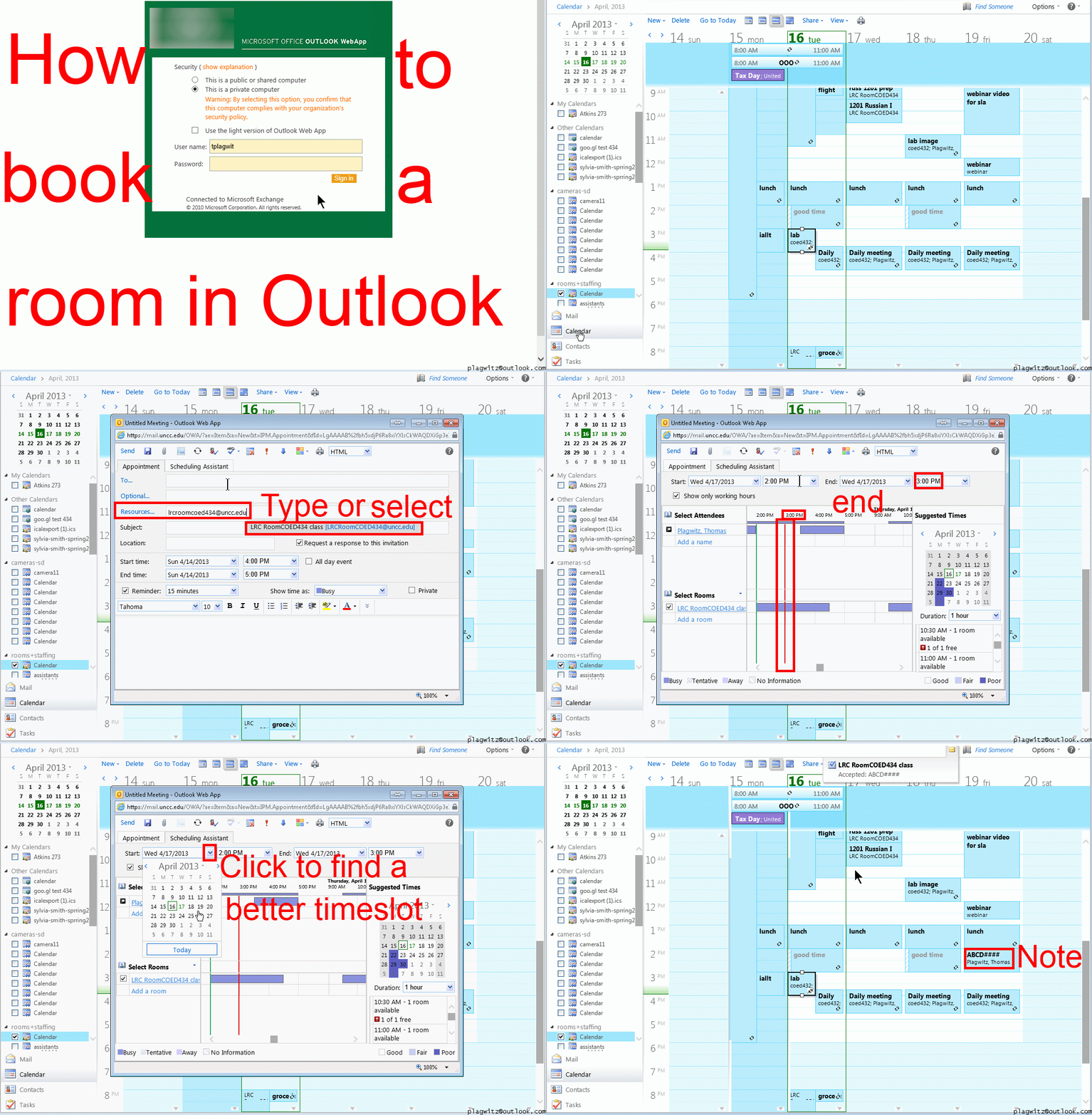
To Cancel booking (why so?):
0.25sec,0.5sec, 0.75sec, 1sec, , 2sec, 3sec, 4sec, 5sec, 6sec, 7sec, 8sec, 9sec, 10sec. 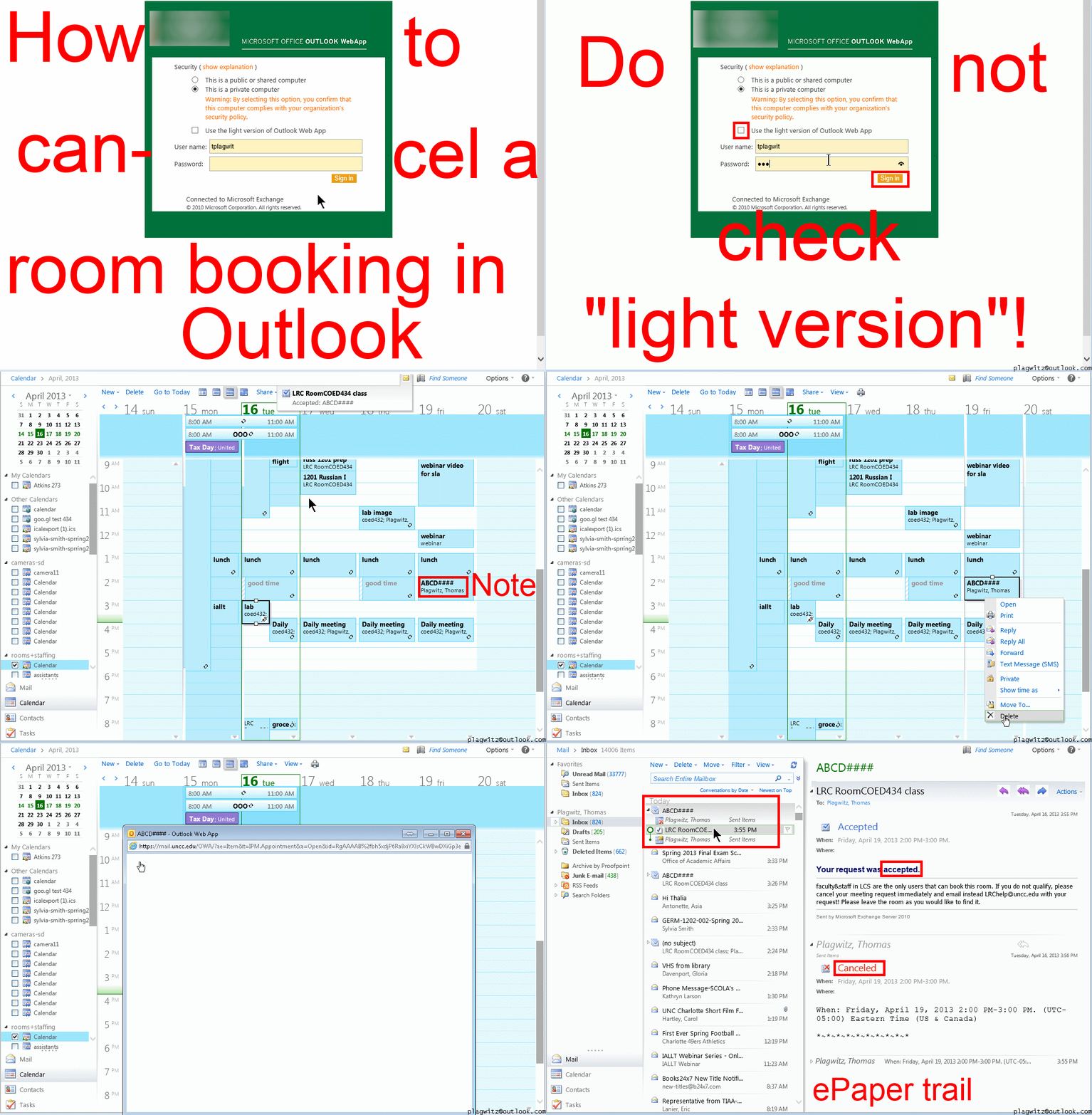
Both book and cancel booking: Compact: 0.25sec,0.5sec, 0.75sec, 1sec, , 2sec, 3sec, 4sec, 5sec, 6sec, 7sec, 8sec, 9sec, 10sec. 1.5sec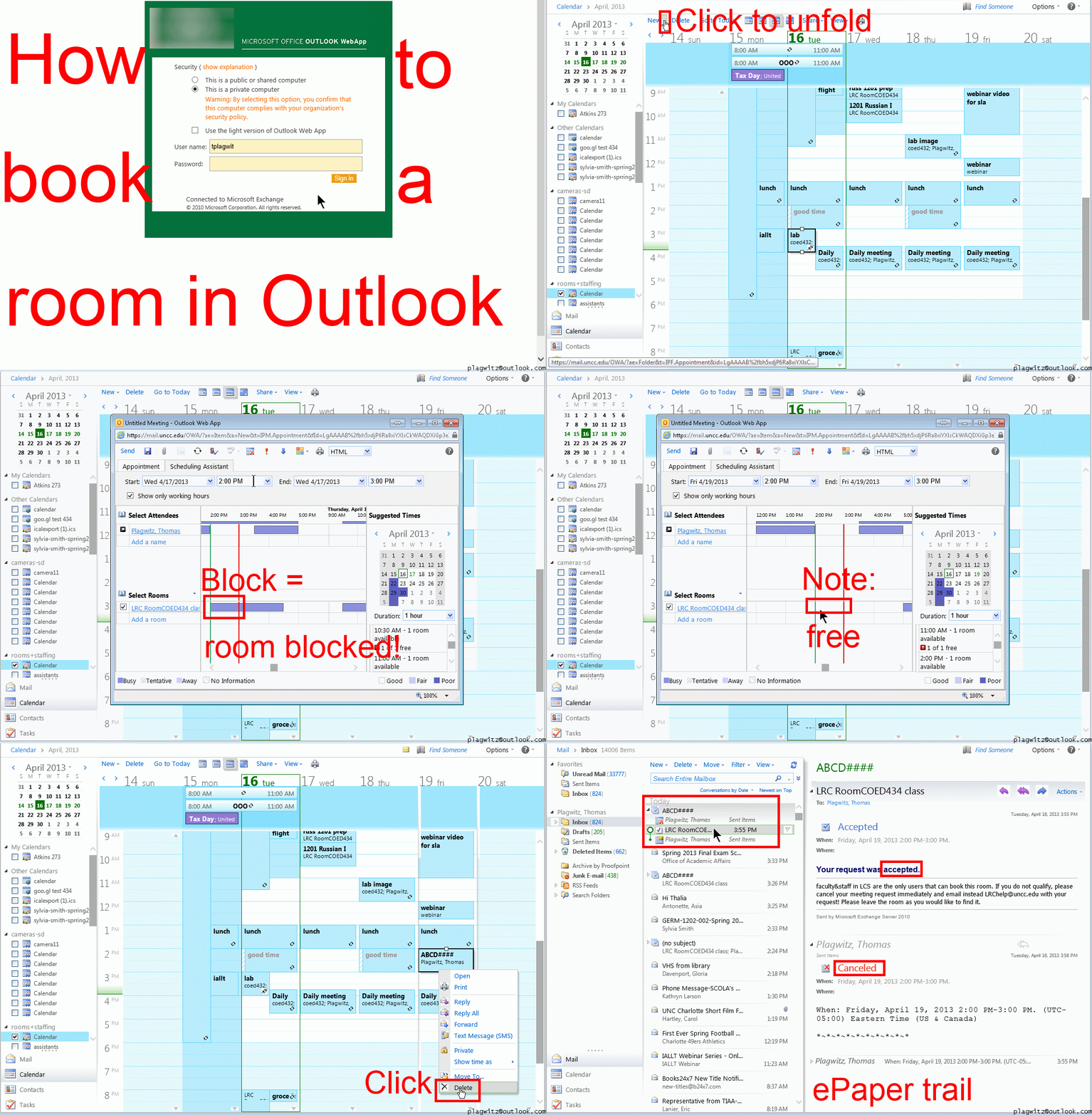 Or including unmarked frames: 0.25sec, 0.5sec, 0.75sec, 1sec, 1.5sec, 2sec, 3sec, 4sec, 5sec, 6sec, 7sec, 8sec, 9sec, 10sec.
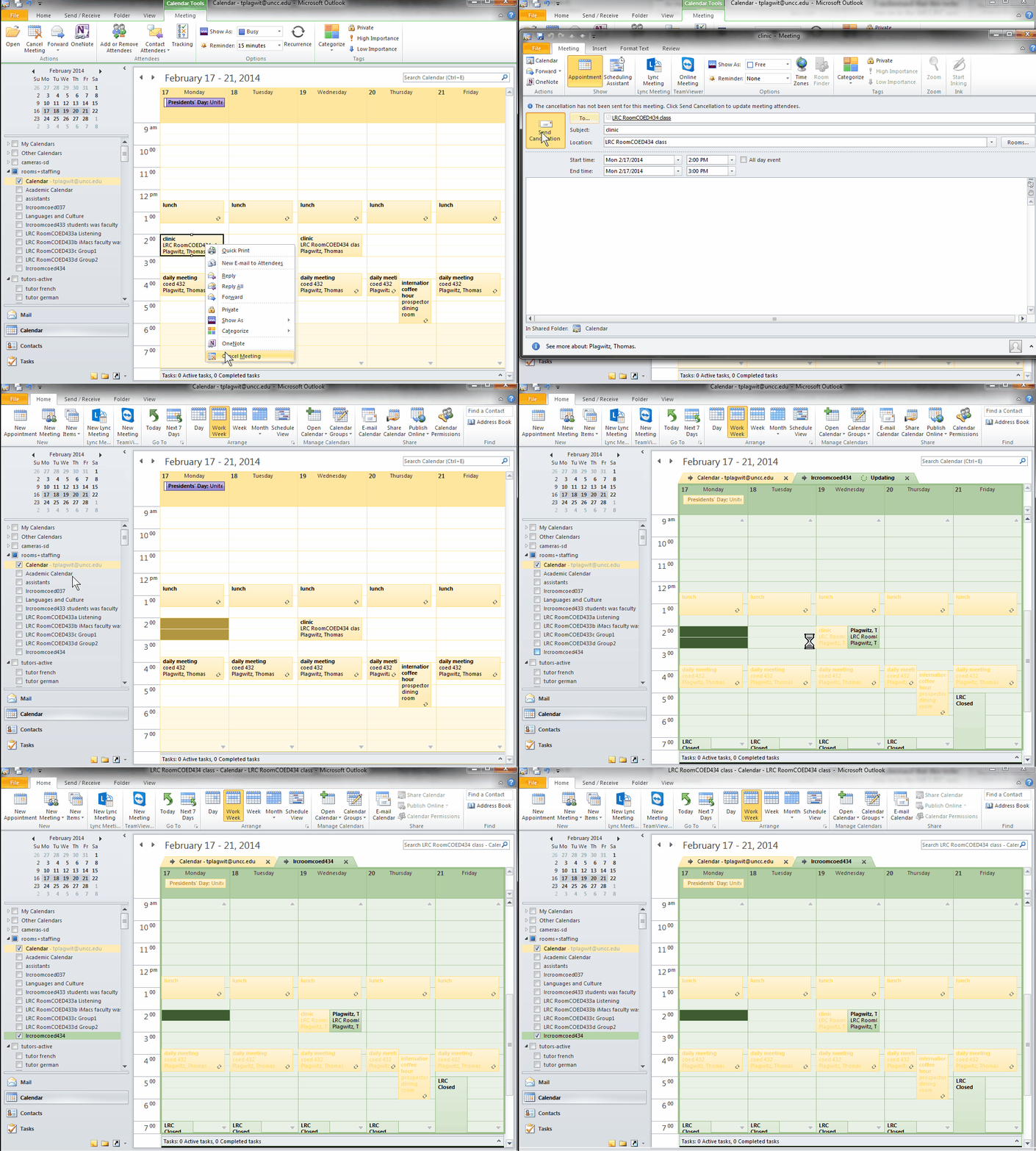
And now in addition 2 screencasts (make/cancel reservation) for our OUTLOOK (desktop) users:

Cheatsheet for typing phonetic symbols with the IPA Keyboard Layout on Windows 7 – the ultimate training…
…using animated .gifs. Slower? Compact: 0.25sec, 0.5sec, 0.75sec, 1sec, 1.5sec, 2sec, 3sec, 4sec, 5sec, 6sec, 7sec, 8sec, 9sec, 10sec. 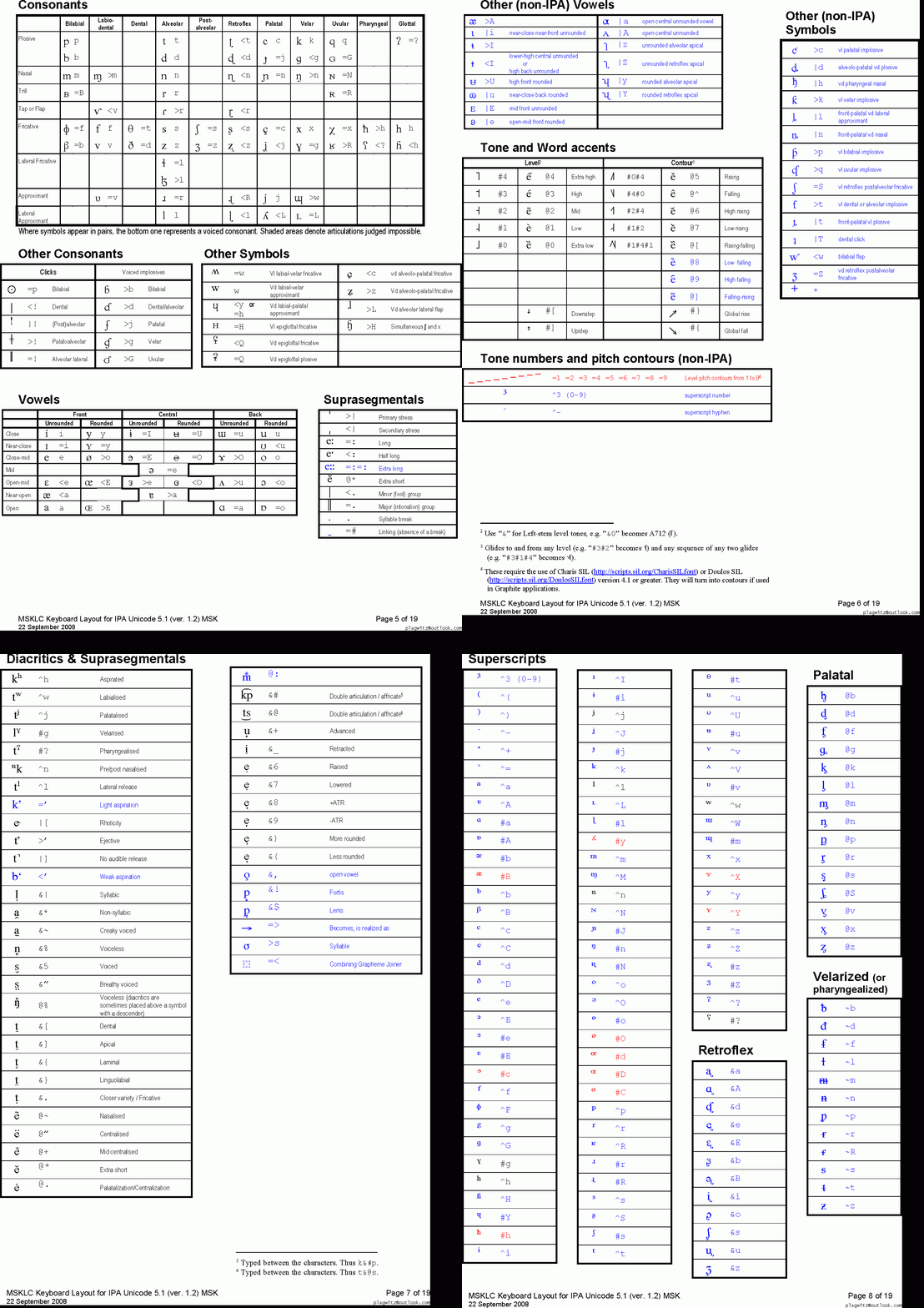
This is taken straight from the great documentation of this great Phonetic symbols Windows keyboard layout by SILS international, but needed a bit of massaging to support hands-free lookup via display on one screen of your dual screen system, while you learn or demo the keyboard to the class). Users without dual screen (including students) are better off with the slideshow below in which they can stop the images on any page:


The IPA MSKLC can produce both regular Roman characters and transcriptions with phonetic symbols by employing certain “dead keys” that can be combined with regular keys. Just and like our default LRC keyboard us-international .
Your first must select the keyboard like so. 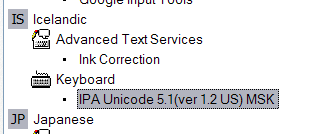 (Icelandic is suitable since it is not used for other purposes much). In the LRC, you must wait until we upgrade to Windows7.
How to batch watermark your images for free with Irfanview

– just to be a bit more concise than this useful, but long post on yet another great feature of this free program (shout-out to Kai). Not shown here: after making your settings here, click button “Start batch”.
Code documentation for a job ticket assignment and reporting application
- JobAssignments allows for managing job tickets with easy tagging and filtering of task assignments, and for aggregate analysis and reporting.
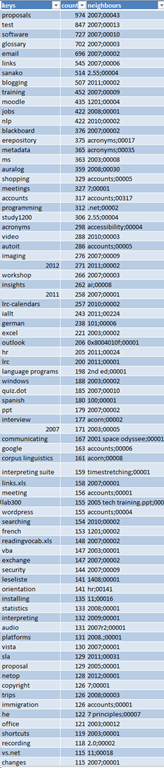
- Originally developed only for simple tag aggregation reports (watch a demo), JobAssignments can now also analyze the tag graph:

- Click the table of contents on the right to browse the VBA documentation built with Aivosto.


How to find clip art for learning material creation with Google’s Advanced Image Search
Once you made it to http://images.google.com, click on the “options” button in the upper right and choose “Advanced search”:
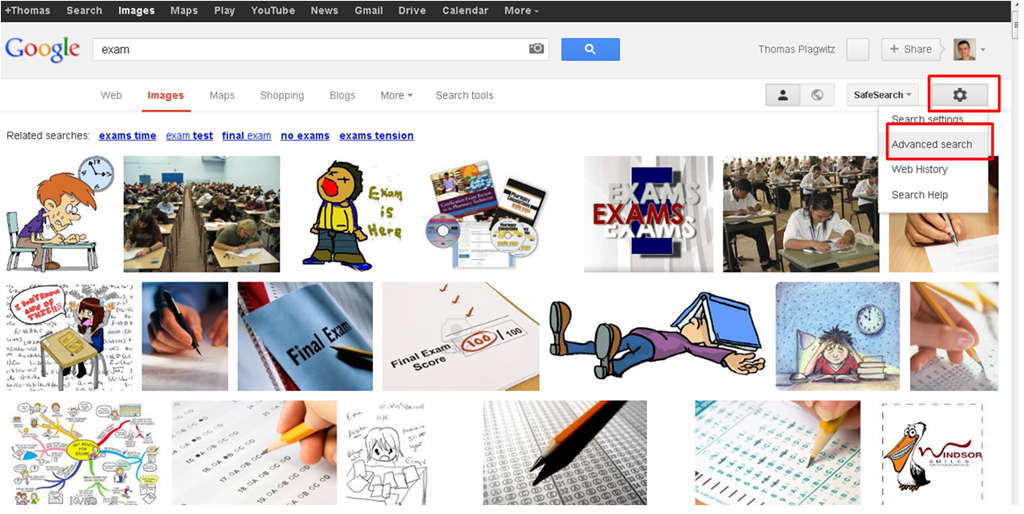
One of the useful options for learning material creation is restricting search to “clip art”, like in the screenshot below:

The results in many cases are more different – and useful – than in this example:
So give it a try, and also let us know in the comments what other advanced image search options you like to use in your learning material creation.
How to redirect Windows Live Writer “My Weblog Posts” to SkyDrive using Symbolic Links
- UPDATE: Using Junctions and Symbolic Links has limitations, e.g. I have not found a way to point a network share location of to my Skydrive folder. A solution using a secret windows live writer supported key in the registry is explained here seems simpler and better (assuming support for this key will not vanish in a new release of windows live writer).
- Benefits:
- Recently, the documentation and training materials I do with windows Live Writer have become somewhat more evolved, and my Live writer posts both big and live documents.
- With this method, I can access and edit your posts and drafts from different computers. Possibly also save drive space on the drive where the “My weblog Posts”points to be default.
- Prerequisites:
- MS-SkyDrive account and app.
- Here we are using the Link Shell Extension, but you can use the mklink command built-into Windows.
- To create Symlinks, you need to have admin rights.
- Steps:
- After closing Live Writer, go to “My Weblog Posts” in your “My Documents” folder, move it to your SkyDrive folder.
- In the new location, right-click on the folder “My Weblog Posts”, choose “Pick link source”.
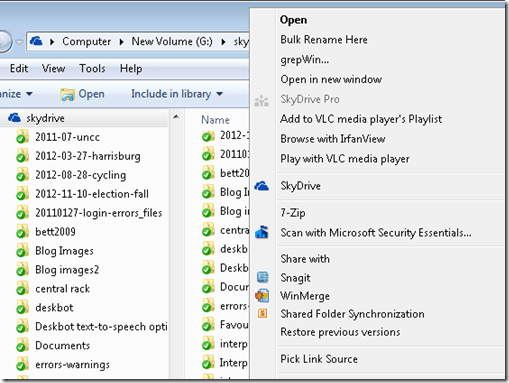
- Right-click on the “My documents”folder in the original location and choose Drop link / Symbolic Link.
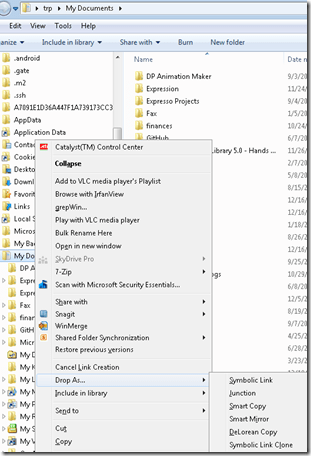
- The original location is now only a link (see folder icon), but Live Writer still opens.
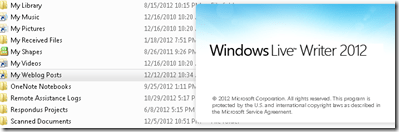
- Final step: Blog this from Live Writer, then check the location of your weblog post.


The big LRC SANAKO “How do I…?”
(Work in progress).
View larger Word version than this embed:


Questions? Read the About. Or just ask me a quick Our Databases: Resources with calendars -- Language learning material Moodle Sites, multimedia files -- films


FAQs for LRC student staff or for students or for teachers. To search our FAQs, in the browser addressbar, add after "https://plagwitz.wordpress.com/feed/?tag=faqs+/" "+TAG1" (from tag cloud below) OR "https://plagwitz.wordpress.com/feed/tag=faqs
&category_name=" "CAT1" (from category hierarchy below). OR search both categories and tags, and multiple TAGs/CATs (connect with "," for OR-search, with "+" for AND-search), like so: https://plagwitz.wordpress.com/feed/?tag=TAG1+TAG2+...TAGn&category_name=CAT1
+CAT2+...CATn"
Other ways to find help
If you cannot find it here, look there: 5,500 Language-Learning Links and Programs for learning or teaching 150 languages
Shortcuts:Our Lists, Our Maps, LRC Staff Moodle Site,LRC Project Moodle Site, 49erexpress, UNCC Moodle, Student Recordings: s:claslcslrcsanakostudent
Learning usage samples: Sanako oral exam, Kaltura webcam presentation, Dictation with speech recognition, Sanako written exam, Chinese and Japanese interactive stroke-order practice
Test the Sanako Installer, Webbrowser Popup Konfigurator for XP, or Windows7, faster LRC TeacherPC Log-in Let MS facilitate diacritics writing by installing for you US-International keyboard layout
This is my personal blog (Google+). The views expressed on these pages are mine alone and not those of my employer. The information in this weblog is provided “AS IS” with no warranties, and confers no rights.
 Thomas' Work Space