Archive
Use Getty Images’ free embed tool for culturally authentic imagery?
- Getty Images is trying a new approach for making some money of its widely pirated imagery online: a tool you can use to embed images from their database on your website
- Pros:
- Copyright permissible!
- Preserves through link to Getty Images full background metadata of image.
- Relatively sophisticated image database browsing tool – might be useful less for teachers directly, but for web quests that send students to learn by exploration.

- Cons:
- With the image embedder, you are enabling advertisements and user tracking on your page. Study the licensing agreements.
- Seems to me that Google Images’ scope and convenience will be impossible to beat.

Protected: LRC old media inventory for spring cleaning
A first look at the Google Dictionary extension for Chrome
- We
- have not pre-installed in the LRC (for that the extension would need to be more manageable by the teacher during face-to-face classes, which include exams),
- but can (with some reservations) recommend the Google Dictionary extension (even though it is only available for Chrome). Here is why:
- Google dictionary extension provides an interface to Google define and translate
- that is convenient (as quickly accessed like glosses) for reading activities in many languages (Q: is the privileged word sense displayed here intelligently chosen?)
- while (for some languages more than for others) providing access to additional word senses, usage examples and historical background information
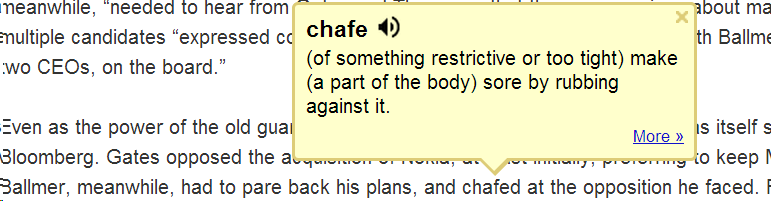
- Interface 1: Tooltip,
- for English with audio

- for other languages without audio (even though audio pronunciation may be available in Google translate for that language):

- convenient access (I have been loving the tooltip interface since Google toolbar days)
- limited, but useful information,
- a word sense – not that this is still not contextually intelligent (Cannot blame them here!) and hence more than one word sense should be offered (here I must blame them: Boo!!): E.g. here “arch” should at show more than the most common word sense:
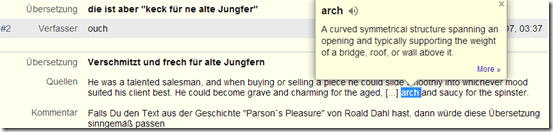
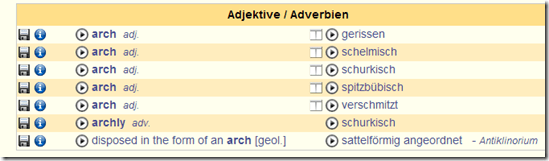
- including pronunciation (not IPA, but audio)
- a word sense – not that this is still not contextually intelligent (Cannot blame them here!) and hence more than one word sense should be offered (here I must blame them: Boo!!): E.g. here “arch” should at show more than the most common word sense:
- Interface 2 (“more”)
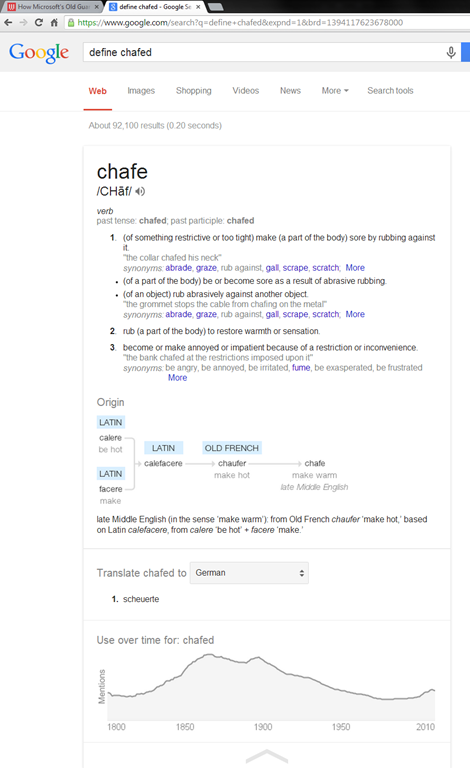
- For English, a click on “more” leads to the Google “define”search operator (the related etymology search operator has been reviewed here before):

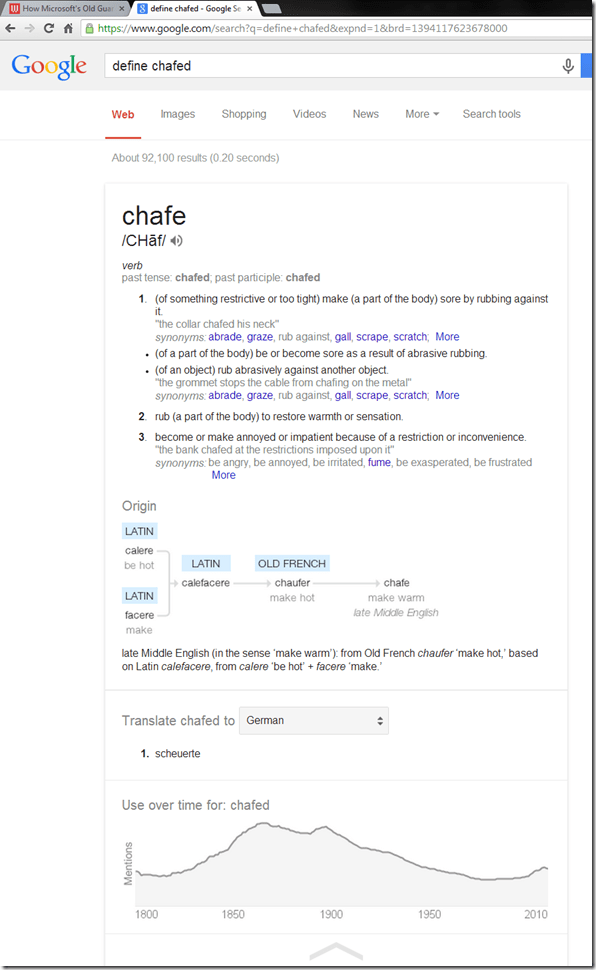
- Interface 3: unfold the search results by clicking on the down arrow at the bottom to access additional information:
 =
=
- additional word sense entries
- historical:
- etymology
- frequency data
- translation/dictionary entry:
- for our learners of languages other than English, the translation appears right in the tool tip, see above;
- for our ESL learners, this seems a few too many steps for accessing this information, although a monolingual dictionary is useful in many instances also.
- For English, a click on “more” leads to the Google “define”search operator (the related etymology search operator has been reviewed here before):
- For languages other than English, a click on more leads to Google translate, which (should get its own article, but for what it is worth) can be
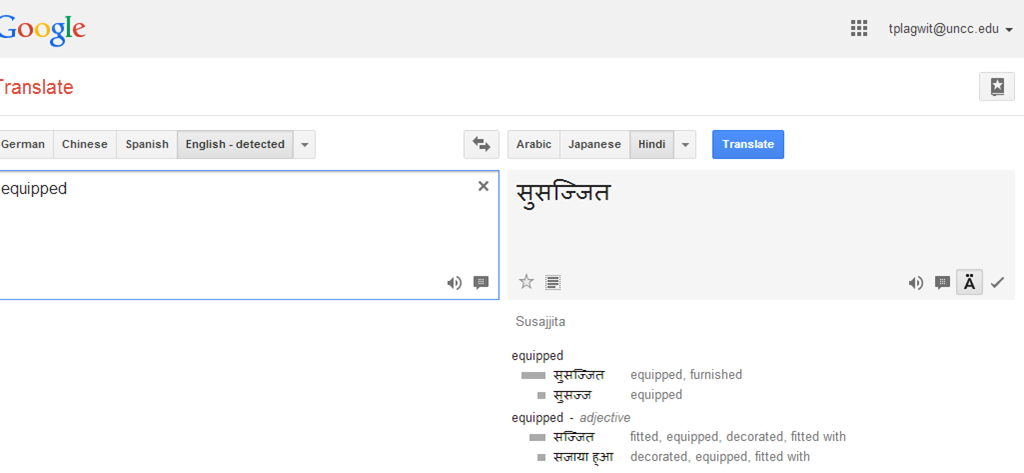
- more limiting than “define”: While you are given multiple word senses for
- Spanish:
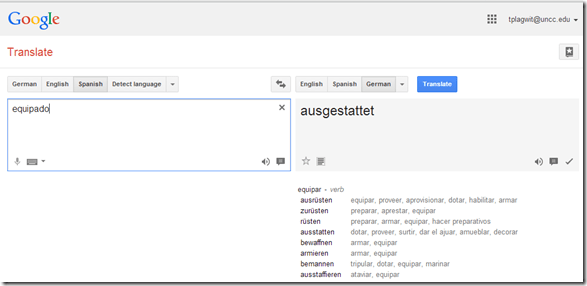
- and to a lesser extent, for
- Arabic:

- Hindi:

- Arabic:
- Spanish:
- for many languages the results are much more limiting:
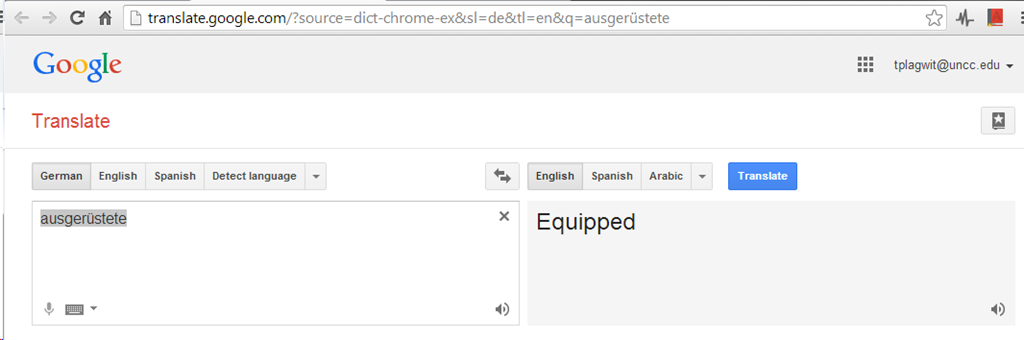
- Even if you look up German or French, you revert back to the (pedagogically terrible) single word-sense original “translation” interface )

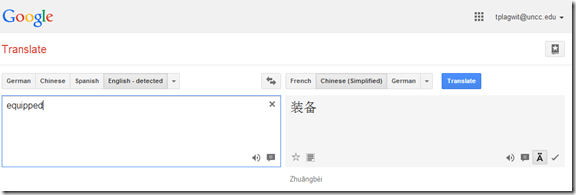
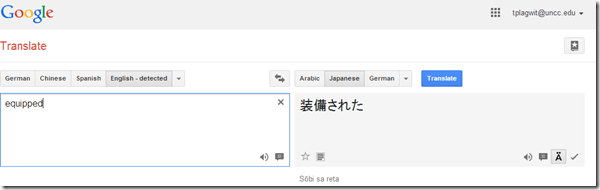
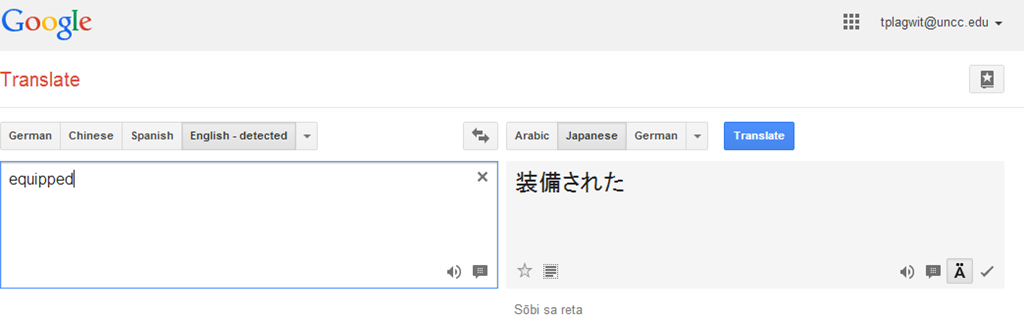
- For East Asian languages, you get Roman alphabet transcriptions
- e.g. Chinese with Pinyin:
- e.g. Japanese:
- e.g. Chinese with Pinyin:
- Even if you look up German or French, you revert back to the (pedagogically terrible) single word-sense original “translation” interface )
- more limiting than “define”: While you are given multiple word senses for
- for English with audio
- Still no per-user tracking? Here it would make sense for the user.





Can’t rename default folder names for Room and resource mailboxes with MFCMAPI
- To get the MS-Exchange calendar ICS to include a name line other than “X-WR-CALNAME:Calendar” (which, when trying to aggregate calendars, does not play well with other mailbox calendars also emitted by MS-Exchange with default name )
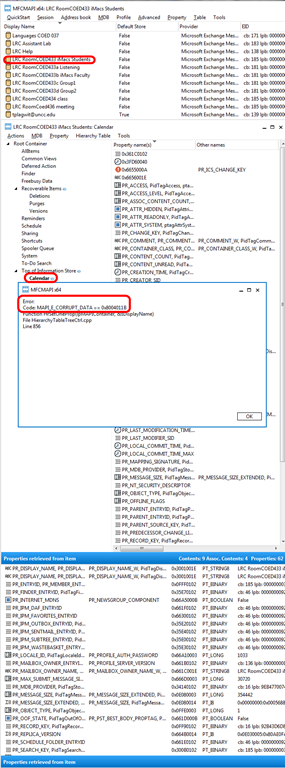
- when trying to follow the renaming instructions here using MFCMAPI (which seem however for personal mailboxes, not the different folder hierarchy: “information store”).
- I only get this 0x8004011b mapi_e_corrupt_data (would have kind of surprised me they had let me mess with MS-Exchange, this is not PST world anymore):

- Is there another way to rename room/resource mailbox calendars? Seems like not. But there is a recommended feedback form for this (or is this for office online only, not for exchange on premise?).
To publish an aggregate calendar of MS-Exchange ICS calendar subscriptions, use Google Calendar
If you manage many resources that many users need to share, you will want to give them an intuitive overview of the utilization. We manage room and equipment booking in MS-Exchange 2010, but both Exchange and Outlook/OWA/Office365 are not for everyone (to set up), and seem to lack a convenient way to publish an aggregation of the iCal feeds of the individual resources that can be published.
Enter Google calendar: Start with creating a new calendar which will hold your calendar aggregation, and make it public:




First add ICS-based internet calendar subscriptions to Google calendar:

We have prior ICS feeds arranged in MS-Exchange 2010 which are listed in the LRC calendar spreadsheet:
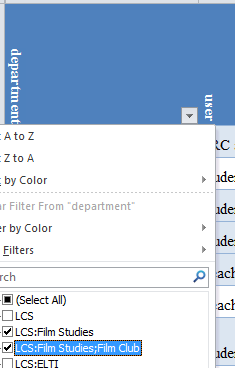
Open the calendar
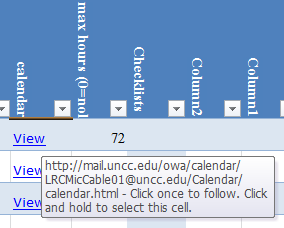
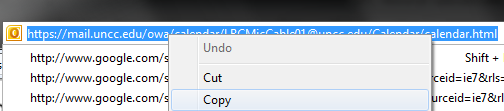
Copy the URL form the address bar:
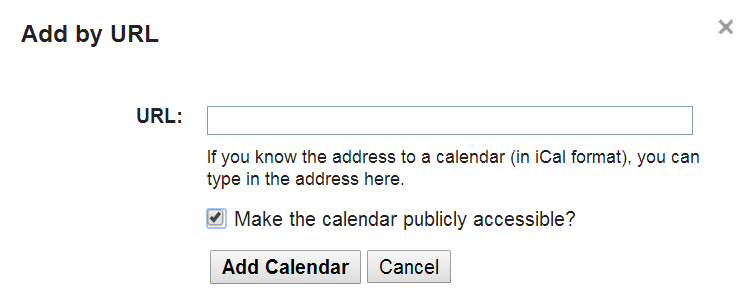
Insert it here:
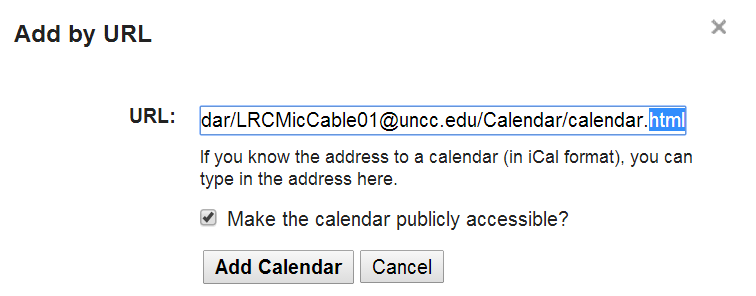
Replace html at the end by ics.
Check “make calendar publicly accessible”

Access calendar settings

Change calendar name to part before @



You can rename these subscribed calendars, but this name will not carry over to the embedded calendar, see below:


Open the settings for the main calendar:
In the settings section “embed”, Click the “Customize” link to open the “Google Embeddable Calendar helper”:

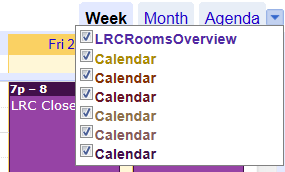
Select the “Calendars to display”: this list contains the ICS-subscriptions you added earlier.
Unfortunately, the Google’s embeddable Calendar helper seems to “eat” the names you have given these calendars, and replace it by the default “Calendar” (there is no calendar name stored in the ICS, it seems), so you have to maintain a color legend manually (the color is permanently stored in the iframe HTML code snippet).
Also, you users have to manually match the color when they (de)select calendar subscriptions from the main calendar:
Embedding the iframe HTML snippet works in WordPress
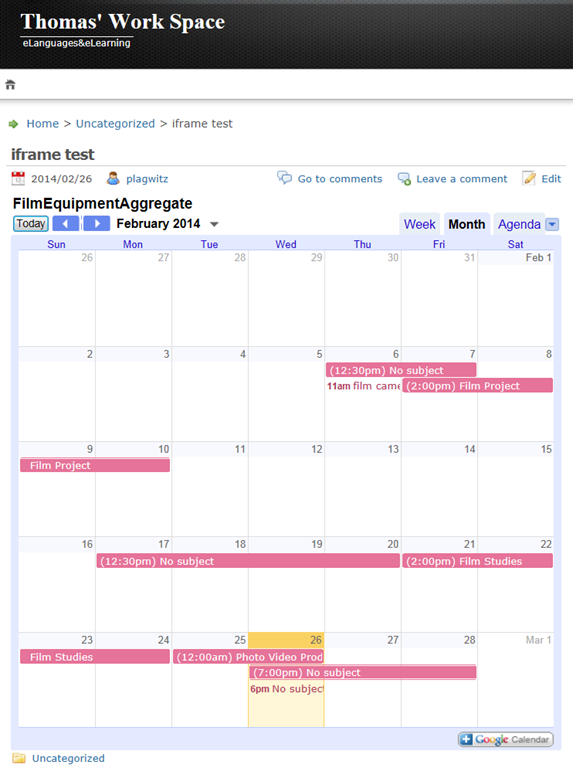
as well as Drupal: 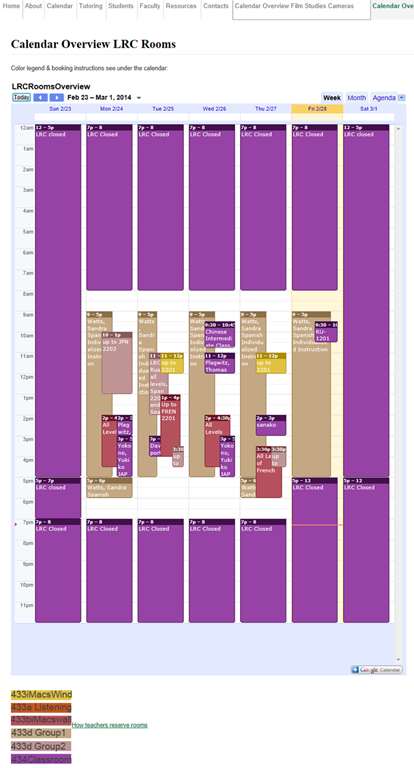
Google Calendar embedded aggregated calendar won’t show calendar names?
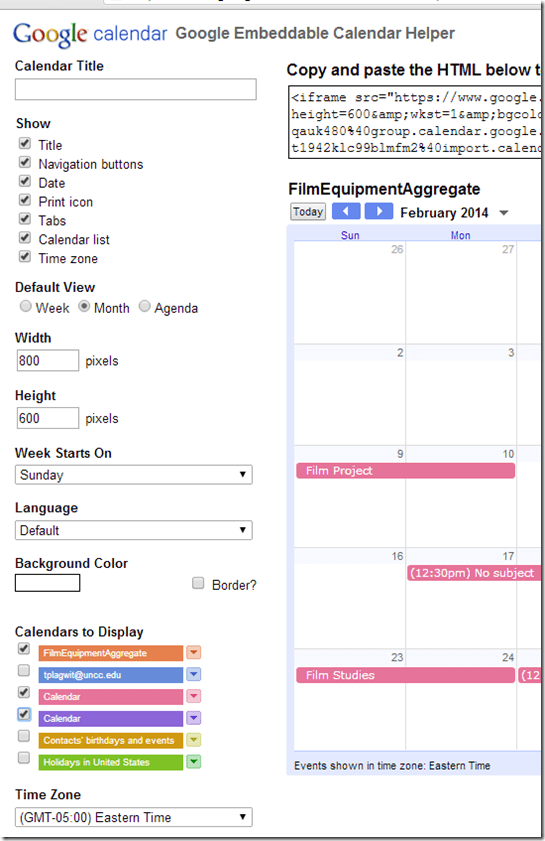
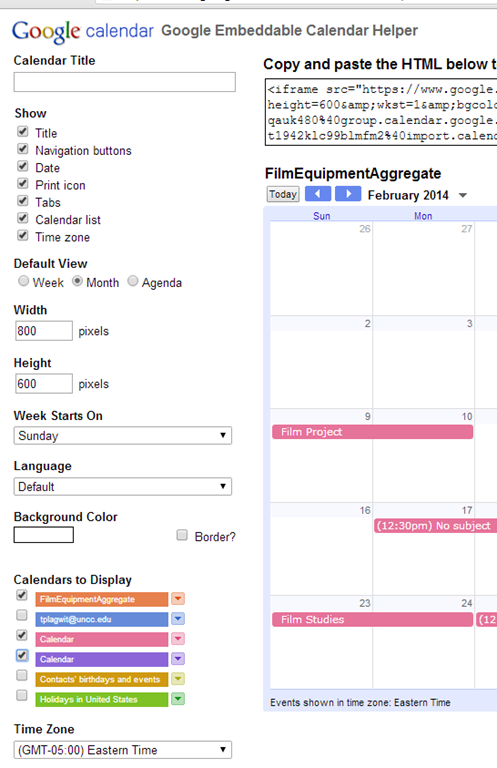
- When I add "Calendars to Display" in the "Google Embeddable Calendar Helper" ,
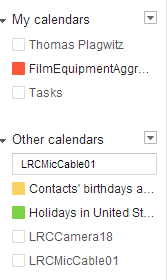
- Google calendar lets me select calendars I added from iCal sources,
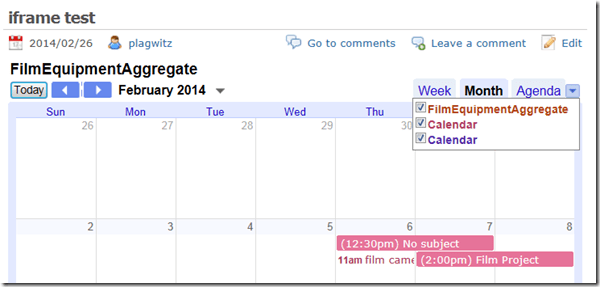
- but it does not "remember" the names I have given these calendars,

- displaying only the default name "Calendar",
- both in the "Google Embeddable Calendar Helper"
- and in the iframe embed:
- both in the "Google Embeddable Calendar Helper"
- rendering the aggregation feature useless (Which is which?).
- Is there a workaround or hidden feature like a “name parameter” in the embed query-string? What is it? I cannot find it in the Google Calendar API reference.




Questions? Read the About. Or just ask me a quick Our Databases: Resources with calendars -- Language learning material Moodle Sites, multimedia files -- films


FAQs for LRC student staff or for students or for teachers. To search our FAQs, in the browser addressbar, add after "https://plagwitz.wordpress.com/feed/?tag=faqs+/" "+TAG1" (from tag cloud below) OR "https://plagwitz.wordpress.com/feed/tag=faqs
&category_name=" "CAT1" (from category hierarchy below). OR search both categories and tags, and multiple TAGs/CATs (connect with "," for OR-search, with "+" for AND-search), like so: https://plagwitz.wordpress.com/feed/?tag=TAG1+TAG2+...TAGn&category_name=CAT1
+CAT2+...CATn"
Other ways to find help
If you cannot find it here, look there: 5,500 Language-Learning Links and Programs for learning or teaching 150 languages
Shortcuts:Our Lists, Our Maps, LRC Staff Moodle Site,LRC Project Moodle Site, 49erexpress, UNCC Moodle, Student Recordings: s:claslcslrcsanakostudent
Learning usage samples: Sanako oral exam, Kaltura webcam presentation, Dictation with speech recognition, Sanako written exam, Chinese and Japanese interactive stroke-order practice
Test the Sanako Installer, Webbrowser Popup Konfigurator for XP, or Windows7, faster LRC TeacherPC Log-in Let MS facilitate diacritics writing by installing for you US-International keyboard layout
This is my personal blog (Google+). The views expressed on these pages are mine alone and not those of my employer. The information in this weblog is provided “AS IS” with no warranties, and confers no rights.
 Thomas' Work Space