Archive
Our Drupal now allows Add to Calendar links.
- Neat: Click on the calendar icon at the end of the date line:

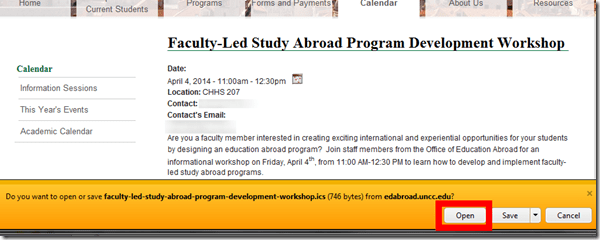
- When prompted, Click open (which will stat your default file association for ICS files, likely MS-Outlook):
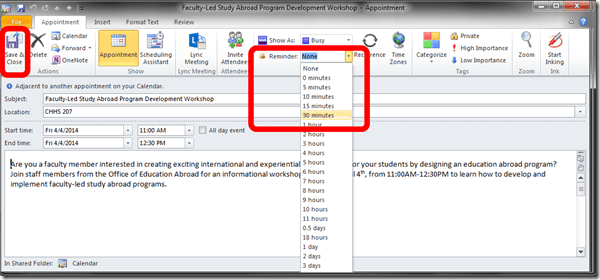
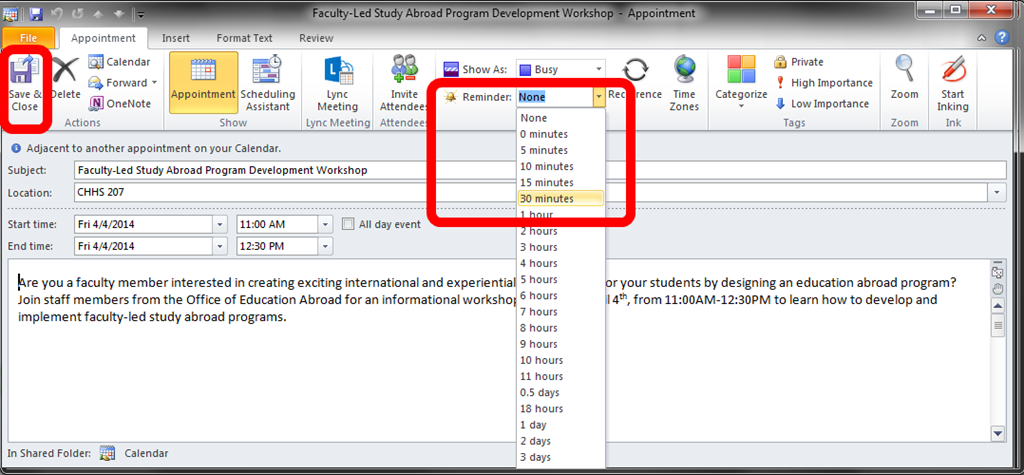
- if necessary, add a suitable reminder, and click””save&close”
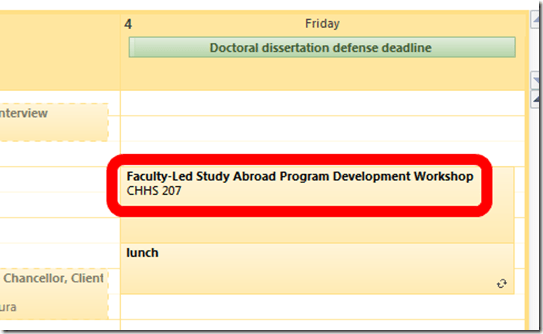
- Your appointment, with location, will be put in your calendar and come alive when you need the reminder(and where, if you connect your other, home and mobile devices to MS-Exchange):
- But as of yet, not everybody seems to be using this handy facility (I find myself manually copying over info into manually created appointments).
- Unfortunately, this is still only a static ICS file, not a subscription which would be automatically updated in your calendar if the originator/organizer changes the schedule.



Windows Live Writer can once again load more than 500 WordPress posts without “Invalid Server Response”
Evidence:

Version (recently updated – thank you! This bug bugged me a lot, I am chatty):Version 2012 (Build 16.4.3522.110). Not sure it is not server-related, but consider upgrading on download.live.com if you still see this error on the metaWeblog.getRecentPosts from XmlRpc server: 
A first look at the Google Dictionary extension for Chrome
- We
- have not pre-installed in the LRC (for that the extension would need to be more manageable by the teacher during face-to-face classes, which include exams),
- but can (with some reservations) recommend the Google Dictionary extension (even though it is only available for Chrome). Here is why:
- Google dictionary extension provides an interface to Google define and translate
- that is convenient (as quickly accessed like glosses) for reading activities in many languages (Q: is the privileged word sense displayed here intelligently chosen?)
- while (for some languages more than for others) providing access to additional word senses, usage examples and historical background information
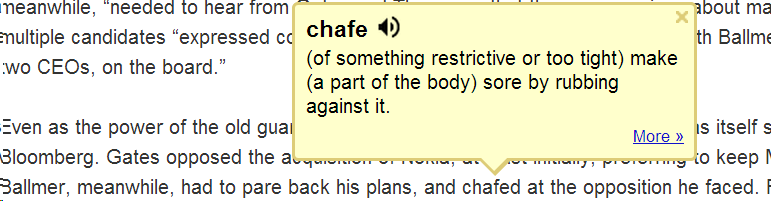
- Interface 1: Tooltip,
- for English with audio

- for other languages without audio (even though audio pronunciation may be available in Google translate for that language):

- convenient access (I have been loving the tooltip interface since Google toolbar days)
- limited, but useful information,
- a word sense – not that this is still not contextually intelligent (Cannot blame them here!) and hence more than one word sense should be offered (here I must blame them: Boo!!): E.g. here “arch” should at show more than the most common word sense:
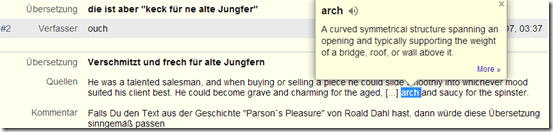
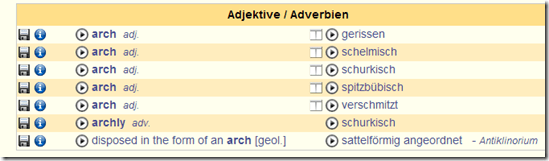
- including pronunciation (not IPA, but audio)
- a word sense – not that this is still not contextually intelligent (Cannot blame them here!) and hence more than one word sense should be offered (here I must blame them: Boo!!): E.g. here “arch” should at show more than the most common word sense:
- Interface 2 (“more”)
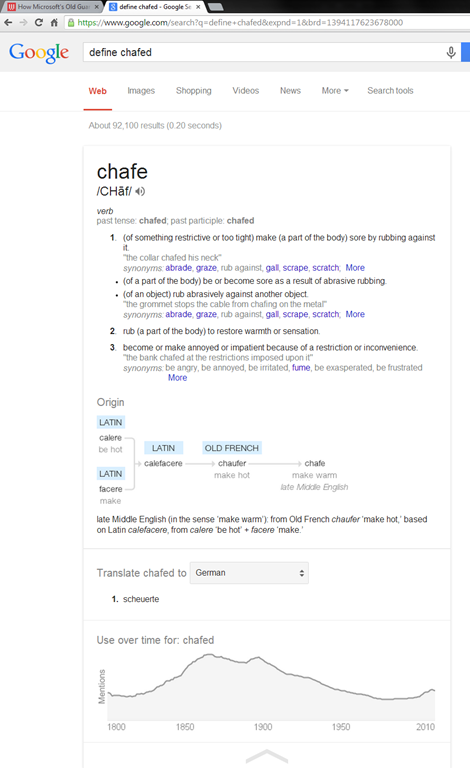
- For English, a click on “more” leads to the Google “define”search operator (the related etymology search operator has been reviewed here before):

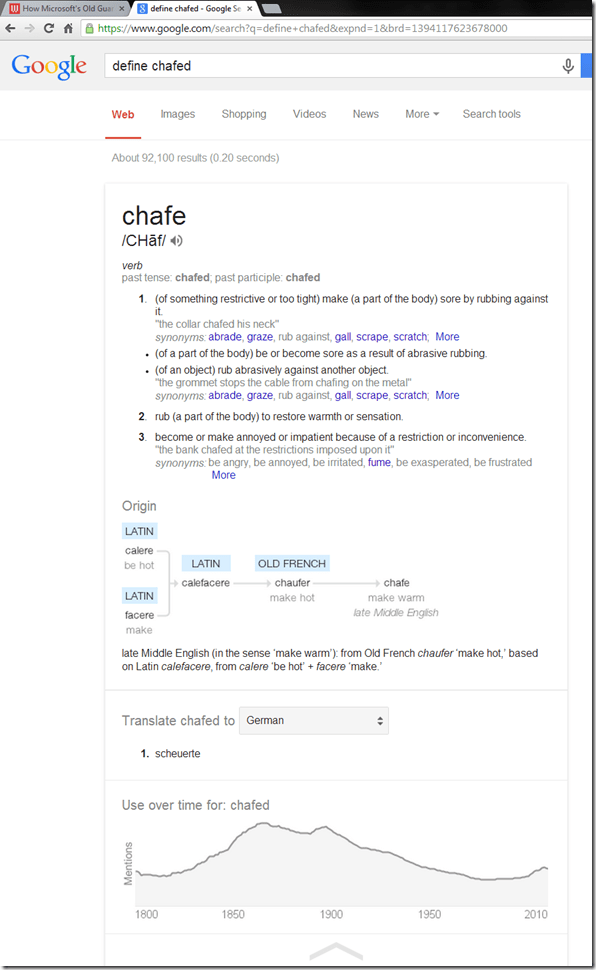
- Interface 3: unfold the search results by clicking on the down arrow at the bottom to access additional information:
 =
=
- additional word sense entries
- historical:
- etymology
- frequency data
- translation/dictionary entry:
- for our learners of languages other than English, the translation appears right in the tool tip, see above;
- for our ESL learners, this seems a few too many steps for accessing this information, although a monolingual dictionary is useful in many instances also.
- For English, a click on “more” leads to the Google “define”search operator (the related etymology search operator has been reviewed here before):
- For languages other than English, a click on more leads to Google translate, which (should get its own article, but for what it is worth) can be
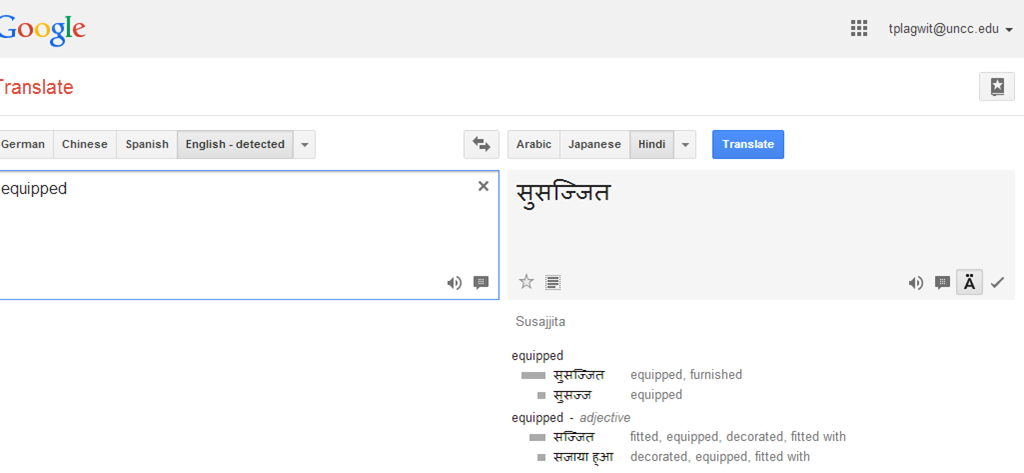
- more limiting than “define”: While you are given multiple word senses for
- Spanish:
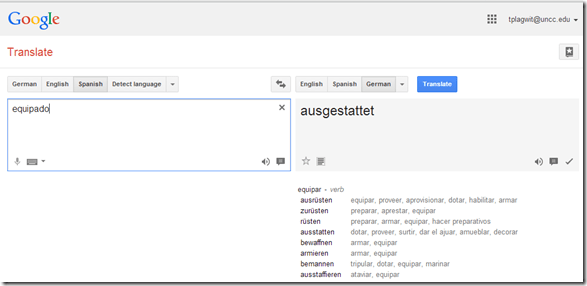
- and to a lesser extent, for
- Arabic:

- Hindi:

- Arabic:
- Spanish:
- for many languages the results are much more limiting:
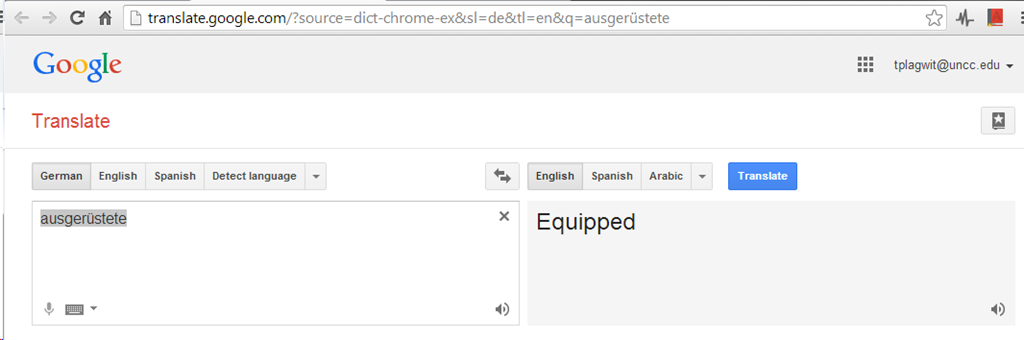
- Even if you look up German or French, you revert back to the (pedagogically terrible) single word-sense original “translation” interface )

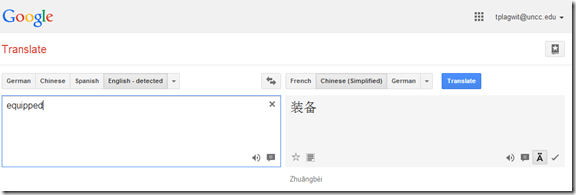
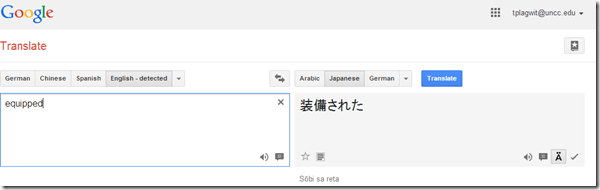
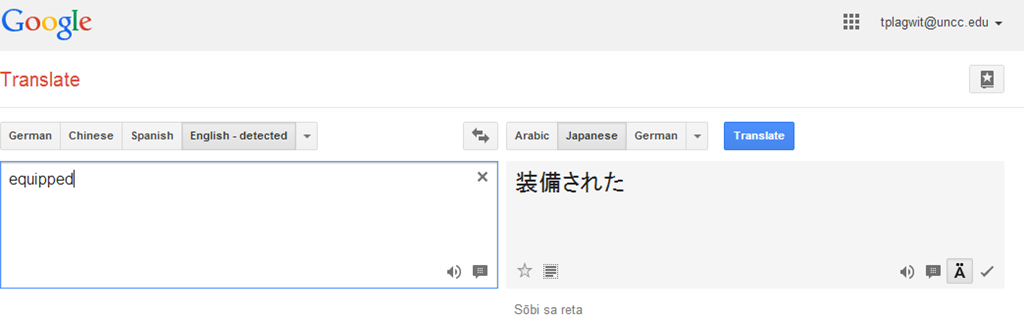
- For East Asian languages, you get Roman alphabet transcriptions
- e.g. Chinese with Pinyin:
- e.g. Japanese:
- e.g. Chinese with Pinyin:
- Even if you look up German or French, you revert back to the (pedagogically terrible) single word-sense original “translation” interface )
- more limiting than “define”: While you are given multiple word senses for
- for English with audio
- Still no per-user tracking? Here it would make sense for the user.





Solved: Moodle RSS feed not updating
- Here is what I see in my Moodle course:
 (in IE9, also tested in Chrome).
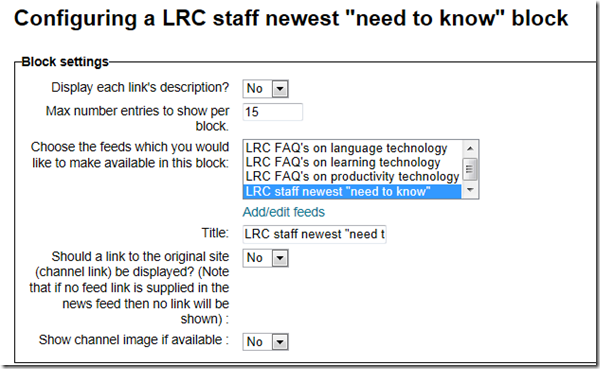
 - Here is how Moodle’s RSS feed is configured:

- If I click on this link, this is the current feed status in IE feed display:

- The last displayed article is not even visible on this page anymore – I “lost” 50 posts, and more in Moodle – what am I missing ?
- Doh. I and the (I find: clumsy) way RSS-feeds have to be configured in Moodle meet again: You RSS feed list may be correct, but then you also need to select the right feed to display.


Calendaring can improve instruction
It’s coming: “An Interactive On-line Course Calendar for Multi-Section Courses, by María Paredes Fernández (University of Pennsylvania): The interactive online course calendar was project that received funding from the Penn Language Center at the University of Pennsylvania in early 2012 to streamline class preparation for fellow colleagues, promote transparency for the students, and ensure continuity and quality instruction of the Accelerated Elementary Spanish Course, Spanish 121. The day’s lesson plans organized and uploaded on an interactive webpage on the course management systems Blackboard and Canvas. The lesson plans were comprehensive, as it featured the links, PDF documents and PowerPoint presentations of the day in one convenient location, and were easily shared with students to aid in their preparation. This talk will focus on how the interactive syllabus shaped this course and how it could work for other programs.”
Moodle can ICS exporting, which students and teaches can subscribe to in their NINERMAIL.
Audio player error message involving “pluginfile.php” in Moodle quiz
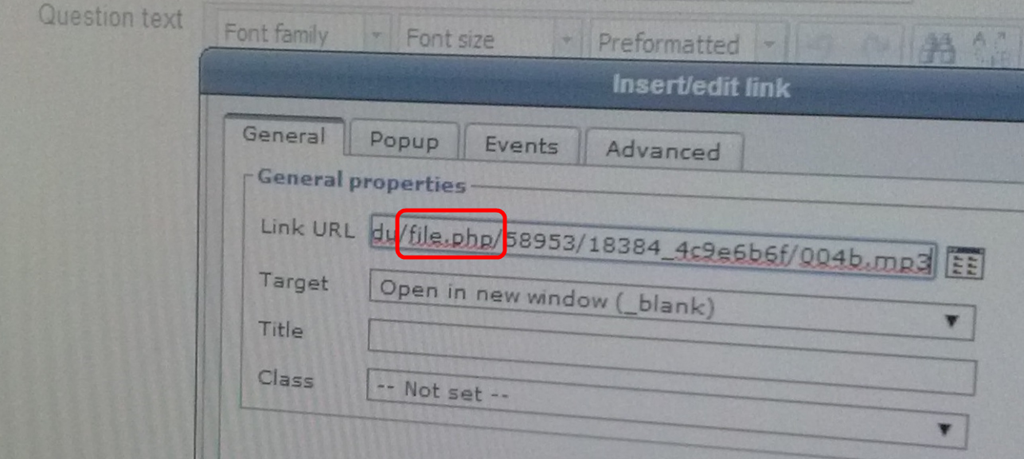
- LRC assistants may get called by students with this error regarding pluginfile.php in a Moodle quiz, it appears in the audio player interface itself and looks like this:
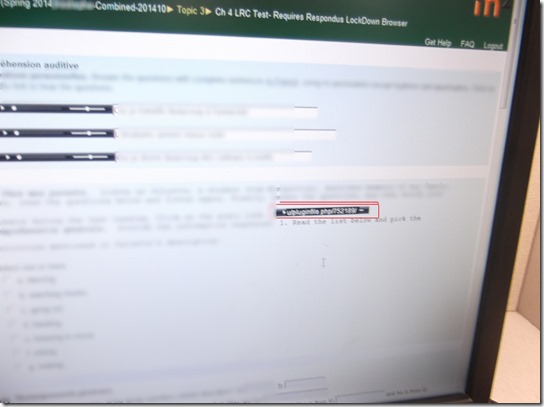
- The error messages flashes only briefly, and afterwards the audio simply will not play.
- In a Respondus lockdown browser quiz, you can bring up the error message again by clicking “next” and then resuming the attempt. When the quiz page reloads, the error message will briefly flash again.
- LRC assistants cannot work around this error, they need to alert permanent staff. Usually it is related to a quiz author needing to update the audio file link, like so:
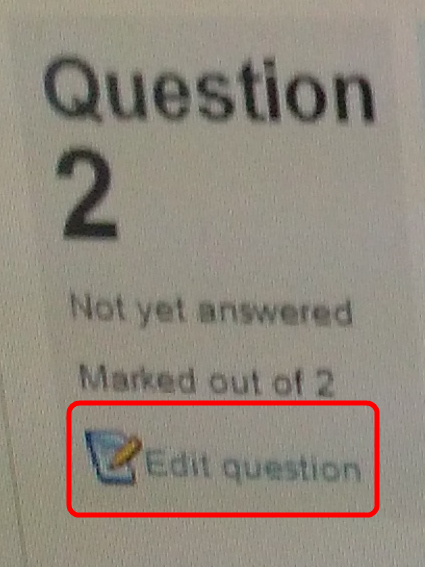
- Go into the quiz, on the left, click “edit the quiz”):
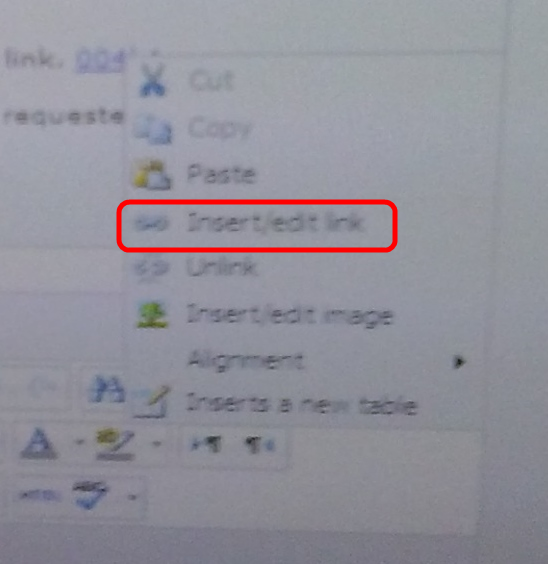
- Find the audio file link, edit the link:

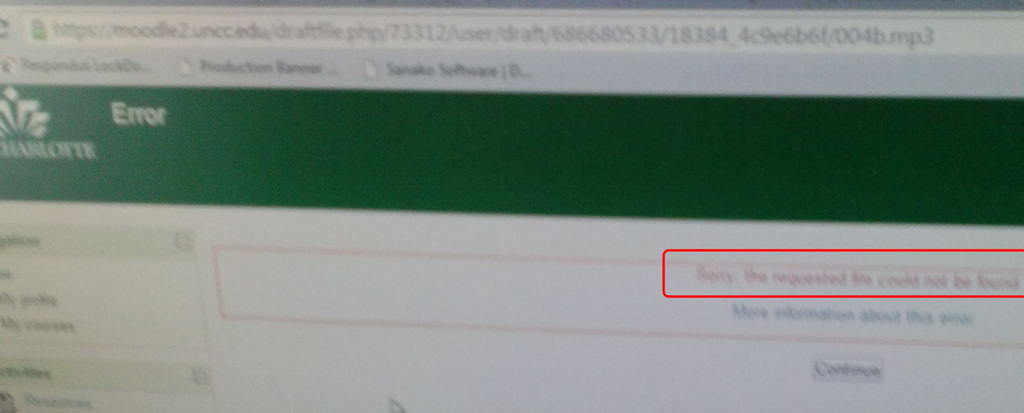
- Can you actually load the link? If it says “file not found”, you have the root cause:
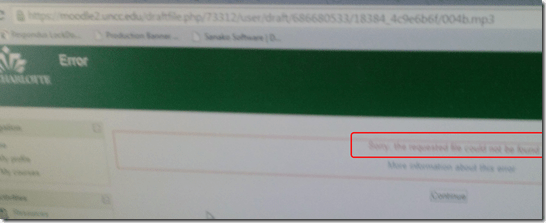
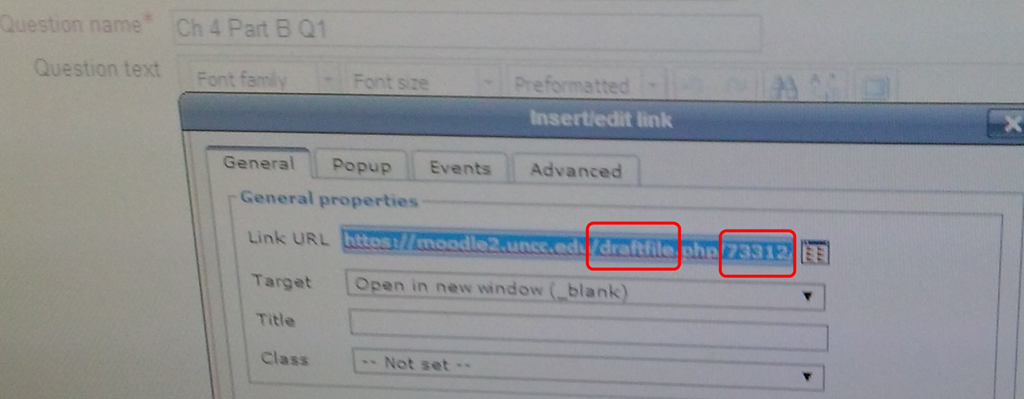
- Does it say “draft” in there? Not good. Copy the unique identifier from the path:

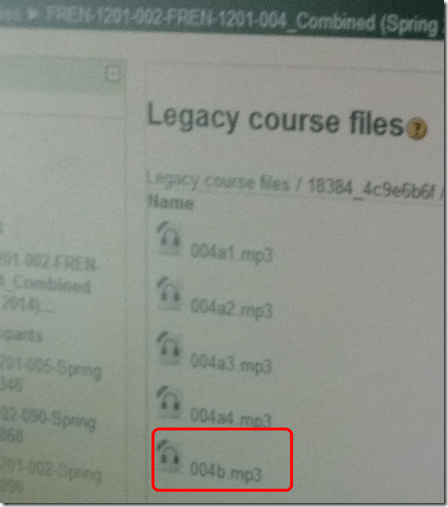
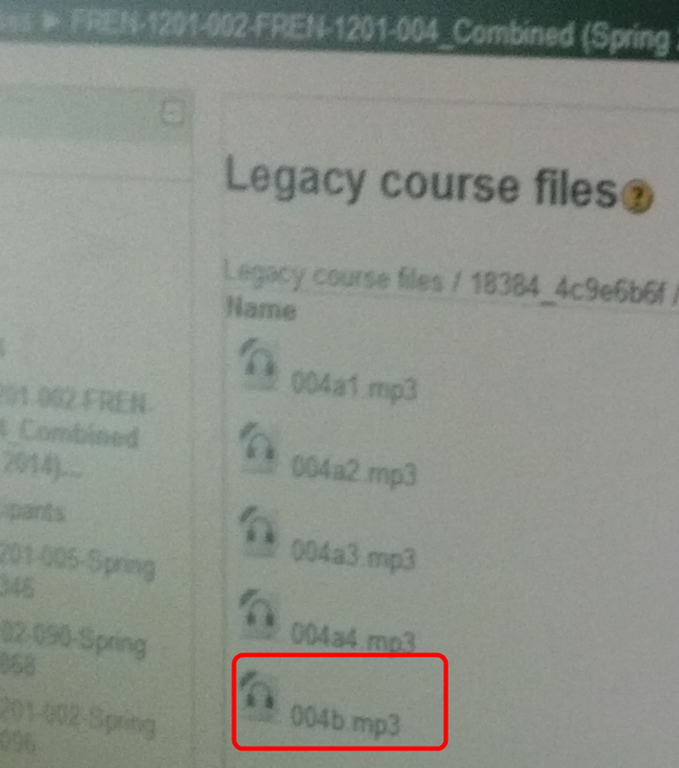
- Go to in Moodle course / Files section, locate the offending file (you can use the unique id you put in the clip board to search), i.e. make sure it actually exists:
- Get the correct URL for the file, puit it int the clipboard:
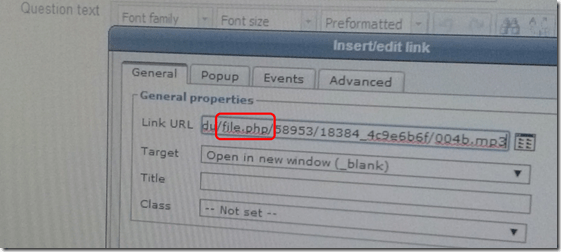
- Go back to editing the quiz, update the wrong URL with the correct one.
- Save the updated quiz.
- Go into the quiz, on the left, click “edit the quiz”):
- Now the student can reload the quiz, if in Respondus lockdown browser, like above by clicking “next”and back.

German Frame Semantic Online Lexicon
“The German Frame-based Dictionary is an attempt to apply the linguistic theory of Frame Semantics to the language classroom”, and is “based on the German FrameNet at the University of Texas at Austin, a digital archive of how German words are used in real life contexts”. How to Use the German Frame-based Dictionary.
Example Frame pagE:

The Frames available are limited, but instructive samples which can help the naïve user with dictionary use: 


There are also some Arbeitsblätter, but only a few: 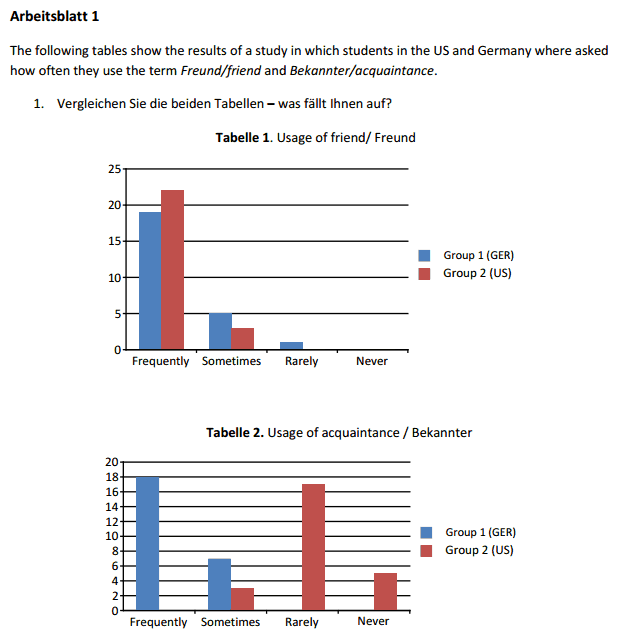
(On the occasion of Charles Fillmore’s death).
Change onedrive to skydrive to embed your MS-Office online files in WordPress
- A while ago, Microsoft was successfully sued by Sky to change the name of SkyDrive. Recently MS did that, but it looks like somebody has not gotten the memo yet, again:
- Originally suggested embed code from SkyDrive: https://onedrive.live.com/embed?cid=0025C841818181C2&resid=25C841818181C2%21666&authkey=ANeXAUnGHDfEqTQ&em=2
- Fail on WordPress.com:

- Change to:

- Sort of works on WordPress.com (but width and hieght parameters are being ignored):






Questions? Read the About. Or just ask me a quick Our Databases: Resources with calendars -- Language learning material Moodle Sites, multimedia files -- films


FAQs for LRC student staff or for students or for teachers. To search our FAQs, in the browser addressbar, add after "https://plagwitz.wordpress.com/feed/?tag=faqs+/" "+TAG1" (from tag cloud below) OR "https://plagwitz.wordpress.com/feed/tag=faqs
&category_name=" "CAT1" (from category hierarchy below). OR search both categories and tags, and multiple TAGs/CATs (connect with "," for OR-search, with "+" for AND-search), like so: https://plagwitz.wordpress.com/feed/?tag=TAG1+TAG2+...TAGn&category_name=CAT1
+CAT2+...CATn"
Other ways to find help
If you cannot find it here, look there: 5,500 Language-Learning Links and Programs for learning or teaching 150 languages
Shortcuts:Our Lists, Our Maps, LRC Staff Moodle Site,LRC Project Moodle Site, 49erexpress, UNCC Moodle, Student Recordings: s:claslcslrcsanakostudent
Learning usage samples: Sanako oral exam, Kaltura webcam presentation, Dictation with speech recognition, Sanako written exam, Chinese and Japanese interactive stroke-order practice
Test the Sanako Installer, Webbrowser Popup Konfigurator for XP, or Windows7, faster LRC TeacherPC Log-in Let MS facilitate diacritics writing by installing for you US-International keyboard layout
This is my personal blog (Google+). The views expressed on these pages are mine alone and not those of my employer. The information in this weblog is provided “AS IS” with no warranties, and confers no rights.
 Thomas' Work Space