Archive
Archive for the ‘software’ Category
How to configure Java not to check for updates in the frozen computer lab
2014/02/26
Leave a comment
- Many applications – both web-based or standalone – in the LRC rely on Java. They currently all start Java with the autoupdater:
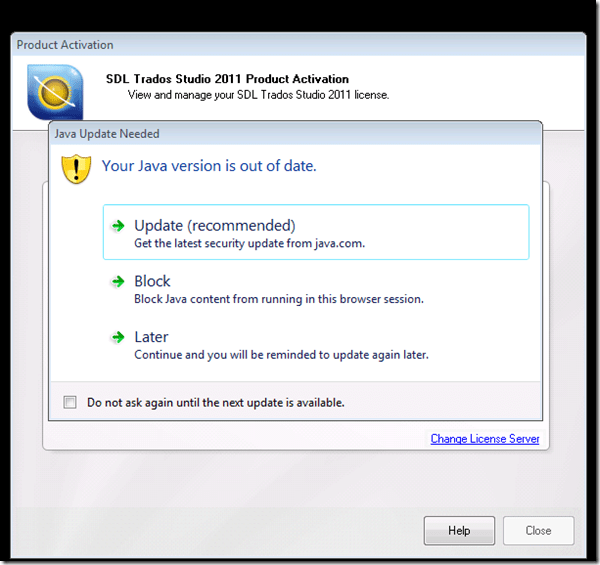
- and may at least temporarily allow for Java versions not tested for compatibility with LRC applications
- which should not cause permanent problems, since the computers are frozen, but does cause client s unnecessary hassle and delays
- provided that
- the LRC applications have been tested to work with the reasonably recent version of Java in the LRC image
- and staying on this version for, say, a term, causes no overarching security concerns (if it does, the more recent Java version should be frozen into the underlying software image anyway, after testing for compatibility with LRC applications).
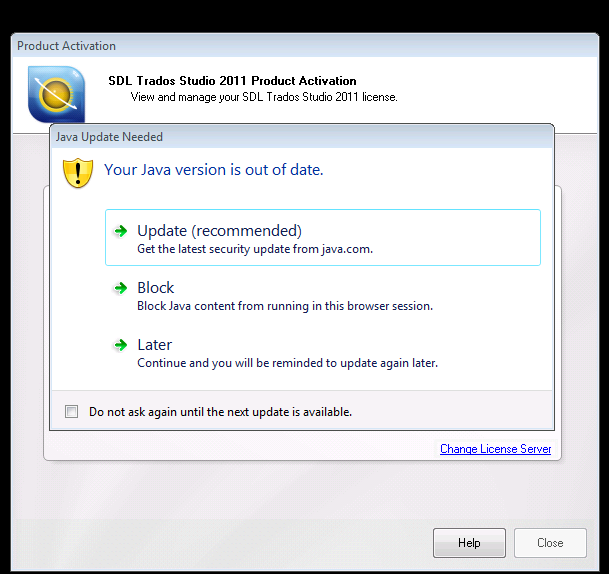
- The answer how to shut out the autoupdater is likely in the Java control panel. This screenshot is from version 7.51 while we have 7.45, but likely similar

- Registry keys note 32-bit and 64-bit)
- HKLM\SOFTWARE\JavaSoft\Java Update\Policy EnableAutoUpdateCheck
- HKLM\SOFTWARE\Wow6432Node\JavaSoft\Java Update\Policy EnableAutoUpdateCheck
- HKLM\SOFTWARE\JavaSoft\Java Update\Policy EnableJavaUpdate
- HKLM\SOFTWARE\Wow6432Node\JavaSoft\Java Update\Policy EnableJavaUpdate
- For programmatically configuring this, a quick web search finds this:
-
deployment.expiration.check.enabled
Boolean
true
Must be “true” to prompt users to update the JRE when an out-of-date JRE is found on their system. Set to “false” to suppress the prompt.
-
This is a setting in here: The deployment.config file is used for specifying the System-Level deployment.properties in the infrastructure. By default no deployment.config file exists; thus, no system-wide deployment.properties file exists. If deployment.config exists, it is located in one of the directories shown in the following table.
Operating System:Windows
Location
• <Windows Directory>\Sun\Java\Deployment\deployment.config
• ${deployment.java.home}\lib\deployment.config -
in addition, likely this should be included: “SomeKey=SomeValue, may be locked by including another key, SomeKey.locked … so that the user cannot change it”.
-
Information is from http://docs.oracle.com/javase/7/docs/technotes/guides/jweb/index.html which may likely contain other information needed to configure JAVA in the LRC environment.

Categories: e-infrastructure, Glitches&Errors, Translation, translation-software
control-panel, java, sdl-trados
If MS-Exchange room mailbox does not auto-decline, but forwards conflicting requests
2014/02/20
Leave a comment
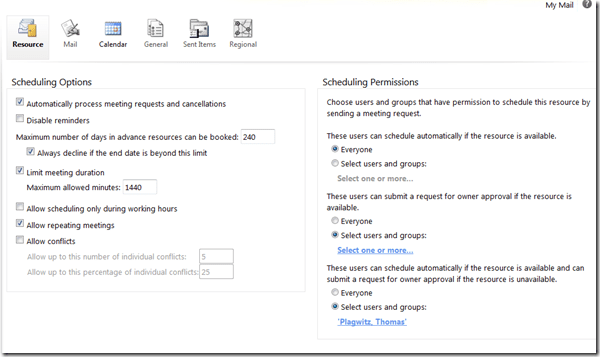
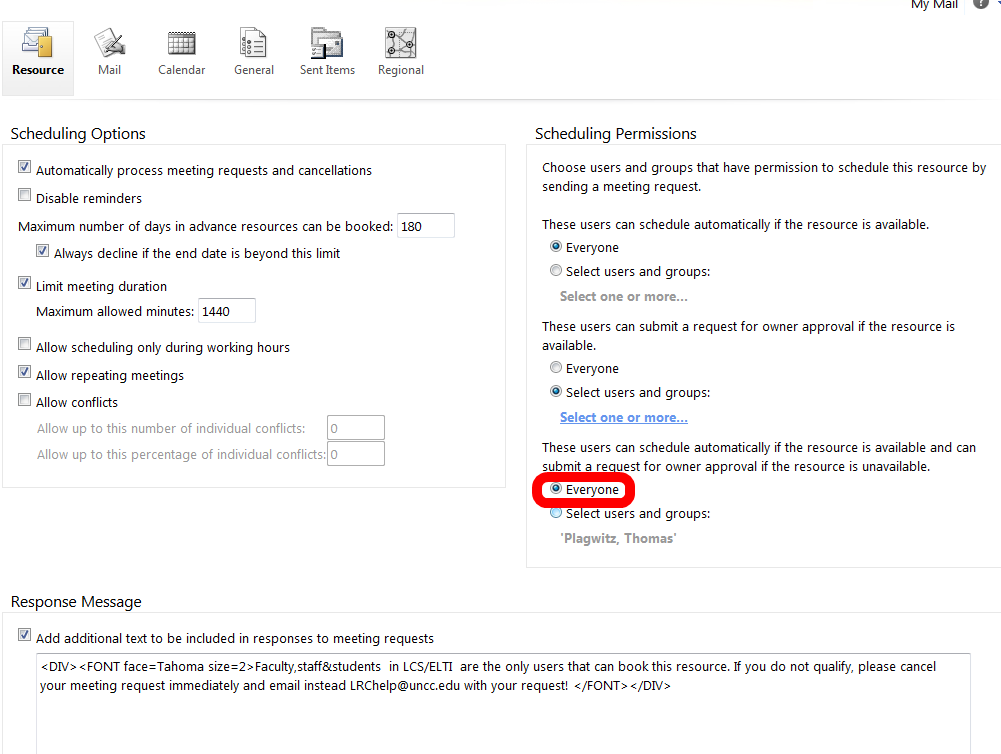
- This room should auto-decline conflicting requests, but forwards them:

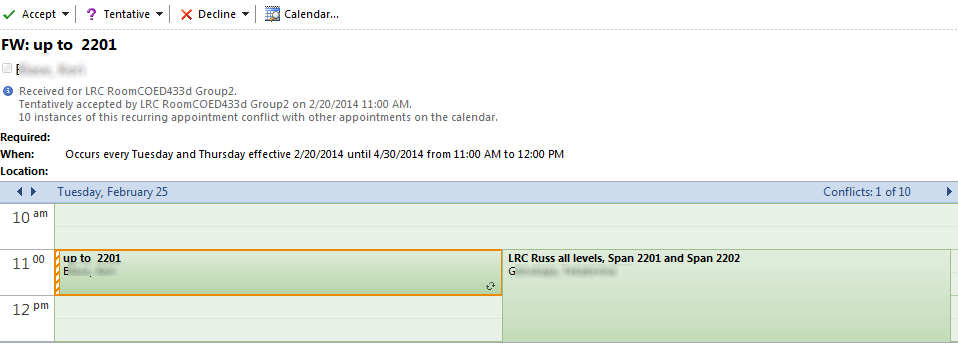
- If you log in as the room and look under Options / See more options / Settings / Resource:

- You see that 433d has it wrong here:

- 434 has it set correctly:


Categories: e-infrastructure, office-software
calendaring, live@edu, ms-exchange, office365, outlook, outlook-live, resources, scheduling
Internet Explorer add-ons to disable
2014/02/05
Leave a comment
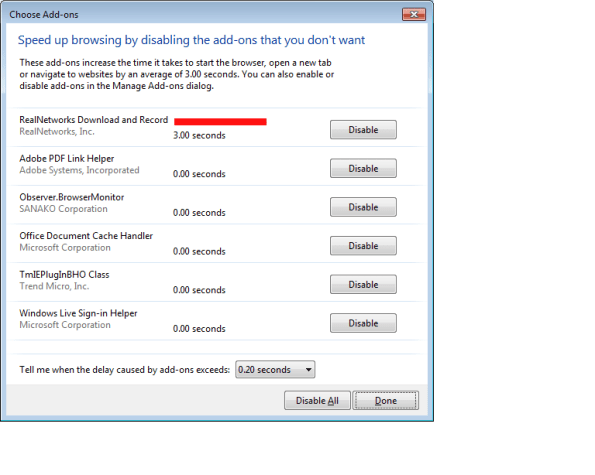
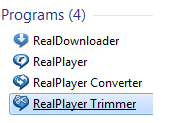
- Problem: we need Realplayer for some legacy media, but Realdownloader is an unwanted feature.
- “download this video” tooltip distracts
- slows down internet explorer startup
- Workaround
- Sprocket/Manage Add-ons / Disable for Realnetworks looks like a good idea – may have to be done for all browser
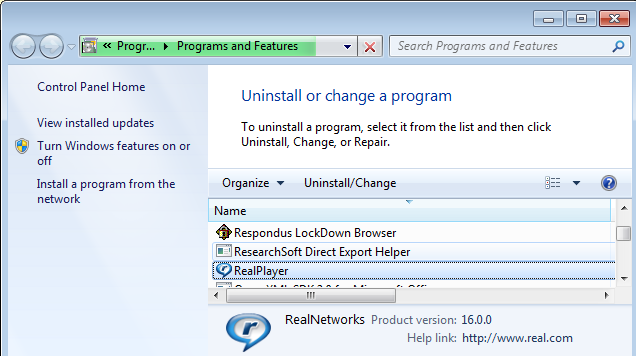
- appwiz.cpl indicates a separate uninstall does not seem possible

- it may be possible to configure realdownloader separately (possibly using msconfig or registry)
 ):
):


Categories: e-infrastructure, software, web-browsers
add-ons, image2014spring, internet-explorer, realnetworks
Old new problem in Sanako Study 1200 version 7 with 2 student recorder exe’s running simultaneously on client, under different user accounts?
2014/01/31
Leave a comment
- –
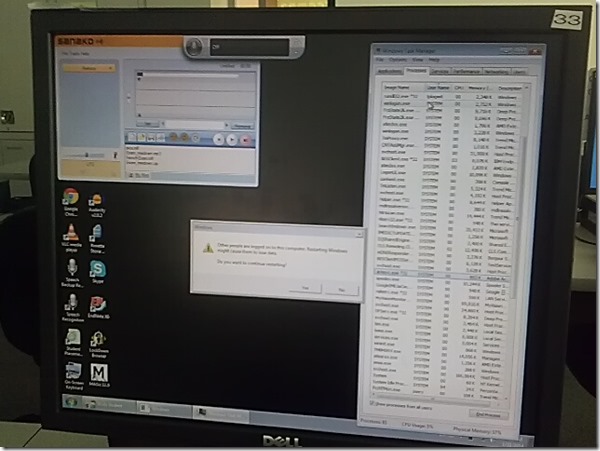
- This images is too low resolution, but I am trying to demonstrate that we still experience the same issue as in the fall: two users can be logged in simultaneously. In both cases ones was me. this can cause the language lab software to fail.
- If generally this is supposed to be prevented in our computing environment, what may be the root cause in these instances?
- I am pretty sure mstsc’ing has nothing to do with it. I do not remote into that PC usually.
- Is it possible for another user to log in when previous (administrative?) users got locked?

Categories: digital-audio-lab, e-infrastructure, Glitches&Errors, os
image2014spring, sanako-study-1200
MS-Surface RT unboxing
2014/01/29
Leave a comment



Categories: e-infrastructure, hardware, os, tablets
8.1, ms-surface, ms-windows, rt
Overview over speech recognition assignment possibilities in the LRC–from beginning to end
2014/01/21
1 comment
- UPDATE: now with more videos to watch.
- First switch languages, once you are in the right language:
- The speech recognition loads at startup with this window:

- or can be started from the desktop shortcut:

- To activate = make it start/stop listening, click on the microphone

- create and save individualized voice training data (only the first time you use speech recognition in the LRC),
- Watch how to train (for English, short 5 minutes);
- Watch how to back up/restore;
- beginner voice training example (long, before/after effect in speech recognition),
- homework assignment exercise design,
- Watch how (for English, with correction in MS-Word)
- dictation example.



Categories: assignments, e-languages, English, French, German, Japanese, Mandarin, os, Spanish, Speaking
7, ms-windows, speech-recognition
“Server busy” dialogue on system startup and Speech recognition listening on by default
2014/01/14
Leave a comment
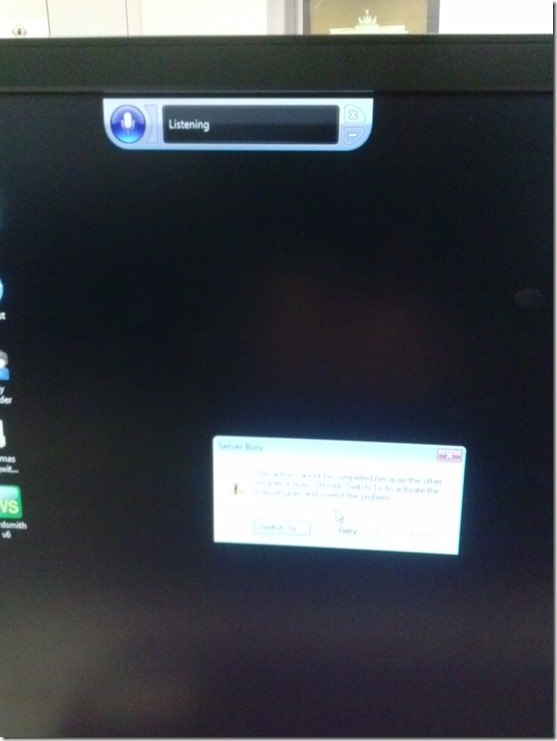
- How can one find the program that causes this error? It is not immediately obvious from the dialogue itself, including “Switch to”.
- Speech recognition should not be on (saying “listening”) by default (we have seen it freaking students out when it goes into command or typing mode).

Categories: e-infrastructure, os
image2014spring, speech-recognition
SDL-Trados 2011 configuration issues
2014/01/14
Leave a comment
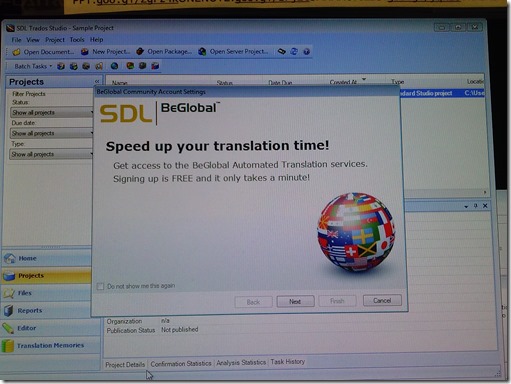
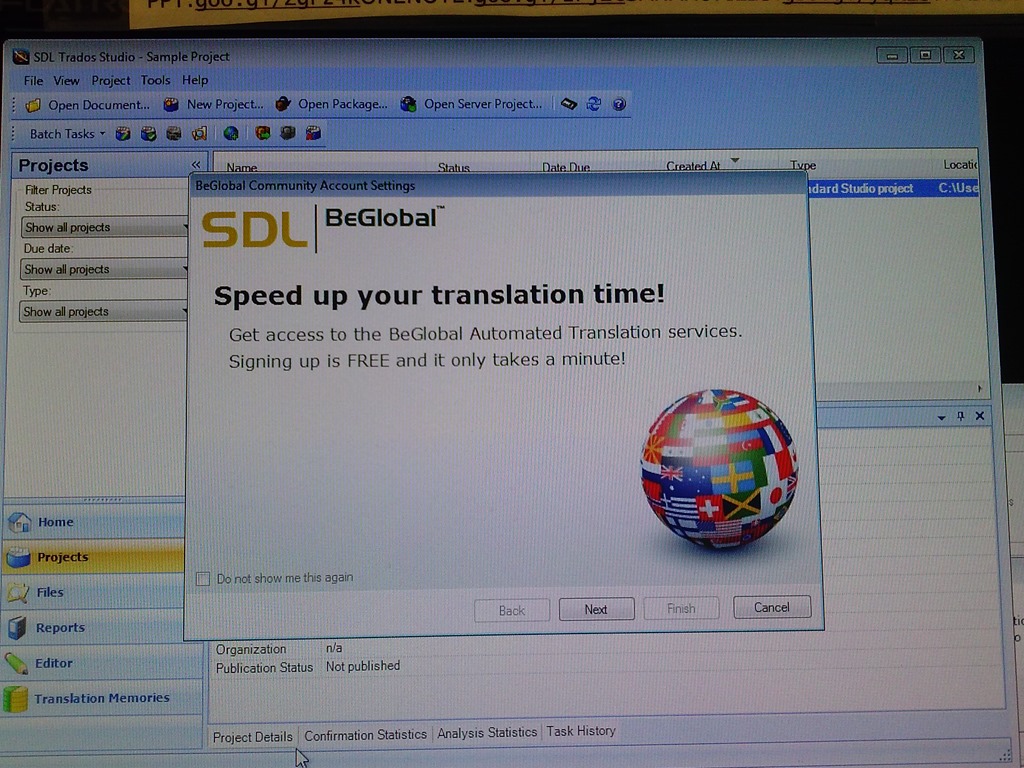
- This is on the teacher PC during a demo – student PCs may not display this behavior, but should be checked also):
- We do not need the demo on each login for each user (“do not show me this again”).
- We have a duplicate project?
- Screenshots:




Categories: e-languages, Translation, translation-software
image2014spring, sdl-trados


Questions? Read the About. Or just ask me a quick Our Databases: Resources with calendars -- Language learning material Moodle Sites, multimedia files -- films


FAQs for LRC student staff or for students or for teachers. To search our FAQs, in the browser addressbar, add after "https://plagwitz.wordpress.com/feed/?tag=faqs+/" "+TAG1" (from tag cloud below) OR "https://plagwitz.wordpress.com/feed/tag=faqs
&category_name=" "CAT1" (from category hierarchy below). OR search both categories and tags, and multiple TAGs/CATs (connect with "," for OR-search, with "+" for AND-search), like so: https://plagwitz.wordpress.com/feed/?tag=TAG1+TAG2+...TAGn&category_name=CAT1
+CAT2+...CATn"
Other ways to find help
If you cannot find it here, look there: 5,500 Language-Learning Links and Programs for learning or teaching 150 languages
Shortcuts:Our Lists, Our Maps, LRC Staff Moodle Site,LRC Project Moodle Site, 49erexpress, UNCC Moodle, Student Recordings: s:claslcslrcsanakostudent
Learning usage samples: Sanako oral exam, Kaltura webcam presentation, Dictation with speech recognition, Sanako written exam, Chinese and Japanese interactive stroke-order practice
Test the Sanako Installer, Webbrowser Popup Konfigurator for XP, or Windows7, faster LRC TeacherPC Log-in Let MS facilitate diacritics writing by installing for you US-International keyboard layout
This is my personal blog (Google+). The views expressed on these pages are mine alone and not those of my employer. The information in this weblog is provided “AS IS” with no warranties, and confers no rights.
 Thomas' Work Space