Archive
Archive for the ‘Learning-Tool-is-any’ Category
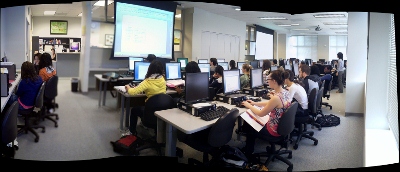
Screencasts for Fall 2011 Workshop: Computer classroom management in the LRC using Sanako Study 1200
2011/12/08
Leave a comment
- The workshop stayed “this side of the digital audio lab”, i.e. focused on those generic teaching tasks that the Sanako Study 1200 can facilitate which have the widest teaching application (including in, but also beyond language-skill-courses):
- remote controlling student computers,
- screen sharing, collaborating with students,
- launching applications on students computers,
- sending students to webpages,
- launching handout files to students and collecting their input back
- locking their computers, screens or keyboards,
- “clicker” classroom polls, for which I have written a PowerPoint Template you can base your own clicker-like face-to-face class exercises on.
- and more…
- Here are two screencasts of my presentation:
- one for the right screen/participant screen (using the Study1200 teacher to student screen casting). Requires Windows Media Player on PC, like in the LRC: download from MS-SkyDrive.
- one for the left screen/projector, where I displayed mostly a PowerPoint. You can watch this in parallel using another player, e.g. the VLC player, like in the LRC. However, it can also stream from MS-SkyDrive.
A PowerPoint Template to base your clicker-like face-to-face class exercises on
2011/12/08
2 comments
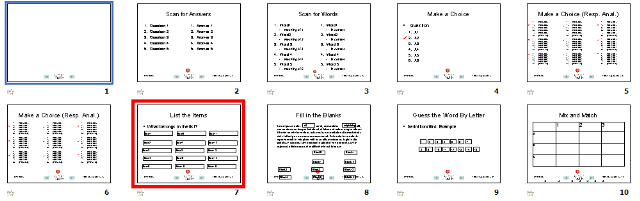
- Enables easy exercise creation:
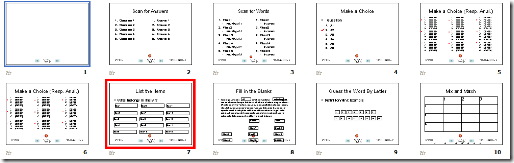
- Resides on S:\coas\lcs\labs\lrctest\templates\Teacher.pot;
- Requires MS-PowerPoint 2010, as installed on the teacher computer in LRCRoomCoed434.
- Training videos are available for download here (requires Windows Media Player on Windows, as installed in the LRCRoomCoed434).
- powerpoint_template_overview_default_slide.wmv
- powerpoint_template_sequential_slides.wmv
- powerpoint_template_interactive_slides.wmv
- Usage samples available on request from
- German Beginners,

- Intermediate

- and Advanced Classes.


More Moodle Kaltura video assignments here: French
2011/11/30
Leave a comment
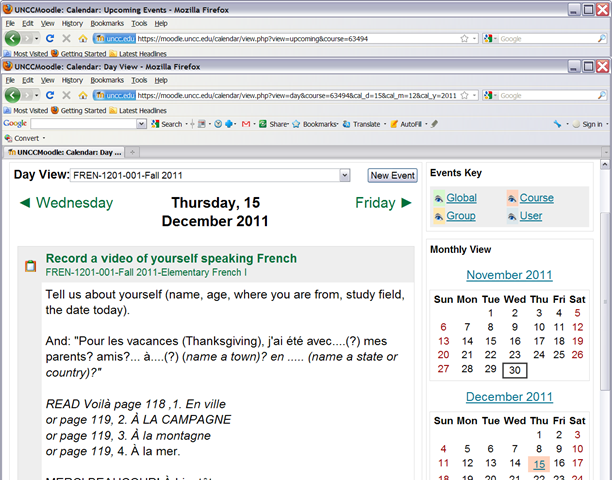
- Yay! You can find the assignment right on your course home page:


- Provided you do not miss the deadline – visit your calendar
 , better load your deadlines into NINERMAIL at term start
 - Come to the LRC to record your Moodle video assignment and practice speaking with our webcams.


Categories: audience-is-teachers, e-languages, French, learning-usage-samples, lms, marketing, multimedia-recording, Speaking
kaltura, moodle, video
How to start the term with making your Moodle courses available to your students
2011/11/30
Leave a comment
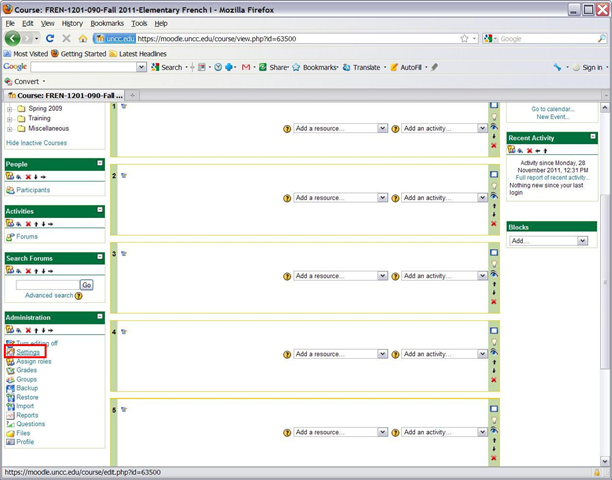
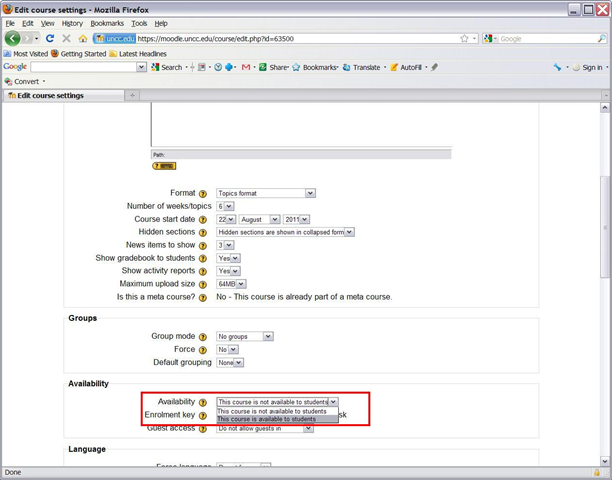
- Three simple steps:

-


- Beats making courses available by default, when you might still refine them.

Categories: audience-is-teachers, e-learning, lms, service-is-training
FAQs, moodle, settings, unhiding
How to duplicate assignments in Moodle course sections by importing
2011/11/30
Leave a comment
- Limitation: You cannot use other users’content. Use the backup/restore content procedure instead.
- Benefits are:
- You can save the time it would take to redo the assignment from scratch.
- plus avoid breaking things when you try and copy the assignment over manually: this built –in way does not break links.
- But have to jump through these hoops:
- Start here:
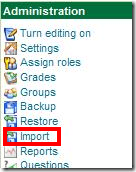
- Choose your source course which has the assignment:
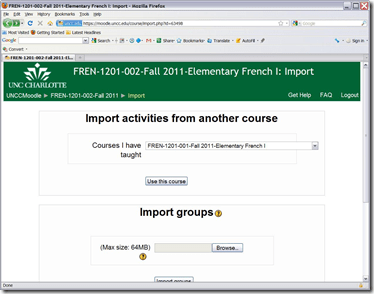
- Then choose what assignment you want to import:
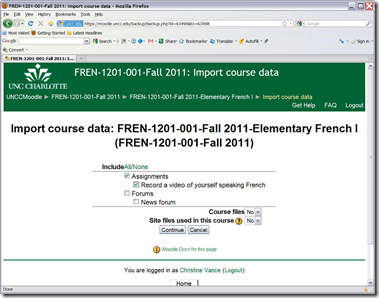
- Jump

- through
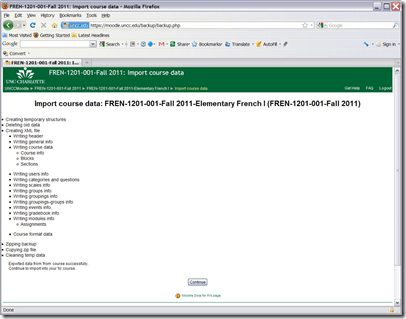
- the

- hoops

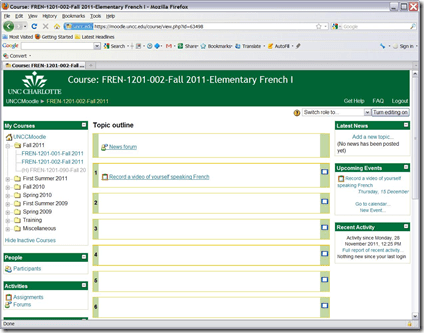
- done:
- Choose your source course which has the assignment:
- Start here:


LRC computer and other hardware inventory
2011/11/24
Leave a comment
- These lists document hardware owned by the LRC:
- Symantec-Ghost generated.
- A handmade overview (partially based on the previous) can be (permissions provided) viewed or edited here.

Questions? Read the About. Or just ask me a quick Our Databases: Resources with calendars -- Language learning material Moodle Sites, multimedia files -- films


FAQs for LRC student staff or for students or for teachers. To search our FAQs, in the browser addressbar, add after "https://plagwitz.wordpress.com/feed/?tag=faqs+/" "+TAG1" (from tag cloud below) OR "https://plagwitz.wordpress.com/feed/tag=faqs
&category_name=" "CAT1" (from category hierarchy below). OR search both categories and tags, and multiple TAGs/CATs (connect with "," for OR-search, with "+" for AND-search), like so: https://plagwitz.wordpress.com/feed/?tag=TAG1+TAG2+...TAGn&category_name=CAT1
+CAT2+...CATn"
Other ways to find help
If you cannot find it here, look there: 5,500 Language-Learning Links and Programs for learning or teaching 150 languages
Shortcuts:Our Lists, Our Maps, LRC Staff Moodle Site,LRC Project Moodle Site, 49erexpress, UNCC Moodle, Student Recordings: s:claslcslrcsanakostudent
Learning usage samples: Sanako oral exam, Kaltura webcam presentation, Dictation with speech recognition, Sanako written exam, Chinese and Japanese interactive stroke-order practice
Test the Sanako Installer, Webbrowser Popup Konfigurator for XP, or Windows7, faster LRC TeacherPC Log-in Let MS facilitate diacritics writing by installing for you US-International keyboard layout
This is my personal blog (Google+). The views expressed on these pages are mine alone and not those of my employer. The information in this weblog is provided “AS IS” with no warranties, and confers no rights.

