Archive
How to use Audacity to repeat audio cues for students when creating listening learning materials
 .
.How to combine oral cue audio with images in Sanako Study 1200 authoring-tool
- This 100-second authoring tool screencast
 shows how to
 - preview the audio in the authoring tool,
- add an image and
- set its display time on the timeline,
- If you make an error by assigning non-sensible times, the authoring tool helps you by flagging it red:
- save (save frequently, on my Windows-XP SP3 machine, the image display within the authoring tool caused frequent BSODs, seemed video-driver-related).
- View results (application during a class) here.

How to use visual instead of aural cues during a Sanako oral proficiency exam
- This exam file has been authored with the Sanako Study 1200 TBA:authoring tool. It is displayed from the Sanako tutor application:
- images on a projection screen connected to the teacher computer,
- aural portion through the tutor-controlled Sanako student player and headsets.
- To protect the integrity and allow for reuse of the exam, only the initial instruction, example and collection of the results of an exam with visual cues are shown in this screencast
 .
.
Corpus del Español Actual (CEA)
-
Link:
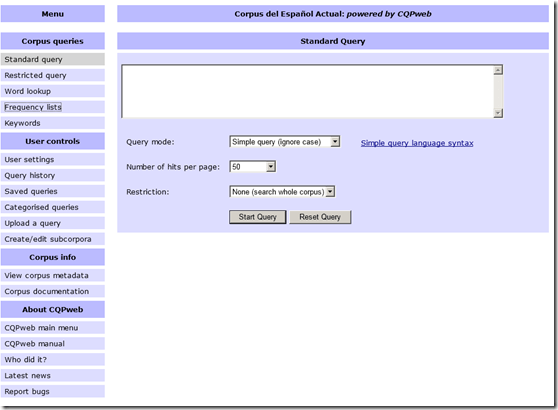
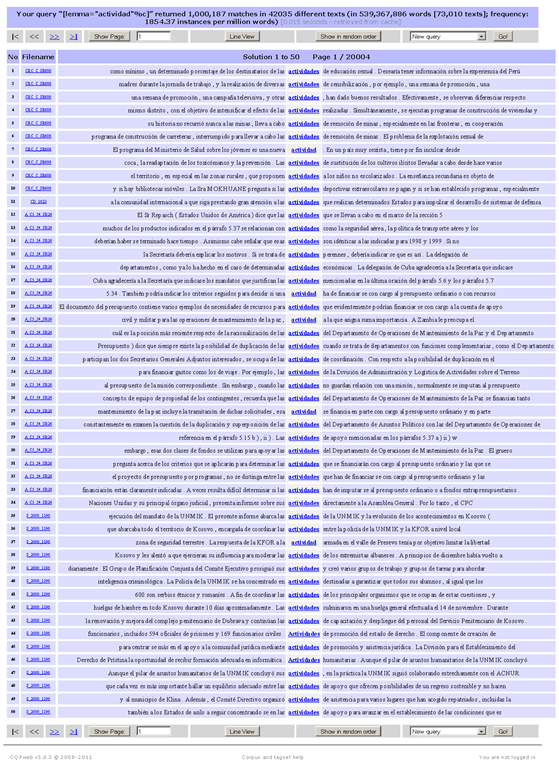
- Example of KWIC view result:

- Based on Europarl, Wikicorpus (2006!), MultiUN. From their metadata page:
Metadata for Corpus del Español Actual
Corpus name
Corpus del Español Actual
CQPweb’s short handles for this corpus
cea / CEA
Total number of corpus texts
73,010
Total words in all corpus texts
539,367,886
Word types in the corpus
1,680,309
Type:token ratio
0 types per token
Text metadata and word-level annotation
The database stores the following information for each text in the corpus:
There is no text-level metadata for this corpus.
The primary classification of texts is based on:
A primary classification scheme for texts has not been set.
Words in this corpus are annotated with:
Lemma (Lemma)
Part-Of-Speech (POS)
WStart (WStart)
The primary tagging scheme is:
Part-Of-Speech
Further information about this corpus is available on the web at:
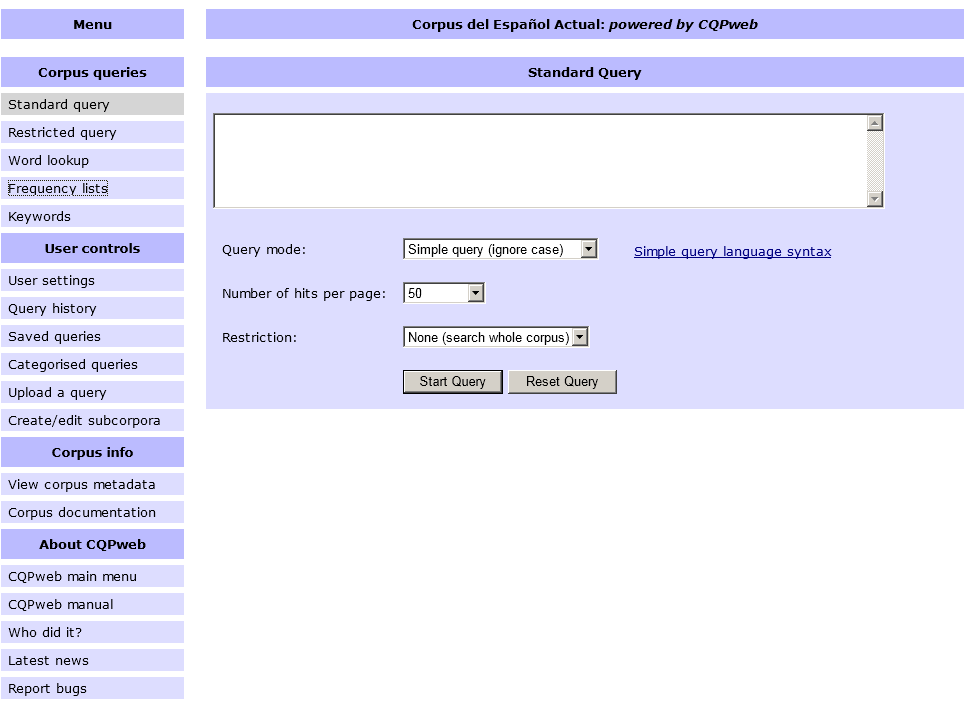
- To use, “consult the IMS’s brief description of the regular-expression syntax used by the CQP and their list of sample queries. If you wish to define your query in terms of grammatical and inflectional categories, you can use the part-of-speech tags listed on the CEA’s Corpus Tags page.”
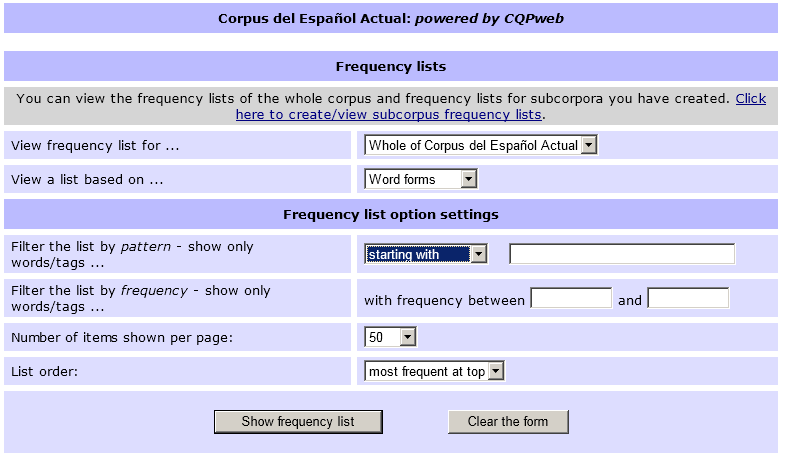
- Also provides frequency data (based on word forms or lemmas, and others – up to a 1000):

- Examples of a frequency query result (click for full-size image. Note that a lemmatized list was requested here which links all inflected forms back to the lemma, and vice versa, upon clicking the lemma, displays a KWIC view containing all forms subsumed under that lemma, see picture above):


How a teacher can use Sanako voice insert to easily add spoken comments to students’ Sanako oral proficiency exams
- All other things equal (given a limited amount of time), teachers can provide more and better corrective feedback on student oral proficiency recordings if, during their grading, they could easily insert their own oral comments into the students’ recordings (delivered as MP3 files to teachers’ desktops after Sanako oral exams).
- Both the Sanako Tutor and Student Player have a voice insert mode that is much easier and quicker to use than (albeit not free as) editing the student audio in Audacity (which we still recommend for bare-bone viewing/listening because of Audacity’s capability of loading and displaying multiple tracks simultaneously).
- Fortunately, Sanako tutor/student player are available on the teacher/student station PCs in the LRC (the latter’s insert function is available when the PC connected to the running Sanako Tutor on the teacher station).
- How easy and fast is it to use this? As you can see in this demo screencast on how to use Sanako voice insert to add spoken comments into your students’ Sanako oral exams
 , voice insert only requires:
 - a click on the voice insert button in the center, whenever a user wants to speak during listening,
- and, from the top left menu, a “file”/ “save as” at the end.
- In a next step – not only during the grading process –, how easy is it to distribute student recordings made with Sanako to students? That is TBA:a different story.
LRC Workshop Demand Survey Results
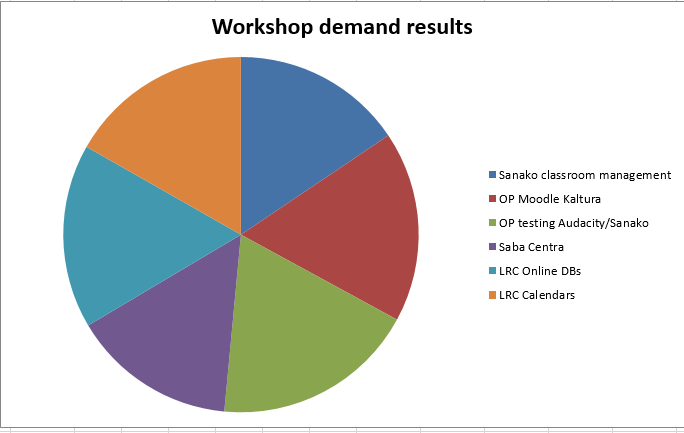
7 responded, 1 commented. OP=Oral Proficiency.
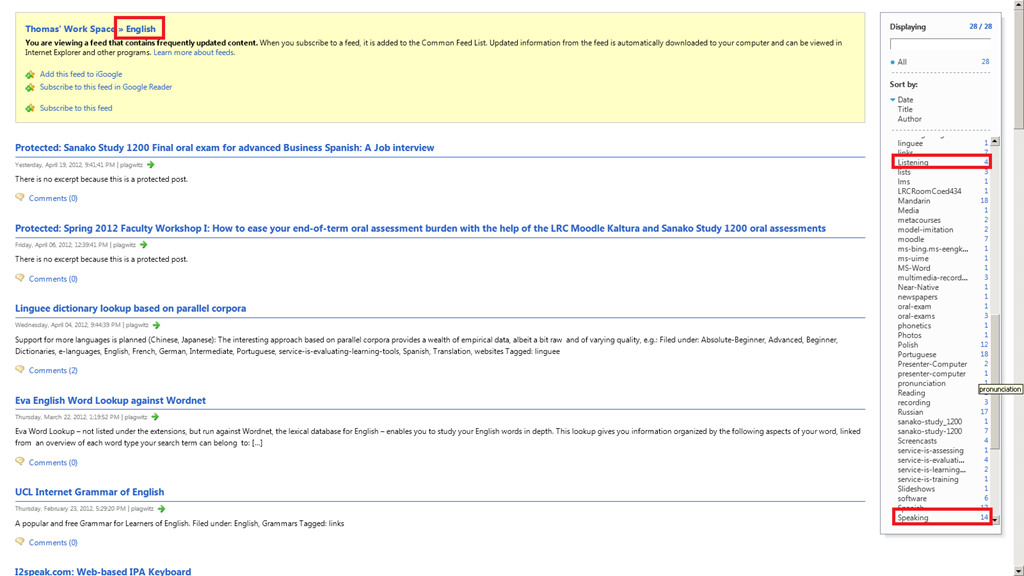
Is there a better way to do complex and/or multi-category searches against a WordPress.com blog but to rely on MS-Internet Explorer feed display?
- I am looking for posts on my blog that fall under the categories “English” (ESL teaching) and (“listening” OR “speaking-4-skills” – never mind the “-4-skills”, another oddity – you can change the slug of posts, but can you change the slug of categories and tags also?).
- https://plagwitz.wordpress.com/category/study-program-is-any/all-languages/english/feed or shorter https://plagwitz.wordpress.com/feed/?category_name=english, opened with MS-Internet Explorer’s feed display allows me to access the result of the 2 AND searches with 2 additional clicks
- :

- OR search works: https://plagwitz.wordpress.com/feed/?category_name=listening,speaking-4-skills
- AND search works, so I could provide 2 separate links:
- But I cannot find the syntax that would give me both AND and OR against categories, for the following return nothing (what is the operator precedence of “+” and “,”)
Protected: Sanako Study 1200 Final oral exam for advanced Business Spanish: A Job interview


Questions? Read the About. Or just ask me a quick Our Databases: Resources with calendars -- Language learning material Moodle Sites, multimedia files -- films


FAQs for LRC student staff or for students or for teachers. To search our FAQs, in the browser addressbar, add after "https://plagwitz.wordpress.com/feed/?tag=faqs+/" "+TAG1" (from tag cloud below) OR "https://plagwitz.wordpress.com/feed/tag=faqs
&category_name=" "CAT1" (from category hierarchy below). OR search both categories and tags, and multiple TAGs/CATs (connect with "," for OR-search, with "+" for AND-search), like so: https://plagwitz.wordpress.com/feed/?tag=TAG1+TAG2+...TAGn&category_name=CAT1
+CAT2+...CATn"
Other ways to find help
If you cannot find it here, look there: 5,500 Language-Learning Links and Programs for learning or teaching 150 languages
Shortcuts:Our Lists, Our Maps, LRC Staff Moodle Site,LRC Project Moodle Site, 49erexpress, UNCC Moodle, Student Recordings: s:claslcslrcsanakostudent
Learning usage samples: Sanako oral exam, Kaltura webcam presentation, Dictation with speech recognition, Sanako written exam, Chinese and Japanese interactive stroke-order practice
Test the Sanako Installer, Webbrowser Popup Konfigurator for XP, or Windows7, faster LRC TeacherPC Log-in Let MS facilitate diacritics writing by installing for you US-International keyboard layout
This is my personal blog (Google+). The views expressed on these pages are mine alone and not those of my employer. The information in this weblog is provided “AS IS” with no warranties, and confers no rights.

