Archive
Working around problems getting ELTI course worksheet out of Report Express
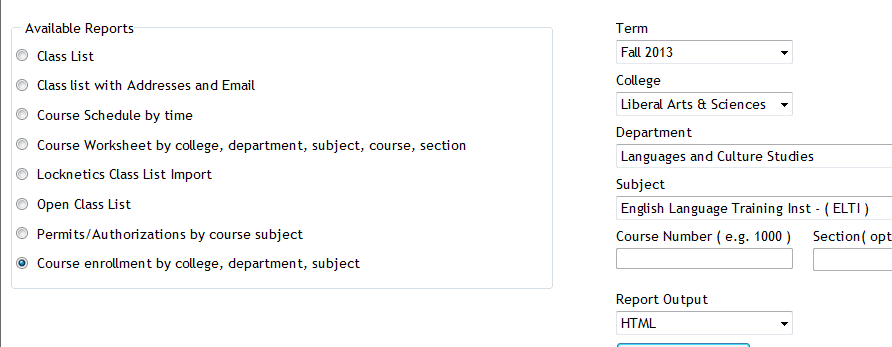
Problem: I used to, but cannot anymore get the course worksheet for ELTI out of Report Express. My choices:

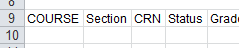
Result set is empty:
Course enrollment does not work either:

I am still in a position to get the full class list out of the system, but that is not what I need, and is not the course worksheet sheet just a calculation based on the


Solution: Use “international programs” as the “department”.
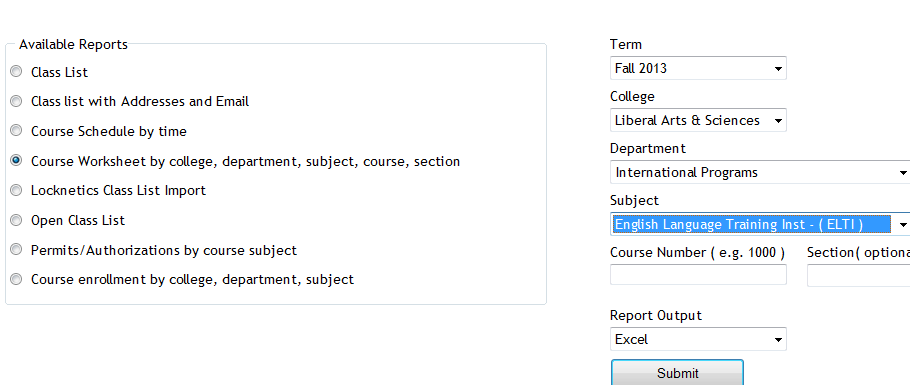
It seems “department”and “subject” drop downs synchronize only with the selection of “college”, but selection of “department” can be in conflict with selection of “subject” (Is this a good GUI?).
It also seems that this affects only the “course worksheet", but not the “class list”(Huh?)
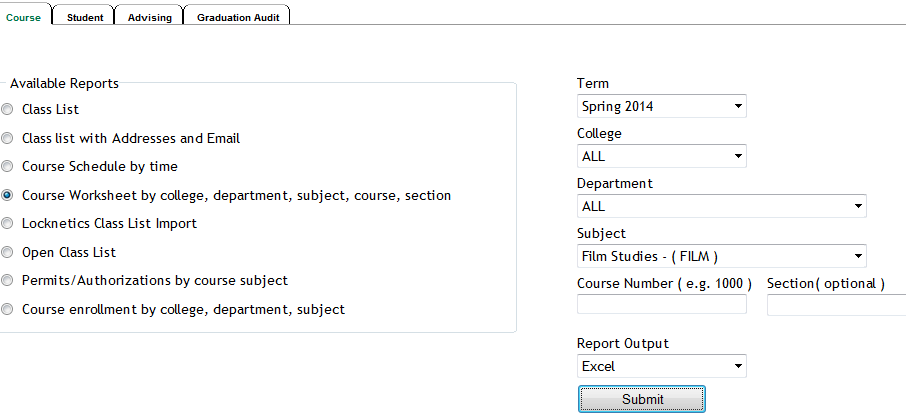
Another example: I seem to be able to get to the Film studies course list only if I leave all other drop down to “all”..
First steps with the Sanako Study 1200 vocabulary test activity
- Click to watch an example below of the new (in version 6, we are now on 7) activity:”Vocabulary Test”
 which allows you to administer during a face-top-face-class just exactly what its name says –
 - with these benefits:
- needing no paper,
- digital contents
- “can” and reuse past tests with ease
- TBA: can you swap target and source language?
- blending automated and teacher feedback:
- the example I give below is based on what the teacher gave me: single words and very short idiomatic expression.
- You can use longer phrases (I prefer teaching and studying vocabulary in context), but then it become increasingly unlikely that the automated feedback is accurate (The automated feedback is limited to exact, up to case-insensitive string matching – now distance metrics).
- You can override the automated feedback before sending the results back to the student. This is somewhat practical, since the submitting is fast and not all students will finish at the same time, and if you provided students with the follow up activity after submission, The teacher overriding the feedback gets unpractical in large classes, so it is recommended restricting the test to short source/target language pairs. Also be clear about or minimize punctuation and, if required, the format of other metalinguistic information (gender, plural forms etc).
- Issues:
- not communicative, how can this be used or fitted in with other activities to make best use of a fully computerized face-to-face teaching environment?
- simplistic autocorrecting algorithm (case-insensitive, otherwise exact, right or wrong, my way or the highway” string matching)
- no tracking, no memory, personalization only via the other built-in Sanako personalization features (groups – to be left to the teacher to handle)
- no learning content – at least no vocabulary learning materials usable out of the box for us (TBA).
New issues with Respondus-lockdown-browser
- Problem description:
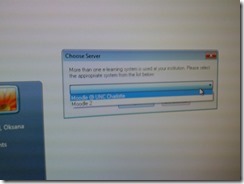
- Upon starting the quiz, Students are asked to select the right Moodle server (assuming Moodle2 is the right answer – how long will this step be necessary?)
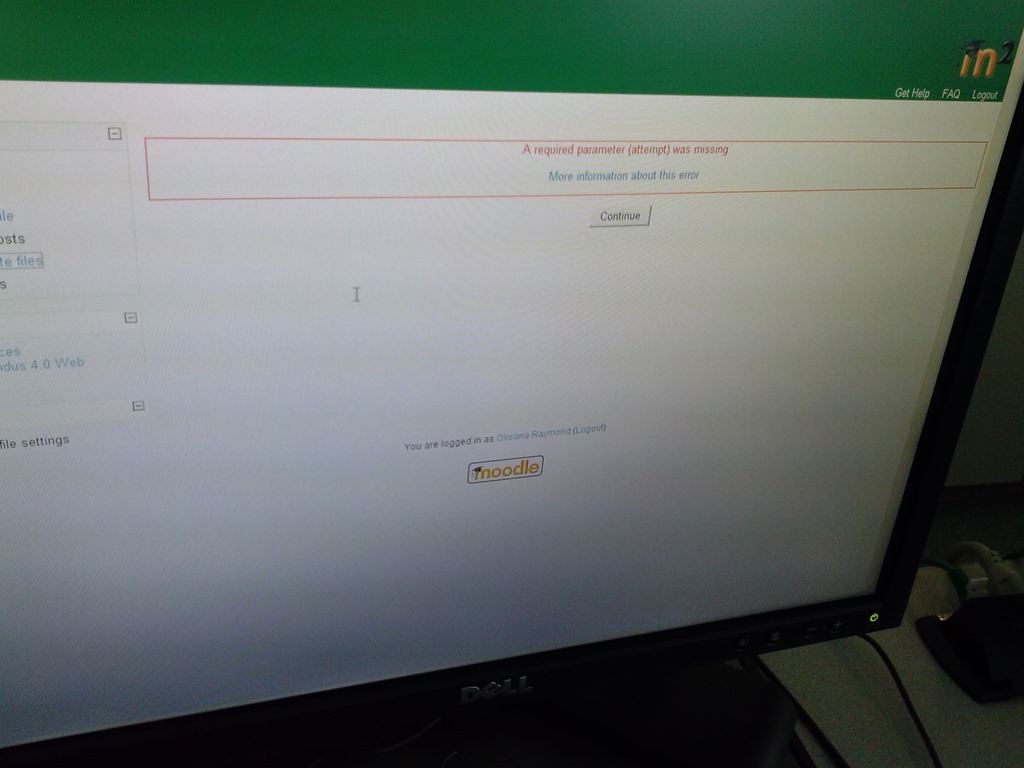
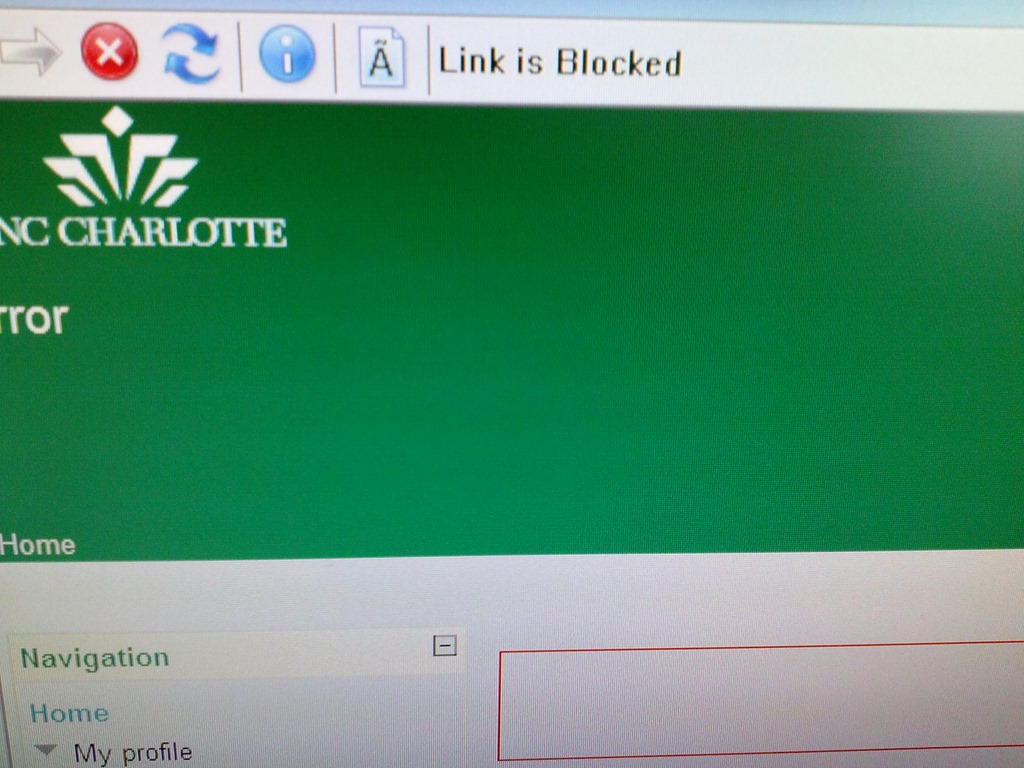
- When they are finished with the quiz, Students receive a combined “Ar required parameter is missing” (a link with “more information on this error” is offered underneath the red error message, but cannot be opened) and “Link is blocked” error

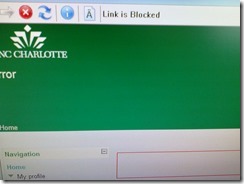
- before they reach the “SAVED” screen with the “submit all and finish”button: Meaning their attempt was not saved and since it cannot be submitted, will be lost.
- When logging in on a different computer, and starting the quiz in Lockdown browser, it tells students that the attempt is in progress,
- upon continue, they have to start afresh (nothing has been saved).
- This is on version from Dec 6 , 2012.

- Upon starting the quiz, Students are asked to select the right Moodle server (assuming Moodle2 is the right answer – how long will this step be necessary?)
- Workaround: Restarting the quiz on a different computer has been the best workaround I have seen so far.


Summary of the LRC main classroom use in year 2012/3

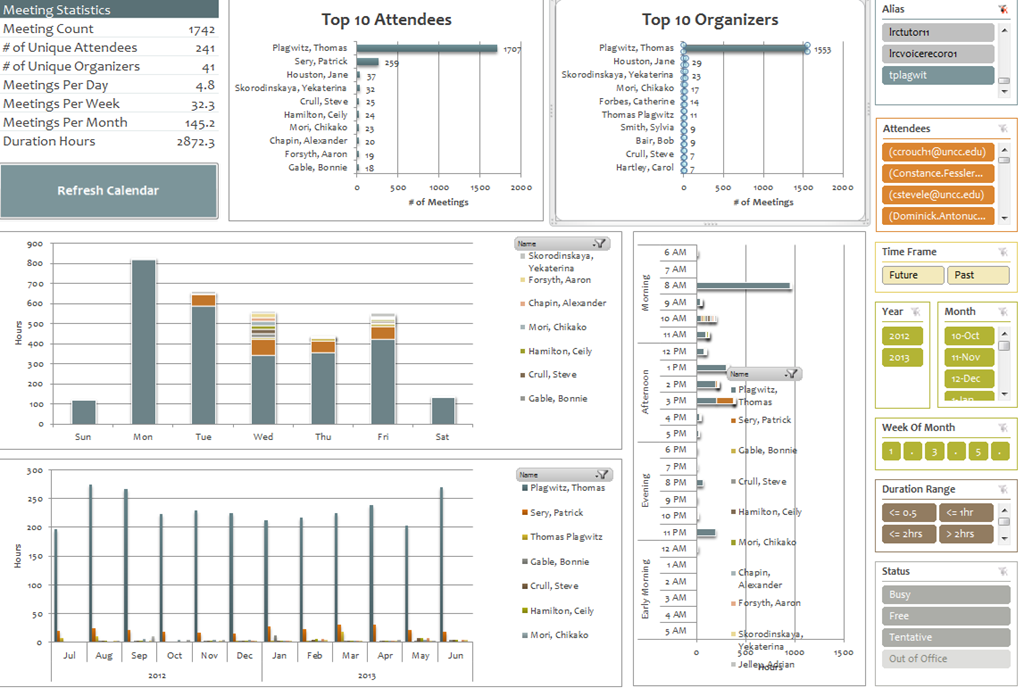
(Tentative while experimenting with Calendaranalytics).
First results with MS-Calendar Analytics for learning center management
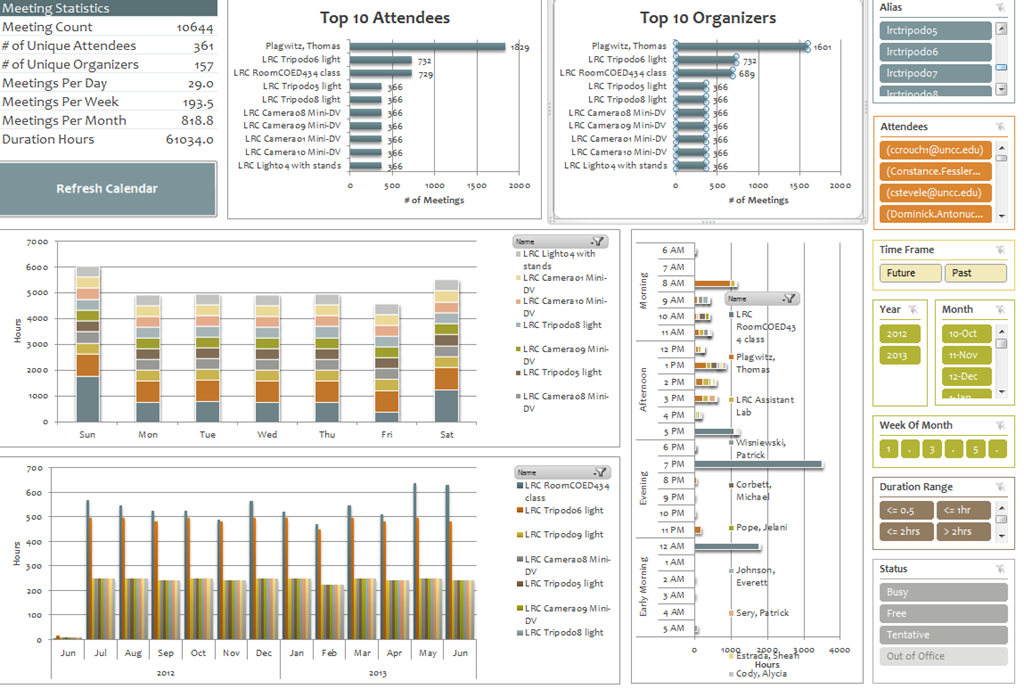
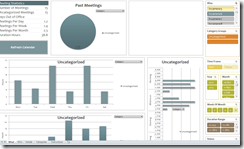
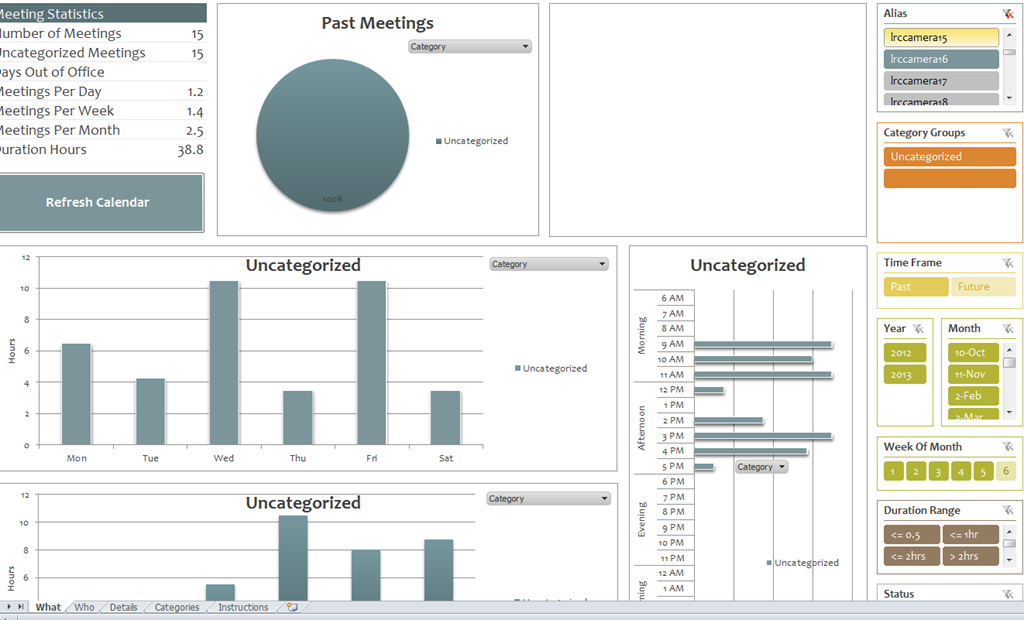
- You can use the controls on the right to drill into the detail by selecting one or more
- Aliases,
- Attendees,
- Time periods
- Status.
- The graphs on the left and in the center will automatically reflect your selection on the right.
- These results lead to more questions. E.g. why is this tripod so popular?

-
Lesson learnt: Now it comes back to haunt us that we block broken or MIA equipment from users attempting to book it by making it look “busy” with an 24/7 “Appointment“. However, It should however be possible to filter out such appointments, versus “meeting requests”.
-

First steps with MS-Calendar Analytics
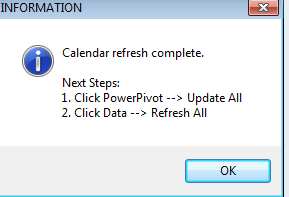
- After installing Calendar analytics (and, if you do not already have it, PowerPivot), open the Calendaranalytics spreadsheet from your desktop and click on “Refresh Calendar”.
- “Enter your full email address. Users with more than 1 email address may need to try each of them.”


- “Enter a start date and end date for the timeframes for the Dashboard to reflect”/
- “The interface will prompt you for the user’s aliases to add. You can add multiple.”
- “Type in users’ aliases of whom you have permission (i.e. “Full details”) to access their Outlook calendar and click Add”
-

- Do not use the fully qualified email address for the alias, or else:

- You cannot comma delimit (so AutoIt to the rescue).

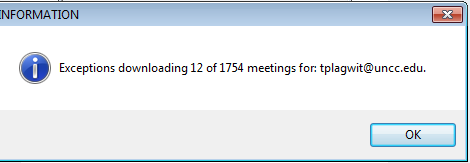
- You can continue after such a non-fatal error:


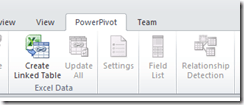
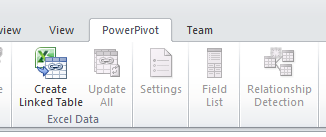
- Is your “Update all” greyed out ? Restart Excel.

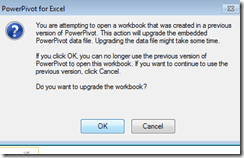
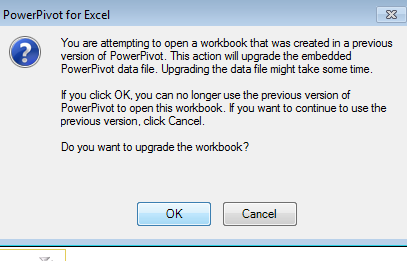
- Accept the offer to upconvert:
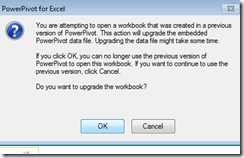


- Update all becoame available after restart of excel, even with download exceptions – maybe the unsaved update of the spreadsheet form powerpivot 1 was the root cause ?
- Not that here upconversion to the new powerpivot version does not “take”:

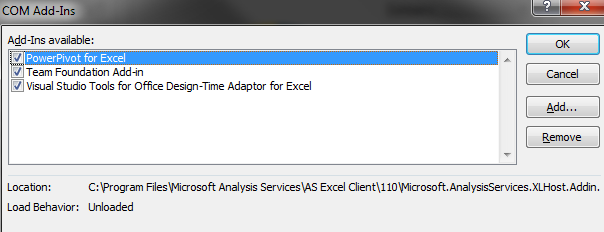
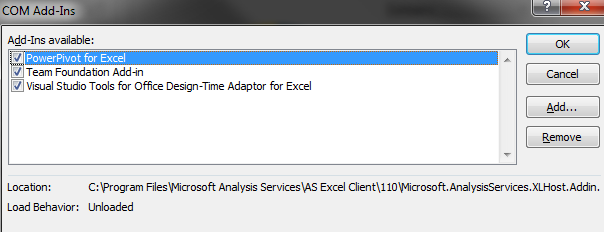
- If after a restart of excel your powerpivot tab on the ribbon does not show, reenable the powerpivot addin.
- How to reenable: excel file/ options / select dropwdown: addins, button:go, check the Checkbox in front of powerpivot:
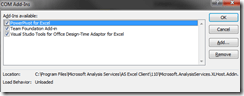
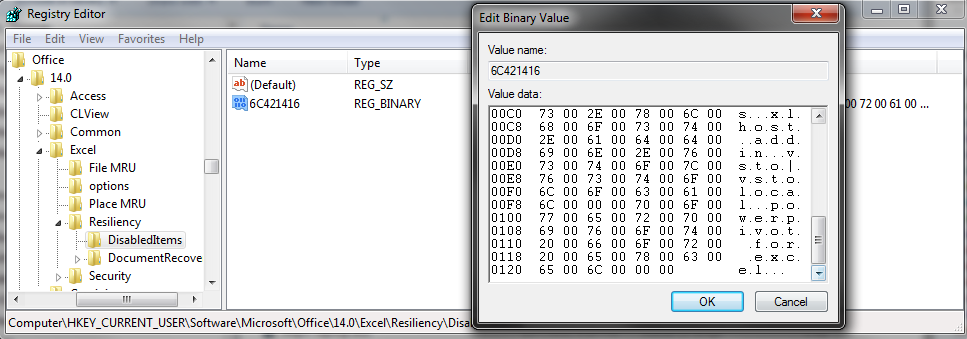
- What if even after a restart of excel, this does not “take”? See whether in the registry the key CURRENT_USER\Software\Microsoft\Office\14.0\Excel\Resiliency\DisabledItems contains the path to your powerpivot add-in,like here:
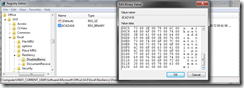
- Delete the key and restart excel, your powerpivot ribbon tab =should be back. Hope this will last?

- Now updating does something:

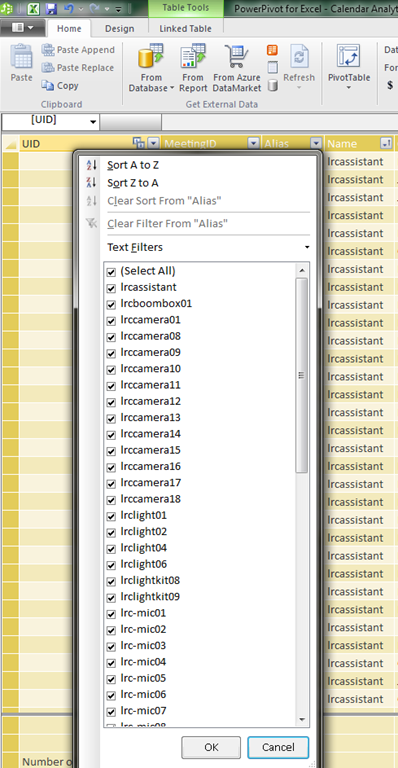
- This opens the powerpivot window with the meeting data collected fro mms-exchange:
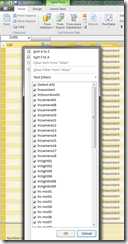
- Which can be interactively: visualized in the calendaranalytics sheet
- More results here.









How NLP and IR and LG are used by spammers now

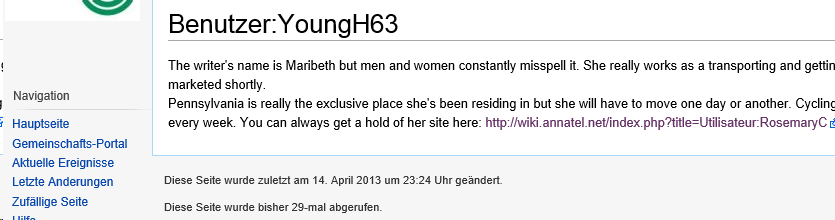
You need to know a little bit about “yours truly” to find this spam comment interesting (which, if you follow the links, eventually leads to a discount wrist watches site).
How you can fix student homework “file save errors” on Sanako Study 1200 and Windows XP
- Background: We recently got our Sanako network share permissions set up to vendor specifications, and the privileges tightened up appropriately. Fortunately, in the process of this, I was warned to make sure Windows XP has the registry key set: MoveSecurityAttributes, as otherwise XP does not update the permissions when moving files between folders:
- Symptom: Here is how this seems to have played out with Sanako ”homework” files (which get sent from the teacher to the student for writing and submitted back), specifically with files that I had:
- uploaded from my office PC (XP without the MoveSecurityAttributes key) to the Sanako teacher share
- tried to deploy as homework from the Sanako Study 1200 teacher station (also XP without the MoveSecurityAttributes key), resulting in a “file save” error:

- Additional context:
- sending files to students failed, but not to teachers;
- student had not run out of file space on the network share;
- students did not lack permissions to the Sanako network share in general;
- we did not run into issues with Sanako exam audio recordings which are sent from the student PCs to the network share.
- Resolution:
- adding HKLM\SOFTWARE\Microsoft\Windows\CurrentVersion\Explorer\MoveSecurityAttributes, DWORD ,1, to the computer the files originates from:
- first the office pc: this did not fix the issue.
- then the teacher PC: this seems to have fixed the issue:

- Here is hoping that this can fix your “file save”error also.
- adding HKLM\SOFTWARE\Microsoft\Windows\CurrentVersion\Explorer\MoveSecurityAttributes, DWORD ,1, to the computer the files originates from:
- Update: Also consult Raymond Chen’s "Wait, so does moving a file recalculate inherited permissions or doesn’t it?", and the hearty discussion that ensued.




Questions? Read the About. Or just ask me a quick Our Databases: Resources with calendars -- Language learning material Moodle Sites, multimedia files -- films


FAQs for LRC student staff or for students or for teachers. To search our FAQs, in the browser addressbar, add after "https://plagwitz.wordpress.com/feed/?tag=faqs+/" "+TAG1" (from tag cloud below) OR "https://plagwitz.wordpress.com/feed/tag=faqs
&category_name=" "CAT1" (from category hierarchy below). OR search both categories and tags, and multiple TAGs/CATs (connect with "," for OR-search, with "+" for AND-search), like so: https://plagwitz.wordpress.com/feed/?tag=TAG1+TAG2+...TAGn&category_name=CAT1
+CAT2+...CATn"
Other ways to find help
If you cannot find it here, look there: 5,500 Language-Learning Links and Programs for learning or teaching 150 languages
Shortcuts:Our Lists, Our Maps, LRC Staff Moodle Site,LRC Project Moodle Site, 49erexpress, UNCC Moodle, Student Recordings: s:claslcslrcsanakostudent
Learning usage samples: Sanako oral exam, Kaltura webcam presentation, Dictation with speech recognition, Sanako written exam, Chinese and Japanese interactive stroke-order practice
Test the Sanako Installer, Webbrowser Popup Konfigurator for XP, or Windows7, faster LRC TeacherPC Log-in Let MS facilitate diacritics writing by installing for you US-International keyboard layout
This is my personal blog (Google+). The views expressed on these pages are mine alone and not those of my employer. The information in this weblog is provided “AS IS” with no warranties, and confers no rights.
 Thomas' Work Space