Archive
Archive for the ‘audience-is-teachers’ Category
Courseworld.org offers foreign language learning video clips
2013/10/01
Leave a comment
- Over a 100 videos currently available:
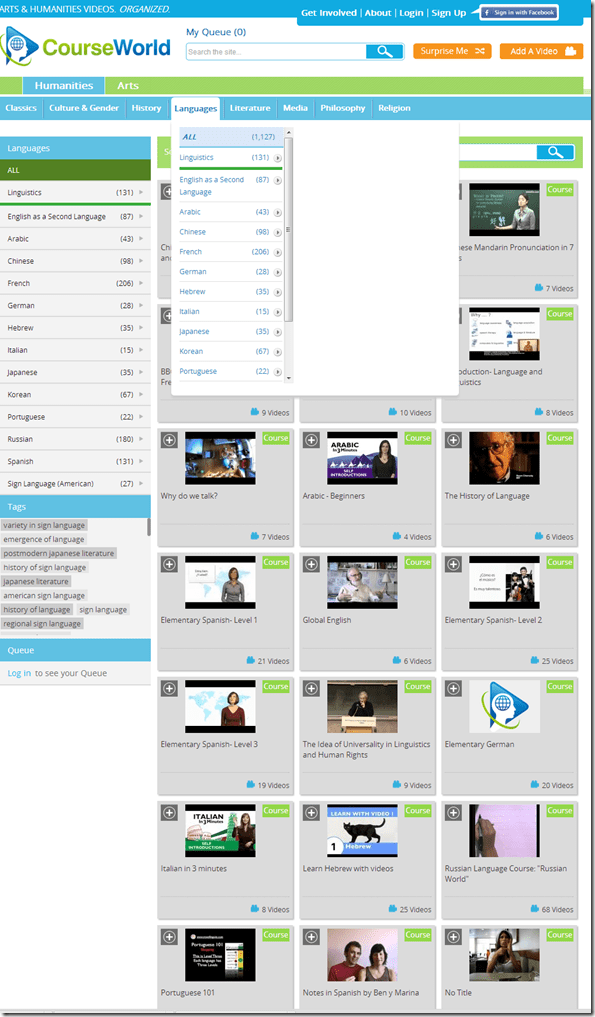
- Summaries show when you hover over a video tile:

- Can it beat YouTube.com for scope? Can it beat textbook-integrated videos for applicability? Likely not, but you may find an add-on for your course, and even more for self-study.


Categories: Arabic, audience-is-students, audience-is-teachers, e-languages, French, German, Hebrew, Italian, Japanese, Korean, Mandarin, Portuguese, Russian, Spanish, Videos, websites
self-study
How a teacher can start up the Sanako Study 1200 for her class
2013/09/30
Leave a comment
- The Sanako Tutor software starts automatically, when you log in on the teacher station in the LRC:

- Choose from “saved classes” what best you fits your class-size:
- “Both halfs” (still not the full classroom, due to lack of licenses),
- or, for small class sizes up to 16 computers, left or, preferably, right-half
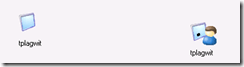
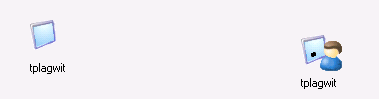
- Students also need to log in, and class is not ready for the Sanako until all students show up as Student icons like the right me:
-
- We can get there faster once we
- upgrade to faster computers
- fix that they manually have to choose their client
- have at least the teacher already log in from her office
- Hint: Log in yourself on a couple of student computers, to have them ready for latecomers (easier to deal with them being logged in as you than if the class has to wait for 5-10 minutes).
- We can get there faster once we
- Then, choose how to display the students on your classroom map:

- Finally,
- during your class’ first visit can play them this screencast introduction into Sanako digital audio lab procedures
- during later visits, you can refresh their knowledge of the basics in the digital audio lab with this slideshow.


Categories: audience-is-teachers, digital-audio-lab, Presenter-Computer
FAQs, sanako-study-1200
Japanese Language Tools (Proofing, dictionary, furigana) in the LRC MS-Office 2010 installation
2013/09/30
Leave a comment
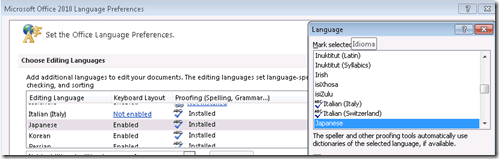
- Even if not showing in MS-Word’s Language selector),
-
-

-
Even though there is no Japanese Thesaurus:

-
There are these tools:
-
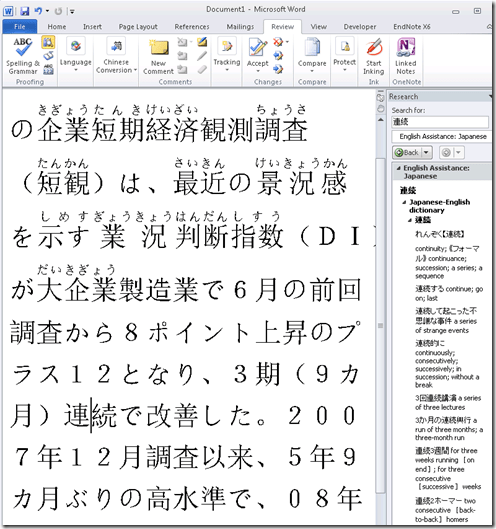
In the Research pane, "English Assistance: Japanese" (in the ribbon / "Review" tab, Proofing section, press the
 , then ALT-Click a character to start a lookup:
 -
-
a Japanese Consistency Checker:

-
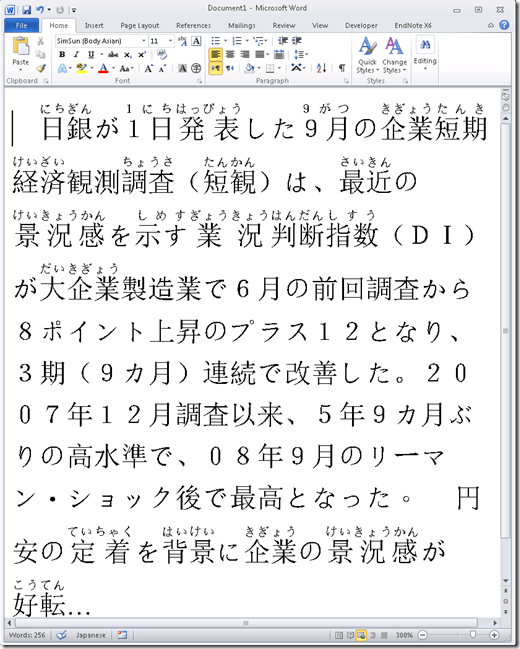
Furigana:
-
To enable:

-
Result (in view / Web layout):
-
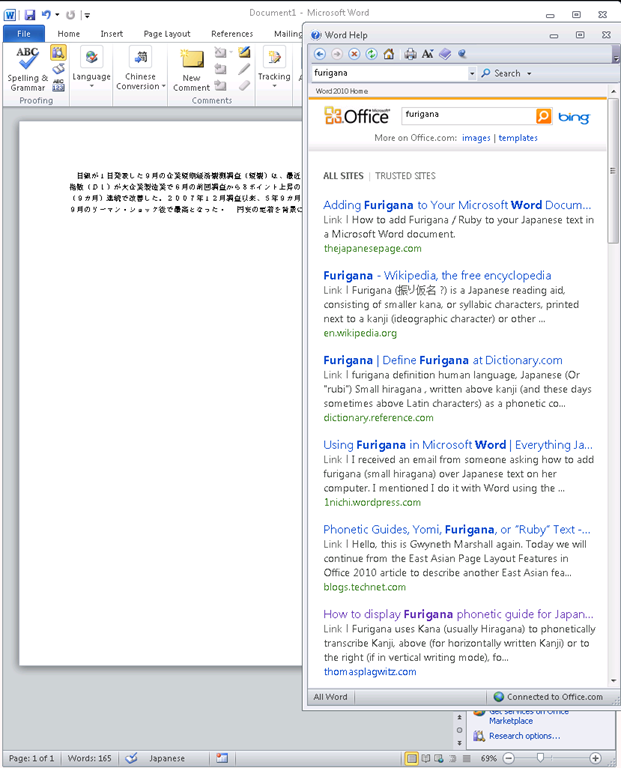
Incidentally, my blog has not quite made it into the TOP 5 of MSW-Office help content:

-
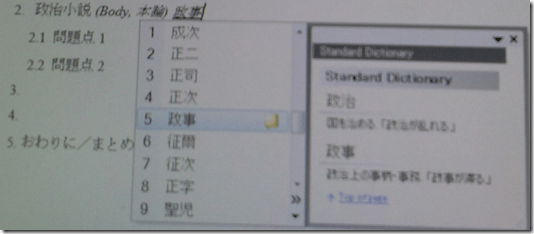
In addition, for Office, but also beyond, there are the tools of the MS-Office Input method editor (which include dictionary help when you write):



Categories: audience-is-students, audience-is-teachers, Dictionaries, e-languages, Japanese, Listening-Stations, LRCRoomCoed434, office-software, Presenter-Computer, Reading, service-is-configuring-learning-tools, small-group-work-spaces, Student-Computers, Writing
dictionaries, furigana, proofing-tools
How to get the model and serial number of your iMac
2013/09/24
Leave a comment
According to Apple, you can find it on the foot for the type of iMacs I have seen around here. 
Categories: audience-is-teachers, e-infrastructure, faculty-offices
Protected: Collaborating on and reusing teaching materials in the LRC
2013/09/17
Enter your password to view comments.
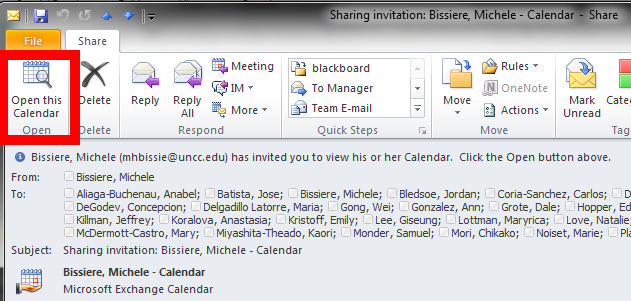
If you receive a calendar sharing invitation, click “Open the calendar”
2013/09/16
Leave a comment
- In Outlook (Desktop), like it says in the first item on the upper left:

- This will add the calendar to the list of calendars on the left of your Outlook, like so

- That is, if you do a calendar overlay, like so.

Cancelling a meeting request in Outlook 2007
2013/09/16
Leave a comment
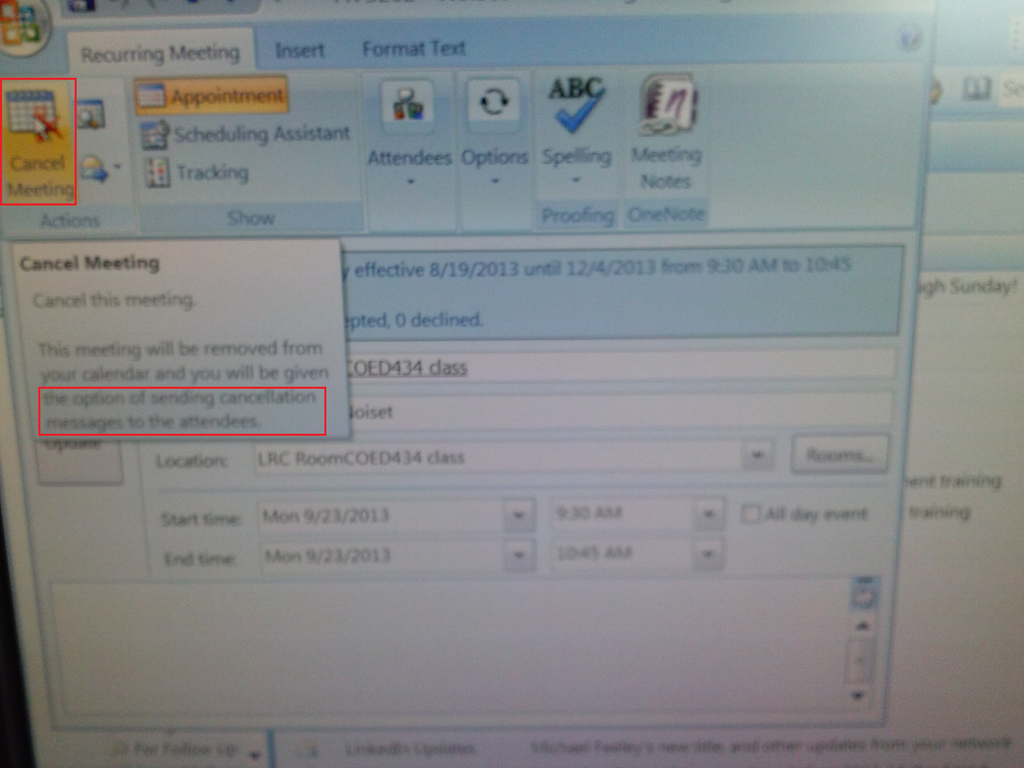
- Do not merely delete the meeting from your calendar;
- rather: open it and use the button: cancel meeting, like so:

What to do if university websites seem to be not working, nothing happens when you click?
2013/09/14
Leave a comment
- Try and get the popup blocker on your office or lab PC fixed here (if you are on Windows 7 here, you need to use the 64-bit version): choose "Run" – preferable to “Download” and "Open".
- Then use Internet Explorer to try again what you were trying to do on one of our websites.
- Background:
- My users have been reporting for a while problems getting simple things done on campus websites. Last week I observed a few in their office and in the LRC being stalled by mis- or non-configured popup blocker, and not noticing the cause, being flummoxed.
- The above little program configures the built-in internet explorer popup blocker to allow popups from websites that are part of our infrastructure.
- It does not attempt to configure other popup blockers, whether inside or outside of this web browser.
- The end user could also try
- (holding the key:) CTRL-click on the link where your web browsing fails.
- Or configure the popup blocker manually.
- However, it would likely be best if this were done via GPO…


Questions? Read the About. Or just ask me a quick Our Databases: Resources with calendars -- Language learning material Moodle Sites, multimedia files -- films


FAQs for LRC student staff or for students or for teachers. To search our FAQs, in the browser addressbar, add after "https://plagwitz.wordpress.com/feed/?tag=faqs+/" "+TAG1" (from tag cloud below) OR "https://plagwitz.wordpress.com/feed/tag=faqs
&category_name=" "CAT1" (from category hierarchy below). OR search both categories and tags, and multiple TAGs/CATs (connect with "," for OR-search, with "+" for AND-search), like so: https://plagwitz.wordpress.com/feed/?tag=TAG1+TAG2+...TAGn&category_name=CAT1
+CAT2+...CATn"
Other ways to find help
If you cannot find it here, look there: 5,500 Language-Learning Links and Programs for learning or teaching 150 languages
Shortcuts:Our Lists, Our Maps, LRC Staff Moodle Site,LRC Project Moodle Site, 49erexpress, UNCC Moodle, Student Recordings: s:claslcslrcsanakostudent
Learning usage samples: Sanako oral exam, Kaltura webcam presentation, Dictation with speech recognition, Sanako written exam, Chinese and Japanese interactive stroke-order practice
Test the Sanako Installer, Webbrowser Popup Konfigurator for XP, or Windows7, faster LRC TeacherPC Log-in Let MS facilitate diacritics writing by installing for you US-International keyboard layout
This is my personal blog (Google+). The views expressed on these pages are mine alone and not those of my employer. The information in this weblog is provided “AS IS” with no warranties, and confers no rights.
 Thomas' Work Space