Archive
Does Respondus-lockdown–browser block when a user attempts to load a Moodle quiz on 2 different computers?
- We experienced slowness of Moodle during an exam where about 12 students
- load a Moodle quiz into the Respondus lockdown browser (lockdown browser hangs with message "page loading"),
- but also already when logging into Moodle with a regular browser (hangs on login page).
- Turns out large classes used the Moodle quiz function elsewhere on campus which put lots of load on the Moodle servers.
- What can we do on our end to work around this as smoothly as possible?
- First, be patient while Respondus-lockdown–browser displays “Page loading”
- “Refresh” or “Back/forward” are the next resort once “Page loading” attempt has stopped and the page
- states it cannot be loaded
- displays an error about missing CSS component (likely due to incomplete load before timeout)
- says it “can be loaded only in Respondus-lockdown–browser” while you are in Respondus-lockdown–browser (Huh?).
- Keep calm and carry on, i.e. on your current computer.
- In general, trying on additional “fallback” computers is likely to make matters only worse, since even more load is put on the Moodle server system.
- Specifically, however, does Respondus-lockdown–browser block when a user attempts to load a Moodle quiz in Respondus-lockdown–browser on 2 different computers simultaneously? One student kept getting “can be loaded only in Respondus-lockdown–browser” consistently, until closing Respondus-lockdown–browser on this computer. Then the quiz would finally load in Respondus-lockdown–browser where she was logged in on another computer (can this being tracked by the Respondus-lockdown–browser security layer that checks whether a page is loaded within Respondus-lockdown–browser? Why then no more helpful error message, or is this “Security by obscurity”? Data seems inconclusive).
- Additional tips for takers (and authors) of Moodle exams are available.
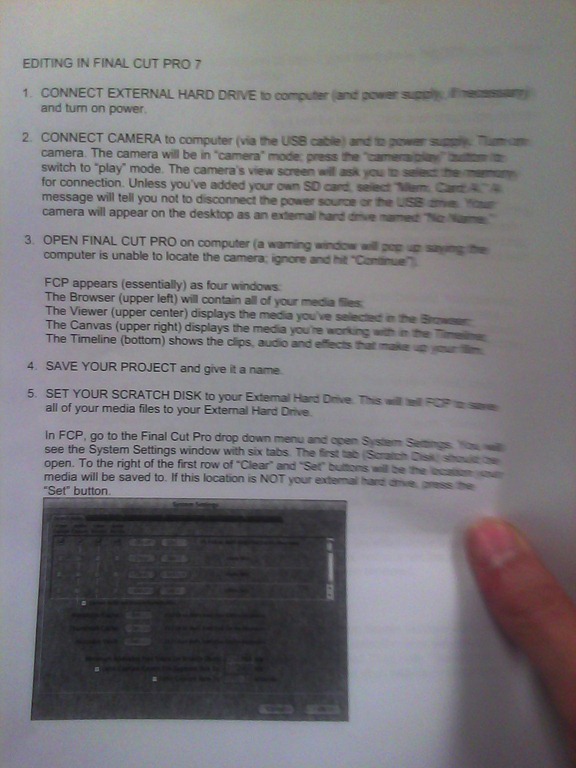
Final Cut Pro Introduction
(A handout from the Film Studies program – click on photo for larger view)


Humanities and Technology Unconference @davidson.edu on 5/5/2012 (register by 4/15/2012)
- THATCampPiedmont, hosted at Davidson College, announces:
- “THATCamp stands for “The Humanities and Technology Camp.” It’s an unconference: an open, inexpensive meeting where humanists and technologists of all skill levels learn and build together in sessions proposed on the spot.
- If you’re interested in the Humanities; or,
- if you’ve just begun thinking about your research or teaching in conjunction with technology; or,
- if you’re accomplished using or interpreting technology; or,
- if you’ve been wondering why the digital humanities have been garnering so much attention at professional conventions…
- …you will likely find it fascinating to participate in the THATCamp we are hosting here.
- Participants meet the morning of the event and decide what to talk about.”
- Limit: 75 registrations.
Protected: New LRC Calendars/Equipment mailboxes visible to students
Eva English Word Lookup against Wordnet
- Eva Word Lookup – not listed under the extensions, but run against Wordnet, the lexical database for English – enables you to study your English words in depth. This lookup gives you information organized by the following aspects of your word, linked from an overview of each word type your search term can belong to:
- the coordinate terms (sisters)
- the derived forms
- the synonyms/hypernyms (ordered by estimated frequency)
- the hyponyms (troponyms for verbs)
- the holonyms, for nouns
- the meronyms, for nouns
- sample sentences, for verbs
- Below is what results look like for example search term “design”:


If students have no mp3 audio on LRCRoomCoed433a Listening Stations
Problem: A Student that took the French Respondus Lockdown browser on PC 43, when playing to listening comprehension files, had no audio on her headset (except for her microphone input was played back for her. The test is single attempt only, and lockdown browser prevents us from troubleshooting.
Cause: Master volume for Wave and SW Synth on lrcroomcoed433b back to 0, like so:

Workaround: plug in one of the black headsets (USB) temporarily (plugging in another brown headset did not resolve the issue).
Solution: None currently: even when the Respondus lockdown browser is not running, Deepfreeze will not allow making changes, and changes in the current user profile will not affect users whose profiels gets created upon login (which is all student users). Longterm: Don’t try to run identical software images on different hardware configurations. Not as longterm: Autoit FTW?
The base hardware parts of the LRC iMacs
- Not so base that it all very much depends:
- LRC Room 434b
- West: Early 2009
- More on Apple’s website.
- West: Early 2009
- East: Mid 2009 [?]
- LRC Room 434b
- LRC Room Coed037


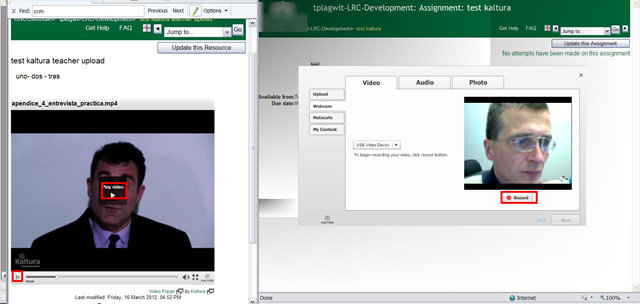
Moodle Kaltura teacher and student video uploads combined
- You can combine
- a Model/Question video, uploaded by the teacher as a video resource
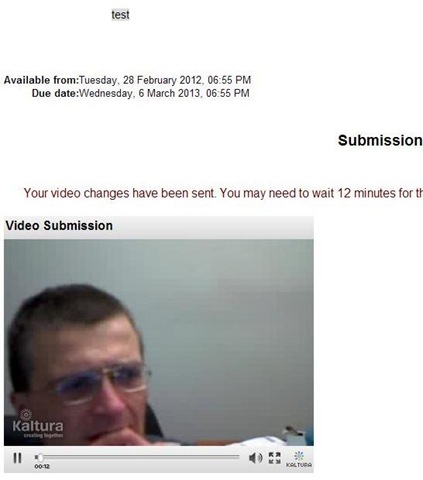
- with an Imitation/Response video captured by the student.

- Cons:
- When viewing the teacher upload video models/questions, the student has to alternate between pause/play (which are not even on the same button).
- Student does not have to also handle pausing/restarting the video recording, but that may be another con: The student cannot pause her video, so the grader will have to skip over pauses in his recording.
- Pros: Looks like a video recording can peacefully coexist with a simultaneous video playback (XP, IE8):



Questions? Read the About. Or just ask me a quick Our Databases: Resources with calendars -- Language learning material Moodle Sites, multimedia files -- films


FAQs for LRC student staff or for students or for teachers. To search our FAQs, in the browser addressbar, add after "https://plagwitz.wordpress.com/feed/?tag=faqs+/" "+TAG1" (from tag cloud below) OR "https://plagwitz.wordpress.com/feed/tag=faqs
&category_name=" "CAT1" (from category hierarchy below). OR search both categories and tags, and multiple TAGs/CATs (connect with "," for OR-search, with "+" for AND-search), like so: https://plagwitz.wordpress.com/feed/?tag=TAG1+TAG2+...TAGn&category_name=CAT1
+CAT2+...CATn"
Other ways to find help
If you cannot find it here, look there: 5,500 Language-Learning Links and Programs for learning or teaching 150 languages
Shortcuts:Our Lists, Our Maps, LRC Staff Moodle Site,LRC Project Moodle Site, 49erexpress, UNCC Moodle, Student Recordings: s:claslcslrcsanakostudent
Learning usage samples: Sanako oral exam, Kaltura webcam presentation, Dictation with speech recognition, Sanako written exam, Chinese and Japanese interactive stroke-order practice
Test the Sanako Installer, Webbrowser Popup Konfigurator for XP, or Windows7, faster LRC TeacherPC Log-in Let MS facilitate diacritics writing by installing for you US-International keyboard layout
This is my personal blog (Google+). The views expressed on these pages are mine alone and not those of my employer. The information in this weblog is provided “AS IS” with no warranties, and confers no rights.
 Thomas' Work Space