Archive
Archive for March, 2014
Protected: Sanako Web browsing activity fails with Outlook web access
2014/03/27
Enter your password to view comments.
Categories: digital-audio-lab, Glitches&Errors
OWA, sanako-study-1200, web-browsing-activity
Prevent multiple user login to avoid “Another instance of Tutor is already running in another user’s session on this computer” by disabling fast user switching
2014/03/27
Leave a comment
- Problem: As reported earlier (in the Spring and in the Fall term), for the student PCs, Sanako issues (but likely also general performance problems, and reportedly problems on classroom computers outside of the LRC) caused by multiple users being logged into the same PC – not limited to logging in from remote via MSTSC - seem on the increase this term (this year?), also on the teacher PC, where they prevent the digital audio lab from starting:
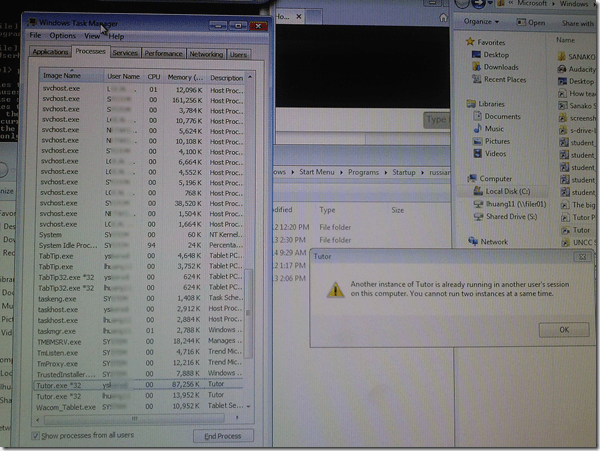
- Workaround: force restart of the computer (time-consuming, though).
- Solution: Avoid, better prevent multiple user login, maybe by disabling fast user switching?
- Registry: HKEY_LOCAL_MACHINE\Software\Microsoft\Windows\CurrentVersion\Policies\System\HideFastUserSwitching =1, or
- Group policy: Computer Configuration\Policies\Administrative Templates\System\Logon\Hide Entry points=Enabled.
- Other considerations:
- Side effects: unclear?
- Root cause: Not enough data. Why do users remain logged in in the first place?

Getting rid of “You must restart your computer to apply these changes”
2014/03/27
Leave a comment
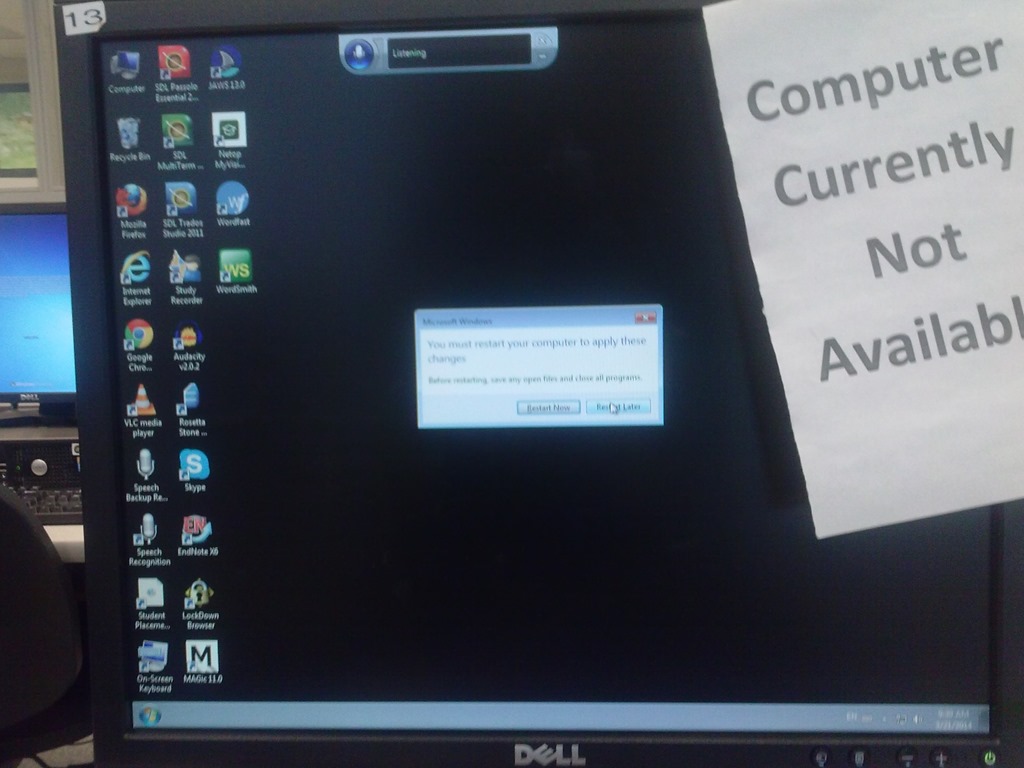
I am seeing this on several computers when I or students log in. To make matters worse, “Restart now” is the default selected button, and the computers are deepfrozen, which will not only lead to loss of (potentially valuable face-to-face class) time, but could even result in an infinite loop if we do not get rid of this message.
Categories: e-infrastructure, Glitches&Errors, Student-Computers
image2014spring
Software-based laser pointer in PowerPoint
2014/03/26
Leave a comment
- You can activate software laser pointer in PowerPoint by pressing CTRL and P (= Pointer) while displaying your slideshow. Then you can draw on your show to highlight points, just like with a laser pointer – but unlike that, it cannot run out of battery power!
- Other keys you can press:
- Erase = E (unlike with a laser pointer, you have to),
- deActivate = CTRL and A.
- Other advantages: unlike some other screen drawing tools that freeze the screen (MS-ZoomIt notably), the software laser pointer:
- allows you to proceed through the PowerPoint presentation normally;
- can be saved as ink annotations, and will show up if you convert your PowerPoint to a video or play it with narrations.

Sanako Web browsing activity not compatible with modern web infrastructure (SunGard Portal, Outlook Web Access)?
2014/03/26
Leave a comment
- To access campus resources – here an assignment in a Moodle course – our students need to log into a SunGard portal (with SSO – a pretty common product in higher education)l, but already the redirection after login fails with this session expiration error.
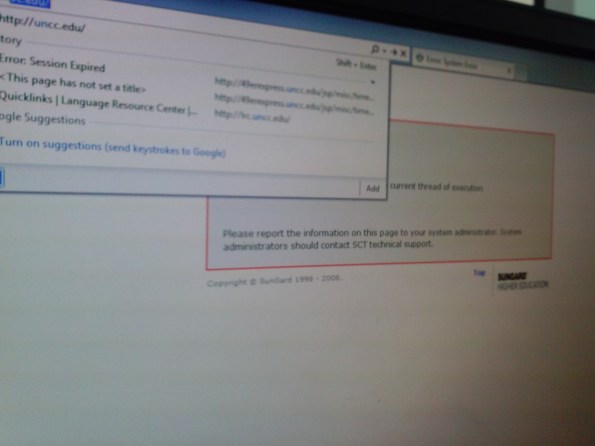
- We could work around this problem by browsing to the target site and logging into Moodle directly. But our students normally do not know how to do that.
- More problems arose when students tried to open an email in their campus OWA, in a popup window, which, however, gets redirected to the first browser homepage.
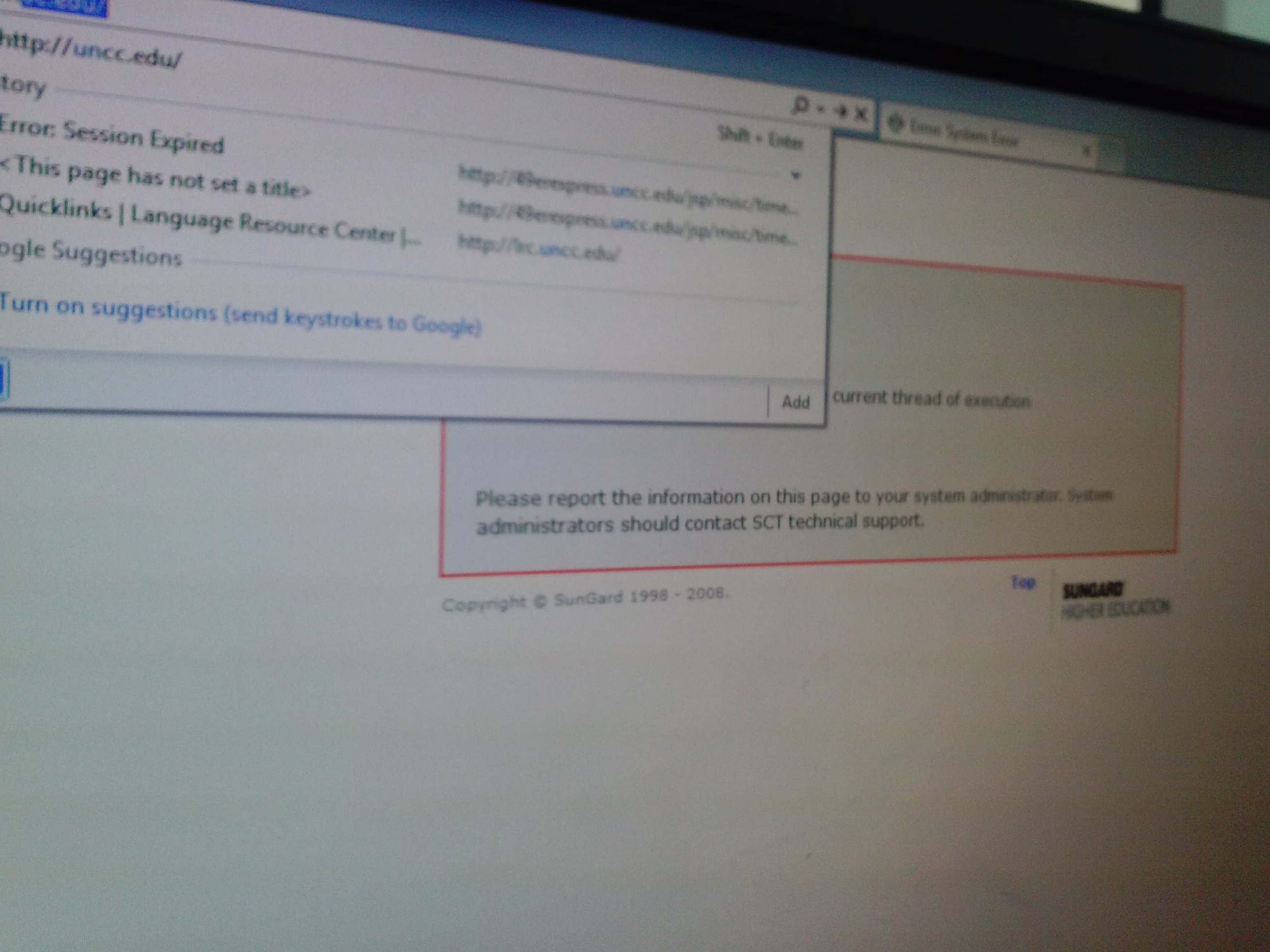
- This was during an “open/prevent policy” web browsing-activity, where – to keep students on task – only certain sites (social web, webmail) were blocked.., as can be seen in this screenshot:


Save the web, with Clip to OneNote
2014/03/26
Leave a comment
No, I don’t mean save from proprietary vendors or from spies  – I mean: save it to your personal storage during web browsing, like so:

The essence of http://blogs.office.com/2014/03/17/onenote-clipper-clip-the-web-right-to-onenote/. https://www.onenote.com/Clipper/OneNote should be useful not only for personal research on the web.
Bugs in MS-Calendaranalytics?
2014/03/25
Leave a comment
- Is there an Off-by-1 bug in MS-Calendaranalytics pivot chart?
- I am hovering (as an example) over the first name in the upper list which displays the right name as tooltip, the first name in the second list

- I guess I could learn DAX to fix this one myself, but what I have found myself doing is copy/paste the legend control from underneath, which does not exhibit this apparent bug, as a screenshot over the wrong legend (Seems strangely inadequate!).
- I am hovering (as an example) over the first name in the upper list which displays the right name as tooltip, the first name in the second list
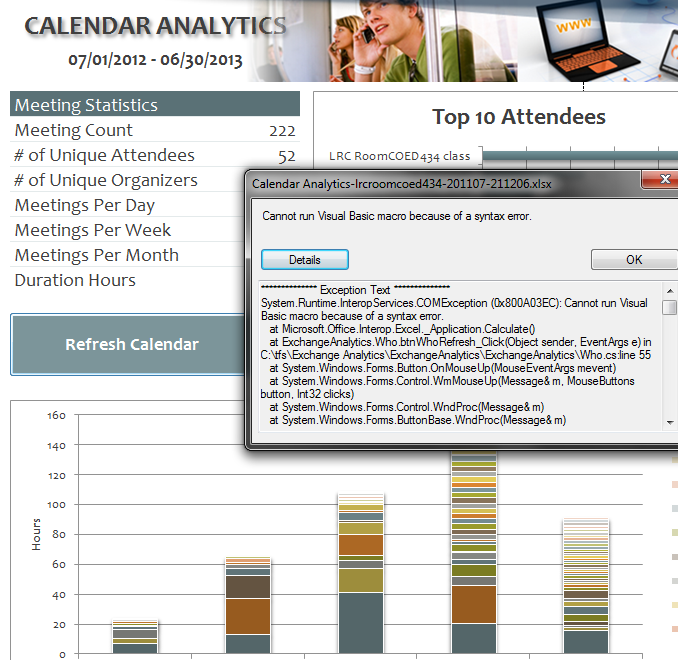
- Cannot run visual basic macro because of a syntax error”
 Version 1 on Excel 2010 (64-bit) on Windows 7 (64-bit). Restarting (Excel/Windows) made this go away.
 - This stopped working on load from one day to the next, without the file getting saved and updated in between: System.Runtime.InteropServices.COMException (0x80070490): Element not found. (Exception from HRESULT: 0x80070490)
at Microsoft.VisualStudio.Tools.Office.Runtime.Interop.IHostItemProvider.GetHostExtender(String extenderType, String extenderCookie, IntPtr& extenderObject)
at Microsoft.VisualStudio.Tools.Office.Runtime.DomainCreator.ExecuteCustomization.Microsoft.Office.Tools.IHostItemProvider.GetHostExtender(Type primaryType, String primaryCookie)
at Microsoft.Office.Tools.Excel.ControlSiteImpl..ctor(IServiceProvider serviceProvider, IHostItemProvider hostItemProvider, String primaryCookie, String identifier, Object containerComponent, UInt32 officeVersion, Control control, _OLEObject extenderControl, Boolean isDynamic)
at Microsoft.Office.Tools.Excel.FactoryImpl.Microsoft.Office.Tools.Excel.Factory.CreateControlSite(IServiceProvider serviceProvider, IHostItemProvider hostItemProvider, String primaryCookie, String identifier, Object containerComponent, Control control)
at Microsoft.Office.Tools.Excel.Controls.Button..ctor(Factory factory, IHostItemProvider hostItemProvider, IServiceProvider serviceProvider, String cookie, String extenderCookie, Object container, String identifier)
at ExchangeAnalytics.Sheet4.InitializeControls() in C:\tfs\Exchange Analytics\ExchangeAnalytics\ExchangeAnalytics\What.Designer.cs:line 169
at ExchangeAnalytics.Sheet4.Initialize() in C:\tfs\Exchange Analytics\ExchangeAnalytics\ExchangeAnalytics\What.Designer.cs:line 55
at Microsoft.VisualStudio.Tools.Office.Runtime.DomainCreator.ExecuteCustomization.ExecutePhase(ExecutionPhases executionPhases)
at Microsoft.VisualStudio.Tools.Office.Runtime.DomainCreator.ExecuteCustomization.Microsoft.VisualStudio.Tools.Office.Runtime.Interop.IExecuteCustomization2.LoadEntryPoints(IntPtr serviceProvider)



Questions? Read the About. Or just ask me a quick Our Databases: Resources with calendars -- Language learning material Moodle Sites, multimedia files -- films


FAQs for LRC student staff or for students or for teachers. To search our FAQs, in the browser addressbar, add after "https://plagwitz.wordpress.com/feed/?tag=faqs+/" "+TAG1" (from tag cloud below) OR "https://plagwitz.wordpress.com/feed/tag=faqs
&category_name=" "CAT1" (from category hierarchy below). OR search both categories and tags, and multiple TAGs/CATs (connect with "," for OR-search, with "+" for AND-search), like so: https://plagwitz.wordpress.com/feed/?tag=TAG1+TAG2+...TAGn&category_name=CAT1
+CAT2+...CATn"
Other ways to find help
If you cannot find it here, look there: 5,500 Language-Learning Links and Programs for learning or teaching 150 languages
Shortcuts:Our Lists, Our Maps, LRC Staff Moodle Site,LRC Project Moodle Site, 49erexpress, UNCC Moodle, Student Recordings: s:claslcslrcsanakostudent
Learning usage samples: Sanako oral exam, Kaltura webcam presentation, Dictation with speech recognition, Sanako written exam, Chinese and Japanese interactive stroke-order practice
Test the Sanako Installer, Webbrowser Popup Konfigurator for XP, or Windows7, faster LRC TeacherPC Log-in Let MS facilitate diacritics writing by installing for you US-International keyboard layout
This is my personal blog (Google+). The views expressed on these pages are mine alone and not those of my employer. The information in this weblog is provided “AS IS” with no warranties, and confers no rights.
 Thomas' Work Space