Archive
Archive for December, 2012

Does the Sanako Study 1200 tutor set the input language to Chinese (traditional)?
2012/12/12
Leave a comment
- Or why is my input language set to Chinese after the Sanako tutor install:

- Unclear whether the tutor install has an effect on the default language, but we observed this problem earlier on an XP computer that also had the Sanako study 1200 tutor.

How to redirect Windows Live Writer “My Weblog Posts” to SkyDrive using Symbolic Links
2012/12/12
Leave a comment
- UPDATE: Using Junctions and Symbolic Links has limitations, e.g. I have not found a way to point a network share location of to my Skydrive folder. A solution using a secret windows live writer supported key in the registry is explained here seems simpler and better (assuming support for this key will not vanish in a new release of windows live writer).
- Benefits:
- Recently, the documentation and training materials I do with windows Live Writer have become somewhat more evolved, and my Live writer posts both big and live documents.
- With this method, I can access and edit your posts and drafts from different computers. Possibly also save drive space on the drive where the “My weblog Posts”points to be default.
- Prerequisites:
- MS-SkyDrive account and app.
- Here we are using the Link Shell Extension, but you can use the mklink command built-into Windows.
- To create Symlinks, you need to have admin rights.
- Steps:
- After closing Live Writer, go to “My Weblog Posts” in your “My Documents” folder, move it to your SkyDrive folder.
- In the new location, right-click on the folder “My Weblog Posts”, choose “Pick link source”.
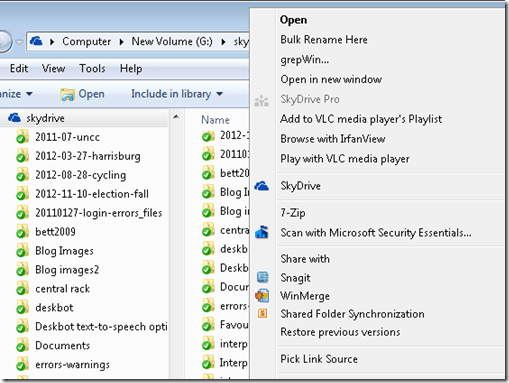
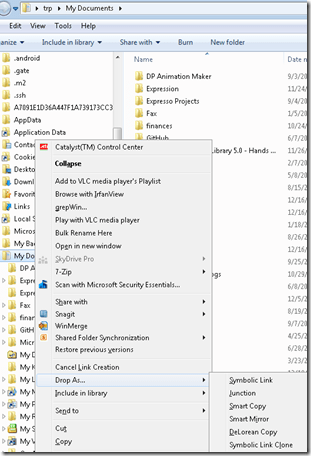
- Right-click on the “My documents”folder in the original location and choose Drop link / Symbolic Link.
- The original location is now only a link (see folder icon), but Live Writer still opens.
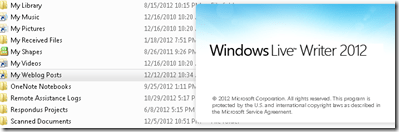
- Final step: Blog this from Live Writer, then check the location of your weblog post.


Categories: e-infrastructure, service-is-documenting
windows-live-writer


The big LRC SANAKO “How do I…?”
2012/12/05
Leave a comment
(Work in progress).
View larger Word version than this embed:
Categories: all-languages, animated-GIFs, audience-is-students, audience-is-teachers, classroom-management-system, digital-audio-lab, documentation, e-languages, Institution-is-University-of-North-Carolina-Charlotte, learning-usage-samples, Listening, LRCRoomCoed434, Presenter-Computer, Reading, recording-software, Screencasts, screenshot-albums, service-is-documenting, service-is-training, Speaking, Student-Computers, training, Writing
sanako-study-1200
Pictolang, another flashcard site for vocabulary learning
2012/12/05
Leave a comment
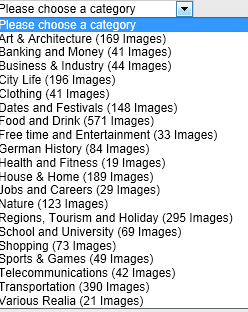
- Distinguishing mark: Pictolang is based on the Culturally authentic Picture Lexicon. Here is an overview of the currently available languages and imagery:
-
Language Region # Images German 2631 Mandarin China 2336 ESL North America 2074 Russian 1420 French France 1231 Spanish Southern Cone 1022 Spanish Mexico 1000 Spanish Central America & Caribbean 872 Spanish Peninsular 579 Arabic 287 Special Collections 151 Ukrainian 139 Japanese 106 French Canada 47 Arabic Oman 11 - You can focus vocabulary your study on specific topics, which will likely integrate it better with your core textbook material (often divided into topical chapters).

- Suitable for self-study, the use of CAPL makes this an especially interesting tool for preparing work/study/travel abroad. It also allows for playing a classroom flashcard game in language culture and area studies, where the teacher can provide context and background information in the images from the target culture.

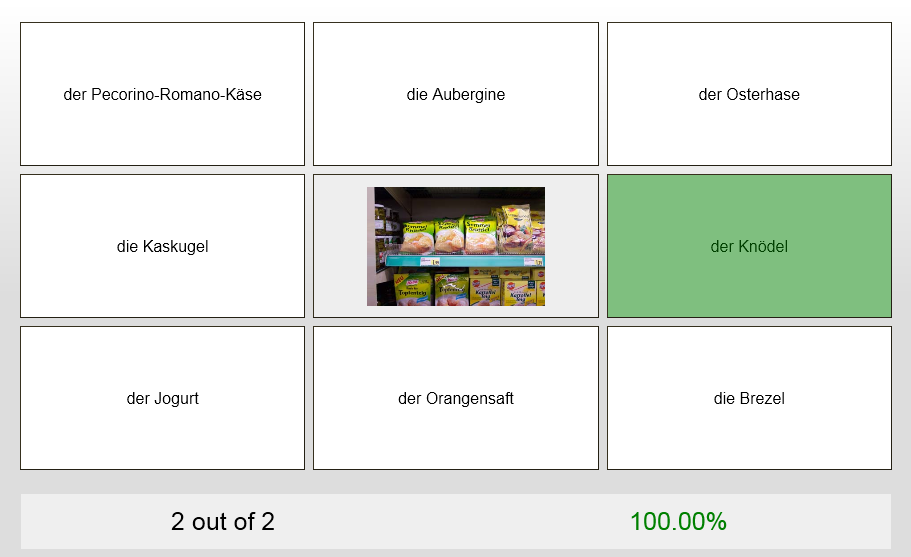
- Example o the Word Match Game right answer feedback:
- Wrong answer feedback:


Categories: Absolute-Beginner, Advanced, Arabic, audience-is-students, audience-is-teachers, Beginner, English, French, German, Intermediate, Japanese, Mandarin, Photos, Russian, Spanish, Vocabulary, websites
flashcards, pictolang
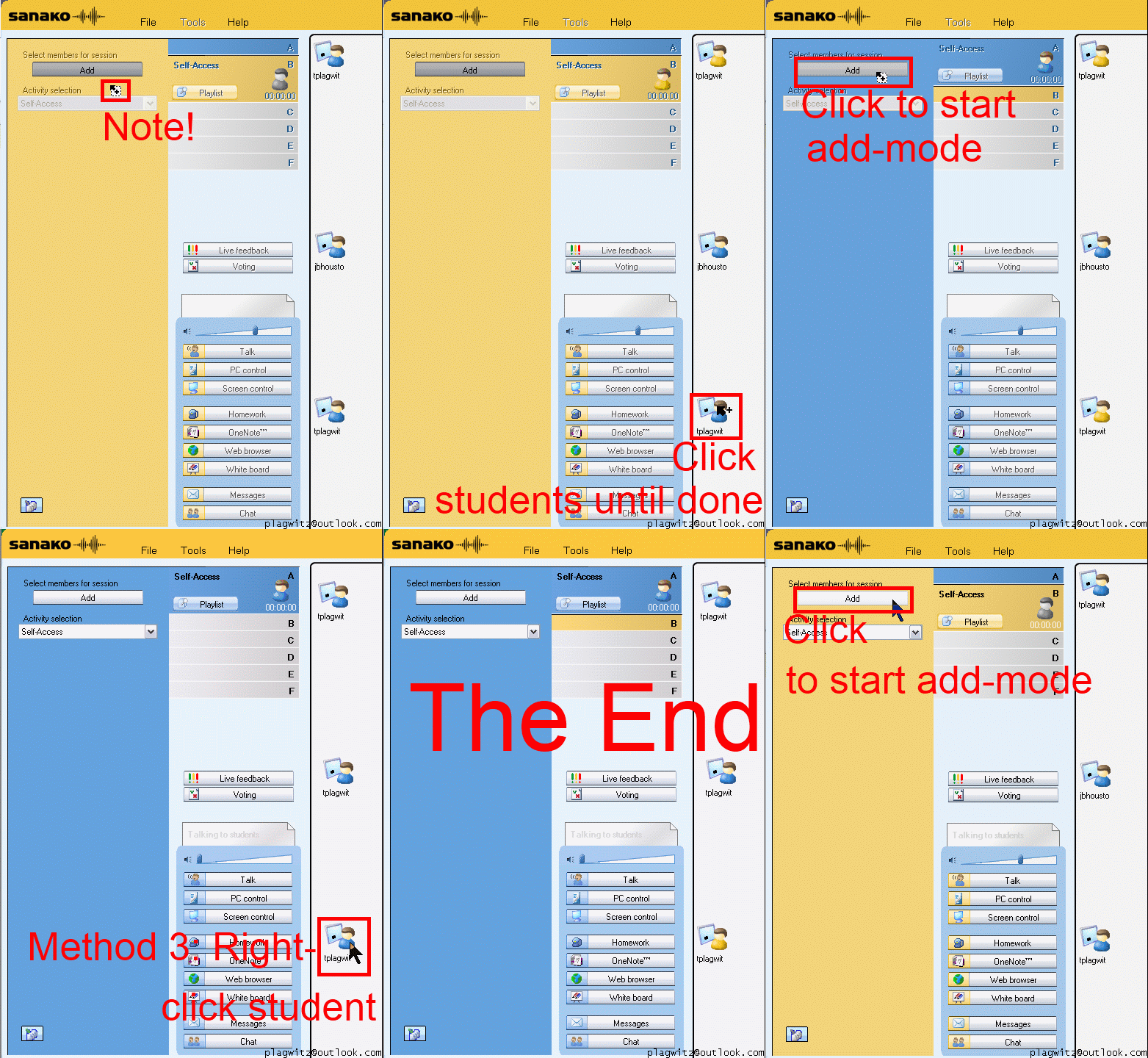
How a teacher can differentiate students into groups in Sanako Study 1200–the ultimate training summary…
2012/12/04
Leave a comment


How to terminate Sanako student.exe
2012/12/04
Leave a comment
- Since I am getting search engine hits from the above query on my blog, a quick answer:
- You likely need to terminate the helper.exe in the process manager first, since this service restarts the student.exe, for the good reason that
- you do not want students to opt out of your Sanako class,
- and also in case of student.exe crashes.
- Now here is wondering why you want to terminate it….



Questions? Read the About. Or just ask me a quick Our Databases: Resources with calendars -- Language learning material Moodle Sites, multimedia files -- films


FAQs for LRC student staff or for students or for teachers. To search our FAQs, in the browser addressbar, add after "https://plagwitz.wordpress.com/feed/?tag=faqs+/" "+TAG1" (from tag cloud below) OR "https://plagwitz.wordpress.com/feed/tag=faqs
&category_name=" "CAT1" (from category hierarchy below). OR search both categories and tags, and multiple TAGs/CATs (connect with "," for OR-search, with "+" for AND-search), like so: https://plagwitz.wordpress.com/feed/?tag=TAG1+TAG2+...TAGn&category_name=CAT1
+CAT2+...CATn"
Other ways to find help
If you cannot find it here, look there: 5,500 Language-Learning Links and Programs for learning or teaching 150 languages
Shortcuts:Our Lists, Our Maps, LRC Staff Moodle Site,LRC Project Moodle Site, 49erexpress, UNCC Moodle, Student Recordings: s:claslcslrcsanakostudent
Learning usage samples: Sanako oral exam, Kaltura webcam presentation, Dictation with speech recognition, Sanako written exam, Chinese and Japanese interactive stroke-order practice
Test the Sanako Installer, Webbrowser Popup Konfigurator for XP, or Windows7, faster LRC TeacherPC Log-in Let MS facilitate diacritics writing by installing for you US-International keyboard layout
This is my personal blog (Google+). The views expressed on these pages are mine alone and not those of my employer. The information in this weblog is provided “AS IS” with no warranties, and confers no rights.
 Thomas' Work Space