Archive
Archive for 2011
How to stay up to date by receiving RSS like email newsletters in MS-Outlook
2011/11/21
Leave a comment
- Why subscribe?
- RSS is a great way to get your information both fast and filtered.
- For advanced filtering of RSS feeds, try Yahoo Pipes.
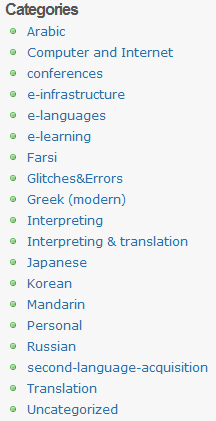
- However, WordPress makes this even easier by allowing for a wealth of atomic searching and filtering options. Choosing the right template (and content strategy), if you click on any of the linked items in either the category list or tag cloud on WordPress,


- the resulting page will include an RSS link
 , or simply add “/feed” to the URL of your category, tag or even search result page, to get a feed that you can subscribe to.
- How to subscribe?
- MS-Outlookmakes subscribing to RSS more convenient since you do not need to go to a separate application like an RSS-Reader. Read your RSS with your email, think of the RSS feed as an email list, but personalized to your interests.
-
You can subscribe to the “RSS feed” link like so:
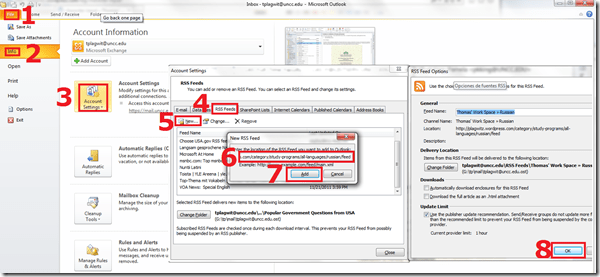
- For historical reasons, I still use Google Reader, but I rely on Outlook’s advanced automated content download (including full text posts and multimedia attachments) and well-understood archiving, search and export features to not miss podcasts which I want to collect for potential use as teaching content:
 When Outlook fails, as with some RSS formats, you can still try and resort to the Internet Explorer Feed store:
-
- If you use OWA: you can read feeds, but not add them through the OWA interface. If you are staff, you can still add them in Outlook first. If you are a student and restricted to NINERMAIL, you need to use a different feed reader. I recommend the free web-based Google Reader.
- MS-Outlookmakes subscribing to RSS more convenient since you do not need to go to a separate application like an RSS-Reader. Read your RSS with your email, think of the RSS feed as an email list, but personalized to your interests.




Memrise: Another flashcard site for vocabulary learning
2011/11/21
Leave a comment
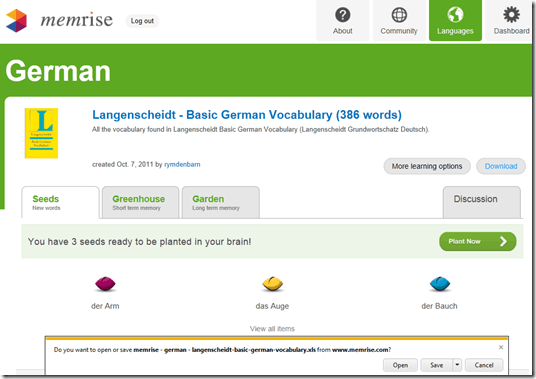
- Yet another attempt to tackle foreign language vocabulary learning with a crowd-sourced flashcard site: What is different this time, other than the layout?
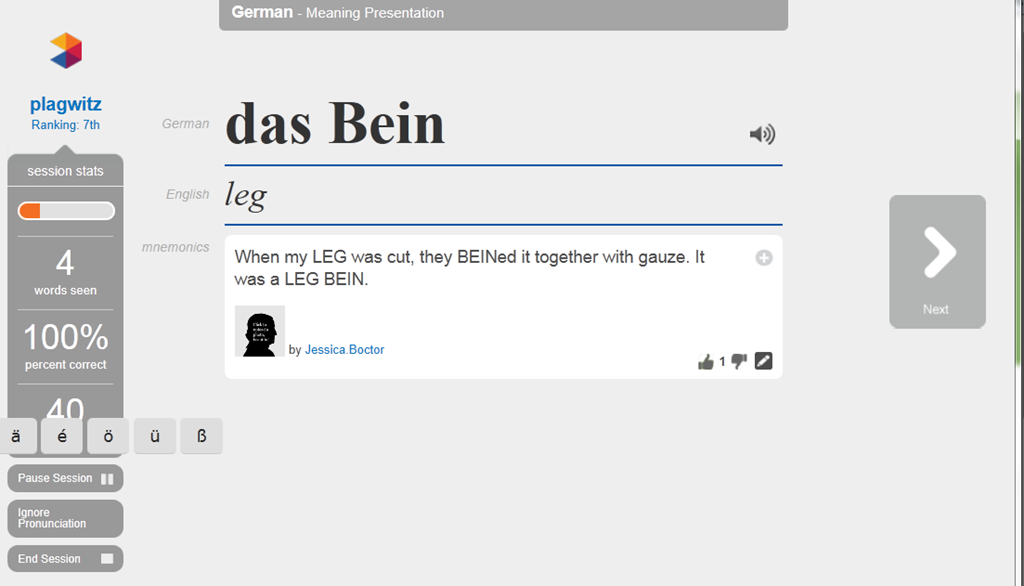
- The site works with a seed/greenhouse/garden metaphor for spaced repetition (how intelligent is the underlying algorithm for that?) and processing/short/long term memory

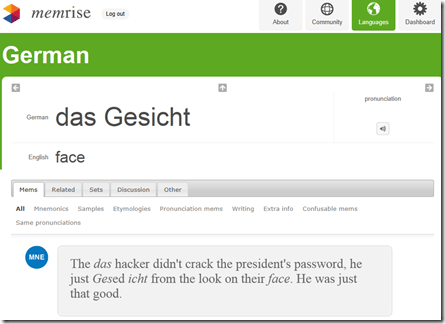
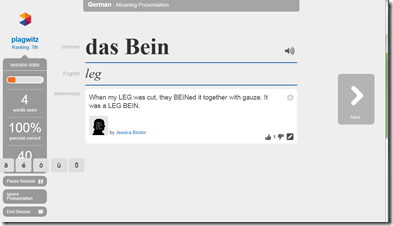
- You can have the word pronounced (is this Text-to-speech? does not sound like it. So will it scale?) The focus on non-target language “ponies” seems not fruitful. Actual target language context should be under “Samples”, but seems widely missing. Communicative motivation also. Multiple meanings and grammatical information seem to be missing from the lemmata. .
-
- Looks like a long list of flashcard lists, but note that the number of included words is descending quickly, hardly one of the many textbooks

- The site allows you to download the word lists as Excel files:




Categories: all-languages, e-languages, Vocabulary, websites
flashcards
Calendaring: How to view all your Moodle course assignments in Ninermail, OWA or MS-Outlook – Short version
2011/11/21
2 comments
- In Moodle:
- With Firefox (3.6 here), go to Moodle Calendar: https://moodle.uncc.edu/calendar/view.php?view=upcoming&course=1
- Right-Click on
 and choose “Copy Shortcut”: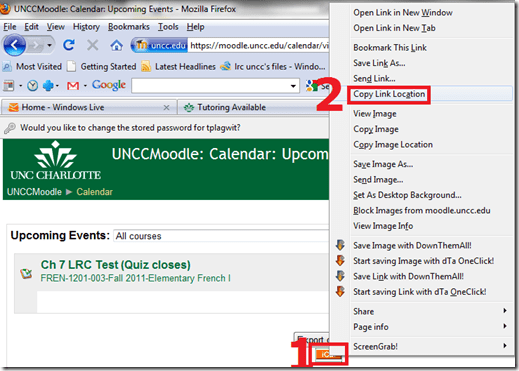
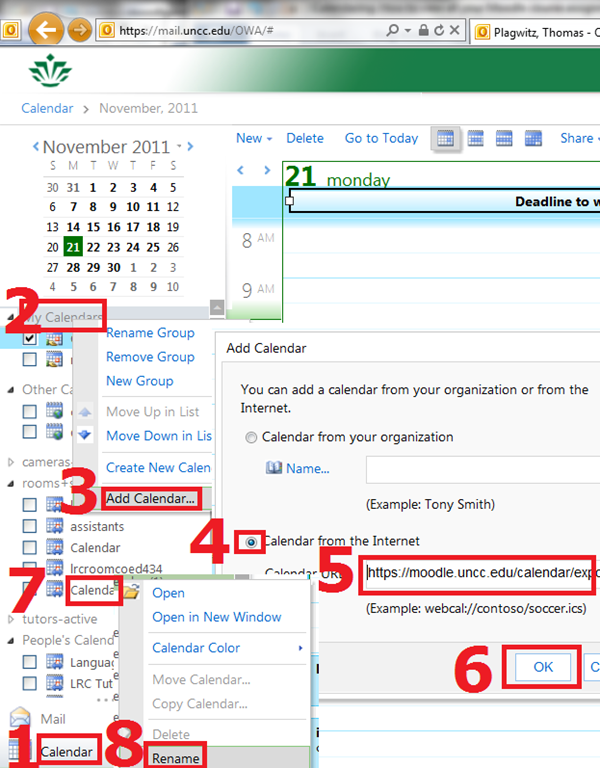
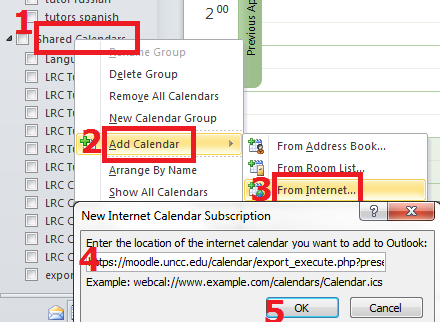
- In Ninermail/OWA: click “Calendar”, right-click “My calendars” , click “Add calendar’, click radio-button “From internet”, paste URL you put in clipboard into textbox, click button “OK”, right-click calendar added, click “rename” and call it “Moodle”

- Alternatively, in Outlook Desktop: go to “calendars”, right-click “shared calendars” , click “add calendar’, click “from internet”, paste URL you put in clipboard into textbox, click button “OK”, right-click calendar added, click “rename” and call it “Moodle”

- Want a longer explanation?

Categories: audience-is-students, audience-is-teachers, documentation, lms
calendaring, moodle, ms-outlook, OWA
How to run Windows Media Center during a Remote Assistance Session
2011/11/20
Leave a comment
-
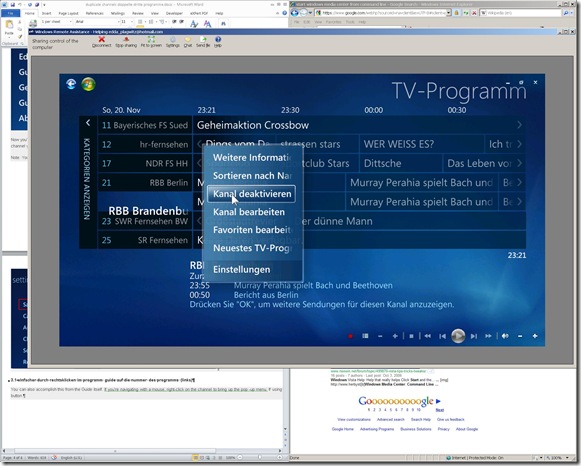
The /gdi switch for Windows Media Center allows for operating Windows Media Center full screen during
-
Windows Live Messenger Remote Assistance sessions if you have to help a relative over the internet.
-
Should also work in MSTSC Remote Desktop sessions if you manage media with Windows Media Center on your work network.
-
-
You can combine the above switch e.g. with the program guide shortcut to go directly there: /homepage:VideoGuide.xml /PushStartPage:True
-
Put the following in the “Target” field of your shortcut that you start on the remote computer (running Windows7 32-but here) during your remote assistance session:
-
%windir%\ehome\ehshell.exe /nostartupanimation /gdi /homepage:VideoGuide.xml /PushStartPage
- Voilà, or rather: “Dem Inschenör ist nichts zu schwör”.

Categories: documentation, e-infrastructure, Media
7, ms-live-messenger, ms-windows, mstsc, remote-assistance, windows-media-center
How to use the online Spanish pronunciation help to generate phonetic alphabet transcriptions and text-to-speech
2011/11/18
Leave a comment
- Go to http://showroom.daedalus.es/es/tecnologias-de-la-lengua/phonetictrans/phonetictrans.php, enter your text, select your phonetic symbol set:
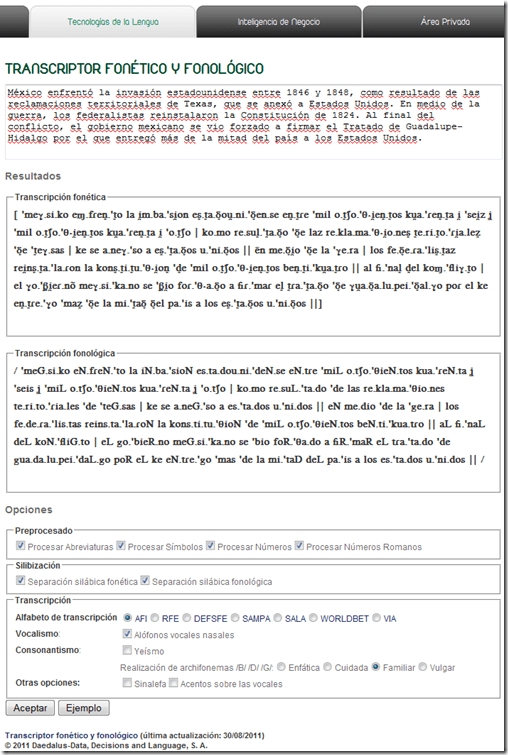
- Unlike with the Portuguese help, there is no text-to-speech option here.

Troubleshooting the wireless headsets in the TV viewing area
2011/11/18
Leave a comment
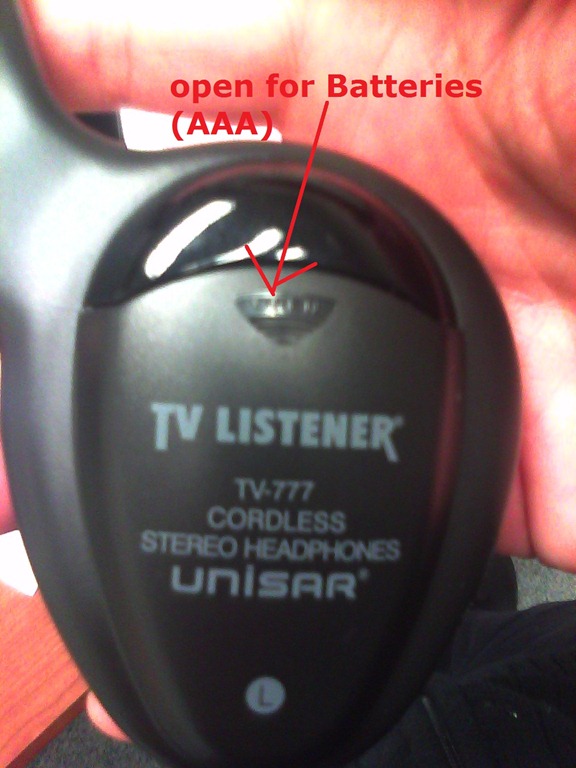
- For lack of small group work areas, the 3 headsets help sharing the LRCROOMCOED433. They amplify the sound for the TV viewing audience, allowing to turn the TV volume down so as not to disturb other users in the shared area.
- No sound?
- headsets turned on?
- headset volume turned up?
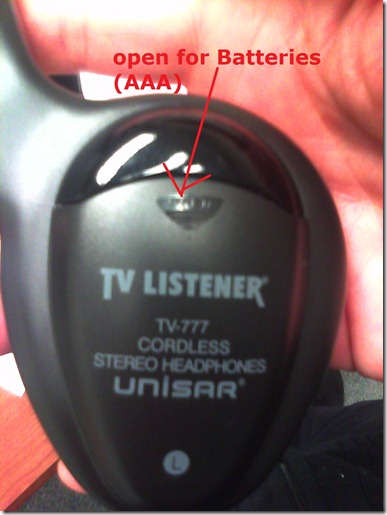
- headsets batteries dead?
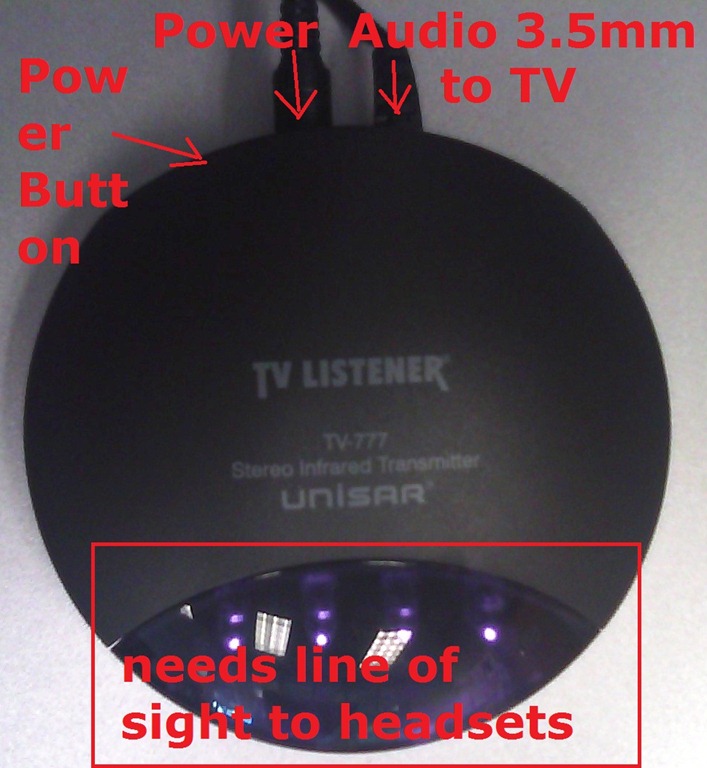
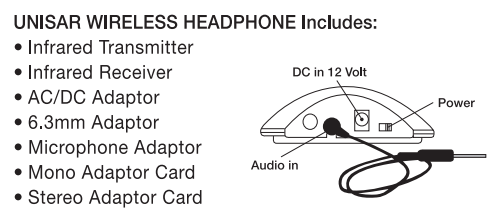
- transmitter turned on?
- Static noise on headsets?
- headsets batteries weak?
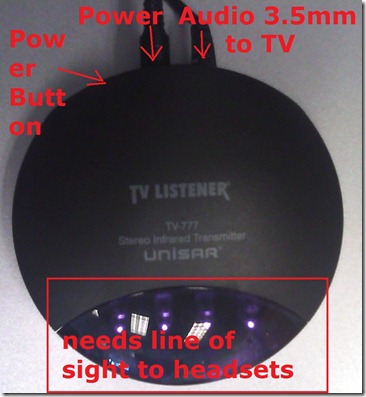
- no line of sight to transmitter?
- Other things you can try:
- a different headset. We have 3.
- a different transmitter. We have 2.
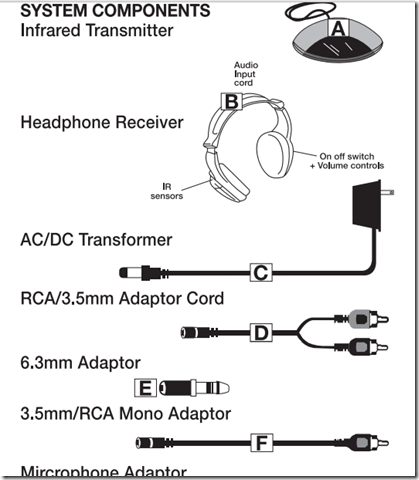
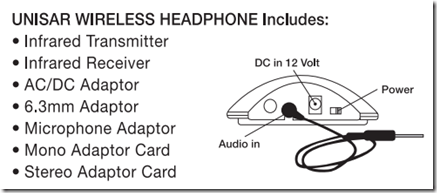
- An image says more than 1000 words:





Things to check when your Study1200 cannot record students anymore
2011/11/16
Leave a comment
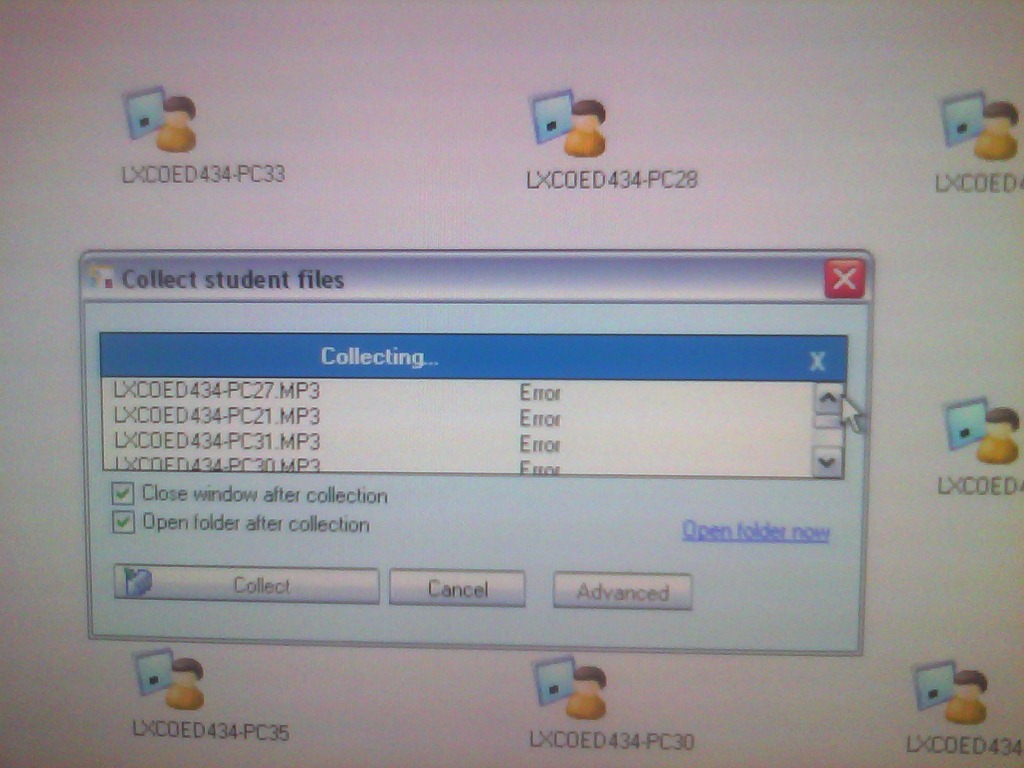
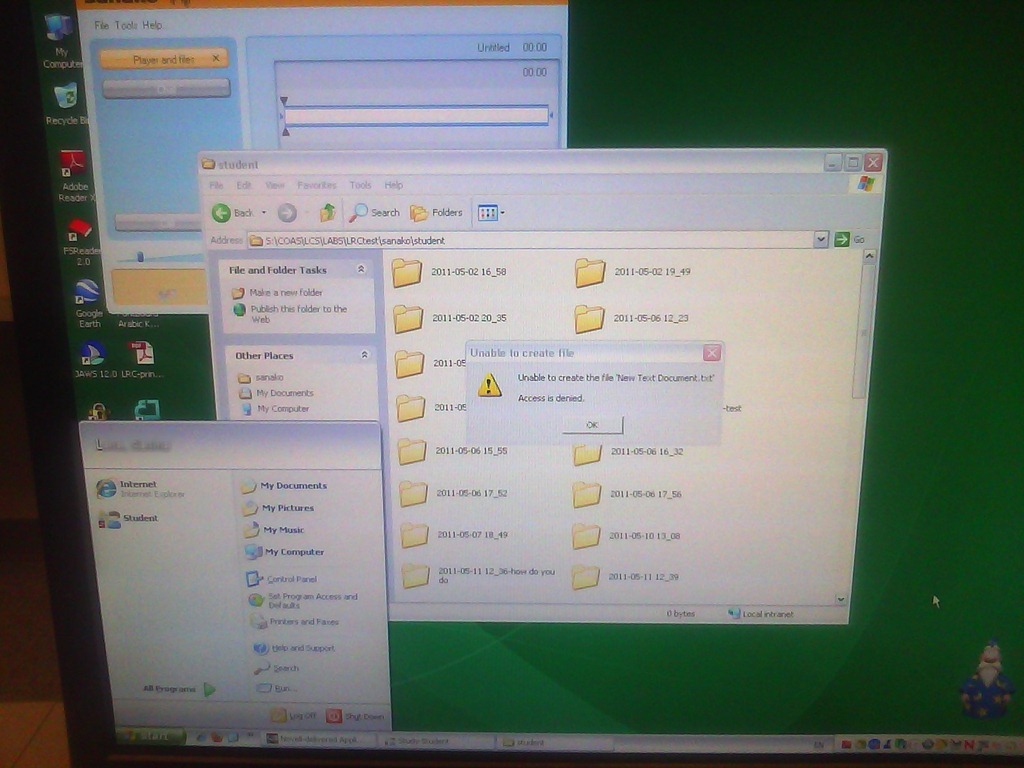
- Symptom: All your exam recordings fail to collect:

- Cause: Student do not have write permissions to the collect folder anymore, a prerequisite for the Sanako Study1200:
- Resolution: Have write permissions reinstituted?
Categories: e-infrastructure
sanako-study-1200
Web-based romanized letters to Cyrillic transliteration tool.
2011/11/16
Leave a comment
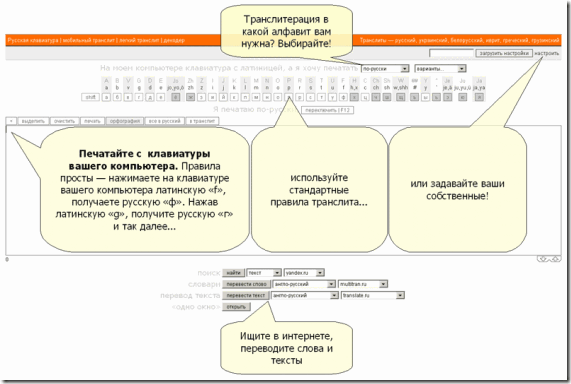
- Our Russian tutor uses this transliteration tool HTTP://TRANSLIT.RU which allows for phonetic input on a keyboard that does not have Cyrillic letters and seems popular with native speakers of languages written in Cyrillic.
- As so often, that implies: not designed for language learners. The explanation attests to that:
Categories: Advanced, audience-is-students, audience-is-teachers, e-languages, Intermediate, Russian, websites, Writing
character-input, websites


Questions? Read the About. Or just ask me a quick Our Databases: Resources with calendars -- Language learning material Moodle Sites, multimedia files -- films


FAQs for LRC student staff or for students or for teachers. To search our FAQs, in the browser addressbar, add after "https://plagwitz.wordpress.com/feed/?tag=faqs+/" "+TAG1" (from tag cloud below) OR "https://plagwitz.wordpress.com/feed/tag=faqs
&category_name=" "CAT1" (from category hierarchy below). OR search both categories and tags, and multiple TAGs/CATs (connect with "," for OR-search, with "+" for AND-search), like so: https://plagwitz.wordpress.com/feed/?tag=TAG1+TAG2+...TAGn&category_name=CAT1
+CAT2+...CATn"
Other ways to find help
If you cannot find it here, look there: 5,500 Language-Learning Links and Programs for learning or teaching 150 languages
Shortcuts:Our Lists, Our Maps, LRC Staff Moodle Site,LRC Project Moodle Site, 49erexpress, UNCC Moodle, Student Recordings: s:claslcslrcsanakostudent
Learning usage samples: Sanako oral exam, Kaltura webcam presentation, Dictation with speech recognition, Sanako written exam, Chinese and Japanese interactive stroke-order practice
Test the Sanako Installer, Webbrowser Popup Konfigurator for XP, or Windows7, faster LRC TeacherPC Log-in Let MS facilitate diacritics writing by installing for you US-International keyboard layout
This is my personal blog (Google+). The views expressed on these pages are mine alone and not those of my employer. The information in this weblog is provided “AS IS” with no warranties, and confers no rights.
 Thomas' Work Space