Archive
Posts Tagged ‘video’
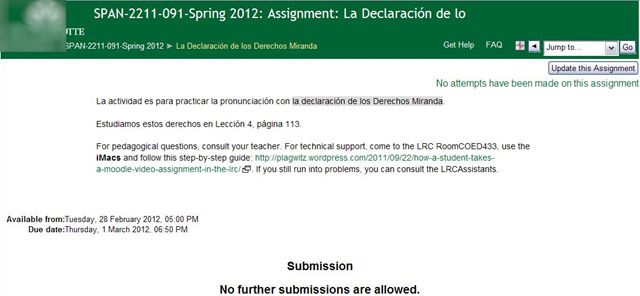
More Moodle Kaltura webcam recording homework assignments: Spanish
2012/03/02
Leave a comment
Categories: audience-is-teachers, e-languages, learning-usage-samples, lms, marketing, multimedia-recording, Spanish, Speaking
kaltura, moodle, video
Things you can try when having trouble playing video from the internet
2012/02/13
1 comment
There are several things you can try when having trouble playing video from the internet. I made a list here (less would be more, but hey, it’s computers, right?):
- Refresh the web page (f5 or ctrl-f5).
- Can you see an error message on the page itself? some video services prevent you from watching video abroad BBC iPlayer used to do this, since it is financed by fees of a local audience – so are ARD and ZDF, but they do not bother restricting by viewer location. However, they assume you are in Germany, and in their time zone, so they restrict you from watching the equivalent of R-rated content during daytime in Germany.
- Restart the web browser.
- Can your web browser play a video from a different website. Good candidates are Youtube.com (may be HTML5 delivered by now), hulu.com, ARD Mediathek if trying ZDF Mediathek or vice versa). Maybe your plug-in has crashed – try restarting your computer.
- Try a different web bowser (chrome, internet explorer, Firefox, safari, opera are all free downloads).
- Can you discern a notification bar on top of your web browser window telling you of an error or asking you to upgrade something?
- At this point it might be easier to come to the LRC and use what we maintain for you there, or, if you are trying to use your office computer, alter the helpdesk.
- Do you have to upgrade your video-plugin? Currently (before HTML5 delivered plug-in free video), most videos are plug-in based. search for adobe flash and MS-Silverlight upgrades.
- Do you have to upgrade your browser?
- Do you have to upgrade your operating system? your computer hardware? Let’s hope you do not get to here in this list…
Categories: audience-is-students, audience-is-teachers, e-infrastructure, Glitches&Errors, Media
FAQs, video
More Moodle Kaltura video assignments here: French
2011/11/30
Leave a comment
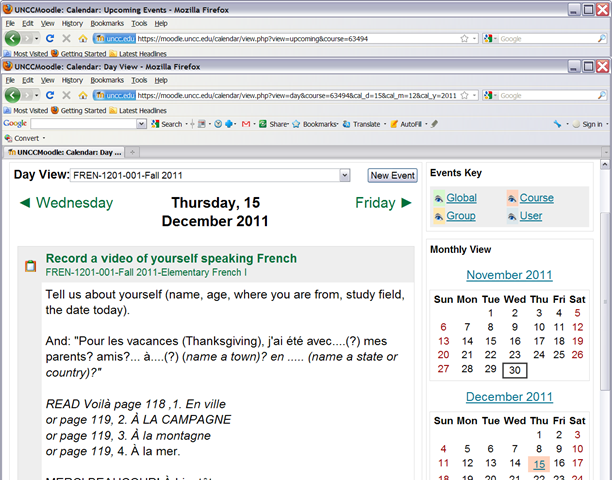
- Yay! You can find the assignment right on your course home page:


- Provided you do not miss the deadline – visit your calendar
 , better load your deadlines into NINERMAIL at term start
 - Come to the LRC to record your Moodle video assignment and practice speaking with our webcams.


Categories: audience-is-teachers, e-languages, French, learning-usage-samples, lms, marketing, multimedia-recording, Speaking
kaltura, moodle, video
How a teacher creates and grades a Moodle streaming video assignment.
2011/11/02
Leave a comment
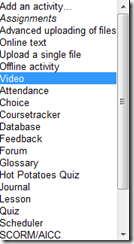
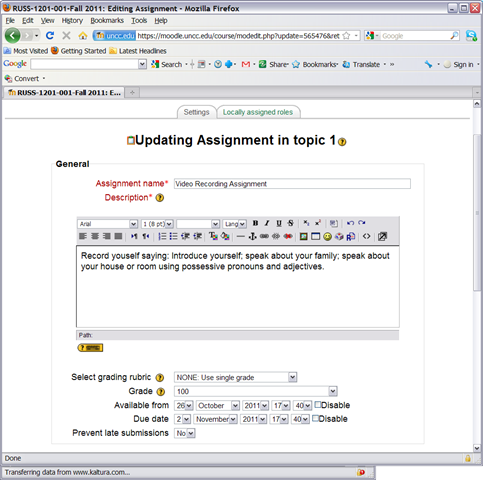
- Click button: “Turn editing on”, from the “add an activity dropdown, choose: “video”, like so:
- Edit your assignment, like so:

- using the following options (or else expect problems)
- Due date: not DISABLED (is the default)
- Prevent late submissions: YES (is not the default)
- Allow resubmitting: NO (is the default)
- using the following options (or else expect problems)
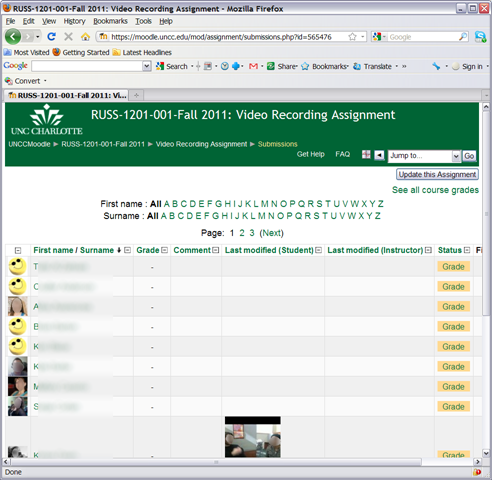
- after you post your assignment and your students took it, like so,
- and if you turned notifications (not recommended; rather grade the assignment well after the deadline, or else expect problems) on (if you get already enough email, remember you can turn notifications off, rather send a deadline to the assignments which the students can see in their calendar, and until they get used to it, tell them there will be more video assignments, best: make it a routine and leave 2 for extra credit could be enough to get everybody to catch), you will get an email like this:

- where you click either on the link (1) to go to the assignment, then click through to the submissions (3)

- or on (2) to go directly to the grade book:

- where you are best advised to click on the button: “grade” to view the video submission, , or else you might run into this bug.
- In the grading window,
 play the video, add helpful comments, if any, add final Grade and click “save and next” (but click “next” if no video submitted yet and you grade before the submission deadline. Better: do not grade before the submission deadline).
 - If video seems unwilling to play (frozen frame), drag the play cursor forward on the timeline underneath the video.
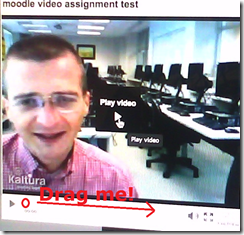 If this does not unfreeze the video, let the timeline run to the end (both workarounds have helped with Kaltura issues we encountered here).





Categories: all-languages, audience-is-teachers, e-languages, lms, Speaking, step-by-step-guides
1.9, kaltura, moodle, video
Moodle Streaming Video Recording Assignment Glitch 2
2011/11/02
Leave a comment
- environment: win xp sp3, firefox 3.6
- If you view the Moodle video assignment from the grade book table, inline, in Firefox 3.6, how do you close the popup window?
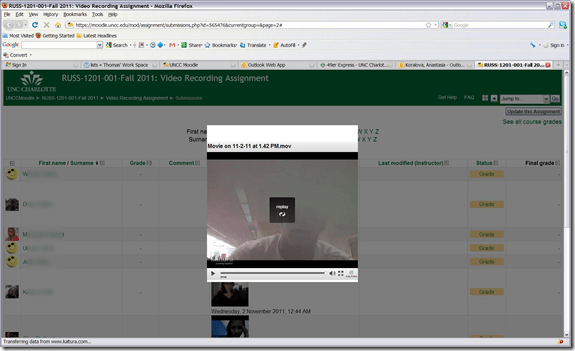
- no hovering around revelaed a close control to us, escape did not help eithe, nor the brwoser back button.
- workarounds:
- copy the url from the address bar, open a new tab, paste the url, close the old tab
- do not view the video in the grade book overview chart, but after opening the individual submission form the grade button.
- try a differnet browser than firefox. on the mac, safari solved a similar problem with firefox and kaltura.

Categories: audience-is-teachers, Glitches&Errors, lms, websites
kaltura, moodle, video
How to link screencasts from MS-SkyDrive
2011/10/19
Leave a comment
- I am trying to replace – in the routine cases that do not need post-editing, but where speed is of the essence – my practice to post-process my screencasts in MS-Expression Encoder (installed on one machine only) and upload the result with a page to load a Silverlight Control – all hosted on my MS-Windows Azure portfolio.
- Much easier and quicker would it be to store screencasts in MS-SkyDrive (mapping to drives in MS-Windows enables a more robust drag and drop than the still browser-specific web version on live.com), and top take advantage the embed links provided.
- Unfortunately, WordPress.com, my blogging platform, does not support iframes with videos from MS-SkyDrive.
- However, by linking to the URL in the embed code, to open in a new window (with the inelegant instruction to “click on the thumbnail that opens”; if it loads slow, the thumbnail ALT displays essentially the same),:
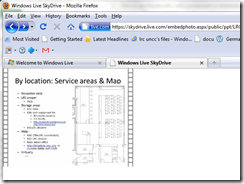
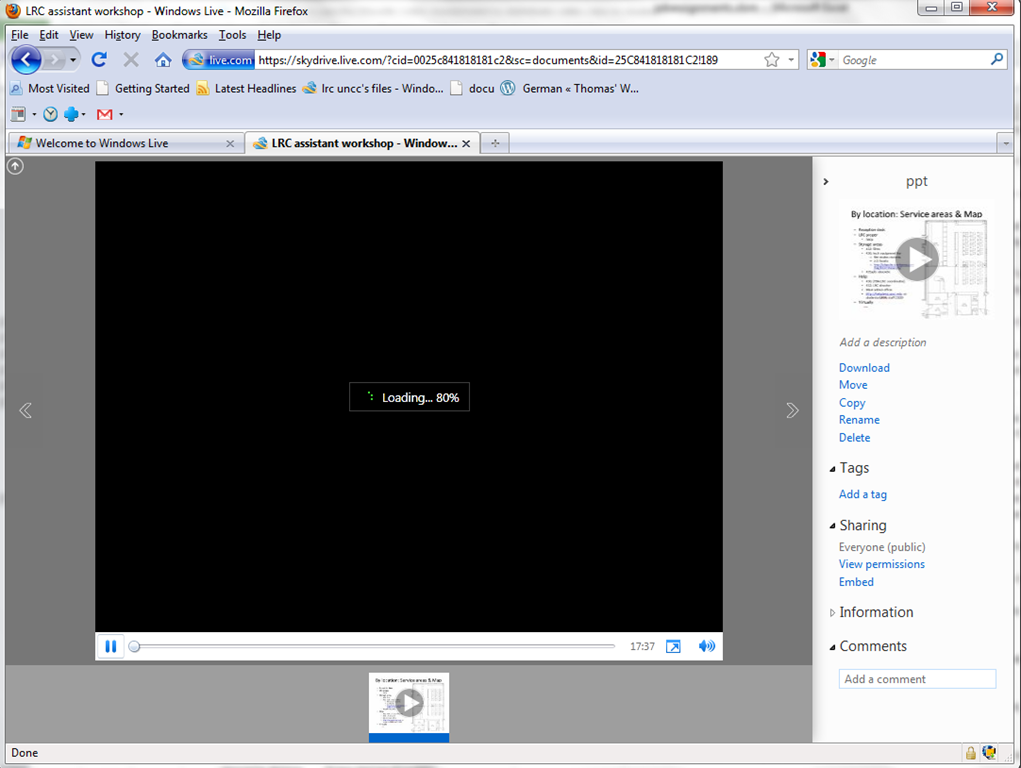
- I can get the user to an MS- Silverlight control which loads:
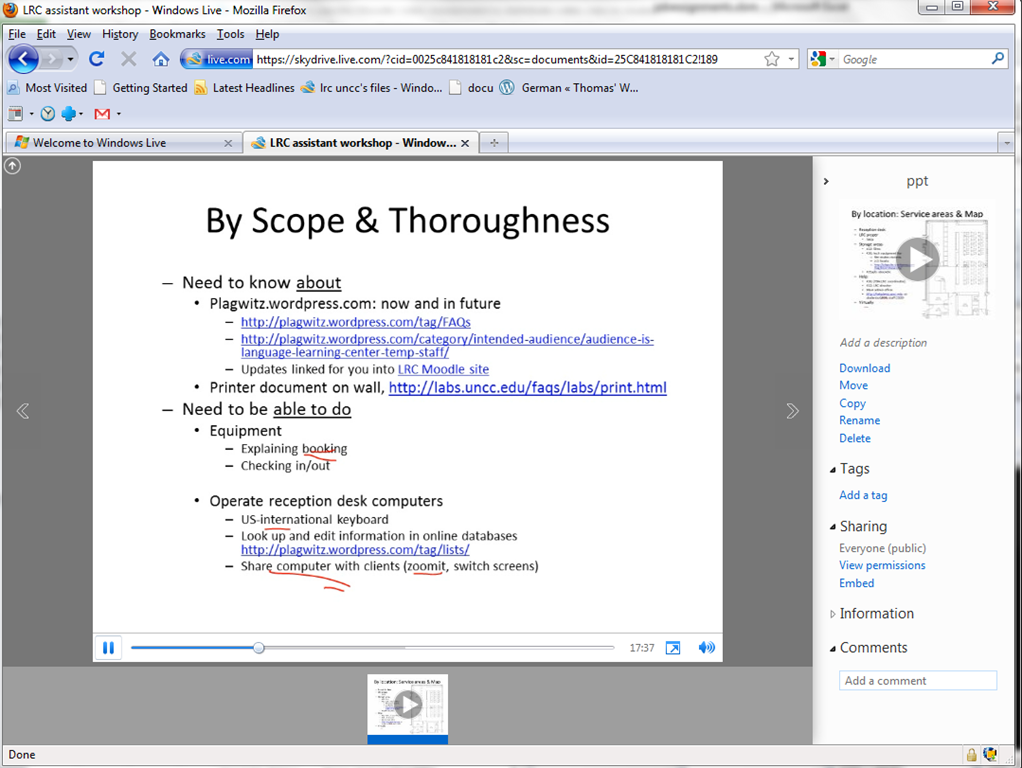
- and plays the video:

- more user-friendly and robustly (This has been tested to work on MS-Windows 7 with IE9 and Firefox 3.6) than distributing the bare WMVs of my screencasts directly.

How to get from our Film-collection.xlsx to in-depth bibliographic data on worldcat.org and upcdatabase.com
2011/10/10
Leave a comment
- worldcat.org,
- The link is based on the item’s ISBN (barcode-scanning was rarely possible, thus checksum checking becomes mandatory).
- upcdatabase.com
- The link is based on the item’s UPC/EAN which do come with barcodes, but lookup resources leave things to be desired:
- http://www.upcdatabase.com/item/[upc # here]: yields some info for some items (newer DVDs which usually also have ISBNs?)
- http://gepir.gs1.org/v32/xx/gtin.aspx?Lang=en-US, on spot-checking, yields only “Trade Item Ownership”, but “no Trade Item Info”, and does not support GET operation.

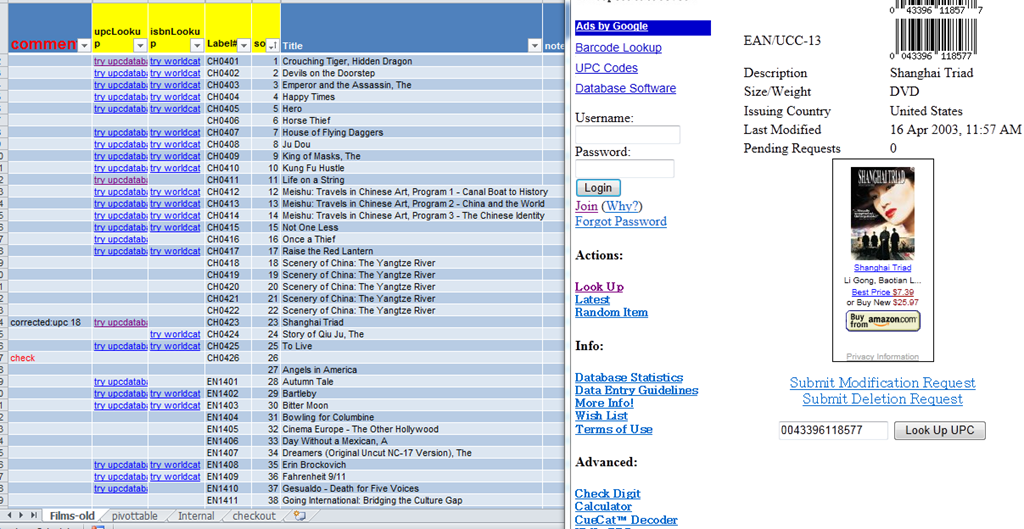
- This links another isolated and non-professional language resource center media collection to the world of non-pseudo libraries, where the power of crowdsourcing has long been known.
- The original plan – which will take more time to implement, especially since it can be automated only in a very limiting way – was to pull into the local collection spreadsheet accurate and multi-faceted bibliographic information, to prevent the common failures of even our usually basic item searches by title:
- foreign-language diacritics, given that non-foreign-language-librarians edited the local collection spreadsheet. This requires that foreign character input to be installed on the LRC help desk computers (done for Western) and that student assistant personnel can be trained (theoretically done – will need more practice)
- English translations: may provide a safety net for searches, short of automated flattening of all title diacritics.


Questions? Read the About. Or just ask me a quick Our Databases: Resources with calendars -- Language learning material Moodle Sites, multimedia files -- films


FAQs for LRC student staff or for students or for teachers. To search our FAQs, in the browser addressbar, add after "https://plagwitz.wordpress.com/feed/?tag=faqs+/" "+TAG1" (from tag cloud below) OR "https://plagwitz.wordpress.com/feed/tag=faqs
&category_name=" "CAT1" (from category hierarchy below). OR search both categories and tags, and multiple TAGs/CATs (connect with "," for OR-search, with "+" for AND-search), like so: https://plagwitz.wordpress.com/feed/?tag=TAG1+TAG2+...TAGn&category_name=CAT1
+CAT2+...CATn"
Other ways to find help
If you cannot find it here, look there: 5,500 Language-Learning Links and Programs for learning or teaching 150 languages
Shortcuts:Our Lists, Our Maps, LRC Staff Moodle Site,LRC Project Moodle Site, 49erexpress, UNCC Moodle, Student Recordings: s:claslcslrcsanakostudent
Learning usage samples: Sanako oral exam, Kaltura webcam presentation, Dictation with speech recognition, Sanako written exam, Chinese and Japanese interactive stroke-order practice
Test the Sanako Installer, Webbrowser Popup Konfigurator for XP, or Windows7, faster LRC TeacherPC Log-in Let MS facilitate diacritics writing by installing for you US-International keyboard layout
This is my personal blog (Google+). The views expressed on these pages are mine alone and not those of my employer. The information in this weblog is provided “AS IS” with no warranties, and confers no rights.
 Thomas' Work Space